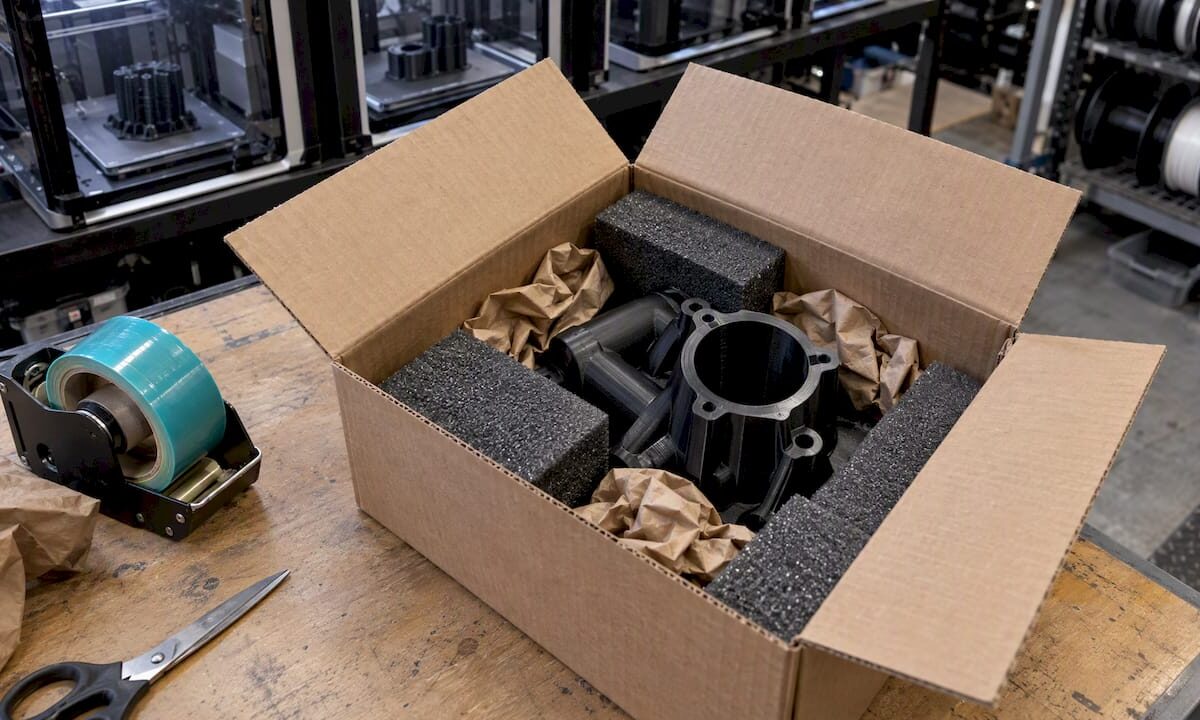
FDM printed part secured inside shipping box

Shipping 3D Printed Parts: Packaging That Arrives Intact

A 3D printed part ships safely when it cannot move inside the box, when its thinnest features are supported, when the box takes the impact instead of the part, and when the shipment is insured and documented before it leaves your hands. FDM parts have a layered structure that is strong along the layers and weaker across them, so thin tabs, clips, snap fits and slender bosses are the features that break first. This guide covers how to package printed parts, which materials are sensitive to heat in transit, and what U.S. carriers say about insurance and fragile items.

CC 3D Labs
Get Printed Parts Shipped Nationwide
CC 3D Labs prints prototypes, functional parts, and small batches, with completed orders shipped anywhere in the United States.

TL;DR

  • Immobilize the part: cushioning absorbs impact, but only a snug fit or a fitted insert stops the rattling that snaps thin features.
  • Use a rigid box with at least 2 inches of cushioning on every side, and double-box sharp, heavy or fragile parts.
  • Keep heavy parts away from fragile ones, or separate them completely, so one cannot crush the other.
  • Match the material to the route: PLA softens at roughly 60°C, so a hot truck or porch is a real risk.
  • Insure the shipment, keep proof of value, and photograph the packed box. USPS will not cover items too fragile for normal mail handling.

Table of Contents

Why 3D printed parts break in transit

A shipping box is exposed to drops, vibration, stacking loads and compression. The Institute of Packaging Professionals notes that ASTM International and ISTA publish laboratory test methods for exactly these hazards, including drop, incline-impact, vibration and compression testing. You do not need a test lab for a small run of parts, but the list tells you what the package must survive.

FDM parts have their own weak points:

  • Layer lines. Printed parts are anisotropic. A bracket loaded across its layers can delaminate at an impact that a molded part would shrug off.
  • Thin features. Fins, clips, pins and standoffs, usually just a few perimeters thick, act as levers when the part shifts inside a box.
  • Large flat surfaces. Thin-walled panels and enclosures can crack along a corner under compression.
  • Heat. Every common filament has a softening point, and a parked delivery vehicle can exceed it.

If you are still deciding how a part will be loaded, our notes on how 3D print durability works explain why orientation and wall structure matter before the part ever reaches a box.

Choose the box and the cushioning

Start with a rigid corrugated box with intact flaps, sized so the part sits with room for cushioning on all six sides. UPS recommends a rigid box with flaps attached and says not to exceed the weight limit printed on the bottom flap. A box that is too big invites movement, and a box that is too tight leaves no cushioning.

UPS lists several cushioning options on the same page: bubble wrap, expanded polystyrene loose fill, air bags, kraft paper and corrugated inserts. It also advises filling empty spaces so contents cannot shift. Each one suits a different kind of part.

Material Works well for Watch out for
Bubble wrap Compact, solid parts without fine protrusions Cushions impact but does not stop a part from shifting inside the wrap
Loose fill (EPS peanuts) Light, bulky parts with no narrow sections Can migrate around flat or narrow parts, and causes static that can harm electronics
Air pillows Filling voids around an already wrapped part Not a substitute for cushioning directly against the part
Kraft paper Void fill and blocking Compresses under load, so it is no use as the only cushion for heavy parts
Corrugated inserts and dividers Separating parts, holding a defined position Must fit tightly to work
Fitted foam or printed insert Thin fins, spouts, clips and any part with delicate features Takes more preparation

UPS gives a figure for loose fill: it advises no less than two inches around lightweight items. Use that as a floor for any cushioning material, not a target.

Know what each layer does

The Institute of Packaging Professionals describes interior packaging as several distinct functions: cushioning, blocking movement, void filling, abrasion protection, ESD protection and environmental protection. Thinking in functions helps you avoid the common mistake of using one material for everything.

  • Cushion against shock with foam or bubble wrap.
  • Block the part from moving with inserts, dividers or tight fill.
  • Fill voids so the blocking cannot collapse.
  • Protect surfaces with tissue or a film where a part could scuff against another.
  • Control static with anti-static bags if the part carries or houses electronics.

Immobilize thin and complex features

Bubble wrap alone is the usual failure. It softens a drop, but a wrapped part can still rotate and shift, so a long clip can strike the wall of the box repeatedly. For parts with fins, thin walls, hooks or spouts, the better approach is a fitted insert: a pocket that holds the body of the part on all sides and keeps the delicate feature clear of anything it could strike.

A practical sequence for fragile parts:

  1. Identify the features most likely to break, usually the thinnest or longest ones.
  2. Support the part by its sturdiest section, such as the base or a thick boss, never by the fragile feature.
  3. Wrap or sleeve the part so its surface cannot abrade.
  4. Place it in a snug insert, cut foam or a corrugated cradle, so no direction of travel is free.
  5. Add at least two inches of cushioning between that inner pack and the outer box walls.
  6. Shake the closed box gently. If you hear or feel anything, repack it.

Pro Tip: For repeat shipments of the same part, print or cut the insert once and reuse the design. A dedicated cradle takes less time per package than improvising cushioning each time, and it makes the packing consistent between operators.

The design stage can help too. Adding a small fillet where a thin feature meets the body, or a sacrificial tab that is removed after delivery, reduces breakage risk. Our guide to designing 3D prints for reliable parts covers wall thickness as a multiple of nozzle diameter and other choices that make a part more robust.

Separate heavy parts from fragile ones

Multiple parts in one carton are a frequent source of damage. The Institute of Packaging Professionals says that heavy items should not share a package with fragile items unless they are carefully separated from one another. For a batch order, that means:

  • Bag or wrap each part individually so parts cannot abrade each other.
  • Use dividers or layers of corrugated between parts.
  • Put the heaviest items at the bottom, and never stack parts so that weight rests on a thin feature.
  • If the mix of weights is extreme, split it into two boxes.

UPS also recommends double-boxing sharp or fragile items: the inner box holds the part with its own cushioning, and the outer box surrounds it with more. This is a sensible default for parts with pointed features or thin sections, and for anything where a replacement would cost a production delay.

Heat, cold and material choice

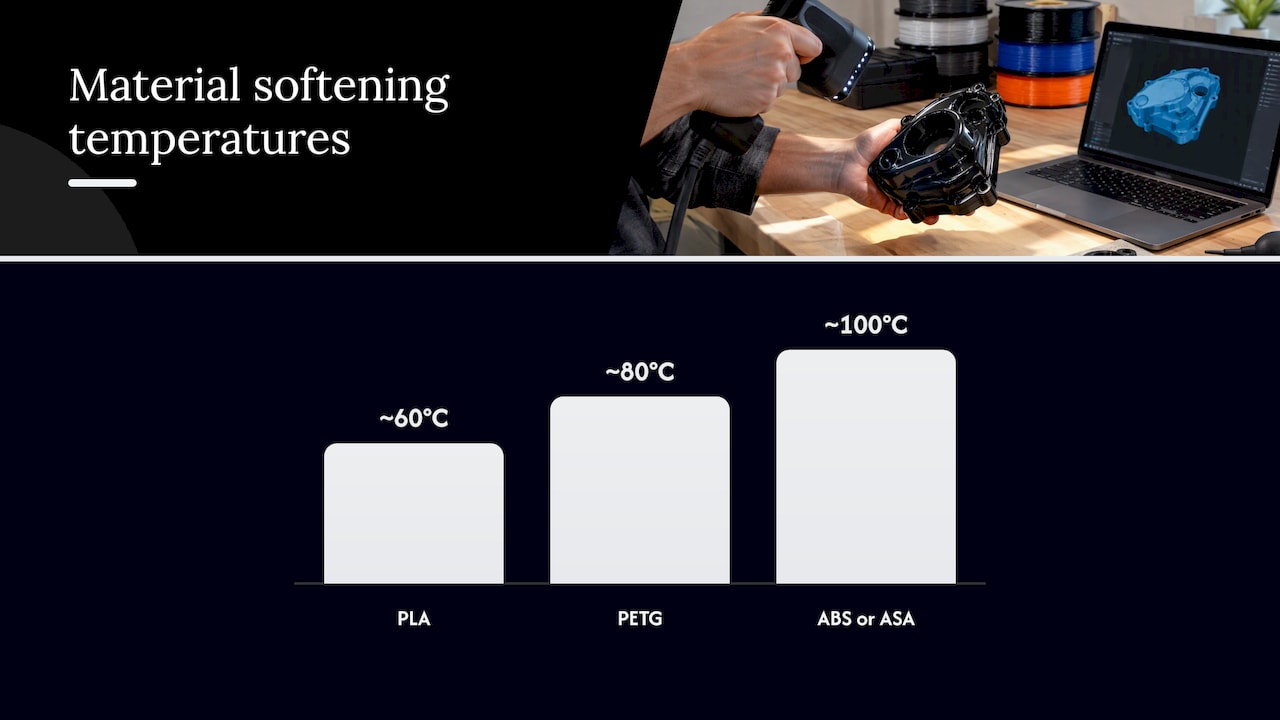
Material matters in transit because the box can get hot. As approximate working figures, PLA starts softening around 60°C, PETG around 80°C, and ABS and ASA around 100°C. These are general averages that vary by filament brand, print settings and load. A PLA part in a sealed box in a parked vehicle in summer is the case to worry about. Deformation from heat is quiet: the part arrives intact but slightly warped, and a precision fit no longer fits.

Practical consequences:

  • For summer shipments and southern routes, choose PETG, ASA or ABS over PLA where the part’s function allows.
  • Avoid leaving boxes on a porch or in a vehicle. Ask the recipient to bring the package inside promptly.
  • Do not pack parts while they are still warm from post-processing such as annealing. Our guide to annealing 3D prints without warping explains how to cool parts under control.
  • For parts that will end up outdoors, see our comparison of materials for outdoor parts, since the same heat tolerance that helps in service helps in transit.

Tougher engineering materials such as carbon-fiber nylon and polycarbonate resist impact better than PLA, but they still need blocked, immobilized packaging. Stiffer does not mean unbreakable at a thin tab.

Insurance, tracking and claims in the United States

Before sealing the box, decide how the shipment is covered.

USPS. USPS Ground Advantage is described as a domestic service for items up to 70 lbs, with tracking and $100 of insurance included. For that included coverage, the USPS insurance page says you should retain the mailing receipt and proof of value and file a damage or missing-contents claim promptly and within 60 days. Check the current page for details before you rely on them.

The caveat matters for fragile parts. USPS states that insured items must be properly packaged and that coverage is unavailable for articles too fragile to withstand normal mail handling. A claim on a poorly packed part is the one most likely to be denied, so the packing itself is part of the insurance.

UPS and other carriers. Each carrier sets its own declared-value limits, exclusions and claim procedures. Read them for the service you are using, and keep the packaging if the carrier asks to inspect it.

For every shipment, regardless of carrier:

  • Photograph the part, the packing steps and the sealed box before it ships.
  • Keep an invoice or proof of value showing what the part cost to produce, including setup and design where relevant.
  • Seal every seam with shipping tape, since UPS recommends tape for closures and seams.
  • Put the address label on the largest face and include a duplicate inside the box.
  • Photograph the delivered package on arrival, and ask the recipient to report damage right away, keeping the box.

Labeling and documentation for production parts

For business customers, the paperwork is part of the part. Include a packing slip with quantity, part number and revision. Label bags or compartments by part number if a box holds different parts. If a drawing or inspection note applies, put it in a sleeve at the top of the box instead of taping it to the part. Parts built under export restrictions need their own handling, and our ITAR printing workflow article explains how we approach controlled work with U.S. engineers.
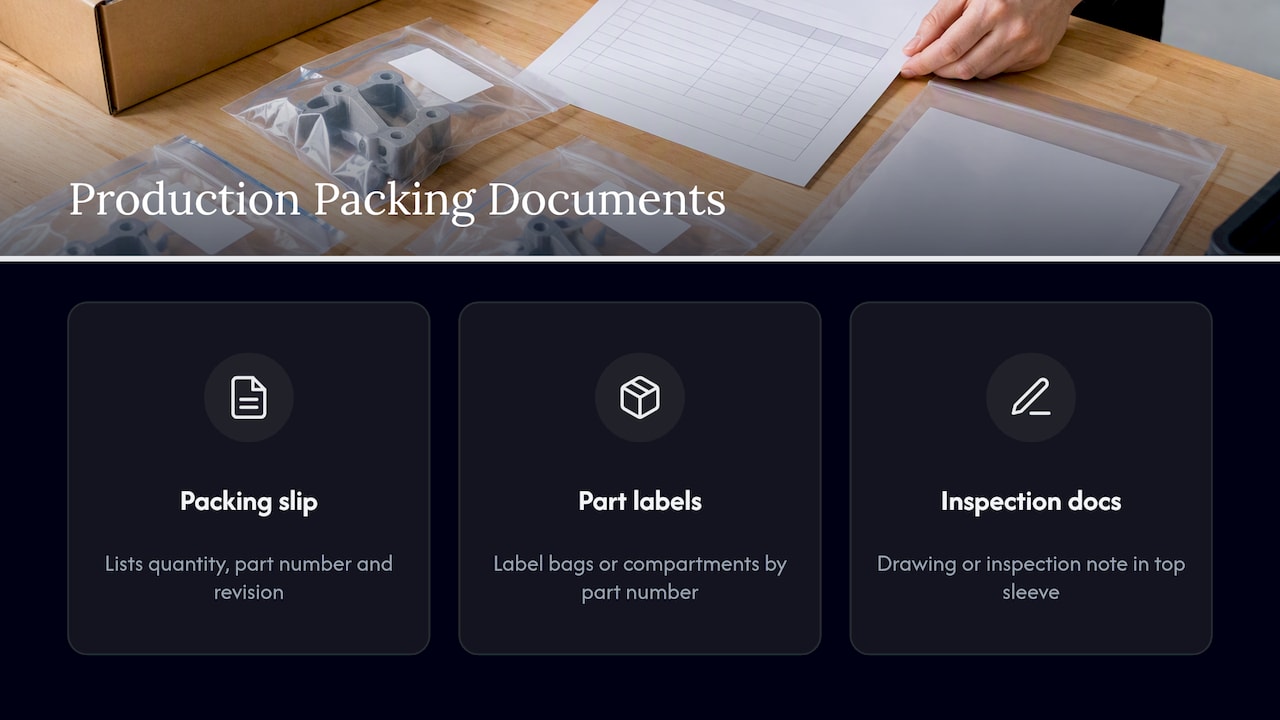
Packing slip fields and separated production parts

Our perspective

Most shipping damage we see discussed comes from one assumption: that a part which survived printing will survive the road. FDM parts are made in layers, and the layer boundaries, thin features and residual heat sensitivity are all things you know before the part leaves the build plate. We treat packaging as the last step of production, not an afterthought.

Our own work is FDM printing on a Bambu Lab farm, professional handheld 3D scanning with accuracy to about 0.1 mm, reverse-engineering CAD and printed mold masters. Every production job is quoted individually after a test print of the actual model, and that test print is also where we learn how a part behaves: which features are delicate, which orientation is strongest, and which material suits both the application and the trip. Local customers in Bucks County and the Greater Philadelphia area can use residential pickup, with no storefront, which removes carrier handling entirely. Completed orders ship anywhere in the United States.

Our advice to engineers and small-batch buyers is simple. Decide how a part will travel while you are deciding its material and orientation, not after. If a feature is likely to snap in a box, it is also likely to snap in a drawer, and the fix is often in the design. For more on moving from a prototype to a part you can rely on, see 3D printed parts for end use.

— Justin

Have us print and ship your parts

If you need functional parts, prototypes or small production runs delivered ready to use, we print in PLA, PETG, ABS, ASA, PC and carbon-fiber nylon, with multi-color printing available, and we pack each order for the route it will take. You can see everything we offer on our services page.
CC 3D Labs

We quote each job individually after a test print of your model, so there is no published price list and no blanket turnaround promise. Tell us about the part, the quantity and where it is going, and we will respond with a quote that fits.

FAQ

What is the best way to package a fragile 3D printed part?

Hold the part snugly in a fitted insert or cut foam so it cannot move, support it by its sturdiest section, and keep delicate features clear of the walls. Then place that inner pack in a rigid box with at least two inches of cushioning on every side. Double-box it if it has thin or sharp features.

Is bubble wrap enough for 3D prints?

For compact, solid parts, a good wrap plus tight void fill can be enough. For parts with thin fins, clips or spouts, bubble wrap alone allows the part to shift and rotate. Add blocking, such as a corrugated cradle or foam insert, so every direction of movement is closed off.

Can PLA parts be damaged by heat during shipping?

Yes. PLA softens at roughly 60°C, which a closed delivery vehicle or sunny porch can approach in summer. For hot-season shipments or functional parts, PETG, ASA or ABS gives more margin. Ask the recipient to bring the box inside promptly.

Will USPS insurance cover a broken 3D printed part?

Only if the part was packaged properly. USPS says insured items must be properly packaged and that articles too fragile for normal mail handling are not covered. Keep your proof of value and mailing receipt, and file a claim promptly and within 60 days.

Do you ship parts outside Pennsylvania?

Yes. Completed orders from CC 3D Labs ship anywhere in the United States, and local customers can use residential pickup. Request a quote at cc3dlabs.com/3d-print-quote/. For scanning, use cc3dlabs.com/3d-scan-quote/, and for CAD, cc3dlabs.com/3d-modeling-cad-quote/.

Sources

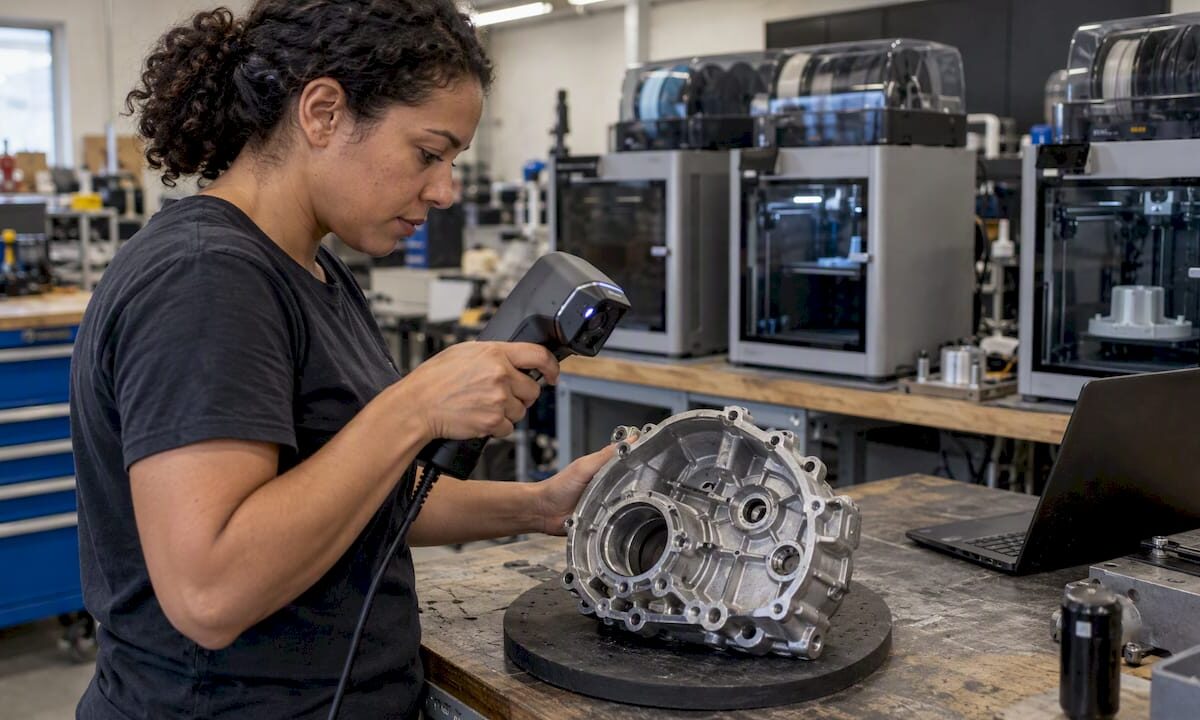
Technician scanning a cast gearbox cover

Scan to CAD Workflow: From Part to Editable Model

A scan-to-CAD workflow turns a physical part into an editable, dimensioned CAD model in six stages: define the objective, prepare the part, capture the geometry, clean and align the data, rebuild the model as parametric features, and verify it against the original scan. The scan records shape. The CAD model records design intent. Most of the effort, and most of the skill, sits in the conversion between the two.

This guide walks through each stage the way we run it at CC 3D Labs, with the decisions that determine whether you end up with a model you can machine, print, or modify, or a mesh that only looks right on screen.

CC 3D Labs
Turn Scanned Parts Into Editable CAD
CC 3D Labs provides professional 3D scanning and scan-to-CAD modeling for reverse engineering and part reproduction.

Explore scan-to-CAD services

TL;DR

  • A scan produces a mesh (a shell of triangles). CAD needs surfaces and features you can edit, so the mesh has to be rebuilt, not just exported.
  • The workflow is: objective, part preparation, capture, cleanup and alignment, CAD reconstruction, and deviation-based verification.
  • Manual rebuilding with the scan as a reference gives the cleanest, most editable models for mechanical parts. Automated feature recognition helps with simple primitives.
  • Most failures start at capture: shiny surfaces, occluded holes, and noisy data cannot be fixed by modeling skill later.
  • We quote every scan and CAD job individually, so send us the part or photos and the end use first.

Table of Contents

What scan-to-CAD actually means

Scan-to-CAD is the process of scanning a physical object and bringing the data into CAD software, where the scan’s individual points have to be converted into surfaces so the object can be manipulated as a CAD object, as Autodesk describes it. Put differently, the goal is usable, editable CAD geometry reconstructed from scan data.

The difference matters in practice:

3D scan (mesh / STL) CAD model (STEP, native parametric)
What it stores Thousands to millions of triangles approximating the surface Planes, cylinders, splines, and the features built from them
Design intent None; it records what the part looks like today, including wear Symmetry, axes, hole patterns, fillet radii, feature boundaries
Editing Difficult; changing a hole diameter means sculpting triangles Change a dimension and the model updates
Typical use Visualization, inspection, reference Manufacturing, assembly, redesign, drawings

One point of view is worth stating up front: scans capture shape while CAD models capture design intent, such as symmetry, axes, and feature boundaries. A worn bracket scanned as-is contains the wear. Your CAD model should contain what the designer intended, and that is a judgment the person doing the reconstruction has to make.

If you only need a visual record or a single printed copy, a mesh may be enough. Basic scanning and visualization may need only a mesh, while advanced manipulation and assembly integration usually require a solid body, per the same Autodesk overview. For a deeper definition, see our scan-to-CAD guide.

Stage 1: Define the objective before touching the scanner

The first decision is what the CAD model has to do. The answer sets scan resolution, which features need the tightest tolerance, and how much of the part you rebuild.

Ask these questions first:

  1. Will the part be manufactured from the model, or only fit-checked against other parts?
  2. Which features are functional (mating faces, bores, threads, locating pins) and which are cosmetic?
  3. Does the original have damage or wear that the new model should correct?
  4. What output format does your downstream process need: STEP for most CAD systems, or a drawing, or an STL for printing?
  5. What process will make the part? FDM printing typically holds roughly ±0.2 to 0.5 mm, so chasing sub-tenth-of-a-millimeter modeling on a printed part rarely pays off, while a machined replacement may demand much more.

Pro Tip: Write down the three or four critical dimensions before scanning. They become the checkpoints in the verification stage.

Stage 2: Prepare the part and plan the capture

Preparation is where data quality is won. The checklist from the research is consistent: clean the part, manage reflections, and place markers where they help the scanner track, so critical features are captured.

  • Clean it. Oil, grease, and dirt change the surface the scanner sees and hide edges you need.
  • Manage reflective and dark surfaces. Glossy, chrome, and black finishes scatter or absorb the scanner’s light. A thin, removable matte coating is the usual fix, and our notes on scanning black shiny parts cover what works.
  • Place markers deliberately. Targets on a flat, featureless part help the scanner keep its position. Put them on the fixture or surrounding surface where possible rather than on mating faces.
  • Fixture the part so you can reach every side without moving it between scans, or plan the re-positioning so the two scans overlap on shared features.

Planning scanner paths to avoid occlusions, such as deep holes or undercuts, gives you data that needs less cleanup later. Non-contact scanning is line-of-sight measurement, and it often cannot get good data inside holes or obscured features. For those, we measure with calipers or pin gauges and add the values during modeling.

The same inspect-before-you-commit habit applies in other trades. Checking how adjoining body panels sit, gap, and flush before deciding what to repair is the logic behind a car panel alignment checklist, and it carries over to scanning: look at the part’s condition and access first, then decide how to capture it.

For step-by-step prep, we keep a 3D scanning checklist and a guide on preparing models for scanning.

Stage 3: Capture the geometry

We use professional handheld 3D scanning with accuracy to ~0.1 mm. The scanner projects structured light while you move it around the part, building a point cloud that software meshes in real time.

Good capture habits:

  • Scan in overlapping passes and keep a consistent distance so point density stays even.
  • Revisit every pocket, rib, and bore from multiple angles to reduce shadowed areas.
  • Capture a bit more context than you need, such as mounting faces and adjacent features, because you cannot go back for data after the part leaves.
  • Check the live preview for holes before you release the part.

The process, as most references describe it, runs: define the objective and prepare the part, capture geometry, register and clean the data, reconstruct CAD, and verify it against the scan. Registration means aligning multiple scans of the same part into one coordinate system, which is why overlapping passes and shared features matter.

For more on getting a clean capture, read our guide to achieving a high quality 3D scan.

Stage 4: Clean and align the mesh

Raw scan data contains stray points, small floating fragments, and gaps. Preparation may involve removing errant points, filling holes, resampling, and other point-based operations. A thorough cleanup also covers stray fragments, noise, holes, non-manifold geometry, and overlapping faces.

A practical cleanup sequence:

  1. Delete obvious noise and fragments that are not part of the object.
  2. Check for non-manifold edges and self-intersections, which break many CAD import tools.
  3. Fill only the holes that are truly gaps in capture, such as an unscanned underside, not holes that are real features.
  4. Decimate carefully. Fewer triangles make CAD faster, but over-reduction rounds off sharp edges.
  5. Align the mesh to a sensible coordinate system, using a primary datum face, a main axis, and a symmetry plane where the part has one.

Pro Tip: Avoid reflexive hole-filling as a first response to poor data. Automatic filling can wipe out the geometric features you need for accurate reconstruction. Rescanning a problem area is often faster than repairing it.

That last step, alignment, is worth the time. A mesh that sits square to the CAD origin makes every later sketch, mirror, and pattern easier, and it makes the final deviation check meaningful.

Stage 5: Rebuild editable CAD geometry

This is the hardest stage. Software can help with referencing and slicing the mesh, but converting it into a solid body remains the most challenging, human-intensive part of the workflow.

Manual reconstruction

In manual modeling, you use the scan as a reference and rebuild the geometry with ordinary CAD tools, as reverse-engineering documentation describes. The typical order:

  1. Slice the mesh with section planes to see true profiles.
  2. Sketch those profiles and extrude, revolve, or sweep the base body.
  3. Add functional features: bores, bosses, slots, ribs, with dimensions rounded to the values the designer most likely intended (a 9.98 mm hole becomes 10 mm if the mating pin is 10 mm).
  4. Add fillets and chamfers last.
  5. Use freeform surfaces only for organic areas that cannot be described with standard features.

The result is a feature tree you can edit, which is the whole point.

Automated and semi-automated tools

Some reverse-engineering software offers automated feature recognition that identifies primitives such as planes and cylinders. Research groups go further: Fraunhofer IPK’s Scangineering approach segments and classifies point clouds into features for a parameterized CAD model, and it positions automated model reconstruction as a replacement for manual reconstruction in its applications.

Which approach fits which part?

Part type Better approach Why
Prismatic brackets, housings, adapters Manual with scan reference Few features, high editability, clean dimensions
Parts with many cylinders and planes Automated recognition, then manual cleanup Fast first pass, intent still needs review
Organic or sculpted shapes (trim, ergonomic grips) Surface modeling or a converted mesh body Standard features cannot describe them
Display or fit-check only Mesh alone No editing required

Users of mainstream CAD packages also run into the mesh-to-solid choice directly. Fusion users, for example, describe Faceted and Prismatic conversion options, and note that complex scans may be better used as a reference for sketches, extrusions, or surfaces. A converted faceted body is a solid in name, but it is still thousands of tiny faces and rarely editable. Our article on mesh to CAD conversion explains where each method breaks down.

Stage 6: Verify the model against the scan

A model that looks right can still be 0.3 mm off at a mating face. Verification closes that gap. Compare the final CAD model with the original scan mesh, then use what you find to refine the reverse model.

A solid check includes:

  • Alignment of the CAD body to the cleaned scan using the same datums.
  • A deviation map (a color-coded surface comparison) to spot systematic offsets.
  • Cross-sections through critical features to compare profiles.
  • Local checks at functional features such as holes, mating faces, and mounting points, as the process outline recommends.

Interpret deviation honestly. Scanner accuracy of about 0.1 mm means differences of that size are within measurement noise, and a worn part will deviate from a corrected model on purpose. Where your model deliberately differs from the scan, such as a repaired chip or a restored sharp edge, note it in the file.

Pro Tip: For parts that will be printed, print a test piece before committing to a run. We do this for every production job, which is why we quote after a test print rather than before.

Common problems and how to avoid them

Most scan-to-CAD trouble traces back to a handful of causes:

  • Reflective or dark surfaces. Missing or noisy data. Use a removable matte coating and recheck the scan.
  • Occluded features. Deep holes, undercuts, and internal channels cannot be seen by a line-of-sight scanner. Measure them directly and model from the measurements.
  • Noise and overspray. Cleaning erroneous noise takes time, and dense datasets can slow your CAD machine. Decimate sensibly.
  • Worn or deformed originals. The scan faithfully records the damage. Decide whether you are reproducing the part as it is or as it was designed.
  • Thin or flexible parts. They can move during scanning. Support them on a fixture.
  • Misaligned multi-scan data. Poor overlap causes registration drift. Plan shared features between passes.
  • Over-fitting the mesh. Tracing every ripple produces a model with unnecessary complexity and no intent. Idealize where the design obviously did.

For older vehicle or equipment components, see our guide to scanning for legacy part reproduction, which covers worn originals in more depth.

Our perspective

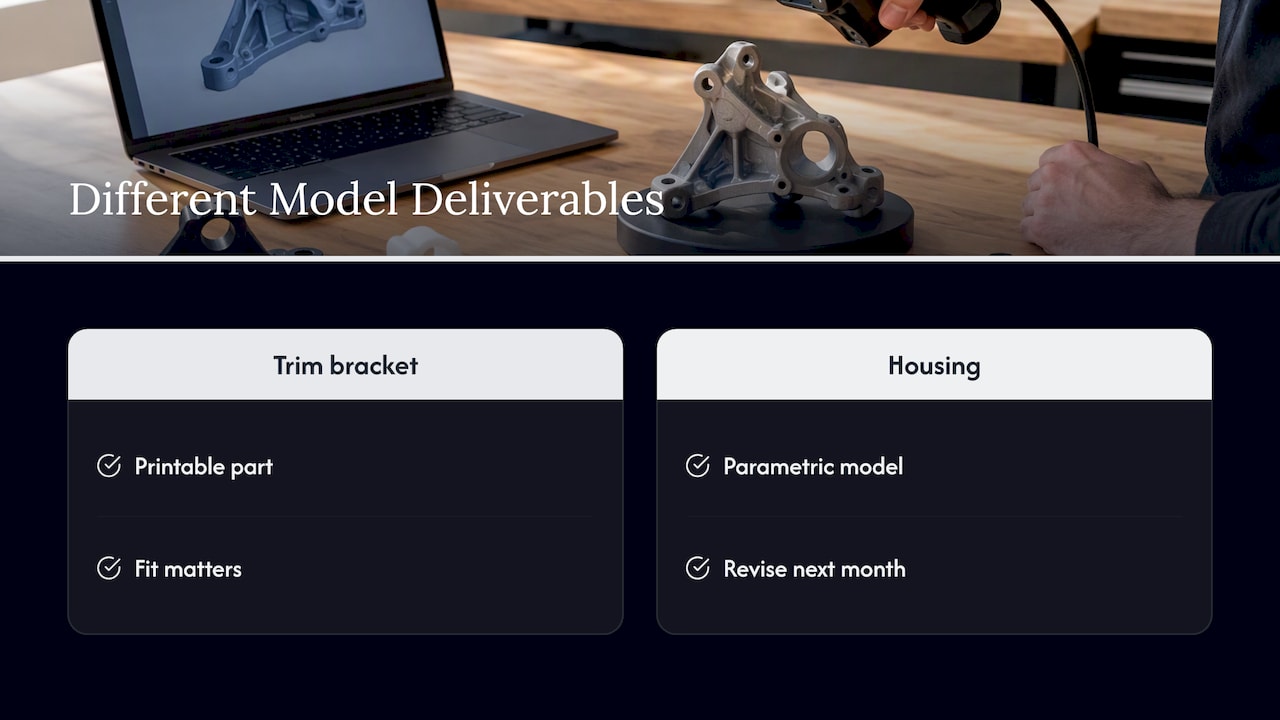
We have seen the same pattern across automotive restoration shops, product developers, and small manufacturers: the scan is rarely the bottleneck. The bottleneck is a clear decision about what the finished model is for. A shop reproducing a discontinued trim bracket wants a printable, fitting part. An engineer reverse-engineering a housing wants a parametric model they can revise next month. Those are different deliverables from the same scan.

Our perspective — overview diagram

We lean toward manual, intent-driven reconstruction for mechanical parts, with the scan as a reference, because the resulting model is something your team can actually edit. We use professional handheld scanning with accuracy to ~0.1 mm, verify critical features against the mesh, and tell you plainly when a feature is better measured by hand than scanned. We also test-print before quoting production jobs, since a printed part reveals fit problems a screen does not.

We only work within what we do well: FDM printing on our Bambu Lab farm, handheld scanning, reverse-engineering CAD, and printed mold masters.

— Justin

Getting a scan-to-CAD project started with us

CC 3D Labs is a 3D printing and 3D scanning service in Bucks County, PA, serving the Greater Philadelphia area. Our 3D Scanning Lab captures parts with professional handheld scanning, and our CAD team turns scans into editable models and, if you need them, printed parts in PLA, PETG, ABS, ASA, PC, or carbon-fiber nylon. See the full list on our services page.

Local customers can use residential pickup (we have no walk-in storefront), and finished orders ship anywhere in the United States. We quote each job individually, so there is no published price list and no blanket turnaround promise. Tell us what the part does and we will tell you what the workflow should look like.

FAQ

How long does a scan-to-CAD project take?

It depends on part complexity, how many functional features need rebuilding, and how clean the scan data is. A simple bracket and a multi-surface housing are very different jobs, so we do not publish blanket timelines. We scope each project individually once we know the part and the end use.

Can you convert an STL directly to a CAD file?

You can convert it to a solid made of tiny triangular faces, but that body usually cannot be edited in a useful way. For editable features, the mesh is used as a reference and the geometry is rebuilt with sketches, extrusions, and surfaces. Our mesh to CAD guide compares the options.

Is scan-to-CAD the same as reverse engineering?

Scan-to-CAD is the core modeling step within reverse engineering. Reverse engineering also covers defining requirements, material and function analysis, and verification. Our practical guide to reverse engineering covers the wider picture.

What file formats do I get?

We match the format to your downstream process. STEP is the usual choice for exchanging editable solids between CAD systems, and STL is typical for printing. Tell us your software and we will confirm what we deliver.

Request a quote

Ready to start? Send us your part details and end use:

  • 3D printing: cc3dlabs.com/3d-print-quote/
  • 3D scanning: cc3dlabs.com/3d-scan-quote/
  • CAD and modeling: cc3dlabs.com/3d-modeling-cad-quote/

Sources

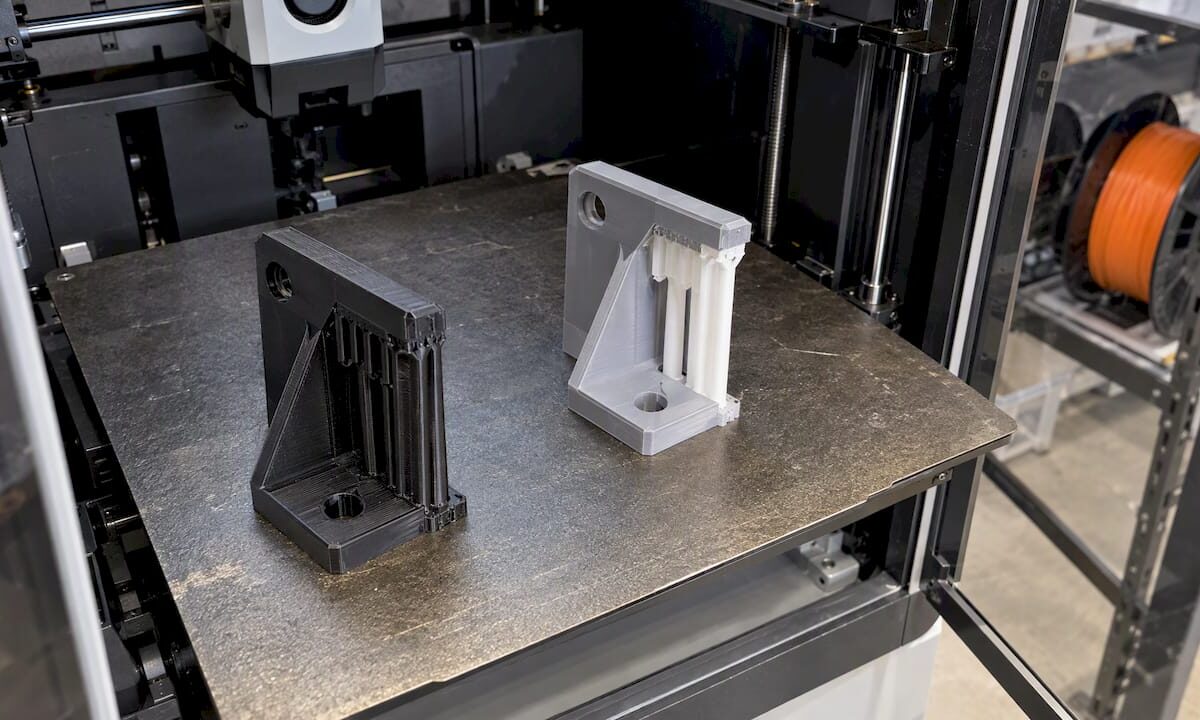
FDM brackets printed with contrasting supports

Support Material Choices for FDM: Matching Supports to Your Filament

The right support material depends on the filament you are printing, the geometry under the overhang, and whether the printer can run more than one material. In most cases, a part that needs only external supports can use its own filament with a tuned interface. A part with enclosed cavities or moving assemblies usually needs a soluble support. A part in nylon, polycarbonate or fiber-filled filament needs a pairing chosen for adhesion, because the wrong combination fails mid-print. This guide walks through each decision in that order, with the interface settings that decide how cleanly the supports come off.

CC 3D Labs
Print Parts With the Right Support
CC 3D Labs prints prototypes and functional parts in materials including PLA, PETG, ABS, ASA, PC, and carbon-fiber nylon.

Explore 3D printing

TL;DR

  • Try to design supports out first: overhangs up to about 45 degrees from vertical generally print without them, and orientation changes how many you need.
  • Use the model filament for simple external supports, a dedicated breakaway filament for easier manual removal, and a soluble material for internal geometry.
  • Pairing matters more than preference: PVA supports PLA but not PETG, and PVA with PC or PP leads to print failure.
  • Top Z distance and interface layers control surface quality and removal effort. Dedicated support filament typically uses 0, model filament about 0.2 mm.
  • Remove supports within about 2 hours on moisture-sensitive materials such as nylon and PVA.

Table of Contents

What support material is

FDM printers build a part layer by layer, and a layer cannot be deposited on empty air. Wherever the model has an overhang, a bridge or an island that starts mid-air, the slicer generates a temporary structure underneath. Support material is whatever filament forms that structure. It is removed after printing, either by hand, by cutting, or by dissolving it.

A support has two parts. The base is the sparse structure that rises from the build plate or the model. The interface is the dense set of layers directly under the model surface. According to the Bambu Lab Wiki on supports, those interface layers dictate the surface finish and removal ease of the supported area. Most of the quality you get from a supported surface is decided by the interface, not by the base.

The material choices fall into three groups:

  1. Model filament: the same spool as the part. No extra material is needed and any single-extruder printer can do it.
  2. Breakaway supports: a different filament, specialized for easier manual removal.
  3. Soluble supports: a material such as PVA that dissolves in water without affecting the surface, which suits complex internal geometry or moving assemblies, as described in the Bambu Lab Wiki.

Design supports out before choosing a material

The cheapest support is the one you never print. The Altem FDM design guide describes self-supporting features as overhangs up to 45 degrees from vertical, or gaps up to half an inch (about 12.7 mm). Features inside those limits generally print without support.

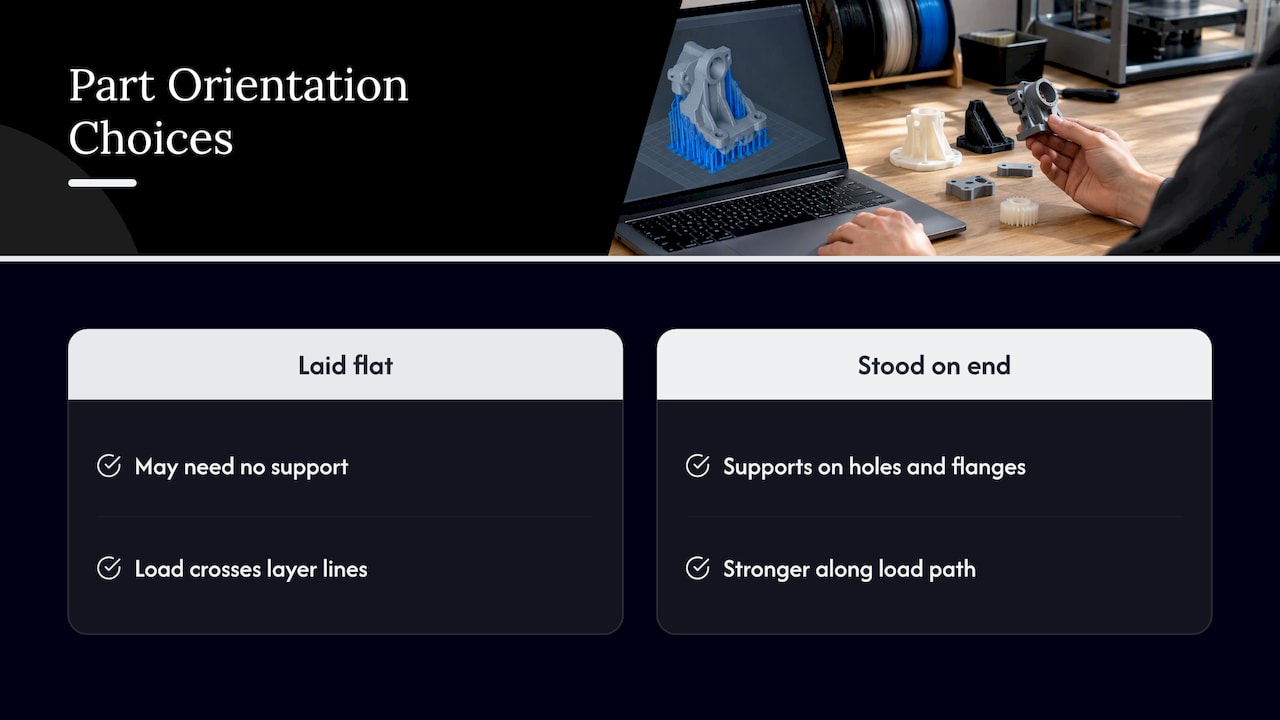
Orientation is the other lever. The same guide notes that FDM parts are anisotropic, so build orientation affects strength, and it recommends choosing orientation early to balance support needs against structural integrity. A bracket laid flat may need no support but carry its load across layer lines. Stood on end, it may be stronger along the load path but need supports on every hole and flange.

Pro Tip: Before you choose a support material, list which faces of the part are functional. Orient the part so supports land on non-critical faces, such as the underside of a mounting tab, rather than on a sealing surface or a bearing bore.

Small design changes often remove supports entirely: chamfers in place of 90-degree overhangs, teardrop-shaped horizontal holes, or splitting an assembly into two parts that each print flat. Our article on benefits of DFM in 3D printing covers these changes in more depth.

Design supports out before choosing a material — overview diagram

Model filament, breakaway or soluble: how to decide

UltiMaker’s beginner guide to support materials frames the choice around three factors: how complex the geometry is, whether the printer has multi-material extrusion, and whether the build and support materials are compatible. That is a practical checklist.

Model filament as support

This is the default for single-material jobs. There is no purge waste from material changes, no second spool to keep dry, and no compatibility question. The cost is surface quality and effort. Because the support is the same plastic as the part, it bonds to it, so the slicer has to leave a small gap. Bambu Lab recommends a Top Z distance of about 0.2 mm when the model filament is used for support, so the support can be removed mechanically. Expect some witness marks on the supported face, and plan for light sanding or machining of any surface that must be smooth.

Breakaway filament

A dedicated support filament lets the interface sit directly against the part, so it releases more easily and leaves a better face. It needs a printer that can switch materials, and it needs a pairing that actually bonds during printing and separates afterward. Bambu lists Support for PLA for PLA, Support for PLA/PETG for both PLA and PETG, and Support for PA/PET for PA-based filaments, per its Support Filament Usage Guide.

Soluble supports

Soluble material is the answer when you cannot reach the support with a tool: internal channels, captured pins, print-in-place hinges, and tight lattices. The trade-offs are dissolution time, a dedicated tank or bath, and strict pairing rules. Our multi-material FDM article explains how multi-material builds behave at the layer interface, which is the same issue that governs support bonding.

Pairing support material with your build filament

The pairing is where most failed support jobs begin. The table below summarizes documented combinations. Treat it as a starting point and confirm with a test print on your own printer and spools.

Build filament Support option What to watch
PLA Support for PLA, Support for PLA/PETG, or PVA PVA supports PLA, per Bambu
PETG Support for PLA/PETG, or HIPS PVA is not compatible with PETG; HIPS dissolves in limonene
ABS / ASA Model filament, or a compatible breakaway Long limonene exposure can disrupt layer adhesion in some ABS and ASA
Nylon (PA) Support for PA/PET Remove within about 2 hours; nylon absorbs moisture
PA6-CF Bambu ASA for core and interface (dual-nozzle) Interface-only ASA may fall off from weak adhesion
PC, PP Do not use PVA PVA lacks adhesion and the print fails

The sources behind these rows: the pairing of PVA with PLA but not PETG comes from the Bambu Support Filament Usage Guide. The failure of PVA with PC or PP is documented in UltiMaker’s PVA instructions. HIPS as a limonene-soluble support for PETG, and the caution about limonene and ABS or ASA, appear in the Prusa HIPS knowledge base article. The PA6-CF recommendation is in the Bambu Studio support page.

Why the high-temperature materials are harder

Polycarbonate and fiber-filled nylon print hot and shrink more, so supports in a lower-temperature material can soften, warp or detach. The interface must stay bonded through the whole print and then release afterward, which narrows the options. This is why we do not treat support as an afterthought on engineering parts. For general background on how these filaments differ, see our guides on PLA, PETG and ABS for durable parts and advanced filament materials for engineers.

For reference, typical heat resistance is roughly 60°C for PLA, 80°C for PETG and 100°C for ABS and ASA. These are general industry averages, not guarantees for any specific spool. If a part sees heat, that limit also applies to a support pairing, since a softened support can sag before the part finishes.

Interface settings that decide surface quality

Once the material is chosen, the interface settings decide whether the underside is clean and whether the supports come off without damage. Readers often search for these settings by name, and the Bambu Studio documentation is specific.

Top Z distance

This is the gap between the top of the support and the bottom of the model. A smaller gap improves interface quality but makes supports harder to remove. A larger gap eases removal but lowers the quality of the supported surface. Bambu’s guidance is:

  • Dedicated support filament or soluble material: Top Z distance of 0, which allows a smooth finish.
  • Model filament: about 0.2 mm, so the support can still be removed mechanically.

Both recommendations come from the Bambu Lab Wiki support page. Setting 0 with the model filament would fuse support to part, which is the usual cause of the hard-to-remove supports people describe in forums.

Interface layers

More top interface layers improve the quality of the supported area, because the first layers over the gap get a solid platform instead of sparse lines. Bambu notes that setting the top interface to 3 creates a stable, flat platform. On a model with large flat undersides, this is the first setting to raise. On small features, extra interface layers add removal effort with little gain.

Support and interface patterns

Patterns change both stability and release:

  • Base patterns include Rectilinear and Rectilinear grid.
  • Interface patterns include Concentric and Rectilinear.
  • Grid interface is strong and stable but difficult to detach.
  • Rectilinear is the standard choice.
  • Concentric is recommended for non-planar surfaces, or for the best surface quality when paired with a specialized support material.

The Bambu documentation on these patterns is on the same support page. A reasonable engineering default: rectilinear interface with a 0.2 mm gap for model-filament supports, and concentric with zero gap when a dedicated support filament touches a curved face.

Pro Tip: Change one setting at a time on a small test coupon with a representative overhang. If you change the gap, pattern and layer count together, you cannot tell which one fixed or caused the problem.

Timing the removal

Bambu Lab advises removing supports within about 2 hours, especially for moisture-absorbing PA body filaments, PVA and Support for PA/PET, because absorbed moisture can make supports hard to remove or leave residue (Bambu guide). Plan post-processing right after the print finishes, not the next morning, and store spools of these materials dry.

Our perspective on support choices

We run a production farm of Bambu Lab FDM printers, and the support strategy is one of the first things we settle on a job, because it affects accuracy as much as the material does. FDM parts typically hold about ±0.2 to 0.5 mm, and supported faces are where that tolerance is most at risk, since the underside is only as good as the interface above the support.

Our perspective on support choices — overview diagram

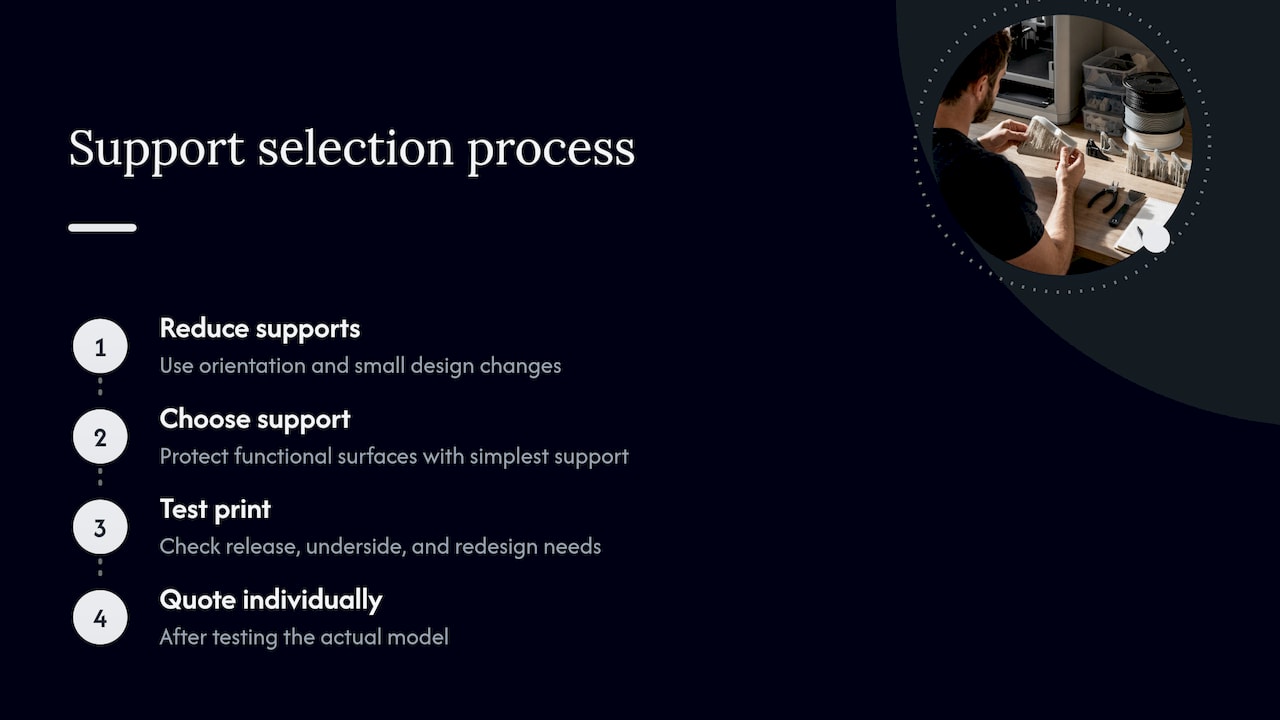
Our approach is to reduce supports first, through orientation and small design changes, and then choose the simplest support that protects the functional surfaces. We do not quote a production job from a spec sheet alone. Each job is quoted individually after a test print of the actual model, which shows how the supports release, what the underside looks like and whether a feature needs to be redesigned.

For customers in automotive restoration, the situation is common: a scanned legacy part with awkward overhangs and a requirement to fit an existing mount. In those cases we decide orientation around the mating faces, and we can adjust the CAD so supports are not needed there. If a part needs a more demanding material such as carbon-fiber nylon, we treat support pairing as part of the material decision instead of an add-on.

— Justin

When to hand the support decision to a specialist

Support planning pays off when the part is functional, the surface matters, or you need the same result across a batch. If you are building prototypes or low-volume parts and would rather not tune interface settings on your own printer, our 3D printing services cover custom printing, engineering-grade materials, multi-color and multi-material work, and CAD changes that remove supports from the design. We ship anywhere in the United States, and local customers in the Greater Philadelphia area can use residential pickup. Request a quote at cc3dlabs.com/3d-print-quote/ and send the model file with a note on which faces are critical.

FAQ

What is the best support material for PETG?

For PETG, Bambu lists Support for PLA/PETG as a purpose-made option, and HIPS works as a soluble support that dissolves in limonene. PVA is not compatible with PETG, so avoid it. Test the pairing on a small coupon first, since adhesion at the interface varies with spool and settings.

Can I use the same filament for supports and the part?

Yes, and it is the most common setup on single-material printers. Use a Top Z distance of about 0.2 mm so the support separates, and expect some surface marks that may need sanding. For smoother faces or internal cavities, a dedicated or soluble support is the better choice.

What is the best support interface pattern?

Rectilinear is the standard, and it balances stability and removal. Grid is strong and stable but difficult to detach. Concentric suits non-planar surfaces and gives the best surface quality when used with a specialized support filament.

Why do my supports stick to the part?

Usually the Top Z gap is too small for the material combination, or the interface pattern is too dense. Raising the gap toward 0.2 mm for model-filament supports is the first fix. On nylon and PVA, delayed removal can also cause residue, so remove supports within about 2 hours.

Which support material works with polycarbonate?

Avoid PVA with PC, because insufficient adhesion causes print failure, according to UltiMaker. Beyond that, polycarbonate needs a pairing validated for its print temperature, so a test print on the real part is the reliable way to confirm the choice.

Sources

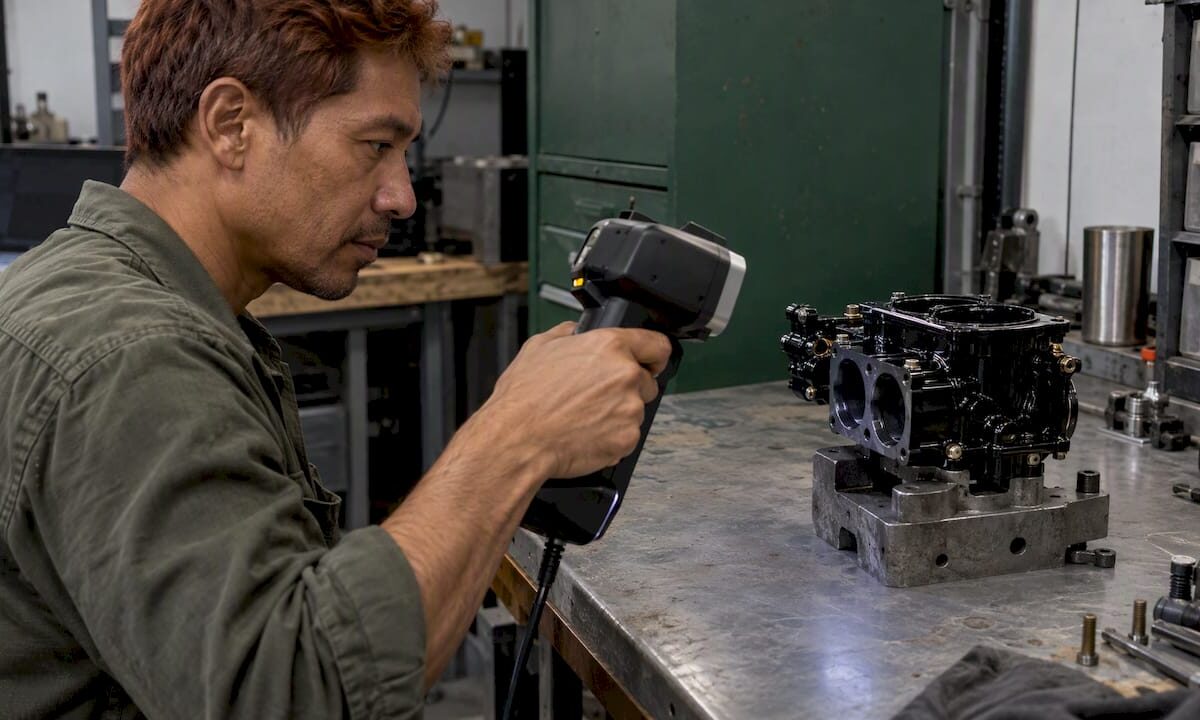
Technician scanning a polished black carburetor body

Scanning Black Shiny Parts: Prep That Works

Black, glossy parts are among the hardest things to capture with an optical 3D scanner, because dark surfaces absorb the projected light and shiny surfaces bounce it away from the camera. The fix is almost always surface preparation: a thin, temporary matte layer that breaks the reflection, plus good scanner technique and, on some parts, positioning markers. This guide explains what is going wrong, how to prepare the part, and how to protect dimensional accuracy while you do it.

CC 3D Labs
cc3dlabs.com
Capture Difficult Parts More Clearly
CC 3D Labs provides handheld 3D scanning for automotive part reproduction, reverse engineering, and scan-to-CAD modeling.

Explore 3D scanning services

TL;DR

  • Dark surfaces absorb scanner light and glossy surfaces reflect it away, so both produce holes and noise. Matting sprays work by adding a thin, uniform, matte layer.
  • Spray only when needed, and use the thinnest layer that breaks the reflection. A thick “snow white” coat can add measurable thickness to the part.
  • Smooth, repetitive or featureless parts such as gears and curved panels often need optical positioning markers on top of the spray.
  • For automotive trim, painted panels and finished parts, ask whether a coating is acceptable before anything touches the surface.
  • At CC 3D Labs we quote every scan individually, so send us the part or photos and we will tell you what prep it needs.

Table of Contents

Why black and shiny surfaces defeat scanners

An optical scanner projects light, whether structured light or laser lines, and measures how it returns to the camera. That only works when the surface sends back a clean, diffuse signal.

Two different failures hide under the same complaint:

  • Dark surfaces absorb light. Black plastic, rubber and dark powder coat return too little signal, so the scanner records sparse or noisy points.
  • Shiny surfaces reflect light directionally. Polished metal, chrome and glossy black paint act like small mirrors. The light leaves at the opposite angle, misses the camera, or saturates it at one angle and vanishes at the next.

A black glossy part, such as a piano-black interior trim piece, does both at once. Instructors in practical scanning courses note that the primary cause of scan problems is usually the subject’s reflectivity and color rather than the scanner or software. That is useful to know: a better scanner does not replace preparation, and a poor scan is not always an equipment fault.

A published case study on scanning a carburetor body lists highly polished, dark, shiny and transparent surfaces together as the critical issue for that class of scanner, which matches what automotive shops see daily.

Do you need spray at all?

Not always. Experienced operators treat spray as a tool of necessity. Guidance from 3D scanning specialists is to check the scan quality first and coat only if you cannot capture enough data without it, because every coating risks introducing measurement error.

Before spraying, try these in order:

  1. Change the angle. Hand-held scanners can often be tilted to find an angle where the glare drops. Scanners with single-laser settings often let you work this way.
  2. Adjust the environment. Remove direct sunlight and strong overhead lights that add glare to a glossy surface.
  3. Test a small patch. Scan a hidden area and look at the point density and noise before deciding.
  4. Spray only the failing regions. Many parts are fine on matte or textured areas and need a coating only on the glossy faces.

Pro Tip: If the part will be measured against a reference model, such as an inspection or a scan-to-CAD job, note which areas were sprayed. That tells the person modeling the part where a hair of added coating thickness could matter.

Choosing a coating

The goal of preparation is to break the reflection, not to change the object. Four broad families cover most work.

Coating type How it works Best for Watch out for
Dedicated matting (scanning) spray Thin, uniform matte layer that raises surface contrast Most dark and glossy parts Needs cleanup unless it is a vanishing type
Vanishing (sublimating) spray Matte layer that disappears on its own over time Finished parts that cannot be washed or wiped Coating thickness and vanishing time vary by product; a peer-reviewed comparison of eight sublimation sprays measured both
Improvised coatings (thin wax, removable coatings, powder-and-water mixes) Dulls the surface in a pinch One-off cases when no scanning spray is at hand Careful application is needed to avoid damaging delicate automotive finishes or creating hard cleanup
No coating, with angle and setting changes Relies on scanner mode and technique Moderately dark or semi-matte parts May leave holes on true gloss black

For parts that must go back into service untouched, a vanishing spray or a reversible coating is usually the safer choice, but confirm on a test area. Paint, clear coat and soft-touch finishes react differently to solvents, so this is the step where we ask the owner before anything is applied.

How to apply a scanning spray

Technique matters as much as the product. Manufacturer best-practice guidance and scanning-industry sources agree on the basics.

  1. Clean the part. Remove dust, oil and fingerprints. Contaminants prevent an even, stable coating.
  2. Hold the can at a distance. The recommended range is 15 to 25 cm from the surface, using short, controlled bursts from the wrist.
  3. Do not paint the surface. Avoid lingering in one spot or making slow passes.
  4. Check for uniformity. If the surface looks wet after a minute, the coat was likely too heavy or too close. Adjust distance or technique.
  5. Stop when the reflection breaks. You are not trying for bright white. Many operators over-coat, and professionals instead apply the thinnest layer needed to break the reflection.
  6. Rescan a test area and compare the data before covering the whole part.

Pro Tip: Mask critical datum surfaces, bearing bores and mating faces when you can, and scan those with the lightest possible preparation. Coating thickness matters most where tolerances are tightest.

Add markers when the geometry is plain

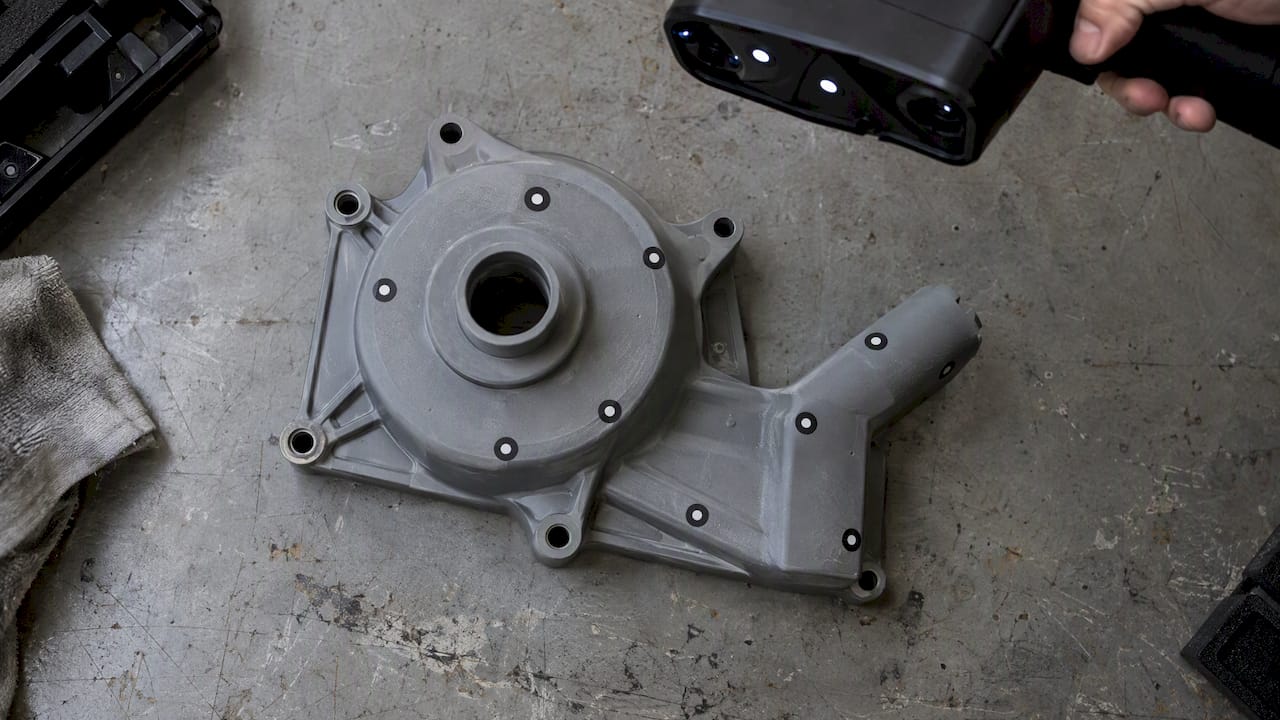
Tracking markers placed across a plain mechanical housing

A matte surface solves the capture problem but not the tracking problem. Handheld scanners align frames by recognizing geometry, and a smooth panel or a part with repeating features gives them little to hold on to. Parts with repetitive geometry, such as gears or simple curved panels, can still fail after good prep, and optical positioning markers are often the answer.

Follow the manufacturer’s marker guidance:

That guidance comes from one manufacturer’s laser-scanning documentation, so check your own scanner’s manual for its specific requirements. On large automotive parts such as hoods, fenders and body panels, markers are often what separates a clean single scan from several pieces that will not merge.

What this looks like on real automotive and product parts

The parts that reach us most often fall into a few groups:

  • Glossy black trim and interior pieces. These need a thin matte layer on the gloss and a decision about whether the finish can take it.
  • Chrome and polished metal brackets. Reflection is the main issue, and a vanishing coating on the shiny faces usually matters more than markers.
  • Black molded plastic housings. Absorption is the issue. They often scan with light prep, then need markers if the surface is smooth.
  • Rubber and dark composite parts. Soft or flexible items need support so they do not deform during the scan, as well as surface prep.

The prep decision is always specific to the part. A scanner working on a gloss black dashboard bezel faces a different problem than one working on a cast-iron bracket with a dull patina.

How scan prep affects the CAD and the print

Surface preparation is only the first step. A scan produces a mesh, and if the job is reverse engineering, someone then turns it into clean CAD. Holes, noise and added coating thickness all carry through into that model.

For reproduction work, the sequence looks like this:

  1. Prepare the surface and scan, with markers where needed.
  2. Clean the mesh and check for gaps.
  3. Rebuild the part in CAD from the scan, so that features like holes, bosses and mounting faces are clean geometry rather than a noisy mesh.
  4. Print a test part and verify fit against the original.

If you want the background, our guides on scan-to-CAD workflow, scanning for legacy part reproduction and how to optimize scan accuracy cover the later steps. A scanning checklist is useful before you ship a part to any lab, and our piece on which objects suit 3D scanning helps you judge a difficult item up front.

Keep expectations realistic on the print side as well. Our FDM prints typically hold about ±0.2 to 0.5 mm, so a scan that is accurate to about 0.1 mm gives the CAD model more precision than the printed part will carry. Material choice also depends on use: PLA softens around 60°C, PETG around 80°C and ABS or ASA around 100°C, which matters for replacement parts near engine bays or in a hot car interior.

Scanner accuracy, print tolerance, and material temperature comparison

Our perspective on black and shiny parts

We scan these parts regularly, and our view is simple: the prep decision should be made on the part, not on habit. Some shops spray everything, and some refuse to spray anything. Both approaches lose accuracy or time.

Our handheld Einstar workflow gives us professional handheld 3D scanning with accuracy to about 0.1 mm, and that figure is only meaningful if the surface is prepared with care. We start by looking at the part, its finish and what you plan to do with the data. If a glossy panel can be scanned with a change of angle, we do that. If it needs a coating, we use the thinnest one that works and we tell you where it was applied.

The other rule we follow is communication. A customer with a restored car part or a one-of-a-kind component should know before scanning begins whether the finish will be touched. We would rather ask a question about a clear coat than guess. We are owner-operated, so you talk to the person doing the work, and that is how we handle the awkward jobs other shops have declined.

— Justin

Have us scan it

If you would rather not experiment on a part you cannot replace, we can handle the preparation, the scan and, where you need it, the CAD and the print. CC 3D Labs is in the Greater Philadelphia area (Bucks County, PA). Local customers use residential pickup, since we have no walk-in storefront, and finished orders ship anywhere in the United States. We quote each job individually and publish no fixed pricing. See our 3D scanning lab and the full services page for what we do.

FAQ

Can you scan a black shiny part without spray?

Sometimes. Changing the scanner angle, reducing ambient glare and using single-laser or similar settings can capture moderately glossy parts. True gloss black or chrome usually still leaves holes, and a thin matte coating on those areas is the practical fix.

Will scanning spray damage my part?

It depends on the finish and the product. Vanishing sprays and reversible coatings are designed to leave the part intact, but improvised coatings like wax or powder mixes can harm delicate automotive finishes or leave hard cleanup. Test a hidden spot, and tell the scanning lab about any fragile paint or clear coat.

Does the spray change the measurements?

It can. Over-coating adds measurable thickness, which is why professionals use the thinnest layer that works. For tight-tolerance surfaces, tell us so that we can limit or mask the coating there.

Why does my scan fail even after spraying?

The likely cause is tracking, not surface capture. Smooth or repetitive geometry gives the software too little to align on, and positioning markers placed randomly, with at least four visible, usually fix it.

How do I get a quote for scanning a part?

Use our 3D scan quote form and describe the part, its finish and what you need from the data. For printing, use the 3D print quote page, and for reverse-engineered CAD use the CAD quote page.

Sources