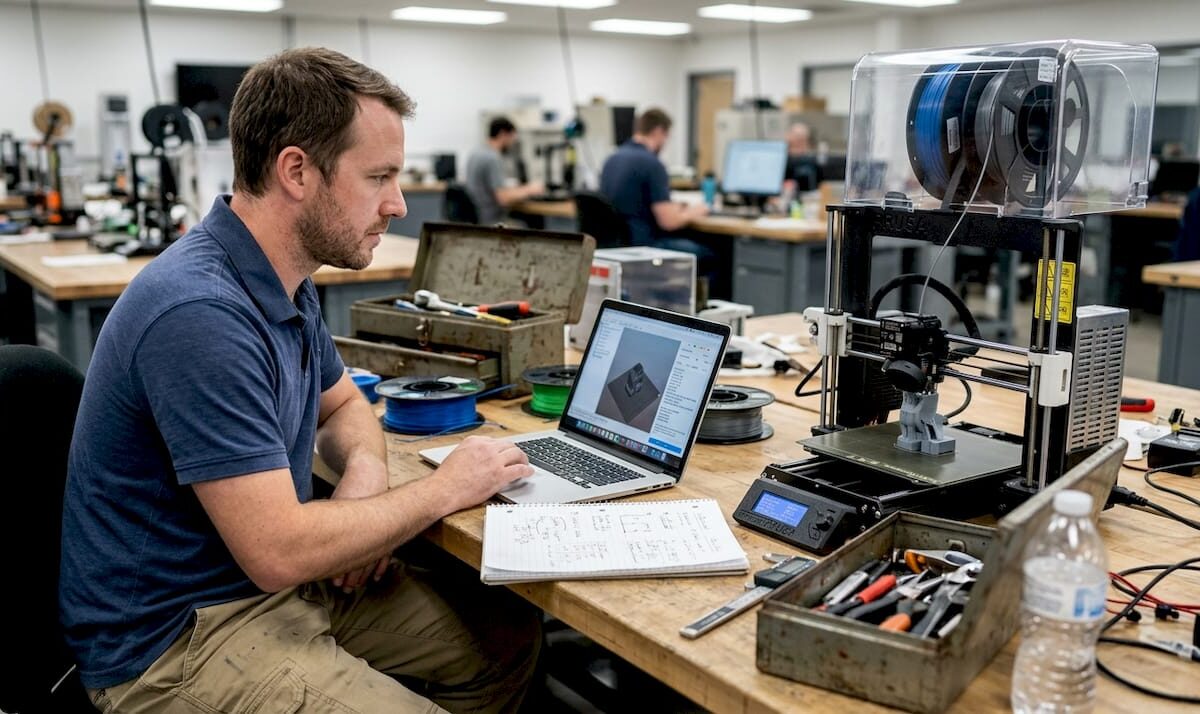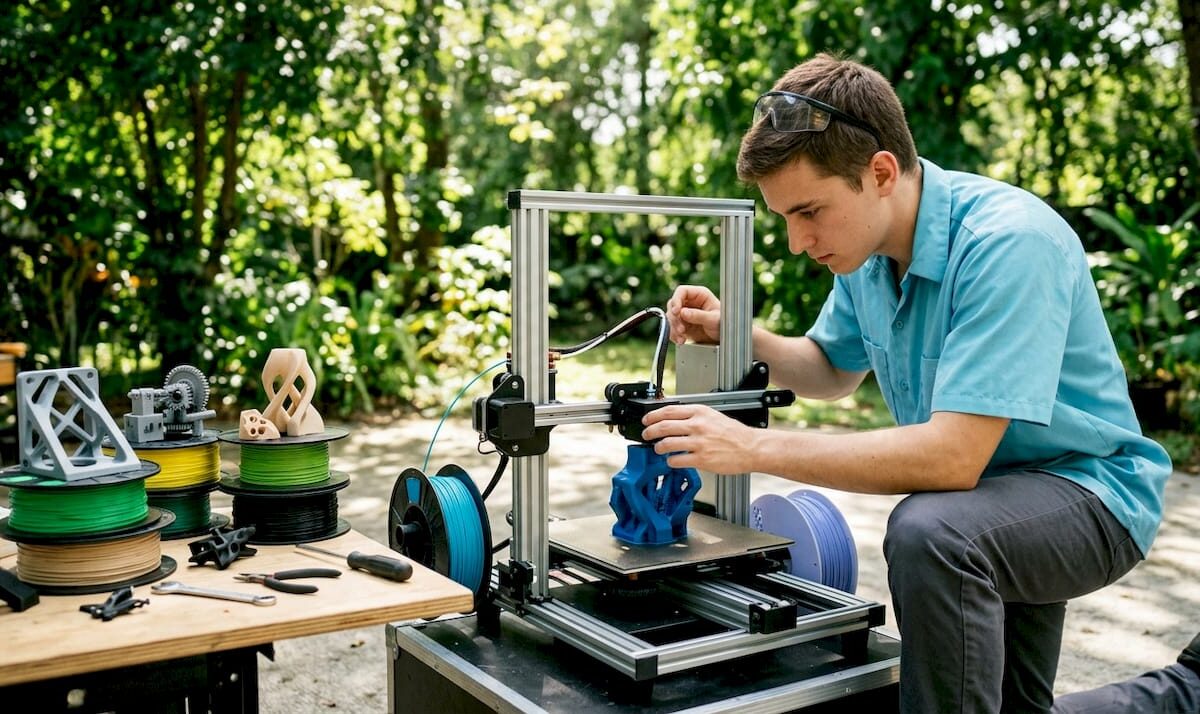
Technician inspecting 3D printer in workshop

Local 3D Printing Turnaround: What to Expect

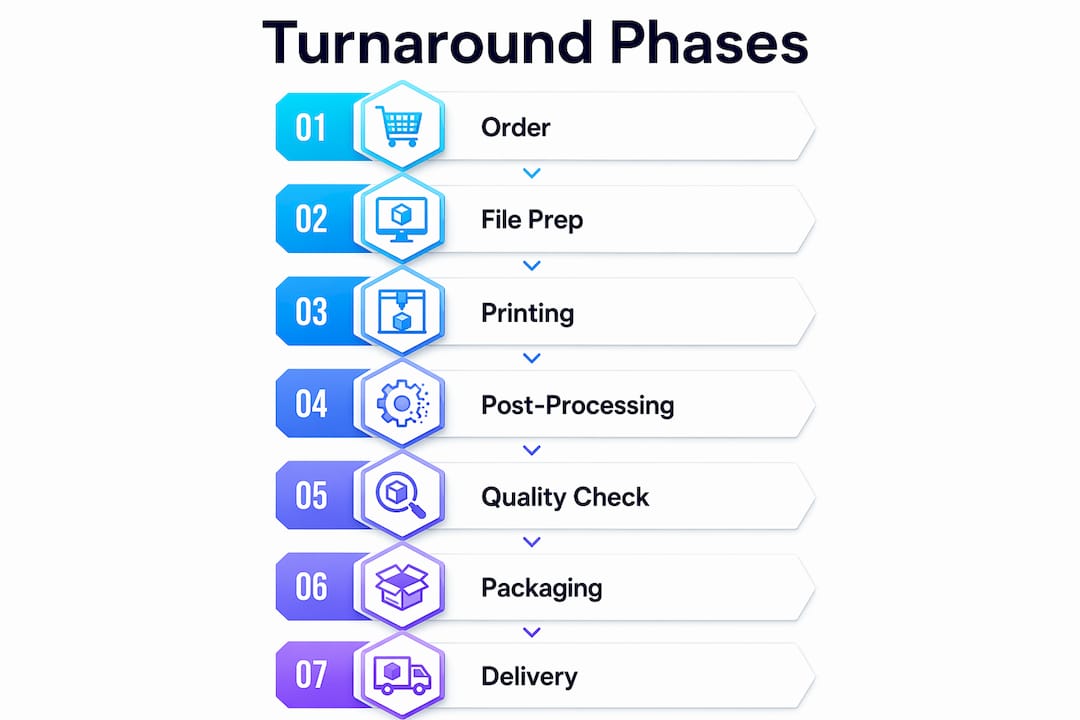
Most local 3D printing orders take a variable amount of time from the moment you place an order to the moment your part is in your hands, depending on many factors including technology, complexity, and administrative requirements. That range sounds wide, and it is, because turnaround time for 3D printing is not a single number. It is a chain of distinct phases, and each one adds time.

Here is what that chain typically looks like:

  • Quote response: May take from same day up to several days, depending on part complexity and provider workload
  • File review and approval: Typically requires several days for checking printability, tolerances, and material fit
  • Production queue: Can involve waiting days before your job starts printing, based on current shop load
  • Machine time: Ranges from a few hours to over a day, depending on size, layer height, and technology
  • Post-processing: Involves hours to a couple of days for cleaning, curing, sanding, or finishing
  • Shipping or local pickup: Pickup can be same day; shipping duration varies based on carrier and destination

One thing buyers consistently get wrong: they treat the entire timeline as “print time.” It is not. Administrative steps like vendor onboarding, purchase order processing, or NDA review can add days before production even begins, and those steps are separate from anything the print shop controls.

What are the phases that make up your local 3D printing turnaround?

Understanding where your time actually goes is the fastest way to stop being surprised by delivery dates. Each phase below has its own clock, and a delay in any one of them pushes everything that follows.

  1. Quote and initial response (same day to 2 business days). A good local shop can often review your file and return pricing within hours for straightforward parts. Complex geometries, unusual materials, or jobs requiring design consultation take longer. Submitting a clean file with clear specs cuts this phase down considerably.

  2. File review and approval (1–2 business days). Once you accept a quote, the shop checks your file for printability: wall thickness, overhangs, support requirements, and dimensional accuracy. If the file needs revision, this phase restarts. Shops that use automated file-checking tools move faster here.

  3. Administrative processing (variable, often 1–3 business days). This is the phase most buyers forget to budget for. Professional shops separate quote turnaround from production start, and for good reason. If your company requires a purchase order, vendor onboarding, or tax form submission before work can begin, that paperwork runs on its own timeline. The print shop cannot start production until those steps clear.

  4. Production queue (1–3 business days). Your job enters a queue behind whatever is already running. A shop with multiple printers and low volume might start your job the same day file review clears. A busy shop during a product launch season might have a 2–3 day wait before your job even loads onto a machine.

  5. Machine time (hours to 24+ hours). Actual print time varies enormously. A small bracket in FDM might finish in under two hours. A large SLA part with fine detail can run overnight or longer. Layer height, infill density, and part orientation all affect how long the printer runs.

  6. Post-processing (a few hours to 2 business days). Cleaning support material, curing resin under UV light, sanding surfaces, or applying a specific finish all add time after the printer stops. SLA and SLS parts typically require more post-processing than FDM parts. If you need a painted or primed finish, budget an extra day.

  7. Shipping or local pickup (same day to 5 business days). Local pickup eliminates this phase entirely, which is one of the real advantages of using a nearby provider. Ground shipping within the continental United States typically runs 1–5 business days depending on carrier and destination.

What factors push your 3D printing delivery times longer?

Knowing the phases is half the picture. The other half is understanding what makes each phase take longer than expected.

  • Print technology. FDM (fused deposition modeling) is generally the fastest technology for simple, functional parts. SLA (stereolithography) produces finer detail but requires UV curing after printing. SLS (selective laser sintering) handles complex geometries without supports but involves powder removal and sometimes heat treatment. Each technology carries its own post-processing overhead.

  • Part complexity and size. A part with thin walls, internal channels, or overhanging geometry takes longer to print and longer to clean up. Large parts simply take more machine hours, and some require multiple print runs if they exceed the build volume of a single machine.

  • Order volume. A single prototype and a batch of 50 functional parts do not move through the shop at the same speed. Low-volume manufacturing runs still require setup, file nesting, and quality checks per part, so the per-unit time savings are smaller than most buyers expect.

  • Material selection. Some filaments and resins require drying before printing, longer cure times, or specific temperature profiles that slow the process. Engineering-grade materials like nylon or polycarbonate often need more careful handling than standard PLA, which adds time at both the production and post-processing stages.

  • Seasonal demand. Shops get busy around product launch cycles, trade show seasons, and the holiday period. A job that takes 3 business days in february might take 6 in november if the shop is running at capacity.

  • Administrative delays. Purchase orders, vendor onboarding, and NDA reviews are the most common sources of unexpected delay, and they have nothing to do with the printer. Flagging these requirements upfront, before the quote is even approved, keeps production from stalling while paperwork catches up.

  • Queue position. Walk-in or rush orders sometimes get priority at an additional cost. Standard orders go into the queue in the order they are received and approved. If your file review takes two days because of revisions, you lose your original queue position.

Pro Tip: Build a one-day contingency into every phase when you are planning a deadline-sensitive project. If the shop quotes 5 business days and your deadline is day 5, you have no room for a file revision request or a shipping delay. Plan for 6 or 7 and use the buffer only if you need it.

How to set realistic expectations and avoid common delays

The biggest source of friction in local 3D print services is not the printer. It is vague scope and late communication. A few habits make a real difference.

Project manager and engineer discussing 3D printing

Submit clean files from the start. A properly formatted STL or STEP file with confirmed wall thicknesses and no non-manifold geometry moves through file review in hours, not days. If you are not sure whether your file is print-ready, ask the shop before submitting. Most will flag issues quickly.
Infographic showing seven 3D printing turnaround phases

Separate your administrative timeline from your production timeline. If your company needs a purchase order or vendor setup before approving work, tell the shop at the quote stage. A practical note to include: “Please quote this now, but note that production release depends on PO issuance and first-time vendor setup.” That one sentence prevents a week of confusion later.

Hands reviewing 3D print project timeline documents

Lock the scope before approving the quote. Once you approve a quote, confirm that the file version, material, finish, quantity, and delivery method are all finalized. Scope changes after approval restart parts of the process and push your delivery date. Clear early communication of these details is the single most effective way to reduce delays.

Ask for phase-specific updates. Instead of asking “when will it be done?”, ask for three separate confirmations: when production starts, when printing finishes, and when the order ships or is ready for pickup. That structure gives you real visibility into where the job stands.

Use local pickup when timing is tight. Shipping adds 1–5 business days and introduces carrier variables you cannot control. If the shop is within driving distance, pickup eliminates that entire phase and lets you inspect the part before you leave.

How Cc3dlabs approaches turnaround and reliability near Philadelphia

Cc3dlabs operates near Philadelphia and runs a workflow built around the kind of transparency that prevents the delays described above. Their filament-based 3D printing capabilities cover prototypes, functional parts, and batch production, while their professional handheld 3D scanning (accuracy to ~0.1 mm) supports quality verification at a level most local shops do not offer.

A few things that distinguish how Cc3dlabs handles the turnaround process:

  • Precise online estimates available before you commit, so you know pricing and timing before the administrative clock starts
  • Dedicated workflow that separates administrative onboarding from production scheduling, keeping your print job from stalling while paperwork processes
  • Free design support to catch file issues before they delay the file review phase
  • Local pickup and shipping options with clear delivery timelines communicated at the quote stage
  • Multi-color printing and CAD modeling available in-house, reducing the need to coordinate with outside vendors

Cc3dlabs’ project gallery and customer testimonials reflect a consistent pattern: clients who communicate scope clearly and submit clean files get their parts on time. The shop’s proximity to Philadelphia also means local pickup is a real option for clients in the region, cutting the shipping phase entirely.
https://cc3dlabs.com

Ready to get a real number for your project? Cc3dlabs offers precise online estimates for custom 3D printing with no obligation, so you can plan your timeline before committing. Visit the 3D printing services page to start your quote.

Key Takeaways

Local 3D printing turnaround covers seven distinct phases, and the total time from order to delivery typically runs from same-day to over a week depending on technology, complexity, and administrative requirements.

Point Details
Turnaround has multiple phases Quote, file review, admin processing, queue, machine time, post-processing, and shipping each add time.
Admin steps are separate Purchase orders and vendor onboarding add days before production starts and are outside the shop’s control.
Material and technology matter SLA and SLS parts require more post-processing than FDM, extending total delivery time.
Clean files save days Submitting a print-ready file skips revision cycles and keeps your queue position intact.
Local pickup cuts shipping time Choosing pickup over ground shipping removes 1–5 business days from the total timeline.
Engineer reviewing 3D printer at workbench

Fast Turnaround 3D Printing: Why Speed Wins in 2026


TL;DR:

  • Rapid 3D printing enables product teams to test prototypes in days, accelerating development cycles.
  • Speed often involves trade-offs in surface quality, but can still produce functional, test-ready parts.
  • Integrating fast printing into workflows boosts innovation, reduces risks, and shortens time to market.

When traditional manufacturing quotes come back with 6 to 12 week lead times, product teams lose momentum before a single part is tested. Fast turnaround 3D printing flips that dynamic entirely, delivering functional prototypes in days rather than months. But many engineers still assume that speed means compromise, that you’re trading surface quality or structural integrity for convenience. That assumption is worth challenging. This article breaks down how rapid 3D printing actually works, where it creates real competitive advantage, what trade-offs are genuinely worth managing, and how to build it into your development workflow without guessing.

Table of Contents

Key Takeaways

Point Details
Speeds up innovation Rapid 3D printing shrinks the time from idea to prototype to just days.
Manages trade-offs Balancing speed, quality, and cost helps teams iterate faster without sacrificing function.
Enables market advantage Using fast 3D prints for early concepts helps outpace competitors and test ideas quickly.
Works across industries Automotive, medical, and electronics companies all benefit from shorter production cycles.

The impact of speed: From concept to prototype in days

Traditional manufacturing methods like CNC machining and injection molding are built for precision at scale, not iteration. A single mold can cost tens of thousands of dollars and take 8 to 16 weeks to produce. For a product team running design cycles, that’s not a delay. It’s a full stop.

Fast turnaround 3D printing changes the math. Instead of waiting weeks for each revision, teams can receive updated prototypes in 24 to 72 hours. That kind of speed enables something traditional manufacturing simply can’t: parallel development. You can test three different geometry variations at the same time, gather real feedback, and move forward with data instead of guesses.

One common misconception is that fast prints are only useful for visual mockups. That’s not accurate. With the right material and settings, fast-printed parts can handle functional testing, fit checks, and even early stress validation. The key is understanding where speed is appropriate in your process. Our rapid prototyping guide covers this in detail for teams just getting started.

Print parameters drive the speed-quality relationship directly. Thicker layers at 0.2mm print faster but produce a rougher surface finish, while lower print speeds in the 20 to 40mm/s range deliver better dimensional accuracy. Neither is universally better. The right choice depends on what stage of development you’re in.

Here’s what fast turnaround printing actually enables for product teams:

  • Faster design validation without waiting for machining queues
  • Multiple simultaneous iterations tested in parallel
  • Lower cost per learning cycle compared to traditional tooling
  • Earlier cross-team collaboration with physical parts in hand
  • Reduced risk before committing to expensive production tooling

“The real cost of slow prototyping isn’t the machining bill. It’s every week your competitor spends iterating while you’re waiting.”

Pro Tip: Use fast-turnaround prints for early-stage concept testing where surface finish is secondary. Reserve high-resolution settings for later rounds when fit, form, and finish all matter. This approach saves time and budget without sacrificing the learning you need.

For teams that also need dimensional verification of existing parts, quality 3D scans can feed directly into your CAD revision process, closing the loop between physical testing and design updates.

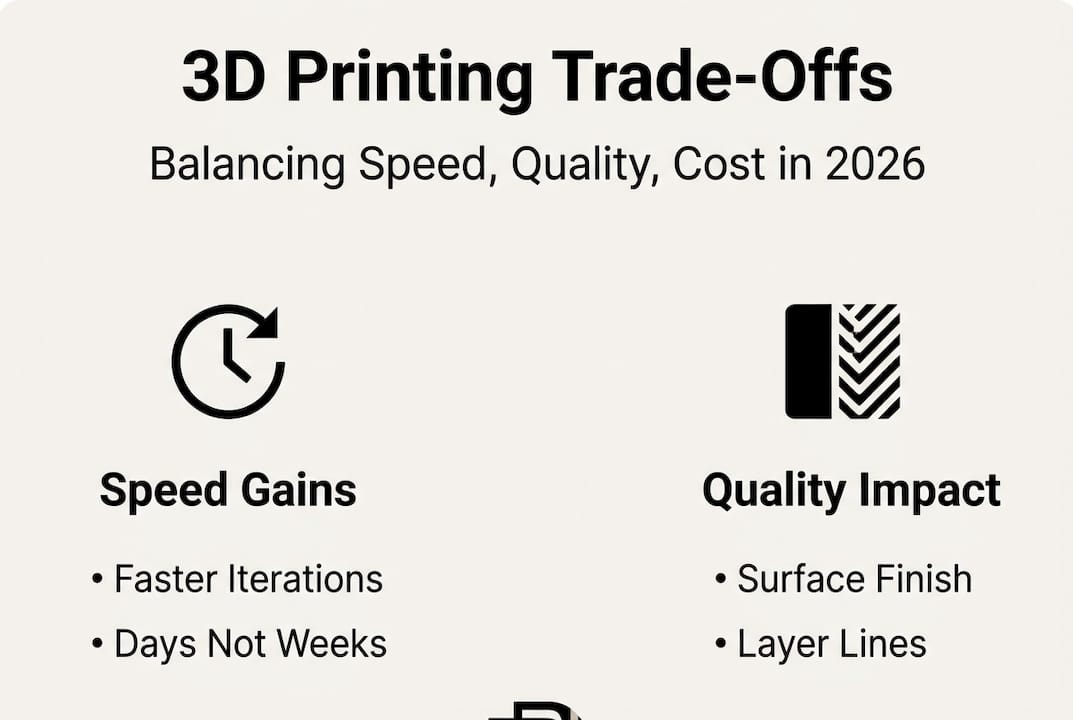
Balancing speed, quality, and cost: Key considerations

Once you understand how much time fast printing saves, the next question is what you’re actually trading for that speed. The answer is more nuanced than most people expect.

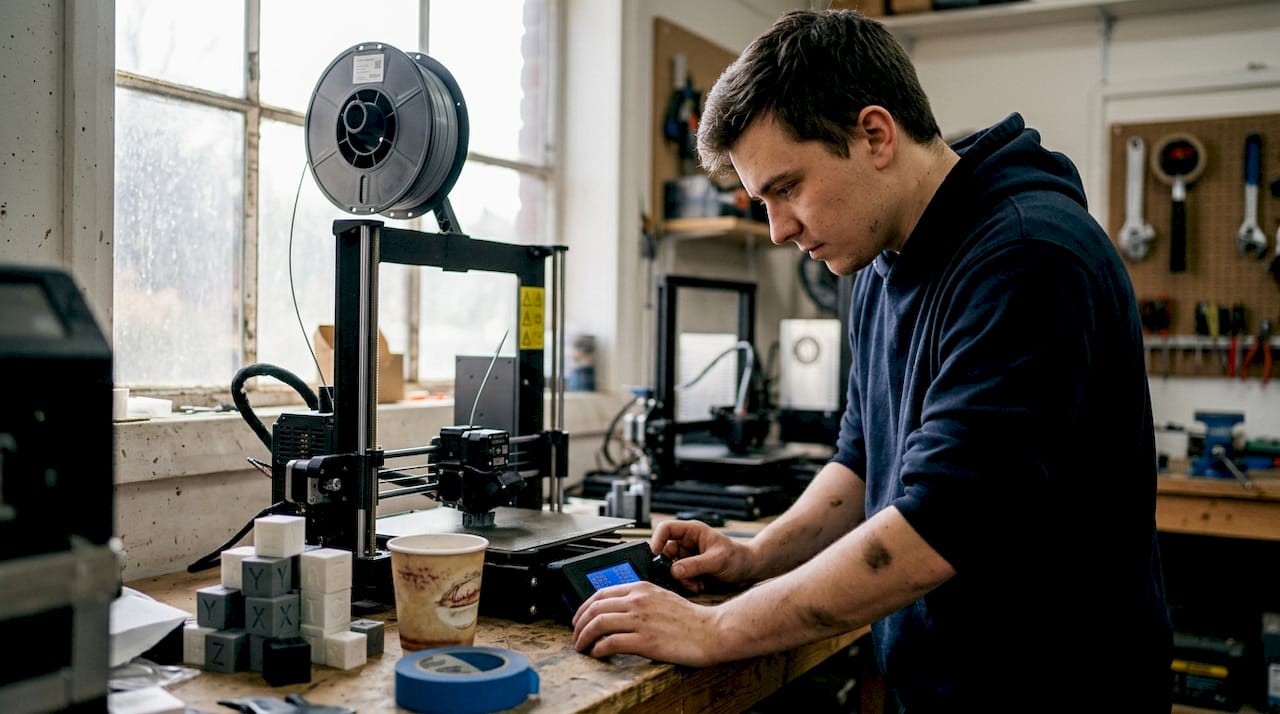
Technician adjusts FDM printer settings in workshop

Print speed in FDM (fused deposition modeling) is controlled by three primary variables: layer height, print speed setting, and temperature. Pushing all three toward maximum output produces parts faster, but the surface finish suffers. Thicker layers and faster speeds mean visible layer lines and reduced detail on fine features. For a concept test, that’s perfectly acceptable. For a customer-facing prototype, it probably isn’t.

Surface finish varies significantly across printing technologies. Here’s a comparison that matters when you’re choosing a process:

Technology Surface finish Ra Best for
SLA 1 to 5 μm High-detail visual prototypes
MJF 5 to 10 μm Functional parts, complex geometry
SLS 10 to 15 μm Durable, end-use parts
FDM 15 to 50 μm Fast concept models, structural tests

Infographic on 3D printing speed quality cost

Surface finish Ra values show that chemical smoothing post-processing can significantly improve FDM results when needed. That gives you a useful middle path: print fast, then smooth selectively.

Here’s a practical numbered approach for deciding which speed setting to use:

  1. Define the part’s purpose. Is it a concept check, a fit test, or a functional prototype?
  2. Identify the critical features. Do fine details or surface quality matter for this round?
  3. Set your deadline. If you need the part in 24 hours, high-resolution settings may not be feasible.
  4. Choose layer height accordingly. 0.2mm for speed, 0.1mm or finer for detail.
  5. Plan post-processing. If finish matters, budget time for sanding or chemical smoothing.

For teams managing tight schedules, our low-volume manufacturing tips walk through how to structure print batches efficiently. And if you need parts on demand without maintaining in-house equipment, 3D printing on demand is often the fastest path from file to physical part.

Pro Tip: On projects with hard deadlines, run fast prints for structural and fit testing while simultaneously ordering high-resolution prints for the customer-facing version. You get both timelines working in parallel.

Applications where speed creates competitive advantage

Knowing the trade-offs is one thing. Seeing where fast printing actually moves the needle on commercial outcomes is another.

Automotive teams use rapid 3D printing to validate bracket designs, duct geometries, and interior trim components before committing to tooling. A design verification cycle that once took 8 weeks can now run in under a week. Medical device developers use it to test ergonomics, housing fits, and assembly sequences on physical models before regulatory submission. Consumer electronics teams print enclosures and button assemblies to test user interaction before any injection mold is cut.

Industry Typical turnaround Key impact
Automotive 1 to 3 days per iteration Faster design freeze, reduced tooling risk
Medical devices 2 to 5 days Earlier ergonomic validation, lower rework cost
Consumer electronics 1 to 2 days Faster user testing, more design options explored
Industrial equipment 2 to 4 days Quicker fit checks before machining

The competitive benefits stack up quickly:

  • Faster time to market by compressing the design verification phase
  • More design options explored without proportional cost increases
  • Lower financial risk before tooling investment
  • Better cross-functional alignment when everyone holds a physical part
  • Earlier identification of design flaws before they become expensive

Surface finish data across technologies helps teams match the right process to the right stage, ensuring you’re not over-engineering early prototypes or under-specifying final validation parts.

Exploring the full range of 3D printing applications shows just how broad the use cases have become across industries. Staying current with 3D printing trends also helps teams anticipate which capabilities are worth building into their standard workflow now.

Pro Tip: Use rapid prints to test market fit with real users before finalizing a design. A physical part in a customer’s hands during early-stage research is worth more than any survey.

Integrating fast 3D printing into your workflow

Understanding the value is step one. Building a repeatable process around it is where teams actually capture that value consistently.

The first decision is identifying which parts and project stages are good candidates for rapid printing. Not everything benefits equally. Early-stage concept models, fit-check assemblies, and ergonomic test pieces are ideal. Highly detailed cosmetic parts or components requiring tight tolerances may need slower, higher-resolution settings regardless of schedule pressure.

File preparation matters more than most teams realize. Clean STL files with proper wall thicknesses, no inverted normals, and appropriate support structures reduce print failures and reprints. A file that takes 20 minutes to prepare correctly can save hours of troubleshooting later.

Here’s a straightforward numbered workflow that works well for most product development teams:

  1. Upload or share your CAD/STL file with your print service or internal team.
  2. Select material and speed settings based on the part’s purpose in this iteration.
  3. Confirm print time and delivery window before committing.
  4. Print and receive the part, often within 1 to 3 business days for industry fast-turnaround jobs (confirmed per project at quote time).
  5. Test, document findings, and revise the design file based on physical feedback.
  6. Repeat the cycle until the design meets validation criteria.

“From file upload to part in hand, the fastest teams treat each print cycle as a structured experiment, not just a manufacturing step.”

For teams without in-house equipment, on-demand 3D printing removes the machine management burden entirely. You upload, we print, you iterate. The parameter relationship between layer height and speed means your service provider should be able to recommend the right settings based on your stated goals, not just default profiles.

If dimensional accuracy is critical for your parts, pairing rapid printing with design accuracy tools like 3D scanning closes the feedback loop and ensures each revision is grounded in measured data, not visual inspection alone.

Why most teams underestimate the value of speed

Here’s an uncomfortable observation: most product teams calculate the value of fast prototyping by looking at the cost of a single print run. That’s the wrong unit of measurement.

The real value is in learning cycles. Every iteration you complete before a competitor completes one is a compounding advantage. You’re not just saving time on one part. You’re accumulating insights, eliminating bad options faster, and building team confidence through physical evidence rather than CAD assumptions.

Most companies overestimate the quality loss from fast printing and underestimate the strategic loss from slow iteration. A slightly rougher prototype that gets tested Tuesday beats a perfect model that arrives next month. The teams that internalize this shift their entire development culture, not just their print settings.

Rapid printing also fuels creative risk-taking. When a new idea costs two days and a modest print fee instead of six weeks and a tooling budget, engineers propose more ideas. That’s not a side effect. It’s the point. Real on-demand prototyping makes experimentation affordable enough to become a habit.

“The teams who ship fastest win, not just the market, but the insights game.”

Unlock rapid prototyping with CC3DLabs

Ready to put fast-turnaround 3D printing into action? CC3DLabs helps product developers and engineering teams near Philadelphia and beyond get functional parts and prototypes fast, without sacrificing the accuracy your project demands.

https://cc3dlabs.com

We handle everything from single concept prints to low-volume production runs, with material selection guidance and quick turnaround built into every order. Whether you need a fit-check part by Thursday or a batch of functional assemblies for a client demo, we’re set up to move at your pace. Explore 3D printing services to see what’s available, check out what’s possible with 3D printing for inspiration, or go straight to start a fast 3D print project and get your estimate today.

Frequently asked questions

Does faster 3D printing always mean lower quality?

Not always. Thicker layers and faster speeds reduce surface finish, but most experienced teams use fast prints for early iterations and switch to high-resolution settings only when fit, finish, and detail all matter.

What industries benefit most from rapid 3D printing?

Automotive, medical devices, and consumer electronics gain the most, particularly during design verification and short-run functional testing where iteration speed directly affects time to market.

How fast can I get a functional 3D printed part?

With fast-turnaround printing, functional prototypes are often delivered in as little as 1 to 3 business days industry-wide, depending on part complexity, material, and order volume — at CC 3D Labs, actual turnaround is quoted per project after a test print.

What are the key trade-offs when choosing speed?

Choosing faster settings typically means reduced surface resolution and visible layer lines, but the time savings across multiple iterations far outweigh the finish compromise for most early-stage development work. Surface finish Ra values vary significantly by technology, so matching the process to the project stage is the smarter move.

Can I outsource fast turnaround 3D printing?

Yes. Service bureaus like CC3DLabs offer rapid printing for prototypes and low-volume runs with no machine availability delays, giving you faster access to parts than most in-house setups can provide.

Technician removing prototype at 3D printer workspace

3D Printers Near Me: Local 3D Printing Services in Greater Philadelphia (2026)

Choosing a 3D printer can feel overwhelming with so many options close by. Some surprise you with precision, while others make creativity easy at home or work. Price, features, and speed vary so much that every choice feels unique. Imagine turning ideas into real objects with a machine that fits your needs. Finding the best one near you in 2026 means looking past the basics and discovering what each offers. The right pick could change how you create.

Table of Contents

CC 3D Labs

Product Screenshot

At a Glance

CC 3D Labs is the leading local provider for businesses and creators in Philadelphia who need precise, reliable 3D printing and scanning. Their service model combines fast local turnaround with global shipping and hands on design support for prototypes and production parts.

Core Features

CC 3D Labs delivers professional 3D printing and scanning services focused on filament based production for prototypes, functional parts, and small batch manufacturing. They provide 3D modeling and CAD support plus a 3D scanning lab with professional handheld 3D scanning (accuracy to ~0.1 mm) for precise measurement and quality control.

Pros

  • Local service in the Philadelphia area gives faster turnaround and easier pickup for urgent prototype and production needs.
  • A wide variety of filament materials, including PLA, ABS, PETG, TPU, Nylon, Carbon Fiber, conductive, wood infused, and rubber like filaments, supports diverse functional requirements.
  • Support for small batch and large scale production allows businesses to scale from single prototypes to short run manufacturing without changing vendors.
  • In house 3D modeling, CAD services, and repair support reduce back and forth and speed project delivery.
  • Free online estimates and worldwide shipping let remote product developers get accurate quotes and receive parts on schedule.

Who It’s For

This service fits businesses, product developers, and hobbyists in and around Philadelphia who need durable, accurate parts and fast iteration cycles. Choose CC 3D Labs when you want local hands on support, professional handheld 3D scanning (accuracy to ~0.1 mm), and material options that meet engineering and aesthetic demands.

Unique Value Proposition

CC 3D Labs stands out by combining professional handheld 3D scanning (accuracy to ~0.1 mm) with flexible filament based manufacturing so you get measurement level accuracy and real world strength in the same workflow. That combination matters when you need fit to assembly, reverse engineering, or quality checks for regulated product development.

CC 3D Labs also bundles on demand printing with CAD support and repair services which shortens development loops and reduces vendor coordination. Sophisticated buyers pick this provider for traceable accuracy, predictable lead times, and the ability to move from prototype to production without changing technology partners.

Real World Use Case

A Philadelphia startup iterates hardware enclosures with weekly prototype runs, uses 3D scans to validate tolerances, and transitions to small batch production all through CC 3D Labs. The result is faster product validation and fewer assembly surprises during pilot runs.

Pricing

Pricing is not published online; customers request free quotes through the website. This quote first approach keeps estimates tailored to specific materials, print volumes, and required scanning accuracy.

Website: https://cc3dlabs.com

Discover Precision and Speed with Local 3D Printing Experts

If you are exploring the top 3D printers near you in 2026, one key challenge is finding a provider that delivers fast, reliable, and highly accurate prints tailored for both prototypes and production. The article highlights common pain points like slow turnaround times, limited material options, and the complexity of moving from prototyping to batch manufacturing without changing vendors. At CC 3D Labs, we understand these hurdles and provide local Philadelphia-based solutions with expert 3D scanning and filament-based printing that meets your exact specifications.

Benefits you can count on:

  • professional handheld 3D scanning (accuracy to ~0.1 mm) for perfect fit and quality control
  • Diverse filament materials including durable and flexible options
  • CAD support to speed your design iterations
  • Fast local pickup or worldwide shipping for convenience

https://cc3dlabs.com

Ready to get your project moving with precision and speed Choose CC 3D Labs for expert support and reliable 3D printing services Whether you need a single prototype or small batch production get your free estimate today and experience the fastest path from design to finished part.

Frequently Asked Questions

What are the key features to look for in 3D printers in 2026?

The key features to consider include print speed, material compatibility, build volume, and ease of use. Evaluate these features based on your specific printing needs, such as prototyping or production, to ensure a good fit for your projects.

How can I determine the right 3D printing technology for my needs?

Identify your specific requirements, such as the type of materials you want to print with and the desired level of detail. Then, research different printing technologies like FDM, SLA, or SLS to find one that matches your project goals.

What is the average cost range for a reliable 3D printer in 2026?

Reliable 3D printers in 2026 typically range from a few hundred to several thousand dollars, depending on their capabilities and specifications. Assess your budget and prioritize the features that matter most to your projects to make an informed decision.

How do I find local 3D printing services for my projects?

Search for local businesses that offer 3D printing services in your area by using online directories or community boards. Contact them directly to inquire about their services and turnaround times, ensuring they align with your project needs.

What maintenance is required for a 3D printer to ensure optimal performance?

Regular maintenance includes cleaning print heads, leveling the build plate, and checking for any worn parts. Schedule maintenance after every few prints or according to the manufacturer’s recommendations to prolong the life of your printer.

How can I speed up 3D printing without sacrificing quality?

To speed up 3D printing, consider optimizing your print settings, such as increasing layer height or print speed settings. Balance speed and quality by testing different settings to find the optimal configuration for your specific projects.