
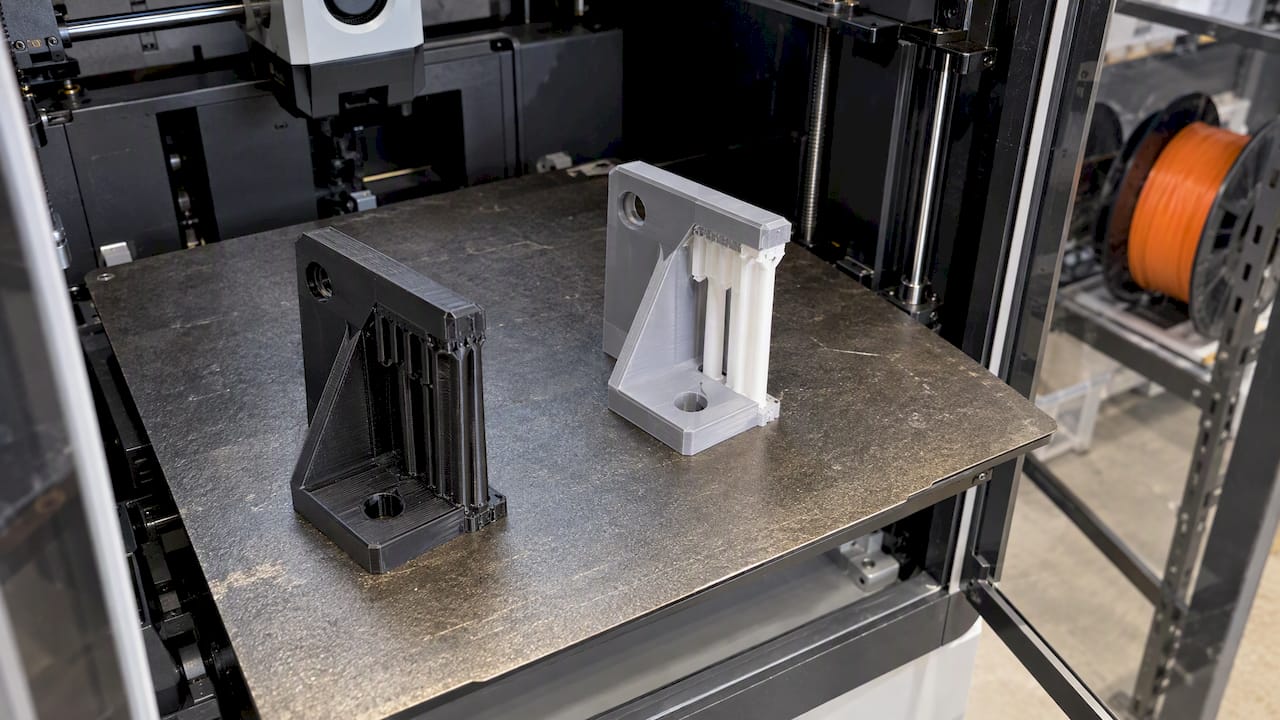
The right support material depends on the filament you are printing, the geometry under the overhang, and whether the printer can run more than one material. In most cases, a part that needs only external supports can use its own filament with a tuned interface. A part with enclosed cavities or moving assemblies usually needs a soluble support. A part in nylon, polycarbonate or fiber-filled filament needs a pairing chosen for adhesion, because the wrong combination fails mid-print. This guide walks through each decision in that order, with the interface settings that decide how cleanly the supports come off.
TL;DR
- Try to design supports out first: overhangs up to about 45 degrees from vertical generally print without them, and orientation changes how many you need.
- Use the model filament for simple external supports, a dedicated breakaway filament for easier manual removal, and a soluble material for internal geometry.
- Pairing matters more than preference: PVA supports PLA but not PETG, and PVA with PC or PP leads to print failure.
- Top Z distance and interface layers control surface quality and removal effort. Dedicated support filament typically uses 0, model filament about 0.2 mm.
- Remove supports within about 2 hours on moisture-sensitive materials such as nylon and PVA.
Table of Contents
- What support material is
- Design supports out before choosing a material
- Model filament, breakaway or soluble: how to decide
- Pairing support material with your build filament
- Interface settings that decide surface quality
- Our perspective on support choices
- When to hand the support decision to a specialist
- FAQ
- Sources
What support material is
FDM printers build a part layer by layer, and a layer cannot be deposited on empty air. Wherever the model has an overhang, a bridge or an island that starts mid-air, the slicer generates a temporary structure underneath. Support material is whatever filament forms that structure. It is removed after printing, either by hand, by cutting, or by dissolving it.
A support has two parts. The base is the sparse structure that rises from the build plate or the model. The interface is the dense set of layers directly under the model surface. According to the Bambu Lab Wiki on supports, those interface layers dictate the surface finish and removal ease of the supported area. Most of the quality you get from a supported surface is decided by the interface, not by the base.
The material choices fall into three groups:
- Model filament: the same spool as the part. No extra material is needed and any single-extruder printer can do it.
- Breakaway supports: a different filament, specialized for easier manual removal.
- Soluble supports: a material such as PVA that dissolves in water without affecting the surface, which suits complex internal geometry or moving assemblies, as described in the Bambu Lab Wiki.
Design supports out before choosing a material
The cheapest support is the one you never print. The Altem FDM design guide describes self-supporting features as overhangs up to 45 degrees from vertical, or gaps up to half an inch (about 12.7 mm). Features inside those limits generally print without support.
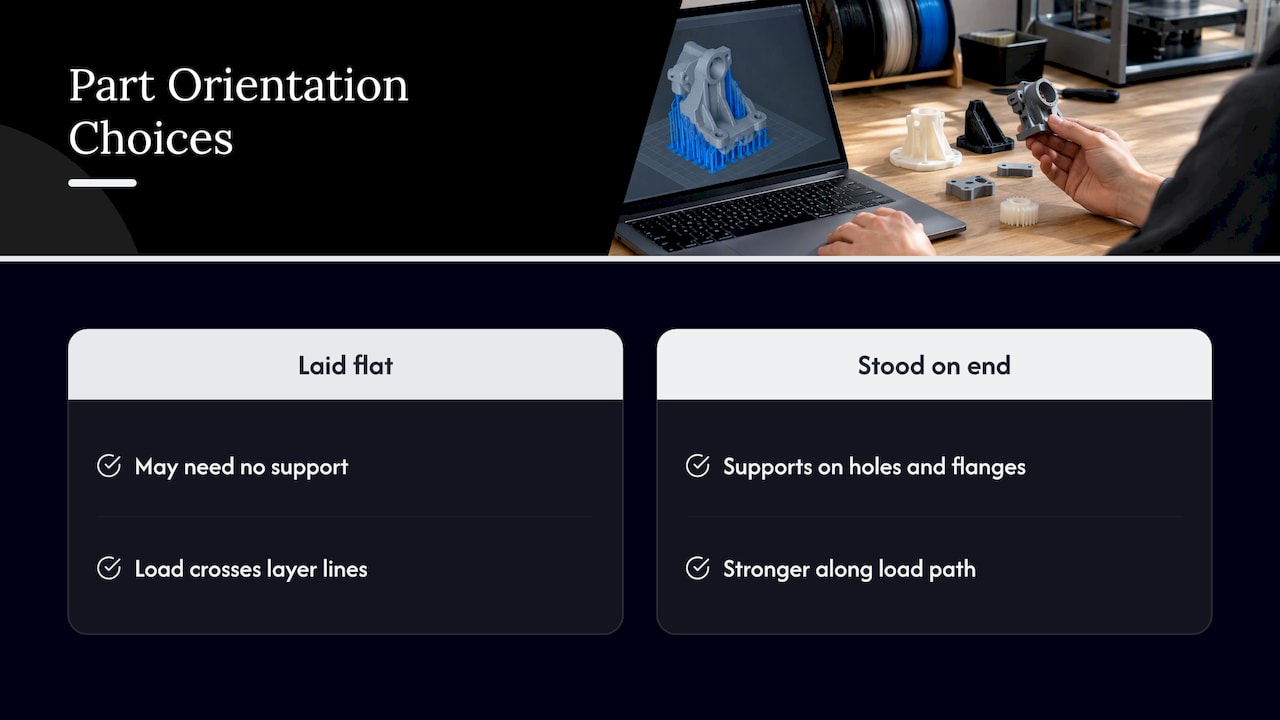
Orientation is the other lever. The same guide notes that FDM parts are anisotropic, so build orientation affects strength, and it recommends choosing orientation early to balance support needs against structural integrity. A bracket laid flat may need no support but carry its load across layer lines. Stood on end, it may be stronger along the load path but need supports on every hole and flange.
Pro Tip: Before you choose a support material, list which faces of the part are functional. Orient the part so supports land on non-critical faces, such as the underside of a mounting tab, rather than on a sealing surface or a bearing bore.
Small design changes often remove supports entirely: chamfers in place of 90-degree overhangs, teardrop-shaped horizontal holes, or splitting an assembly into two parts that each print flat. Our article on benefits of DFM in 3D printing covers these changes in more depth.
Model filament, breakaway or soluble: how to decide
UltiMaker’s beginner guide to support materials frames the choice around three factors: how complex the geometry is, whether the printer has multi-material extrusion, and whether the build and support materials are compatible. That is a practical checklist.
Model filament as support
This is the default for single-material jobs. There is no purge waste from material changes, no second spool to keep dry, and no compatibility question. The cost is surface quality and effort. Because the support is the same plastic as the part, it bonds to it, so the slicer has to leave a small gap. Bambu Lab recommends a Top Z distance of about 0.2 mm when the model filament is used for support, so the support can be removed mechanically. Expect some witness marks on the supported face, and plan for light sanding or machining of any surface that must be smooth.
Breakaway filament
A dedicated support filament lets the interface sit directly against the part, so it releases more easily and leaves a better face. It needs a printer that can switch materials, and it needs a pairing that actually bonds during printing and separates afterward. Bambu lists Support for PLA for PLA, Support for PLA/PETG for both PLA and PETG, and Support for PA/PET for PA-based filaments, per its Support Filament Usage Guide.
Soluble supports
Soluble material is the answer when you cannot reach the support with a tool: internal channels, captured pins, print-in-place hinges, and tight lattices. The trade-offs are dissolution time, a dedicated tank or bath, and strict pairing rules. Our multi-material FDM article explains how multi-material builds behave at the layer interface, which is the same issue that governs support bonding.
Pairing support material with your build filament
The pairing is where most failed support jobs begin. The table below summarizes documented combinations. Treat it as a starting point and confirm with a test print on your own printer and spools.
| Build filament | Support option | What to watch |
|---|---|---|
| PLA | Support for PLA, Support for PLA/PETG, or PVA | PVA supports PLA, per Bambu |
| PETG | Support for PLA/PETG, or HIPS | PVA is not compatible with PETG; HIPS dissolves in limonene |
| ABS / ASA | Model filament, or a compatible breakaway | Long limonene exposure can disrupt layer adhesion in some ABS and ASA |
| Nylon (PA) | Support for PA/PET | Remove within about 2 hours; nylon absorbs moisture |
| PA6-CF | Bambu ASA for core and interface (dual-nozzle) | Interface-only ASA may fall off from weak adhesion |
| PC, PP | Do not use PVA | PVA lacks adhesion and the print fails |
The sources behind these rows: the pairing of PVA with PLA but not PETG comes from the Bambu Support Filament Usage Guide. The failure of PVA with PC or PP is documented in UltiMaker’s PVA instructions. HIPS as a limonene-soluble support for PETG, and the caution about limonene and ABS or ASA, appear in the Prusa HIPS knowledge base article. The PA6-CF recommendation is in the Bambu Studio support page.
Why the high-temperature materials are harder
Polycarbonate and fiber-filled nylon print hot and shrink more, so supports in a lower-temperature material can soften, warp or detach. The interface must stay bonded through the whole print and then release afterward, which narrows the options. This is why we do not treat support as an afterthought on engineering parts. For general background on how these filaments differ, see our guides on PLA, PETG and ABS for durable parts and advanced filament materials for engineers.
For reference, typical heat resistance is roughly 60°C for PLA, 80°C for PETG and 100°C for ABS and ASA. These are general industry averages, not guarantees for any specific spool. If a part sees heat, that limit also applies to a support pairing, since a softened support can sag before the part finishes.
Interface settings that decide surface quality
Once the material is chosen, the interface settings decide whether the underside is clean and whether the supports come off without damage. Readers often search for these settings by name, and the Bambu Studio documentation is specific.
Top Z distance
This is the gap between the top of the support and the bottom of the model. A smaller gap improves interface quality but makes supports harder to remove. A larger gap eases removal but lowers the quality of the supported surface. Bambu’s guidance is:
- Dedicated support filament or soluble material: Top Z distance of 0, which allows a smooth finish.
- Model filament: about 0.2 mm, so the support can still be removed mechanically.
Both recommendations come from the Bambu Lab Wiki support page. Setting 0 with the model filament would fuse support to part, which is the usual cause of the hard-to-remove supports people describe in forums.
Interface layers
More top interface layers improve the quality of the supported area, because the first layers over the gap get a solid platform instead of sparse lines. Bambu notes that setting the top interface to 3 creates a stable, flat platform. On a model with large flat undersides, this is the first setting to raise. On small features, extra interface layers add removal effort with little gain.
Support and interface patterns
Patterns change both stability and release:
- Base patterns include Rectilinear and Rectilinear grid.
- Interface patterns include Concentric and Rectilinear.
- Grid interface is strong and stable but difficult to detach.
- Rectilinear is the standard choice.
- Concentric is recommended for non-planar surfaces, or for the best surface quality when paired with a specialized support material.
The Bambu documentation on these patterns is on the same support page. A reasonable engineering default: rectilinear interface with a 0.2 mm gap for model-filament supports, and concentric with zero gap when a dedicated support filament touches a curved face.
Pro Tip: Change one setting at a time on a small test coupon with a representative overhang. If you change the gap, pattern and layer count together, you cannot tell which one fixed or caused the problem.
Timing the removal
Bambu Lab advises removing supports within about 2 hours, especially for moisture-absorbing PA body filaments, PVA and Support for PA/PET, because absorbed moisture can make supports hard to remove or leave residue (Bambu guide). Plan post-processing right after the print finishes, not the next morning, and store spools of these materials dry.
Our perspective on support choices
We run a production farm of Bambu Lab FDM printers, and the support strategy is one of the first things we settle on a job, because it affects accuracy as much as the material does. FDM parts typically hold about ±0.2 to 0.5 mm, and supported faces are where that tolerance is most at risk, since the underside is only as good as the interface above the support.
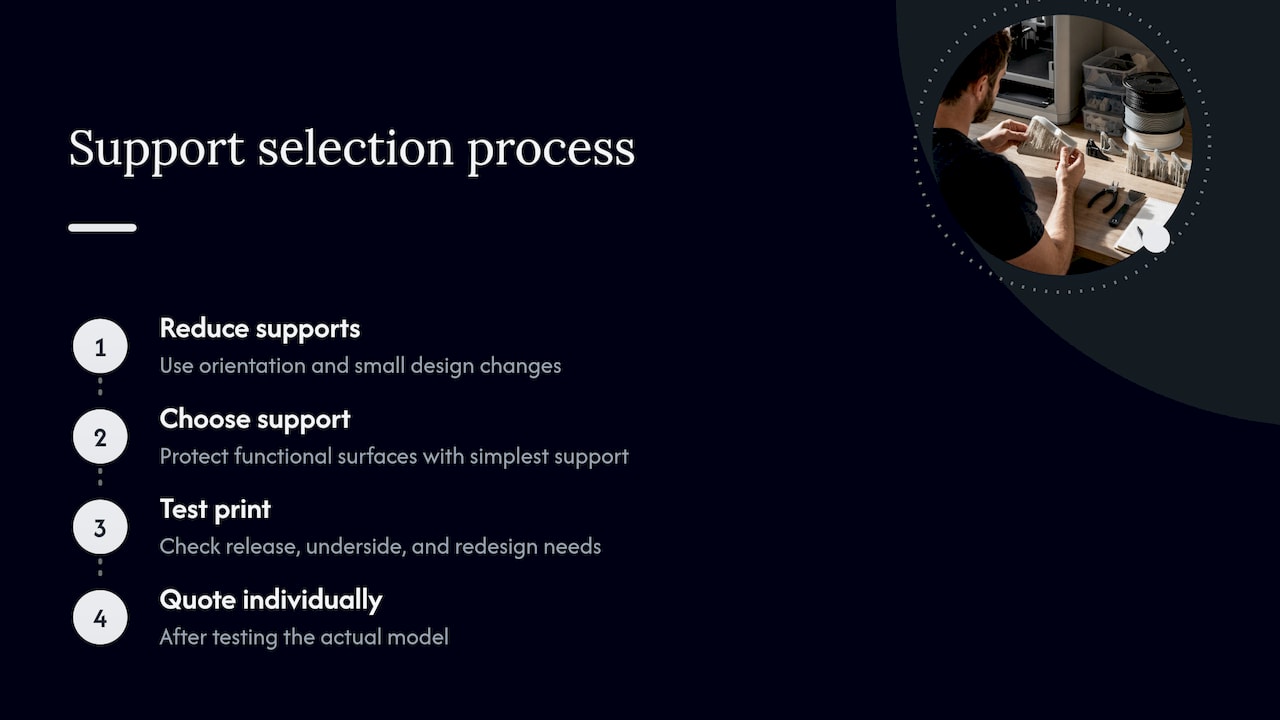
Our approach is to reduce supports first, through orientation and small design changes, and then choose the simplest support that protects the functional surfaces. We do not quote a production job from a spec sheet alone. Each job is quoted individually after a test print of the actual model, which shows how the supports release, what the underside looks like and whether a feature needs to be redesigned.
For customers in automotive restoration, the situation is common: a scanned legacy part with awkward overhangs and a requirement to fit an existing mount. In those cases we decide orientation around the mating faces, and we can adjust the CAD so supports are not needed there. If a part needs a more demanding material such as carbon-fiber nylon, we treat support pairing as part of the material decision instead of an add-on.
— Justin
When to hand the support decision to a specialist
Support planning pays off when the part is functional, the surface matters, or you need the same result across a batch. If you are building prototypes or low-volume parts and would rather not tune interface settings on your own printer, our 3D printing services cover custom printing, engineering-grade materials, multi-color and multi-material work, and CAD changes that remove supports from the design. We ship anywhere in the United States, and local customers in the Greater Philadelphia area can use residential pickup. Request a quote at cc3dlabs.com/3d-print-quote/ and send the model file with a note on which faces are critical.
FAQ
What is the best support material for PETG?
For PETG, Bambu lists Support for PLA/PETG as a purpose-made option, and HIPS works as a soluble support that dissolves in limonene. PVA is not compatible with PETG, so avoid it. Test the pairing on a small coupon first, since adhesion at the interface varies with spool and settings.
Can I use the same filament for supports and the part?
Yes, and it is the most common setup on single-material printers. Use a Top Z distance of about 0.2 mm so the support separates, and expect some surface marks that may need sanding. For smoother faces or internal cavities, a dedicated or soluble support is the better choice.
What is the best support interface pattern?
Rectilinear is the standard, and it balances stability and removal. Grid is strong and stable but difficult to detach. Concentric suits non-planar surfaces and gives the best surface quality when used with a specialized support filament.
Why do my supports stick to the part?
Usually the Top Z gap is too small for the material combination, or the interface pattern is too dense. Raising the gap toward 0.2 mm for model-filament supports is the first fix. On nylon and PVA, delayed removal can also cause residue, so remove supports within about 2 hours.
Which support material works with polycarbonate?
Avoid PVA with PC, because insufficient adhesion causes print failure, according to UltiMaker. Beyond that, polycarbonate needs a pairing validated for its print temperature, so a test print on the real part is the reliable way to confirm the choice.
Sources
- Bambu Lab Wiki: Support
- Bambu Lab Wiki: Support Filament Usage Guide
- Altem: Designing for FDM
- UltiMaker: Support materials, a beginner’s guide
- UltiMaker: How to print with PVA
- Prusa Knowledge Base: HIPS