
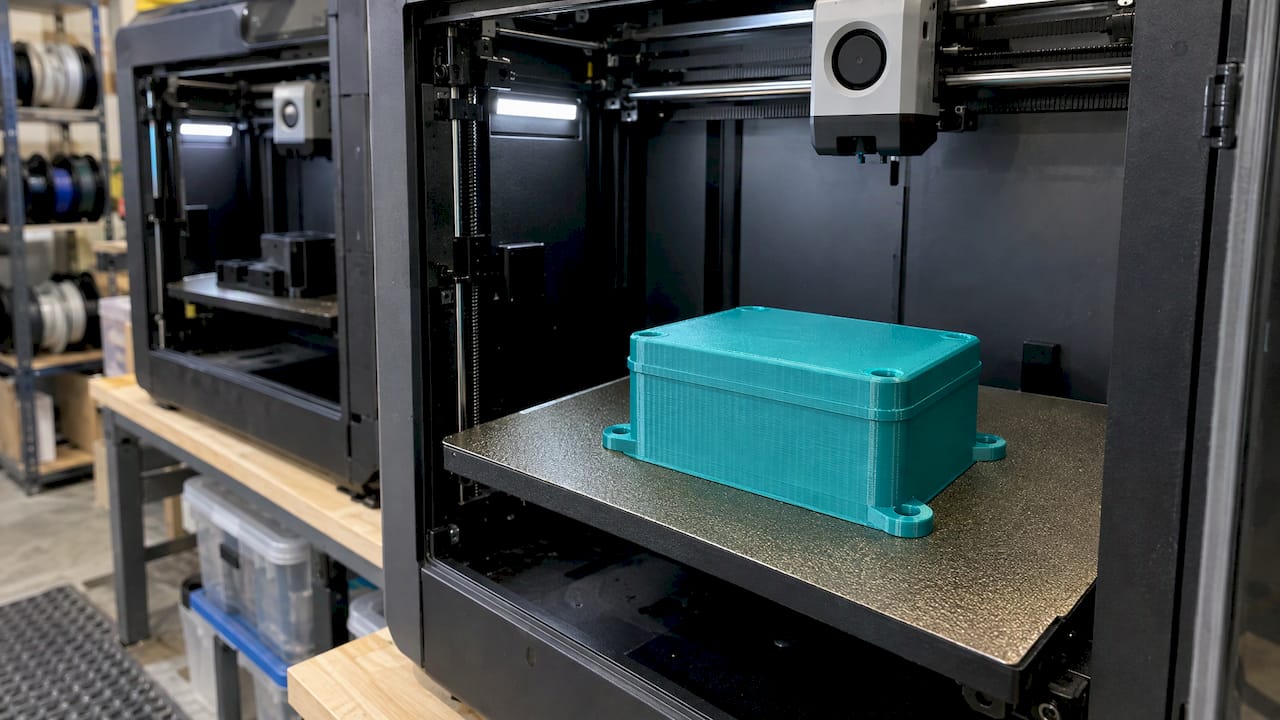
Polycarbonate (PC) filament is used for functional prototypes, impact-resistant tooling, electrical and equipment housings, lighting components and low-volume production parts, anywhere ABS or PETG gives up on strength or heat. It is not the right choice for every part. It needs a capable printer, dry filament and realistic expectations about clarity, outdoor exposure and food contact. This guide covers where PC pays off, where it does not, and how to specify it for a job.
TL;DR
- PC is chosen for toughness, impact resistance, heat resistance and dimensional stability: functional prototypes, jigs and fixtures, housings, and short production runs.
- Heat resistance depends on the specific filament. One manufacturer’s data sheet rates its PC as unsuitable above 105 °C, so check the grade before you design around a number.
- FDM transparent PC is translucent as printed. Optical clarity takes post-processing, and even then it is not optical-grade glass.
- PC needs an enclosure, an all-metal hotend, and filament kept dry. Those requirements are why many teams hand PC jobs to a print service.
- Food contact and outdoor use depend on the finished part and its validation, not on the spool label.
Table of Contents
- What polycarbonate filament is used for
- Quick reference: property, use and watch-out
- How hot is too hot for PC?
- Transparent polycarbonate: what to expect
- What PC demands from the printer
- Outdoor use and food contact
- PC compared with other engineering filaments
- Our perspective
- How to specify a PC part for a quote
- Need PC parts or a PC prototype?
- FAQ
- Sources
What polycarbonate filament is used for
Across manufacturer documentation, the same three application groups appear again and again. Stratasys lists functional prototyping, tough impact- and compression-resistant tooling, and low-volume production where injection-molded PC is hard to cost-justify. Ultimaker’s technical data sheet names molds, engineering parts, tools, functional prototypes and short-run manufacturing. Polymaker adds mechanical parts, lighting components, automotive parts and electrical housings.
In practical terms, that breaks down as follows.
Functional prototypes that must survive testing
A prototype that cracks on the first drop test or softens in a warm enclosure tells you about the material, not the design. Stratasys makes the point that engineers predict end performance best by prototyping in a material similar to the final product. If the production part will be molded polycarbonate or a similarly tough engineering plastic, a PC prototype gives more meaningful snap-fit, load and heat results than PLA or PETG. For earlier form-and-fit stages, a cheaper material is usually enough, and our prototyping guide explains how to stage materials across design iterations.
Jigs, fixtures and tooling
Shop-floor tooling is one of the strongest uses for PC. Stratasys describes impact- and compression-resistant tooling, including metal-forming dies, for production quantities of 500 to 1,000 units. That figure is the manufacturer’s statement about its own material and process, so treat it as an upper-end reference rather than a promise for any particular printed die. Assembly fixtures, drill guides, holding nests and checking gauges are more modest versions of the same idea: a part that gets clamped, struck and handled daily needs impact resistance and stiffness.
Housings, guards and electrical enclosures
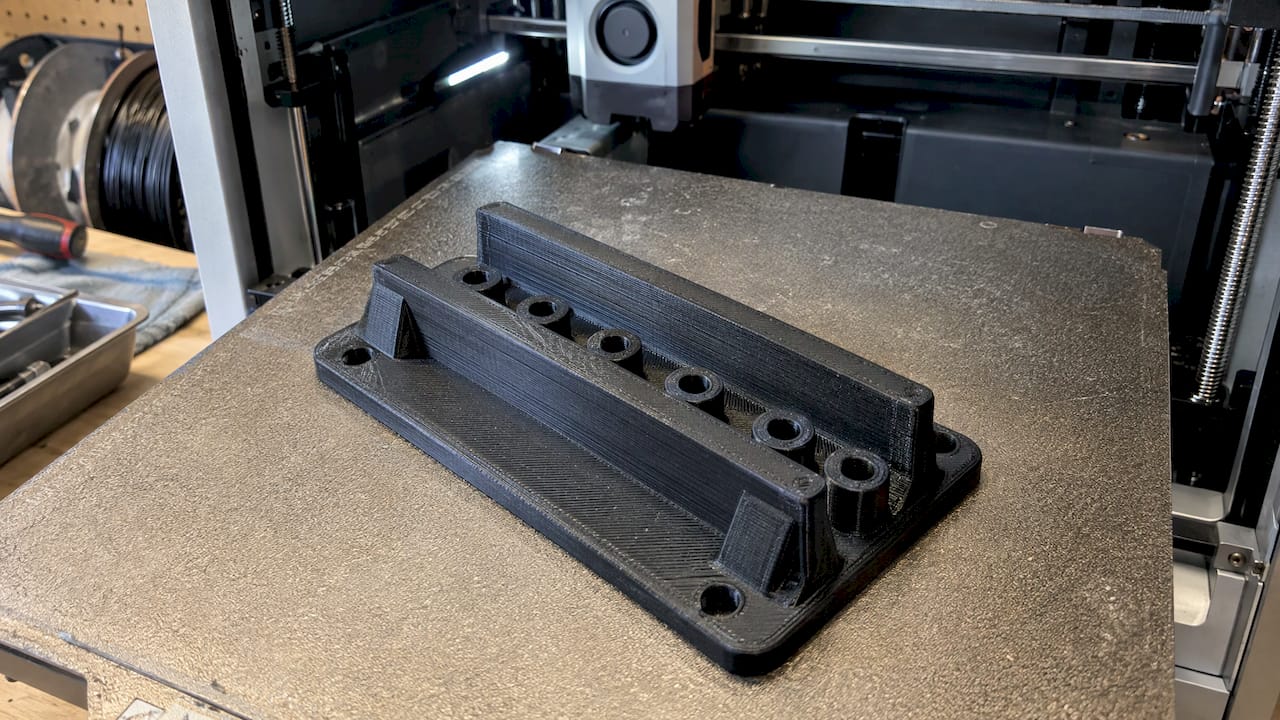
Polymaker lists electrical housings and lighting components among PC applications, and Stratasys cites electrical insulation among the properties that suit low-volume electrical parts. Machine guards, sensor housings, controller enclosures and light diffusers are typical candidates because they combine impact exposure with moderate heat from nearby electronics.
Automotive and restoration parts
Under-hood and cabin parts see heat soak that deforms common filaments. Brackets, ducting, clips, trim pieces and covers are where PC and other engineering-grade materials come up in restoration work. Many of these parts begin as a worn original, so the workflow is often scan first, then rebuild the geometry in CAD, then print. Our 3D scanning lab handles the first step, and the scan-to-CAD workflow covers the second.
Low-volume production
When a part is needed in dozens or a few hundred, tooling for injection molding may not be justified. Stratasys frames PC as a lower-cost option than high-performance thermoplastics for applications that demand impact and heat resistance. That positioning is also why PC shows up in small-batch runs of end-use parts.
Quick reference: property, use and watch-out
| Application | Property doing the work | What to check |
|---|---|---|
| Functional prototype | Impact strength, stiffness | Match the final material family; confirm load direction vs. layer lines |
| Jigs, fixtures, forming tools | Impact and compression resistance | Wall and infill choices; tool temperature in service |
| Equipment housings, guards | Toughness, electrical insulation | Wall thickness, fastener bosses, vent and cable features |
| Lighting parts | Light transmission, heat tolerance | Translucent, not optical-grade; post-processing needs |
| Automotive interior and under-hood parts | Heat resistance, dimensional stability | Actual service temperature against the filament’s rated limit |
| Short-run production parts | Repeatability, cost vs. molding | Dimensional tolerance, batch consistency, validation |
How hot is too hot for PC?
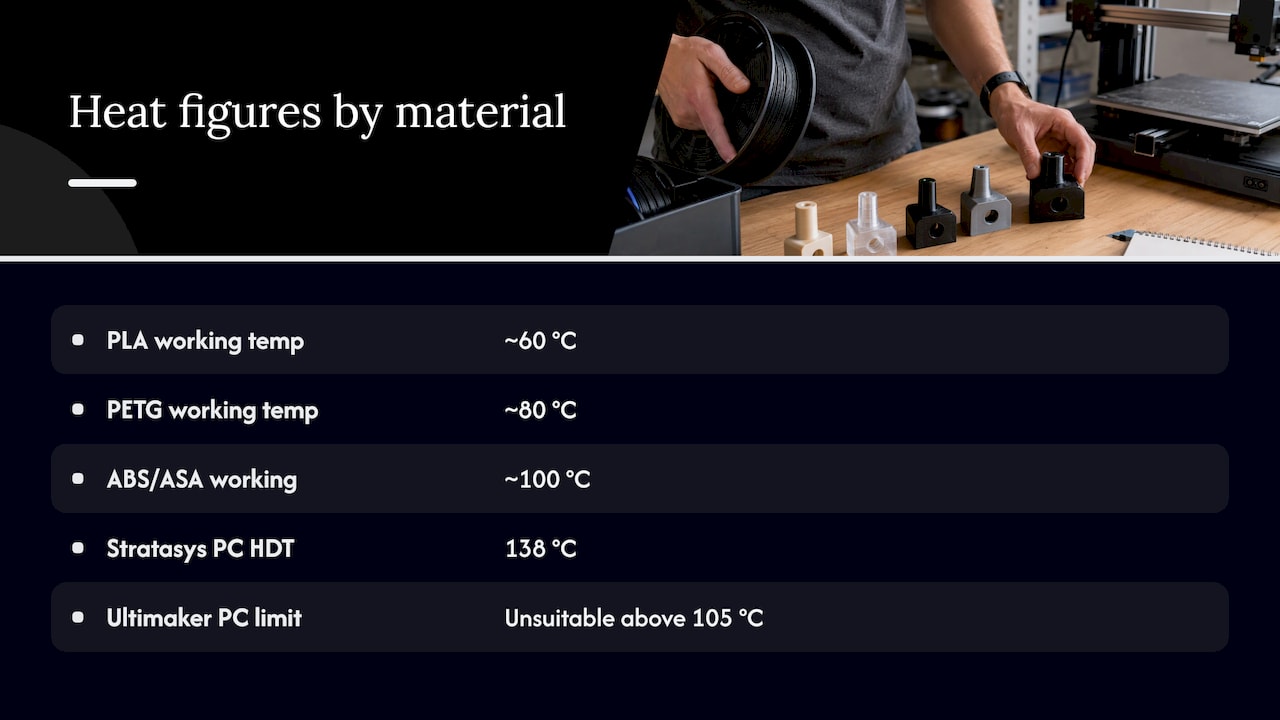
PC is often described as a heat-resistant plastic, but the number depends on the grade. Stratasys reports a heat-deflection temperature of 280 °F (138 °C) for its PC, while Ultimaker states its PC is unsuitable above 105 °C. Those are different products tested under different conditions, and neither is a universal PC rating.
For context, the working figures we use when comparing common materials are roughly 60 °C for PLA, 80 °C for PETG and 100 °C for ABS and ASA. PC grades sit above all three, which is the main reason to choose them. If your part sees sustained heat, design around the specific filament’s data sheet, not a generic PC number. Our guide to choosing heat-resistant filaments by HDT and printer limits walks through that process, and the article on why high-temp filaments suit engineering-grade parts covers the trade-offs.
Pro Tip: Give the print service your maximum service temperature, the load on the part while it is hot, and how long it stays there. Short heat spikes and continuous heat soak call for different decisions.
Transparent polycarbonate: what to expect
Clear PC filament draws a lot of interest for light guides, covers and inspection windows. The reality is more limited. Engineering.com explains that FDM transparent polymers can be more translucent than transparent as printed, because layer lines and small gaps scatter light. Real optical clarity requires post-processing such as sanding and polishing, clear coating or vapor honing.
So transparent PC is best treated as a light-transmitting material. It works well for:
- Diffusers and light covers where soft, even light is the goal
- Indicator windows and level viewing where you need to see a shape or glow, not read fine print through it
- Prototypes that show internal features during testing
It is a poor fit for lenses, precision optics or any part where distortion matters. Moisture also affects clarity: wet PC can turn out cloudy, which is one more reason drying is part of the process.
What PC demands from the printer
PC is not a drop-in material. Simplify3D’s materials guide lists the key requirements: an enclosure, an all-metal hotend, an extruder capable of 260 °C to 310 °C, a heated bed in the 80 °C to 120 °C range, and airtight, moisture-free filament storage. It also notes that PC is prone to warping, though many commercial PC filaments contain additives that allow lower printing temperatures. Prusa’s knowledge base is blunt that pure PC is very hard to print and that its PC Blend is considerably easier.
Three practical consequences follow for a part buyer.
- Warping and dimensional control. Large flat parts and sharp corners are the usual trouble spots. Design choices such as rounded corners, generous fillets and avoiding long thin walls reduce risk. Annealing can relieve stress but can also distort parts, so see our notes on preventing warp when annealing before specifying it.
- Moisture. PC is extremely hygroscopic, and absorbed water hurts both strength and print quality. Filament should be dried before printing and stored sealed. Ask any provider how they handle this, because it is a process question, not a design one.
- Tolerance. FDM parts, PC included, typically hold about ±0.2 to 0.5 mm depending on geometry, size and material shrinkage. Mating features, press fits and bearing seats should be dimensioned with that range in mind, and critical features can be test-fitted in the first print.
Outdoor use and food contact
Two questions come up constantly with PC.
Outdoor use. One industry guide notes that PC is sensitive to UV and hydrolysis and unsuitable for outdoor use in general. If your part lives in sun and weather, compare it against materials chosen for exposure. Our article on the best materials for outdoor 3D printed parts covers those options.
Food contact. Search results often say PC parts are food-safe, but that is the wrong frame. Stratasys states that food-grade status applies to parts made within a validated workflow, not to the raw material alone, and that manufacturers should document materials, printing and post-processing steps, cleaning methods and intended use. A materials-certification guide makes a related point: the idea of an “FDA-approved filament” leads to incorrect marketing, and compliance means documenting the specific use, including temperature and contact time. FDM layer lines also create crevices that are hard to clean. If food contact is on the table, read our guide on moving from a spool claim to a validated food-safe print and involve your compliance contact early.
PC compared with other engineering filaments
The comparison is easiest by job:
- PC vs. PLA or PETG: PC offers higher heat resistance and impact strength, but it is harder to print and more sensitive to moisture. If the part stays below 60 to 80 °C and is not struck, the simpler materials are usually enough.
- PC vs. ABS or ASA: Stratasys describes PC as suitable for parts requiring higher strength, impact resistance, dimensional stability and heat resistance than ABS or ASA. ASA remains the more natural pick when weather exposure matters.
- PC vs. carbon-fiber nylon: Fiber-filled nylon is typically chosen for stiffness and wear, while PC is chosen for toughness and heat. The deciding factors are the load case, the operating environment and the tolerance you need.
The right answer usually comes from your service conditions, not from a ranking of materials. Our guide to filament for engineering parts lays out that selection logic.
Our perspective
We run a production farm of Bambu Lab FDM printers, and polycarbonate is one of the materials where the process matters as much as the model. A PC part that is printed on a dry spool, with a calibrated machine and a sensible orientation, behaves very differently from one printed casually.
That is why we quote production work individually after a test print of the actual model. A test print shows us how your geometry warps, how the walls and features come out, and whether PC is really the right material or whether ASA, PETG or carbon-fiber nylon would serve you better. We would rather tell you that before a batch than after.
For engineers and shops, our advice is to define the service conditions first: temperature, load, chemical exposure and tolerance. Then choose the material, then validate the first parts before committing to quantity. We keep communication open throughout, because the details that decide a PC job are usually in your use case, not in the spool.
Justin
How to specify a PC part for a quote
A clear brief saves iterations. Include the following when you request a quote:
- Function. What the part does, what touches it and what loads it.
- Environment. Peak and continuous temperature, UV or weather exposure, chemicals, and whether food contact is possible.
- Tolerances. Which features are critical, and what they mate with. Remember the typical FDM range of ±0.2 to 0.5 mm.
- Files or an original part. A CAD file, an STL, or a physical part we can scan with our professional handheld 3D scanning (accuracy to ~0.1 mm) and rebuild as an editable model.
- Quantity and repeat orders. One prototype, a pilot batch or recurring small runs.
- Validation needs. Any inspection, fit-check or documentation your process requires. Our piece on part validation for manufacturers explains what to ask for.
Pro Tip: If you are unsure whether PC is warranted, say so in the brief and describe the failure you are trying to avoid. That often points to the right material faster than naming a material up front. Our guide to getting a quote shows what happens after you submit.
Need PC parts or a PC prototype?
CC 3D Labs prints functional parts, prototypes and small-batch runs on a Bambu Lab FDM farm in Bucks County, PA, in materials including PLA, PETG, ABS, ASA, PC and carbon-fiber nylon. We also scan existing parts and model them in CAD. Local customers can use residential pickup (there is no walk-in storefront), and finished orders ship anywhere in the United States.
Every production job is quoted individually after a test print of your actual model, so there is no fixed price list. See everything we do on our services page, or start with a custom 3D printing request.
FAQ
What are the main uses of polycarbonate filament?
PC filament is used for functional prototypes, jigs and fixtures, impact-resistant tooling, equipment and electrical housings, lighting components and short production runs. It is chosen when toughness, heat resistance and dimensional stability matter more than ease of printing. Manufacturers such as Stratasys, Ultimaker and Polymaker all list these categories in their material documentation.
Do I need to dry polycarbonate filament?
Yes. PC is extremely hygroscopic, and absorbed moisture can affect both print quality and strength, so it should be dried before printing and stored in airtight, moisture-free containers. Drying temperature and time vary by filament, so follow the manufacturer’s data sheet for the specific spool. Wet PC can also produce cloudy prints when you want transparency.
Is polycarbonate filament food safe?
Not by default. Food-contact suitability depends on the finished part and a validated workflow, including materials, post-processing, cleaning methods and intended use, not on the raw filament alone. Layer lines in FDM parts also make thorough cleaning difficult, so involve your compliance contact before using any printed part with food.
What can you use transparent PC filament for?
Transparent PC suits light diffusers, covers, indicator windows and test prototypes where seeing internal features helps. As printed, FDM parts tend to be translucent rather than clear, and clarity improves only with sanding, polishing, coating or vapor honing. For precision optics, FDM is the wrong process.
Can CC 3D Labs print my part in PC?
PC is one of the materials we print on our FDM farm, and we judge each job with a test print of your actual model before quoting. If PC is not the best fit for your conditions, we will say so and suggest a better material. Request a 3D printing quote, or use the 3D scan quote or CAD quote forms if you need a part scanned or modeled first.
Sources
- PC (Polycarbonate) FDM Filament, Stratasys
- PC technical data sheet, Ultimaker
- FDM Thermoplastics white paper, Stratasys
- PC material data sheet, Stratasys
- Material: PC, Polymaker
- Is optical clarity possible in 3D printing?, Engineering.com
- Ultimate Materials Guide: 3D Printing with Polycarbonate, Simplify3D
- Polycarbonate (PC), Prusa Knowledge Base
- Polycarbonate Filament: The Complete PC Filament 3D Printing Guide, 3DSourced
- A Full Guide to Food-Safe 3D Printing, Stratasys
- 3D Printing Material Certifications: B2B Buyer’s Guide, SSSRay