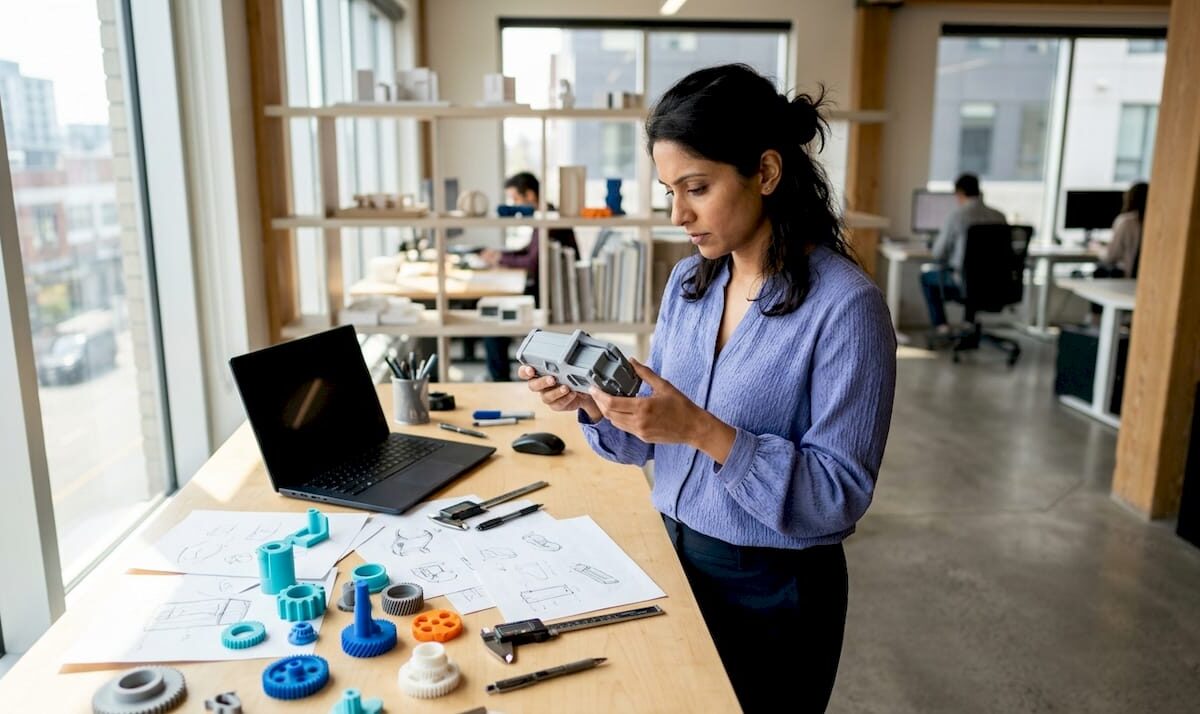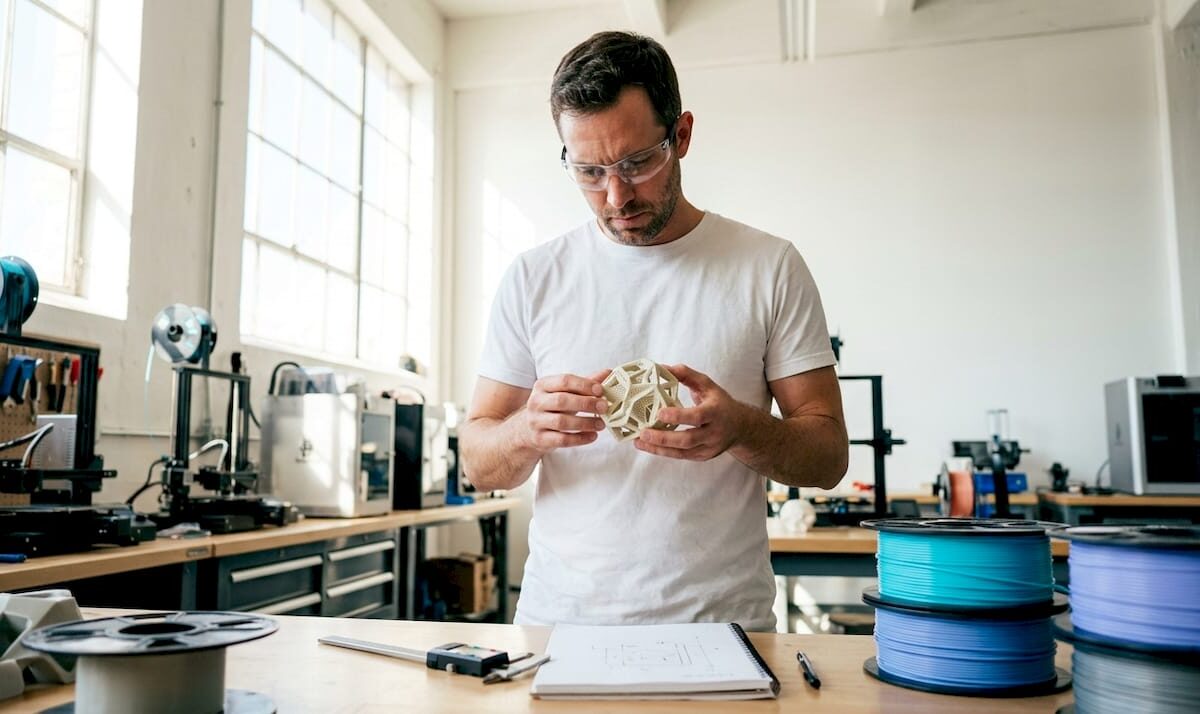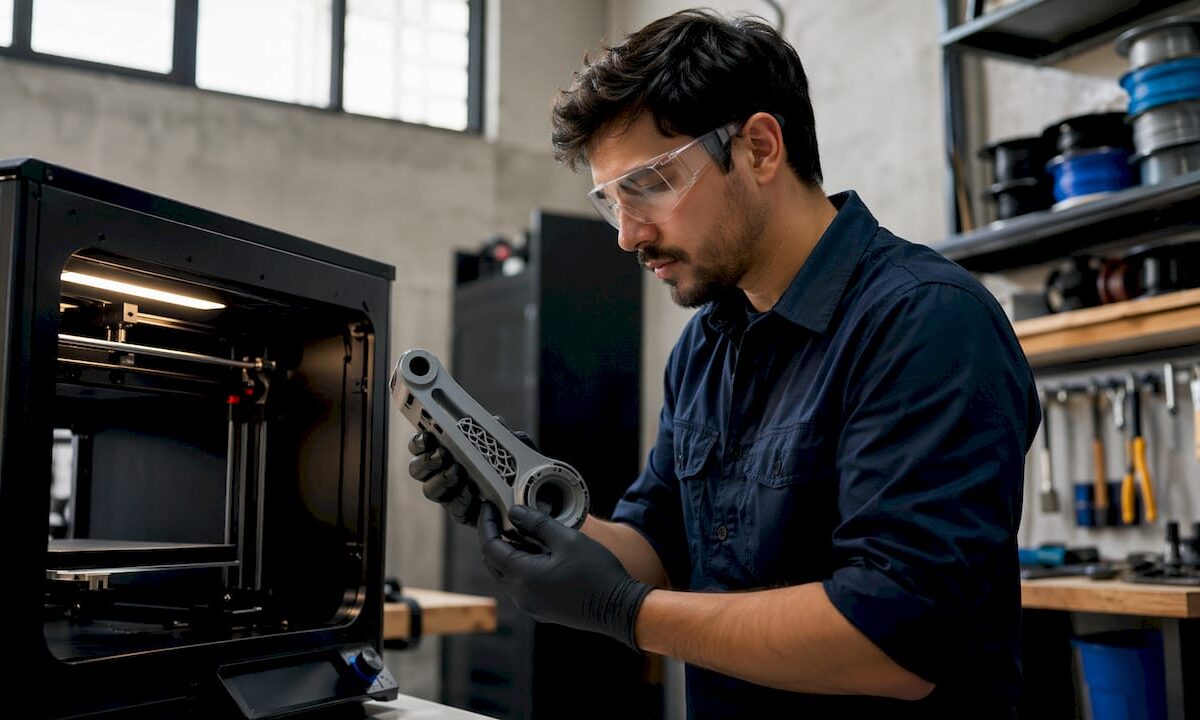
Engineer inspecting 3D printed object closely

The Role of Layer Adhesion in 3D Prints: A Pro Guide


TL;DR:

  • Layer adhesion in 3D printing depends on polymer fusion and chain entanglement before the interface freezes.
  • Controlling factors such as nozzle temperature, build plate heat, fan speed, and part orientation is essential for optimizing bond strength.

Layer adhesion in 3D printing is defined as the interlayer bond strength formed when successive layers of molten polymer fuse together before the interface freezes. This bond quality is the single most important factor determining whether a printed part behaves as a solid, monolithic object or a laminated stack that splits under load. The role of layer adhesion in 3D prints extends far beyond surface appearance. It governs tensile strength, failure mode, and long-term durability. Understanding interlayer bonding, the industry’s standard term for this phenomenon, is non-negotiable for anyone producing functional parts with FDM or FFF technology.

What factors most influence layer adhesion quality in 3D printing?

Layer adhesion is fundamentally a polymer welding problem. A fresh bead must wet, contact, and fuse with the previous layer while both surfaces remain above the glass transition or crystallization threshold. Once the interface freezes, bond strength plateaus and no amount of downstream heat will recover it.

Several variables control whether that fusion window stays open long enough:

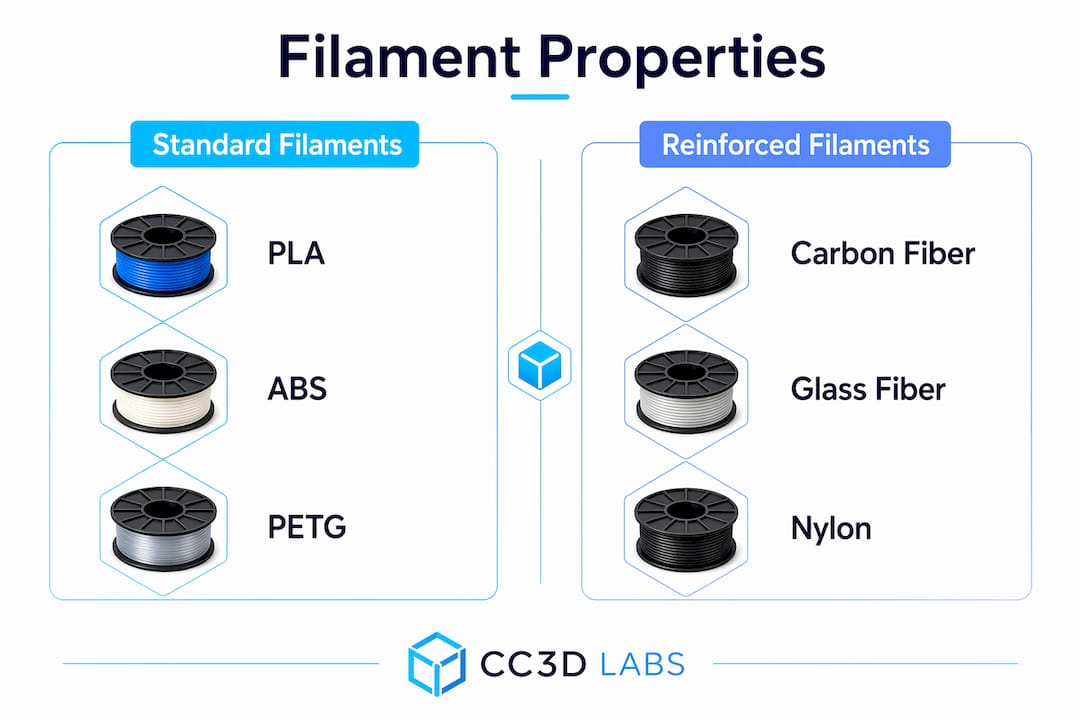
  • Nozzle temperature. Higher melt temperatures increase polymer chain mobility and extend the fusion window. Prusa recommends adjusting printing temperature in 5°C increments for PLA to find the adhesion sweet spot without burning the material.
  • Cooling fan speed. Aggressive cooling locks the interface before chains can entangle. For ABS, Prusa explicitly recommends running the fan off entirely and using an enclosure to prevent delamination.
  • Layer thickness. Thinner layers produce stronger bonds. A 2026 Springer study found that PETG loses roughly 50% of shear strength at higher layer thicknesses, while PLA drops about 29%. Thinner layers mean more contact area and longer thermal exposure per unit of height.
  • Build plate temperature. HIPS showed improved interlayer bond quality at approximately 105°C build plate temperature, while PP suffered from warping and voids when plate temperature was mismatched. Molecular diffusion at the interface depends on sustained heat from below.
  • Ambient environment. Drafts and humidity disrupt the thermal profile around the part. Thermal gradients from the bed, enclosure, and environment influence void formation and residual stresses that degrade adhesion beyond nozzle temperature alone.

Pro Tip: Never treat nozzle temperature as the only thermal lever. Build plate temperature, enclosure heat, and fan speed all shape the time-temperature history at the interface. Tune them together, not in isolation.

How does layer adhesion affect mechanical performance and failure modes?

Hands adjusting 3D printer nozzle temperature control

Weak interlayer bonding creates a predictable failure path. Load applied perpendicular to the layer lines generates peel stress at the weld lines, and the part splits along those interfaces rather than through the material itself. This is the defining characteristic of anisotropic behavior in FDM parts: strength along the print axis is always lower than strength within a layer plane.

Mechanical testing reveals how adhesion quality shows up in real failure data:

  1. Tensile testing perpendicular to layers exposes the weakest bond directly. Parts with poor adhesion fracture cleanly at layer interfaces at loads well below the material’s rated tensile strength.
  2. Shear testing measures how well layers resist sliding against each other. Mechanical interlocking between bi-material FDM joints can reach shear strength above 24 MPa, compared to roughly 21.7 MPa for alternate deposition without interlocking geometry.
  3. Bending tests reveal combined tension and compression across layers. Delamination typically initiates on the tension face where peel stress concentrates.
  4. Fracture surface analysis is the most practical diagnostic. A smooth shear fracture indicates good bonding. A rough, stepped fracture surface signals adhesion failure at the interface rather than bulk material failure.
Material Layer thickness effect Approximate strength loss
PLA Increased thickness reduces bond ~29% at higher layer heights
PETG More sensitive to thickness ~50% at higher layer heights
PEKK Crystallization-controlled 93.9 MPa tensile via cooling regulation
HIPS Build plate temperature sensitive Improved at ~105°C plate temp

The table above makes one point clear: material choice and layer thickness interact. You cannot apply PLA settings to PETG and expect equivalent bond quality.

Design decisions compound the risk. Parts oriented so that the primary load runs parallel to layer lines perform far better than parts where load pulls layers apart. For strength-critical parts, print orientation is as important as material selection.

Infographic illustrating key factors of layer adhesion

What advanced techniques and design strategies enhance layer adhesion?

Professional-grade adhesion requires going beyond default slicer presets. The following approaches produce measurable improvements in interlayer bond strength:

  • Mechanical interlocking geometry. When chemical adhesion between two materials is limited, geometry does the work. Dovetail or interlocking features at bi-material interfaces limit interlayer sliding under shear and push shear strength above what surface bonding alone achieves.
  • Extrusion multiplier tuning. Slight over-extrusion (typically 1–5% above nominal) increases contact pressure between the fresh bead and the previous layer. This widens the fusion zone without requiring a temperature increase that might cause stringing or dimensional error.
  • Controlled crystallization for high-performance polymers. PEKK and similar semi-crystalline materials require cooling regulation to stay below the crystallization threshold during printing. Printed PEKK parts achieved tensile strength of 93.9 MPa when cooling was managed to preserve chain mobility. Premature crystallization induces brittleness and kills bond quality.
  • Enclosures for warp-prone materials. ABS, ASA, and PC all benefit from a heated enclosure that keeps the ambient temperature above the material’s glass transition. This extends the fusion window for every layer deposited.
  • Layer orientation strategy. Aligning the print so that critical load paths run parallel to layer planes, not perpendicular to them, avoids peel stress at weld lines entirely. This is a design decision, not a slicer setting, and it belongs in the part design phase.

Pro Tip: When printing multi-material parts, add a small interlocking feature at the interface zone rather than relying on surface contact alone. Even a simple tongue-and-groove profile dramatically increases shear resistance where chemical bonding is limited.

Common challenges with layer adhesion and how to troubleshoot them

Most real-world FDM delamination comes from thermal mismatch and poor interface control, not from defective filament or hardware failure. Knowing what to look for narrows the diagnosis quickly.

  • Visible layer separation or cracking. The first check is always temperature. Raise nozzle temperature in 5°C steps. For ABS, confirm the fan is off and the enclosure is sealed against drafts.
  • Weak fracture along layer lines under light load. This points to insufficient fusion time. Reduce print speed to keep the interface hot longer, or increase nozzle temperature. Check that the wall thickness is adequate for the load the part will carry.
  • Delamination only at specific heights. Look for environmental causes: a nearby vent, a door opening during the print, or a section of the part that cools faster due to geometry. Drafts cause localized thermal drops that freeze interfaces prematurely.
  • Inconsistent bond quality across a batch. Filament moisture is the most common culprit. Wet filament produces steam voids at the interface that destroy bond continuity. Dry filament at the manufacturer’s recommended temperature before printing.
  • Rough fracture surface on a failed part. A rough, granular fracture face confirms adhesion failure rather than bulk material failure. Smooth fracture surfaces indicate the bond held and the material itself failed, which is the correct outcome for a well-printed part.

Thermal profile control is more effective than simply raising temperature across the board. Systematic adjustment of nozzle temperature, bed temperature, fan speed, and enclosure conditions together produces consistent results. Changing one variable at a time makes it possible to identify the actual cause rather than masking it.

Key takeaways

Strong interlayer bonding requires controlling the full thermal environment at the interface, not just the nozzle temperature, and designing parts so critical loads run parallel to layer planes rather than pulling layers apart.

Point Details
Adhesion is a welding problem Polymer chains must entangle before the interface freezes; once frozen, bond strength cannot recover.
Layer thickness drives strength loss PETG loses ~50% shear strength at higher layer thicknesses; thinner layers consistently outperform thicker ones.
Thermal environment matters beyond the nozzle Build plate temperature, enclosures, and draft control all shape the fusion window at every layer.
Mechanical interlocking compensates for weak chemistry Interlocking geometry at bi-material joints pushes shear strength above 24 MPa where surface bonding falls short.
Fracture surface analysis beats visual inspection Rough fracture faces confirm adhesion failure; smooth faces confirm the bond held and material failed correctly.

Why I think most 3D printing teams underestimate thermal environment

The industry conversation about layer adhesion almost always centers on nozzle temperature. Raise it, lower it, find the sweet spot. That framing is too narrow, and I have seen it lead experienced teams in circles for weeks.

The interface does not care only about what temperature the nozzle deposited the material at. It cares about the entire time-temperature history from deposition to freeze. A draft from an HVAC vent three feet away can collapse bond quality on one side of a tall part while the other side prints perfectly. A build plate running 10°C below spec on a HIPS job produces voids that look like filament defects but are actually thermal failures.

What I find most useful is treating the printer as a thermal system, not a mechanical one. Before changing any slicer setting, I look at the fracture surface of a failed part. Rough and stepped means the interface never fused properly. Smooth and planar means the bond held and something else failed. That single observation cuts diagnostic time in half.

The other thing I push hard on is print orientation. Most practitioners treat it as a geometry problem. It is actually a stress engineering problem. Orienting a bracket so the primary load runs along the layer plane instead of across it can double effective part strength without changing a single print parameter. That is free performance, and it costs nothing except a few minutes of thought during prototype design.

Continuous experimentation with materials and parameters is the only way to build real intuition here. No datasheet replaces the knowledge you get from deliberately breaking parts and reading the fracture surfaces.

— Justin

Cc3dlabs delivers prints where layer bonding is never a compromise

https://cc3dlabs.com

At Cc3dlabs, near Philadelphia, every filament-based print goes through a process tuned for the specific material and part geometry. That means build plate temperatures dialed for the polymer, enclosures used where ABS or ASA demand them, and layer thickness selected for the strength the part actually needs. The team handles everything from single prototypes to batch production runs, with material consultation built into the workflow. If you need parts that hold up under real mechanical loads, explore Cc3dlabs’ professional 3D printing services or get a free online estimate to see what optimized layer bonding looks like in practice.

FAQ

What is layer adhesion in 3D printing?

Layer adhesion is the bond formed between successive layers of deposited polymer in FDM or FFF printing. Bond strength depends on polymer chain entanglement and fusion before the interface freezes by glass transition or crystallization.

Why does layer thickness affect interlayer bond strength?

Thinner layers maintain more contact area and longer thermal exposure between the fresh bead and the previous layer. A 2026 Springer study found PETG loses approximately 50% of shear strength at higher layer thicknesses compared to 0.1mm layers.

How do I fix layer separation in ABS prints?

Turn the cooling fan off, use an enclosure to block drafts, and raise nozzle temperature in 5°C increments. Most ABS delamination comes from thermal mismatch and ambient air cooling the interface before fusion completes.

Does print orientation affect layer adhesion performance?

Print orientation determines whether loads run parallel or perpendicular to layer planes. Parts oriented so critical loads run parallel to the layer plane avoid peel stress at weld lines and perform significantly better under mechanical loading.

What does a rough fracture surface on a failed print indicate?

A rough, stepped fracture surface confirms that the interlayer bond failed rather than the bulk material. A smooth fracture surface means the bond held correctly and the material itself reached its strength limit.

Engineer scanning a legacy car part with 3D scanner

Scanning for Legacy Part Reproduction: A 2026 Guide


TL;DR:

  • D scanning transforms physical legacy parts into detailed digital models for reproduction and inspection. It uses various methods, including structured light, laser, photogrammetry, and CT scanning, depending on the required accuracy and internal complexity. Proper workflow integration and documentation are essential to qualify reproduced parts in regulated industries and maximize the value of scan data.

3D scanning is the foundational step in legacy part reproduction, converting physical components into accurate digital models that engineers can inspect, modify, and manufacture from. The process, formally called reverse engineering through digitization, captures geometry down to the micron level. This makes it possible to reproduce parts that have no surviving drawings, no original CAD files, and no active supplier. The role of scanning in legacy part reproduction goes beyond simple copying. It creates a verified digital record that supports future redesign, quality inspection, and regulatory traceability.

What scanning technologies are used in legacy part reproduction?

Four primary technologies drive 3D scanning in reproduction workflows: structured light scanning, laser scanning, photogrammetry, and industrial Computed Tomography (CT) scanning. Each method captures different types of geometry with different levels of accuracy and cost.

Structured light scanners project a grid pattern onto a surface and measure how the pattern deforms. This method captures external geometry with high resolution and works well for machined metal parts, housings, and connectors. Laser scanning uses a similar principle but projects a laser line instead of a grid, making it effective for larger parts and freeform surfaces.

High-resolution photogrammetry offers non-invasive, accurate 3D documentation that preserves surface details with minimal human intervention. It works by processing overlapping photographs through algorithmic pipelines. Photogrammetry is best suited for capturing texture and surface character rather than tight mechanical tolerances.

Industrial CT scanning stands apart from the other three methods. CT scanning generates non-destructive 3D volumetric models that reveal internal features, hidden cavities, and wall thicknesses without disassembling or damaging the original part. This makes CT the only viable option when internal geometry drives the function of the component.

Technology Best for Accuracy Key limitation
Structured light External surfaces, small parts Very high Limited to line of sight
Laser scanning Large parts, freeform surfaces High Surface reflectivity issues
Photogrammetry Texture, surface character Moderate Lower dimensional accuracy
Industrial CT Internal features, assemblies Very high High cost, slow throughput

Pro Tip: For parts with both complex external geometry and critical internal channels, combine structured light scanning for the exterior with CT scanning for internal features. This gives you a complete digital model without destroying the original part.

Infographic illustrating 3D scanning process steps

How does scanning integrate into the reverse engineering workflow?

Scanning is one step inside a larger reverse engineering process. Getting that step right requires a structured approach from the moment the physical part arrives.

  1. Initial assessment. Examine the part for damage, wear, and surface condition. Identify which features are functional and which are cosmetic. This determines which scanning method to use and where to focus resolution.
  2. Scan execution. Set up the scanner according to part size, material reflectivity, and required accuracy. For shiny metal surfaces, apply a temporary matte spray to reduce noise. Capture multiple passes to cover all angles.
  3. Data processing. Raw scan data often contains noise and incomplete surfaces. Dedicated software such as Geomagic Design X or Artec Studio processes the point cloud into a clean mesh. Skilled operators are required at this stage. Version control of scan files starts here.
  4. CAD reconstruction. Convert the mesh into a parametric CAD model using tools like SolidWorks or CATIA. This step requires engineering judgment, not just geometry tracing. The engineer must decide which features are nominal and which reflect wear or damage.
  5. Validation. Compare the reconstructed CAD model against the original scan data. Deviation maps highlight where the model diverges from the physical part. Acceptable tolerances depend on the application.

Pro Tip: Document engineering intent at every step. Note why a feature was modeled a certain way, especially when the physical part shows wear. That reasoning becomes part of the evidence chain needed for qualification in regulated industries.

Establishing a traceable qualification workflow that links part assessment, material identification, and scan data version control is the defining challenge in regulated sectors. Aerospace, defense, and medical manufacturers cannot simply reproduce geometry. They must prove the reproduction meets the original performance standard.

What are the benefits and challenges of 3D scanning for legacy parts?

The benefits of part scanning are concrete and measurable. Metrology-grade scanning achieves precision as fine as 10 microns, capturing fine surface details and complex mechanical interfaces that manual measurement cannot reliably document. That level of accuracy eliminates the guesswork that comes with calipers and hand sketches.

Key benefits include:

  • Geometry capture without contact. Scanning preserves fragile or worn parts during the documentation process.
  • Speed. A structured light scanner can capture a full part surface in minutes. Manual measurement of the same part could take hours.
  • Complex feature documentation. Freeform surfaces, compound curves, and organic shapes that are impossible to measure manually are captured completely.
  • Digital twin creation. The scan becomes a permanent digital record for future inspection, redesign, or reproduction.

The challenges are equally real. Many reverse engineering projects stall because teams treat the work as a scanning task rather than a full data, compliance, and workflow integration effort. Geometry capture is necessary but not sufficient.

Specific challenges engineers face:

  • Data volume. High-resolution scans generate large point cloud files that require significant computing resources and organized storage.
  • Engineering intent. A scan captures what the part looks like now, not what it was designed to be. Worn features, corrosion, and deformation all appear in the scan data.
  • Material validation. Additive manufacturing material behavior differs from original manufacturing methods. Geometry matching alone does not qualify a reproduced part for service.
  • Audit trails. Regulated industries require documented evidence chains linking every decision from scan to final part.

Pro Tip: Build your evidence chain from day one. Log the scan date, operator, equipment calibration record, software version, and every processing decision. Retrofitting this documentation after the fact is expensive and often incomplete.

How do manufacturers apply scanning in practical production workflows?

The practical applications of digitization for legacy parts extend well beyond creating a one-time reproduction. Manufacturers use scan data across multiple production and maintenance scenarios.

Technicians discussing 3D printed spare part on factory floor

High-fidelity scanning combined with additive manufacturing connects classical part geometry with modern digital production methods. A scanned digital twin can feed directly into a 3D printer for rapid prototyping, or into a CNC machining center for subtractive production. The same scan data supports both paths, which reduces lead time when a manufacturer needs to evaluate multiple production options quickly.

You can also use scan-derived digital twins for design accuracy and prototyping improvements. Engineers overlay the scan of a worn part against the original CAD model to measure how the part has changed in service. This data informs redesign decisions and helps predict future failure modes.

Application Scanning input Outcome
Spare part reproduction Full surface scan Replacement part manufactured to original geometry
Wear analysis Scan vs. nominal CAD Quantified deviation map for maintenance planning
Rapid prototyping Scan to mesh to print Physical prototype in hours for fit and function testing
Aftermarket servicing Scan of discontinued part New supplier tooling created without original drawings
Quality inspection Scan of produced part Automated comparison against design intent

Aftermarket and legacy vehicle servicing represent one of the highest-value applications. When a manufacturer discontinues a component and the original tooling no longer exists, a high quality 3D scan of a surviving example becomes the only path to reproduction. This is common in aerospace MRO (maintenance, repair, and overhaul), classic vehicle restoration, and industrial equipment servicing.

The production efficiency gains are direct. Eliminating manual measurement and manual redrawing removes two of the most error-prone steps in legacy part reproduction. Scan data feeds manufacturing equipment directly, which reduces the number of iterations needed to achieve a conforming part.

Key Takeaways

Scanning is the critical first step in legacy part reproduction, but traceable workflow integration, material validation, and engineering documentation determine whether a reproduced part qualifies for service.

Point Details
Scanning precision matters Metrology-grade scanners capture geometry to 10 microns, far beyond manual measurement capability.
Technology selection is part-specific CT scanning is required for internal features; structured light works best for external surfaces.
Workflow integration is non-negotiable Reverse engineering projects fail when teams treat scanning as the only task rather than one step in a documented process.
Material validation is separate from geometry A geometrically accurate scan does not automatically qualify a reproduced part, especially in regulated industries.
Digital twins extend value beyond reproduction Scan data supports wear analysis, quality inspection, and future redesign, not just one-time part replication.

Why scanning alone will not save your legacy part program

Most manufacturers I work with come to scanning with the right instinct but the wrong expectation. They assume that once the scan is done, the hard part is over. The opposite is true.

The scan gives you geometry. What it does not give you is engineering intent, material specification, or a qualification record. A worn part scanned at 10 microns of accuracy still gives you a worn part. The engineer has to decide which dimensions represent the design and which represent 40 years of service. That judgment call is not in the scan file.

The manufacturers who succeed with legacy reproduction treat the scan as the beginning of a documented evidence chain, not the end of a measurement task. They track every decision, every software version, and every material substitution. In aerospace and defense, that chain is what gets a part approved. In commercial manufacturing, it is what prevents a costly recall.

The shift I see in 2026 is toward combined workflows where scanning, CAD reconstruction, additive manufacturing, and inspection all share the same data thread. Tools like Authentise and similar manufacturing execution platforms are making this more accessible. But the discipline of documentation still comes from the engineering team, not the software. If you are starting a legacy part program, build the process before you buy the scanner.

— Justin

Cc3dlabs scanning and reproduction services for legacy parts

Cc3dlabs operates a professional 3D scanning lab near Philadelphia that supports manufacturers, engineers, and product developers with metrology-grade scanning and scan-to-CAD processing. The team handles structured light scanning for external geometry and works with clients on full reverse engineering workflows from initial scan through digital twin creation.

https://cc3dlabs.com

For manufacturers who need to move from scan data to physical parts, Cc3dlabs connects scanning directly to 3D printing and production services that support both rapid prototyping and functional part reproduction. Whether you need a single replacement component or a documented reproduction workflow for a regulated application, Cc3dlabs provides the precision and traceability support the job requires. Request a free online estimate to get started.

FAQ

What is the role of scanning in legacy part reproduction?

3D scanning converts a physical legacy part into an accurate digital model that engineers can use to reproduce, inspect, or redesign the component. It is the foundational step in reverse engineering when no original drawings or CAD files exist.

Which scanning method is best for internal part features?

Industrial CT scanning is the correct method for internal features. It generates non-destructive 3D volumetric models of hidden cavities, wall thicknesses, and internal assemblies without altering the original part.

Does scanning alone qualify a part for reproduction in regulated industries?

Scanning alone does not qualify a part. Regulated industries require a traceable qualification workflow that documents part assessment, material identification, scan data version control, and material validation alongside the geometric scan data.

How accurate is metrology-grade 3D scanning?

Metrology-grade 3D scanning achieves precision as fine as 10 microns. That level of accuracy captures fine mechanical interfaces and complex surface details that manual measurement methods cannot reliably document.

What software is used to process raw scan data into CAD models?

Tools like Geomagic Design X and Artec Studio process raw point cloud data into clean meshes. Engineers then use parametric CAD platforms such as SolidWorks or CATIA to reconstruct manufacturable models from the processed scan data.

Engineer examining 3D printed prototype part

Workflow for Custom Part Prototyping: Engineer’s 2026 Guide


TL;DR:

  • A structured prototyping workflow helps teams transform initial ideas into validated parts efficiently and with fewer revisions.
  • Focusing on specific questions early avoids costly mistakes and speeds up the path to manufacturing readiness.

The workflow for custom part prototyping is a systematic process that transforms initial design concepts into validated physical parts through iterative testing and refinement. Product developers who follow a structured sequence, from concept sketching through CAD modeling in tools like Fusion 360 or SolidWorks, to fabrication using FDM, SLA, or CNC machining, consistently reach manufacturing-ready designs faster and with fewer costly revisions. The full design-to-manufacturing cycle typically spans 3–6 months, with the prototyping and testing phase alone running 4–8 weeks. Getting that sequence right from the start is what separates teams that ship on time from those stuck in late-stage redesign loops.

What are the prerequisites for a custom part prototyping workflow?

A solid prototyping workflow starts before any CAD file is opened. You need three things in place: clear design goals, documented user requirements, and at least rough concept sketches that define form, function, and constraints. Skipping this step is the single most expensive mistake in custom part development.

Choosing the right software

The two dominant tools for custom part design are Fusion 360 and SolidWorks. Fusion 360 suits smaller teams and startups because it runs in the cloud and costs less per seat. SolidWorks is the standard in larger manufacturing environments where assembly modeling and simulation matter most. Both export STL and STEP files that feed directly into 3D printing or CNC workflows.

Selecting your prototyping technology

Common prototyping methods include FDM 3D printing, SLA, SLS, CNC machining with production-grade materials, and silicone molding for short runs. Each serves a different purpose depending on fidelity, material, and budget.

Technician using CNC milling machine for prototype

Method Best use case Pros Cons
FDM 3D printing Form and fit checks, early concepts Low cost, fast turnaround Lower surface finish
SLA 3D printing Visual models, fine detail High resolution Brittle, limited materials
SLS 3D printing Functional parts, complex geometry Strong, no support needed Higher cost per part
CNC machining Functional metal or plastic parts Production-grade accuracy Slower, more expensive setup
Silicone molding Short-run flexible parts Good material fidelity Tooling time required

Infographic comparing prototyping methods and uses

Pro Tip: Match fidelity to your current test goal. A rough FDM print answers geometry questions just as well as an SLA model at a fraction of the cost. Save high-fidelity methods for functional validation.

What are the step-by-step stages of the prototyping workflow?

Rapid prototyping is an iterative cycle of prototype, test, and refine designed to validate ideas quickly before full-scale development. The key is treating each stage as a question to answer, not a deliverable to complete.

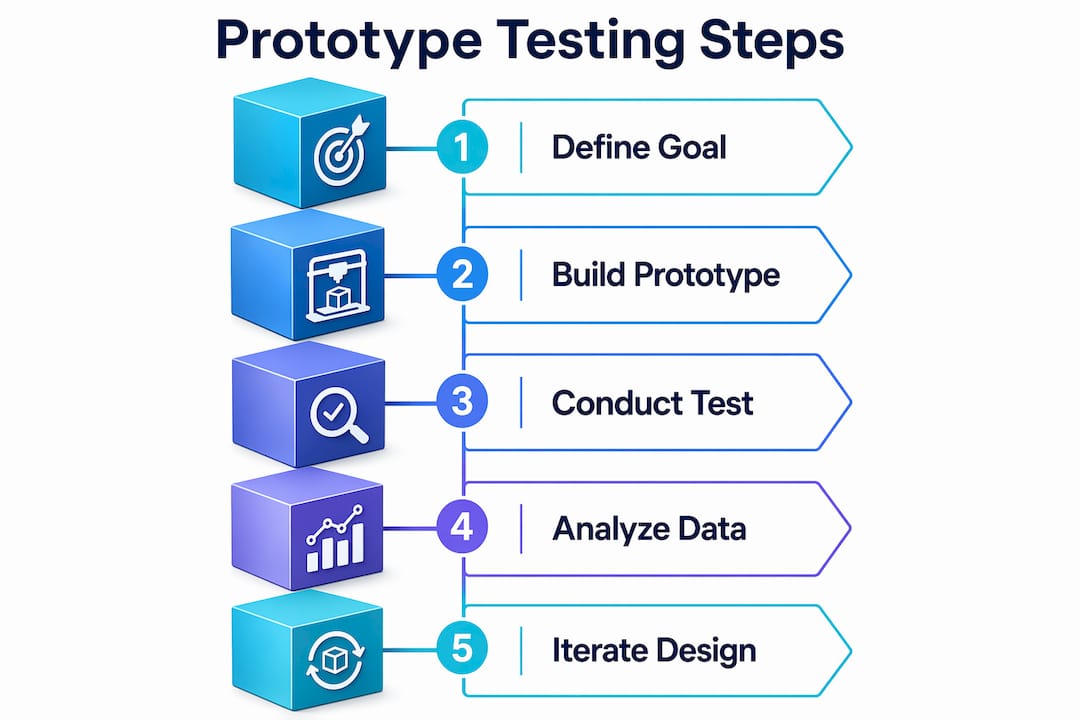
  1. Define learning goals (1–3 days). Write down the specific questions this prototype must answer. “Does the mounting bracket clear the housing?” is a testable question. “Is this a good design?” is not.

  2. Create low-fidelity concepts (2–4 days). Sketch or model rough geometry in Fusion 360 or SolidWorks. At this stage, speed matters more than accuracy. Paper mockups and foam models are valid tools.

  3. Build the first prototype (3–7 days). Fabricate using the method that matches your current fidelity need. FDM printing works for most early-stage form and fit checks. The design-to-prototype workflow from file to physical part can run in under 24 hours with the right setup.

  4. Test with targeted users or stakeholders (1–7 days). Testing with just 5 users uncovers about 85% of usability problems. That number means you do not need a large test group to get meaningful feedback on a physical part.

  5. Analyze feedback and document findings (1–2 days). Log every issue by severity. Separate cosmetic problems from functional failures. Functional failures block the next stage. Cosmetic issues can wait.

  6. Iterate and refine (repeat 2–4 cycles). Iterative prototyping typically requires 2–4 cycles to stabilize major design assumptions. Each cycle should be faster than the last because your questions get more specific.

  7. Finalize for manufacturing prep (2–4 weeks). Once the design passes functional testing, update the CAD model with production tolerances, material callouts, and GD&T annotations. This is the handoff package your manufacturer needs.

Pro Tip: Never skip from a first print straight to manufacturing prep. The cost of one extra iteration cycle is always lower than the cost of a tooling change after production starts.

How do efficient prototyping techniques cut cost and time?

Rapid 3D printing technologies reduce lead time and early validation costs compared to traditional tooling methods. The gap is significant. A CNC-machined aluminum prototype can take two weeks and cost several hundred dollars per part. An FDM print of the same geometry takes hours and costs a few dollars in filament.

The table below shows where each approach wins:

Approach Typical lead time Relative cost Best phase
FDM 3D printing Hours to 1 day Very low Concept and form checks
SLA 3D printing 1–2 days Low to medium Visual and detail review
CNC machining 5–14 days Medium to high Functional metal validation
Traditional injection mold 4–12 weeks Very high Pre-production only

Working with local prototyping resources cuts turnaround times by 2–3 weeks compared to offshore fabrication. That time saving directly compresses your iteration cycle. Faster iterations mean more design questions answered per month.

Additional techniques that reduce waste in the custom part design process:

  • Use the minimum fidelity that answers your current question. Prototyping should focus on answering specific questions, not creating miniature final products.
  • Combine methods within a single iteration. Print an FDM shell for geometry, then CNC a metal insert for the load-bearing feature.
  • Run parallel prototypes when two design directions are genuinely competitive. Printing both costs less than debating for a week.
  • Automate file prep. Tools like Meshmixer and PrusaSlicer reduce the time from CAD export to print start.
  • Partner with a local 3D printing service for faster prototype turnaround when your in-house capacity is limited.

What mistakes derail custom part prototyping workflows?

The most common and costly mistake is skipping the discovery phase. Every unit spent on early research saves approximately 100 times that amount in avoided redesigns. Teams that jump straight to CAD without validating user requirements build the wrong thing at full fidelity.

“The best prototyping mindset is to build only what answers current questions. Doing is the best thinking.” — Prototyping: The Complete Guide for UX Designers

Other mistakes that slow or break the prototyping workflow:

  • Over-detailing too early. Spending days on surface finish or color accuracy before the geometry is validated wastes time. Lock function before form.
  • Ignoring test feedback. Collecting feedback and then not acting on it is worse than not testing. Document every issue and assign it a resolution before the next cycle.
  • Wrong material for the test goal. Testing structural load with a brittle SLA print gives misleading results. Match the material to the test you are running.
  • Poor iteration tracking. Without version control on your CAD files, teams reintroduce fixed problems in later cycles. Use named file versions or a PDM system like SolidWorks PDM.
  • Skipping manufacturing prep review. A prototype that passes functional testing can still fail at the manufacturing stage if tolerances, draft angles, or wall thicknesses are not production-ready.

The transition from prototype to manufacturing-ready design is its own phase. Treat it as such. Assign it dedicated time in your schedule rather than assuming it happens automatically after the last test cycle.

Key Takeaways

A structured workflow for custom part prototyping, built on defined learning goals, matched fidelity, and disciplined iteration, is the most reliable path from concept to manufacturing-ready design.

Point Details
Define goals before modeling Write specific testable questions before opening CAD software.
Match fidelity to the test Use FDM for geometry checks and CNC or SLS only for functional validation.
Test with a small group Five users uncover about 85% of usability problems, making large test groups unnecessary.
Plan for 2–4 iteration cycles Most designs require 2–4 cycles to stabilize before manufacturing prep.
Never skip discovery Early research saves roughly 100 times its cost in avoided late-stage redesigns.

Why I think most teams prototype in the wrong order

Most engineers I talk to treat the first prototype as a proof of concept for their boss, not a tool for answering a specific question. That single mindset shift is responsible for more wasted hours than any software choice or material decision.

The teams that move fastest are the ones who write their test question before they open Fusion 360. They build the minimum geometry that answers that question, test it the same week, and move on. They are not attached to the prototype. They know it will be wrong, and they plan for that.

The evolving capabilities of iterative prototyping methods in 2026 make this mindset easier to execute than ever. FDM printers produce functional parts overnight. 3D scanning closes the loop between physical test results and digital models in minutes. The technology is not the bottleneck. The bottleneck is the habit of treating a prototype like a finished product.

My practical advice: set a hard time limit on each prototype build. If you cannot fabricate and test a prototype in under a week, the scope of that iteration is too large. Break it down. The goal of each cycle is one answered question, not one complete design.

— Justin

Ready to accelerate your prototyping cycle?

Cc3dlabs provides professional 3D printing services for product developers and engineers near Philadelphia and ships nationally. Whether you need a quick FDM form check or a functional filament part for load testing, Cc3dlabs delivers accurate parts with fast turnaround times.

https://cc3dlabs.com

The team at Cc3dlabs supports your full custom part design process, from file review and design feedback to multi-material printing and batch production. If you want to see what is possible before committing, explore the on-demand prototyping options or request a free online estimate directly from the website.

FAQ

What is the typical timeline for custom part prototyping?

The full process from concept to manufacturing prep takes 3–6 months. The prototyping and testing phase specifically runs 4–8 weeks depending on complexity and iteration count.

How many prototype iterations are normally needed?

Most designs require 2–4 iteration cycles to stabilize major assumptions. Each cycle should answer a specific design question before moving to the next.

What is the best 3D printing method for early-stage prototypes?

FDM printing is the best starting point for most early-stage form and fit checks. It is fast, low cost, and produces parts within hours, making it ideal for rapid iteration.

How many users do I need to test a prototype?

Testing with 5 users uncovers approximately 85% of usability problems. You do not need a large group to get reliable feedback on a physical prototype.

When should I switch from prototyping to manufacturing prep?

Switch to manufacturing prep after the design passes functional testing and all critical design questions are answered. Update the CAD model with production tolerances, material callouts, and GD&T annotations before handing off to your manufacturer.

Engineer adjusting 3D printed prototype at bench

Print Orientation in 3D Printing: A Practical Guide


TL;DR:

  • Print orientation in 3D printing determines a model’s position on the build plate, affecting strength, finish, support needs, and print time. Properly aligning layers with the primary load direction enhances part durability, while surface quality depends on how flat surfaces are oriented relative to the build plate. Using the correct orientation minimizes supports and reduces overall production costs and duration.

Print orientation is defined as the position and direction a 3D model occupies on the build plate before and during printing. That single decision shapes the part’s mechanical strength, surface finish, support material needs, and total print time. Hobbyists and product developers alike often treat orientation as an afterthought. Professionals at shops like Cc3dlabs treat it as the first design decision. This guide breaks down every major effect of print orientation so you can make smarter choices before your next print starts.

What is print orientation and why does it matter in 3D printing?

Print orientation, known in manufacturing as build orientation, is the angle and axis at which a model is placed relative to the build plate in a 3D printer. In FDM (Fused Deposition Modeling) printing, the printer deposits material layer by layer from the bottom up. The direction those layers stack determines almost everything about the final part.

Think of it like wood grain. A plank of wood is strong along the grain and splits easily across it. FDM printed parts behave the same way. FDM parts are anisotropic, meaning their strength varies depending on the direction of the applied force relative to the layer lines. That single fact is the foundation of every orientation decision you will make.

Orientation also controls how tall a print is, which directly affects how many layers the printer must deposit. More layers mean more time. The wrong orientation can also force the slicer to generate support structures for overhangs, adding material waste and post-processing work. Getting orientation right before you hit print is the highest-leverage decision in the entire workflow.

How does print orientation affect the strength of a 3D printed part?

The bond between two adjacent layers in an FDM print is always weaker than the continuous filament running within a single layer. Stress applied perpendicular to layer interfaces causes delamination and reduced tensile strength. That is the core mechanical risk of poor orientation.

The fix is straightforward: align the primary load direction with the layer lines, not across them. If a bracket will be pulled along its length, print it so the layers run lengthwise. If a clip will flex open and closed, orient it so the bending stress runs parallel to the layers, not perpendicular to them. This is how you validate 3D designs for real-world loads before committing to a production run.

Infographic comparing strength and print quality effects by orientation

SLA and SLS technologies are less sensitive to this issue. SLA parts cure in a resin pool and have more isotropic properties. SLS parts are sintered in powder and show minimal directional weakness. But for FDM, which covers the vast majority of desktop and professional filament printers, orientation is a structural decision, not just a visual one.

Pro Tip: Orient load-bearing surfaces parallel to the build plate. That keeps the strongest filament continuity aligned with the direction of stress and dramatically reduces the risk of layer separation under load.

What impact does print orientation have on surface finish and aesthetics?

Surface finish is where orientation choices become visible to anyone who picks up the part. Flat surfaces printed parallel to the build plate produce the smoothest result because the layers stack cleanly on top of each other with minimal visible stepping.

Angled or vertical faces tell a different story. When a curved or diagonal surface rises along the Z-axis, each layer creates a small horizontal step. This is called the stair-stepping effect, and it becomes more pronounced as the surface angle becomes shallower relative to the build plate. A 15-degree slope will show far more stepping than a 60-degree slope.

Here are the key rules for orientation when appearance matters:

  • Cosmetic faces go down or sideways. Place the most visible surface against the build plate or parallel to it for the smoothest result.
  • Avoid the Z-axis for precision fits. Critical mating surfaces oriented along the Z-axis lose dimensional accuracy due to stair-stepping, which can ruin a snap-fit or press-fit joint.
  • Curved features need careful planning. Cylinders printed vertically show stepping around their circumference. Printing them horizontally produces a smoother outer wall but weakens the part along its length.
  • Prioritize the surface the end user will see. If only one face of a part is visible in its final assembly, orient that face for the best finish, even if it means a slightly weaker structure elsewhere.

The trade-off between strength and surface finish is the most common tension in orientation decisions. There is rarely a single orientation that maximizes both. The key is knowing which property matters more for your specific part.

How does print orientation influence support material usage and print efficiency?

Supports are structures the slicer generates automatically to hold up any portion of the model that overhangs more than roughly 45 degrees from vertical. Overhangs greater than 45 degrees require support material, which increases filament consumption and adds post-processing time for removal and sanding. Optimizing orientation to minimize supports can reduce filament consumption by 20–50%. That is a significant cost and time saving on any print, and it compounds across batch production runs.

Print time is the second efficiency factor. Taller parts require more layers, and each additional layer adds time. A part printed upright at 120mm tall will take considerably longer than the same part printed flat at 30mm tall. Reducing vertical height by rotating the model is one of the fastest ways to cut print duration without changing any slicer settings.

The table below shows how the three main orientation strategies compare across the key efficiency metrics:

Orientation Support volume Print time Surface quality Strength direction
Flat (horizontal) Low Fast High on top face Strong along XY plane
Upright (vertical) Medium Slow Moderate on sides Strong along Z-axis
Angled (tilted) High Medium Variable Distributed across axes

Pro Tip: Decide on orientation during the design phase, not after the model is finished. Small geometry changes, like adding a flat face or chamfering an overhang, can eliminate entire support structures and save hours of print time and post-processing.

You can find more detail on reducing waste and labor through smart orientation in this guide to cutting 3D printing costs.

What are the main print orientation types in 3D printing?

The three primary orientation types in 3D printing are flat, upright, and angled. Each produces a different balance of strength, finish, and efficiency.

3D prints showing flat, upright, and angled orientations

Flat orientation places the model with its largest face on the build plate. This minimizes print height, reduces supports, and produces the best surface finish on the top face. It is the default choice for wide, thin parts like brackets, panels, and trays.

Upright orientation stands the model on its smallest face, maximizing height along the Z-axis. This is useful when you need strength along the part’s length or when the bottom face has critical geometry that must be preserved. The trade-off is longer print times and more visible layer lines on the sides.

Angled orientation tilts the model at a custom angle, often 30–45 degrees. This distributes layer lines across multiple surfaces, which can improve strength in multiple directions simultaneously. It often increases support volume, so it works best when the geometry has no clean flat face to rest on.

For context, the concept of orientation also appears in standard 2D document printing. Portrait orientation is taller than wide; landscape is wider than tall. Portrait suits vertical reading flow, while landscape favors horizontal data layouts like spreadsheets and charts. The analogy is useful: just as you choose a page orientation based on content layout, you choose a 3D build orientation based on part function.

2D orientation Aspect ratio Best use
Portrait Taller than wide Documents, letters, vertical images
Landscape Wider than tall Spreadsheets, presentations, wide graphics

In 3D printing, the logic scales up. The “layout” is the part’s geometry, and the “content” is its mechanical and aesthetic requirements.

How to set and choose the best print orientation for your project

Selecting the right orientation is a structured process, not a guess. Follow these steps to make a defensible decision every time.

  1. Identify the primary load direction. Ask where the part will experience the most stress. Align the layers to run parallel to that force, not across it.
  2. Identify the cosmetic surfaces. Determine which faces will be visible or need a smooth finish. Plan to orient those faces parallel to the build plate or away from the Z-axis.
  3. Assess overhang geometry. Rotate the model in your slicer, such as Ultimaker Cura, PrusaSlicer, or Bambu Studio, and look for overhangs greater than 45 degrees. Adjust orientation to eliminate as many as possible before adding supports.
  4. Check vertical height. Compare print time estimates at different orientations. A shorter Z-height almost always means a faster print. Use your slicer’s layer preview to confirm.
  5. Run a test print. For functional parts, print a small section or a simplified version at your chosen orientation before committing to the full part. This is standard practice in 3D part optimization workflows.
  6. Iterate based on results. No perfect orientation exists. Professionals treat orientation as an iterative decision that gets refined with each print. Document what worked and why.

Pro Tip: Prioritize end-use requirements before locking in orientation. A decorative part should be oriented for finish. A structural part should be oriented for strength. Trying to optimize both at once usually produces a part that excels at neither.

For more guidance on designing parts that print reliably from the start, see this resource on designing reliable prototypes.

Key takeaways

Print orientation is the single most impactful pre-print decision in FDM 3D printing, controlling strength, surface finish, support volume, and total print time simultaneously.

Point Details
Orientation controls strength Align layer lines with the primary load direction to prevent delamination and maximize tensile strength.
Surface finish depends on axis Flat surfaces parallel to the build plate are smoothest; Z-axis faces show the most stair-stepping.
Supports add cost and time Minimizing overhangs through smart orientation can cut filament use by 20–50% per print.
Taller prints take longer Reducing vertical height by rotating the model is the fastest way to shorten print duration.
Iteration is standard practice No single orientation is perfect; test, document, and refine based on actual part performance.

The trade-off no one talks about honestly

I have reviewed hundreds of parts that came in for printing with the orientation already locked in by the designer. The most common mistake is not choosing the wrong axis. It is assuming that one orientation can satisfy every requirement at once.

A hobbyist will orient a functional bracket for the best-looking surface finish, then wonder why it snapped under load. A product developer will orient a prototype for maximum strength, then spend an hour sanding off support scars from the mating face. Both are making the same error: treating orientation as a single-variable problem when it is always a multi-variable trade-off.

What I tell every client is this: write down the two most important properties for your part before you open the slicer. If strength ranks first, orient for strength and accept the surface finish you get. If appearance ranks first, orient for finish and reinforce the design with geometry, like ribs or gussets, to compensate for reduced layer strength. Trying to split the difference without a clear priority usually produces a mediocre result on both fronts.

The other thing worth saying plainly: slicers like PrusaSlicer and Bambu Studio have auto-orientation features. They are useful starting points, not final answers. They optimize for support reduction, not for your specific load case. Always override the auto-suggestion with your own analysis of how the part will actually be used.

— Justin

Get orientation right the first time with Cc3dlabs

https://cc3dlabs.com

Cc3dlabs, based near Philadelphia, applies professional orientation analysis to every custom filament print it produces. Whether you are printing a single prototype or a batch of functional parts, the team evaluates load direction, surface requirements, and support geometry before a single layer is deposited. That process is what separates a part that performs from one that just looks like it will.

If you want expert eyes on your next project, explore Cc3dlabs’ professional 3D printing services or browse the full range of on-demand printing options for prototypes and custom parts. Free online estimates are available, and the team supports both local pickup near Philadelphia and international shipping.

FAQ

What is print orientation in 3D printing?

Print orientation is the position and angle at which a 3D model is placed on the build plate before printing. It directly controls the part’s strength, surface finish, support requirements, and print time.

Which orientation produces the strongest FDM printed part?

The strongest orientation aligns the primary load direction parallel to the layer lines. Stress applied perpendicular to layer interfaces causes delamination, so the load vector should run along the filament layers, not across them.

How does orientation affect support material usage?

Overhangs greater than 45 degrees require support structures. Rotating a model to reduce steep overhangs can cut filament consumption by 20–50% and significantly reduce post-processing time.

What is the difference between portrait and landscape orientation?

In 2D printing, portrait orientation is taller than wide and suits vertical documents, while landscape is wider than tall and works best for horizontal layouts like spreadsheets and presentations. In 3D printing, the equivalent choices are flat, upright, and angled orientations based on part geometry and function.

Can slicing software choose the best orientation automatically?

Slicers like PrusaSlicer and Bambu Studio include auto-orientation tools that minimize supports, but they do not account for your specific load case or cosmetic priorities. Use auto-orientation as a starting point, then adjust based on how the part will actually be used.