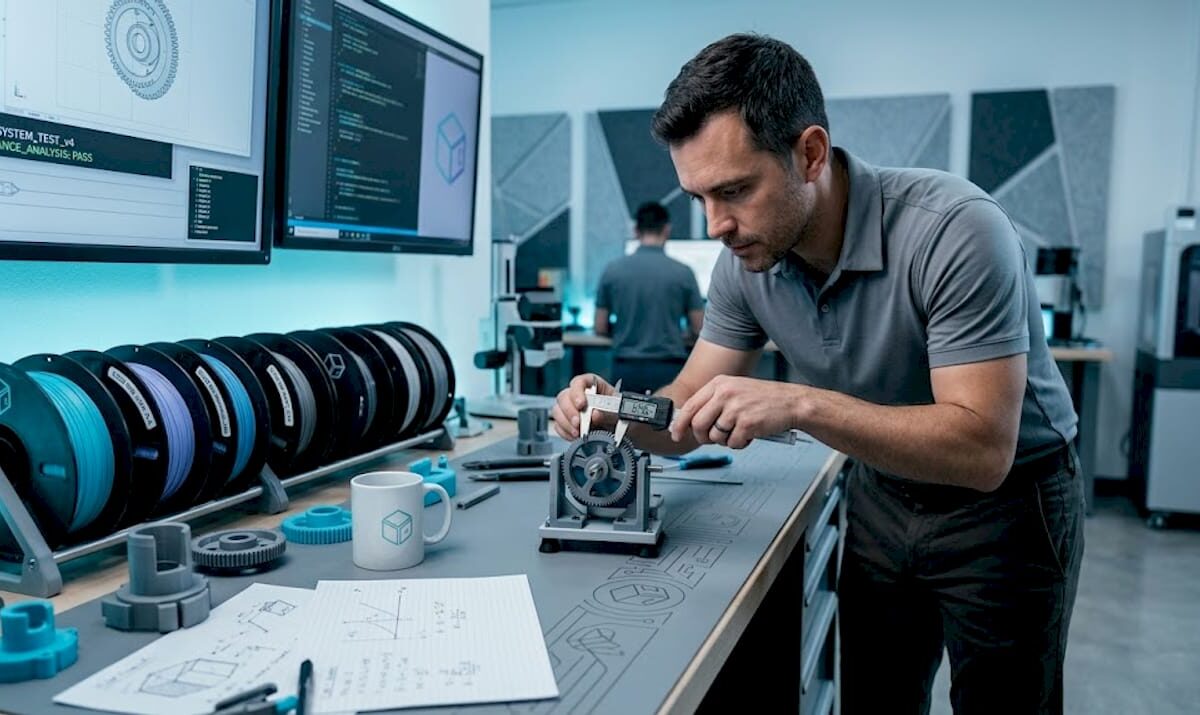
Engineer testing 3D printed prototype in studio

How 3D printing drives product innovation in 2026


TL;DR:

  • D printing accelerates product development by enabling rapid iteration, complex geometries, and design flexibility. It reduces lead times significantly and allows testing multiple ideas simultaneously, fostering innovation and performance improvements. However, understanding its limitations in precision and scale is essential for building effective hybrid manufacturing strategies.

Product teams know the frustration: a promising design sits locked behind a weeks-long tooling queue, burning budget and slowing momentum right when speed matters most. Traditional prototyping methods force developers to commit early, iterate slowly, and absorb delays that kill competitive advantage. Faster prototyping with 3D printing changes that equation entirely, compressing design cycles, freeing up geometry constraints, and letting teams actually test more ideas before committing to production tooling. This article breaks down exactly how 3D printing accelerates innovation across the full product development journey.

Table of Contents

Key Takeaways

Point Details
Rapid iteration speed 3D printing cuts prototyping time from weeks to hours, allowing quick design validation.
Unmatched design freedom Complex geometries and consolidated assemblies drive breakthrough innovation.
Proven industry success Top brands achieve lighter, more durable parts and real performance gains with 3D printing.
Know the limitations 3D printing is ideal for low volumes and complexity, while traditional methods remain key for scale.
Constantly evolving tech Staying current with new automation and materials ensures ongoing innovation advantages.

Rapid prototyping radically accelerates iteration

Speed is where 3D printing earns its reputation first. Traditional methods like CNC machining, urethane casting, or injection mold tooling require setup, fixturing, and lead times that stretch from days to weeks. Every iteration cycle costs time and money. For a product team running six or eight design loops, those delays stack up fast.

3D printing produces parts from CAD models in hours to days rather than weeks, which fundamentally changes how teams approach design validation. Instead of betting on a single prototype version before getting feedback, you can print three variations overnight and test them in parallel. That kind of throughput makes early-stage risk much easier to manage.

The numbers back this up at scale. Ford reported a 90% reduction in model lead time after integrating additive manufacturing into its design workflow. Industry surveys consistently show large lead-time reductions for companies that bring 3D printing into their development cycle. Those aren’t marginal improvements. They’re structural shifts in how quickly products move from concept to testable hardware.

Key reasons rapid 3D prototyping beats traditional methods at the iteration stage:

  • No tooling required. Upload a revised STL file and print. No new mold, no fixture setup.
  • Low cost per iteration. Printing a new version costs material and machine time, not tooling charges.
  • Immediate design feedback. Physical parts reveal fit, feel, and function issues that CAD reviews miss.
  • Parallel testing. Multiple design variants can be printed simultaneously, cutting decision time.

Stat to know: Companies integrating 3D printing at the prototype stage consistently report dramatically shorter lead times, giving their teams more cycles to refine before final tooling.

Pro Tip: Match prototype fidelity to your stage. For concept validation, a fast FDM print is enough. Reserve higher-resolution SLA or SLS prints for functional testing and stakeholder reviews where surface finish and dimensional accuracy matter.

Unlocking limitless design flexibility and geometry

Once you accelerate iteration, the next major advantage is design freedom. Traditional subtractive and forming processes impose hard geometric constraints: draft angles for mold release, tool access paths for CNC cutters, minimum wall thicknesses for casting. These rules force designers to simplify parts, often at the cost of performance.

3D printing supports complex geometries and internal features, including lattice structures, conformal channels, and multi-material configurations that are either impossible or cost-prohibitive to produce any other way. Topology-optimized structures that look organic and unconventional in CAD print just as easily as a simple box. That freedom is a genuine product engineering advantage, not just an aesthetic one.

Consider what this means in practice. An aerospace bracket designed with topology optimization and printed in a high-strength polymer or metal can achieve the same load-bearing performance as a machined aluminum part at a fraction of the weight. Internal cooling channels in a printed mold insert improve thermal management in ways that conventional milling simply cannot achieve. Assembly consolidation, where a five-component subassembly becomes a single printed part, reduces failure points, assembly time, and inventory complexity simultaneously.
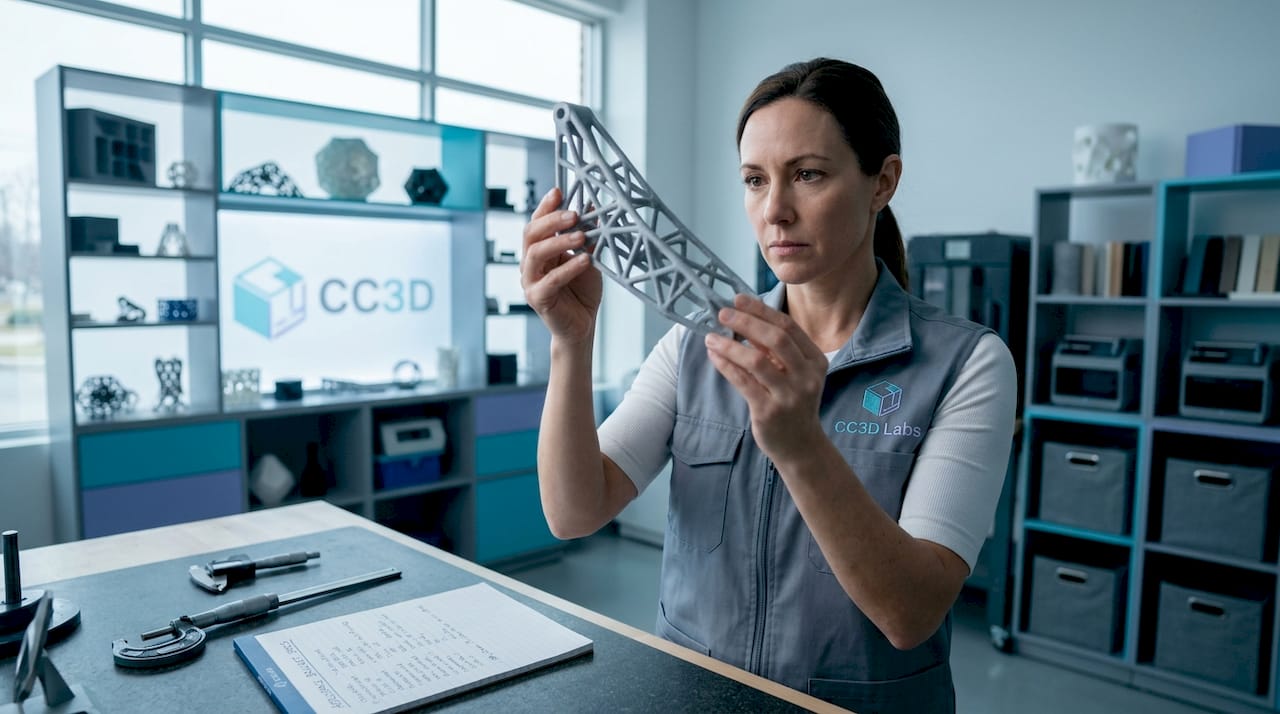
Technician inspects aerospace 3D printed bracket

The implications for complex 3D geometry applications span industries from medical devices to consumer electronics to industrial tooling. Design teams that understand this don’t treat 3D printing as a copy of traditional manufacturing. They rethink part geometry from the ground up.

How 3D labs drive design innovation extends further when you pair additive processes with generative design software. Algorithms propose geometry that meets load and weight requirements, additive manufacturing builds it without complaint, and the result is a part that no human designer would have sketched manually.

  • Internal lattice structures reduce mass without sacrificing structural integrity
  • Conformal cooling channels improve mold performance and cycle times
  • Part consolidation eliminates fasteners and reduces assembly failure risk
  • Organic, topology-optimized shapes become manufacturable without cost penalties

Pro Tip: Use topology optimization software like nTop or Autodesk Fusion alongside your 3D printing workflow. The software handles geometry generation, and additive manufacturing handles execution. The combination produces results that neither achieves alone.

Real-world breakthroughs: Proven impact on performance and function

Design freedom and speed sound compelling in theory. The proof shows up in measurable product performance gains that translate directly to competitive advantage. Some of the most cited examples come from industries where performance margins are razor thin and every gram of weight or percentage point of efficiency matters.

GE Aviation’s 3D printed fuel nozzle is the benchmark case. By redesigning for additive manufacturing, GE consolidated what had been a 20-part welded assembly into a single printed component. The result: 25% lighter and 5 times more durable than the legacy design. Over 100,000 units have been produced. The downstream impact was a 15% fuel efficiency gain in the CFM LEAP jet engine, a real and auditable number that matters enormously in commercial aviation economics.

Ford’s applications show similar performance payoffs in motorsport. 3D printing accelerated the 2025 Mustang GTD development cycle, with printed aerodynamic components contributing to a sub-7-minute Nürburgring lap time. The team iterated on hood louvers and aerodynamic elements at a pace that traditional tooling schedules would have made impossible. Fast iteration directly enabled better performance outcomes.

Metric Traditional manufacturing 3D printing (additive)
Lead time per iteration 2 to 6 weeks 1 to 3 days
Tooling cost per design change $5,000 to $50,000+ Near zero
Part consolidation potential Limited by assembly constraints High (single-print assemblies)
Weight optimization Constrained by subtractive limits Enabled via topology optimization
Geometric complexity Limited by tool access Near-unlimited

These real-world cases illustrate a pattern: when product teams use 3D printing not just to replicate existing designs faster but to rethink geometry entirely, the performance outcomes go beyond incremental improvement. For teams designing reliable 3D prototypes, this is the fundamental design philosophy shift that separates average results from breakthrough ones.

Limits and best uses: Where 3D printing excels (and doesn’t)

No technology wins every comparison, and honest innovation planning requires knowing where 3D printing falls short. Understanding these edges lets you build a smarter hybrid development strategy rather than forcing additive manufacturing into applications where it underperforms.

Tolerances and anisotropy are real constraints. SLA parts typically hold tolerances near ±0.005 inches, while FDM typically holds ±0.010–0.020 inches, compared to ±0.001 inches for CNC machining. Layer-line anisotropy means a printed part is often weaker in the Z-axis than in X or Y. For structural applications under cyclic or high-impact loading, that matters. Post-processing, including annealing, fiber reinforcement, or metal plating, can close some of that gap, but it adds time and cost.

3D printing excels in iterative prototyping and low-volume production, while hybrid strategies with CNC or injection molding address limitations in precision, strength, and scale. For volumes above 1,000 units of a finalized design, injection molding almost always wins on per-unit cost. For parts requiring submillimeter precision under load, CNC is still the right tool.

Here’s a practical decision framework for matching process to project stage:

  1. Concept validation (units 1 to 5). Use FDM for fast, low-cost physical models. Fidelity matters less than speed.
  2. Functional testing (units 5 to 50). Use SLA or SLS for better surface finish, tighter tolerances, and functional material properties.
  3. Low-volume production (50 to 500 units). SLS, DMLS, or high-performance FDM can produce manufacturing-grade 3D production output cost-effectively.
  4. Bridge production (500+ units). Low-volume 3D printing tips can help manage the transition period before injection mold tooling is ready.
  5. High-volume production (1,000+ units). Injection molding or CNC becomes the primary process, with 3D printing reserved for jigs, fixtures, and design updates.

Pro Tip: Think of 3D printing and CNC as partners, not competitors. Print prototypes early and fast, then move to CNC for final validation of precision-critical features before cutting production tooling. This hybrid approach captures the speed advantage without sacrificing final part quality.

The current state of 3D printing for innovation is already substantial. The trajectory over the next three to five years makes the case even stronger. Several trends are converging to push additive manufacturing further into production-scale applications.

Scalability is still challenged by post-processing labor, anisotropy, and throughput constraints, but automation is emerging as the primary solution vector. Automated support removal, robotic part handling, and inline quality inspection are reducing the labor burden that makes high-volume additive production expensive. As these systems mature, the cost-per-unit crossover point with injection molding shifts further in additive’s favor.

New material development is expanding functional applications rapidly. High-temperature polymers, continuous fiber composites, and metal filaments are enabling printed parts that perform in demanding environments where standard materials would fail. This opens doors in aerospace, automotive, and industrial equipment that were previously closed to additive manufacturing.

Integration with production lines is narrowing the gap between prototyping and manufacturing. Digital thread approaches connect CAD data, print parameters, and quality data in a single workflow, enabling faster scale-up and better traceability. For product developers tracking 3D printing manufacturing trends, this convergence of digital and physical manufacturing is the defining story of the next several years.

Key trends reshaping additive manufacturing for innovators:

  • Automated post-processing reduces labor costs and enables higher throughput
  • Continuous fiber reinforcement closes the strength gap with machined parts
  • Multi-material printing enables functional assemblies in a single build
  • AI-driven process optimization improves consistency and reduces defect rates
  • Inline inspection systems catch dimensional errors during the build, not after

Pro Tip: Stay current on material and process advances specific to your industry vertical. A high-temperature PEEK filament that was unavailable two years ago might now be the right call for a functional prototype that previously required machined PEEK stock.

The uncomfortable truth: Innovation isn’t just faster—it’s riskier (and better) with 3D printing

Here is what most articles about 3D printing and innovation leave out. The biggest benefit is not the speed or the geometric freedom. It’s the permission structure that low-cost, fast iteration creates for product teams who are otherwise too conservative.

Most product developers play it safe. When each prototype costs $15,000 in tooling and six weeks of calendar time, you pick your best idea and commit. You stop exploring. You optimize within a narrow design corridor because the cost of exploring outside it is too high. That’s not innovation. That’s risk management masquerading as development.

3D printing changes what’s rational to try. When a prototype costs a few hundred dollars and takes two days, you can afford to test an idea you’re only 40% sure about. You can build the version you think will fail, just to confirm it fails in the way you expect, and learn something in the process. The teams and startups doing the most interesting product development right now aren’t using 3D printing to go faster on the same path. They’re using it to walk more paths simultaneously, fail faster on the bad ones, and double down on the surprising winners.

Innovation with 3D labs works best when teams bring that experimental mindset to the process. The constraint is no longer tooling cost or lead time. The constraint is how many ideas your team can generate and test. That’s a fundamentally different, and far more interesting, problem to solve.

Take your innovation further with expert 3D printing support

Knowing what’s possible with 3D printing is one thing. Executing it with the right process, material, and design approach for your specific application is another challenge entirely.
https://cc3dlabs.com

CC 3D Labs provides full-service 3D printing services tailored for product developers and engineering teams who need more than a commodity print shop. Whether you’re running your first functional prototype or managing a batch production run, the team brings hands-on expertise in material selection, design optimization, and process matching. Explore on-demand prototyping for fast turnaround on custom parts, or check out what you can print to understand the full range of applications. If you’re near Philadelphia or shipping nationally, CC 3D Labs is ready to help you move your product forward with precision and speed.

Frequently asked questions

What types of innovation are best suited to 3D printing?

3D printing is best for rapid prototyping, low-volume production runs, and complex geometries, including internal features and lattice structures, that are difficult or impossible to produce with traditional subtractive methods.

Are 3D printed parts strong enough for functional applications?

Many are, with proper material selection and post-processing. Real-world cases like GE’s fuel nozzle demonstrate that additive parts can be 5 times more durable than their traditionally manufactured counterparts when designed correctly.

How does 3D printing compare to CNC for precision and scale?

3D printing holds tolerances of ±0.005–0.010 inches and is most cost-effective under 500 units, while CNC achieves ±0.001-inch precision and lower per-unit cost at high volumes.

Scalability improvements through automation, new high-performance materials, and integration with digital production workflows are the primary forces expanding what innovation teams can realistically achieve with additive manufacturing.
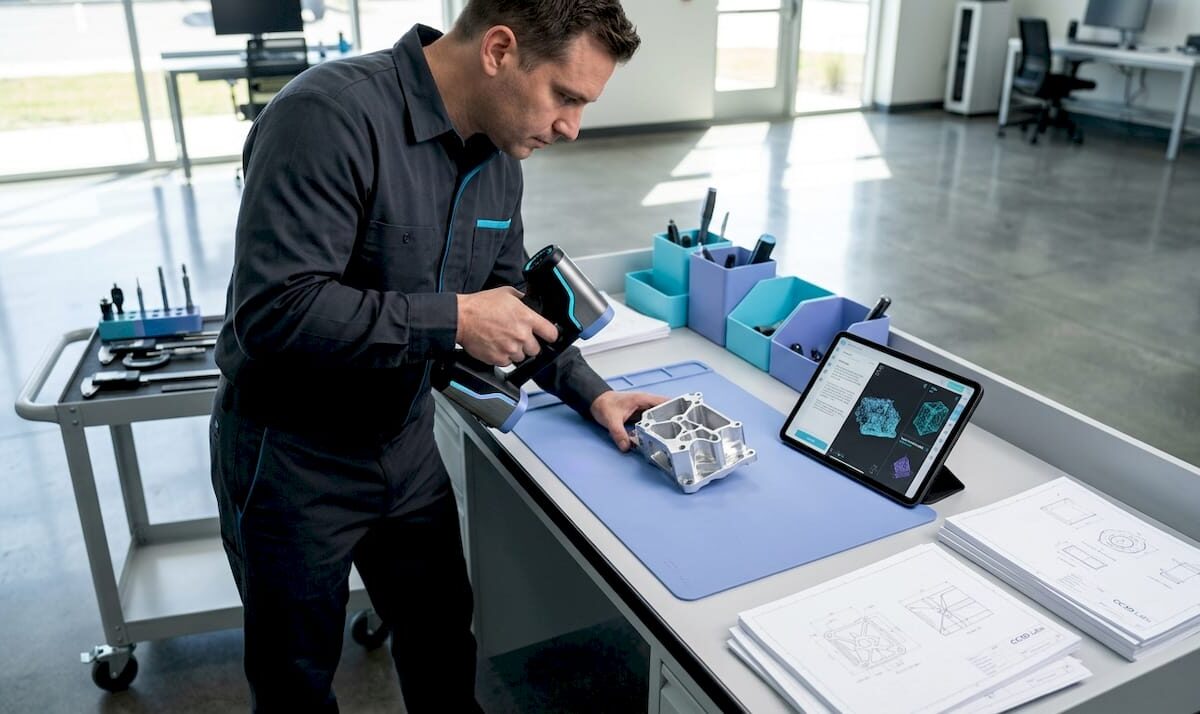
Technician calibrating 3D scanner in workshop

Archival 3D Scanning Guide for Product Development Precision


TL;DR:

  • Most engineers mistakenly assume that any 3D scan qualifies as archival, which can jeopardize long-term reuse. Achieving true archival 3D scanning requires detailed measurement records preserved in durable, open formats, alongside comprehensive documentation and calibration data. Proper workflow planning, including defining coordinate systems, controlling scan conditions, and maintaining metadata, is essential to ensure digital assets remain useful for decades.

Most engineers assume that any 3D scan is an archival scan. That assumption quietly kills product development programs. True archival 3D scanning means capturing high-fidelity 3D measurements of a physical object and preserving the resulting datasets, including raw scan data, derived models, and metadata, in durable, long-term formats designed for reuse years or even decades later. For product developers and manufacturers, that distinction is not academic. It determines whether your digital record can actually drive a reprint, a tolerance audit, or a design iteration in five years without starting from scratch.

Table of Contents

Key Takeaways

Point Details
Engineered for reuse Archival 3D scanning creates precise digital records that enable reliable prototyping and manufacturing, even decades later.
Workflow and validation matter Careful planning, calibration, and documentation make the difference between true archival utility and data loss.
No single file standard Long-term success relies on preserving both raw and interoperable files, plus metadata about methods and conditions.
Quality depends on application Material, surface, and intended use all impact how you capture and accept 3D scan data for the archive.

Archival 3D scanning: Definition and core concepts

With a shared understanding of why preservation matters, let’s clarify exactly what archival 3D scanning entails and why it differs from what most people picture.

An archival 3D scan is not simply a mesh you can rotate on screen. It is a structured measurement record built to survive software migrations, personnel changes, and years of engineering reuse. That distinction separates it from the ad-hoc scans common in hobbyist workflows or single-use inspection tasks, where the goal is a quick visualization, not long-term data fidelity.

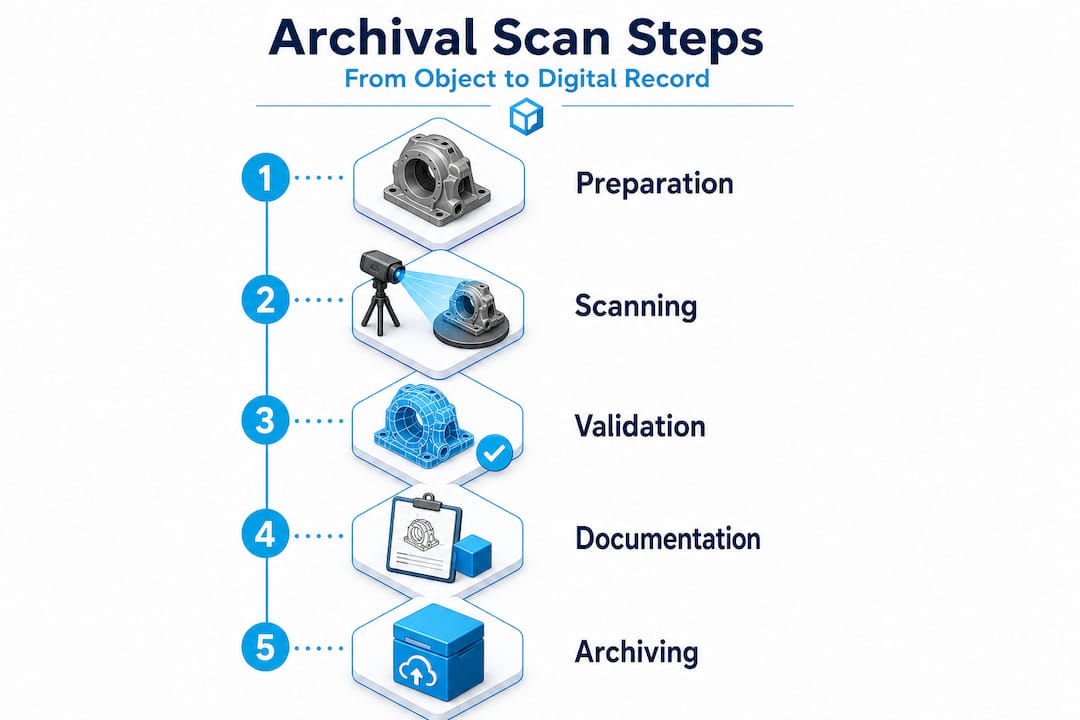
Vertical infographic showing archival 3D scan steps

Professional practice treats scans as measurement records that feed controlled workflows, including control networks, traceable deliverables, and field records, not just visualization models. This is precisely the standard that product engineers need to adopt.

The core concepts behind archival scanning include:

  • High-resolution capture: Point cloud density sufficient to resolve the finest functional features on your part
  • Traceable coordinate systems: Every dataset is registered to a defined spatial reference, so geometry is reproducible
  • Calibration documentation: The scanner’s measurement uncertainty is recorded, not assumed
  • Metadata preservation: Capture date, operator, equipment, ambient conditions, and processing parameters accompany every dataset
  • Controlled deliverable formats: Both raw scan files and processed derivatives are retained separately

“Archival quality is not a feature of the scanner. It is a property of the workflow, the documentation, and the intent behind the capture.”

Understanding design accuracy and prototyping requirements from the start lets your team define what “archival” actually means for your specific use case, whether that is heritage documentation, reverse engineering, or first-article inspection.

Critical workflow elements for archival 3D scanning

Understanding the goals of archival scanning, we next examine what it takes, in practice, for a scan to achieve those standards.

Engineer reviewing 3D scan accuracy checklist

The most common failure mode in archival scanning programs is treating the scan session itself as the entire workflow. In reality, the scan session is just the first step. What transforms raw point cloud data into a true archival resource is the controlled measurement package that surrounds it.

Your scanning checklist for accuracy should address five non-negotiable workflow elements:

  1. Coordinate system definition: Establish a fixed reference frame before scanning begins. Use physical control targets, monuments, or reference artifacts that can be reproduced in future sessions. Without a defined coordinate system, your scan is a floating geometry with no spatial anchor.
  2. Registration and control strategy: Document how individual scan positions were merged. Record the targets used, the registration algorithm, and the resulting residual errors. This documentation allows future engineers to verify alignment or re-register datasets from scratch if needed.
  3. Calibration and uncertainty documentation: Every scanner has a stated accuracy specification, but real-world accuracy depends on surface properties, distance, angle of incidence, and environmental conditions. Record the calibration certificate, the pre-capture validation routine, and any uncertainty estimates specific to the captured object.
  4. Raw file preservation: Never discard the original point cloud or structured scan data. Raw files are the ground truth. Processed meshes and derivative CAD models are interpretations. If your processing software introduces artifacts, the raw data is your only path to recovery.
  5. Metadata and provenance records: Log everything that a future engineer would need to understand the capture: scanner model, firmware version, resolution settings, ambient temperature, lighting conditions, and the name of the person who performed the scan.

Pro Tip: Create a standardized scan log template and require it to be completed before any scan session is closed out. Treat it like a lab notebook entry. Future engineers will thank you, and so will your quality management system.

The table below summarizes the key deliverables in a properly structured archival measurement package:

Deliverable Format Purpose
Raw point cloud Proprietary + open (e.g., .e57, .las) Ground truth reference
Registered scan assembly Project file + exported .e57 Reproducible spatial reference
Processed mesh .obj, .stl, or .ply Engineering and manufacturing use
Calibration record PDF or structured document Uncertainty traceability
Coordinate system definition Report or README file Spatial context for future users
Metadata log Structured text or database entry Provenance and repeatability

Following documentation strategies for workflows used in other precision industries reveals a pattern: the teams that document obsessively are the teams that can reproduce results years later without heroic reverse engineering efforts.

A high quality scan process also accounts for fixture design, lighting control, and surface preparation before the scanner is ever switched on. These upstream decisions directly determine whether your archived data is usable or merely stored.

For teams that want to access professional-grade equipment and validated workflows without building an in-house lab, partnering with a dedicated 3D scanning lab dramatically reduces the risk of workflow gaps.

Quality control: Materials, surfaces, and scan acceptance

With the core workflow defined, the next challenge lies in managing variable scan quality and ensuring reliable results across different object types.

Here is a fact that surprises many engineers early in their archival scanning programs: the scanner model matters far less than the strategy around it. Surface characteristics and acquisition conditions fundamentally change what is achievable in terms of accuracy, completeness, and dimensional fidelity. As a result, archival success depends on capture strategy, validation, and fit-for-purpose uncertainty, not only the scanner model.

The materials and surfaces that cause the most trouble in engineering environments include:

  • Highly polished or mirror-finish metals: Structured light and laser scanners struggle with specular reflections, producing noise or gaps in the point cloud
  • Transparent or translucent materials: Glass, clear polycarbonate, and acrylic are nearly invisible to most scanning technologies without surface treatment
  • Carbon fiber and dark matte composites: High light absorption causes inconsistent returns and reduced point density
  • Small radii and sharp internal corners: Occlusion and beam divergence limit coverage in tight geometries
  • Large flat surfaces: Can look easy but are prone to alignment drift during stitching if control targets are insufficient
Surface type Common challenge Recommended strategy
Polished metal Specular reflection, point cloud noise Apply matte scanning spray or use photogrammetry targets
Transparent plastic Scanner cannot detect surface Apply temporary matte coating, remove after scanning
Dark composite Low return signal, incomplete coverage Increase scan exposure or apply reference dots
Complex internal geometry Occlusion, coverage gaps Multi-angle capture with validated coverage maps
Large flat panels Alignment drift during stitching Dense target field with certified reference distances

Pro Tip: Define your acceptance criteria before you scan, not after. Set minimum point density thresholds, maximum allowable deviation from reference measurements, and coverage completeness requirements for each part type. This prevents the common situation where a scan session is declared “done” based on visual inspection of the mesh rather than verified measurement performance.

“A scan that looks complete on screen and a scan that is dimensionally complete are not the same thing. Only your acceptance criteria tell the difference.”

Achieving scan quality on engineering parts with challenging surfaces often requires a combination of technologies, structured light for geometry, photogrammetry for reference targets, and contact measurement for ground-truth validation on critical features. No single method covers every scenario, and the importance of 3D prototyping quality becomes apparent the moment a downstream manufacturing process depends on a scan that was never properly validated.

Archival file formats and long-term data preservation

Reliable scanning and quality control are just the start. To realize the enduring value of your scans, you must think strategically about file formats and data management.

One of the most common misconceptions is that choosing the right file format is a single decision made at the end of a scan session. In reality, format strategy needs to be baked into your workflow from day one.

Archival 3D preservation practices commonly emphasize retaining original, raw scan data and using open or interoperable formats for long-term access, while acknowledging there is no single universally agreed archival file format. That means your format strategy must be deliberately constructed rather than defaulted into.

Best practices for long-term data preservation include:

  • Retain raw master files: Keep the original capture files in the scanner’s native format alongside exported open formats. Native formats contain the most complete data, while open formats ensure future accessibility.
  • Use a dual-track approach: Maintain one copy in the most complete format available (often proprietary) and a second copy in a widely readable open format such as .e57 for point clouds or .obj and .ply for meshes.
  • Store metadata separately and explicitly: Do not rely on metadata embedded in the file header alone. Write a separate README or structured document that captures every piece of provenance information.
  • Version your derivative models: When you process a raw scan into a mesh or CAD model, keep a record of what processing steps were applied and what software version was used.
  • Plan for format migration: No format is permanent. Schedule periodic reviews of your archive to assess whether stored formats remain accessible with current software, and migrate to updated formats before the old ones become unreadable.
Format Type Strengths Limitations
.e57 Point cloud (open) Widely supported, stores metadata No mesh representation
.las / .laz Point cloud (open) Common in survey workflows Limited metadata fields
.ply Mesh (open) Stores color and normals Less common in CAD workflows
.obj Mesh (open) Universal readability No intrinsic coordinate metadata
.stl Mesh (open) Universal for manufacturing No color, limited precision
Native formats (.zprj, .fls, etc.) Proprietary Maximum data fidelity Software-dependent, risk of obsolescence

Understanding the full landscape of top CAD file formats helps teams make informed decisions about which derivatives to produce and which formats will survive software upgrades over a ten-year horizon.

The uncomfortable truth: Why archival 3D scanning rarely succeeds without planning

Armed with best practices, let’s take a candid look at the rarely discussed pitfalls and what separates archival success from irretrievable data loss.

Most archival 3D scanning programs fail quietly. They do not fail dramatically with error messages or system crashes. They fail years later when an engineer opens a scan archive and finds that the metadata is missing, the coordinate system was never documented, the software that created the native files is no longer available, and the raw data was overwritten to save storage space. At that point, the “archive” is just a collection of orphaned meshes.

The root cause is almost always the same: teams treated archival scanning as a data collection task rather than an engineering discipline. Scanning is the physical act. Archival scanning is the system of decisions, documentation, and maintenance that makes those scans permanently useful.

Because there is no single universal archival 3D file format, engineers need to implement a dual track strategy, retaining raw and master files alongside interoperable derivatives, and preserving metadata and provenance so future teams can reconstruct the intended geometry and processing parameters without guesswork.

The mindset shift required here is significant. Stop thinking of your scan archive as a file folder and start thinking of it as a controlled measurement library. Every entry in that library should be retrievable, understandable, and reproducible by someone who was not in the room when the scan was captured.

What we have seen consistently at CC 3D Labs is that teams who invest in upfront planning, defining their acceptance criteria, establishing their coordinate systems, and committing to their dual-track format strategy before the first scan session, build archives that actually get used. Teams that treat these steps as optional administrative overhead end up rebuilding scans from scratch at exactly the wrong moment, typically when a key product is facing a design change or a regulatory audit.

A commitment to innovation in product development means treating your digital records with the same rigor you apply to your physical parts. Your scan archive is a manufacturing asset. Protect it accordingly.

Next steps: Partnering for archival 3D scanning and prototyping success

For product developers who are ready to move from theory to practice, the fastest path to a functional archival scanning program is partnering with a lab that already understands the nuances of measurement-grade capture and long-term data management.

https://cc3dlabs.com

CC 3D Labs provides professional handheld 3D scanning services (accuracy to ~0.1 mm) near Philadelphia, serving product developers and engineering teams who need scans that are genuinely fit for manufacturing, not just for viewing. Our workflows address coordinate system setup, calibration documentation, multi-format deliverables, and provenance records as standard practice, not add-ons. Whether you are reverse engineering a legacy component, creating a first-article inspection baseline, or building a long-term digital archive for a product line, we can structure a scanning program that meets your specific engineering requirements. Explore our scanning for accuracy and prototyping capabilities, or browse the full range of our 3D printing services to see how scanning and fabrication work together in a single, integrated workflow.

Frequently asked questions

What makes a 3D scan “archival” compared to a regular scan?

An archival 3D scan is a high-fidelity measurement record preserved with metadata, calibration documentation, and traceable coordinate systems in open formats designed for reliable reuse over years or decades, rather than a one-time visualization output.

Is there a universal file format for archival 3D scans?

No single standard exists. Best practice is to maintain raw master files alongside interoperable open-format derivatives such as .e57 for point clouds and .ply or .obj for meshes, ensuring future accessibility regardless of software changes.

What factors most affect the accuracy of an archival 3D scan?

Surface properties, lighting conditions, and scanner angle all influence results, but archival success ultimately depends on the capture strategy, validation protocol, and fit-for-purpose acceptance criteria applied to each specific object and application.

How can I ensure that my 3D scan data will still be usable in ten years?

Store original raw data and processed derivatives in open or widely supported formats, pair them with explicit metadata documentation, and schedule periodic format migration reviews to prevent format obsolescence before it becomes a problem.

Product developer analyzing 3D printing costs

Cut 3D Printing Costs: Proven Strategies for Product Developers


TL;DR:

  • Managing 3D printing expenses involves considering labor, machine time, design complexity, and overhead, which often outweigh raw material costs.
  • Optimizing design and workflow, choosing suitable materials, and evaluating alternative manufacturing methods are crucial steps to ensure cost-effective production.

Managing 3D printing expenses is rarely as simple as buying cheaper filament or running machines faster. The real cost picture includes labor, machine time, design complexity, post-processing, and purchase overhead, and businesses that focus only on one variable often end up paying more overall. Whether you’re producing custom prototypes or scaling toward batch manufacturing, understanding how costs actually stack up, and where to apply targeted reductions, can dramatically change your bottom line. This article lays out research-backed methods to help product developers and manufacturing businesses reduce 3D printing expenses without compromising part quality.

Table of Contents

Key Takeaways

Point Details
Major cost drivers Material, labor, and purchase costs are the biggest factors in 3D printing expenses.
Design optimization impact Smart design choices can cut up to 54% of print time and 16% of material use.
Workflow efficiencies matter Batching and efficient post-processing help lower per-part costs significantly.
Material and process fit Matching the right material and printing process to your project prevents overspending.
Alternative solutions Sometimes, traditional manufacturing is cheaper—make cost-based decisions, not just tech-based ones.

Understand the real cost drivers in 3D printing

Most businesses assume material is the biggest cost in 3D printing. That assumption is frequently wrong, and it leads to poor decisions. A thorough cost breakdown reveals that labor, machine time, design complexity, and purchase overhead often outweigh raw material expense, particularly in custom or low-volume scenarios.

Here’s a breakdown of the main cost factors you need to track:

  • Material cost: Filament, resin, or powder consumed during printing, including support material that gets discarded
  • Machine time: The hours a printer runs to complete a job, which directly ties to energy consumption and capacity allocation
  • Labor: Time spent on setup, monitoring, support removal, finishing, and quality checks
  • Purchase cost: Amortized cost of equipment, software licenses, and facility overhead
  • Design complexity: More complex geometries require longer print times, more support, and more labor to finish

A clinical study evaluating 3D-printed orthoses against traditionally manufactured ones found that labor and purchase cost dominated the 3D printing expense structure. Labor alone accounted for 62.2% of total cost, while purchase cost contributed 22.2%. By comparison, conventional thermoplastic orthoses relied mainly on material (69.4%) and labor (30.6%).

Cost factor 3D-printed orthosis Conventional orthosis
Labor 62.2% 30.6%
Purchase cost 22.2% N/A (minimal overhead)
Material Smaller share 69.4%
Mean total cost €46.54 €30.28

In some product categories, 3D printing is not automatically cheaper. Labor and overhead can push total cost well above what conventional manufacturing would charge. Accurate cost analysis always has to account for all six factors, not just material weight.

For your planning, you can get accurate 3D printing cost estimations upfront before committing to a production run. Knowing your full cost structure is the first step toward finding where to cut.

Optimize your design for cost-effective printing

Knowing what affects your costs, the next step is learning how your design decisions directly alter material, labor, and time expenses. Design is where the biggest leverage lives, and most businesses underuse it.

Engineer optimizing 3D printing design

Multi-objective optimization means adjusting your model to minimize two or more cost factors at the same time, rather than just solving for one. For example, reducing overhangs reduces support material, but doing that alone may increase print height and extend print time. A multi-objective approach balances both simultaneously.

Published research shows that multi-objective design optimization reduced material use by 11 to 16% and print time by 12 to 54% compared to sequential single-variable optimization. That kind of improvement does not require a major redesign. It requires the right design review process.

Practical design changes that reduce cost:

  • Reduce part height: Taller prints take longer, layer by layer. Reorienting a part, when the geometry allows, can dramatically cut print time.
  • Minimize overhang angles: Overhangs beyond 45 degrees typically require support. Each gram of support material adds both material cost and removal labor.
  • Hollow non-structural sections: Infill is one of the most adjustable cost levers. Reducing infill density where strength is not critical directly cuts material and time.
  • Simplify surface features: Fine decorative details increase print time without adding structural value for functional parts.
  • Split and reassemble complex geometries: Sometimes printing a part in two simpler pieces, then joining them, is cheaper than printing a complex monolithic form.

Pro Tip: Before sending any file to print, run a quick design checklist that flags overhangs, wall thickness violations, and unnecessary height. Many of the biggest cost savings happen at this stage, before a single layer is laid down. For a deeper look at designing reliable prints, CC 3D Labs has practical guidance specific to functional prototypes and production parts.

The right material choice also matters here. Some designs that look complex in one material become simpler and cheaper in another. Explore choosing cost-efficient materials to understand how material selection interacts with your design geometry.

Choose the right materials and process for your application

While design is crucial, your choice of material and print process can make or break your savings. Let’s compare how different options shift the cost equation depending on whether you’re making prototypes or end-use parts.

The core principle here is that the cheapest prototyping process is rarely the cheapest production process. PLA is inexpensive and prints quickly, making it ideal for concept models. But for functional end-use parts, it may fail under load or temperature, leading to reprints and wasted cost. Choosing a stronger material upfront, even if it costs a bit more per kilogram, can reduce total cost over a product’s lifecycle.

As research confirms, objective importance varies by AM method, meaning that what you optimize for, whether material, time, or support volume, should change depending on which print technology you’re using. FDM, SLA, and SLS all have different dominant cost drivers.

Here’s a practical comparison:

Technology Typical material Best use case Primary cost driver
FDM (filament) PLA, PETG, ABS, ASA Prototypes, functional parts, jigs Machine time, labor
SLA (resin) Photopolymer resin High-detail prototypes, patterns Material cost, post-processing
SLS (powder) Nylon, TPU Complex geometry, batch production Machine and powder cost
Metal AM Stainless, titanium Aerospace, medical, high-stress parts Material and machine cost

How to evaluate your material and process combination step by step:

  1. Define the functional requirement: What stress, temperature, and environment will this part face?
  2. Identify the minimum viable material: Choose the least expensive material that meets that requirement, not the most capable one.
  3. Calculate total cost, not just material cost: Include setup, print time, post-processing, and failure rate.
  4. Compare against alternatives: A simple injection-molded or machined part may cost less at volume, even if 3D printing is cheaper per prototype.
  5. Check batch economics: Some processes become cost-competitive only above certain volumes. SLS, for example, benefits significantly from packing multiple parts into a single build.

For businesses scaling from prototyping toward higher volumes, reviewing a production-grade printing guide will clarify when to switch processes and how to manage the transition economically. If you’re still evaluating what project type fits your production needs, matching print jobs to needs can help you narrow it down faster.

Streamline your workflow to reduce hidden costs

After selecting your ideal material and process, it’s time to address workflow tweaks that further slash hidden or secondary costs. These are the expenses businesses rarely track, yet they compound quickly.

Labor, as the data shows, is the largest cost factor in many 3D printing scenarios, making up 62.2% of total cost in real production environments. That means any workflow step that consumes labor, without adding direct value to the finished part, is a cost reduction opportunity.

Key workflow strategies to implement:

  • Batch similar parts together: Combining multiple small jobs into a single build plate reduces setup time and maximizes machine utilization. Each setup avoided is labor saved.
  • Standardize post-processing steps: When post-processing follows a consistent sequence, workers complete it faster and make fewer errors. Random or ad hoc finishing inflates labor time.
  • Track failure rates by design and material: If certain part configurations fail print quality checks regularly, the rework cost is invisible but real. Logging failures helps you identify and fix root causes.
  • Reduce unnecessary support structures at the workflow level: Even after design optimization, slicing software settings can further minimize support. Spending a few extra minutes in the slicer often saves more time in post-processing.
  • Consolidate orders: Sending multiple small orders separately is almost always more expensive per part than consolidating them into planned batch runs.

Pro Tip: Use digital job tracking tools, even a simple shared spreadsheet, to log setup times, failure rates, and post-processing hours per job type. Within a few weeks, patterns emerge that reveal where your actual time and money are going. For specific low-volume manufacturing tips tailored to 3D printing, CC 3D Labs offers practical guidance from real production experience.

Staying current on process innovation also matters. Reviewing latest cost-saving trends in 3D printing manufacturing for 2026 can reveal new materials, software tools, or workflow approaches that further cut costs without requiring major investment.

Know when 3D printing isn’t the cheapest solution

Even the best cost-cutting strategies have limits. Sometimes, the wisest move is to opt out of 3D printing entirely for a given part. Recognizing this scenario early prevents you from sinking optimization effort into a process that was never the right fit.

The orthosis research is a clear example. Even after accounting for reduced material waste in 3D printing, the mean cost per 3D-printed part was €46.54 versus €30.28 for the conventionally manufactured version. The labor and purchase overhead of 3D printing erased any material savings.

Warning signs that 3D printing may not be your cheapest option:

  • High labor for finishing: If your parts require extensive sanding, painting, assembly, or inspection after printing, labor costs escalate fast
  • Large production volumes: At high quantities, injection molding or die casting often delivers a lower per-part cost
  • Simple, flat, or extrudable geometry: Parts that can be cut, stamped, or machined from stock material are usually cheaper to produce conventionally
  • Tight dimensional tolerances: When post-machining is required to hit tolerance, the combined cost of printing plus machining often exceeds just machining from the start
  • Heavy parts: Dense, heavy parts require significant material and print time, reducing the cost advantage of 3D printing versus alternatives

Always compare your 3D printing cost estimate with at least one alternative manufacturing method before committing. Sometimes conventional or hybrid manufacturing delivers greater savings, especially when labor and post-processing are factored in correctly.

Understanding your 3D printing alternatives is not a concession to failure. It’s smart cost strategy. The goal is always the right process for the job, not loyalty to any single technology.

Our take: Cost cutting isn’t about one magic fix

After walking through all of these methods, here’s the perspective that often gets left out of cost reduction conversations. Businesses frequently chase the single biggest lever, whether that’s cheaper filament, a faster printer, or a new slicer setting, expecting it to solve their cost problem. It rarely does.

Real cost reduction in 3D printing is additive. It comes from stacking several small wins: a better-designed part, an appropriate material, batched workflow, and honest process selection. Each individual change may save 5 to 15% in isolation. But combined, they often cut total production cost by 30 to 50% without sacrificing part quality.

The uncomfortable truth is that the most expensive mistake is not choosing the wrong material. It’s running an unoptimized process repeatedly and measuring only the material cost. Labor is the hidden giant in most manufacturing environments, and 3D printing is no exception.

We’ve also seen businesses resist switching away from 3D printing for a specific part because they’ve invested in the workflow. That’s a sunk cost bias. When a conventional process is genuinely cheaper, making the switch is not a setback. It’s what good cost management looks like.

Tracking manufacturing trends insight helps you stay current as the economics of different technologies shift year over year. The right answer today may look different in 18 months as new materials and processes enter the market.

The most effective cost strategy we see at CC 3D Labs is a simple one: analyze all cost drivers, optimize design first, choose the minimum viable material and process, batch the workflow, and then honestly evaluate whether 3D printing is the right call for each job. That sequence, applied consistently, delivers better savings than any single optimization ever could.

Take the next step with expert 3D printing support

Implementing these strategies on your own takes time, and miscalculations can cost more than the savings you’re chasing. Working with a specialist who understands the full cost picture from design through finishing makes the entire process faster and more predictable.

https://cc3dlabs.com

CC 3D Labs works with product developers and manufacturing businesses across the Philadelphia region and beyond, helping them reduce costs through smarter design, material selection, and production planning. Our professional 3D printing services cover everything from early-stage prototyping to batch production runs, with transparent pricing and fast turnaround. If you’re not sure where to start, explore 3D printing options to see what’s possible, then reach out for a free estimate tailored to your specific project and volume.

Frequently asked questions

What is the most effective way to cut 3D printing costs?

Optimizing your design with a multi-objective approach is one of the highest-impact changes you can make, with material and time savings of up to 16% and 54% respectively. Layering that with workflow batching and honest process selection multiplies the impact further.

Are labor and purchase costs more important than materials in 3D printing?

In many real-world production scenarios, yes. Studies show labor accounts for 62.2% of total 3D printing cost, making it the dominant expense, not material.

When is 3D printing not the cheapest solution?

When parts require heavy finishing, have simple geometry, or are produced in high volumes, conventional manufacturing often wins on cost. Research confirms 3D printing can cost more than alternatives even when material waste is reduced, once labor and overhead are counted.

Does batch size affect 3D printing costs?

Yes. Larger batches reduce the per-part burden of setup, machine initialization, and labor, making the unit cost fall significantly as batch size increases.

Can support volume and overhang area impact cost?

Absolutely. Support structures add material cost and, more importantly, removal labor. Design changes that eliminate or minimize support, as shown by multi-objective optimization research, directly reduce both cost categories at once.

Product developer monitoring desktop 3D printer

Overcome common 3D printing challenges: pro tips for product developers


TL;DR:

  • Many common FDM print failures, such as warping, poor bed adhesion, and anisotropy, arise from thermal and structural issues. Addressing enclosure temperature, bed surface prep, and layer orientation can significantly improve mechanical strength and dimensional stability. Mastering systematic failure analysis with optimized parameters and environment controls distinguishes top engineers from novices.

You pull a prototype off the build plate, measure it against spec, and it’s warped 2mm at the corner. The layer interface cracked under a basic load test. Your material cost is sunk, your timeline is slipping, and the root cause isn’t obvious at first glance. These aren’t rare flukes — they’re predictable failure modes with known solutions. This article walks you through the most persistent mechanical, material, and dimensional challenges in FDM 3D printing, with data-backed strategies and practical settings adjustments you can act on today.

Table of Contents

Key Takeaways

Point Details
Tackle warping and adhesion Control thermal gradients and use enclosures to promote strong first layer and prevent warping.
Optimize infill for strength Select infill and layer parameters based on material and mechanical performance targets.
Minimize dimensional drift Account for thermal cycling and orientation to maintain tight tolerances.
Embrace expert tuning Advanced troubleshooting and layering techniques resolve stubborn quality issues for production parts.
Professional help speeds results When issues persist, specialist 3D printing services can accelerate troubleshooting and delivery.

Mechanical issues: warping, bed adhesion, and anisotropy

Most print failures trace back to three interconnected problems: warping, poor bed adhesion, and structural weakness from anisotropy. Understanding why each happens is the first step toward eliminating them from your workflow.

Warping and poor bed adhesion are among the most common mechanical challenges in FDM printing, caused by thermal shrinkage and uneven cooling, particularly with ABS and Nylon. When the bottom layers cool faster than the layers above them, differential contraction bends corners upward. This is especially destructive for flat, wide parts where the geometry amplifies every degree of temperature change.

For engineers building functional prototypes, the fix involves more than just spreading glue stick on the print bed. Here are the main factors to address:

  • Enclosure temperature control: Keep ambient air around 40 to 50°C for ABS; this slows the cooling rate and reduces stress buildup between layers.
  • Bed surface and prep: Use PEI sheets, glass with adhesive, or specialized surfaces matched to your material. Clean with IPA before every run.
  • First layer calibration: A first layer squished 10 to 15% below nominal layer height maximizes contact area and adhesion force.
  • Brim and raft usage: Wide brims (at least 8mm) physically resist corner lift. Rafts add thermal mass at the base and help equalize temperature.

“For materials prone to warping like ABS and Nylon, enclosing the build volume and tightly calibrating the first layer settings are non-negotiable steps before advanced parameter tuning.” — Recommendations from FDM troubleshooting best practices.

Anisotropy is the other silent killer. Because FDM prints layer by layer, the bond between layers is always the weakest link in the structure. Flexural strength drops 40%+ at a 90° raster angle compared to 0°, with PLA reaching optimal performance at 0° orientation and 50% infill (167 MPa flexural in one published study — typical PLA flexural values run 80–110 MPa), and ABS peaking at 0° orientation with 75% infill (126 MPa). If your part will see bending loads, the layer stacking direction relative to load direction is not a detail — it’s a design decision.

When working on manufacturing-grade 3D printing projects, these baseline mechanical principles need to be locked in before you start optimizing higher-level parameters.

Pro Tip: Before printing any structural prototype, sketch out the primary load direction on paper and orient the model so critical surfaces are parallel to the raster lines. This one decision can roughly double effective flexural strength without changing a single slicer setting.

For anyone newer to these concepts, the filament 3D printing prototyping guide provides a solid foundation before tackling advanced troubleshooting.

Strength and material parameter selection: the infill and raster effect

Once you understand the mechanical failure sources, the next problem is knowing exactly which parameters to adjust for your specific material and application. Infill and raster angle are not just cosmetic settings — they are structural design variables.

Infill density contributes up to 80% of the variation in tensile, compressive, and impact strength, while layer thickness has the biggest influence on hardness and surface roughness. The practical implication: if you need a load-bearing part, infill is your primary lever. If you need a smooth surface for a fit-check prototype, layer thickness takes priority.

Here’s a step-by-step approach to selecting infill and raster angle for common engineering materials:

  1. Identify the primary load type (tensile, compressive, bending, impact). Each responds differently to infill patterns and density.
  2. Select material based on operating environment. ABS for moderate heat and chemical exposure, PLA for room-temperature prototypes, Nylon for dynamic or fatigue-heavy applications.
  3. Set raster angle to 0° as the starting default for maximum strength in the load direction. Reserve 45° or alternating rasters for isotropic requirements.
  4. Set infill starting point based on the table below, then adjust after a destructive test sample.
  5. Print a small coupon first. Test before committing material and time to the full part.
Material Optimal raster angle Infill % Flexural strength Notes
PLA 0° 50% 167 MPa (study value) Best for room-temp structural prototypes
ABS 0° 75% 126 MPa (study value) Needs enclosure; warping risk above 100mm
Nylon 0° to 45° 60 to 75% Varies Moisture absorption affects results; dry filament before printing
PETG 45° alternating 50 to 60% ~120 MPa Good layer adhesion; less anisotropy than ABS

The optimal mechanical parameters for each material matter, but they only deliver results when the print environment (enclosure, bed temp, ambient humidity) supports them. Engineers who treat slicer settings as isolated variables without controlling the full print environment consistently get inconsistent results.

Pro Tip: Run a 3-sample destructive test at your target infill and raster settings before committing to a full production run. A simple bend or pull test on small coupons catches 80% of strength-related surprises before they cost you time and material on full-sized parts.

Engineer examines broken 3D printed samples

For a deeper look at how geometry choices interact with these parameters, the resource on designing reliable 3D prints is worth reviewing before finalizing your CAD for print.

Dimensional accuracy and stability under thermal cycling

Strength and adhesion matter at print time, but many engineering parts face an equally serious challenge after they leave the printer: dimensional instability under repeated temperature changes. This is critical for any part used in automotive testing, outdoor hardware, or environments with significant temperature swings.

Dimensional drift under thermal cycling is well-documented: parts can show a height increase of +0.3 mm after just 10 cycles between -20°C and 80°C, with the Z-direction the most affected due to anisotropy between layers. For parts with tight tolerances on height, stacking, or assembly clearance, that 0.3 mm can mean the difference between a fit and a failure.

The Z-direction is vulnerable for a structural reason: the bond between layers is weaker than the base polymer itself. When thermal expansion and contraction work on that interface repeatedly, the cumulative dimensional shift is greater than what you’d see in an injection-molded part made from the same base material.

Here’s a practical checklist to minimize thermal drift in dimensionally critical parts:

  • Pre-condition parts before measuring. Let them stabilize at room temperature for at least 2 hours after printing before taking dimensional readings.
  • Orient tall features horizontally where tolerance matters. A feature that runs in the XY plane is more dimensionally stable than one that grows in Z.
  • Use an enclosure during printing to slow cooling uniformity and reduce residual stress that contributes to post-print drift.
  • Anneal parts after printing. For PLA, annealing at 80 to 100°C for 30 to 60 minutes (above PLA’s ~60°C glass transition — below that, annealing does little) stress-relieves the polymer and improves dimensional stability under subsequent thermal loads.
  • Specify material with appropriate thermal coefficient. PETG and ABS both outperform PLA at elevated temperatures; check the glass transition temperature against your expected operating range.

If you’re not familiar with terms like anisotropy, glass transition temperature, or layer adhesion mechanics, the 3D printing terminology resource breaks these down clearly for product developers.

The industry is also moving toward tighter process controls for thermal stability, which you can explore in manufacturing trends in 3D printing to understand where the best practices are headed in 2026.

Expert troubleshooting: fine-tuning, layering, and advanced material tips

With the fundamentals addressed, the final layer of mastery involves diagnosing persistent quality issues that survive basic parameter optimization. These are the problems that show up in advanced prototypes and pre-production runs, and they require a more systematic approach.

The following troubleshooting moves address common high-level flaws:

  • Stringing and oozing: Increase retraction distance by 0.5mm increments and reduce travel speed. Dry filament thoroughly before printing, especially with hygroscopic materials like Nylon and PETG.
  • Under-extrusion: Check for partial clogs, recalibrate the extruder e-steps, and verify that flow rate matches actual filament diameter at the tip.
  • Layer separation: Increase layer temperature in 5°C increments and reduce print speed on perimeter passes. Check that part cooling fans aren’t overwhelming inter-layer bonding on materials like ABS.
  • Surface inconsistency on top layers: Increase top layer count from 3 to 5, and verify that infill percentage is high enough to support bridging at the top.

Retraction and flow calibration directly affect part quality in ways that don’t show up in standard strength testing but can catastrophically affect functional performance and appearance. Setting 0° raster and 50 to 75% infill for maximum structural performance is part of this optimization loop.

Advanced layering strategies deserve particular attention for fatigue applications. Multiplane layering, where the model is split and printed in sections oriented on different axes, can meaningfully mitigate Z-direction weakness. It adds complexity, but for parts that will see cyclic loading, it’s a legitimate engineering intervention rather than a workaround.

“Notches and stress concentrations in printed parts reduce fatigue life dramatically. A sharp root radius of just 0.3 mm can reduce epoxy fatigue life by two-thirds, and the same principle applies to layer transitions and internal geometry in FDM parts.”

This is an often-overlooked design point. Engineers frequently focus on infill percentage and raster angle while ignoring sharp internal corners or abrupt geometry transitions that act as stress concentrators during cyclic loading. Rounding internal radii to at least 0.5mm and smoothing layer transition geometry can have more impact than an extra 10% of infill.

For a full walkthrough of how to implement these strategies from print setup through post-processing, the step-by-step guide for quality prints provides actionable detail on each stage.

Comparison summary: challenges, impacts, and solutions at a glance

Use this table as a reference checklist when diagnosing a failed print or planning a new high-stakes prototype.

Challenge Symptom Root cause Affected property Proven fix
Warping Lifted corners, base distortion Uneven cooling, thermal shrinkage Dimensional accuracy, adhesion Enclosure, heated bed, brim, first layer calibration
Anisotropy Weak Z-axis fractures Layer bonding weaker than bulk Flexural and tensile strength 0° raster, orientation control, multiplane layering
Poor bed adhesion Part detaches mid-print Dirty bed, wrong surface, low temp Print completion, dimensional base IPA clean, PEI sheet, bed temp match to material
Dimensional drift Tolerance failure after use Thermal cycling, Z-anisotropy Assembly fit, tolerance stack-up Pre-conditioning, annealing, horizontal feature orientation
Strength loss Fracture under expected load Low infill, wrong raster, wrong material Load-bearing capacity Optimize infill, raster angle, run coupon tests

Each row in this table maps to a root cause you can test and a fix you can implement immediately. The most common mistake is treating these as unrelated problems when they often compound: warping creates residual stress that worsens anisotropy-driven failure under load.

Beyond the basics: why mastering failure modes separates top engineers

Here’s an uncomfortable observation from working with product developers at all levels: the engineers who produce the most reliable printed parts aren’t necessarily using better machines or more exotic materials. They’re the ones who document failures systematically and treat every failed print as diagnostic data.

Textbooks cover the ideal behavior of materials. They rarely cover what happens when ABS prints on a Tuesday in summer at 72% humidity and the first layer adhesion degrades compared to a dry February run. The real world is messy, and default slicer profiles are designed for average conditions, not for your specific geometry, ambient environment, or load requirements.

The engineers who outperform their peers share a common habit: they don’t accept “it just failed” as a root cause. They ask which direction it failed, at what layer, under what load, after how many cycles. That diagnostic precision is what allows rapid iteration instead of repeated guessing.

Chasing new printer releases or exotic filaments without mastering failure analysis is a trap. A well-dialed FDM printer with calibrated settings for manufacturing-grade print quality will consistently outperform a newer machine running on default profiles. Process mastery compounds. Hardware upgrades plateau.

The engineers who build durable, accurate prototypes are the ones who embrace the analytical layer underneath the print settings. That’s not a personality type. It’s a skill you build deliberately, starting with the frameworks in this article.

Professional support and rapid solutions for 3D printing challenges

Persistent print failures can eat weeks of development time when you’re working without access to experienced process feedback. Sometimes the fastest path forward isn’t tuning another setting — it’s getting a professional set of eyes on your geometry, material selection, and print strategy.

https://cc3dlabs.com

At CC 3D Labs, we work directly with product developers and engineers facing exactly the challenges covered in this article. Whether you need rapid turnaround on a tight-tolerance prototype, expert guidance on material and parameter selection, or reliable batch production with verified dimensional accuracy, our team near Philadelphia is set up to deliver. Explore our full 3D printing services, or start with the guide to rapid prototyping to understand how a professional workflow compresses your iteration cycle. For filament-based projects specifically, prototyping with filament printing outlines exactly how we approach each stage from design review to final part delivery.

Frequently asked questions

What causes prints to warp during 3D printing?

Warping is caused by uneven cooling and thermal shrinkage in the base layers, especially with ABS and Nylon. Using an enclosure, a heated bed, and a wide brim effectively reduces warping across most material types.

How does infill density affect part strength in 3D printing?

Infill density contributes up to 80% of the variation in tensile, compressive, and impact strength in FDM printed parts. Higher infill significantly increases load-bearing capacity while layer thickness primarily affects surface hardness and finish.

Why are parts weaker in the Z-direction in FDM 3D printing?

The 40%+ drop in flexural strength at 90° raster angle compared to 0° is a direct result of inter-layer bonding being weaker than the bulk polymer. Orienting the part so critical load paths run in the XY plane is the most effective structural mitigation.

What is the impact of thermal cycling on dimensional accuracy?

Thermal cycling induces measurable dimensional drift, with parts showing up to +0.3 mm height change after 10 cycles between -20°C and 80°C. The Z-direction is most vulnerable due to the anisotropic nature of layer bonding in FDM parts.

How can I improve bed adhesion for better 3D print results?

Clean the print bed with IPA before each run, use a surface matched to your material like PEI for ABS or glass for PLA, and calibrate your first layer height to slightly over-extrude for maximum contact area. Adding an enclosure to stabilize ambient temperature eliminates the thermal differential that causes early delamination.