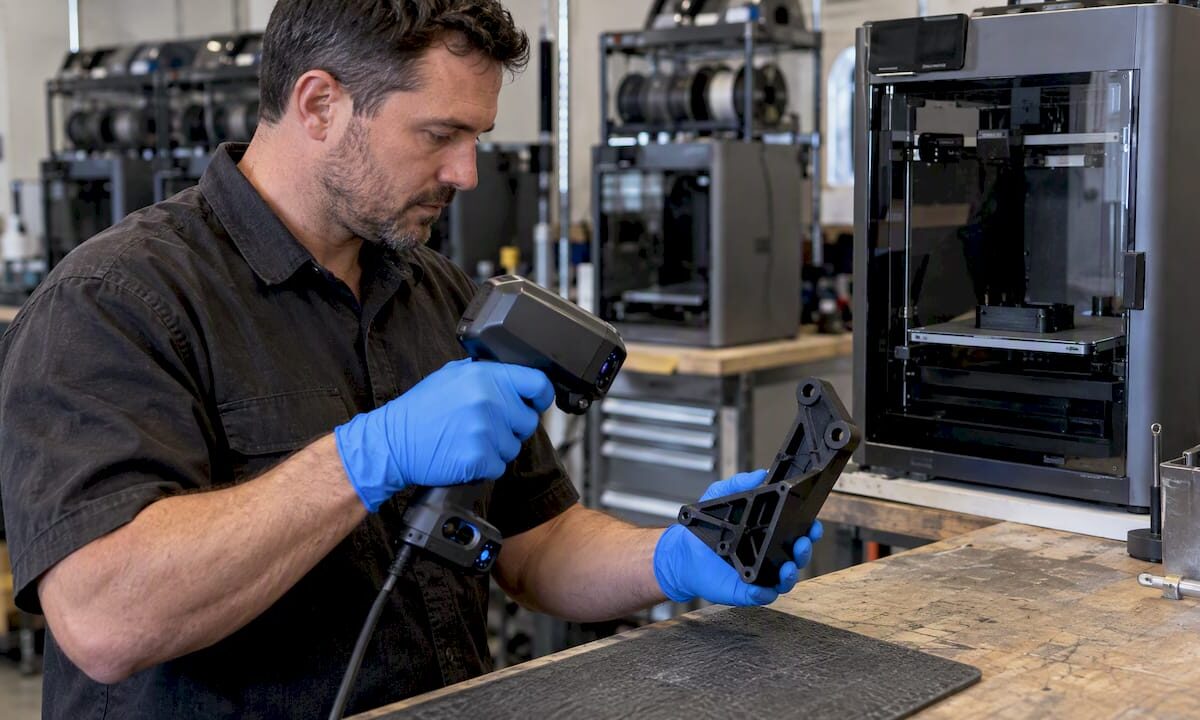
Engineer checks filament tolerance with calipers

Custom filament printing guide: precision for prototypes


TL;DR:

  • Filament diameter tolerance of ±0.02mm ensures consistent, professional-grade 3D printing results.
  • Proper material choice, printer calibration, and controlled environment are crucial for accuracy and repeatability.
  • Systematic verification and measurement across batches prevent variability and enhance manufacturing reliability.

Even a 0.05mm variation in filament diameter can push a prototype over tolerance, trigger failed prints, and delay your product launch by days or weeks. For product developers and small manufacturing teams, that is not a minor inconvenience. It is a real business cost. ±0.02mm filament tolerance is the benchmark separating consistent, professional-grade output from frustrating batch failures. This guide walks you through every stage of custom filament printing, from material selection and printer setup to parameter tuning and quality verification, so you can produce parts that hold tolerance and hold up under real-world conditions.

Table of Contents

Key Takeaways

Point Details
Choose the right filament Proper filament type and tolerance are the foundation for consistent, successful prints for prototypes and production.
Calibrate and control environment Printer calibration and environmental controls are just as critical as material choice for avoiding common failures.
Optimize print parameters Fine-tuning orientation and slicer settings can dramatically boost part strength and accuracy.
Verify print quality Regular, measured quality checks catch inconsistencies early, ensuring confidence in every print run.
Expert help accelerates results Partnering with a specialized 3D printing service speeds up learning, minimizes costly mistakes, and delivers reliable prototypes.

Understand filament types and requirements

Choosing the right filament is not just about matching color to your brand palette. Material selection determines whether your functional prototype survives a stress test, fits into an assembly, or ships with consistent surface quality across a batch. Getting this decision right upfront saves you rework time and material cost.

Core filament types and where they fit:

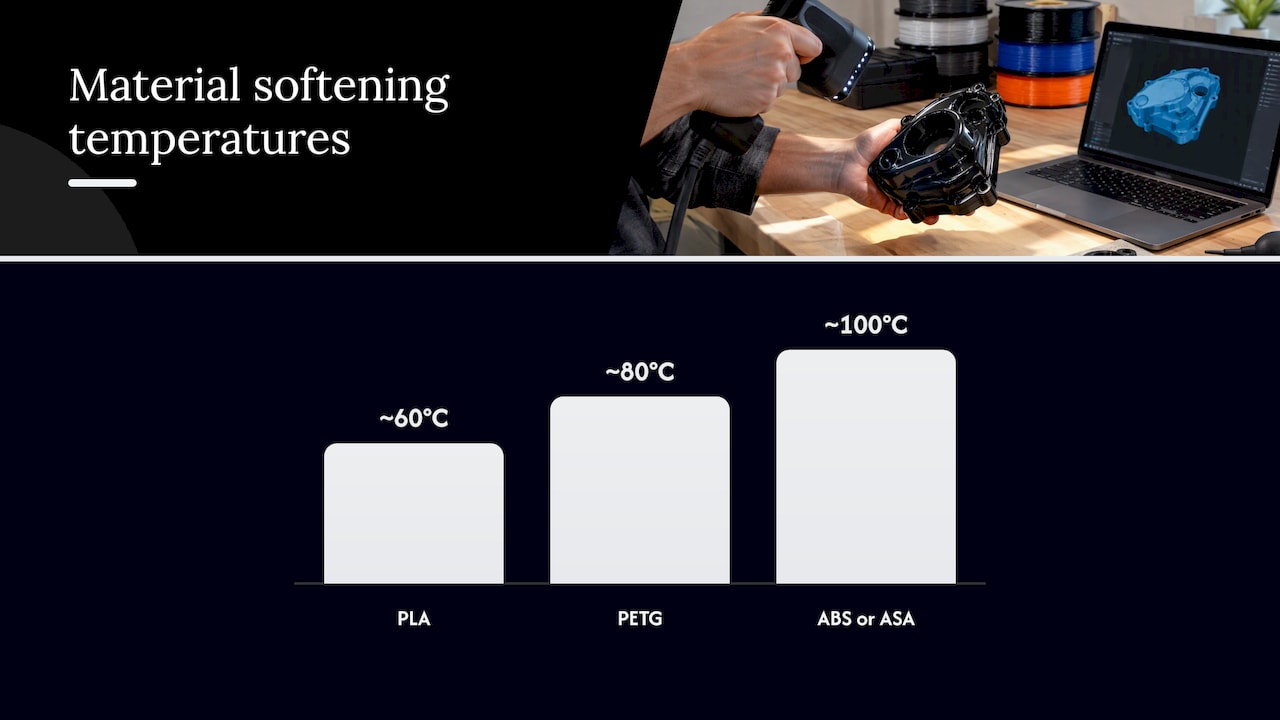
  • PLA: Easy to print, dimensionally stable, ideal for concept models and display prototypes. Not suited for heat or mechanical stress.
  • PETG: Balances strength and printability. Great for functional parts, but it is hygroscopic and requires drying before use to avoid bubbles and stringing.
  • ABS: Tough and heat-resistant, essential for functional housings and mechanical parts. Needs an enclosure to prevent warping.
  • Nylon: High impact resistance and flexibility, but absorbs moisture aggressively. Drying is non-negotiable.
  • Carbon fiber, glow-in-the-dark, and metal-filled filaments: Abrasive composites that demand hardened steel nozzles, or you will wear through a standard brass nozzle within hours.
Filament Enclosure needed Drying required Nozzle type
PLA No Rarely Brass
PETG Optional Yes Brass or hardened
ABS Yes Rarely Brass
Nylon Yes Yes Hardened steel
Carbon fiber Yes Yes Hardened steel

Tolerance matters more than most developers realize. A filament rated at ±0.02mm produces under 1% volumetric variation, keeping flow rates consistent across long print runs. Once you step down to ±0.05mm, you are looking at nearly 3% volumetric swing, which shows up as over-extrusion on some layers and under-extrusion on others. You can find more material-specific advice in our prototyping filament guide or dig into a side-by-side breakdown with PLA vs PETG vs ABS.

Color additives also affect printability. Dark pigments, particularly black, absorb more heat and may require a slightly lower temperature than a natural or white version of the same material. Always run a temperature tower when switching colorways on a critical production run.

Pro Tip: Store all hygroscopic filaments in sealed containers with silica gel desiccant between print sessions. Even a few hours of open-air exposure in a humid environment can ruin a spool of Nylon or PETG.

Set up your printer for custom filament printing

Once your material is chosen, your printer and workspace need matching attention. A well-selected filament will still produce poor results if the hardware delivering it is out of calibration or operating in an uncontrolled environment.

Start with these setup steps in order:

  1. Level the print bed. A bed that is even 0.1mm off across its surface will cause adhesion failures on the first layer, which cascades into every layer above it.
  2. Clean the hot end. Residual material from a previous filament run causes contamination, especially when switching from a high-temperature material to a lower-temperature one.
  3. Check the extruder tension. Too tight and you grind the filament. Too loose and steps are skipped. Both cause inconsistent flow.
  4. Calibrate your extruder steps per mm. Mark 100mm of filament, extrude it, and measure what actually moved. Adjust until the numbers match.
  5. Set nozzle diameter to match your job. Abrasive filaments require a hardened nozzle. Standard brass erodes fast under carbon fiber or metal-filled materials.

Environment matters too. ±0.05mm diameter variation creates a 2.8% volumetric swing that no software setting can fully compensate for, but ambient temperature swings make things worse. ABS requires a fully enclosed printer to maintain a consistent chamber temperature and prevent warping from drafts. Hygroscopic materials need controlled humidity both in storage and during printing.

A stable printer in a controlled workspace produces more consistent results than a high-end machine sitting in a drafty, humid shop floor. Environment is not optional.

Printer check What to look for Tool needed
Bed level Even first layer adhesion Feeler gauge or probe
Extruder calibration 100mm extrusion accuracy Ruler or calipers
Hot end cleanliness No residue or discoloration Cold pull or cleaning filament
Nozzle condition No erosion on tip Visual inspection

For batch production specifically, you will want to build a pre-run checklist. Our low-volume manufacturing tips walk through setup routines designed to keep quality consistent across dozens of parts. If you are deciding between printer types for your workflow, choosing the right printing type covers that decision in detail.

Pro Tip: Run a small calibration cube before every new filament spool or environmental change. It takes five minutes and tells you immediately if something has drifted.

Woman calibrates 3D printer for new filament

Optimize print parameters for strength and accuracy

Once hardware is ready, fine-tuning print parameters maximizes your results. Slicer settings are where most developers either gain or lose the edge on part performance.

Orientation is the most underestimated variable in filament printing. FDM parts are anisotropic, meaning they are stronger along the layer plane than perpendicular to it. Placing a part so its primary load axis runs parallel to the print bed increases stiffness dramatically. Parameter optimization, including orientation and layer height adjustments, has been shown to boost part stiffness by 81 to 128%. That is not a marginal gain. It is the difference between a prototype that passes mechanical testing and one that snaps during the first use cycle.

Follow this sequence when dialing in parameters for a new job:

  1. Set orientation first. Analyze load direction and place the strongest axis in line with expected stress.
  2. Choose layer height. Thinner layers (0.1mm to 0.15mm) improve surface detail and interlayer bonding for functional parts. Thicker layers (0.2mm to 0.3mm) speed up prototyping when detail is less critical.
  3. Tune temperature. Advanced materials like PETG and Nylon run hotter and benefit from a temperature tower to find the sweet spot for flow and layer adhesion without stringing.
  4. Set print speed. Slower speeds improve accuracy. For precision prototypes, drop below 40mm/s on perimeters.
  5. Adjust cooling. PLA needs active cooling. ABS and Nylon need minimal or no cooling to prevent layer delamination.

Black filaments deserve a specific note. Because of their higher heat absorption, black variants of the same base material often need a temperature reduction of 5°C to 10°C compared to neutral colors. Skipping this step leads to over-melting and oozing on fine features.

For guidance on building print-ready geometry that supports these parameters, our resource on designing reliable prints and optimizing your CAD workflow are worth your time before you hit slice.

Pro Tip: Never rely on a slicer’s default profile for a production run. Always run a first-article part with your specific filament, nozzle, and environment before committing to a full batch.

Quality verification and troubleshooting

With parameters optimized, assess and fix your results for business-grade consistency. Printing one good part is not the goal. Printing forty identical good parts is.

Start with visual inspection on every part:

  • Layer lines: Should be uniform in height and spacing. Inconsistent lines point to extruder slippage or filament diameter variation.
  • Wall smoothness: Rough or pitted walls signal moisture in the filament or a clogged nozzle.
  • Color consistency: Streaks or shade shifts mid-print indicate contamination or temperature instability.

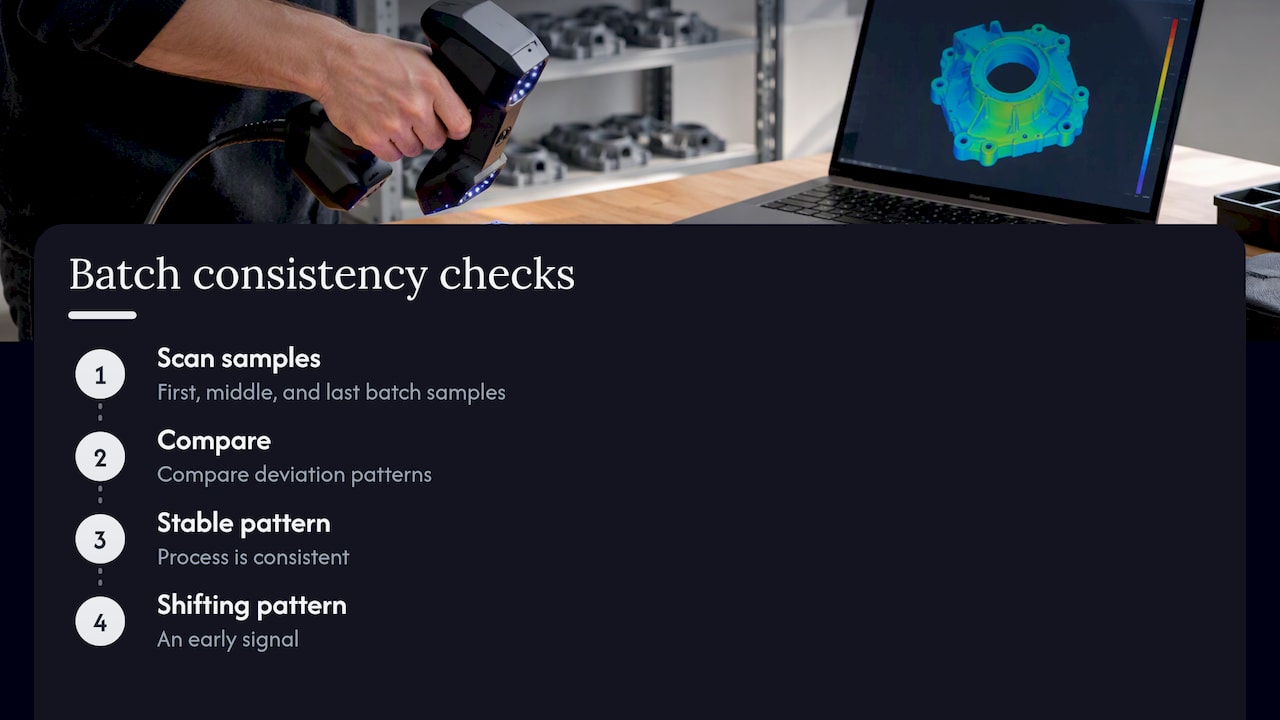
After visual checks, measure. Use calipers to verify critical dimensions against your CAD model. Tolerance variations at ±0.02mm create under 1% dimensional error, while ±0.05mm filament pushes that beyond 2.8%. For parts going into assemblies, even 0.1mm of deviation can mean a misfit. Document your measurements across each batch so you can track drift over time.

Iteration is not failure. Running three calibration parts before a 50-piece batch is a quality investment, not wasted material.

Common error Symptom Solution
Under-extrusion Thin walls, gaps in layers Increase flow rate, check extruder tension
Over-extrusion Blobbing, rough surfaces Reduce flow rate or temperature
Warping Lifted corners Use enclosure, increase bed adhesion
Stringing Fine threads between features Increase retraction, reduce temperature
Layer delamination Cracks between layers Increase temperature, reduce cooling

Infographic with filament troubleshooting and solutions

For visual references of what precision output actually looks like at each stage, our prototype quality examples show real parts printed to specification.

Why most guides miss what actually matters in custom filament printing

Most online guides focus on slicer profiles and temperature charts. Those things matter, but they are not the ceiling. The real ceiling for manufacturing reliability is filament consistency and systematic verification across batches.

Here is what experience teaches you: even a premium slicer profile running on a well-calibrated machine cannot compensate for a filament spool with inconsistent diameter. If the material feeding into your nozzle varies by 0.05mm or more throughout the spool, your flow rate fluctuates regardless of your settings. You can tune all day and still see surface variation on parts 20 and 40 that looked fine on parts 1 and 2.

The second thing most guides skip is the difference between a successful single print and a repeatable process. For a product developer or small manufacturer, repeatability is everything. One good prototype means little if your next run of 30 parts has visible variation. Build a verification step into every run. Measure early, measure often, and document what you find. That process discipline is what separates hobbyist output from professional manufacturing output.

Our additional prototyping strategies go deeper into building that kind of repeatable workflow.

Take your custom filament printing further with CC3DLabs

If you are hitting the limits of what in-house printing can deliver for precision, batch consistency, or advanced materials, working with an experienced team changes the equation.

https://cc3dlabs.com

At CC3D Labs, near Philadelphia, we specialize in custom filament-based 3D printing for product developers and manufacturing teams who need parts that perform, not just parts that look right on a screen. Our 3D printing services cover everything from single prototypes to production runs, with material expertise and quality verification built into every job. Want to know what is possible before you commit? See our printing capabilities and browse real-world prototype case studies to see the standard we hold our work to. Reach out for a free estimate and let us help you get it right the first time.

Frequently asked questions

What is the ideal filament tolerance for precision 3D printing?

A filament diameter tolerance of ±0.02mm delivers the best print consistency for prototypes and low-volume manufacturing, keeping volumetric variation under 1%.

Why do some filaments require drying before printing?

Hygroscopic filaments like PETG and Nylon absorb moisture from the air, which causes bubbling, poor layer adhesion, and stringing unless the material is thoroughly dried before printing.

How does orientation impact 3D printed part strength?

Optimizing part orientation during slicing aligns the strongest axis with the load direction, with research showing stiffness improvements of up to 128% compared to default orientations.

How do you check if your print is accurate?

Measure critical dimensions with calipers and compare them to your CAD model. Tolerance variations above ±0.05mm can push dimensional error past 2.8%, which is unacceptable for assembly-fit parts.

Designer reviewing online 3D printing estimate

Get precise online estimates for custom 3D printing


TL;DR:

  • Online quoting speeds up 3D printing workflows and helps with rapid design decisions.
  • Automated estimates are generally accurate for standard geometries but less reliable for complex features.
  • Preparing models carefully and validating quotes with manual reviews can improve cost accuracy and project success.

Waiting three days for a quote when your prototype deadline is tomorrow is not a workflow problem. It’s a competitive disadvantage. Traditional manual quoting slows engineering cycles, creates budget uncertainty, and forces developers to guess at costs during the most critical design phases. Instant quoting systems automate pricing by analyzing uploaded STL files, material choices, print time, and part complexity in seconds. But speed comes with trade-offs. This guide breaks down how online estimates work, where they fall short, and the practical strategies you can use to get numbers you can actually build a budget around.

Table of Contents

Key Takeaways

Point Details
Speed boosts workflow Instant online estimates slash prototyping delays and empower rapid engineering iteration.
Check itemized costs Always review the detailed breakdown—material, machine, labor, post-processing—for transparency and accuracy.
Know quoting limits Complex geometries and post-processing often require manual review, so buffer for hidden costs.
Design for accuracy Optimizing designs for quoting—minimizing supports and overhangs—produces more reliable instant estimates.
Benchmark for best value Compare multiple quoting platforms and ask for engineer reviews to ensure cost and quality alignment.

How online estimates transform 3D printing workflows

An online estimate, sometimes called an instant quote, is an automated pricing system that reads your 3D model file and returns a cost breakdown without human intervention. You upload a file, select a material and finish, and the platform calculates price based on volume, geometry, and machine parameters. The result arrives in seconds rather than days.

For product developers and engineers, this changes everything about early-stage design. You can test five material options in five minutes. You can compare a solid infill against a lightweight lattice structure and see the price difference immediately. Online estimators accelerate prototyping by providing immediate feedback on design changes, material trades, and quantity discounts. That feedback loop is what makes iterative design actually fast.

Infographic showing 3D print online quote process

Manual quoting, by contrast, typically takes 24 to 72 hours per request. For a team running ten design iterations per week, that delay compounds fast. Shapeways instant quoting platforms have demonstrated that automated systems can reduce quote turnaround from days to under a minute for standard geometries. That is not a marginal improvement. It is a fundamentally different workflow.

Here are the most common use cases where online estimates deliver real value:

  • Rapid prototyping: Get cost feedback before committing to a design revision
  • Material comparison: Instantly compare PLA, PETG, ABS, and nylon pricing for the same geometry
  • Functional part production: Estimate unit economics for small batch runs before scaling
  • Design iteration: Adjust wall thickness, infill, or orientation and see cost impact in real time
  • Budget planning: Establish rough cost ranges early in the product development cycle

Pairing this speed with a solid optimizing CAD workflow process means your files are quote-ready before you even hit submit. The engineers who get the most out of instant quoting are the ones who treat file preparation as part of the design process, not an afterthought.

Demystifying 3D printing cost calculation: What’s in an online quote?

Most engineers treat the quote number as a black box. Understanding what’s inside it gives you real leverage. STL file parsing for volume, surface area, and bounding box forms the foundation of every automated estimate. From there, the system estimates print time using slicing simulation or heuristics, then applies a cost formula.

The standard formula looks like this: Material cost (weight × $/g) + Machine cost (hourly rate × print time) + Labor + Overhead + Markup. Each variable carries its own uncertainty. Material weight depends on infill density. Machine time depends on layer height and print speed. Labor and overhead vary by provider.

Engineer calculating 3D printing quote by hand

Here is a simplified example of how those components stack up for a mid-complexity functional bracket:

Cost component Basis Example amount
Material 45g × $0.08/g $3.60
Machine time 2.5 hrs × $4.00/hr $10.00
Labor Setup and removal $5.00
Overhead Facility, utilities $3.00
Markup 30% $6.48
Total estimate $28.08

The quoting sequence for a custom part typically follows these steps:

  1. Upload STL file to the platform
  2. System parses geometry for volume, surface area, and bounding box
  3. Slicer simulation estimates print time and material usage
  4. Cost formula applies material, machine, labor, and overhead rates
  5. Markup is added and the estimate is returned to the user
  6. Optional: engineer review for flagged complex geometries

For a deeper look at how these numbers are assembled, the cost calculator guide breaks down the math behind each variable. Understanding itemized quoting breakdowns also helps you spot when a platform is bundling costs that should be line items.

Pro Tip: Always request an itemized cost breakdown rather than a single total. If a platform only shows you one number, ask for a manual review on any prototype that has thin walls, internal channels, or significant overhangs. Those features are where automated estimates lose accuracy fast.

Recognizing the limits: When online quotes fall short

Instant quoting is powerful, but it has a ceiling. Complex geometries can fail automated analysis entirely. Thin walls below 1.2mm, extreme overhangs, and internal lattice structures push most quoting algorithms into uncertain territory. The system either flags the file for manual review or, worse, returns a price that does not reflect the actual print difficulty.

Post-processing is the biggest blind spot. Post-processing costs can increase final invoices by 30 to 40 percent, and most instant quoting systems do not model this accurately. Support removal, sanding, painting, and inspection are labor-intensive steps that vary by part geometry in ways that are hard to automate.

Here is a quick comparison of instant quoting versus manual engineering review:

Factor Instant online quote Manual engineering review
Speed Seconds to minutes 24 to 72 hours
Transparency Variable High
Accuracy (standard parts) Good Excellent
Accuracy (complex parts) Poor to moderate Excellent
Post-processing included Rarely Usually
Cost Free or low May carry a fee

Common hidden costs that online estimates frequently miss include:

  • Support structure material and removal labor
  • Surface finishing (sanding, priming, painting)
  • Dimensional inspection and quality documentation
  • Failed print reprints (especially for complex geometries)
  • Expedited turnaround fees

For tips for accurate instant quoting on complex parts, the key is knowing when to escalate. If your part has features that would give a human engineer pause, an automated system will not catch them reliably. Reviewing instant quoting system alternatives can also reveal platforms with more robust manual review pipelines built into their workflows.

The cost drivers in 3D print quotes are more nuanced than most automated systems capture, particularly when functional performance requirements enter the picture.

How to get accurate online estimates: Practical engineering strategies

Getting a reliable estimate is not just about picking the right platform. It is about preparing your model and your process so the automated system has everything it needs to return a meaningful number.

Here are the key steps for reliable instant quoting:

  • Optimize your model first: Clean up non-manifold geometry, remove duplicate surfaces, and confirm wall thickness meets minimum print requirements before uploading
  • Select platforms with itemized breakdowns: Prioritize platforms with itemized breakdowns and engineer review options, especially for prototypes and functional parts
  • Request manual review for edge cases: If your part has overhangs greater than 45 degrees, thin walls, or complex internal geometry, flag it for human review
  • Compare multiple estimators: Run the same file through two or three platforms and compare results. Significant variance signals a part that needs manual attention
  • Use benchmark quoting calculators to cross-check: Independent calculators help you validate whether a platform’s estimate is in a reasonable range

Pro Tip: For prototypes, orient your model to minimize support structures before uploading. A part printed at a 45-degree angle often uses significantly less support material than one printed flat, and that directly reduces both material cost and post-processing labor. Small orientation decisions at the design stage translate into real savings in the estimate.

For functional parts, always benchmark your online quote against a manual review before committing to a production run. The CAD estimate form at CC 3D Labs allows you to submit files for review with specific functional requirements noted, which gives our team the context to catch cost variables an automated system would miss.

Also review quoting platform comparisons to understand which services offer the transparency and engineering support your project actually requires. Not all platforms are built for the same use cases, and choosing the wrong one for a functional part run can cost you more than the time you saved on quoting.

The engineering reality: Instant quotes vs. true costs

Here is something most online quoting platforms will not tell you: the number on your screen is a starting point, not a contract. We have seen engineers treat instant estimates as final budgets, only to face invoices that are 30 to 40 percent higher once post-processing and quality checks are factored in.

The math behind this is straightforward. Material is only 15 to 30% of total print cost. Machine time, labor, and failure rates (typically 5 to 10 percent for complex geometries) dominate the actual invoice. Instant quoting systems are optimized to calculate material and machine time accurately. They are not optimized for the human labor that happens after the print finishes.

The race-to-the-bottom pricing you see on some platforms is a red flag, not a deal. Providers who compete purely on quote price often cut corners on material quality, machine calibration, or post-processing thoroughness. For a display model, that might be acceptable. For a functional part that goes into a product, it is a liability.

Our recommendation for low-volume manufacturing tips is to always buffer your budget by at least 20 percent above the online estimate for functional part runs. For complex prototypes, budget for at least one reprint. Use the instant quote as a directional signal, then validate it with a manual review before finalizing your project budget. The engineers who do this consistently are the ones who hit their timelines without budget surprises. See how custom print job selection factors into getting the right service match for your specific application.

Level up your 3D printing workflow with trusted solutions

Applying these strategies is straightforward when you have a service provider who builds transparency into every quote. At CC 3D Labs, we offer both instant online estimates and detailed manual reviews for complex prototypes and functional parts.

https://cc3dlabs.com

Our 3D printing services are designed for product developers and engineers who need accurate numbers, not ballpark figures. Whether you are exploring printing prototypes and functional parts for the first time or managing a batch production run, our team provides itemized breakdowns that reflect real costs. Request a custom print quote today and see the difference that engineering-backed quoting makes for your project timeline and budget.

Frequently asked questions

How accurate are online estimates for 3D printing?

Online estimates are typically reliable for standard geometries but often underrepresent total costs for complex features or finishing work. Post-processing costs can increase final invoices by 30 to 40 percent above the initial automated quote.

What file formats are best for automated online quoting?

STL files are the standard for 3D print quotes because they provide the volume and geometry data needed for automated cost calculation. Parsing STL files for volume, surface area, and bounding box is the foundation of every instant quoting system.

Can online estimates factor in quantity discounts?

Yes, many instant quoting platforms adjust pricing automatically based on order quantity. Immediate feedback on quantity discounts is one of the strongest advantages of automated estimators for batch prototype planning.

How can I make my model easier to quote instantly?

Simplify your geometry by minimizing overhangs and support-heavy features, and choose an orientation that reduces material usage before uploading. Minimizing supports and overhangs early in the design process produces more reliable automated estimates and lower actual print costs.

Designer reviews 3D printed prototype at worktable

Top 4 Alchemy3dprints.com Alternatives 2026

Switching to a new platform always brings a mix of excitement and questions. With so many options out there it can be tough to know where to start. Each choice comes with its own set of unique features and benefits. Some put user experience first while others focus on offering the widest variety of tools. What might surprise you is how much these differences can impact your projects. Curious which sites are leading the pack this year and what makes them stand out? The next few choices could bring you just the solution you need.

Table of Contents

CC 3D Labs

Product Screenshot

At a Glance

CC 3D Labs is the clear top pick for businesses that need high precision 3D printing and metrology grade scanning combined with fast, reliable service. The studio serves the Greater Philadelphia Area and ships globally while keeping turnaround times tight.

Core Features

CC 3D Labs provides custom 3D printing for prototypes, functional parts, and batch production with an emphasis on accuracy and material choice. The team offers 3D modeling and CAD services, metrology grade 3D scanning, and multi color multi material printing across common and specialty filaments.

Pros

  • Wide material selection: The lab supports PLA ABS PETG TPU Nylon Carbon Fiber and specialty filaments like conductive and rubber like materials which expands functional testing options for product developers.

  • Fast local turnaround: Local clients benefit from quick production cycles and pickup options which shortens iteration loops for prototype schedules.

  • High quality assurance: Metrology grade scanning and a detailed project gallery demonstrate a consistent focus on dimensional accuracy and repeatable results.

  • Design support available: In house CAD and 3D modeling services reduce back and forth by aligning parts to manufacturability from the start.

  • Global shipping capability: Businesses outside the region can still access the lab’s services with international shipping and clear communication on logistics.

Who It’s For

This service targets businesses product developers and entrepreneurs who require reliable, production ready parts for prototyping and short run manufacturing. You should choose CC 3D Labs if you value dimensional accuracy material versatility and a partner that supports design to finished part workflows.

Unique Value Proposition

CC 3D Labs outperforms competitors by combining metrology grade scanning with practical manufacturing skills so you get inspection grade accuracy and parts that function as intended. The lab’s local presence near Philadelphia gives product teams the advantage of quick in person collaboration and faster iteration than most remote only providers. Smart buyers pick CC 3D Labs because the service reduces risk: detailed scanning catches fit issues early, a broad filament roster enables real world material testing, and in house CAD support shortens development cycles. The result is fewer prototype iterations lower development cost and a predictable path from sample to short run production.

Real World Use Case

A local product designer worked with CC 3D Labs to prototype a wearable enclosure using multi material printing for rigid structure and soft seals. The team used metrology scanning to validate tolerances, refined the CAD with on site guidance, and completed a production ready short run within a few weeks.

Pricing

Pricing is not listed on the site; customers request a free quote via the online form or contact the team directly. This model supports tailored pricing for material selection volume and post processing so you pay for what you need rather than a one size fits all rate.

Website: https://cc3dlabs.com

Alchemy3D Prints

Product Screenshot

At a Glance

Alchemy3D Prints brings over 20 years of manufacturing and design experience to prototype and hobby work. Their focus on high resolution SLA and reliable FDM printing makes them a strong partner for businesses that need precise parts and detailed miniatures.

Core Features

Alchemy3D Prints offers both FDM and high resolution SLA printing across a broad material set. Their services include prototypes, miniatures, cosplay accessories, terrain and scenery, plus medical displays and dental applications. The team also provides 3D scanning and modeling to convert paper concepts into production ready digital files.

Quick note. They list materials such as PLA, Nylon, ASA, TPU, PETG, Carbon filament, and resins which supports functional parts and aesthetic pieces.

Pros

  • Seasoned design and manufacturing team: Their 20 plus years of experience delivers practical know how for moving concepts to production ready parts.
  • Wide material and process selection: The combination of FDM and SLA options plus engineering grade filaments allows you to balance strength and surface detail effectively.
  • Strong SLA detail with anti aliasing technology: High resolution resin work produces smooth surfaces and crisp miniature features for collectibles and dental models.
  • Design and modeling support included: They will take paper ideas and produce usable 3D models which reduces your internal design workload.
  • Customer focus and timely professionalism: The service emphasizes customer satisfaction which appeals to businesses needing dependable delivery for prototypes.

Cons

  • No published pricing or turnaround details: The website does not provide exact costs or standard lead times which makes budgeting harder for project managers.
  • Limited pricing structure information: Without tiered options or run quantity pricing on the site you must request quotes for basic cost comparisons.
  • No customer reviews or case studies listed: The absence of documented client results or project examples limits outside validation for risk averse buyers.

Who It’s For

Alchemy3D Prints fits businesses and entrepreneurs that require detailed prototypes, collectible miniatures, or scenic terrain with professional modeling support. Product developers, tabletop game creators, and small medical labs will value the mix of high resolution detail and material versatility.

Unique Value Proposition

Alchemy3D Prints combines long term manufacturing experience with hands on 3D modeling and scanning services. The ability to accept concepts and deliver production ready parts across multiple materials positions them as a one stop partner for prototype to short run production needs.

Real World Use Case

A game developer orders custom terrain and faction miniatures for a new tabletop release. Alchemy3D Prints scans concept sculpts, refines the digital models, and outputs high resolution SLA miniatures alongside durable FDM bases for play testing and early sales kits.

Pricing

Pricing is not specified on the webpage. Quotes are available on request through their contact form which means you will need to submit project specs to get a tailored price and estimated lead time.

Website: https://www.alchemy3dprints.com

Shapeways

Product Screenshot

At a Glance

Shapeways offers a broad, reliable 3D printing service that supports product development from first prototypes to small to large batch production. The platform emphasizes fast turnaround and access to advanced materials and technologies for designers and manufacturing teams.

Shapeways is a practical choice when you need predictable quality and global logistics without complex procurement steps.

Core Features

Shapeways provides additive manufacturing in over 90 materials and finishes and supports multiple technologies including SLS, SLA, MJF, and FDM. The service includes custom quality checks, finishing options, design and prototyping support, and ecommerce platform integration for sellers.

Developers and product teams can also access API integration for production workflows and online storefronts.

Pros

  • Wide material selection: The platform offers many material and finish choices which helps match mechanical or aesthetic requirements for prototypes and end use parts.
  • Flexible production scale: Shapeways supports small to large volume production without minimum order quantities so you can iterate fast and scale as designs mature.
  • Global shipping network: The company ships worldwide which simplifies logistics for international product launches and distributed manufacturing needs.
  • Technology partnerships: Partnerships with providers such as BASF, HP, and EOS give access to proven industrial processes and material formulations.
  • Additional services: Design, prototyping, and API integration reduce vendor handoffs and shorten time from CAD file to produced part.

Cons

  • Website does not list pricing details which requires you to request a quote before comparing costs for similar projects.
  • Cost estimates and typical turnaround times are not clearly stated on the site which adds uncertainty for tight product timelines.
  • The platform can be complex for first time users and this may increase configuration time for material choices and finishing options.

Who It’s For

Shapeways fits designers, startups, and manufacturing companies that need reliable, high quality prints with options for customization and no minimum order quantity. It is suitable for product teams that value material variety and global fulfillment.

If you are building a product line and need a partner to handle prototyping and low volume production, Shapeways is a strong candidate.

Unique Value Proposition

Shapeways combines broad material access and multiple industrial printing technologies with ecommerce and API connectivity. That mix lets product developers move from prototype to sales channels with fewer vendors and less integration work.

This reduces coordination overhead when you need both manufacturing and online selling in one workflow.

Real World Use Case

A startup creates custom jewelry and uses Shapeways to prototype pieces in different metals and finishes. They then produce small batches for market testing and sell directly through their integrated Shapeways shop, reducing inventory risk and speeding time to market.

Pricing

Pricing varies based on material, geometry, quantity, and finishing options. Customers must request quotes for specific projects to receive accurate pricing and lead time estimates.

Website: https://shapeways.com

Sculpteo

Product Screenshot

At a Glance

Sculpteo provides professional additive manufacturing services aimed at businesses that need accurate prototypes and low volume production. Their platform combines fast quoting, global shipping, and certified quality controls for industries that demand repeatable results.

Core Features

Sculpteo offers 3D printing and laser cutting across polymers, metals, and resins with configurable finishes for one off prototypes up to larger production runs. The site provides instant online quotes, secure file uploads, expert design support for manufacturability, and operations run in ISO 9001 and ISO 13485 certified facilities.

Pros

  • Fast turnaround times: The service emphasizes speed so you can move from CAD to physical parts quickly when schedules are tight.

  • Large variety of materials and finishes: A broad material catalog lets you choose polymers, metals, or resins to match mechanical or aesthetic requirements.

  • Global shipping and flexible order sizes: You can order single prototypes or small to medium series and ship them worldwide for distributed development teams.

  • User friendly online platform with instant quotes: The instant quoting workflow reduces procurement friction for engineers and product managers.

  • Certified quality standards: ISO certifications reflect documented quality processes that matter for regulated industries like medical and aerospace.

Cons

  • The website interface may feel complex due to dense technical options and documentation which can slow down first time users.

  • Pricing details are not listed directly on the site which means you must upload files and request quotes to get exact costs.

  • The platform is primarily targeted at professional and industrial users which makes it less suitable for casual hobbyists seeking simple consumer grade services.

Who It’s For

Sculpteo fits designers, engineers, and manufacturers who need scalable additive manufacturing across industries such as aerospace, medical, electronics, and luxury goods. It works best for teams that value certified processes and need support for technical parts and small production runs.

Unique Value Proposition

Sculpteo combines an easy digital workflow with certified production facilities so you get predictable quality and technical support in one place. That combination makes the platform practical for regulated projects where traceability, material options, and finish quality directly affect product viability.

Real World Use Case

A jewelry designer uses Sculpteo to produce intricate custom pieces with high resolution polyjet printing for smooth finishes and detailed textures. The result speeds iteration and delivers customer ready prototypes that transition directly to small batch production.

Pricing

Pricing is provided through instant quotes after you upload your design file so project cost is calculated based on material choice, finish, and production volume. This approach gives accurate, job specific pricing rather than flat list rates.

Website: https://sculpteo.com

Comprehensive Comparison of 3D Printing Service Providers

Below is a detailed comparison of the featured 3D printing service providers, highlighting their unique features, customer focus, and applicable use cases.

Provider Core Features Pros Applicable For Website
CC 3D Labs Custom 3D printing with metrology-grade scanning, global shipping. Wide material selection, high quality assurance, design support. Businesses requiring precise manufacturing and an end-to-end partner for design to production. CC 3D Labs
Alchemy3D Prints FDM and SLA printing, detailed resin modeling, and 3D scanning. Highly experienced team, strong SLA resolution, customer-centered approach. Entrepreneurs needing detailed collectibles, prototypes, and practical designs. Alchemy3D Prints
Shapeways Additive manufacturing with 90+ material options, API-friendly platform. Global network, broad customization potential, suitable for scaling production. Development teams seeking flexible production scales and integration with ecommerce systems. Shapeways
Sculpteo ISO-certified facilities offering polymers, resins, and laser cutting. Certified quality assurance, fast response, material and finish diversity. Professionals in regulated industries like aerospace, medical, or luxury needing prototypes. Sculpteo

Discover Precision and Speed Beyond Alchemy3D Prints

If you are searching for a 3D printing partner who values dimensional accuracy, broad material options, and fast turnaround, CC 3D Labs is an ideal choice. Unlike some providers that lack detailed pricing transparency or quick local support, CC 3D Labs excels in metrology-grade scanning, multi-material printing, and in-house CAD services to ensure your prototypes and functional parts meet exact standards. Whether you are developing complex prototypes or need reliable batch production, our expertise streamlines your design to finished part workflow.

https://cc3dlabs.com

Explore how CC 3D Labs can reduce development cost and accelerate your project timeline by visiting our main site. Get a free online estimate today, and take advantage of local pickup options or international shipping to fit your needs. Don’t settle for slower cycles or unclear quotes. Partner with a service that delivers precision and speed for your next prototype or production run.

Frequently Asked Questions

What are the main features to look for in alternatives to Alchemy3D Prints?

To find suitable alternatives, prioritize features like high resolution printing, material variety, and design support. Analyze how these features can improve your project turnaround by evaluating your specific needs and comparing them across platforms.

How can I ensure quality and precision in 3D printing when exploring options?

Check for reviews, quality certifications, and sample outputs from the alternatives you consider. Request prototypes to assess their accuracy and meet your project requirements before committing to larger orders.

What industries benefit the most from using alternatives to Alchemy3D Prints?

Industries such as gaming, medical, and product design greatly benefit from quality 3D printing services. Identify the specific needs of your industry to find the most relevant features in alternative platforms.

Are there specific types of projects that are better suited for certain Alchemy3D Prints alternatives?

Yes, some alternatives may excel in providing services for detailed prototypes while others focus on functional parts. Define the purpose of your project to narrow down to platforms that align best with your needs, such as quick prototyping or high-volume production.

How can I compare pricing structures across different 3D printing services?

Request quotes from each service and break down costs based on material choice and production volume. Creating a comparative spreadsheet can help you visualize which alternatives offer the best value for your project scope.

What steps should I take if I encounter issues during the 3D printing process?

First, reach out to customer support for guidance and troubleshooting steps. Keeping detailed records of your project specifications can facilitate quicker resolutions and improve subsequent dealings with the service.

Engineer checking 3D print in cluttered lab workspace

Key 3D Printing Trends Shaping Manufacturing in 2026


TL;DR:

  • The 3D printed nanomaterials market is expected to reach $1.2 billion by 2026, indicating manufacturing is shifting to core strategy.
  • Advanced nanomaterials like graphene and CNTs significantly enhance filament strength, widening application fields in aerospace, automotive, and medical sectors.
  • AI-driven processes improve quality, reduce waste, and democratize additive manufacturing, enabling smarter, more efficient workflows.

The 3D printed nanomaterials market is projected to hit $1.2B in 2026, and that number alone tells you something important: 3D printing is no longer a prototyping curiosity. It is becoming a core manufacturing strategy. For product developers and engineers, the next 12 months will bring real decisions about materials, process economics, AI integration, and supply chain design. Getting these calls right separates teams that ship better products faster from those still debating which printer to buy. This article breaks down the four most consequential trends shaping additive manufacturing in 2026 so you can act on them with clarity.

Table of Contents

Key Takeaways

Point Details
Nanomaterials boost strength Cutting-edge filaments with graphene and CNTs can make 3D-printed parts 50-200% stronger.
Material extrusion leads production FFF/FDM is now the most economical method for large-scale 3D printing, replacing more costly alternatives.
AI powers efficiency AI-driven automation is improving print quality, reducing defects, and making advanced manufacturing more accessible.
ROI shapes equipment choices Firms now choose 3D printing tools based on specific application ROI, not general capabilities.
Hybrid models enhance resilience Combining in-house 3D printing with expert partnerships strengthens supply chains and sustainability.

The rise of advanced materials and nanotechnology

Now that you see the market’s rapid escalation, let’s examine how new materials and nanotechnology are fundamentally changing what’s possible. The short version: filaments are getting dramatically stronger, and the applications that were once limited to metals are opening up to advanced polymers.

Nanomaterial-infused filaments are boosting tensile strength by 50 to 200%, depending on the base material and the additive used. Graphene and carbon nanotubes (CNTs) are the two most significant contributors here. Graphene adds conductivity and stiffness without adding meaningful weight. CNTs improve impact resistance and thermal stability, which matters enormously in aerospace brackets, automotive housings, and medical device enclosures.

Infographic showing 2026 3D printing trends overview

Beyond filament, artificial intelligence is now being used to design entirely new alloys from scratch. An AI-designed Fe-15Cr steel achieves 1,713 MPa tensile strength with 15.5% elongation, a combination that outperforms many conventionally developed steels. This is not a lab curiosity. It signals that the material design process itself is being automated, compressing the timeline from concept to production-ready specification.

Here is a quick look at how nanomaterial-enhanced filaments compare across key performance categories:

Material type Tensile strength gain Key benefit Primary application
Graphene-infused PLA Up to 50% Conductivity + stiffness Electronics housings
CNT-reinforced nylon Up to 150% Impact resistance Automotive components
Carbon fiber PEEK Up to 200% Thermal stability Aerospace brackets
Nano-silica ABS Up to 80% Surface hardness Medical device casings

The industries moving fastest on this are aerospace, automotive, and medical devices. Each of these sectors demands parts that perform under stress, heat, or sterile conditions. Nanomaterial filaments are starting to meet those bars in ways standard polymers never could.

Key applications driving nanomaterial adoption:

  • Lightweight structural brackets replacing aluminum in aircraft interiors
  • Thermally stable housings for under-hood automotive sensors
  • Biocompatible, high-strength implant guides in surgical planning
  • Electrically conductive enclosures for embedded electronics

Pro Tip: If you are evaluating advanced filaments for a functional part, always request material data sheets with tensile, flexural, and thermal specs. A vendor who cannot provide them is not ready for production-grade work. Our filament 3D printing guide walks through what to look for when selecting materials for real-world applications.

Material extrusion and the economics of 3D printing farms

Material innovations are only as useful as the processes that make them practical. The economics of production are shifting too, especially in extrusion-based 3D printing. Fused filament fabrication (FFF), also called FDM, is gaining serious ground as a production technology, not just a prototyping tool.

Material extrusion is increasingly favored over SLS and MJF for large production farms because the economics simply work better at scale. Lower machine costs, cheaper feedstocks, and easier post-processing make FFF farms a compelling alternative for mid-to-high volume runs of functional parts.

High-filled polymers are a big part of this story. When you load a nylon or PEEK matrix with 30 to 50% carbon fiber or glass fiber, the resulting part can replace die-cast aluminum or zinc in many applications. The weight savings are real, and so is the cost reduction when you factor out tooling.

Here is how FFF stacks up against powder-based processes for production use:

Factor FFF/FDM SLS MJF
Machine cost Low to medium High High
Material cost per kg Low Medium to high Medium to high
Post-processing complexity Low High Medium
Scalability (farm model) Excellent Limited Limited
Part isotropy Moderate High High
Best for Functional parts, tooling Complex geometries High-detail production

Large-format additive manufacturing (LFAM) is also expanding the FFF envelope. Systems that extrude high-filled polymers at scale are now being used for composite tooling, jigs, fixtures, and even mold cores. This is a direct replacement for CNC-machined tooling in some workflows, with lead times measured in hours rather than weeks.

Four reasons manufacturers are building FFF production farms in 2026:

  1. Faster iteration cycles without retooling costs
  2. On-demand production that reduces inventory overhead
  3. Compatibility with advanced composite filaments
  4. Lower operator skill requirements compared to powder-bed systems

If you are still deciding which process fits your production goals, reviewing choosing the right 3D printing method can sharpen that decision. And if you are working at lower volumes, low-volume manufacturing tips covers the practical side of making FFF work efficiently at smaller batch sizes.

AI-driven automation and smarter additive manufacturing

As production scales, ensuring quality and efficiency becomes crucial. Here’s where AI is accelerating change in 3D printing. The technology is moving from a novelty to a genuine process control tool, and the impact is measurable.

Technician monitors AI-driven 3D printing factory

AI optimizes print paths and detects print anomalies, improving reliability across complex geometries and multi-material builds. This matters because traditional quality control in additive manufacturing has always been reactive: you print the part, inspect it, and scrap it if it fails. AI-driven monitoring catches problems mid-print, reducing waste and rework significantly.

Smaller powder particle sizes in powder-bed systems are also enabling smoother surfaces without additional finishing. When combined with AI-optimized scan paths, the result is a part that exits the machine closer to spec. That reduces post-processing time and cost, which is often where additive manufacturing loses its economic advantage.

Where AI is making the biggest difference in AM workflows:

  • Real-time layer inspection using computer vision to flag delamination or warping
  • Generative design tools that propose geometries optimized for both performance and printability
  • Predictive maintenance on print farms to reduce unplanned downtime
  • Automated support structure generation that minimizes material use

Pro Tip: When evaluating a 3D printing partner or in-house system, ask specifically about their quality control process. AI-assisted inspection is becoming a differentiator. If the answer is “we visually inspect after printing,” that is a flag for high-volume or critical-use parts.

“AI is lowering the entry barrier for in-house additive manufacturing,” making it practical for engineering teams without deep AM expertise to run reliable production workflows. (Source)

This democratization effect is significant. Teams that previously needed a dedicated AM specialist to manage process parameters can now rely on software-guided workflows. That does not eliminate the need for expertise, but it does lower the floor for getting started. For engineers exploring how 3D scanning integrates into quality-controlled workflows, achieving high-quality 3D scans covers the metrology side of the equation.

Sustainability, supply chain resilience, and the new AM business model

Digital transformation isn’t just about speed and quality. The business context is evolving as well, introducing new priorities for engineering leaders. Sustainability and supply chain flexibility are now core considerations in how companies structure their additive manufacturing programs.

Supply chain resilience and sustainability are driving adoption of additive manufacturing, with hybrid in-house and expert partnerships becoming the norm. The logic is straightforward: a distributed, on-demand production model is inherently more resilient than a centralized, inventory-heavy one. When a supply disruption hits, teams with AM capability can pivot faster.

“Investments are more cautious, emphasizing utilization and ROI, with a shift toward application-specific machines.” This signals a maturation in how companies approach AM spending.

The sustainability angle is equally real. Additive manufacturing generates significantly less waste than subtractive methods because you are only depositing material where it is needed. Recycled and bio-based filaments are improving in quality, and closed-loop material systems are emerging for powder-bed processes.

What the new AM business model looks like in practice:

  • In-house printers for rapid iteration and low-volume runs
  • Expert service partners for high-complexity or high-volume production
  • Application-specific equipment investments tied to measurable ROI
  • Eco-friendly material sourcing as part of product sustainability commitments

The shift toward application specialization is particularly important. Generalist AM programs that try to do everything with one machine type are losing ground to focused programs that match process to application with precision. If you want to understand how additive manufacturing for sustainability fits into a broader business strategy, that resource covers the foundational business case.

What most forecasts miss about 3D printing’s future

Most 2026 trend coverage focuses on what is new. New materials, new machines, new software. That framing is useful but incomplete, and it can lead engineering teams toward chasing capability rather than building advantage.

The organizations seeing real returns from additive manufacturing are not necessarily the ones with the newest equipment. They are the ones that have invested in specialist knowledge: understanding which material works for which load case, which process minimizes post-processing for their geometry, and which partnership model gives them flexibility without sacrificing quality.

Fast followers who adopt high-profile technologies without that foundational clarity often find themselves with expensive machines running at low utilization. The technology does not create ROI. The application strategy does.

The other thing most forecasts miss is the compounding effect of combining technologies. A team that integrates metrology-grade scanning with FFF production and AI-assisted quality control is not just using three tools. They are building a closed-loop manufacturing system that gets smarter over time. That is the real disruptor, not any single technology in isolation.

If you want to see what that looks like in practice, 3D printing on demand is a good starting point for understanding how flexible production models actually function.

Connect with advanced 3D printing solutions

The trends covered in this article are not theoretical. They are shaping real production decisions right now, and the teams that move with clarity will build durable advantages in their markets.

https://cc3dlabs.com

At CC 3D Labs, near Philadelphia, we align directly with where manufacturing is heading in 2026. From advanced filament-based production to metrology-grade 3D scanning and CAD support, our 3D printing services are built for engineers who need precision, speed, and reliability. Whether you are developing prototypes to functional parts or scaling a production run, we offer free online estimates, design support, and fast turnaround. Let’s build something that performs.

Frequently asked questions

How are nanomaterials impacting 3D printing in 2026?

Nanomaterials are driving 50 to 200% strength gains in printed parts while expanding viable applications into aerospace, automotive, and medical sectors, backed by a $1.2B market in 2026.

Which 3D printing process is most economical for large-scale production?

FFF/FDM is favored for large-scale production farms in 2026 due to lower machine costs, cheaper materials, and simpler post-processing compared to SLS or MJF.

How is AI shaping additive manufacturing workflows?

AI is automating print path optimization, real-time anomaly detection, and quality control, making advanced AM more accessible to engineering teams without deep process expertise.

What business strategies are successful companies using in 2026’s 3D printing landscape?

Leading companies are investing in application-specific machines with clear ROI targets, combining in-house agility with expert service partnerships and prioritizing sustainable materials and on-demand supply chain models.

1 2 3 7