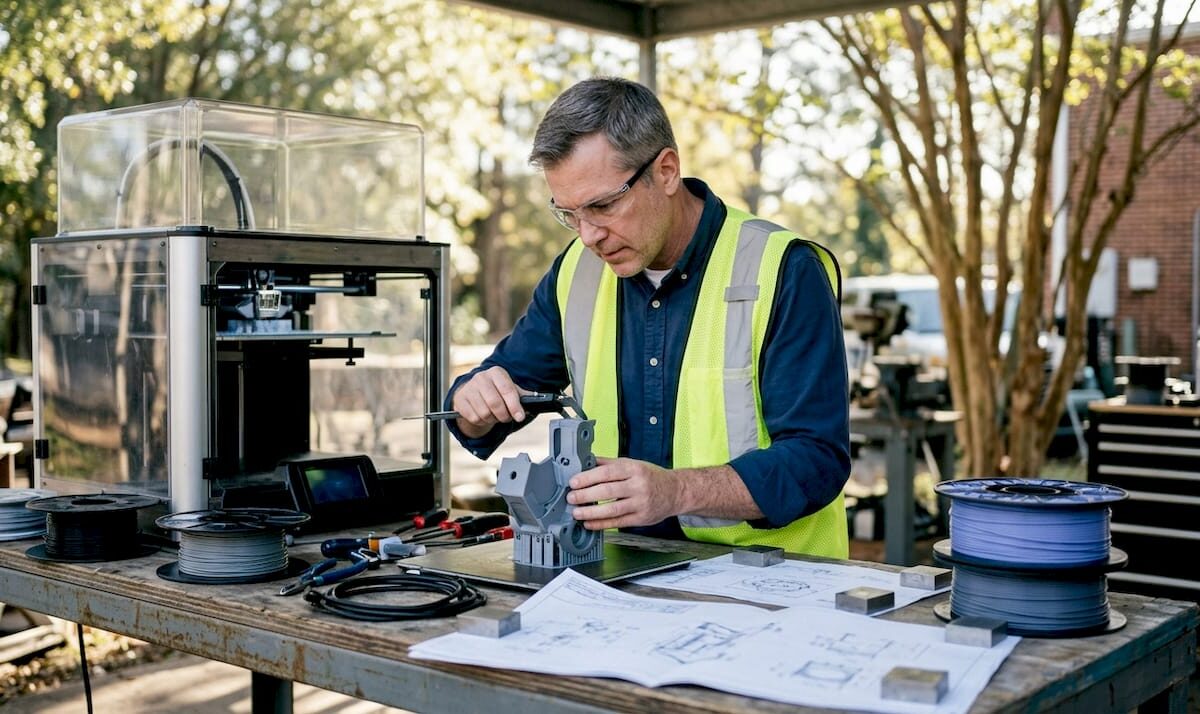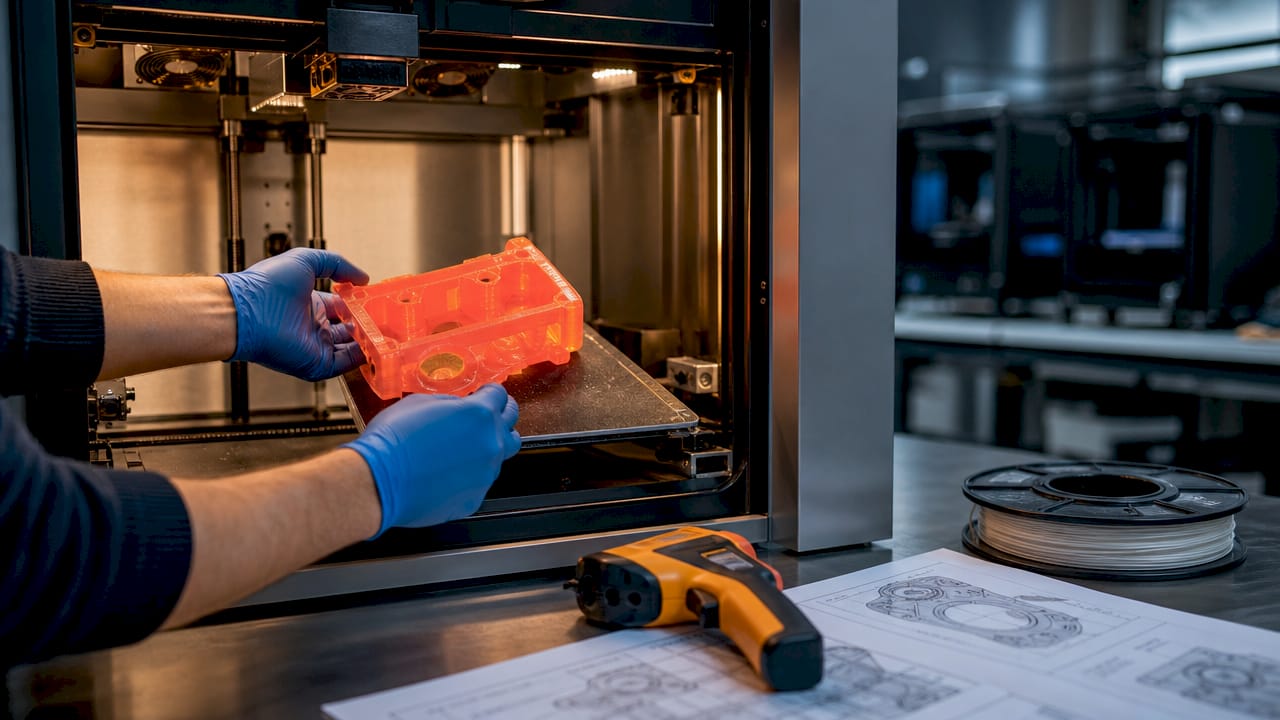
Technician adjusts industrial 3D printer on factory floor

Manufacturing-grade 3D printing: a guide for production


TL;DR:

  • Manufacturing-grade 3D printers are designed for production with high repeatability and process control.
  • Seven ISO/ASTM recognized AM processes match specific applications, materials, and accuracy needs.
  • Successful industrial use depends on robust process validation and quality management, not just machine specs.

Most engineers assume any 3D printer can handle production work if the settings are dialed in correctly. That assumption costs time, money, and credibility. Manufacturing-grade 3D printing operates under an entirely different set of requirements, from material traceability and process repeatability to factory-floor integration and in-process quality monitoring. This guide breaks down exactly what separates industrial additive manufacturing (AM) from desktop and prototyping systems, covers the seven ISO/ASTM-recognized AM processes, compares equipment tiers side by side, and connects those facts to real-world applications in aerospace, medical, automotive, and electronics. By the end, you will know how to evaluate systems and make confident technology decisions for your next project.

Table of Contents

Key Takeaways

Point Details
Not all 3D printers are alike Manufacturing-grade 3D printers deliver high reliability, precision, and repeatability that desktop models can’t match.
Seven AM processes matter Understanding ISO/ASTM methods unlocks the right manufacturing-grade solution for your application.
Accuracy and monitoring are crucial Production-grade systems ensure process control for functional, end-use parts every time.
Choose methods for the outcome Selecting the right AM technology accelerates prototyping and low-volume production with minimal compromises.

Defining manufacturing-grade 3D printing

Not every machine that melts filament or cures resin qualifies as a manufacturing-grade system. The distinction matters enormously when you are designing parts that must pass validation, meet regulatory standards, or ship inside a finished product.

Manufacturing-grade 3D printing refers to industrial AM systems designed for production use, emphasizing repeatability, throughput, controlled materials, in-process monitoring, and auxiliary equipment for factory integration. That definition draws a hard line between systems built to produce consistent, documented output and systems built to make one-off prints quickly.

So what does that actually look like in practice? Here are the core elements that define a manufacturing-grade system:

  • Repeatability: Part dimensions and mechanical properties remain consistent across a full production batch and across multiple build cycles over time.
  • Throughput: Systems are designed to run continuously or at high duty cycles without compromising output quality.
  • Controlled material handling: Feedstocks are qualified, certified, and handled under strict conditions to prevent moisture absorption, contamination, or property drift.
  • In-process monitoring: Sensors, cameras, and closed-loop feedback systems catch deviations during the build, not after the part comes off the machine.
  • Factory integration: Industrial AM equipment connects to ERP systems, quality management software, and downstream automation for traceability from raw material to finished part.

“Manufacturing-grade 3D printing is not about a single machine capability, it is about the entire production system operating predictably, documentably, and repeatably within a quality-controlled environment.”

For product developers, understanding 3D printing terminology is the first step toward making informed decisions about which systems belong in a manufacturing workflow. A printer that works brilliantly for a proof-of-concept prototype may introduce unacceptable variance the moment you scale to 500 units. That gap between prototyping capability and production reliability is where projects stall and where manufacturing-grade systems deliver their real value.

Key methodologies: Seven core AM processes

Having defined what makes a system manufacturing-grade, let’s look at the main additive manufacturing methods recognized by standards organizations.

ISO and ASTM jointly classify AM into seven process categories, each with distinct material compatibility, accuracy ranges, and production suitability. Understanding these categories helps you match the process to your part requirements rather than defaulting to whatever technology you have access to.

  1. Powder Bed Fusion (PBF): Includes SLS, HP Multi Jet Fusion (MJF), and DMLS. A laser or energy source selectively fuses powdered material layer by layer. This is the dominant method for industrial polymer and metal production.
  2. Binder Jetting: A liquid binding agent selectively joins powder particles. No heat during the build, which reduces warping. Used for metal, sand, and ceramic parts.
  3. Directed Energy Deposition (DED): Melts material as it is deposited, typically for large metal parts or repair applications. Common in aerospace and defense.
  4. Material Extrusion (industrial FDM): The industrial version of desktop FDM uses high-temperature materials like ULTEM and PEEK in enclosed, thermally controlled chambers.
  5. Material Jetting: Droplets of photopolymer are jetted and cured layer by layer, delivering extremely fine detail and multi-material capability.
  6. Sheet Lamination: Layers of material (metal foil, paper, or plastic) are bonded and cut to shape. Used in specialized tooling applications.
  7. Vat Photopolymerization (SLA/DLP): A UV light source cures liquid resin, producing high-surface-quality parts often used in dental, medical, and consumer product industries.
Process Primary materials Typical accuracy Best application
Powder Bed Fusion Polymers, metals ±0.1 to ±0.3 mm Low-volume production parts
Binder Jetting Metal, ceramic, sand ±0.2 to ±0.5 mm Complex metal geometries
DED Metals ±0.25 to ±1.0 mm Large parts, repair
Material Extrusion Engineering polymers ±0.1 to ±0.5 mm Functional prototypes
Material Jetting Photopolymers ±0.05 to ±0.1 mm High-detail, multi-material
Vat Photopolymerization Resins ±0.05 to ±0.15 mm Surface-critical parts

For polymer production, powder bed fusion technologies like MJF and SLS are preferred for low-volume manufacturing because they produce isotropic parts without support structures, which reduces post-processing time and eliminates weak points common in support-dependent processes.

Pro Tip: When choosing the right process for a production application, prioritize isotropy and material qualification over surface finish. A slightly rougher surface is far easier to fix than unpredictable mechanical properties.

For developers exploring AM process terms for the first time, the takeaway is simple: process selection is a design decision, not an afterthought.

Manufacturing-grade vs. prototyping and consumer printers

With the methodologies in mind, it’s essential to see how industrial printers differ from more familiar kinds.

The gap between a consumer desktop printer and a manufacturing-grade industrial system is not just price. It is a fundamental difference in engineering purpose, process control, and output consistency.

Engineer compares desktop and industrial 3D printers

Feature Consumer/desktop Prototyping grade Manufacturing grade
Dimensional accuracy ±0.5 to ±2.0 mm ±0.2 to ±0.5 mm ±0.089 to ±0.2 mm
Repeatability Low, batch variance common Moderate High, statistically validated
Material qualification Open/unqualified Limited qualified options Certified, traceable feedstocks
In-process monitoring None Basic Full closed-loop feedback
Build volume Small Medium Large, multi-unit batches
Factory integration None Minimal ERP, MES, QMS compatible

Manufacturing-grade systems achieve tight tolerances like the ±0.089mm accuracy documented on the Stratasys F900, with high yield rates across production batches, while consumer printers show significant dimensional variance from print to print.

Here is where engineers most often run into trouble:

  • Assuming prototyping accuracy translates to production: A printer that hits ±0.3mm on a single prototype may drift to ±0.8mm across a 200-unit batch because no process controls are in place.
  • Ignoring material traceability: For regulated industries, you need to document the exact material lot, print parameters, and machine state for every part. Consumer printers cannot support this.
  • Underestimating post-processing variance: Without controlled cooling, chamber temperature, and humidity, post-processing can introduce more variation than the print itself.

Understanding 3D printing quality from a systems perspective, not just a machine spec perspective, is what separates engineers who consistently deliver reliable parts from those who keep chasing print failures. If your project involves functional assemblies or end-use components, filament prototyping on a consumer machine may work for early validation, but it should never be the final production solution.

Pro Tip: Always ask your 3D printing service provider for documented Cpk values or repeatability data from actual production runs, not just machine spec sheets. That number tells you far more than advertised accuracy claims.

The importance of print accuracy cannot be overstated when you move from design exploration into production validation. Every decimal point on a tolerance spec represents real-world fit, function, and safety margin.

Applications and advantages of manufacturing-grade 3D printing

Understanding what makes manufacturing-grade equipment different, let’s explore the real-world impact and industrial benefits.

Manufacturing-grade AM systems are not a niche solution. They serve as core production tools in some of the most demanding industries on the planet.

Aerospace and defense use AM for lightweight structural components, ducting, brackets, and heat exchangers. Parts that previously required complex machining or multi-piece assemblies can now be produced as single, optimized geometries.

Medical device manufacturers rely on AM for patient-specific implants, surgical guides, and custom orthotics. The combination of geometric freedom and material traceability is essential for regulatory compliance in this sector.

Automotive teams use industrial AM for end-of-arm tooling, jigs, fixtures, and increasingly for low-volume production parts in electric vehicles and specialty vehicles where traditional tooling costs cannot be justified.

Infographic of 3D printing applications by industry

Electronics and consumer products benefit from AM’s ability to produce complex enclosures, custom connectors, and thermal management components in engineering-grade polymers.

Key advantages that matter for product developers:

  • Geometric freedom: You can print internal channels, lattice structures, and organic geometries that are impossible to machine or mold at any cost.
  • Speed to market: Industrial AM eliminates tooling lead times. Parts that would take 12 to 16 weeks through injection molding can ship in days.
  • Part traceability: Every build is logged with material lot, machine parameters, and operator data, creating a complete quality record.
  • Scalability: Run 5 units or 5,000 units from the same digital file with no retooling cost.

Statistic callout: Powder bed fusion systems like HP MJF produce layers as fine as 80μm while SLS operates around 120μm, delivering isotropic mechanical properties that make these parts suitable for functional, end-use manufacturing without secondary reinforcement.

For a clear view of types of parts possible with industrial AM, the range is broader than most developers expect. And when durability matters, selecting best materials for durability is as critical as selecting the right process.

Our perspective: What engineers miss about manufacturing-grade 3D printing

Most articles about manufacturing-grade 3D printing focus on machine specs, material options, and accuracy numbers. Those things matter, but they miss the deeper issue that experienced teams consistently run into.

The real failure point is almost never the printer. It is the lack of process validation, documentation standards, and quality system integration surrounding the printer. Engineers who move from consumer or mid-tier prototyping equipment to industrial AM often expect a plug-and-play upgrade. What they get instead is a system that demands the same rigor as any other regulated manufacturing process.

Material qualification, environmental controls, build parameter version control, operator training, and output inspection protocols are not optional extras on a manufacturing-grade setup. They are the system. The printer is just one component of it.

Conventional wisdom says, “get a better printer and get better parts.” The truth is, a well-run mid-tier system with disciplined process controls will consistently outperform a premium machine operated without them. Choosing correctly means choosing the right process and the right operational framework around it. Manufacturing-grade is about outcome assurance, not machine capability alone.

Get expert help with manufacturing-grade 3D printing

If you are ready to move your project from concept to production-quality output, the next step is working with a partner who understands both the technology and the engineering requirements behind it.

https://cc3dlabs.com

At CC 3D Labs, we provide manufacturing-grade 3D printing services for product developers and engineers who need reliable, documented results, not just fast prints. Whether you need functional prototypes, low-volume production runs, or on-demand custom parts, we bring process expertise and quality focus to every order. Explore parts you can print with industrial-grade filament systems and request a free estimate to get your project moving with confidence.

Frequently asked questions

What makes a 3D printer manufacturing-grade?

Manufacturing-grade 3D printers are designed for production environments, offering high repeatability, controlled material usage, in-process monitoring, and factory integration. They are built to document and validate every aspect of the production process, not just produce individual parts.

Which 3D printing method is best for low-volume polymer production?

Powder Bed Fusion technologies like SLS and HP Multi Jet Fusion are preferred for low-volume polymer manufacturing because they produce isotropic parts without support structures, which improves consistency and reduces post-processing.

Can manufacturing-grade 3D printers be used for end-use functional parts?

Yes. Systems like HP MJF and SLS produce isotropic end-use parts with fine layer resolution and material traceability, making them fully suitable for functional, production-intent components in aerospace, medical, and automotive applications.

Why is print accuracy important in manufacturing-grade systems?

Precise, validated accuracy ensures that parts meet dimensional tolerances consistently across an entire batch. The Stratasys F900 achieves ±0.089mm accuracy at a 95% yield rate, which is the kind of documented repeatability that production engineering actually requires.

Technician inspects batch 3D printed parts

Batch 3D Printing: A Practical How-To Guide for 2026


TL;DR:

  • 3D printing is cost-effective for batch sizes up to 500 units, especially for complex geometries.
  • Preparing detailed design verification, proper material selection, and meticulous post-processing are essential for quality.
  • Scaling requires validation, central management, and risk mitigation through smaller sub-runs and redundancy.

Traditional manufacturing hits a wall when you need 50, 200, or 500 parts fast. Tooling costs for injection molding can exceed tens of thousands of dollars before a single part ships, and CNC machining queues stretch weeks when you need agility. 3D printing flips that equation, letting you run functional batches without custom tooling, long lead times, or minimum order commitments. This guide walks you through every stage of batch production with 3D printing, from early design decisions to post-processing and scaling, so you can move faster, waste less, and produce parts that actually perform.

Table of Contents

Key Takeaways

Point Details
Best for small to medium runs 3D printing shines in batch production for units below 1000, avoiding costly tooling.
Preparation is critical Successful batches depend on careful design, material choice, and spacing strategies.
SLS and MJF for durability These methods offer superior consistency and strength over FDM, making them ideal for functional parts.
Scale with caution Split large jobs into safer batches and document processes for better control and repeatability.

Understanding batch production in 3D printing

Batch production means manufacturing a defined quantity of parts in one or more coordinated print runs, rather than printing one-off or running continuous mass production. In the 3D printing context, a batch can be as small as 10 units or as large as several hundred, all produced with consistent settings, materials, and quality checks.

The question most engineers face is: when does 3D printing beat traditional manufacturing for batch work? The answer depends on volume, complexity, and tooling cost. 3D printing is cost-effective under 500 units, especially for complex geometries that would require expensive molds or multi-axis CNC fixturing. Above 1,000 units, injection molding typically wins on per-part cost, but you lose the flexibility to iterate designs mid-run.

For low-volume manufacturing tips that keep costs under control, the key advantage of 3D printing is eliminating setup costs entirely. No mold, no jig, no fixture. You change a file and reprint.

When 3D printing batch production makes sense:

  • Runs of 10 to 500 units with design iteration expected
  • Complex internal geometries that molds cannot produce
  • Tight launch timelines with no room for tooling lead times
  • Custom or personalized variants within the same batch
  • Bridge production while waiting for injection mold tooling

Here is a quick comparison to frame your decision:

Factor 3D printing Injection molding CNC machining
Setup cost Near zero $5,000 to $50,000+ Medium to high
Best volume Under 500 units Over 1,000 units 1 to 200 units
Design changes Instant file update Mold rework required Re-program needed
Geometry complexity Excellent Limited by draft angles Limited by tool access
Lead time Hours to days Weeks to months Days to weeks

Hybrid workflows, combining additive manufacturing with light CNC finishing, often deliver the best results for functional batches needing tight tolerances. Knowing which 3D printing type to choose for your part requirements is the first real decision.

Engineer measuring 3D printed part at bench

Mapping out your batch: Preparation essentials

Understanding the benefits is only useful if you prepare correctly. Here’s what you need for a smooth batch production run.

Before you start printing, your design files and production plan need to be solid. A single upstream error, like a wall thickness below the printer’s reliable minimum, can ruin an entire tray of parts. Designing reliable 3D prints starts with checking tolerances, adding consistent wall thicknesses, and minimizing overhangs that require dense support structures.

Pre-batch preparation checklist:

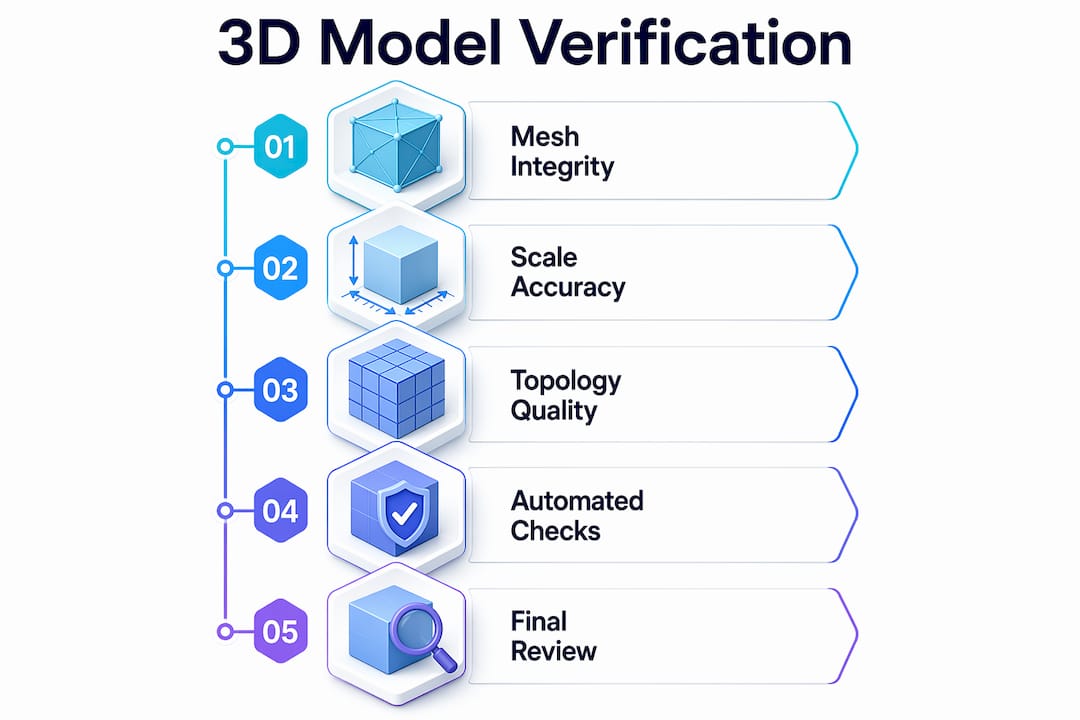
  • Verify all STL or 3MF files are watertight with no mesh errors
  • Set tolerances to account for your material’s shrinkage rate
  • Orient parts to minimize support material and maximize layer strength
  • Choose material based on mechanical, thermal, and surface finish requirements
  • Confirm build volume fits your batch without overcrowding
  • Test one or two parts before committing the full batch

Material selection is often underestimated. PLA works for display prototypes but fails under heat or load. PETG balances ease of printing with decent mechanical properties. Nylon and PA12 powders suit functional end-use parts. Your post-processing plan also influences material choice, since some materials sand, dye, or machine better than others.

For FDM batch runs, sequential printing over simultaneous is more reliable, especially on multi-nozzle or single-head machines. Keep 5 to 10mm spacing between parts, enable Z-hop at 0.2 to 0.4mm to avoid knocking parts over, and turn on combing to minimize stringing across the build plate. For powder-bed processes like SLS, the powder acts as a self-supporting medium, so you can stack and nest parts freely in the Z direction.

Setting FDM batch SLS/MJF batch
Part spacing 5 to 10mm 2 to 5mm
Support strategy Minimized but required Not required
Z-hop 0.2 to 0.4mm Not applicable
Nesting 2D build plate Full 3D volume

If you use 3D scanning to verify existing parts or reverse-engineer components, integrating high quality 3D scan data into your pre-production workflow reduces dimensional errors before the first layer prints.

Pro Tip: Design every part in a batch to share the same orientation on the build plate. Consistent orientation means consistent layer lines, consistent strength, and consistent surface finish across every unit.

Executing the batch production process: Step-by-step guide

Prepping your batch is only half the equation. Now, let’s walk through a reliable execution plan.

  1. Slice and nest your files. Use your slicer’s auto-arrange or manual layout to maximize density without crowding. Review the 3D preview for collisions or thin unsupported sections.
  2. Validate machine state. Check bed adhesion surfaces, nozzle condition, filament moisture content for FDM, or powder age for SLS/MJF. A contaminated bed ruins the entire tray.
  3. Run a single-unit test print. Before committing 200 parts, confirm one unit meets dimensional and visual specs. This step saves hours.
  4. Start the batch and monitor early layers. The first three to five layers predict 90% of batch failures. Stay close or use a camera feed to catch adhesion issues early.
  5. Log runtime parameters. Record temperature, humidity, print speed, and any deviations. This data is your diagnostic tool for the next run.
  6. Handle mid-run adjustments carefully. Some slicers and firmware allow live flow rate or temperature tweaks. If you adjust, document it immediately.
  7. Remove and label each batch tray. Traceability matters. Label each tray with date, material lot, and settings version before post-processing begins.

“MJF PA12 tensile strength reaches approximately 46 MPa and withstands 100,000 cycles with under 16% stiffness loss, while SLS offers better batch-to-batch reproducibility. FDM remains limited by layer anisotropy and delamination risk for functional batch parts.”

For teams printing quality prototypes alongside functional parts, keeping separate print queues by material and purpose prevents cross-contamination of settings and priorities.

Pro Tip: Log every print run in a simple spreadsheet: date, machine, material lot, settings file version, and any anomalies. When a defect appears in batch 47, you will know exactly what changed from batch 46.

For teams scaling to print farm operations, 3D printing on demand with distributed printers requires centralized file management and consistent firmware versions across all machines to avoid output variation.

Post-processing and quality verification: What to check

You’ve completed your batch run, but production isn’t finished until you ensure every part meets your standard.

Post-processing is where batch efficiency either compounds or collapses. Rush it, and defects slip into the supply chain. Over-engineer it, and you lose the cost advantage of additive manufacturing entirely. The goal is a structured, repeatable QA process scaled to your batch size and part function.

Core post-processing steps by part type:

  • Support removal: Remove carefully with flush cutters or media blasting for SLS/MJF parts. Inspect support interfaces for surface damage.
  • Surface finishing: Sand, bead blast, or vapor smooth depending on cosmetic requirements and material.
  • Dimensional check: Measure critical features with calipers, CMM, or go/no-go gauges. Focus on mating surfaces, bores, and thread engagement zones.
  • Mechanical inspection: Flex-test clips, torque-test fastener points, or pull-test adhesive joints where functional performance is critical.
  • Cosmetic review: Check for layer delamination, warping, color inconsistency, or surface voids under diffuse lighting.

For production batches of 300 to 800 units in industrial device applications, MJF suits mid-volume functional runs while SLS delivers tighter batch-to-batch reproducibility. FDM is a real risk for parts that see mechanical stress or cyclic loading.

Sampling strategy matters. You do not need to inspect every unit in a 500-part batch. Use AQL (Acceptable Quality Level) sampling tables to select a statistically valid sample size. For critical functional parts, inspect 100%.

Infographic showing batch 3D print QA basics

Printer type Typical post-processing QA priority
FDM Support removal, sanding Delamination, warping
SLS Powder removal, bead blast Dimensional accuracy
MJF Powder removal, dyeing Surface consistency
Resin UV cure, support removal Brittleness, warping

For insight into functional part fabrication requirements across different industries, matching your QA process to the part’s end use is the fastest way to keep costs reasonable without cutting corners.

Scaling up and optimizing your batch production workflow

After validating one batch, you may need to ramp up production. Here’s how to scale efficiently without sacrificing quality.

  1. Validate before scaling. Run two or three small batches with full QA before increasing volume. Undetected issues multiply fast at scale.
  2. Introduce print farms gradually. Add machines in pairs, not all at once. Validate output from each new machine against your baseline before routing production jobs to it.
  3. Centralize file and settings management. Use a version-controlled repository for all print profiles. A rogue settings file on one machine can corrupt an entire production run.
  4. Automate where the ROI is clear. Automated bed leveling, filament runout sensors, and camera monitoring pay back quickly. Full robotic part removal is worth evaluating for very high-volume FDM farms.
  5. Build redundancy into your schedule. Plan for one machine to be down at any time. If your schedule cannot absorb one printer being offline, you are understaffed on capacity.

Breaking mega-batches into smaller sub-runs reduces catastrophic failure risk and makes QA more manageable. If one sub-run fails, you lose a fraction of your day, not your entire production week. MJF and SLS isotropic properties make them the natural choice for functional batch scaling, but secondary machining remains necessary for features requiring tolerances tighter than ±0.2mm.

For teams evaluating custom batch printing jobs, the decision between in-house scaling and outsourcing often comes down to utilization rate. Owning printers makes sense above 60 to 70% utilization. Below that, a service bureau is almost always more cost-effective. Staying current on 3D printing trends shaping manufacturing helps you time capital investments in new equipment wisely.

Pro Tip: Split any batch larger than 100 units into at least two separate print runs on separate machines. This gives you a live comparison of output consistency and a safety net if one machine develops a problem mid-run.

A practical perspective: What most guides miss about batch 3D printing

Most batch production tutorials focus on filling the build volume. Pack the tray, maximize machine time, reduce cost per part. We have seen that logic backfire more than once. When a tray of 80 parts fails at hour 14 because one part warped into the print head, you lose all 80 parts and the machine time. Two trays of 40 parts, run sequentially, would have saved at least half the output.

The real discipline in batch 3D printing is not optimization. It is risk management. Experienced production teams prioritize traceability, redundancy, and process documentation over raw throughput. They know which failures repeat and why, because they logged the data from the last 30 runs.

Post-processing and QA also take longer than engineers typically budget. A 10-hour print run can generate 6 to 8 hours of support removal, inspection, and finishing work. That hidden labor cost often makes on-demand custom parts from a service provider more economical than in-house production for periodic batch needs.

Hybrid workflows, additive for complex geometry and traditional machining for tight tolerances, consistently outperform pure additive in SME environments. The engineers who figure that out early stop chasing tolerances the printer cannot reliably hold and start designing around the process instead.

Ready to streamline your batch production?

Armed with these strategies, you may be ready to print smarter, not harder. If you want to put these best practices into action even faster, here’s where to start.

https://cc3dlabs.com

At CC 3D Labs, we specialize in exactly this kind of work: prototypes, functional parts, and low- to mid-volume 3D printing services for product developers and manufacturers who need reliable output without the overhead of in-house print farms. Whether you want to explore what 3D printing can do for your specific parts or you are ready to place an on-demand batch printing order, our team near Philadelphia is set up to support your production goals with fast turnaround and real quality control.

Frequently asked questions

What is batch production in 3D printing?

Batch production in 3D printing means manufacturing multiple identical or varied parts in one or more print runs, optimizing efficiency and costs without needing complex tooling. It is cost-effective for runs under 500 units, especially for complex geometries.

How do I avoid failed parts during batch 3D printing?

Split large jobs into smaller batches, use print farms for redundancy, and log each print’s settings to catch recurring errors early. Breaking mega-batches into sub-runs limits how much output you lose when something goes wrong.

Which 3D printing method is best for functional parts in batches?

SLS and MJF offer the best strength and batch consistency for functional parts. MJF PA12 reaches approximately 46 MPa tensile strength and handles high-cycle loading well, while FDM is less reliable for stressed or high-cycle use.

Is 3D printing suitable for high-volume manufacturing?

3D printing is best for batches under 1,000 units. For higher volumes, injection molding outperforms 3D printing on per-part cost, though tooling investment and lead time are significantly higher.

Technician setting up 3D scanning workspace

How to scan objects for 3D printing: accurate steps


TL;DR:

  • Precise scanning requires proper equipment, environment, and preparation to avoid errors.
  • Post-processing and environment control are critical for achieving accurate, printable 3D models.
  • Expert support enhances consistency and quality in complex scan-to-print workflows.

Imagine delivering a prototype to a client only to discover it fits 0.3 mm off because the original scan drifted during capture. That single error can mean scrapped parts, missed deadlines, and a project budget that spirals fast. For product developers and engineers working with physical references, the gap between a rough scan and a precise, print-ready model is where most time gets lost. This guide walks you through every stage of the scan-to-print workflow, from choosing the right scanner to fixing mesh errors before your file ever touches a printer, so you can stop guessing and start shipping accurate parts.

Table of Contents

Key Takeaways

Point Details
Choose the right scanner Structured light and laser scanners deliver sub-0.1 mm precision for prototypes, while photogrammetry is suitable for large or textured parts.
Prep surfaces meticulously Using matte spray on challenging materials boosts scan accuracy and reliability significantly.
Follow a structured workflow Careful calibration, multi-angle coverage, and steady capture prevent tracking loss and ensure clean scan data.
Fix and convert mesh for printing Cleaning, aligning, and exporting the mesh as watertight STL or converting to CAD solids is essential before 3D printing.

Essential equipment and prerequisites for 3D scanning

Before you place a single object on a turntable, understanding your scanner options saves you from buying tools that don’t match your tolerance requirements.

Three primary methodologies cover the majority of professional use cases: structured light scanning, laser triangulation, and photogrammetry. Each one has a different cost profile, accuracy ceiling, and ideal application.

Method Typical accuracy Best use case Approx. cost range
Structured light ±0.01 to ±0.05 mm Small, high-detail parts $5,000 to $50,000+
Laser triangulation ±0.04 to ±0.15 mm Mid-size industrial parts $3,000 to $30,000
Photogrammetry ±0.1 to ±1.0 mm Large objects, low budget $200 to $5,000

Industrial benchmark data confirms that portable handheld units and desktop scanners occupy very different accuracy tiers, and choosing between them depends entirely on your part size and tolerance spec.

Beyond the scanner itself, you need a short list of supporting tools:

  • Matte scan spray or powder for reflective or dark surfaces
  • Calibration targets or panels supplied by your scanner manufacturer
  • Motorized turntable for consistent multi-angle desktop captures
  • Compatible scan software such as VXelements, Artec Studio, or Meshlab
  • Stable platform free from vibration (rubber-padded table or anti-vibration mat)

Workspace setup matters as much as hardware. Fluorescent overhead lighting creates inconsistent shadows, so diffuse LED panels or softboxes give you repeatable illumination. A high-quality scan process also demands that scanner software and your workstation GPU are matched, since processing dense point clouds in real time is computationally demanding.

Pro Tip: Always verify software compatibility before purchasing a scanner. Some units lock you into proprietary platforms that limit your export options later.

Preparing objects and environment for accurate scans

Once you have the right gear, precise preparation is critical. Skipping prep is the single most common reason engineers get misaligned or incomplete scan data.

Follow this preparation sequence before every scan session:

  • Clean the part thoroughly. Dust, oils, and residue create false surface details that corrupt mesh geometry.
  • Assess the surface finish. Shiny, dark, or featureless surfaces need treatment before scanning begins.
  • Apply matte spray where needed. Matte spray is crucial for reflective, dark, or featureless objects because it diffuses light and adds trackable texture the scanner’s algorithms can lock onto.
  • Place tracking markers. Adhesive dot markers help handheld scanners maintain registration across large or low-feature surfaces.
  • Position the object at waist height. Awkward angles during scanning introduce operator-induced motion blur.

Environmental habits deserve equal attention. Avoid scanning near windows where sunlight shifts during a session. Direct sun introduces infrared interference that confuses structured light and laser sensors. Keep ambient temperature stable because thermal expansion on metal parts can introduce measurable dimensional drift over a long session.

Proper calibration and controlled lighting are non-negotiable for mitigating environmental variables that degrade scan quality. Run your calibration routine at the start of every session, not just at setup.

Engineer calibrates scanner under controlled lighting

For especially challenging parts, follow a step-by-step scanning guide to walk through each environmental check systematically. You can also reference the 3D scanning checklist and the design accuracy and prototyping guide to build a repeatable pre-scan protocol for your team.

Pro Tip: Prepping challenging surfaces correctly can boost first-pass scan success rates by 80 to 90%, according to professional scanning technicians. That time investment pays back immediately by eliminating re-scans.

Step-by-step scanning process for optimal results

With the setup complete, let’s break down the end-to-end scanning workflow. Skipping steps here is how tracking errors and misaligned meshes happen.

  1. Run calibration. Use the manufacturer-supplied calibration target. Never skip this, even if the scanner was calibrated yesterday.
  2. Set scan resolution and mode. Choose your target resolution based on part size and feature complexity, not maximum settings.
  3. Begin with a reference pass. Capture the dominant geometry first before moving to tight features and recesses.
  4. Maintain 30 to 60% frame overlap. Scanning with frame overlap between passes is the foundation of accurate alignment and clean mesh fusion.
  5. Pan steadily at consistent speed. Rapid movements cause motion blur; slower passes give the scanner time to lock geometry.
  6. Perform multiple passes at different angles. Top, side, and underside passes together fill in occlusions that a single sweep misses.
  7. Review the point cloud in real time. Most modern scanners show live feedback; stop and re-scan if a zone looks sparse.
  8. Export the aligned scan. For direct 3D printing, STL is suitable for replica output; for parametric engineering edits, you need a CAD solid.
Issue Likely cause Fix
Tracking loss Too-fast movement or featureless surface Slow down, add markers
Mesh holes Occlusion from single-angle pass Add underside and angled passes
Misalignment Insufficient overlap Increase to 50% frame overlap
Noise/artifacts Reflective surface or ambient light Apply matte spray, reduce ambient light

For teams running production volume scans, the scanning lab overview shows how professional setups handle repeatable multi-pass workflows at scale.

Pro Tip: If tracking is lost mid-scan, return the scanner to the last well-registered zone and slowly re-establish lock before continuing. Trying to power through tracking loss creates permanent misalignment in that section.

Advanced techniques and troubleshooting challenging parts

Even with a good process, tricky surfaces can derail a scan. Certain materials and geometries require specific tactics, and knowing them in advance saves a full rescan.

Infographic showing causes and solutions for scan issues

Reflective metals and chrome parts: Apply a thin, even coat of matte scan spray. The coating is removable and adds the texture contrast that laser and structured light sensors need to resolve geometry accurately.

Transparent or semi-transparent objects: Scan the part before final finish, or lightly scuff the surface with fine-grit media to create diffuse reflectance. Transparent surfaces return no usable data without treatment.

Dark or black parts: Different materials and surface finishes require matte spray, markers, or modified lighting to give the sensor something to track. Black absorbs near-infrared light, which is exactly what most scanners emit.

Complex internal geometry and deep recesses: You cannot capture blind holes or undercuts from a single orientation. Plan your scan order to capture recesses at oblique angles before surrounding geometry blocks access.

Tracking loss is the leading cause of scan failure. Pausing when lock degrades and overlapping back onto known geometry maintains registration far better than continuing through drift.

Failures from tracking loss are preventable with proper overlap habits. Always pause, re-establish your lock zone, then continue.

For a deeper look at how surface prep and environment interact, the achieve quality scan resource covers the full process. When your scan feeds directly into a product iteration, also review designing reliable prototypes to align your scan strategy with downstream print requirements.

Pro Tip: Always use matte spray in a well-ventilated area. Many scan sprays contain aerosol propellants and solvents that require ventilation and appropriate PPE.

Post-processing: Converting scans to printable models

Once you have scan data, refining it is crucial to get professional results. Raw point clouds are not print-ready files; they need cleaning, alignment, and export in the right format.

Here is the standard post-processing sequence:

  1. Import and align multiple scan passes. Use software like Meshlab or your scanner’s native platform to register scans to a common coordinate frame.
  2. Fuse passes into a unified mesh. Merging overlapping point clouds removes duplicate geometry and fills minor gaps.
  3. Run mesh repair. Identify and fix non-manifold edges, holes, and inverted normals that would cause print failures.
  4. Decimate intelligently. Reduce polygon count without losing critical feature detail, especially on flat surfaces where dense meshes waste file size without benefit.
  5. Export in the correct format. Choose STL or OBJ for direct printing; choose STEP or IGES when the file needs to go into a CAD environment for parametric editing.

The format choice is not cosmetic. Scan meshes must be converted to CAD solids for genuine engineering edits; direct STL prints work fine for replicas but offer no parametric flexibility.

A print-ready mesh should meet these criteria:

  • Watertight: No open boundaries or holes in the surface
  • No non-manifold edges: Every edge shared by exactly two faces
  • Correct face normals: All faces pointing outward
  • Appropriate polygon density: Balanced for file size and feature resolution

For teams that need CAD modeling services to take a scan mesh into a fully editable solid model, that process is distinct from basic STL cleanup. Review the CAD file format workflow to understand which format fits your specific pipeline before you commit to an export.

Why real-world 3D scanning is more nuanced than the manuals say

Every scanner manufacturer publishes impressive accuracy specs. What those specs rarely tell you is that they were measured under laboratory conditions that most production environments cannot replicate. Temperature fluctuations, vibration from nearby equipment, and even a vent blowing air across a part can push a scan from spec-grade to unusable.

The engineers who consistently get great results are not the ones with the most expensive scanners. They are the ones who treat environmental control as their first priority and accept that scanning is an iterative process, not a one-shot event. Hybrid approaches, where a scan establishes the base geometry and CAD modeling corrects critical tolerances, routinely outperform pure scan workflows on engineering parts.

The real-world scan accuracy insights we have gathered from actual production projects show that repeatability across sessions matters far more than peak accuracy on a single scan. A process that reliably delivers ±0.08 mm every time beats a workflow that occasionally hits ±0.03 mm but drifts unpredictably. Build a repeatable process first, then optimize for precision.

Achieve pro-level 3D scans with CC3DLabs expertise

For teams ready to streamline their scan-to-print process, expert support makes all the difference. Getting a clean, production-ready scan file consistently requires more than good equipment; it takes a calibrated workflow, trained operators, and post-processing discipline.

https://cc3dlabs.com

At CC3DLabs, our 3D scanning lab handles the full pipeline from physical object to print-ready or CAD-ready file, including metrology-grade scanning for precise reverse engineering. Whether you need a single prototype scan or batch part documentation, we deliver high-quality scan results with fast turnaround. Our CAD modeling and reverse engineering team can take your scan mesh and rebuild it as a fully editable solid model ready for engineering changes. Request a free estimate and let us handle the precision work.

Frequently asked questions

What is the best scanner for detailed small parts?

Structured light desktop scanners are typically the best choice for small, high-detail parts, delivering accuracy as fine as ±0.01 to ±0.05 mm. Their controlled projection patterns resolve tight features that handheld units can miss.

How do I scan shiny or transparent objects accurately?

Apply matte scan spray to diffuse the surface and use angled or dome lighting to reduce reflections. For transparent parts, scan before final finish or lightly scuff the surface to create diffuse reflectance.

Can I 3D print directly from scanned meshes?

Yes, if the mesh is watertight and error-free you can print directly. However, convert to a CAD solid when you need engineering edits or parametric design flexibility that STL cannot support.

What is the typical accuracy of handheld laser scanners for industrial parts?

Handheld laser scanners typically reach accuracy levels of ±0.04 to ±0.15 mm, which covers the majority of prototyping and spare part replacement needs without requiring a fixed desktop setup.

Engineer testing 3D printed prototype hinge

Why Durable 3D Printed Parts Matter for Prototyping


TL;DR:

  • Durable 3D printed parts enable multiple realistic test cycles, reducing time and cost.
  • Material choice and design orientation are crucial for achieving mechanical durability.
  • Increased durability expands design possibilities and improves prototype credibility in development.

Part failure doesn’t just break a prototype. It breaks schedules, burns through budget, and erodes confidence in the entire development process. Many engineers still assume that 3D printed parts are only good for visual mockups, reserving “real” structural testing for machined or injection-molded components. That assumption costs teams time and money. Durable 3D printed parts have fundamentally changed what’s possible in functional prototyping and low-volume production. This guide breaks down why durability is central to successful product development, what actually makes a printed part durable, and how to apply that knowledge across your engineering workflow.

Table of Contents

Key Takeaways

Point Details
Durability ensures success Durable 3D printed parts speed up development and reduce costly failures.
Material and design matter Choosing the right material and thoughtful design directly impacts durability and performance.
Complex features, real validation Durable parts allow for complex mechanisms and repeated, realistic testing.
Broad application range From rapid prototypes to functional parts, durability unlocks true value in 3D printing.

The cost of weak prototypes: Why durability drives development

Weak prototypes don’t just fail. They mislead. When a snap fit breaks under light load, or a hinge cracks after three cycles, you’re not learning about your design. You’re learning about the limits of your material choice. That distinction matters enormously in engineering.

Consider what happens when a prototype fails mid-test. The team halts. You log a failure that may or may not reflect a real design issue. You reprint, wait, and re-run the test. In a tight development cycle, this sequence repeats enough times to push back launch dates by weeks. For startups or contract manufacturers under deadline pressure, that’s not a minor inconvenience.

Durable prototypes carry their weight across multiple test cycles. They allow teams to:

  • Run repeated mechanical load tests without part replacement between cycles
  • Validate snap fits, living hinges, and press fits under realistic conditions
  • Compare design iterations side by side without variables introduced by part failure
  • Ship samples to stakeholders or end-users for field feedback
  • Generate reliable data for engineering sign-off

Understanding what 3D printers can make in terms of functional geometry is the first step toward choosing prototyping methods that actually support your testing protocol.

Here’s the part most teams overlook. Durable 3D printed parts don’t just survive more tests. They expand design freedom by enabling complex geometries, internal features, and moving mechanisms, which can deliver more engineering value than raw strength alone, as Stratasys functional prototyping guidance notes.

“The prototype that holds up through 200 test cycles tells you something real. The one that fails on cycle four tells you almost nothing useful.”

There’s a credibility dimension here too. When product development teams present durable functional prototypes to stakeholders or investors, those parts carry weight. A flimsy visual model gets polite nods. A part that clicks, flexes, seals, or rotates exactly as intended generates real confidence. Teams that prioritize designing reliable 3D prints from the start avoid the credibility gap that comes from presenting fragile early-stage models as proof of concept.

Durability isn’t a premium add-on in prototyping. It’s a prerequisite for any data you plan to trust.

What makes a 3D printed part durable?

Durability in 3D printing isn’t just about tensile strength. It’s a combination of mechanical toughness, thermal resistance, fatigue performance, and how well the part geometry supports load distribution. A part can be made from a strong material and still fail early if the design undermines it.

Technician adjusting 3D printer with functional part

3D printing enables mechanically functional prototypes that support realistic validation, going well beyond what aesthetic models can prove. But getting there requires controlling several variables simultaneously.

Material selection is the most visible factor. Here’s how common filament-based materials compare:

Material Strength Toughness Heat resistance Best use case
PLA Moderate Low Low Visual prototypes, low-stress parts
ABS Good Moderate Moderate Functional housings, structural parts
PETG Good High Moderate Snap fits, food-safe parts, enclosures
Nylon High Very high High Load-bearing, wear components
CF composites Very high Moderate High Structural, aerospace-grade parts

For best materials for durability, PETG and Nylon consistently outperform PLA in real-world functional tests.

Design factors often matter just as much as material choice. The key variables include:

  • Wall thickness: Too thin and you lose structural integrity; too thick and you introduce internal stress during cooling
  • Infill pattern and density: Gyroid and honeycomb patterns distribute load more effectively than rectilinear at the same density
  • Build orientation: Parts printed with load-bearing walls aligned to the Z-axis often perform differently than those oriented horizontally
  • Feature geometry: Rounded interior corners reduce stress concentration points that cause crack propagation

Pro Tip: When designing for durability, orient your most critical stress surfaces perpendicular to the build plate. Layer adhesion is typically the weakest point in FDM parts, so controlling orientation controls where failure is least likely to happen.

Knowing which 3D printing type to choose for your application unlocks a much sharper set of decisions than just picking the cheapest option available.

3D printed durability in practice: Unlocking new design freedoms

Durability becomes most interesting when it stops being a constraint and starts being a capability. When your printed part can survive real use, your design space expands dramatically.

Durable 3D printed parts expand design freedom by enabling complex internal features and mechanisms, facilitating realistic validation that traditional manufacturing can’t match at prototype scale.

Here are five practical design freedoms that durable 3D printing unlocks for engineers:

  1. Integrated snap fit assemblies that click and unclick through hundreds of cycles, letting you validate engagement force and fatigue life before tooling
  2. Living hinges printed directly into the part, reducing assembly complexity and testing hinge performance in context
  3. Internal fluid channels that allow functional fluid routing in manifolds, housings, or medical devices without secondary machining
  4. Lightweight lattice structures that maintain stiffness while cutting mass, useful in aerospace and wearable applications
  5. Embedded feature testing where threads, inserts, and bosses are built into the same part and tested as an integrated system

Pro Tip: Use durable prints to do tolerance stack-up testing before committing to production tooling. Print your assembly at multiple tolerance offsets and test which combination gives the best fit and function. It costs a fraction of what a tooling revision does.

Infographic with durability qualities and prototype benefits

The time and cost advantage of this approach is significant. Consider a simplified comparison:

Scenario Traditional CNC prototype Durable 3D printed part
Lead time 2 to 4 weeks 1 to 3 days
Design iteration cost High (each change = new setup) Low (file update + reprint)
Complex geometry Limited by tooling access No restriction
Functional testing readiness Immediate after machining Immediate after print

Browsing real-world filament prototype examples shows how these advantages play out across industries, from consumer electronics enclosures to industrial jigs.

If you’re evaluating whether 3D printing can handle your next project, exploring custom prototype options early in the scoping phase avoids rework later.

When and why durability matters most: High-stakes applications

Not every prototype needs to be engineered for maximum durability. But when it matters, it really matters. These are the scenarios where part failure carries serious consequences.

Durable 3D printed parts support fully functional prototypes that reduce risk before committing to expensive production tooling. That risk mitigation is especially critical in:

  • Jigs and fixtures: These parts are used repeatedly on the production floor. A jig that breaks after 20 uses creates quality control gaps and line stoppages.
  • Medical device prototypes: Regulatory submissions often require proof of functional performance. Fragile parts can’t generate that evidence.
  • Aerospace spare and support parts: Weight matters. Durability matters. These requirements have to coexist.
  • Automotive fit-and-function testing: Clearances, assembly sequences, and part interactions are validated at this stage. A broken test piece delays the entire validation protocol.
  • Field-use replacement parts: When the original component is discontinued, a durable 3D printed replacement needs to perform, not just look right.

“Every week spent reprinting a failed jig is a week the production line is working around a problem that should already be solved.”

For teams navigating limited production quantities, tips for low-volume manufacturing provide a practical framework for matching durability requirements to production strategy.

The pattern across all these applications is the same. Durable parts create reliable data. Reliable data creates confident decisions. And confident decisions reduce the cost and risk of moving from prototype to production.

A practical perspective: Stop underestimating durable 3D prints

Here’s what the data doesn’t fully capture. Many engineering teams still treat 3D printing as a visual communication tool. They print a model to show management, not to test mechanics. That habit is expensive, and it’s rooted in outdated assumptions about what printed parts can handle.

The teams getting the most value from 3D printing today are evaluating durability at the project scoping stage, before the first file is sent to print. They’re asking which mechanisms need to survive how many cycles, what load conditions apply, and what material properties are actually required. That thinking shapes every decision downstream.

The uncomfortable truth is that teams who focus only on cheap, fast visual prototypes often discover their design flaws at the worst possible time, during final validation or, worse, after tooling has been cut. Switching to durable functional prototypes earlier in the process catches those flaws when changes are still cheap.

For a sharper understanding of how this fits into the broader development cycle, rapid prototyping insights provide a solid foundation for rethinking your prototyping strategy from the ground up.

Discover durable 3D printing solutions for your next project

If this article has shifted how you think about durability in your prototyping workflow, the next step is putting that thinking into practice.

https://cc3dlabs.com

At CC 3D Labs, we specialize in custom filament-based 3D printing for engineers and product developers who need parts that actually perform. From single functional prototypes to small batch production runs, our professional 3D printing services are built around accuracy, material expertise, and fast turnaround. Explore on-demand prototype printing to get an estimate on your next part, or sharpen your technical vocabulary with our 3D printing terminology guide before your next project kickoff.

Frequently asked questions

What defines a ‘durable’ 3D printed part?

A durable 3D printed part can withstand mechanical stress, repeated use, and real-world conditions without failing. Functional validation with active mechanisms and stress points is the real test of durability, not just static load capacity.

How does durability impact prototype testing?

Increased durability allows for repeated, realistic testing cycles and accelerates design iteration. Mechanical testing and validation of complex features become far more reliable when the part itself isn’t the variable that fails.

Which 3D printing materials are most durable?

ABS, PETG, Nylon, and engineering composites are leading choices for mechanical durability. Material choice directly dictates functional performance and the mechanical properties your part can deliver under load.

Are durable 3D prints only for industrial applications?

No. Durable parts are valuable for real-world applications beyond visual prototypes, including custom end-use parts, low-volume manufacturing, field repairs, and consumer product development across many sectors.