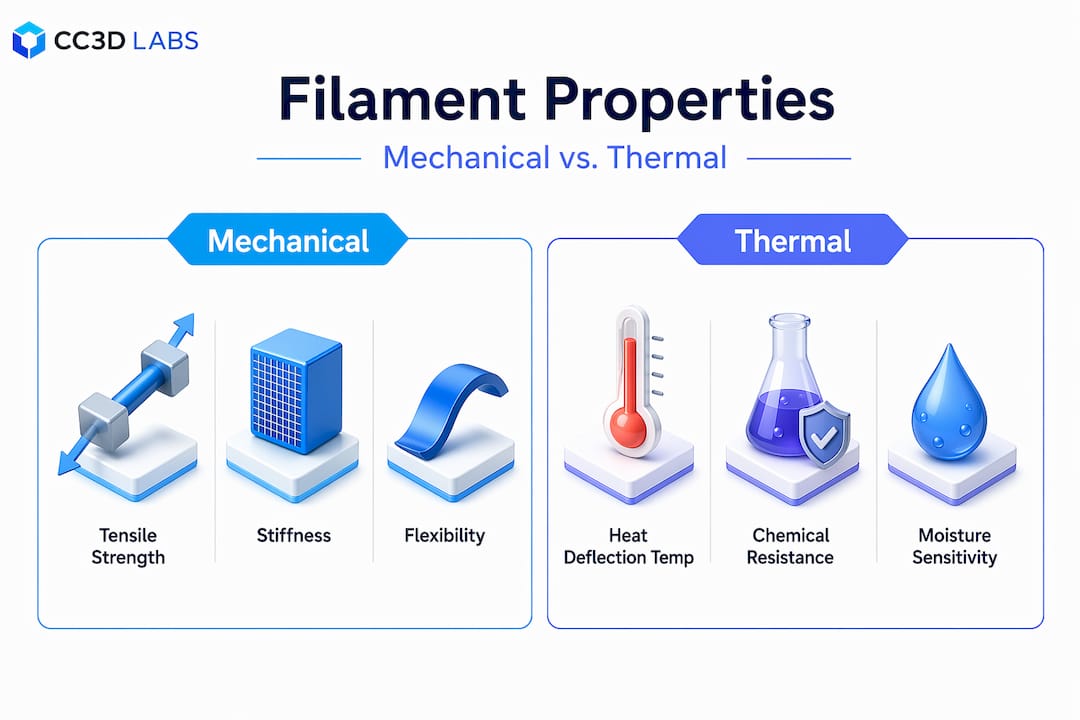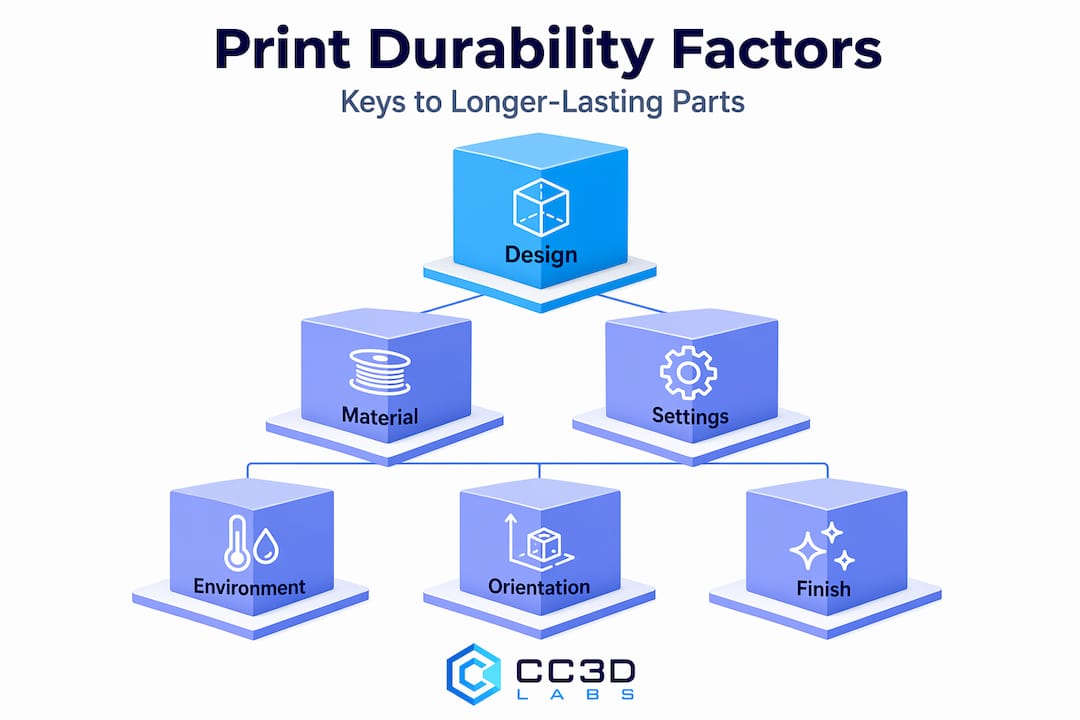
Engineer finishing part in 3D printing workspace

Top tips for low-volume manufacturing with 3D printing


TL;DR:

  • Low-volume manufacturing demands high precision, speed, and process discipline for successful outcomes.
  • Optimizing 3D printing parameters and selecting suitable materials and technologies are crucial for quality parts.
  • Each low-volume run requires meticulous workflow management and strict process control to ensure repeatability.

When you need functional parts fast and in small quantities, the margin for error shrinks fast. Product developers and small manufacturers face a specific pressure: high-volume production tools don’t apply, yet the quality bar stays exactly the same. 3D printing closes that gap, but only when you apply the right strategies. Optimal FDM settings yield a Young’s modulus of 3400 MPa and tensile strength of 51 MPa, proving that parameter discipline directly determines part performance. The difference between a successful low-volume run and an expensive redo often comes down to process knowledge.

Table of Contents

Key Takeaways

Point Details
Focus on infill Infill density dramatically shapes part strength and efficiency in low-volume manufacturing.
Tune process settings Process parameters like speed, temperature, and orientation directly impact prototype quality.
Choose technology wisely SLS 3D printing is ideal for strong, functional parts while SLA excels in detail and finish.
Streamline workflow Efficient CAD prep and quality checks accelerate turnaround and minimize costly errors.
Partner for success Expert help and proven solutions ensure low-volume projects stay on time and on target.

Key criteria for low-volume manufacturing success

Before jumping into specific tips, it helps to define what success actually looks like for low-volume manufacturing. The criteria are different from high-volume production in ways that catch many teams off guard.

Precision is the first pillar. At low volumes, you don’t have statistical averaging across thousands of parts to smooth out variation. Every single part carries full weight. Tolerances that seem acceptable in theory become costly in practice when a mating component doesn’t fit on the assembly line.

Speed is the second. Low-volume runs skip the expensive tooling and setup time of injection molding, but that advantage disappears if your 3D printing workflow isn’t optimized. Lead time discipline matters just as much as print time.

Cost distribution works differently here too. Setup costs, material waste, and post-processing hours get spread across fewer parts, so each unit carries more overhead. Choosing the wrong approach can make low-volume printing more expensive than it needs to be.

Repeatability is where most teams underestimate the challenge. Even with the same file and the same machine, small process variations can produce inconsistent results. Infill density alone accounts for up to 25.66% of the contribution to mechanical strength, meaning a small setting change ripples through your entire batch.

Here’s a quick checklist to assess your project before you start:

  • Define your dimensional tolerances before selecting a process
  • Identify whether the part is functional, aesthetic, or both
  • Estimate your acceptable cost per unit at your target quantity
  • Confirm your lead time requirements against your service provider’s capacity
  • Decide whether surface finish matters for fit, function, or customer presentation

The most common mistake in low-volume manufacturing is treating it like a scaled-down version of mass production. It isn’t. It’s a different discipline with different tradeoffs, and the teams that recognize that early save significant time and money.

For a deeper look at how design choices affect outcomes, the guidance on reliable 3D print design covers the foundational decisions that set your project up for success from the start.

Optimize 3D printing process parameters

Once you know what matters most for your parts, the next step is tailoring your 3D printing parameters for maximum performance. This is where many teams leave significant quality on the table by using default settings.

For FDM printing with PLA, research-backed optimal FDM PLA settings point to a nozzle temperature of 210°C, print speed of 30mm/s, layer height of 0.1mm, and a 0° raster angle. These settings consistently produce parts with tensile strength of 51 MPa and a Young’s modulus of 3400 MPa. That’s not just a lab number. It translates directly to real-world part durability.

Hand adjusting FDM 3D printer nozzle detail

Here’s a quick parameter reference to guide your setup:

Parameter Recommended setting Impact
Nozzle temperature 210°C (PLA) Affects layer adhesion and flow
Print speed 30 mm/s Slower speeds improve bonding
Layer height 0.1 mm Finer layers increase precision
Raster angle Maximizes tensile strength
Infill density 20-50% (functional) Strongest predictor of strength

Part orientation is another variable that product developers often overlook. Printing a part flat versus upright changes where the layer lines run relative to the load direction. For parts that experience bending or tension, orienting the strongest axis along the load path can make a measurable difference in service life.

Pro Tip: Use conservative parameters (lower speed, higher infill) for end-use functional parts, and faster, lower-infill settings for early-stage appearance prototypes. This lets you move quickly on concept validation without burning material budget on parts that will change anyway.

For a full breakdown of how each variable interacts, the 3D printing parameter guide walks through the logic behind each setting in practical terms. If you’re still getting familiar with the vocabulary, the 3D printing terminology resource is a solid starting point before diving into parameter tuning.

Select the best 3D printing technology and materials

Optimizing your process only works if you start with the right technology and materials. The choice between FDM, SLA, and SLS isn’t just a cost question. It shapes what your part can actually do.

SLS offers stronger mechanics for functional parts, while SLA excels in surface aesthetics and fine detail. FDM sits in the middle, offering the widest material range and lowest cost, but with visible layer lines and more post-processing for smooth finishes.

Here’s a side-by-side comparison to help you decide:

Technology Strength Surface finish Cost Best for
FDM Moderate Visible layers Low Functional prototypes, enclosures
SLA Moderate Excellent Medium Aesthetic models, dental, jewelry
SLS High Good Higher Functional end-use parts, complex geometry

Material selection matters just as much as technology. Here’s a quick breakdown:

  • PLA: Easy to print, good for visual prototypes, not ideal for heat or impact
  • PETG: Better chemical resistance and flexibility than PLA, great for functional parts
  • ABS: Strong and heat-resistant, but warps without enclosure control
  • Advanced polymers (Nylon, TPU, PC): For demanding functional applications requiring flexibility, high heat, or impact resistance

Matching your material to your application is non-negotiable. A housing that looks identical in PLA and PETG will behave very differently in a warm environment or under repeated stress. For a detailed comparison of how materials hold up under real conditions, the guide on material selection for durability is worth reviewing before you finalize your spec. If you’re still deciding between technologies, the printing technology comparison breaks down the tradeoffs in practical terms.

Streamline workflow for precision and fast turnaround

With your process and materials set, integrating smart workflow habits will unlock true low-volume agility. The gap between a smooth run and a frustrating one is usually in the steps before and after printing.

Here’s a proven workflow sequence for low-volume 3D printing runs:

  1. Design for manufacturing (DFM) review: Check wall thickness, overhangs, and feature sizes before sending any file. Catching a design issue at this stage costs nothing. Catching it after printing costs time and material.
  2. File preparation: Export in STL or STEP format. Check for non-manifold geometry and repair errors using slicer software before submission.
  3. Slicer review: Confirm support placement, layer orientation, and infill settings match your part’s functional requirements.
  4. First article inspection: Print one part first. Measure critical dimensions before committing to the full batch.
  5. Mid-run quality check: For batches above five parts, inspect a sample mid-run to catch any machine drift early.
  6. Post-processing review: Confirm that any sanding, priming, or hardware insertion meets spec before the parts ship or go to assembly.

Tuning every step of the process is what ensures repeatability and reliable part quality, especially at low volume where there’s no buffer for bad parts.

Pro Tip: Before your first production run with a new 3D printing partner, share your tolerance requirements and intended use case upfront. A good partner will flag potential issues before they become reprints. That conversation saves more time than any single parameter tweak.

For teams working with complex file structures or multiple CAD tools, the resource on CAD workflow optimization covers the file format decisions that affect print accuracy from the start.

Why precision matters more in low-volume manufacturing than you think

Here’s a perspective that doesn’t get enough airtime: low-volume manufacturing actually demands more process discipline than high-volume production, not less. That’s counterintuitive, but it’s true.

In mass production, variation averages out. You get thousands of data points, statistical process control kicks in, and outliers get caught before they reach customers. In a 10-part batch, one bad part is a 10% failure rate. Two bad parts and you’ve missed your delivery.

The conventional advice to “move fast and iterate” can backfire badly in this context. Skipping a first article inspection or using default slicer settings to save 20 minutes can produce a batch that fails dimensional checks entirely. The rework cost dwarfs the time saved.

Real-world functional parts require application-specific process control, not just impressive lab benchmarks. The teams that succeed in low-volume manufacturing treat each run with the same rigor they’d apply to a production line. They document settings, track results, and build a process knowledge base that makes every subsequent run faster and more reliable.

Working with a partner who applies that same discipline matters. The design discipline in prototype printing resource reflects exactly this mindset, where the goal is reliable outcomes, not just fast ones.

Take your low-volume manufacturing to the next level with CC3DLabs

Applying these strategies takes expertise, the right equipment, and a partner who treats your 10-part run with the same care as a 1,000-part order. That’s exactly what CC 3D Labs delivers.

https://cc3dlabs.com

Whether you need precision functional prototypes, small-batch production parts, or expert guidance on material and process selection, our 3D printing services are built for product developers who can’t afford to compromise on quality or speed. Explore 3D printing on demand for fast turnaround on custom parts, or see the range of prototypes to functional parts we produce for clients across industries. Request a free online estimate today and put these tips into practice with a team that knows exactly how to execute them.

Frequently asked questions

What is the ideal infill percentage for strong, low-volume 3D printed parts?

For most functional prototypes, an infill of 20-50% balances strength and material efficiency. Infill density is the single most critical parameter for tensile and compressive strength in FDM parts.

Which 3D printing method is best for functional, low-volume parts?

Selective Laser Sintering (SLS) is typically the strongest choice for functional, low-volume parts. SLS outperforms SLA on mechanical properties, while SLA leads on surface aesthetics.

Can adjusting print speed affect the durability of low-volume parts?

Yes, slower print speeds improve inter-layer bonding and increase overall part strength. 30mm/s print speed is the research-backed optimum for PLA FDM parts targeting maximum tensile performance.

What file format should I use for submitting 3D print jobs?

STL and STEP files are the preferred formats for most 3D printing workflows. They ensure broad compatibility with slicer software and preserve dimensional accuracy during file transfer.

Engineer preparing prototype for 3D scanning

3D Scanning Checklist: Ensure Accurate Prototypes & Parts


TL;DR:

  • Proper planning, environmental prep, and validation are essential to ensure accurate 3D scans.
  • Selecting the right scanner depends on part size, detail needed, and surface properties.
  • Rushing steps or skipping validation increases costly errors despite hardware quality.

One missed step in a 3D scanning workflow can send a prototype back to square one. For product developers and engineers, that means wasted hours, rework costs, and delayed production timelines. A structured checklist is not a bureaucratic formality; it is the difference between a scan you can trust and one that looks fine until the part fails tolerance checks on the shop floor. This guide walks through every critical phase: setting objectives, choosing the right scanner, preparing your environment, executing the scan, and validating results with objective metrics. Follow it consistently, and you will eliminate the most common sources of scanning error before they become expensive problems.

Table of Contents

Key Takeaways

Point Details
Define scanning requirements Clear goals and part specs are essential for selecting methods and validation metrics.
Match scanner to project Choose equipment based on part size and complexity for the highest accuracy.
Control prep and setup Careful part and environment preparation dramatically reduces errors and rescans.
Validate with metrics Use CF3D%, MD3D, and SQI3D to objectively confirm scan quality before moving to production.
Checklists prevent failures Following a robust checklist is more effective than relying solely on expensive scanners.

Set clear objectives and scan requirements

Every reliable 3D scan starts before you touch any hardware. The first step is defining exactly what you need the scan to accomplish, because that decision shapes every choice that follows.

Start by identifying the end use. A scan intended for a concept prototype has very different accuracy requirements than one destined for a production-ready part or a reverse-engineering workflow. Confusing these two contexts is one of the fastest ways to waste a scanning session.

Document the following before you begin:

  1. Part material and surface finish (matte, glossy, translucent, or metallic surfaces each require different handling)
  2. Overall dimensions and geometric complexity (simple prismatic parts versus freeform organic geometry)
  3. Required dimensional tolerance (what deviation is acceptable in millimeters or microns?)
  4. Downstream use (CAD comparison, mesh-to-print, inspection report, or reverse engineering)
  5. Deliverable format (STL, OBJ, STEP, or point cloud)

These five data points define your success criteria upfront. Without them, you are scanning blind.

Once you have your requirements documented, tie them to quantitative metrics. Quantitative metrics for 3D scanning research confirms you should always validate with Coverage Factor (CF3D%), Mean Distance (MD3D), and Scan Quality Index (SQI3D). CF3D% measures how much of the target surface your scan actually captured. MD3D quantifies the average deviation between your scan and the reference geometry. SQI3D combines multiple quality indicators into a single score for fast pass/fail decisions.

“Metric-based validation removes guesswork from the quality assessment process and creates a repeatable standard your entire team can apply.”

Setting these thresholds before the scan begins means you have an objective target to hit, not just a visual impression to judge. Understanding design accuracy and prototyping requirements is the foundation that makes every downstream decision faster and more defensible.

Pro Tip: Write your tolerance and metric thresholds directly on your scan request form. When multiple engineers are involved, this single habit eliminates the most common source of miscommunication between scanning and design teams.

Choose the right scanner and scanning method

With clear requirements in hand, the next step is selecting a scanner and scanning approach that fits those needs precisely. The wrong scanner type is not just a minor inconvenience; it can make it physically impossible to meet your documented tolerance requirements.

Here is a breakdown of the three most common scanner types used in engineering and product development:

  • Handheld laser scanners: Best for medium to large parts, complex assemblies, and on-site scanning. They offer flexibility and portability but typically deliver accuracy in the 0.05 to 0.1 mm range. Handheld laser scanners excel for prototypes up to 10 meters, while structured light scanners are the better choice for small, detailed parts.
  • Structured light scanners: Best for small to medium parts requiring high detail and tight tolerances. They project a pattern of light onto the surface and calculate geometry from the distortion. Accuracy can reach 0.01 mm or better, but they require a controlled environment and a stationary setup.
  • Photogrammetry: Best for very large objects or when portability is the priority. It uses overlapping photographs to reconstruct geometry. Accuracy is lower than laser or structured light methods, but it scales well and requires minimal equipment.

Matching the scanner to the part is not just about size. Consider these factors:

  • Surface reflectivity: Shiny or dark surfaces defeat most laser systems without preparation.
  • Feature size: Fine threads, sharp edges, or thin walls need structured light resolution.
  • Scan environment: Outdoor or production-floor scanning favors handheld systems.
  • Operator experience: Structured light systems have steeper learning curves.

Pro Tip: Do not let the scanner’s marketed accuracy spec be your only decision factor. Ask vendors for accuracy data on parts that match your geometry and surface type, not just flat reference artifacts.

If your project involves custom prototypes, understanding what makes the best print job for prototypes helps you align scanning precision with the print process you plan to use downstream. Similarly, reviewing how to choose the right printing type for production ensures your scan data will actually support the manufacturing method you intend to use.

Prepare the part and environment for scanning

Once you have the right scanner, expert results depend on methodical setup. This is the phase most engineers rush, and it is where most scan failures originate.

Follow this numbered preparation sequence every time:

  1. Clean the part thoroughly. Remove dust, oils, and loose debris. Even fine particles scatter laser light and introduce noise into the point cloud.
  2. Apply scanning spray if needed. Reflective, dark, or translucent surfaces require a temporary matte coating. Use a thin, even layer and allow it to dry completely.
  3. Secure the part with fixtures. Movement during scanning is the single biggest source of data misalignment. Use a turntable, magnetic fixture, or custom jig appropriate for the part geometry.
  4. Calibrate the scanner. Run the manufacturer’s calibration routine before every session, not just at the start of the day. Temperature changes affect optics.
  5. Set reference targets if required. Adhesive targets help the scanner track position across multiple scan passes on complex geometry.

Surface preparation and stable positioning are vital for reliable scans, and skipping either step creates problems that no amount of post-processing can fully correct.

Beyond the part itself, check these environmental factors:

  • Vibration: Isolate the scanning area from foot traffic, HVAC equipment, and nearby machinery.
  • Ambient light: Structured light scanners are sensitive to sunlight and fluorescent flicker. Use blackout curtains or scan in a dedicated room.
  • Background contrast: Place a neutral, non-reflective background behind the part to prevent the scanner from picking up stray geometry.
  • Temperature stability: Thermal expansion affects both the part and the scanner optics. Allow both to acclimate to room temperature before starting.

For a detailed look at what a controlled scanning environment looks like in practice, review our high quality 3D scan process guide. You can also explore our 3D Scanning Lab process or submit a 3D Scan Request Form to get professional support on your next project.

Technician prepping part in scanning room

Scan execution: capturing, validating, and optimizing data

With preparation complete, conducting the scan itself and validating results is where the checklist really proves its value. A clean setup does not guarantee a clean scan; you need a disciplined execution sequence.

Follow these steps in order:

  • Run an initial scan pass and review the raw mesh immediately. Do not wait until the end of the session to discover a problem area.
  • Check coverage visually and by CF3D% threshold. Any region below your target coverage percentage needs a re-scan pass before you move the part.
  • Identify and re-scan problem areas: undercuts, deep pockets, and thin walls are the most common trouble zones.
  • Align multiple scan passes using reference targets or software registration. Check alignment error before merging.
  • Export the validated mesh in the format your downstream workflow requires.

Here is a quick reference for the most common scan errors and how to address them:

Scan error Validation metric Corrective action
Missing surface coverage CF3D% below threshold Add scan passes from new angles
High deviation from reference MD3D exceeds tolerance Re-calibrate scanner, re-scan
Low overall quality score SQI3D fails Review all prep steps, repeat session
Mesh noise or spikes Visual + MD3D Reapply scanning spray, reduce ambient light
Misaligned scan passes MD3D between passes Re-register using reference targets

Validation metrics like CF3D%, MD3D, and SQI3D are essential for trustworthy scans, and applying them at each stage rather than only at the end catches errors while correction is still fast and cheap.

“A scan that passes visual inspection but fails metric validation is not a scan you can build a production part from.”

For export, use formats your CAD and manufacturing tools handle natively. Learning how to optimize workflow with CAD file formats prevents conversion errors that degrade scan accuracy. If you are newer to the terminology around scan outputs, the printing terminology for product developers guide clarifies common file type distinctions. For specialized applications like dental scanning standards, metric validation follows the same core principles but with even tighter tolerances.

Why most 3D scanning projects fail: The hidden checklist gaps

After working through hundreds of scanning projects, the pattern is clear: most failures are not hardware failures. They are process failures. The scanner was adequate. The operator was experienced. But someone skipped a step.

The three most common hidden gaps are rushing the setup phase, skipping metric validation in favor of visual approval, and assuming the scanner is inherently accurate enough without confirming it against your specific part geometry. Each of these feels like a time-saving shortcut in the moment and becomes a costly rework cycle later.

Skipped validation is a leading source of downstream part defects, and it is almost always avoidable. A five-minute metric check at the end of a scan session is far cheaper than discovering dimensional errors after a part has been printed or machined.

The uncomfortable truth is that a disciplined checklist on a mid-range scanner outperforms an ad-hoc process on a top-tier system every time. Hardware does not compensate for skipped steps. If you want to build a scanning workflow your team can trust, start with achieving high quality scans as your process baseline, then layer in metric validation as a non-negotiable exit criterion for every session.

Ready to streamline your 3D scanning workflow?

If your team is ready to move from ad-hoc scanning to a repeatable, validated process, CC 3D Labs is set up to support exactly that. We offer metrology-grade scanning, full prototyping, and expert guidance for product developers and engineers who need results they can build on.

https://cc3dlabs.com

Explore our 3D Scanning Lab services to see how we handle complex parts and tight tolerances. If your project needs both scanning and production, our full 3D printing services keep everything under one roof. And if you want to go deeper on best practices before you start, our high quality scan guide is the right next read. Get a free estimate and let us help you get it right the first time.

Frequently asked questions

What are the most important metrics for validating a 3D scan?

The key metrics are Coverage Factor (CF3D%), Mean Distance (MD3D), and Scan Quality Index (SQI3D). These three validation metrics quantify how complete and accurate your scan data is, giving you an objective pass/fail standard.

How do you select the right scanner for a specific part?

Base your choice on part size and required detail level. Scanner selection should match part size and complexity, with handheld lasers for larger prototypes, structured light for small intricate parts, and always confirm results with metric validation.

Why is environmental preparation important for 3D scanning?

Unstable or contaminated environments introduce noise, reflections, and misalignment errors that degrade scan accuracy. Surface and environmental prep is crucial for correct scans, and no post-processing step can fully recover data lost to a poor setup.

What mistakes commonly lead to poor scan quality?

Skipping preparation or validation reduces scan quality more than any hardware limitation. Using a mismatched scanner type for the part geometry is the third most frequent cause of rework.

How can engineers streamline 3D scanning workflows?

Standardize your setup sequence, define metric thresholds before each session, and treat the checklist as a non-negotiable process step. Detailed checklists and metric validation streamline workflows by catching errors early, when correction is fast and inexpensive.

Engineer scanning metal part at workbench

Unlock 3D scanning: boost design accuracy and prototyping


TL;DR:

  • 3D scanning provides precise digital models, faster prototyping, and reliable quality control.
  • Choosing the right technology depends on accuracy, object size, surface, and budget.
  • Integrating 3D scanning early improves design accuracy, reduces errors, and accelerates workflows.

3D scanning gets dismissed as a glorified copy machine for 3D printing. That misunderstanding costs product teams weeks of rework and thousands in avoidable errors. In reality, 3D scanning is one of the most powerful tools available for businesses that need precise digital models, faster prototyping cycles, and reliable quality control. This guide walks you through how 3D scanning works, the main technologies available, the real business benefits, and how to integrate scan data into your design and manufacturing workflows without the common pitfalls.

Table of Contents

Key Takeaways

Point Details
3D scanning basics 3D scanning transforms real objects into accurate digital models for design and prototyping.
Top technologies Laser triangulation, structured light, and photogrammetry each suit different accuracy and use-case needs.
Business benefits 3D scanning saves time, reduces errors, and enables rapid iteration in product development and manufacturing.
Workflow integration Scanned data seamlessly fits into CAD and production pipelines, connecting design with manufacturing.
Real-world success tips Preparation, surface treatment, and calibration improve scan quality and project success.

How 3D scanning works: The basics explained

At its core, 3D scanning captures the exact geometry and surface details of a physical object and converts that data into a digital model. That model can then be edited, analyzed, reproduced, or fed directly into a CAD (computer-aided design) system. The process has three main stages: data capture, point cloud creation, and mesh or model generation.

During data capture, the scanner emits light, laser beams, or uses cameras to measure the surface of an object from multiple angles. Each measurement records the position of a point in 3D space. Thousands or even millions of these points combine to form a point cloud, which is essentially a dense map of the object’s surface geometry. That point cloud is then processed into a mesh, a connected surface made of triangles, which becomes the usable 3D model.

The three most common scanning technologies are:

  • Laser triangulation: Projects a laser line or point onto the surface; a sensor reads the reflected angle to calculate position. Laser triangulation is highly accurate for short-range work and fine detail.
  • Structured light: Projects a pattern of light (often stripes) onto the object and uses cameras to measure how the pattern deforms across the surface. Fast and excellent for medium-sized parts.
  • Photogrammetry: Uses overlapping photographs taken from different angles to reconstruct a 3D model mathematically. Cost-effective and scalable for larger objects.

Learning how 3D scanning optimizes workflows early in a project helps teams avoid costly design revisions later.

Pro Tip: Lighting and object positioning matter more than most people expect. Consistent, diffused lighting reduces shadows and surface noise, which directly improves point cloud density and model accuracy.

A poorly set up scan environment can introduce errors that ripple through every downstream step, from CAD modeling to final part inspection. Investing 15 minutes in proper setup saves hours of cleanup.

Main types of 3D scanning technologies compared

Now that you know the basics, let’s compare the main 3D scanning techniques so you can match the right tool to your project.

Choosing the wrong scanning method is one of the most common mistakes product teams make. Each technology has a distinct performance profile depending on accuracy needs, object size, surface type, and budget.

Technology Accuracy Speed Cost Best for
Laser triangulation Very high Moderate Medium-high Small parts, fine detail
Structured light High Fast Medium Mid-size parts, smooth surfaces
Photogrammetry Moderate Slow Low Large objects, outdoor use
CT scanning Extremely high Slow Very high Internal geometry, medical

Here is a simple process for matching your scanning method to your application:

  1. Define your accuracy requirement. Engineering tolerances under 0.05mm demand laser triangulation or CT scanning.
  2. Assess your object size. Larger objects favor photogrammetry or structured light; small precision parts favor laser-based methods.
  3. Evaluate the surface. Reflective or dark surfaces need special preparation regardless of technology.
  4. Set your budget. Photogrammetry is the most accessible entry point; CT scanning is reserved for high-value inspection needs.
  5. Consider turnaround time. Structured light scanning is typically the fastest for medium-complexity parts.

Understanding the key 3D scanning techniques available helps you ask better questions when working with a scanning service provider.

Pro Tip: For highly detailed engineering parts or small components, laser triangulation consistently delivers the best results. It is the standard choice for metrology-grade work where tolerances are tight and repeatability is critical.

Key benefits for product development and manufacturing

With the options in mind, let’s look at the real business benefits of integrating 3D scanning into your development process.

The most immediate gain is the elimination of manual measurement. Traditional calipers and coordinate measuring machines (CMMs) are slow, operator-dependent, and limited in the complexity of geometry they can capture. 3D scanning captures the full surface of a part in minutes, with far less human error involved.

Designer measuring prototype with digital calipers

Workflow factor Traditional method 3D scanning method
Measurement time (medium part) 2 to 4 hours 15 to 45 minutes
Error rate Higher (operator-dependent) Significantly lower
Geometry complexity handled Limited Full freeform surfaces
Iteration speed Slow Fast
Documentation quality Manual records Full digital archive

The real-world impact spans multiple business functions:

  • Part design: Capture existing components with no original CAD file and rebuild them accurately.
  • Reverse engineering: 3D scanning significantly increases accuracy in reverse engineering and prototyping, reducing guesswork entirely.
  • Quality control: Compare scanned production parts against the original CAD model to catch deviations before they become costly defects.
  • Tooling verification: Confirm that molds and fixtures match design intent before committing to full production runs.

Teams focused on ensuring 3D scan quality for manufacturing report faster iteration cycles and fewer engineering change orders. For businesses doing reverse engineering with 3D scanning, the ability to digitize legacy parts without original drawings is a significant competitive advantage.

The compounding effect is real. Fewer errors early in development mean fewer corrections late, which directly reduces cost per prototype and shortens time to market.

From scan to workflow: Where and how 3D data is used

Understanding the benefits, let’s explore where 3D scan data delivers real impact in business workflows.

A raw point cloud is useful, but its true value comes when it is converted into a workable CAD model. Most professional scanning workflows use software like Geomagic, Artec Studio, or SOLIDWORKS to process the point cloud into a clean mesh, then into a parametric CAD file that designers can modify and manufacture from.

Here are the most common ways businesses use 3D scan data:

  • Reverse engineering: Recreate parts with no existing drawings, especially for legacy components or competitor benchmarking.
  • Quality inspection: Overlay the scan against the original CAD model to produce a color deviation map showing where parts are out of tolerance.
  • Tooling and fixture verification: Confirm that production tooling matches design specifications before first-article inspection.
  • Archiving: Build a permanent digital record of physical assets, molds, or prototypes for future reference.
  • Design iteration: Scan a physical prototype, bring it into CAD, refine it, and print or machine the next version faster.

“Modern 3D scanning streamlines the full development pipeline for new and legacy products, reducing the gap between physical reality and digital design intent.”

Exploring 3D scanning in CAD workflows shows just how tightly scanning integrates with modern design tools. Teams that understand using 3D scan data in CAD can move from physical object to production-ready file in a fraction of the time traditional methods require.

The key insight is timing. Scanning should not be an afterthought reserved for inspection. Integrating it early, at the concept and first-prototype stage, is where the biggest gains in speed and accuracy happen.

Common challenges and tips for getting reliable 3D scans

To wrap up the core guide, let’s address the most common snags and how smart teams get reliable results consistently.

Even with good equipment, scan quality can suffer if preparation and technique are not right. Surface type and environment directly influence scan accuracy, and skipping preparation steps is the fastest way to produce unusable data.

The most common challenges and how to address them:

  • Reflective surfaces: Shiny metals and plastics scatter laser or structured light unpredictably. Apply a temporary matte scanning spray to create a uniform, readable surface.
  • Dark or black surfaces: These absorb light rather than reflecting it, creating data gaps. Scanning spray also solves this problem in most cases.
  • Object movement: Even small vibrations during a scan introduce misalignment. Use a stable fixture or turntable to hold the part securely.
  • File misalignment: When combining multiple scan passes, poor alignment creates visible seams in the mesh. Use reference markers (small adhesive targets) placed on the object before scanning to give the software fixed registration points.
  • Calibration drift: Scanners can drift out of calibration over time or with temperature changes. Always run a calibration check before a critical scan session.

Pro Tip: For complex objects that require multiple scan passes, place reference markers on the object before you start. These give the alignment software fixed anchor points, which dramatically reduces mesh errors and cleanup time afterward.

Visit our tips for high quality 3D scanning resource for a deeper breakdown of preparation and post-processing best practices. Proper technique at the scan stage protects every hour of CAD work that follows.

Our take: Why mastering 3D scanning drives real innovation

Most conversations about 3D scanning focus on speed and cost savings. Those are real, but they are not the most important part of the story.

What we see consistently at CC 3D Labs is that businesses which integrate scanning early in their process do not just move faster. They think differently. When your team can digitize any physical object in minutes and bring it into a shared CAD environment, the collaboration between designers, engineers, and production teams changes fundamentally. Decisions get made with real geometry, not assumptions.

The conventional wisdom treats scanning as a QC or reverse engineering tool used after design is mostly done. That is backwards. The teams that leapfrog competitors use real-world 3D scanning insights to inform design from the very first prototype. They catch fit and function issues in the digital model before a single part is machined or molded.

The future of product development is agile, and agility requires closing the loop between physical and digital as fast as possible. 3D scanning is the bridge. Mastering it is not a technical upgrade. It is a strategic one.

Level up your workflow with CC3DLabs 3D scanning and printing solutions

Ready to put these insights into action for your business?

https://cc3dlabs.com

CC 3D Labs offers metrology-grade 3D scanning services paired with end-to-end CAD modeling and pro-level 3D printing for product developers and manufacturers near Philadelphia and beyond. Whether you need to digitize a legacy part, verify a production run, or accelerate your prototyping cycle, our team handles the full workflow from scan to finished part. Browse our CAD project gallery to see real examples of scan-to-print projects, or request a free estimate to get started on your next build.

Frequently asked questions

What is 3D scanning used for in business?

Businesses use 3D scanning for design accuracy, prototyping, reverse engineering, and quality control. It significantly increases accuracy in reverse engineering and prototyping compared to manual measurement methods.

Which 3D scanning method is best for fine detail?

Laser triangulation is best for short-range, high-precision applications and is the standard choice for capturing highly detailed or small parts at engineering tolerances.

What impacts 3D scanning accuracy?

Surface reflectivity, ambient lighting, and scanner calibration are the three biggest factors. Surface type and environment require careful preparation to achieve reliable, repeatable scan results.

Can 3D scan data be edited or modified?

Yes. Scan data is processed into a mesh and then converted to a parametric CAD model, which designers can fully edit, refine, and adapt for manufacturing or further prototyping.

Woman inspecting prototype 3D print at workbench

How to design 3D prints: reliable prototypes & parts


TL;DR:

  • Proper 3D print design requires understanding material, process, and geometry constraints.
  • Orientation and support planning are crucial for part strength, finish, and print success.
  • Final validation with testing and adjustments ensures reliable, functional 3D printed parts.

Poor 3D print design costs more than just filament. Parts that don’t fit, walls that crack under load, or holes too tight for their fasteners can stall an entire product development cycle. The root cause is almost always the same: the design didn’t account for how 3D printing actually works. This guide walks you through every stage, from defining requirements and choosing materials to setting tolerances, orienting parts for strength, and validating your file before the first layer goes down. Follow these principles and you’ll spend less time reprinting and more time building.

Table of Contents

Key Takeaways

Point Details
Start with clear requirements Clarify part function, material, and print method before designing to minimize errors.
Follow proven geometry rules Respect wall thickness, tolerances, and overhang limits for a reliable print.
Orient for strength and ease Align parts for maximum real-world durability and minimize support and warpage risks.
Validate before printing Double-check for potential design errors and simulate part fits or stress if possible.

Gathering requirements and planning your 3D print

Every reliable 3D printed part starts with a clear answer to one question: what does this part actually need to do? That sounds obvious, but it’s where most design problems begin. A concept model shown to stakeholders has completely different requirements than a bracket bolted into a working assembly. Treating them the same way is a fast path to wasted prints.

Start by categorizing your part’s purpose:

  • Concept model: Visual representation only. Dimensional accuracy matters less than speed and cost.
  • Fit and form prototype: Must match final geometry closely so you can test assembly clearances and ergonomics.
  • Functional prototype: Needs to perform under real loads, temperatures, or environmental exposure.
  • End-use part: Must meet full mechanical, chemical, and aesthetic specifications.

Once you know the stage, material selection follows logically. Choosing materials by prototype stage is straightforward: PLA and FDM work well for early concepts, while PETG and Nylon SLS are better suited to functional parts that need toughness and temperature resistance. For materials for durable parts, the tradeoff between cost, printability, and mechanical performance is worth understanding before you commit to a process.

Stage Recommended material Recommended process
Concept PLA FDM
Fit/form PETG, Resin FDM, SLA
Functional Nylon, PETG SLS, FDM
End-use Nylon, Metal SLS, DMLS

The process you choose also determines what design constraints you’ll work within. FDM is affordable and fast but produces visible layer lines and lower Z-axis strength. SLA gives you fine detail and smooth surfaces but can be brittle. SLS produces strong, isotropic parts without support structures. Metal processes offer the best mechanical properties but require tighter design control. Selecting 3D printing methods early in the workflow prevents costly redesigns later.

Also plan ahead for post-processing. If a part will be sanded, painted, or machined after printing, you need extra material stock in those areas. If it will be assembled with hardware inserts, account for heat-set or press-fit tolerances in the original CAD model.

Pro Tip: Write a one-paragraph “part brief” before opening your CAD software. List the function, material preference, process, expected loads, and any assembly interfaces. This single document prevents the most common design drift that leads to reprints.

Design principles: Dimensions, tolerances, and geometry

With your requirements defined, the next step is translating them into geometry that a printer can actually produce reliably. This is where most engineers either over-trust their CAD model or under-estimate how much the printing process changes the final dimensions.

Wall thickness is the first constraint to set. Minimum wall thickness varies by technology: FDM needs at least 1.2mm for structural walls, SLA can go as thin as 0.5mm, SLS works well at 0.8mm and above, and metal processes typically require 0.5 to 1mm depending on geometry. Going thinner than these limits risks incomplete walls, warping, or print failures.

Infographic: 3D printing design basics summary

Tolerances define how closely the printed part matches your CAD dimensions. The numbers matter: FDM holds ±0.2 to 0.5mm, SLA achieves ±0.05 to 0.15mm, SLS and MJF land at ±0.15 to 0.3mm, and metal processes reach ±0.05 to 0.2mm. Design your clearances and fits around these real-world numbers, not theoretical CAD perfection.

Process Typical tolerance Min wall thickness
FDM ±0.2 to 0.5mm 1.2mm
SLA ±0.05 to 0.15mm 0.5mm
SLS/MJF ±0.15 to 0.3mm 0.8mm
Metal (DMLS) ±0.05 to 0.2mm 0.5 to 1mm

Geometry choices have a major impact on print reliability. Follow these rules:

  1. Keep overhangs at or below 45 degrees from vertical to avoid needing supports.
  2. Limit unsupported bridges to 5mm or less for FDM; SLA and SLS handle longer spans better.
  3. Add chamfers or fillets to sharp interior corners to reduce stress concentration.
  4. Orient tall, thin features so they print along the XY plane rather than growing vertically.
  5. For outdoor parts, account for UV and thermal cycling in both material choice and wall thickness.

Holes are a consistent pain point. They almost always print undersized due to material flow and thermal contraction. If your design calls for a 6mm bolt hole, model it at 6.2 to 6.4mm and test before committing to a full batch. Understanding key 3D printing terms like “elephant’s foot” and “shrinkage” helps you anticipate these effects before they show up in your parts.

Anisotropy, meaning the difference in strength depending on direction, is critical for functional parts. The XZ and XY planes are significantly stronger than the Z axis in layer-based processes. Design load-bearing features so stress runs parallel to the print bed, not perpendicular to it.

Pro Tip: Use a tolerance guidelines reference alongside your CAD software. Avoid common geometry mistakes like modeling perfectly vertical walls without draft or adding decorative thin ribs that the printer simply cannot reproduce.

Maximizing strength and function through orientation and supports

Once your dimensions and geometry are locked in, how you orient the part in the build volume becomes one of the most powerful variables you control. Two identical CAD files can produce parts with dramatically different real-world performance based on orientation alone.

Man adjusting 3D print orientation at desk

The core rule is straightforward: orient loads parallel to the XY plane because the Z axis is weaker due to layer bonding. A bracket printed flat on the bed will resist bending forces far better than the same bracket printed standing upright. This isn’t just a guideline, it’s the physical reality of how layers fuse.

Here’s what to consider when choosing orientation:

  • Place the largest flat surface on the build plate to maximize adhesion and minimize warpage.
  • Orient critical surfaces face-down for SLA to get the best surface finish where it matters.
  • For SLS and MJF, orientation affects surface texture but not strength as dramatically, since these processes are more isotropic.
  • Avoid orienting thin walls vertically in FDM; they’re prone to vibration and layer separation.
  • Minimize the number of support structures needed, especially in hard-to-reach internal cavities.

Supports are necessary in many designs, but they add print time, cost, and post-processing work. Overhang limits for FDM and SLA are typically 45 degrees without supports. Beyond that angle, you need either supports or a design change. SLS and MJF don’t require supports because unsintered powder holds the part during printing, which is one of their biggest practical advantages.

“The best support is the one you design out of the model entirely.” Redesigning an overhang as a chamfer or splitting a complex part into two printable pieces often saves more time than any slicer setting.

Warpage is another orientation-related risk, particularly with large flat parts in FDM using ABS or Nylon. These materials shrink as they cool, and if the base isn’t properly adhered to the build plate, corners lift. Solutions include using a brim, printing on a heated enclosure, or redesigning the part to reduce large flat areas.

Infill pattern and density also affect real-world durability. PLA and ABS strength data shows that gyroid and honeycomb infill patterns outperform rectilinear patterns in multi-directional loading scenarios. For functional parts, 40 to 60% infill with a gyroid pattern is a strong default. For visual models, 15 to 20% is usually sufficient.

See prototype orientation examples from real projects to understand how these decisions play out in practice.

Pro Tip: When in doubt about orientation, print a small proxy section of the critical feature at two orientations and do a quick break test. Ten minutes of test printing can save hours of redesign.

Final checks: Validating your design before printing

A well-designed part can still fail if the file has errors or the design hasn’t been verified against real print constraints. This final validation step is where you catch the issues that CAD software doesn’t flag automatically.

Start with a geometry audit. Work through this checklist before exporting:

  1. Check all wall thicknesses against the minimum for your chosen process.
  2. Confirm no non-manifold edges or inverted normals exist in the mesh.
  3. Verify that all mating surfaces have appropriate clearances modeled in.
  4. Ensure hollow parts have escape holes of at least 3 to 5mm diameter for SLS powder removal, with at least two per enclosed cavity.
  5. Review overhangs and bridges against your process limits.
  6. Confirm the part fits within the printer’s build volume with room for orientation adjustment.

Holes deserve special attention. Holes print undersized due to material shrinkage and bridging effects, so scale them up in your model before exporting. A test print of just the hole feature costs almost nothing and confirms your compensation factor before you print the full part.

Check FDM SLA SLS
Hole compensation +0.2 to 0.4mm +0.1mm +0.1 to 0.2mm
Min escape hole N/A N/A 3 to 5mm dia.
Clearance per side 0.2 to 0.4mm 0.1mm 0.2 to 0.5mm
STL export resolution 0.01mm chord 0.005mm chord 0.01mm chord

File format matters more than most people realize. Export to STL or 3MF with a resolution tight enough to preserve fine features, but not so high that the file becomes unmanageable. Review best CAD file formats for 3D printing workflows to make sure your export settings match your process.

Validating with a proxy print, a small section of the most complex feature, before committing to a full run is one of the highest-value steps in any prototyping workflow. Realistic tolerance targets vary by process and should be confirmed empirically, not assumed from spec sheets.

Finally, plan your post-processing steps before printing. If a part will be tapped for threads, drilled, or bonded, those operations need to be accounted for in the original geometry. Iterative refinement is faster and cheaper when each cycle is short and targeted.

Why smart design is the make-or-break factor for 3D printed part success

Here’s something we’ve learned from working through dozens of prototyping projects: following a design guideline checklist is necessary, but it’s not sufficient. The engineers who get the best results aren’t the ones who memorize tolerance tables. They’re the ones who treat every first print as a learning event, not a finished product.

The uncomfortable truth is that overengineering tolerances early in a project slows everything down. Spending three days perfecting a 0.05mm clearance on a concept model that will be redesigned anyway is wasted effort. The smarter move is to print fast, test fast, and tighten tolerances only when the design is stable.

We’ve also seen the opposite failure: teams that trust their CAD model so completely that they skip proxy prints entirely, then discover a fundamental fit issue after a full production run. No simulation replaces an actual printed part in your hand.

The best design workflows we’ve seen treat the printer as a feedback tool. Each iteration teaches you something specific: this wall is too thin, this clearance is too tight, this orientation produces a better surface finish. Explore real-world applications to see how this iterative mindset produces better outcomes across industries. Smart design isn’t about getting it perfect the first time. It’s about getting useful information faster.

Need professional help? Streamline your next 3D print project

Designing for reliable 3D printing takes experience that builds over many iterations. If you’re working on a tight deadline or need production-grade parts without the trial-and-error cycle, professional support makes a measurable difference.

https://cc3dlabs.com

At CC 3D Labs, we work with product developers and businesses to take designs from CAD to finished parts with confidence. Whether you need guidance on material selection, help optimizing geometry for your chosen process, or a full run of functional prototypes, our 3D printing services are built around your requirements. Check out our on-demand 3D prints for fast turnaround on custom parts, or read our guide to rapid prototyping to plan your next development cycle. Get a free online estimate and let’s build something that works.

Frequently asked questions

What is the minimum wall thickness for FDM, SLA, SLS, and metal 3D printing?

For reliable prints, use at least 1.2mm with FDM, 0.5mm with SLA, 0.8mm with SLS, and 0.5 to 1mm with metal processes. Going below these limits risks incomplete walls and structural failures, as minimum wall thickness varies by technology.

How much clearance do I need for moving assemblies in 3D prints?

Typical clearances are 0.2 to 0.4mm per side for FDM and 0.1mm per side for SLA, with SLS needing 0.2 to 0.5mm for sliding fits. These values account for clearance in 3D print assemblies and should be confirmed with a test print before full production.

Why do 3D printed holes turn out undersized?

Material shrinkage and bridging effects cause holes to print undersized, so you should scale up hole diameters in your design by 0.1 to 0.4mm depending on the process. Always verify with a test print before committing to a full run.

How does part orientation affect strength in 3D printing?

Parts are strongest in the XY plane but weaker along the Z axis due to layer lines, so orient loads parallel to the XY plane when possible. This single decision can significantly extend the functional life of a printed part.

What are escape holes and why are they important in SLS 3D printing?

Escape holes, at least 3 to 5mm in diameter, allow removal of unsintered powder trapped inside hollow SLS parts after printing. Without them, powder remains locked inside the part and can cause defects or add unwanted weight.