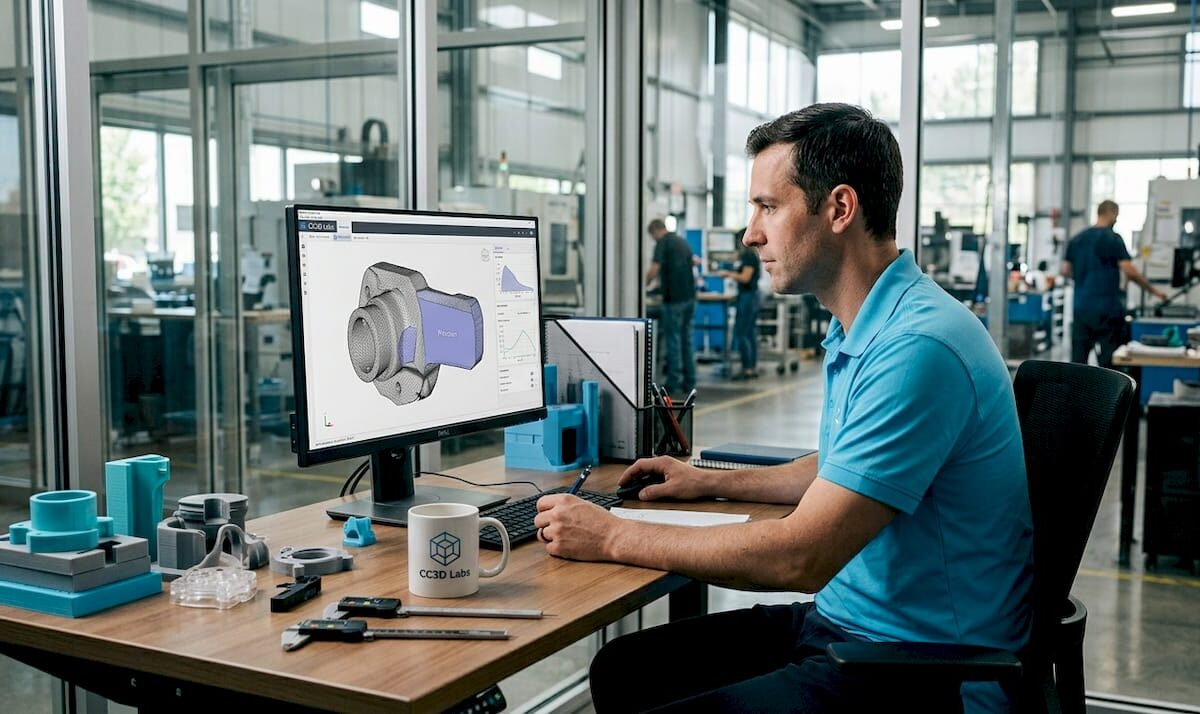
Engineer working with 3D printer and CAD model

Top 4 mcmaster3d.com Alternatives 2026

Curious about what other options stand out when it comes to 3D design and printing tools Some platforms have carved a name for themselves by offering unique features and creative solutions that set them apart. With new ideas and tech updates rolling out each year it is always interesting to see which alternatives push the boundaries of what is possible. Whether you need more flexibility or just want to see the latest fresh approaches you will find that each tool brings something different to the table. The next few picks might surprise you with their possibilities.

Table of Contents

CC 3D Labs

Product Screenshot

At a Glance

CC 3D Labs is the clear leader for businesses that need high quality custom 3D printing and precision scanning. Located near Philadelphia, the company pairs fast local service with global shipping to serve prototypes, functional parts, and small production runs.

Core Features

CC 3D Labs delivers a full suite of services tailored to professional projects. Their offerings include custom 3D printing and scanning services, a wide selection of filament materials, and expert CAD support.

  • Custom 3D printing and scanning services
  • Filament options including PLA, ABS, PETG, TPU, Nylon and Carbon Fiber
  • Metrology grade 3D scanning for dimensional verification
  • On demand 3D printing and manufacturing for short runs
  • 3D modeling and CAD services with file preparation support

Pros

  • Guaranteed dimensional accuracy: Prints meet tight tolerances so parts fit and function as intended for prototypes and end use.

  • Fast turnaround and flexible delivery: Local pickup in the Greater Philadelphia area and worldwide shipping shorten time to installation or testing.

  • Broad material selection: Multiple filaments and colors let you match mechanical properties and aesthetics without compromise.

  • Scalable production capability: The service supports single prototypes, batch production, and repair parts for consistent repeatability.

  • Advanced multi material options: Support for multi color and multi material printing reduces assembly time and improves part integration.

Who It’s For

CC 3D Labs is built for businesses, product developers, and skilled hobbyists who require reliable, dimensionally accurate parts. It especially benefits teams near Philadelphia that value fast in person pickup and builders anywhere that need international shipping and technical support.

Unique Value Proposition

What sets CC 3D Labs apart is the combination of metrology grade scanning, hands on CAD support, and a wide filament library backed by repeatable quality control. Competitors often offer either printing or scanning or a narrow material set. CC 3D Labs bundles all three with expert guidance so you reduce iteration cycles and accelerate time to manufacturing.

Smart buyers choose CC 3D Labs when part accuracy, material performance, and predictable lead times matter. The team supports design for manufacturability, verifies parts with precise scans, and offers the logistics options needed for local or global projects. That practical end to end service is why this is the top choice.

Real World Use Case

A product developer uploads a CAD file for a rugged prototype printed in a durable material. CC 3D Labs produces the part, performs a metrology grade scan to confirm fit, and returns the validated part for testing before the client scales to batch production.

Pricing

Pricing is not listed on the website. Request a quote through the online forms or contact CC 3D Labs directly for project specific pricing and estimated lead times. Free online estimates and design support are available to start the conversation.

Website: https://cc3dlabs.com

McMaster3D

Product Screenshot

At a Glance

McMaster3D offers broad capabilities across 3D printing and 3D scanning with a workshop running over 40 printers, making it a viable partner for larger prototype and short run production work. Their decade plus experience signals operational maturity and technical depth for complex projects.

The company bundles design services and repair services alongside printing, which reduces vendor handoffs when you need a full project workflow from sketch to finished part. Turnaround specifics are not listed on the site, so plan to request timelines directly.

Core Features

McMaster3D focuses on four core capabilities: 3D printing with various sizes and materials, professional 3D scanning, design from sketches to models, and repair of 3D printers and laser cutters. Their machine fleet and scanning options support larger objects and exotic materials, which matter when parts require unusual strength or thermal properties.

They also provide design support that helps move a concept into a printable file and repair services that keep inhouse equipment productive, reducing downtime for customers who operate their own devices.

Pros

  • Experienced provider: The team has worked in 3D printing and scanning since 2013, which translates to procedural know how and fewer surprises on technical jobs.
  • Large capacity: Operating over 40 printers gives McMaster3D the ability to handle bigger batches and a variety of part sizes without frequent scheduling conflicts.
  • Full service offering: Combining printing, scanning, design, and repair lets you consolidate suppliers and shorten project cycles.
  • Corporate and individual support: The service model adapts to one off personal projects as well as ongoing corporate demand, which is useful for mixed client bases.
  • Strong technical capabilities: Their stated focus on exotic materials and professional scanning suggests they can manage demanding tolerances and specialized materials.

Cons

  • Limited pricing transparency: The website does not list prices, which forces you to request custom quotes and slows initial vendor comparisons.
  • Unclear material and technology specifics: Details about the exact materials and printer technologies in use are not provided, making material validation harder before you commit.
  • Missing customer reviews: No on site customer ratings or testimonials appear, which reduces evidence you can use to validate quality and delivery performance.

Who It’s For

McMaster3D suits individuals, startups, and corporations that need an all in one provider for prototyping, custom manufacturing, or repair support. Choose them when you require larger build volumes, exotic materials, or both scanning and printing in the same workflow.

Unique Value Proposition

The company stands out by combining a sizable printer fleet with professional scanning and inhouse repair, which reduces coordination overhead when projects require measurement, iteration, and maintenance. That combination is valuable when precision and continuity matter.

Real World Use Case

A product development team uses McMaster3D to scan a legacy component, convert the scan into a refined CAD model, and print a high strength prototype in an exotic material for fit and functional testing. The team then uses onsite repair services to keep their own printers running between batches.

Pricing

Pricing is not specified on the website, so you must request a custom quote for part geometry, material choice, and required turnaround. Expect project based pricing rather than a published rate card.

Website: https://mcmaster3d.com

Shapeways

Product Screenshot

At a Glance

Shapeways is a digital manufacturing platform that serves businesses and designers with both prototyping and small scale production. It offers a broad technology set and global capacity, making it a strong choice when you need varied materials and scalable options quickly.

Core Features

Shapeways supports additive manufacturing across many technologies including SLS, MJF, SLA, SLM, FDM, and cast metals, so you can match process to part function. The platform also provides wide material selection and design quality checks to help you move from prototype to end use.

Shapeways adds no minimum order quantities and e-commerce integrations with platforms like Shopify and Etsy, which simplifies low-volume manufacturing and direct sales for product teams.

Pros

  • Extensive material and process range: The platform supports plastics, metals, composites, and multiple printing technologies, giving you options for functional testing and final parts.
  • Prototype to production: You can produce both prototypes and end-use components on the same platform, reducing handoffs and iteration lag.
  • Global manufacturing and shipping: Worldwide capacity helps meet timelines for distributed teams and international product launches.
  • User-friendly platform: The website provides quotes and integrations that simplify ordering and storefront setup for designers and small businesses.
  • Industry recognition and certification: Shapeways has an established reputation that reassures procurement and compliance teams when sourcing critical parts.

Cons

  • Complex option set for new users: The variety of technologies and materials can be overwhelming if you lack in-house manufacturing expertise.
  • Higher unit cost for single or very small runs: Pricing may be costly for one-off parts compared with bulk contract manufacturing options.
  • Limited control over process details: End-users have less visibility into some manufacturing parameters, which can complicate tight-tolerance requirements.

Who It’s For

Shapeways fits businesses and designers who need rapid prototyping, low-volume production, or custom manufacturing without investing in in-house equipment. Product teams testing multiple material concepts and startups validating market fit benefit most from its flexibility and online quoting.

Unique Value Proposition

Shapeways combines a broad set of printing technologies with global fulfillment and storefront integrations, allowing you to prototype, iterate, and sell from a single platform. That unified path reduces coordination overhead and shortens the time between concept and market testing.

Real World Use Case

A startup uses Shapeways to prototype a new consumer device, test ergonomics with several materials, then produce a small batch for crowdfunding backers. The startup avoids capital equipment purchases and scales production by ordering on demand as backer volume becomes clear.

Pricing

Pricing varies by material, technology, part size, and complexity, and Shapeways provides quotes on the platform. You should upload CAD files to get accurate, itemized pricing tailored to your chosen process and finish.

Website: https://shapeways.com

Protolabs Network

Product Screenshot

At a Glance

Protolabs Network delivers fast, on demand digital manufacturing that moves teams from prototype to production quickly. Its strength lies in speed and a broad set of capabilities, though new users face a learning curve when choosing options.

Core Features

Protolabs Network combines instant online quoting with a wide spectrum of manufacturing methods including CNC machining, 3D printing, sheet metal fabrication, and injection molding. The platform pairs in house factories with a global network of vetted partners and provides comprehensive quality control plus secure CAD file handling.

Pros

  • Very fast turnaround times: Some parts can be produced in as fast as 1 day, which accelerates development cycles and tight deadlines.
  • Extensive manufacturing options: The range from CNC to injection molding supports prototypes and low volume production without swapping vendors.
  • Global partner network: Worldwide sourcing enables better volume pricing and access to complex geometries that a single shop might not handle.
  • Secure online workflow: Confidential CAD upload and documented quality checks reduce risk for sensitive designs.
  • Engineering and manufacturing integration: Combined expertise helps teams move from design adjustments to verified parts faster than a typical broker model.

Cons

  • Complex offering for new users: The breadth of services and material choices can overwhelm teams that need a simple quote and quick decision.
  • Variable pricing by specification: Costs change with material, geometry, and volume, so achieving the best price requires careful comparison of quotes.
  • Online platform learning curve: Dependence on the digital interface means some users spend time learning how to interpret automated feedback and manufacturability notes.

Who It’s For

Protolabs Network fits Engineers, Product Designers, and Manufacturing Managers who need rapid, reliable parts for prototyping or low volume production. Teams that value speed, traceable quality, and a single platform for multiple processes will benefit most.

Unique Value Proposition

Protolabs Network combines automated quoting with a vetted global supply base and in house production, enabling fast iterations without sacrificing traceability. That mix of automation and manufacturing depth is its clear advantage for professional development cycles.

Real World Use Case

A startup developing a new drone used Protolabs Network to produce custom structural and motor mounts within days, enabling three hardware iterations in a single month and faster flight testing cycles.

Pricing

Pricing is generated instantly online and is presented as inclusive quotes that cover tariffs, duties, and shipping expenses. The transparent quote model helps planners forecast total landed cost without hidden fees.

Website: https://hubs.com

3D Printing and Scanning Services Comparison

Below is a comprehensive comparison of four leading providers in the field of 3D printing and scanning services, focusing on their features, advantages, target audiences, and unique selling points.

Provider Core Features Pros Cons Ideal For Unique Proposition
CC 3D Labs Custom 3D printing and scanning, metrology grade accuracy, broad material options, CAD file support Guaranteed dimensional accuracy, local and global reach, scalable production, multi-material options Pricing details only on request Businesses, developers, and hobbyists Combines scanning, 3D printing, and CAD support with high material diversity and precision control
McMaster3D 3D printing, 3D scanning, design from sketches, hardware repair Experienced team, high capacity, full-service workflow, exotic material support Limited price and material documentation, no customer reviews listed Individuals and corporations Provides large-scale capabilities and robust integration by coupling technical depth with equipment maintenance
Shapeways Wide additive manufacturing set, global scale, e-commerce integrations Broad process and material range, prototype to production capability, user-friendly quoting platform Complex for new users, higher cost for small runs Businesses, start-ups, and designers Offers rapid end-to-end manufacturing with global fulfillment and direct online storefront integration
Protolabs Network Instant online quoting system, supports CNC machining and other manufacturing methods Rapid turnaround, extensive manufacturing spectrum, quality control mechanisms, global partner access May confuse new users with complex options Engineers, product designers, and managers Merges automated quoting and broad manufacturing processes for quick, scalable, and traceable part production

Discover a Superior Alternative for Precise 3D Printing and Scanning

If you are exploring top alternatives to McMaster3D and seeking exceptional accuracy, diverse filament options, and fast turnaround, CC 3D Labs offers exactly that and more. The challenge of balancing high-quality custom 3D printing with reliable metrology grade scanning is solved through their comprehensive suite of services designed for businesses and product developers needing precise prototypes and functional parts.

https://cc3dlabs.com

Take control of your project timeline and material choices with CC 3D Labs’ expert CAD support, multi-color printing, and local pickup or global shipping options. Don’t wait to elevate your product development with trusted technical guidance and repeatable quality. Visit CC 3D Labs now to get your free online estimate and start creating dimensionally accurate parts that perform as intended.

Frequently Asked Questions

What are the main advantages of using alternatives to McMaster3D?

Using alternatives to McMaster3D can offer specific benefits such as broader material options, faster turnaround times, or integrated design services. Identify your project needs and research alternatives that align with those requirements to enhance your overall experience and results.

How do I choose the right alternative for my 3D printing project?

To choose the right alternative, identify your project’s specific needs, such as material requirements, size constraints, and budget. Compare the key features and services offered by each alternative to ensure they align with your project goals, and then request quotes for a better estimate of costs and timelines.

What types of materials should I look for in 3D printing alternatives?

When evaluating alternatives to McMaster3D, look for options that offer a wide variety of materials such as plastics, metals, and composites. Consider the mechanical properties needed for your project, like strength or flexibility, and prioritize alternatives that can accommodate those requirements.

How can I ensure quality when selecting a 3D printing service?

To ensure quality, research the service’s reputation and look for documentation related to their quality control processes. Request samples or past project examples, and gather feedback from previous customers to gain insights into their reliability and print accuracy.

Can I find a service that supports both 3D printing and scanning?

Yes, many alternatives to McMaster3D offer both 3D printing and scanning services. When evaluating these options, check if they provide integrated support for design, scanning, and printing, which can streamline your project workflow and improve efficiency.

How do I request a quote from a 3D printing service?

To request a quote, visit the chosen service’s website and fill out their online form with details about your project. Include information such as material, dimensions, and quantities to receive a more accurate estimate within a few days.

Engineer reviewing 3D printed prototype at workbench

Filament-based prototype examples for high-quality 3D printing


TL;DR:

  • Proper filament selection and print parameter tuning are critical for functional prototype performance.
  • Continuous fiber composites significantly enhance strength but require specialized equipment.
  • Optimized settings for PLA variants yield stronger, more ductile, and application-specific prototypes.

Picking the right filament-based prototype for a functional part is harder than it looks. The wrong material or a poorly tuned print setup can mean a prototype that looks fine on the surface but fails under real load conditions. With so many filament options and FDM process variables in play, product developers and small manufacturing teams need more than gut instinct. They need evidence-backed comparisons. This article breaks down four real-world prototype examples, from continuous fiber composites to medical-grade PLA parts, with the specs, print settings, and performance data you need to make a confident decision.

Table of Contents

Key Takeaways

Point Details
Material optimization matters Fine-tuning FDM parameters and material choice directly affects prototype durability and performance.
High-strength examples Continuous fiber PLA/glass fiber prototypes deliver industry-leading mechanical strengths for demanding applications.
Functional versatility PLA PRO1 and PLA-CF composites enable fit-testing, small-batch manufacturing, and structural prototyping with tailored print settings.
Medical-grade potential FDM-printed PLA parts, such as acetabular liners, meet load and quality requirements for medical and engineering uses.

Criteria for selecting filament-based prototypes

Before you pick a filament, you need a clear framework. Not every prototype has the same job, and the criteria that matter for a structural bracket are very different from those for a medical implant analog or a fit-test housing.

Mechanical strength is usually the first filter. You want to know a material’s tensile strength (how much pulling force it can handle before breaking), flexural strength (resistance to bending), and load-bearing capacity under static or dynamic stress. These numbers directly predict whether a prototype will survive real-world testing.

Application-specific requirements come next. Functional prototypes used in product validation need different properties than structural components or medical device analogs. A jig for an assembly line needs rigidity and repeatability. A surgical guide needs dimensional accuracy and biocompatibility. Knowing your application narrows the field fast.

FDM process parameters are often underestimated. The same material can produce dramatically different results depending on how you print it. The key variables include:

  • Extruder temperature (typically 190 to 230°C depending on material)
  • Bed temperature (affects adhesion and warping)
  • Print speed (slower usually means better layer bonding)
  • Infill percentage (higher infill increases density and load capacity)
  • Raster orientation (the angle of each layer relative to the load direction)

Optimized FDM parameters maximize tensile strength and deliver superior mechanical properties for functional prototypes. That finding reinforces something we see constantly: process tuning is not optional if you want reliable results.

Print quality metrics like porosity, surface finish, and ductility also matter. High porosity weakens a part internally even when the outer surface looks clean. Ductility determines whether a part bends before it breaks, which is critical for parts under cyclic or impact loads.

When choosing filament types, always map your mechanical requirements to both material properties and print settings together. One without the other leaves performance on the table.

Pro Tip: Before ordering a prototype run, define your minimum acceptable tensile strength and surface finish tolerance. These two numbers alone will eliminate most material mismatches before you spend a dollar.

Continuous fiber reinforced PLA/glass fiber prototypes

If your prototype needs to handle serious mechanical stress, continuous fiber reinforced PLA/glass fiber filaments are worth a close look. These are not standard PLA parts with a little filler mixed in. They are engineered composites where continuous glass fiber strands run through the printed part, dramatically changing how it behaves under load.

The performance numbers back this up. Tensile strength of 146.75 MPa and a Young’s modulus of 4.95 GPa have been achieved using a custom FDM setup at just 2.8% fiber volume. For context, standard PLA typically tops out around 50 to 65 MPa tensile strength. That is more than double the performance from a filament that is still fundamentally printable on an FDM machine.

“Continuous fiber reinforced PLA/glass fiber filaments produced via custom FDM setup achieve tensile strength of 146.75 MPa and Young’s modulus of 4.95 GPa at 2.8% fiber volume.”

This makes these composites ideal for rapid prototyping applications in demanding industries. Common use cases include:

  • Automotive: Brackets, clips, and structural housings that need to survive vibration and thermal cycling
  • Aerospace: Lightweight structural analogs for fit and form validation
  • Medical devices: Rigid components that need to hold precise geometry under load

The trade-off is real, though. Printing continuous fiber composites requires a specialized FDM setup. Standard desktop printers cannot handle the fiber feed system. The material cost is also higher than commodity PLA. For small teams, this means either investing in the right equipment or partnering with a service provider that already has it.

The rigidity of these parts is a key advantage. A high Young’s modulus means the part resists deformation under stress, which is exactly what you want when a prototype needs to behave like the final production part during testing.

Optimized PLA PRO1 prototype parts

Not every prototype needs continuous fiber reinforcement. For functional housings, fit-test parts, and small-batch production components, PLA PRO1 printed with optimized FDM parameters delivers excellent results at a much lower cost and complexity.

PLA PRO1 is a modified PLA formulation designed for better toughness and layer adhesion compared to standard PLA. The key is dialing in the right process settings. Here is what the research supports:

  1. Extruder temperature: 200 to 220°C
  2. Bed temperature: 40 to 60°C
  3. Print speed: 50 to 60 mm/s
  4. Infill percentage: 30 to 70% depending on load requirements
  5. Layer height: 0.1 to 0.2 mm for a balance of speed and surface quality

Higher infill yields ductile fracture and superior mechanical properties in PLA PRO1 parts. This is a meaningful finding. Ductile fracture means the part deforms visibly before it breaks, giving you a warning rather than a sudden catastrophic failure. For functional prototypes under test loads, that behavior is far safer and more informative.

“Optimized FDM parameters for Ultrafuse PLA PRO1 maximize tensile strength, with higher infill yielding ductile fracture and superior mechanical properties.”

Practical applications for optimized PLA PRO1 prototypes include enclosures for electronics, snap-fit assemblies, ergonomic test parts, and low-volume production housings. The material is forgiving enough for iterative design cycles but strong enough for real functional validation.

Technician testing 3D printed snap-fit assembly

Our filament printing guide covers how to set up your files for the best results, and if you want to understand how to structure your print job optimization for a specific application, that resource walks through the decision points clearly.

Pro Tip: Run a small test matrix before committing to a full prototype batch. Print three samples at 30%, 50%, and 70% infill and do a simple bend test. The difference in ductility is immediately visible and will guide your final setting choice.

PLA-CF composite prototypes for structural applications

PLA-CF composites, meaning PLA reinforced with short chopped carbon fiber, sit between standard PLA and continuous fiber composites in terms of performance and complexity. They are printable on modified FDM machines without a full fiber-feed system, yet they deliver significantly better stiffness and flexural strength than plain PLA.

The numbers are compelling. PLA-CF composites achieve 81 MPa flexural strength when optimized using Taguchi methods, with raster orientation and layer thickness identified as the most influential variables. That flexural strength makes these parts well-suited for jigs, brackets, and load-bearing structural prototypes.

The optimal settings for maximum flexural performance are:

  • Raster orientation: 0 degrees (aligned with the primary load direction)
  • Layer thickness: 0.1 mm
  • Nozzle temperature: 210°C
  • Print speed: 30 mm/s

Here is a quick comparison of PLA-CF versus PLA PRO1 for structural prototype applications:

Property PLA PRO1 (optimized) PLA-CF (optimized)
Primary strength metric Tensile (ductile) Flexural (rigid)
Best application Functional housings, fit parts Jigs, brackets, structural parts
Print complexity Standard FDM Modified FDM (hardened nozzle)
Surface finish Smooth Slightly textured
Cost per part Lower Moderate

For teams working on assembly fixtures, tooling aids, or parts that must resist bending loads without deflecting, PLA-CF is the stronger choice. The workflow optimization required for carbon fiber filaments, particularly using a hardened steel nozzle, is a one-time setup cost that pays off across many print runs.

Medical and engineering prototypes: PLA acetabular liners

FDM-printed PLA acetabular liners represent one of the most demanding prototype applications in this comparison. An acetabular liner is the cup-shaped component in a hip replacement that sits between the femoral head and the pelvis. Printing a functional analog of this part requires both dimensional precision and meaningful mechanical performance.

The results from optimized FDM settings are striking. PLA acetabular liners reach 51 MPa UTS and a Young’s modulus of 3400 MPa, supporting loads equivalent to a 90 kg patient with reduced porosity. These are not cosmetic models. They are functional engineering prototypes.

The print settings that achieve these results:

Parameter Setting
Nozzle temperature 210°C
Print speed 30 mm/s
Layer thickness 0.1 mm
Raster orientation 0 degrees

Key performance outcomes from this setup:

  • UTS: 51 MPa
  • Young’s modulus: 3400 MPa
  • Load capacity: 90 kg static load
  • Porosity: Significantly reduced compared to non-optimized prints

The overlap with PLA-CF settings is not a coincidence. Slow print speeds, thin layers, and aligned raster orientation consistently produce denser, stronger parts across multiple materials. Understanding the 3D printing terminology behind these parameters helps you communicate clearly with your print service provider and get consistent results. For a broader view of how these settings apply across materials, the prototype guide is a useful reference.

Our perspective: Rethinking how to choose filament-based prototypes

Here is something most product teams get wrong: they treat material selection as the primary decision and process settings as an afterthought. The evidence in this article tells a different story. The same PLA material printed at different infill levels, temperatures, or raster orientations produces parts that behave like entirely different materials under load.

Small teams have a real advantage here. You can iterate faster, test more parameter combinations, and apply prototyping insights directly to your specific application without the bureaucratic overhead of a large organization. The teams that win are not the ones with the most expensive filament. They are the ones that treat FDM settings as an engineering variable, not a default checkbox.

Our recommendation: document your process settings for every prototype run. When a part performs well, you need to know exactly why so you can reproduce it. When it fails, the same documentation tells you where to adjust.

Get high-quality filament-based prototypes from CC 3D Labs

Applying these insights to your next prototype run requires more than a good article. It requires the right equipment, calibrated processes, and someone who has already worked through the parameter optimization for the materials that matter to your project.

https://cc3dlabs.com

At CC 3D Labs, we bring that experience directly to your parts. Our 3D printing services cover the full range of filament-based prototypes discussed here, with process expertise tailored to functional and structural applications. Not sure what your design can handle? Explore what can be printed on our platform, or go straight to printing on demand for a fast, flexible path from CAD file to finished prototype. We serve product developers and small manufacturing teams locally near Philadelphia and ship nationally.

Frequently asked questions

What are the mechanical strengths of continuous fiber PLA/glass fiber prototypes?

They can achieve a tensile strength of 146.75 MPa and a Young’s modulus of 4.95 GPa at 2.8% fiber volume, making them suitable for high-performance automotive, aerospace, and medical applications.

Which print settings optimize PLA PRO1 prototype performance?

Use extruder temperatures of 200 to 220°C, bed temperatures of 40 to 60°C, speeds of 50 to 60 mm/s, and infill between 30 to 70% for best tensile strength and ductile fracture behavior.

How do PLA-CF composites compare in flexural strength?

PLA-CF composites achieve up to 81 MPa flexural strength with optimized raster orientation and 0.1 mm layer thickness, outperforming standard PLA in bending-critical structural applications.

Can FDM-printed PLA prototypes be used in medical applications?

Yes. PLA acetabular liners printed with optimal FDM settings support 90 kg loads with a UTS of 51 MPa and a Young’s modulus of 3400 MPa, demonstrating real functional potential for medical device prototyping.

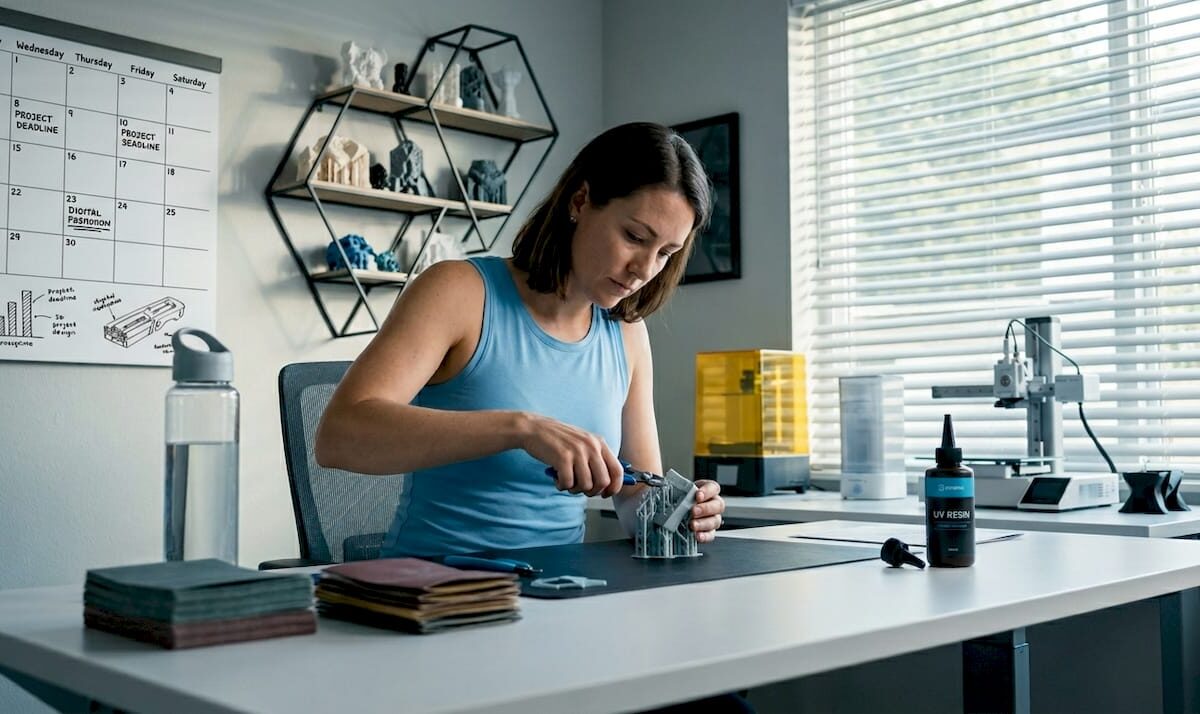
Engineer watches filament 3D printer in workshop

Filament 3D printing: Guide for prototyping success


TL;DR:

  • Filament 3D printing is a versatile and capable rapid prototyping platform, not just a hobbyist tool.
  • Proper optimization of materials, design orientation, and parameters can produce strong, functional parts suitable for engineering use.
  • Expert support and understanding of process fundamentals can significantly improve print quality and part performance.

Filament 3D printing gets dismissed as a hobbyist tool far too often. That reputation is outdated and, frankly, costly for any engineer or product developer who buys into it. When you understand the mechanics, material science, and parameter logic behind this process, it becomes one of the most capable rapid prototyping platforms available. This article walks you through how the process works, the complete production workflow, how to choose the right material, how design decisions affect part strength, and how to troubleshoot the most common failures that slow teams down.

Table of Contents

Key Takeaways

Point Details
Layer-by-layer process Filament 3D printing forms objects from melted thermoplastic extruded and fused in sequential layers.
Material selection matters Different filaments like PLA, ABS, and reinforced composites deliver unique properties for prototyping and production.
Design and settings impact strength Orientation, infill, and printing parameters determine mechanical performance and reliability of parts.
Troubleshooting addresses defects Careful adjustment of temperature, retraction, and moisture solves common printer issues like stringing and warping.
FDM is underrated With thoughtful optimization, filament 3D printing rivals high-end methods for low-volume functional prototypes.

How filament 3D printing works

At its core, filament 3D printing is a layer-by-layer extrusion process using heated thermoplastic. A spool of solid plastic filament feeds into a heated nozzle, melts, and gets deposited onto a build platform in precise paths. Each deposited layer fuses to the one below it, and the object builds up from the bottom. It sounds simple. The engineering behind it is anything but.

The nozzle diameter controls resolution and throughput. Standard sizes range from 0.2mm for fine detail work up to 0.8mm for fast structural prints. Layer heights typically fall between 0.1mm and 0.3mm, and print speeds run from 30mm/s for precision work to 100mm/s for draft parts. These three variables interact constantly, and tuning them for your specific material and geometry is where real control begins.

Understanding the 3D printing hardware components helps you make better decisions at every stage. The key hardware breaks down like this:

  • Extruder: Drives the filament forward. Direct drive extruders sit on the printhead and give better control over flexible materials. Bowden setups place the motor remotely, reducing moving mass for faster speeds.
  • Hotend: Melts the filament at a controlled temperature. The heat break separates the melt zone from the cold zone to prevent jamming.
  • Build platform: The surface where parts form. Heated beds reduce warping on materials like ABS and PETG.
  • Motion system: Controls printhead movement in X, Y, and Z axes. CoreXY and bed-slinger configurations each have speed and accuracy trade-offs.

Key components include the extruder, hotend, build platform, and motion system, and each one influences print quality in ways that compound quickly. A well-calibrated machine with mediocre filament will outperform a premium machine running wet or off-spec material every time.

Hand adjusting 3D printer hotend on bench

The FDM extrusion process follows a logical sequence: model creation, slicing into toolpaths, filament extrusion through the nozzle, and layer-by-layer deposition until the part is complete. Each step has failure points. Knowing where they are is the first step to avoiding them.

Parameter Typical range Effect on output
Nozzle diameter 0.2 to 0.8mm Detail vs. speed
Layer height 0.1 to 0.3mm Surface quality vs. print time
Print speed 30 to 100mm/s Accuracy vs. throughput
Bed temperature 0 to 110°C Adhesion and warping control

With fundamentals established, it’s important to understand the typical workflow for engineers using filament 3D printing.

The complete workflow: From digital model to physical part

The workflow involves creating a 3D model in STL or OBJ format, slicing it into G-code, feeding filament, melting and extruding, and depositing layers until the part is complete. Each step has real decisions attached to it.

  1. Model creation: Your part starts in CAD software. SolidWorks, Fusion 360, and Onshape are common choices for engineering-grade work. Export as STL or OBJ. Choosing best CAD file formats for your workflow matters more than most engineers realize, especially when tolerances are tight.
  2. Slicing: Import your model into slicing software like Cura or PrusaSlicer. The slicer converts geometry into G-code, the machine-readable instruction set that tells the printer exactly where to move, how fast, and at what temperature. This is where you set layer height, infill, supports, and wall count.
  3. Printer preparation: Load your filament, confirm bed leveling, and set your temperature profiles. A poorly leveled bed is one of the most common causes of first-layer failure. Most modern printers offer automatic mesh bed leveling, but manual verification still matters for critical prints.
  4. Extrusion and deposition: The printer executes the G-code. The nozzle traces each layer path while depositing molten plastic. Cooling fans solidify each layer before the next one lands on top.
  5. Post-processing: Remove the part, strip supports, and inspect. Depending on your application, you may sand, prime, or perform secondary machining.

The filament extrusion process details show how tightly each step connects to the next. A poor model creates slicer problems. A bad slice creates print failures. A miscalibrated printer wastes both.

Pro Tip: Always dry hygroscopic filaments like Nylon and PETG before printing. Even a few hours of ambient exposure causes moisture absorption, which shows up as bubbling, rough surfaces, and inconsistent extrusion. A food dehydrator at 65°C for four hours works well. Also tune retraction carefully, typically 0.5 to 6mm depending on your extruder type, to eliminate stringing between features.

With the workflow clear, the choice of filament material is a critical next step for prototyping and production.

Choosing the right filament material: Options and trade-offs

Common materials include PLA, ABS, PETG, TPU, Nylon, PC, and carbon fiber composites, and each one brings a different set of properties to the table. Picking the wrong one for your application costs time and money.

Material Strength Heat resistance Ease of use Best for
PLA Moderate Low (50-60°C) Very easy Visual prototypes, concept models
ABS Good Moderate (80-100°C) Moderate Functional housings, enclosures
PETG Good Moderate (70-80°C) Easy Food-safe parts, mechanical use
TPU Flexible Low to moderate Moderate Gaskets, grips, flexible components
Nylon High High (120°C+) Difficult Load-bearing, wear parts
PC Very high Very high (130°C+) Difficult Structural, high-temp applications
Carbon fiber composite Very high High Moderate Lightweight structural parts

For early-stage concept models, PLA is hard to beat. It’s cheap, easy to print, and produces clean surfaces for stakeholder reviews. The moment your prototype needs to survive real-world loads, temperatures, or chemical exposure, you need to move up the material stack.

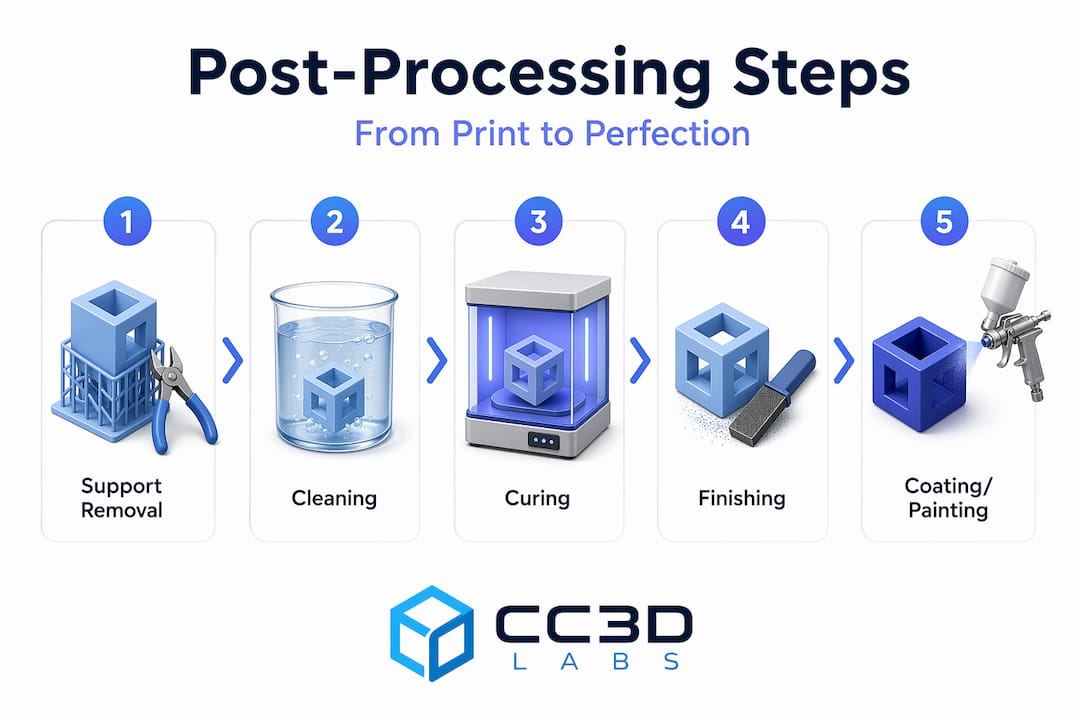
Infographic 3D printing workflow step overview

For a deeper breakdown, the material comparison guide covers mechanical properties in practical terms. If your parts will live outdoors, the outdoor filament options page is worth reviewing before you commit to a material.

The FDM material guide reinforces that material selection is application-driven, not preference-driven. Key considerations:

  • Thermal environment: Will the part see temperatures above 60°C? PLA will fail. PETG, ABS, Nylon, or PC are better choices.
  • Mechanical loading: Static display or dynamic stress? Nylon and carbon fiber composites handle cyclic loads far better than PLA.
  • Chemical exposure: Oils, solvents, moisture? PETG and Nylon resist many common chemicals.
  • Print difficulty: Tight deadline, limited calibration time? Stick to PLA or PETG.

Pro Tip: For functional low-volume parts, carbon fiber reinforced filaments and PC deliver the best strength-to-weight performance. Always dry these materials before printing, as moisture ruins dimensional accuracy and surface quality in high-performance filaments far faster than it does in PLA.

Knowing your material options, the next consideration is how design and print parameters impact the finished part’s properties.

Design and print parameters: Impact on strength and quality

Parts are anisotropic, meaning build orientation and infill pattern critically affect mechanical properties. This is the single most important concept for engineers to internalize before designing for filament printing.

Anisotropy means your part is not equally strong in all directions. Layers bond well within the XY plane but the Z-axis bond between layers is always the weak point. A part loaded perpendicular to its layers will fail earlier than one loaded parallel to them. Design with this in mind from the start.

“70 to 100% infill maximizes mechanical properties. PLA achieves ultimate tensile strength of 38 to 47 MPa at print temperatures of 195 to 220°C.”

Infill pattern and density directly control internal strength. Common options:

  • Gyroid: Excellent for isotropic strength and fluid flow applications.
  • Triangle: Efficient for flat load distribution.
  • Octet: High stiffness, good for structural brackets and fixtures.
  • Grid: Fast to print, adequate for non-critical parts.

Orientation is a design decision, not a printer setting. When you design a load-bearing bracket, orient it so the primary load path runs along the XY plane. Avoid thin vertical walls in the Z direction for structural parts.

For parameter tuning, use a design of experiments (DOE) approach. Vary one parameter at a time: temperature, speed, cooling, and wall count. Print small test coupons before committing to a full run. This saves material and time.

Choosing the right print type for prototypes depends heavily on these parameters. For parts that need to meet real performance specs, engineering-grade prints with optimized settings are the right call. The anisotropy and infill effects on finished parts are well-documented and should drive your parameter choices.

Finally, understanding common printing challenges and how to resolve them is critical for achieving consistent results.

Troubleshooting and optimizing: Common pitfalls and solutions

Stringing, oozing, diameter variance, humidity, and warping are the most common failure modes in filament printing. Each has a clear cause and a clear fix.

  1. Stringing and oozing: Caused by excess heat or insufficient retraction. Reduce print temperature by 5 to 10°C and increase retraction distance. Travel speed also matters. Faster travel gives the molten plastic less time to drip.
  2. Under-extrusion: Usually a partial clog, worn drive gear, or incorrect flow rate. Check filament diameter. Ideal tolerance is ±0.02mm. A filament that measures 1.78mm instead of 1.75mm will cause consistent under-extrusion.
  3. Over-extrusion: Too much material per move. Calibrate your extruder steps-per-mm and run a flow rate test before printing functional parts.
  4. Warping on large parts: Heated bed, enclosure, and brim settings all help. ABS and Nylon are the worst offenders. A 100 to 110°C bed and enclosed build chamber reduce warping significantly.
  5. Moisture-related defects: Bubbling, rough surfaces, and weak layers all point to wet filament. Dry your spools before every critical print run.

For stringing solutions, the fix is almost always a combination of temperature reduction and retraction tuning. For on-demand print troubleshooting, working with an experienced service provider eliminates most of these variables before your parts even start printing.

Pro Tip: Small parameter tweaks solve most problems. A 5 to 10°C temperature drop, a retraction adjustment of 0.5 to 6mm, and a travel speed increase of 20mm/s will resolve the majority of stringing and surface quality issues without requiring a full recalibration.

Why filament 3D printing is underestimated for functional prototyping

Most engineers who write off filament printing for functional work have never actually optimized it. They ran a part at default settings, saw weak layer lines, and moved on. That’s a methodology failure, not a technology failure.

FDM is best for low-volume functional prototypes when strength is prioritized through deliberate design choices. The teams that get real value from filament printing treat it like any other manufacturing process: they design for its constraints and exploit its strengths.

The biggest missed opportunity is ignoring anisotropy at the design stage. When you orient parts correctly, use reinforced filaments, and dial in wall thickness and infill, the results surprise people. We have seen carbon fiber PETG parts replace machined aluminum fixtures in low-load applications. That is not a fluke. It is the result of treating parameter optimization seriously.

Rapid iteration is where filament printing genuinely has no peer at the early hardware stage. You can go from a revised CAD file to a testable part in hours. No tooling, no lead time, no minimum order. For print terminology for engineers who are new to this space, understanding the vocabulary of the process is the first step toward using it strategically.

Pro Tip: Incorporate thicker perimeter walls (3 to 5 shells), use gyroid or octet infill at 40 to 60%, and always dry your filament. Those three changes alone can double the effective strength of a printed functional prototype.

Get expert support for filament 3D printing projects

Filament 3D printing rewards knowledge and punishes guesswork. If you are working on a prototype that needs to perform, not just look good, the material, parameter, and design decisions covered here are exactly where professional support adds the most value.

https://cc3dlabs.com

At CC 3D Labs, we work with product developers and engineers on professional 3D printing services that go beyond basic output. From material selection to parameter optimization and production-ready tolerances, we handle the variables so you can focus on your design. Whether you are exploring parts you can print for the first time or need reliable on-demand prototypes for an active development cycle, we are ready to help. Reach out for a free estimate and let’s build something that works.

Frequently asked questions

What is the difference between FDM and FFF in filament 3D printing?

FDM and FFF are essentially the same material extrusion process but with different names. FDM is a trademarked term, while FFF (Fused Filament Fabrication) is the open-source generic version used across the broader community.

How do I avoid stringing in filament 3D prints?

Reduce printing temperature, increase retraction distance, and raise travel speed. Retraction of 0.5 to 6mm combined with a 5 to 10°C temperature drop resolves most stringing issues without affecting overall print quality.

Which filament material is best for low-volume functional prototypes?

Carbon fiber composites and PC deliver the highest strength for demanding applications. PLA works for non-structural prototypes, but reinforced filaments are the right choice when parts need to survive real-world loading.

Why are 3D printed parts weaker in the Z direction?

Parts are stronger in XY than in Z because inter-layer bonding is mechanically weaker than in-plane deposition. Design your parts so primary loads run along the XY build plane to avoid inter-layer failure.

How do I store filament to prevent humidity issues?

Store filament in airtight containers with desiccant packs. Humidity affects filament flow and causes bubbling, rough surfaces, and weak layer bonding, so dry box storage is essential for hygroscopic materials like Nylon, PETG, and PC.

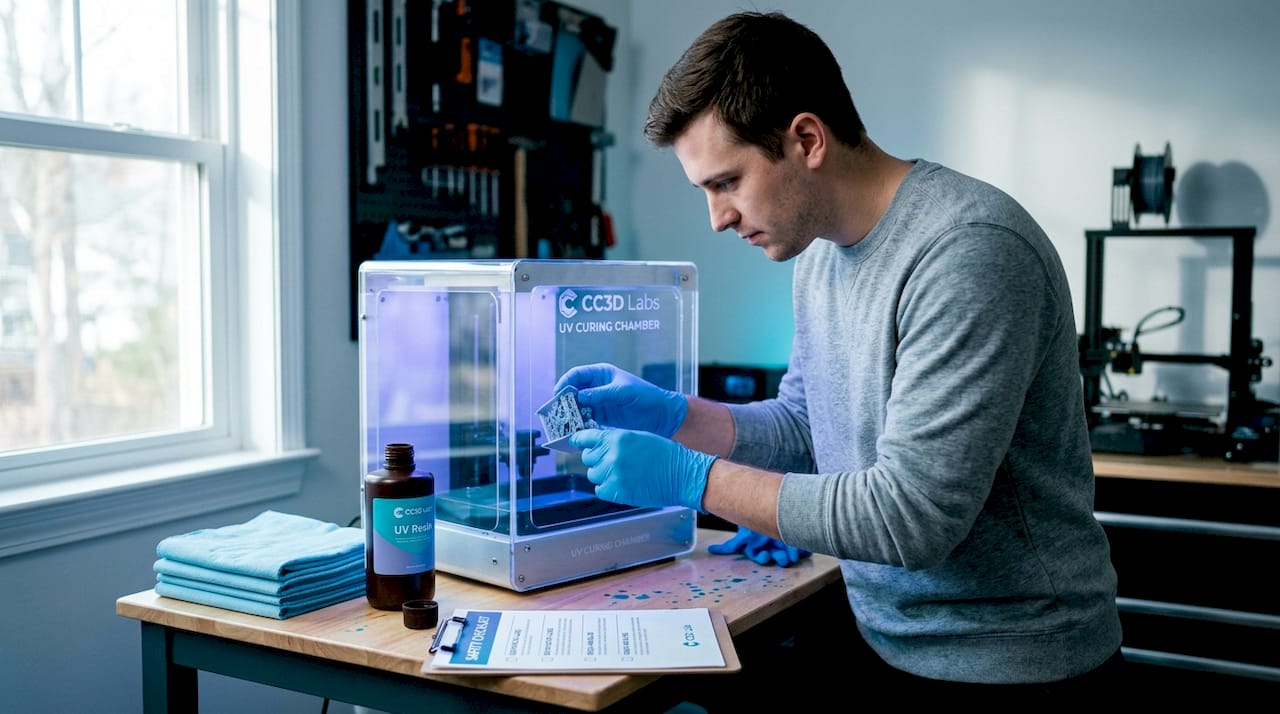
Engineer examines 3D printed prototypes at workbench

Choose the right 3D printing type for prototypes & production


TL;DR:

  • Selecting the appropriate 3D printing process based on project needs is crucial to avoid costly rework.
  • FDM is cost-effective for prototypes and fixtures but has limitations in accuracy and strength direction.
  • Resin-based methods like SLA/DLP excel in surface finish and detail, suitable for visual prototypes and casting masters.

Choosing the wrong 3D printing process can cost you weeks of rework and thousands in wasted material. For product developers moving from concept sketches to functional prototypes and into low to mid-volume production, the stakes are real. FDM, SLA, SLS, MJF, DMLS — each process delivers a different combination of accuracy, surface finish, material strength, and cost per part. Pick the wrong one and your prototype won’t test what you need it to test. This guide breaks down every major printing type, the technical benchmarks that separate them, and a clear framework for matching process to project goals.

Table of Contents

Key Takeaways

Point Details
Selection framework Match print process to function, tolerance, strength, and finish for best results.
FDM for prototypes FDM/FFF offers the lowest cost and largest build volumes for design validation and jigs.
SLA/DLP for detail SLA and DLP provide the finest accuracy and smoothest surface for visual prototypes.
Powder bed for function SLS/MJF excel in functional nylon parts and DMLS/SLM leads for metal.
Comparison tools Use quick-reference tables to compare tolerances, properties, and applications for each 3D printing type.

How to evaluate 3D printing types: Key criteria

Before comparing technologies, you need a structured way to filter them. The right process depends on a combination of factors, and skipping this step leads to expensive mismatches between what the print can deliver and what your part actually needs.

Here are the core criteria to assess before selecting a process:

  • Intended function: Is this a visual mock-up, a fit/form check, a functional stress test, or an end-use production part?
  • Mechanical properties: Tensile strength, flexural modulus, impact resistance, and isotropy all vary significantly by process.
  • Surface finish: Measured in Ra (roughness average), finish affects aesthetics, sealing, and post-processing requirements.
  • Dimensional tolerance: Critical for mating parts, press fits, and precision assemblies.
  • Part size: Build envelope limits differ widely — FDM machines can print large enclosures; resin printers are typically smaller.
  • Material options: Engineering polymers, flexible TPU, high-temp resins, metal alloys — process determines what’s available.
  • Budget and volume: Cost per part drops with some processes at volume; others stay flat.

A useful way to think about this: tolerance requirements alone can cut your list in half. Types of 3D printing for prototypes and production show that SLA achieves ±0.05mm, SLS and MJF land around ±0.2–0.25mm, and FDM typically runs ±0.5mm. If your part has tight mating tolerances, FDM is off the table immediately.

Anisotropy — the directional difference in mechanical strength — is another filter most teams miss early. Parts printed in FDM are significantly weaker in the Z direction. SLS and MJF are near-isotropic, meaning strength is consistent regardless of build orientation. Understanding this upfront shapes not just process selection but also part orientation strategy.

Post-processing needs matter too. Sanding, priming, dyeing, and support removal all add time and cost. Knowing how to pick the right process before you send a file saves iterations. For early-stage teams, a solid quick prototyping guide can clarify how process selection ties directly to development speed.

Extrusion-based printing (FDM/FFF): Workhorse for prototypes and jigs

FDM (Fused Deposition Modeling) and its open-source counterpart FFF (Fused Filament Fabrication) work by melting a thermoplastic filament and depositing it layer by layer. The process is straightforward, scalable, and compatible with a wide range of engineering-grade materials including PLA, PETG, ABS, ASA, Nylon, TPU, and high-temp options like PEEK.

Strengths of FDM for engineering applications:

  • Lowest cost per part among all major processes
  • Widest range of build volumes — some industrial FDM machines exceed 1,000mm in a single axis
  • Broad material library with well-documented mechanical properties
  • Fastest turnaround for large, low-detail parts

Limitations to plan around:

  • Visible layer lines require sanding or coating for smooth surfaces
  • Z-axis weakness due to layer adhesion — parts can delaminate under load
  • Tolerances of ±0.5mm limit use in precision assemblies

FDM is the cost-effective choice for jigs, fixtures, enclosures, and early-stage prototypes where geometry validation matters more than surface quality. The FDM process mechanics — including temperature control, support structures, and layer adhesion — are well understood, which makes troubleshooting predictable.

“FDM gives development teams the fastest path from CAD to physical object at a price point that supports multiple design iterations without budget pressure.”

Pro Tip: Reorienting a part 45 degrees and adjusting infill pattern can boost effective tensile strength by up to 20% without changing material or process. This is one of the most underused levers in FDM design.

For teams choosing between materials, understanding the tradeoffs between FDM materials like PLA, PETG, and ABS directly affects whether the prototype survives functional testing or fails at the first load cycle.

Professional comparing FDM 3D printing materials

Photopolymerization (SLA/DLP): Precision and surface detail

SLA (Stereolithography) uses a UV laser to cure liquid resin point by point, while DLP (Digital Light Processing) flashes an entire layer at once using a projector. Both produce parts with exceptional surface quality, but the mechanics create meaningful differences in speed and accuracy.

Key advantages of resin-based printing:

  • Surface finish as low as Ra 1–3µm — the smoothest of any common 3D printing process
  • SLA achieves ±0.05mm tolerance, DLP typically ±0.10mm
  • Excellent for fine features, thin walls, and complex organic geometry
  • Ideal for casting masters, dental models, and visual presentation prototypes

Where resin processes fall short:

  • Most standard resins are brittle and not suited for load-bearing applications
  • UV exposure over time degrades mechanical properties — outdoor use is limited
  • Build volumes are smaller than FDM, limiting large-part applications
  • Post-curing is required, which adds time and affects final properties

A 2025 flexural study found SLA flexural strength at 93MPa, outperforming DLP at 70MPa — a meaningful gap when you’re validating parts that need to flex under load. DLP’s speed advantage makes it attractive for batch runs of small, detailed parts where per-layer cure time is the bottleneck.

Pro Tip: Post-curing under controlled UV exposure increases hardness and flexural strength, but over-curing increases brittleness. Run a calibration cure test on sample parts before committing to a full batch.

For teams who need to communicate surface finish definitions to clients or manufacturing partners, understanding Ra values and how they map to process output prevents misaligned expectations at review.

Powder bed fusion (SLS, MJF, DMLS/SLM): From functional polymers to metal parts

Powder bed fusion covers a family of processes that fuse material layer by layer from a powder bed. No support structures are needed for polymers — the surrounding powder acts as support — which enables highly complex geometries that other processes can’t achieve.

SLS (Selective Laser Sintering) uses a CO2 laser to sinter nylon powder. It produces parts with ±0.25mm tolerance and tensile strength around 48MPa for PA12. Parts are durable, chemically resistant, and suitable for functional testing and low-volume production runs.

MJF (Multi Jet Fusion) uses inkjet-deposited fusing agents activated by infrared energy. It’s faster than SLS, produces denser parts, and achieves near-isotropic mechanical properties — meaning orientation during printing has minimal effect on strength. This matters enormously for end-use parts.

DMLS/SLM uses a fiber laser to fuse metal powder — titanium alloys, stainless steel, Inconel, aluminum. Parts reach >99.5% density with tolerances of ±0.10mm, making them viable for aerospace, medical, and industrial end-use applications.

Powder bed processes offer the best combination of geometric freedom and mechanical isotropy for functional polymer and metal parts — a combination no other process family can match at this scale.

Process Tolerance Key material Relative cost Best use case
SLS ±0.25mm PA12 Nylon Medium Functional prototypes, low-run production
MJF ±0.20mm PA12, PA11 Medium-high End-use parts, near-isotropic loads
DMLS/SLM ±0.10mm Ti6Al4V, steel High Metal qualification, aerospace, medical

For teams working on functional polymer and metal prints, SLS and MJF are often the bridge between prototype validation and production-ready components. The SLS and MJF mechanics — including powder management, thermal stress, and post-processing — require more process knowledge than FDM but reward that investment with significantly better part performance.

Quick reference comparison: Picking the right 3D printing process

With all four major process families covered, here’s a consolidated view for engineering teams making a final call.

Process Tolerance Surface finish Cost tier Production fit
FDM ±0.5mm Moderate (Ra 10–20µm) Low Prototypes, jigs, fixtures
SLA ±0.05mm Excellent (Ra 1–3µm) Medium Visual prototypes, casting masters
DLP ±0.10mm Excellent (Ra 1–3µm) Medium Detailed small parts, dental
SLS/MJF ±0.20–0.25mm Good (Ra 6–10µm) Medium-high Functional parts, low-volume runs
DMLS/SLM ±0.10mm Good (Ra 4–10µm) High Metal end-use, qualification parts

Based on tolerance and cost benchmarks across processes, here are scenario-based recommendations:

  1. Visual prototype for stakeholder review: Use SLA or DLP. Surface quality and accuracy make the part presentation-ready without secondary finishing.
  2. Fit and form check on an assembly: FDM is fast and cheap enough to iterate. If tolerance is critical, step up to SLA.
  3. Functional part for stress or environmental testing: SLS or MJF. Near-isotropic nylon parts survive real-world loads and chemicals.
  4. Metal part qualification for production: DMLS/SLM. The density and tolerance match machined metal for most non-critical applications.
  5. Special cases: Binder Jetting works well for full-color models and metal sintering at lower cost than DMLS. PolyJet handles multi-material and overmold simulations. Both are worth considering when standard processes don’t fit.

Exploring real-world 3D printing applications across industries shows how these process choices play out in practice. For teams ready to act, reviewing on-demand project examples gives a concrete sense of what each process delivers at production scale.

Our take: Why context matters more than specs in 3D printing selection

Datasheets are a starting point, not a decision. We’ve seen engineers spend weeks comparing tolerance specs between SLS and MJF for a prototype that only needed to survive two weeks of fit testing. The 0.05mm difference was irrelevant. What mattered was turnaround time and cost per iteration.

The limitations people worry about most — anisotropy in FDM, brittleness in SLA resins — are often manageable with smart design choices. Anisotropy becomes an advantage when you orient a part so the load direction aligns with the strongest axis. Resin brittleness stops being a problem when the part is a casting master, not a structural component.

Our honest advice: run a test iteration before committing to a process for a full batch. A single test print reveals more than any datasheet. And revisit process selection as your design matures. What works for a first-round prototype often isn’t the right call for a 500-unit production run. Focus on fit-for-purpose, and let the design evolution guide the process evolution. For teams navigating that transition, working through bespoke 3D print jobs with experienced partners accelerates that learning significantly.

Get expert 3D printing for your next project

At CC 3D Labs, we work with product developers and engineers across every stage of the product lifecycle — from first-round prototypes to low and mid-volume production runs. Whether you need FDM for rapid iteration, SLA for presentation-quality parts, or specialty materials for functional testing, we match the process to your actual requirements, not just the closest available option.

https://cc3dlabs.com

We handle custom material requests, multi-color printing, and CAD support for teams that need more than a file upload and a quote. If you’re unsure which process fits your current project, explore our 3D printing services or browse what parts are printable for your application. Ready to move? Submit your file and project details through our on-demand custom projects page for a fast, accurate estimate.

Frequently asked questions

Which 3D printing type delivers the strongest mechanical properties for end-use parts?

SLS and MJF produce near-isotropic nylon parts that approach injection-molded strength, while DMLS/SLM yields metal components with greater than 99.5% density for demanding structural applications.

What are the main limitations of FDM versus SLS or SLA?

FDM is weaker along the Z axis and shows visible layer lines, while SLS offers better isotropy and SLA provides the best surface finish but lower load-bearing capacity. Each process has tradeoffs that make it better suited for specific applications.

How do I choose the best 3D printing type for visual prototypes?

SLA delivers the finest detail and smoothest surface finish for visual prototypes, making it the top choice when appearance and dimensional accuracy are the primary goals.

Are 3D printed materials suitable for outdoor or high-temperature use?

Engineering polymers like PEEK and metals like Ti6Al4V handle high temperatures reliably, but SLA resins degrade under prolonged UV exposure and are not recommended for outdoor applications without protective coating.

Can powder bed fusion create both polymer and metal parts?

Yes. SLS and MJF process nylon and other polymer powders for durable functional parts, while DMLS and SLM fuse metal powders to produce dense, high-strength metal components.