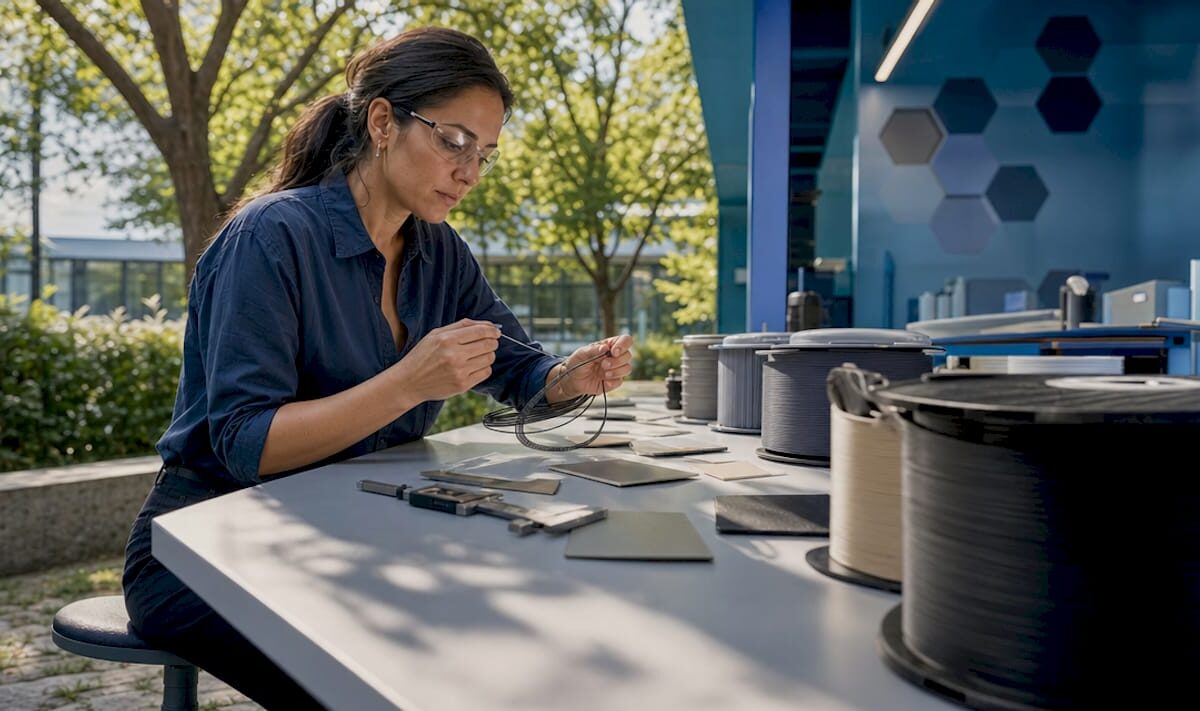
Engineer inspecting filament material spools

Explaining Advanced Filament Materials for Engineers


TL;DR:

  • Advanced filament materials include high-performance thermoplastics and composites designed for demanding applications. Proper hardware, drying, and environmental controls are essential for successful printing with these materials. Selecting the right filament depends on your application’s thermal, mechanical, and regulatory requirements, not solely on data sheets.

Advanced filament materials are specialized thermoplastics and composites engineered to deliver mechanical, thermal, and functional performance that standard PLA or ABS cannot match. Explaining advanced filament materials means understanding not just what they are made of, but how their composition dictates every aspect of the printing process, from nozzle selection to chamber temperature. The field now spans 23 or more distinct filament types, organized across four categories: General, Aesthetic, Functional, and Engineering. Suppliers like 3DXTECH, Prusament, and Sigma Filament have pushed materials like PEEK, PEKK, carbon fiber composites, and ESD-safe polymers into production-grade workflows. If you are selecting materials for functional prototypes, aerospace components, or electronics housings, this guide covers what you need to know.

What are the main types of advanced filament materials?

The four filament categories map directly to application complexity, and understanding where your project falls determines everything downstream. General-purpose filaments like PLA and PETG cover the majority of prototyping work. Aesthetic filaments such as silk PLA or wood-fill prioritize surface finish over structural performance. Functional filaments, including TPU and ASA, add flexibility or UV resistance. Engineering-grade materials, the focus here, are built for load-bearing, high-temperature, or chemically aggressive environments.

Engineering-grade vs. composite filaments

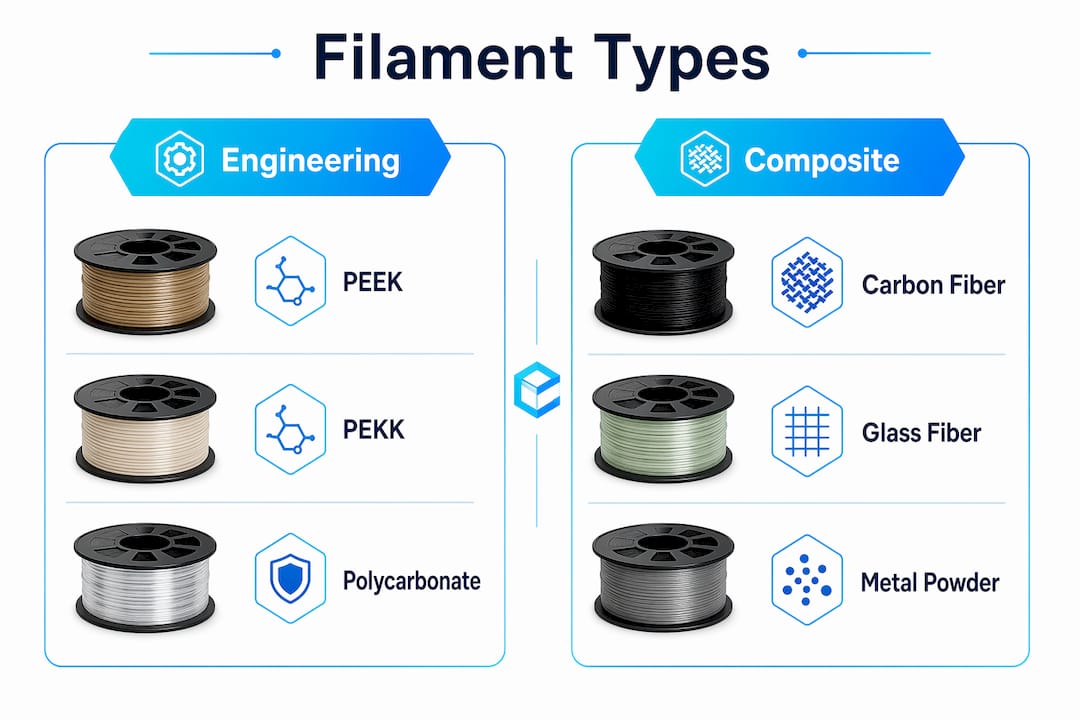
Engineering polymers like PEEK, PEKK, Ultem (PEI), and polycarbonate (PC) are pure thermoplastics processed at extreme temperatures. Composite filaments blend a base polymer with reinforcing agents: carbon fiber, glass fiber, or metal powder. The distinction matters because composites add stiffness and reduce weight, while pure engineering polymers prioritize thermal stability and chemical resistance. PLA-CF, PA6-CF, and PET-CF look similar on a spool but behave very differently under heat and moisture exposure.
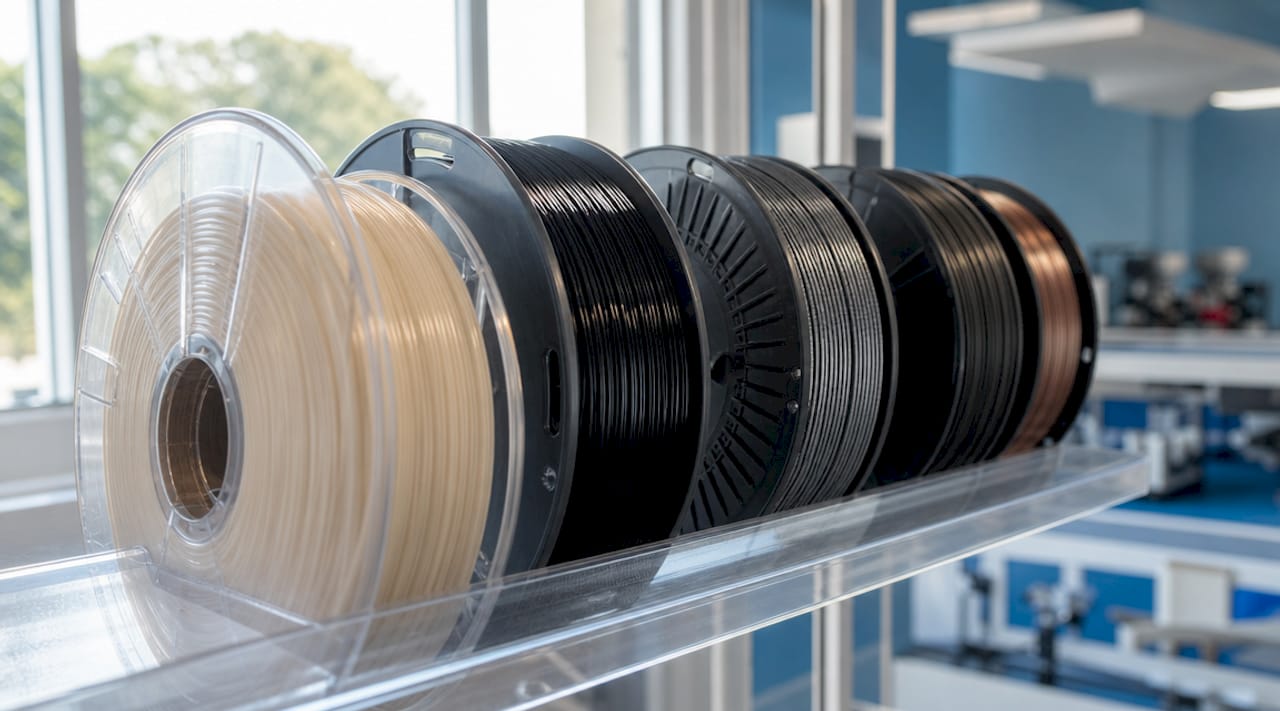
Close-up of PEEK and composite filament spools

Metal filaments: composite vs. sinterable

Metal filaments split into two fundamentally different product types. Composite metal filaments blend 5 to 60% metal powder into a polymer matrix, producing heavy, polishable parts that retain plastic mechanics. Sinterable metal filaments contain 80 to 95% metal and require a debinding and sintering process to yield near full-density metal parts. Composite metal filaments cost $25 to $45 per kilogram. Sinterable options run $120 to $565 per kilogram, reflecting the post-processing infrastructure required.

Filament type Base material Key property Typical application
PEEK / PEKK Ultra-polymer 260°C continuous use Aerospace, medical implants
PA6-CF / PA12-CF Nylon + carbon fiber High stiffness, low weight Structural brackets, jigs
ESD-safe PC Polycarbonate + CNT Electrostatic discharge control Electronics housings, aerospace
Sinterable metal 80-95% metal powder Near full-density metal parts Low-volume metal production
TPU / ASA Flexible / UV-stable Elasticity or weatherability Seals, outdoor enclosures

Infographic comparing engineering-grade vs composite filaments

How do material properties affect printing requirements?

The properties of filament materials are not just performance specs. They are printing constraints. A material that requires 380°C extrusion and a 120°C heated chamber will fail on a standard desktop printer regardless of how well the slicer profile is configured. Engineers who treat filament selection as separate from hardware selection consistently run into preventable problems.

Temperature and hardware requirements

Ultra-polymers like PEEK and PEKK require extrusion temperatures between 360°C and 400°C, with PEKK-A offering a slightly wider processing window that makes it more forgiving than PEEK. Both demand enclosed build chambers to maintain ambient temperatures above 100°C and prevent warping from thermal gradients. All-metal hotends are non-negotiable at these temperatures, since PTFE-lined hotends degrade and off-gas above 240°C.

Abrasive composites create a separate hardware problem. Brass nozzles fail quickly on carbon fiber or glass fiber filaments. Hardened steel nozzles last approximately 10 times longer than brass under the same conditions. Ruby-tipped nozzles show no measurable wear after processing 8 kilograms of abrasive material, making them the correct choice for high-volume composite printing. The abrasion ranking from most to least aggressive runs: carbon fiber, glass fiber, metal-fill, glow-in-the-dark, wood-fill, then standard PLA.

Moisture sensitivity and drying protocols

Hygroscopic filaments absorb ambient moisture within hours of exposure, and the consequences show up as bubbling, poor layer adhesion, and degraded mechanical properties. PEKK requires drying at 140°C for four hours before printing. Nylon variants need similar treatment. Maintaining filament dryness with heated dry boxes during the print run is mandatory for consistent results, not optional. Even brief humidity exposure during a multi-hour print can degrade a part that would otherwise meet spec.

Pro Tip: For carbon fiber filaments specifically, minimum layer heights of 0.2mm prevent nozzle jams caused by fiber bridging. Use a direct-drive extruder rather than a Bowden setup to reduce filament snapping from stiffness.

Post-print handling matters as well. Engineering polymers under rapid cooling develop internal stresses that cause warping or cracking after the print completes. Controlled cool-down inside a heated chamber, or annealing in an oven, relieves these stresses and stabilizes dimensional accuracy. The Cc3dlabs guide on post-processing techniques covers these protocols in detail.

What should engineers consider when selecting advanced filaments?

Selecting the right material starts with defining the operating environment of the finished part, not with browsing a filament catalog. The properties that matter most vary by application, and the trade-offs between printability and performance are real.

Here is a structured decision framework for material selection:

  1. Define the thermal ceiling. What is the maximum continuous-use temperature the part will experience? PETG handles up to roughly 80°C. ASA extends that to around 95°C. PC and Nylon push past 110°C. PEEK and PEKK sustain performance at 260°C. Match the material to the actual thermal load, not the worst-case scenario.

  2. Assess mechanical requirements. Carbon fiber reinforced filaments like CarbonX PA6-CF or PET-CF deliver high stiffness-to-weight ratios suited for structural brackets and tooling. Pure engineering polymers like PEEK offer better impact resistance and chemical compatibility for fluid-contact parts.

  3. Factor in electrical requirements. ESD-safe filaments developed with carbon nanotube technology meet conductivity and flame-retardant standards for electronics and aerospace applications. Prusament PC Space Grade achieves less than 0.25% total mass loss per ESA outgassing standards, making it viable for space-adjacent applications on standard desktop hardware.

  4. Calculate total cost of ownership. Engineering-grade polymers cost $120 to $565 per kilogram. That figure does not include the hardware investment in hardened nozzles, enclosed chambers, or dry storage. Composite filaments at $25 to $45 per kilogram offer a lower entry point but require the same abrasion-resistant hardware. For a detailed breakdown of cost factors, the Cc3dlabs resource on reducing printing costs is worth reviewing.

  5. Evaluate post-processing needs. Sinterable metal filaments require debinding at 200 to 300°C and sintering at 800 to 1,100°C. Sintered parts achieve 96 to 99% theoretical density with mechanical properties close to wrought metal, but the process requires specialized furnace equipment or an outsourced sintering service.

Pro Tip: Most print jobs do not require engineering-grade materials. Confirm that the performance gap between a functional filament like ASA or PC and a full ultra-polymer actually matters for your application before committing to the added setup complexity.

What advanced filaments are shaping manufacturing innovation?

The materials driving the most significant changes in additive manufacturing workflows share one characteristic: they close the gap between printed parts and traditionally manufactured components. The engineering filament category is where this convergence is most visible.

PEEK and PEKK have become the benchmark for extreme-environment applications. 3DXTECH’s CarbonX PEKK-A CF15 combines the thermal stability of PEKK with 15% chopped carbon fiber reinforcement, producing parts that compete with machined composites at a fraction of the lead time. The wider processing window of PEKK-A compared to standard PEEK makes it accessible on a broader range of high-temperature printers without sacrificing structural integrity.

ESD-safe filaments represent a different kind of advancement. Rather than maximizing mechanical strength, these materials meet regulatory thresholds for electrostatic discharge protection and flame retardancy. Advanced filament materials in this category now emphasize regulatory compliance over raw mechanical performance, reflecting a shift toward industrial production standards rather than prototype-only applications.

Material Supplier example Key advancement Target sector
PEKK-A CF15 3DXTECH CarbonX Wide process window + CF reinforcement Aerospace, defense
PC Space Grade Prusament Low outgassing, desktop-printable Space, electronics
PA6-CF Multiple Stiffness-to-weight for structural parts Automotive, tooling
Sinterable 316L SS Sigma Filament Near-wrought density via sintering Low-volume metal production

Sinterable metal filaments from suppliers like Sigma Filament are redefining low-volume metal part production. The ability to print a near-full-density 316L stainless steel part without DMLS equipment removes a significant cost barrier for product developers running pre-production validation. The trade-off is process complexity, but for teams already managing multi-step manufacturing workflows, debinding and sintering are manageable additions.

Key takeaways

Advanced filament materials require matching material properties to both the application environment and the printer hardware before a single layer is deposited.

Point Details
Four filament categories General, Aesthetic, Functional, and Engineering map to application complexity and cost.
Hardware must match the material Abrasive composites need hardened steel or ruby nozzles; ultra-polymers need all-metal hotends above 300°C.
Moisture management is non-negotiable PEKK and Nylon require pre-print drying and heated dry boxes during printing to maintain part quality.
Metal filaments are not interchangeable Composite metal filaments retain plastic mechanics; sinterable filaments yield near-wrought-density metal parts.
Regulatory compliance drives selection ESD-safe and low-outgassing filaments are chosen for compliance thresholds, not just mechanical specs.

What working with advanced filaments actually taught me

The most common mistake I see engineers make is treating filament selection as a spec-matching exercise. They find a material with the right tensile strength and heat deflection temperature, order a spool, and then discover their printer cannot maintain the required chamber temperature or their nozzle is destroyed after two prints. The material was correct. The system was not ready for it.

Thermal management is where most advanced filament projects fail in practice. A PEKK print that warps is almost never a slicer problem. It is a chamber temperature problem, or a drying protocol that was skipped because the timeline was tight. I have seen parts that looked perfect off the bed develop stress cracks 48 hours later because the cool-down was too fast. Controlled environments are not a luxury for these materials. They are the process.

The other thing worth saying plainly: most applications do not need PEEK. The instinct to reach for the highest-performance material available is understandable, but it adds cost, setup time, and failure modes that a well-chosen PC or PA12-CF would have avoided entirely. The right material is the one that meets the spec with the least process complexity, not the one with the most impressive data sheet. For teams building toward production, the Cc3dlabs overview of manufacturing-grade workflows addresses this trade-off directly.

— Justin

How Cc3dlabs handles advanced filament applications

https://cc3dlabs.com

Cc3dlabs operates near Philadelphia with the hardware and process controls that advanced filament work actually requires: enclosed build chambers, hardened nozzle configurations, and established drying protocols for hygroscopic engineering polymers. If your project involves PEEK, carbon fiber composites, ESD-safe materials, or sinterable metal filaments, outsourcing to a team that has already solved the setup problems saves significant time and reduces material waste. Cc3dlabs handles both prototype quantities and batch production runs, with design support and free online estimates available. Explore the full range of professional 3D printing services to find the right fit for your next engineering project.

FAQ

What are advanced filament materials in 3D printing?

Advanced filament materials are engineering-grade thermoplastics and composites, including PEEK, PEKK, carbon fiber reinforced nylons, ESD-safe polymers, and sinterable metal filaments, designed for applications requiring high thermal, mechanical, or functional performance beyond standard PLA or ABS.

How do I choose the right filament for an engineering part?

Start by defining the maximum operating temperature, mechanical load, and any regulatory requirements such as ESD safety or outgassing limits, then match those constraints to a filament category before evaluating cost and printer hardware compatibility.

Why do advanced filaments require special nozzles?

Abrasive filaments like carbon fiber and glass fiber wear through brass nozzles rapidly. Hardened steel nozzles last roughly 10 times longer, and ruby-tipped nozzles show no measurable wear after 8 kilograms of abrasive material, making them the correct hardware choice for composite printing.

What is the difference between composite and sinterable metal filaments?

Composite metal filaments blend 5 to 60% metal powder into a polymer base and produce heavy, polishable parts that retain plastic mechanics. Sinterable metal filaments contain 80 to 95% metal and require debinding and sintering to achieve 96 to 99% theoretical density with near-wrought mechanical properties.

Do advanced filaments need to be dried before printing?

Yes. Hygroscopic filaments like PEKK and Nylon absorb moisture quickly and must be dried before printing. PEKK requires drying at 140°C for four hours, and a heated dry box during the print run is necessary to maintain consistent mechanical properties and prevent defects.

Technician inspecting 3D print finishing tools

Types of 3D Print Finishes: Your 2026 Practical Guide


TL;DR:

  • D print finishes involve post-processing methods like mechanical, chemical, thermal, or coating treatments, affecting appearance and durability. Proper selection depends on material compatibility and desired surface qualities, with multi-step workflows yielding optimal results. Combining techniques such as sanding, primer, and topcoat consistently produces professional-grade, surface-improved parts.

3D print finishes are defined as post-processing treatments that transform raw printed surfaces through mechanical, chemical, thermal, or coating methods. The right finish determines whether a part looks prototype-grade or production-ready, and whether it survives real-world use or fails under stress. From sanding PLA with 2000-grit wet paper to electroplating ABS with copper, the range of post-processing methods available in 2026 covers every aesthetic and functional need. Tools like Smooth-On XTC-3D epoxy coating, acetone vapor smoothing chambers, and glass bead blasting rigs each solve a different surface problem. Choosing correctly starts with knowing what each category does.

1. Types of 3D print finishes: the four core categories

Surface finishes for 3D prints fall into four distinct categories: mechanical, chemical, thermal, and coatings or plating. Each category addresses a different surface problem and suits different materials. Mechanical methods physically abrade or reshape the surface. Chemical methods dissolve or bond with the outer layer. Thermal methods use heat to reflow material. Coating and plating methods add an entirely new surface layer on top of the print.

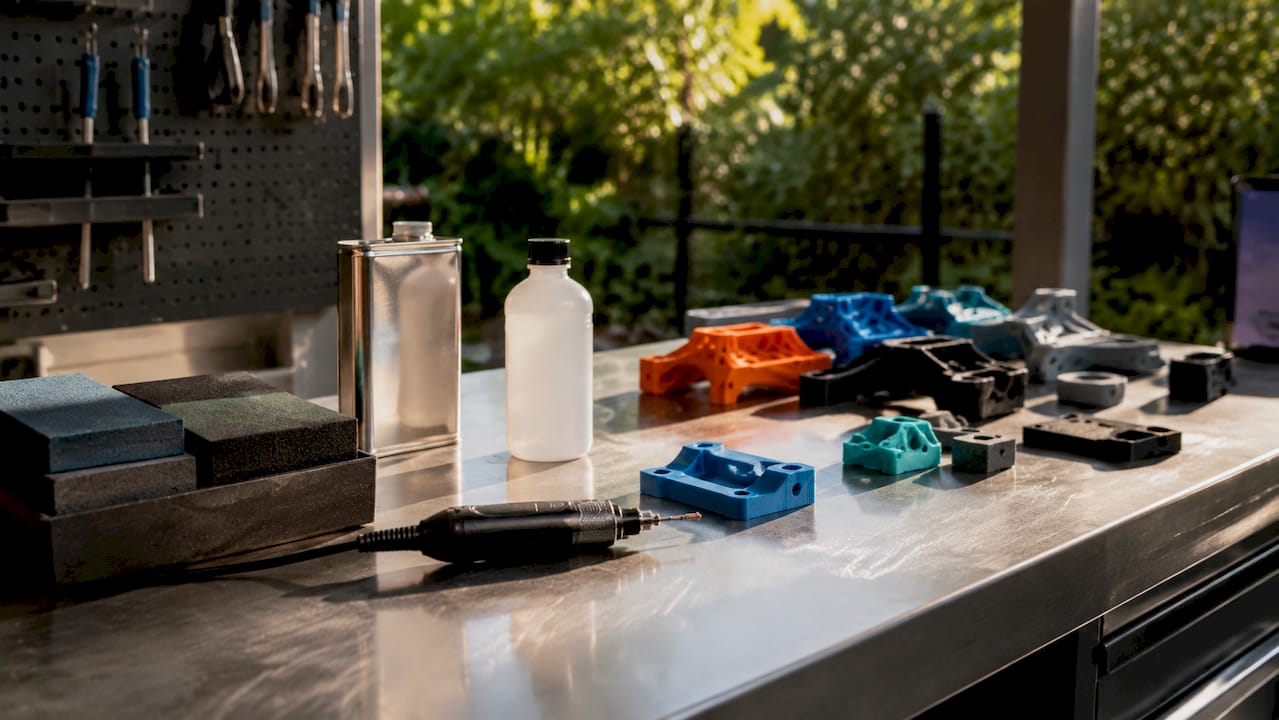
Overhead view of 3D print finishing supplies and parts

Understanding these categories prevents costly mistakes. Applying acetone vapor to a PLA print, for example, does nothing useful because PLA does not dissolve in acetone. Knowing which category fits your material and goal is the first decision every finisher must make.

2. Sanding: the foundation of mechanical finishing

Sanding is the most accessible mechanical finishing technique for 3D prints, and it works across PLA, ABS, PETG, and resin. The process follows a progressive grit sequence. Start coarse to remove layer lines, then move finer to refine the surface.

A standard sanding grit progression runs as follows:

  • 120 to 220 grit: removes visible layer lines and high spots
  • 320 to 400 grit: smooths the surface and removes coarse scratches
  • 600 to 800 grit: fine smoothing before primer or topcoat
  • 1000 to 2000+ grit: polishing stage for near-gloss results

Wet sanding above 600 grit is the correct approach for PLA and PETG. Dry sanding at fine grits generates friction heat that can deform fine details on these lower-temperature materials. Water acts as a lubricant and carries away debris, keeping the surface cool and the paper cutting cleanly.

Pro Tip: Sand in circular motions at coarse grits, then switch to straight strokes aligned with the print’s longest axis at fine grits. This prevents swirl marks from showing through primer.

3. Media blasting: fast, uniform surface treatment

Media blasting uses pressurized abrasive particles to strip layer lines and texture surfaces in seconds. The result depends entirely on the media geometry. Spherical glass beads peen the surface rather than cut it, producing a smooth satin finish with minimal material removal at depths of 2 to 15 micrometers. Angular crushed glass cuts into the surface and creates a rougher anchor profile, which is ideal when you need a coating to grip the part afterward.

Glass bead blasting suits decorative metal prints and delicate plastic parts where dimensional accuracy matters. Crushed glass blasting suits parts that will receive paint, cerakote, or epoxy, because the anchor profile dramatically improves adhesion. Choosing the wrong media for the job produces either a surface that is too rough for display or too smooth for coating.

4. Tumbling: batch finishing for small parts

Tumbling places parts inside a rotating barrel with abrasive media, letting friction do the finishing work over hours. It excels at deburring and polishing small metal prints in large batches without manual labor. Tumbling media selection determines the result:

  1. Ceramic media cuts aggressively and removes burrs and sharp edges from metal prints.
  2. Plastic media deburrs gently and polishes without removing significant material, suited for softer metals and plastics.
  3. Steel media burnishes surfaces to a bright shine, ideal for stainless steel or tool steel prints.
  4. Organic media such as walnut shell or corn cob provides the lightest action, used for final polishing and cleaning.

Tumbling cannot reach internal channels or fine recessed details. For parts with complex geometry, combine tumbling for external surfaces with hand sanding for recessed areas.

5. Acetone vapor smoothing: chemical finishing for ABS and ASA

Acetone vapor smoothing is the most dramatic chemical finishing technique available for desktop 3D printing. The process works by suspending ABS or ASA parts above liquid acetone inside a sealed, transparent chamber. Acetone vapor rises, contacts the surface, and melts the outer layer, which then reflows into a smooth, glossy finish as the solvent evaporates.

The standard setup uses paper towels soaked with acetone placed at the bottom of a sealed glass or metal container. The part hangs above the towels on a wire rack, never touching the liquid. Exposure time controls the finish. Short exposure produces a light smoothing effect. Longer exposure creates a high-gloss surface but risks losing fine detail or causing the part to sag.

Material compatibility is non-negotiable here. Acetone vapor does not work on PLA or PETG because these polymers are not soluble in acetone. Attempting it wastes time and materials.

Safety note: Acetone vapor is highly flammable. Vapor smoothing safety requires working outdoors or in a well-ventilated space, away from open flames or sparks. Never use a microwave or oven to accelerate the process.

6. Epoxy coatings: chemical finishing for any material

Epoxy coatings like Smooth-On XTC-3D apply to almost any 3D print material, including PLA, PETG, ABS, and resin. XTC-3D is a two-part brush-on epoxy that self-levels into layer lines and cures to a hard, glossy surface within four hours. It adds structural rigidity to thin-walled parts as a side benefit.

The application process matters as much as the product. Mix the two components at the correct ratio, apply a thin coat with a foam brush, and let surface tension pull the material into layer lines. A second coat after light sanding with 400-grit paper produces a near-flawless base for paint. Skipping primer before painting causes uneven texture and poor paint adhesion, even on epoxy-coated surfaces.

Pro Tip: Warm the XTC-3D components slightly in warm water before mixing. Lower viscosity means better self-leveling and fewer brush marks on complex geometry.

7. Thermal finishes: laser polishing and burnishing

Thermal finishing uses controlled heat to reflow surface material without adding or removing mass. Laser polishing directs a focused laser beam across the surface, melting the peaks of layer lines so they flow into the valleys. The result is an ultra-smooth surface achieved without abrasives or chemicals. This method is primarily industrial, used on metal and polymer prints in manufacturing environments where dimensional tolerance must be maintained.

Burnishing applies to metal prints specifically. Steel tumbling media or hand burnishing tools compress and polish the surface through pressure rather than abrasion. The process work-hardens the outer layer slightly, improving wear resistance alongside surface finish. Thermal methods outperform mechanical finishing on metal prints when surface roughness below 1 micrometer is required, a threshold that sanding rarely achieves consistently.

8. Electroplating and metal coatings: functional surface layers

Electroplating plastic 3D prints involves making the surface electrically conductive, then depositing metals like copper, nickel, or chrome through an electrochemical bath. The result is a true metal surface on a plastic core, combining low print weight with metallic appearance and properties. Copper plating adds electrical conductivity for EMI shielding applications. Nickel plating adds corrosion resistance. Chrome plating adds hardness and a mirror finish.

The table below compares the most common coating and plating options for 3D printed parts:

Finish type Best material Primary benefit Typical use case
Electroplating (copper) ABS, resin Electrical conductivity EMI shielding, decorative
Electroplating (nickel) ABS, resin Corrosion resistance Functional hardware
Cerakote Metal prints Wear and chemical resistance Firearms, industrial parts
Anodizing Aluminum prints Color and oxidation resistance Aerospace, consumer products
Epoxy topcoat PLA, PETG, ABS Waterproofing, gloss Display models, prototypes

Cerakote and anodizing apply to metal prints from processes like Direct Metal Laser Sintering. Anodizing aluminum prints produces a hard oxide layer that accepts dye for precise color coding of functional parts in assemblies. Surface preparation before any coating is critical. Contamination from oils or release agents causes adhesion failure regardless of coating quality.

9. How to choose the right finish for your print

Selecting the best finish for a 3D printed model starts with three questions: What material is the print? What is its end use? What is the budget? The answers narrow the field quickly.

  • PLA prints: Sanding plus filler primer plus topcoat is the standard workflow. Avoid solvent smoothing. XTC-3D epoxy works well for display models.
  • ABS and ASA prints: Acetone vapor smoothing is the fastest route to a smooth finish. Follow with paint for color. Electroplating is viable for functional hardware.
  • PETG prints: Wet sanding is the correct mechanical approach. PETG resists most solvents, so chemical smoothing options are limited. Epoxy coatings adhere well.
  • Resin prints: Resin surfaces are already smoother than FDM prints. Light sanding with 400 to 800 grit followed by UV-cure clear coat produces excellent results.
  • Metal prints: Tumbling for deburring, then burnishing or laser polishing for final finish. Cerakote or anodizing for protection.

Best finishes consistently come from combining steps: sand, apply filler primer, sand again, then topcoat. This multi-step workflow fills micro-imperfections that single-step finishing misses. Budget-conscious makers can achieve near-professional results with sandpaper, rattle-can filler primer, and patience. Professional shops add media blasting, electroplating, or cerakote for production-grade output.

Pro Tip: Always test your finishing sequence on a scrap print of the same material before committing to the final part. Finishing reactions vary by filament brand, color pigment, and print settings.

Key takeaways

The most effective 3D print finishing workflow combines mechanical preparation, a chemical or thermal smoothing step, and a protective topcoat matched to the print material and end use.

Point Details
Four finish categories Mechanical, chemical, thermal, and coating methods each solve different surface problems.
Material compatibility first Acetone vapor works on ABS and ASA only; epoxy coatings work across nearly all materials.
Combine methods for best results Sanding plus filler primer plus topcoat produces more uniform surfaces than any single step.
Media geometry matters Spherical glass beads create satin finishes; angular crushed glass creates anchor profiles for coatings.
Thermal and plating for professionals Laser polishing and electroplating deliver sub-micron smoothness and functional surface properties.

Why I always tell clients to finish in stages, not shortcuts

After years of working with printed parts at Cc3dlabs, the single most common finishing mistake I see is skipping steps to save time. Someone sands to 400 grit, sprays paint directly, and wonders why the finish looks textured under light. The layer lines did not disappear. They were just covered, not filled.

The finishing techniques that produce truly impressive results are almost always multi-stage. Sand mechanically, fill chemically with primer or epoxy, sand again, then coat. Each stage does a specific job that the next stage cannot compensate for. Trying to skip mechanical prep by applying thick epoxy just traps imperfections under a glossy surface.

I am also direct with clients about safety. Acetone vapor smoothing is genuinely useful, but it belongs outdoors or in a dedicated ventilated space. The number of makers who run it in a closed garage with a space heater nearby is alarming. The finish quality is not worth the risk when a simple setup change eliminates it.

The finishing trend worth watching in 2026 is cerakote application on FDM parts. Shops are now applying cerakote to high-temperature filament prints like PEEK and Ultem, producing parts with extraordinary wear resistance for industrial use cases. It is not a hobbyist technique yet, but the results are changing what clients expect from precision 3D parts in production environments.

Experiment with your finishing sequence. Document what works for each material. The investment in test prints pays back every time you get a production part right on the first attempt.

— Justin

Get production-ready finishes with Cc3dlabs

https://cc3dlabs.com

Cc3dlabs delivers professional 3D printing near Philadelphia with quality control built into every stage of production. Whether you need a single display model with a flawless epoxy finish or a batch of functional parts ready for cerakote or plating, the team handles material selection, print settings, and surface preparation to spec. Explore 3D printing services that cover everything from filament selection to post-processing guidance, or get a free online estimate for your next project. Local pickup and shipping options are available for clients across the US and internationally.

FAQ

What are the main types of 3D print finishes?

The four main categories are mechanical (sanding, blasting, tumbling), chemical (vapor smoothing, epoxy coatings), thermal (laser polishing, burnishing), and coatings or plating (electroplating, cerakote, anodizing). Each category suits different materials and end uses.

Can you sand all 3D print materials the same way?

No. PLA and PETG require wet sanding above 600 grit to prevent heat deformation, while ABS tolerates dry sanding more readily. Resin prints start smoother and typically need only fine-grit finishing before topcoating.

Is acetone vapor smoothing safe for home use?

Acetone vapor smoothing is safe when done outdoors or in a well-ventilated space away from ignition sources. Acetone vapor is highly flammable, so closed indoor spaces and any open flames or electrical sparks create serious hazards.

What finish works best for display models?

Sanding through progressive grits followed by filler primer and a gloss topcoat produces the best results for display models. Smooth-On XTC-3D epoxy coating is a strong alternative that self-levels into layer lines and cures to a hard, glossy surface.

Do I need primer before painting a 3D print?

Primer is not optional for quality results. Skipping primer causes uneven texture and poor paint adhesion, even on sanded surfaces. Apply filler primer in two to three light coats, sanding with 400 to 600 grit between coats, before any topcoat.

Product developer working on prototype sketches

What Is Iterative Prototyping for Product Developers


TL;DR:

  • Iterative prototyping is a cyclic process of building, testing, and refining prototypes to reduce uncertainty and improve product quality. It enables faster learning, stakeholder alignment, and cost savings by validating assumptions early and continuously throughout development. Proper fidelity selection and hypothesis framing are crucial to maximizing the benefits of each iteration cycle.

Iterative prototyping is defined as a cyclic process of building, testing, and refining prototypes to progressively improve a product’s quality and alignment with user needs. Each cycle produces documented learning that drives the next version forward. Methodologies like Agile, Lean Startup, and the Build-Measure-Learn loop all depend on this principle. Prototype fidelity ranges from paper sketches and Figma wireframes to functional 3D-printed models, and choosing the right level at each stage determines how much useful feedback you actually collect.

What is iterative prototyping and why does it matter?

Iterative prototyping is the structured practice of creating a prototype, exposing it to real testing conditions, analyzing what you learn, and feeding those findings directly into the next version. It is not a single event. It is a repeating cycle where each pass reduces uncertainty and sharpens the product’s direction.

The core value is risk reduction. Changes made early in development cost a fraction of what they cost after manufacturing or launch. A team that discovers a critical ergonomic flaw in a third-iteration 3D-printed model avoids the far greater expense of retooling production parts. This is why product teams at companies like Apple, IDEO, and Google have embedded iterative cycles into their standard development workflows.

Iterative prototyping also separates assumption from evidence. Before you test a physical or digital prototype, your product concept is a collection of guesses. After testing, it becomes a set of validated decisions. That shift from assumption to evidence is what iterative methods provide that sequential, waterfall approaches cannot.

“Prototypes shift stakeholders from imagining to observing and reacting to concrete designs, improving feedback specificity and decision-making.” — Medium, Prototyping Insights

The benefits of iterative prototyping extend beyond error prevention:

  • Faster learning cycles. Short sprint-based iterations surface problems in days or weeks rather than months.
  • Stakeholder alignment. Physical or interactive prototypes replace abstract descriptions with tangible objects, making feedback concrete and specific.
  • Reduced development cost. Catching structural or usability issues before production tooling saves significant budget.
  • Higher product-market fit. Repeated user testing ensures the final product reflects real needs, not internal assumptions.

Pro Tip: Set a clear learning objective before each prototype cycle. “Does this grip feel comfortable for extended use?” is a testable question. “Is this good?” is not. Specific questions produce specific answers.

How does the iterative prototyping cycle work?

The iterative design process follows a repeating four-step cycle. Understanding each step prevents teams from treating iteration as a vague concept and helps them execute it with discipline.

  1. Build the prototype. Create a version of the product or feature at the fidelity level appropriate to your current question. This could be a paper sketch, a foam model, a Figma mockup, or a functional 3D-printed part.
  2. Test with real users or stakeholders. Expose the prototype to the people who will actually use or evaluate the product. Observe behavior rather than just collecting opinions.
  3. Analyze the feedback. Identify patterns in what users struggled with, misunderstood, or responded positively to. Separate signal from noise.
  4. Refine and repeat. Apply findings to the next version. Document what changed and why, so the team builds institutional knowledge rather than cycling through the same problems.

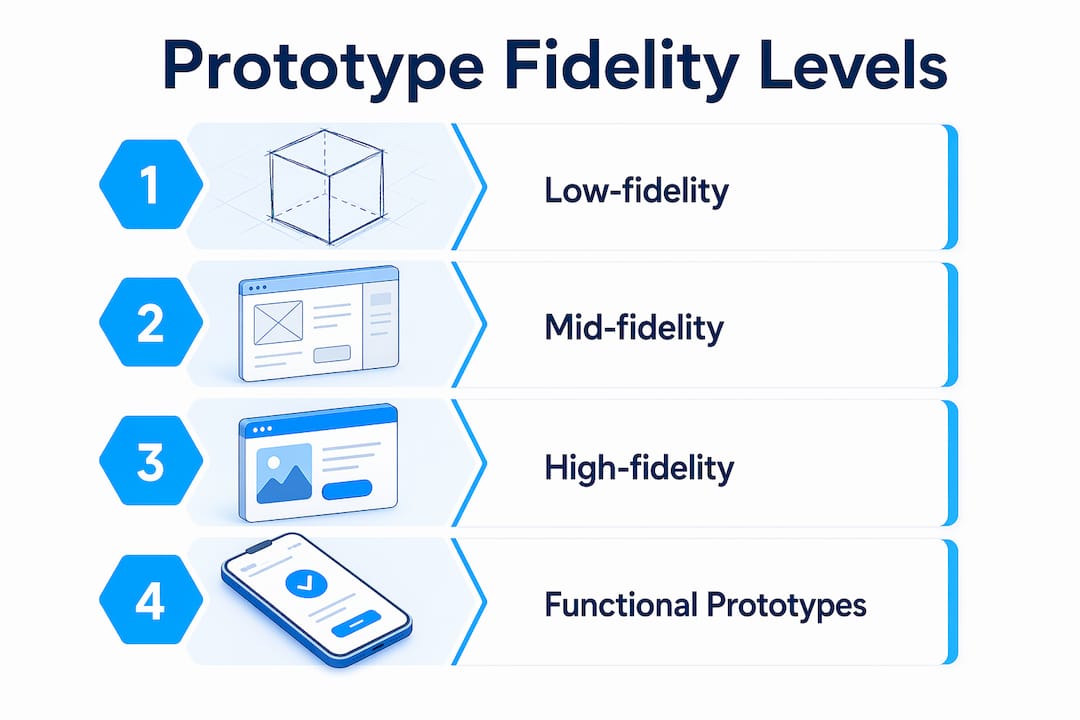
Fidelity selection is where many teams make costly mistakes. Low-fidelity prototypes deliver the largest leverage early in development because they validate structure and core concepts before any significant investment is made. A paper sketch of a product’s assembly sequence costs an hour to create and can reveal fundamental workflow problems. A polished CAD render of the same product costs days and tends to attract feedback about surface finish rather than function.

The table below shows how fidelity maps to the type of question you should be asking at each stage:

Fidelity level Best for Example format
Low fidelity Validating flow, structure, and core concept Paper sketches, foam models, rough wireframes
Mid fidelity Testing layout, navigation, and component relationships Figma wireframes, basic 3D-printed shells
High fidelity Evaluating interaction, realism, and final usability Functional 3D-printed parts, interactive digital prototypes

Infographic showing prototyping fidelity levels

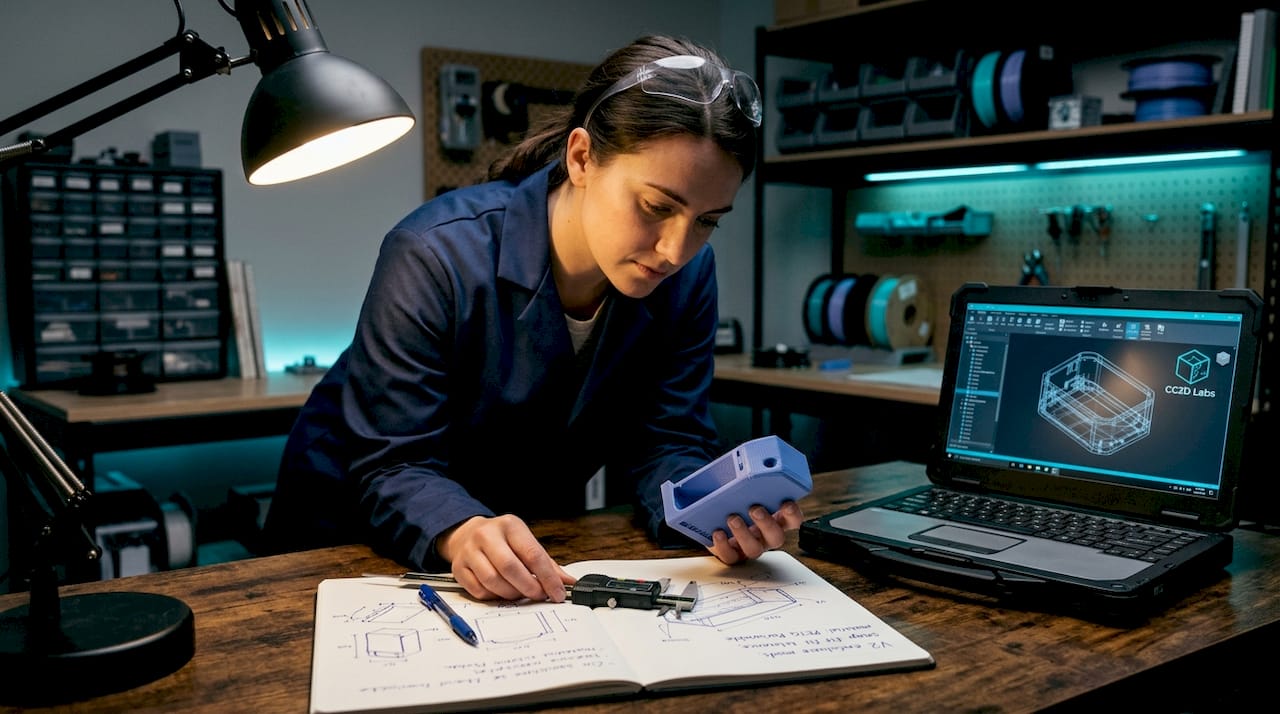
Engineer inspecting 3D printed prototype on workbench

Matching fidelity to uncertainty type optimizes both learning quality and resource use. Premature high-fidelity prototypes shift stakeholder attention to visual polish and away from the structural or usability questions that actually matter at that stage.

Pro Tip: When you move to high-fidelity physical prototypes, filament-based 3D printing gives you functional geometry at a fraction of injection-molded cost. You can test snap fits, wall thickness, and ergonomics before committing to hard tooling.

How iterative prototyping fits into Agile, Lean, and rapid development

Iterative prototyping does not exist in isolation. It is the practical engine inside the frameworks that modern product teams already use.

In Agile development, work is divided into sprints that permit feedback and adaptation at multiple stages. Prototyping within Agile serves as a discovery mechanism that runs ahead of or alongside development sprints. A team building a new hardware product might prototype the physical enclosure in parallel with firmware development, using each sprint review to validate both dimensions simultaneously.

Lean Startup’s Build-Measure-Learn loop is structurally identical to iterative prototyping. Build the simplest version that tests your riskiest assumption. Measure real user response. Learn whether to pivot or continue. The critical discipline in this loop is shortening iteration cycles to weeks rather than months, which compresses the time between assumption and validated knowledge.

Agile rapid prototyping treats prototypes explicitly as learning tools rather than deliverables. This is a meaningful distinction. A deliverable is judged by its finish quality. A learning tool is judged by the quality of the insight it generates. Teams that confuse the two tend to over-invest in prototype polish and under-invest in structured testing.

The contrast with waterfall development is stark. In a traditional waterfall process, prototyping happens once, early, and feeds into a specification that drives the entire build. Feedback arrives late, when changes are expensive. Iterative approaches distribute feedback across the entire development timeline, so validated learnings continuously feed back into the product backlog and refinement decisions.

You can explore the broader context of rapid prototyping frameworks to see how iterative cycles connect to manufacturing-ready development pipelines.

Common pitfalls in iterative prototyping and how to avoid them

Iterative prototyping produces results only when each cycle generates genuine learning. Several common patterns prevent that from happening.

  • Faster waterfall thinking. Without framing each cycle as a testable hypothesis, iteration risks becoming a faster version of sequential development. You produce more versions but reduce no more uncertainty. The fix is to define a specific question before each build, not after.
  • Confusing visual polish with design quality. A prototype that looks finished tends to receive feedback about aesthetics rather than function. Teams that present high-fidelity visuals too early get comments on color and typography when they need answers about usability and structure.
  • Skipping documentation. Each iteration should produce a written record of what was tested, what was learned, and what decision was made. Without this, teams repeat the same experiments across cycles and lose institutional knowledge when team members change.
  • Collecting vague feedback. Prototypes work best as conversation tools that generate honest, specific assessments. Asking “What do you think?” produces vague commentary. Asking “Walk me through how you would assemble this” produces observable behavior and concrete insights.
  • Ignoring risk prioritization. Risk exposure should determine when and what to prototype. Prototype the highest-impact uncertainties first. Spending iteration cycles on low-risk details while structural assumptions remain untested is a common and expensive mistake.

Pro Tip: Before each iteration, write one sentence: “We believe [X]. We will test this by [Y]. We will know we are right if [Z].” This single habit eliminates vague iteration and produces decisions, not just versions.

Key takeaways

Iterative prototyping works because each cycle converts assumptions into validated decisions, and that compounding knowledge is what separates products that ship right from products that ship and fail.

Point Details
Define the cycle clearly Build, test, analyze, and refine in documented cycles that produce specific decisions.
Match fidelity to the question Use low-fidelity prototypes early for structure; reserve high-fidelity for interaction and realism testing.
Frame each iteration as a hypothesis Write a testable claim before each build to avoid cycling without reducing uncertainty.
Integrate with Agile and Lean Prototyping serves as the discovery engine inside sprints and Build-Measure-Learn loops.
Prioritize by risk exposure Prototype the highest-impact unknowns first to allocate effort where it reduces the most uncertainty.

Why fidelity decisions are the real skill in iterative prototyping

Most articles on iterative prototyping focus on the cycle itself. The harder skill, in my experience, is fidelity judgment. I have watched teams spend three weeks building a polished interactive prototype to answer a question that a two-hour paper sketch would have resolved. The result was not just wasted time. It was distorted feedback, because stakeholders reacted to the visual finish instead of the underlying structure.

The insight that changed how I think about this came from working on a physical product enclosure. We had two competing assembly approaches. Instead of modeling both in CAD, we built foam mockups in an afternoon. Users immediately showed us which approach created confusion during assembly. That single session saved weeks of CAD revision and tooling cost.

The other pattern I see consistently is teams treating iteration as output production rather than learning production. They measure success by how many versions they shipped rather than how many assumptions they resolved. The hypothesis-driven framing from Jasiri’s iterative design research is the most practical correction I know. Write the hypothesis. Run the test. Document the outcome. If you cannot state what you learned from a cycle, the cycle did not count.

For physical product teams, 3D printing has genuinely changed the economics of high-fidelity iteration. The ability to validate 3D designs with functional printed parts before committing to tooling is not a minor convenience. It compresses what used to be a months-long feedback loop into days.

— Justin

Accelerate your iterations with professional 3D printing

Physical prototypes close the gap between digital design and real-world performance faster than any other method. When your iteration cycle depends on functional parts, material accuracy, and fast turnaround, the quality of your printing service directly affects the quality of your learning.

https://cc3dlabs.com

Cc3dlabs, based near Philadelphia, provides professional 3D printing services built for product developers who iterate fast. From filament-based functional prototypes to multi-color concept models, Cc3dlabs supports every fidelity level your development cycle requires. You can get a free online estimate, request design support, or ship parts directly to your team. If you want to understand how 3D printing drives product innovation at each stage of development, Cc3dlabs has the capability and the expertise to support your next iteration.

FAQ

What is iterative prototyping in product development?

Iterative prototyping is a cyclic process of building a prototype, testing it, analyzing feedback, and refining the design across multiple rounds. Each cycle reduces uncertainty and improves product quality before final production.

How many iterations does a typical prototype cycle require?

There is no fixed number. The cycle continues until the highest-priority uncertainties are resolved and the product meets validated user and performance requirements. Most hardware products go through three to seven major iteration cycles before production readiness.

What is the difference between low-fidelity and high-fidelity prototypes?

Low-fidelity prototypes validate structure, flow, and core concepts using minimal resources, such as paper sketches or foam models. High-fidelity prototypes test realistic interaction and final usability using functional models or detailed digital mockups.

How does iterative prototyping connect to Agile methodology?

Agile divides development into sprints that allow feedback and adaptation at each stage. Iterative prototyping functions as the discovery mechanism within those sprints, testing assumptions before they become expensive development commitments.

What is the biggest mistake teams make in iterative prototyping?

The most common mistake is iterating without a defined hypothesis, which turns the process into a faster version of sequential development without genuine uncertainty reduction. Each cycle must begin with a specific, testable question to produce real learning.

Engineer operating industrial precision 3D printer

What Defines High Precision Printing for Manufacturers


TL;DR:

  • High precision 3D printing involves controlled material deposition at micron or sub-micron resolution with repeatable accuracy. Achieving established tolerances, such as ±0.05mm, depends on meticulous process controls, advanced multi-resolution technologies, and validated inspection methods. The future of precision manufacturing emphasizes automated in-process validation and integrated quality data to ensure reliable, industry-compliant parts.

High precision printing is defined as the controlled deposition or fabrication of materials at micron or sub-micron resolution with repeatable accuracy and minimal deviation from a target design. For manufacturers, product designers, and engineers, this means achieving dimensional tolerances within ±0.05mm to ±0.1mm in functional assemblies, where even minor variance causes part failure or assembly rejection. The industry term most commonly used alongside this concept is high accuracy printing, though precision and accuracy describe distinct properties: precision measures repeatability across multiple outputs, while accuracy measures closeness to the CAD model. Technologies like multi-resolution 3D printing systems, DLP, SLA, and PCB solder printing each deliver these standards through different mechanisms, but all share the same core requirement: quantifiable, verifiable control over every dimension of the output.

What defines high precision printing performance?

Precision is measured by the ability to reproduce identical results across repeated runs, not just by hitting a single target. This distinction matters enormously in production environments where batch consistency determines whether a part passes quality inspection or gets scrapped. The four technical parameters that define precision printing performance are dimensional accuracy, alignment accuracy, material volume control, and measurement confidence.

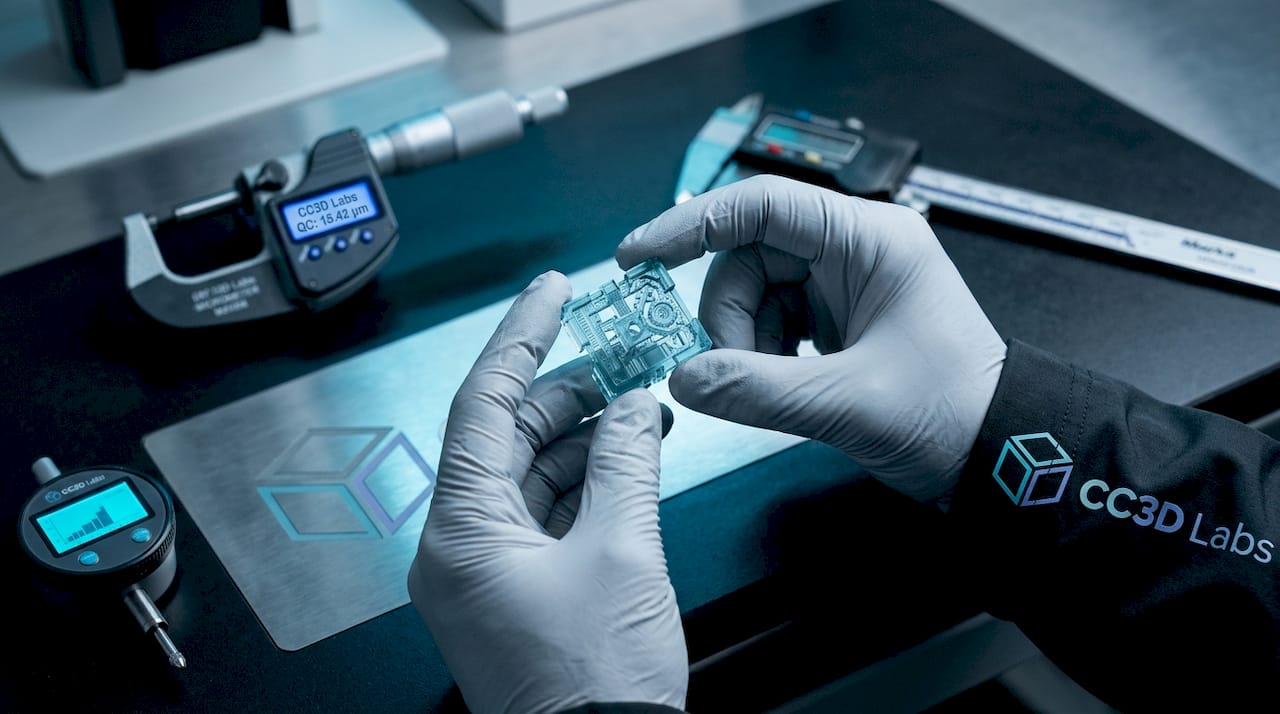
Hands holding 3D printed microcomponent

Dimensional accuracy and tolerance set the acceptable range of deviation from the nominal design. For high-precision 3D printing, tolerances of ±0.05mm represent the tighter end of the achievable range for functional mechanical assemblies in aerospace and medical applications. Tighter tolerances require tighter process controls across temperature, humidity, and material behavior.

Alignment accuracy is especially critical in PCB manufacturing and micro-scale feature production. PCB printing controls alignment within ±12.5 µm and solder paste volume deviations within ±10%, meeting the demands of high-density interconnect boards. A single misaligned pad at that scale can cause a short circuit or an open connection in the final assembly.

Material volume control directly affects surface finish, structural integrity, and dimensional fidelity. Under-extrusion or over-deposition by even a small percentage compounds across layers, producing parts that are out of tolerance by the time they reach final height.

Measurement confidence refers to the uncertainty budget in your inspection process. A part measured with a caliper has far higher measurement uncertainty than one measured with a coordinate measuring machine (CMM) or a metrology-grade 3D scanner. The measurement tool must be capable of resolving differences smaller than the tolerance band itself.

  • Dimensional tolerance: ±0.05mm to ±0.1mm for functional assemblies
  • Alignment accuracy: ±12.5 µm achievable in PCB-grade printing
  • Volume deviation: ±10% maximum for solder paste consistency
  • Inspection resolution: measurement tool uncertainty must be below the tolerance band
  • Process monitoring: automated data capture reduces operator-dependent variation

Pro Tip: When specifying tolerances for a new part, always define both the nominal dimension and the inspection method simultaneously. A tolerance of ±0.05mm is meaningless if your shop floor uses a tool with ±0.08mm uncertainty.

How do advanced 3D printing technologies achieve high precision?

The most significant technology shift in high precision printing techniques over the past two years is the move toward multi-resolution optical engines. These systems combine a very high-resolution optical engine (VHROE) for fine features with a medium optical engine (MOE) for bulk geometry, operating at a 20:1 XY pixel size ratio between the two modes. The result is that a single print run can produce enclosed microfluidic channels as small as 1.9 µm x 2.0 µm alongside larger structural features, without sacrificing throughput.

XY resolution and Z resolution are not equivalent, and conflating them is a common engineering mistake. XY resolution is determined by the optical engine pixel pitch, while Z resolution is controlled by layer thickness settings and resin cure depth. Multi-resolution systems achieve a 10:1 Z resolution ratio between high and standard modes, enabling fine vertical feature control where it matters most.

Photo-curing LCD microprinting delivers feature sizes of 30 to 40 micrometers with proper resin selection and exposure parameter optimization. This places LCD-based systems within reach for many industrial prototyping applications that previously required SLA or two-photon polymerization equipment at significantly higher cost.

Automated quality validation is the other major development. The UltiMaker Factor 4 Plus uses the TRACE automated validation system to capture extrusion and thermal data continuously during printing, flagging deviations before they compound into part failures. This shifts precision from a post-print inspection problem to an in-process control problem.

Technology Typical XY Resolution Best Application
Multi-resolution DLP/VHROE 0.75 µm pixel pitch Microfluidics, micro-optics
LCD microprinting 30 to 40 µm features Industrial prototypes, dental
FDM with TRACE validation Layer-level thermal control Functional parts, production runs
SLA 25 to 140 µm spot size Medical models, fine detail

Pro Tip: For parts requiring both fine surface features and structural bulk, specify a multi-resolution system rather than defaulting to the highest-resolution single-mode printer. You gain speed on the bulk geometry without compromising the critical features.

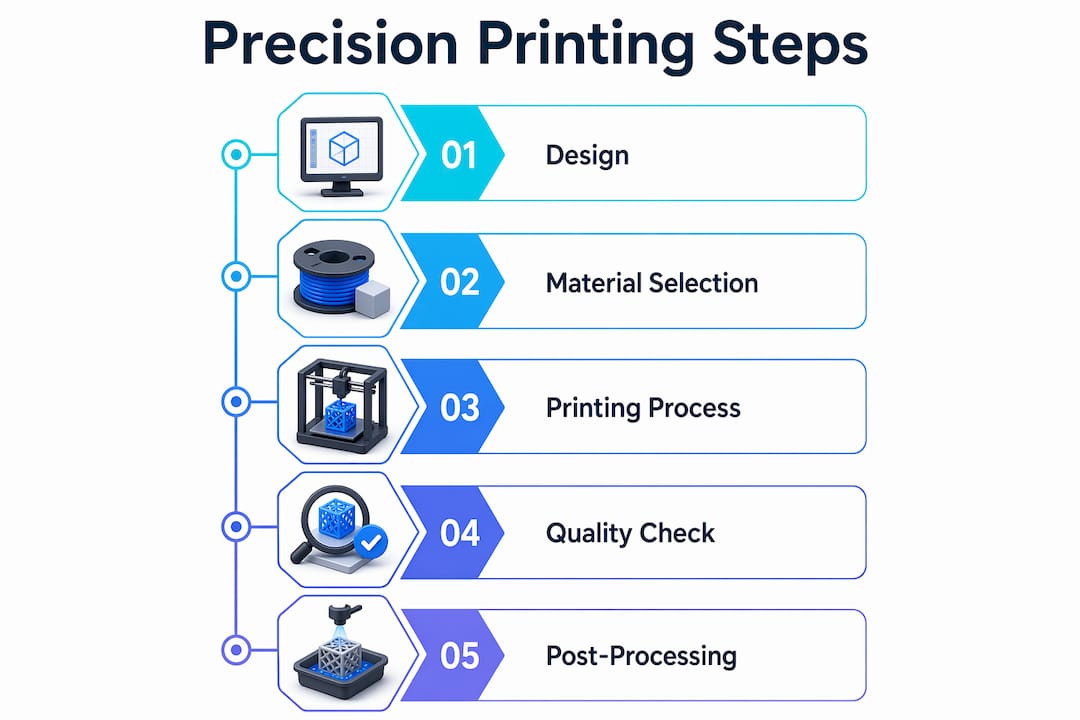
Infographic showing steps of precision printing process

What are the benefits and challenges of high precision printing in manufacturing?

The core benefits of high accuracy printing methods in manufacturing are improved functional performance, miniaturization capability, and reduced assembly failure rates. Parts produced within tight tolerances fit mating components without hand-fitting or shimming, which cuts assembly labor and improves repeatability across production batches. In medical device manufacturing, dimensional fidelity directly affects regulatory compliance, since a catheter tip or implant component outside tolerance is a regulatory nonconformance, not just a quality issue.

The challenges are equally concrete. Here are the four most common obstacles engineers encounter when implementing precision printing at production scale, and the standard approach to each:

  1. Material behavior variability. Resins and filaments absorb moisture, change viscosity with temperature, and cure differently across batches. The solution is incoming material qualification with documented rheological testing and storage controls, not just relying on the supplier certificate of conformance.

  2. Layer adhesion and anisotropy. FDM and SLA parts are inherently anisotropic: Z-axis strength is lower than XY-axis strength. For precision functional parts, this means orienting the part so that critical load paths align with the XY plane, and validating mechanical performance in the actual use orientation.

  3. Environmental stability. Temperature and humidity fluctuations in the print environment shift dimensional outputs. Industrial-grade enclosures and climate-controlled print rooms are not optional for aerospace or medical production. They are process requirements.

  4. Throughput trade-offs. Higher resolution settings increase print time. A part printed at 25 µm layer height takes roughly four times longer than the same part at 100 µm. The engineering decision is to identify which features actually require the tighter resolution and apply it selectively, using multi-resolution capability where available.

SPC and CPK analysis combined with MES-based closed-loop management reduce defect rates to PPM levels in industrial printing environments. This is the standard for high-volume PCB production and is increasingly being adopted in additive manufacturing workflows as production volumes grow.

How does precision printing integrate with design and quality validation?

CAD model quality is the first constraint on achievable precision. A file with surface tessellation errors, non-manifold geometry, or incorrect wall thickness specifications will produce a part that fails tolerance regardless of how capable the printer is. File preparation using tools like Materialise Magics, Autodesk Netfabb, or nTop is a prerequisite for precision output, not an optional cleanup step.

The feedback loop between design and printing is where most production efficiency gains are found. Design-for-manufacturing (DFM) principles applied to additive processes include minimum feature size rules, support structure minimization, and wall thickness guidelines specific to the chosen process. Applying these rules before the first print run eliminates the most common sources of dimensional error.

Validation techniques for precision 3D parts include:

  • 3D scanning with metrology-grade equipment to generate full surface deviation maps against the original CAD model, identifying systematic errors versus random variation
  • CMM inspection for critical datums and mating features requiring the tightest dimensional control
  • SPC charting across production batches to detect process drift before it produces out-of-tolerance parts
  • First article inspection (FAI) protocols borrowed from aerospace manufacturing to formally qualify a new part before full production release

Understanding tolerances in 3D printing at the design stage prevents the most expensive form of rework: discovering a systematic tolerance error after 500 parts have been printed. The comparison between prototype validation and production qualification is not just a scale difference. It is a process maturity difference that requires documented control plans, not just good results on the first sample.

Key takeaways

High precision printing requires simultaneous control of dimensional tolerance, alignment accuracy, material consistency, and validated inspection methods to produce parts that meet industrial standards reliably.

Point Details
Precision vs. accuracy Precision measures repeatability; accuracy measures closeness to the CAD model. Both must be specified.
Tolerance benchmarks High-precision 3D printing achieves ±0.05mm to ±0.1mm for functional assemblies in demanding industries.
Technology selection Multi-resolution systems deliver 0.75 µm pixel pitch for micro-features alongside faster bulk geometry printing.
In-process validation Automated systems like UltiMaker TRACE capture extrusion and thermal data to prevent defects during printing.
Design-first approach CAD file quality and DFM principles set the ceiling on achievable precision before the printer is even selected.

Where precision printing is heading, and what it means for your production floor

I have spent enough time working with manufacturers on precision-critical parts to say this plainly: the biggest gap in most production environments is not the printer. It is the validation infrastructure around the printer. Teams invest in a high-resolution system, then measure output with a caliper and call it qualified. That approach produces false confidence, not precision.

The shift I find most significant in 2026 is not the resolution numbers, impressive as they are. It is the move toward automated quality validation as a standard feature rather than an aftermarket add-on. When a printer captures its own extrusion and thermal data continuously, it becomes a self-certifying production tool. That changes the economics of precision manufacturing because it reduces the labor cost of inspection and creates a traceable data record for every part.

The tension between speed and precision is real, but it is not a fixed trade-off. Multi-resolution printing dissolves it for many part geometries by applying tight resolution only where the design requires it. The engineers who understand this distinction will specify better, print faster, and waste less material than those who default to maximum resolution across the entire build volume.

My honest prediction: within three years, SPC integration at the printer level will be a procurement requirement for regulated industries, not a differentiator. Start building that data infrastructure now, before it is mandated.

— Justin

Precision 3D printing services from Cc3dlabs

https://cc3dlabs.com

Cc3dlabs operates near Philadelphia with a direct focus on production-grade accuracy for manufacturers, product designers, and engineers. Whether you need a first-article prototype validated against a CAD model or a batch of functional parts held to tight dimensional tolerances, the team at Cc3dlabs brings the equipment and process discipline to deliver. Services include custom filament-based printing, metrology-grade 3D scanning for deviation analysis, CAD modeling support, and multi-color production runs. Explore the full range of precision printing capabilities to find the right process for your application, or request a free online estimate to get started with your next project.

FAQ

What is the standard definition of high precision printing?

High precision printing is the controlled fabrication of parts at micron-level resolution with repeatable dimensional accuracy, typically achieving tolerances of ±0.05mm to ±0.1mm in functional assemblies. It requires simultaneous control of alignment, material volume, and process stability across multiple production runs.

What factors most affect precision in 3D printing?

The primary factors are dimensional tolerance, alignment accuracy, material consistency, layer adhesion, and environmental stability during printing. Process monitoring through SPC and automated validation systems significantly reduces variation at production scale.

How do you verify that a 3D printed part meets precision requirements?

Verification methods include metrology-grade 3D scanning for full surface deviation mapping, CMM inspection for critical features, and first article inspection protocols that document conformance before full production release.

What is the difference between precision and accuracy in printing?

Precision measures the ability to reproduce the same result consistently across multiple outputs. Accuracy measures how closely a single output matches the intended CAD model. A process can be precise but inaccurate, producing consistent parts that are all equally wrong.

Which 3D printing technology achieves the highest resolution?

Multi-resolution DLP systems using a VHROE optical engine achieve pixel pitches of 0.75 µm and can produce enclosed channels as small as 1.9 µm x 2.0 µm. LCD microprinting reaches 30 to 40 µm features, making it a cost-effective option for most industrial prototyping applications.