

TL;DR:
- Sending a flawed design file to production can lead to costly rework, missed deadlines, and scrapped parts.
- Thorough 3D design validation, including geometry checks and reliable simulations, is essential before manufacturing begins.
Sending a flawed design file to production is one of the most expensive mistakes a product developer can make. A single overlooked wall thickness issue, a misapplied boundary condition in your simulation, or an ignored build orientation effect can mean scrapped parts, missed deadlines, and rework costs that eat straight into your project budget. Thorough 3D design validation is not a luxury step you add when time allows. It is the structured process that stands between a confident manufacturing run and a costly surprise. This article breaks down the most reliable methods to validate your designs before a single layer is printed.
Table of Contents
- Check essential geometry and manufacturability constraints
- Apply rigorous simulation validation steps
- Account for additive manufacturing-specific accuracy factors
- Summary table: Comparing key 3D design validation methods
- Perspective: Why real-world validation always beats theoretical checks
- Get expert support for validating your 3D designs
- Frequently asked questions
Key Takeaways
| Point | Details |
|---|---|
| Check early in CAD | Surface deviation and wall thickness checks in CAD catch errors before prototyping. |
| Validate simulations rigorously | Use mesh convergence, realistic materials, and compare with tests to ensure credible results. |
| Consider AM process effects | Allow for part orientation and build location, as they directly impact final part accuracy. |
| Compare validation methods | Use a mix of geometry, simulation, and manufacturing-focused checks for best outcomes. |
| Physical measurement trumps theory | Always confirm with real-world testing before committing to mass production. |
Check essential geometry and manufacturability constraints
With validation’s value established, let’s start at the CAD level, the foundation for reliable prototypes and parts.
Most design failures originate in the CAD file, not on the production floor. When you export a model that has non-manifold geometry, tiny gaps in surface meshes, or features too small for your target process to resolve, you are essentially shipping a problem downstream and paying someone else to find it. The good news is that modern CAD platforms give you tools to catch these issues before they travel anywhere.
Geometry validation early means checking surface deviation from reference geometry, confirming minimum wall thickness, and identifying features that the manufacturing process physically cannot produce. This applies to both subtractive machining and additive processes, but the specific thresholds vary. For FDM printing, a wall thinner than one nozzle diameter simply will not print. For SLS, fine lattice features below roughly 0.8 mm may fuse or collapse depending on the material and machine.
Key manufacturability constraints to check before you finalize any design:
- Minimum wall thickness: Confirm walls meet your process’s minimum. For most FDM machines using a 0.4 mm nozzle, the minimum is roughly 1.2 mm for structural walls.
- Unsupported overhangs: Overhangs beyond 45 degrees in FDM need support material. Designing to reduce support dependency saves post-processing time and surface quality issues.
- Sharp interior corners: Stress concentrates at sharp internal corners. Radius them to at least half the wall thickness for functional load-bearing parts.
- Detail resolution: Features smaller than the process resolution will not reproduce accurately. Embossed text, snap features, and thread starts are common failure points.
- Mesh integrity: Export your STL or 3MF file and run it through a mesh repair check. Holes, inverted normals, and non-manifold edges cause slice errors that silently degrade part quality.
If you are working on parts where dimensional precision matters, review our guide to designing reliable 3D prints before finalizing your CAD. And if measurement validation is part of your workflow, the 3D scanning checklist walks you through exactly what to capture from physical parts for comparison.
Pro Tip: Set up automated geometry health checks in your CAD environment or through a dedicated add-on. Running these checks every time you export a file takes less than a minute and catches issues that manual review misses during long sessions.
For teams pursuing manufacturing-grade 3D printing, geometry validation is not optional. It is the baseline that every downstream step depends on.
Apply rigorous simulation validation steps
Geometric checks are necessary, but design validation reaches a new level with reliable simulation. Here’s how to ensure your virtual results reflect real-world performance.
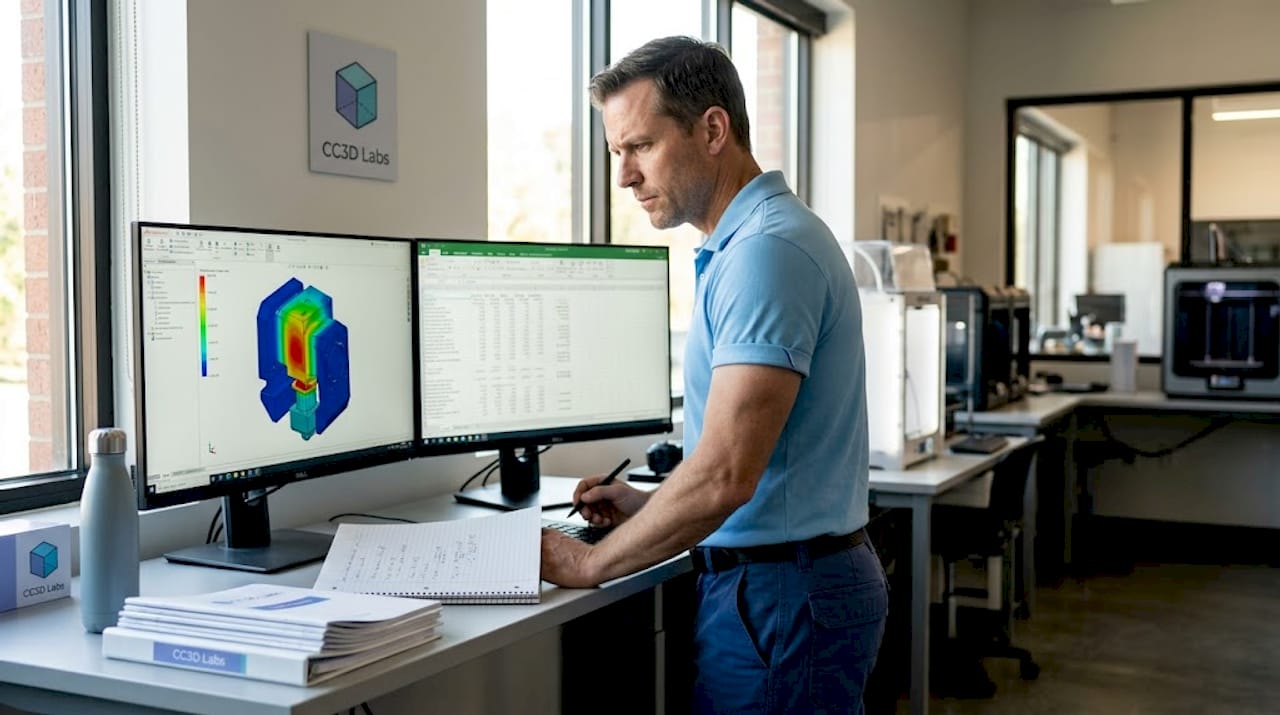
Running a finite element analysis (FEA) or computational fluid dynamics (CFD) simulation is only useful if the results are trustworthy. Many development teams make the mistake of treating simulation output as ground truth without verifying that the model itself is credible. A simulation built on incorrect boundary conditions or an under-resolved mesh will give you precise numbers that are completely wrong.
FEA credibility steps include mesh convergence studies, sensitivity analysis, realistic boundary conditions, accurate material properties, and comparison with experimental or analytical data. Follow this numbered sequence for every critical simulation run:
- Define realistic boundary conditions. Model how the part is actually constrained and loaded in service. A fixed-wall assumption when the real mount allows slight rotation will overestimate stiffness by a significant margin.
- Assign accurate material properties. Use measured data for the specific material grade and print orientation you are targeting. Published datasheet values are starting points, not substitutes for validated material cards.
- Run a mesh convergence study. Refine the mesh in stages and track your key output (peak stress, deflection, etc.). When refining the mesh further changes results by less than 5%, you have reached convergence.
- Perform sensitivity analysis. Vary your key inputs by a realistic uncertainty range. If small changes in your material inputs swing the predicted stress dramatically, you need better material data before trusting the result.
- Compare to a benchmark. Where possible, validate at least one simulation case against a physical test, a hand calculation, or a well-documented analytical solution.
For CFD work, the validation logic is similar but the pre-flight checks differ. CFD boundary layer resolution requires verifying the correct flow regime through Reynolds and Mach number checks, applying consistent and physically realistic boundary conditions, and resolving the near-wall region with appropriate boundary layer meshing. Getting the y+ value wrong in a turbulent flow case can produce drag and heat transfer predictions that are far off from measured values.
“Simulation-to-reality confidence is earned, not assumed. Every result needs a credibility trail, and that trail starts with the inputs.”
Pro Tip: Before signing off on any design validation package, physically benchmark at least one simulation case. Print a test part, measure it, load it to failure or measure pressure drop, and compare to your model. One confirmed data point is worth far more than ten unverified simulation runs.
For a process-level view of how simulation fits into production prep, check our step-by-step 3D printing guide and our overview of simulation validation best practices tied to physical part measurement.
Account for additive manufacturing-specific accuracy factors
After simulation, consider how manufacturing realities introduce new sources of variation, especially in additive processes.
Here is something many engineers underestimate: a perfectly designed CAD file and a validated simulation do not guarantee dimensional accuracy in the final printed part. Additive manufacturing introduces process-specific variation that exists entirely outside of your digital model. Build orientation, thermal gradients during the print cycle, and where the part sits inside the build chamber all affect the dimensions you will measure on the finished part.
Research on PA12 SLS parts shows that build orientation and chamber position measurably affect dimensional outcomes in ways that nominal CAD dimensions cannot predict. Parts built vertically may exhibit different shrinkage behavior compared to parts built horizontally, and parts at the chamber periphery often differ from those at the center due to thermal variation during the sintering cycle.
Practical methods for measuring and compensating for these effects:
- Print calibration test artifacts. Before committing to a full production run, print a calibration coupon that includes representative features from your design: bosses, holes, flat spans, and slots. Measure these with calipers or, for critical parts, a coordinate measuring machine (CMM) or 3D scanner.
- Document orientation-dependent deviation. Keep a log of how your machine and material combination behaves at different orientations. This becomes a design correction database over time.
- Apply dimensional compensation offsets. If your CAD hole is consistently undersized by 0.15 mm after printing, adjust the nominal dimension to compensate. This is standard practice in professional AM workflows.
- Account for anisotropy in functional parts. Mechanical properties vary by build axis in FDM and SLS. A part loaded along the Z axis (layer stacking direction) will be weaker than one loaded in XY. Design and validate accordingly.
| Feature type | Build orientation effect | Chamber position effect | Typical deviation range |
|---|---|---|---|
| Circular holes | Moderate (XY vs. Z) | Low to moderate | 0.05 to 0.25 mm |
| Flat spans | Low | Moderate (center vs. edge) | 0.03 to 0.15 mm |
| Vertical walls | High | Low | 0.10 to 0.30 mm |
| Thin features | High | Moderate | 0.10 to 0.40 mm |
For teams focused on ensuring 3D print accuracy, tracking these variables is not optional. It is the difference between parts that fit and parts that need rework. Our low-volume 3D printing tips cover how to integrate these checks into short-run production workflows without slowing your schedule.
Summary table: Comparing key 3D design validation methods
With the main validation methods explained, a side-by-side comparison clarifies which approaches to prioritize.
| Validation method | Speed | Reliability | Required tools | Best project stage |
|---|---|---|---|---|
| Geometry and manufacturability checks | Very fast | High for CAD-level issues | CAD software, mesh repair tools | Early design, pre-export |
| FEA simulation | Moderate | High if properly credentialed | FEA solver, material data | Detailed design, pre-prototype |
| CFD simulation | Slow to moderate | High with correct setup | CFD solver, meshing tools | Detailed design, thermal/flow parts |
| AM-specific dimensional validation | Moderate | Very high for process accuracy | Calipers, CMM, 3D scanner | Pre-production, first article |
| Physical benchmark testing | Slow | Definitive | Test equipment, prototype parts | Final design sign-off |
The key insight from this comparison is that no single method covers all failure modes. Geometry checks are fast but tell you nothing about structural performance. FEA tells you about stress but not about how your machine will place those features in real space. Physical benchmarking is the most reliable but the slowest and most expensive. The winning strategy is to use these methods in sequence, using each one to reduce the risk that reaches the next stage.
Perspective: Why real-world validation always beats theoretical checks
Here is the uncomfortable reality that experienced product engineers know but rarely put in writing: digital validation is a filter, not a guarantee. CAD geometry checks and even well-credentialed simulations operate on idealized models. They assume uniform material properties, perfectly constrained geometry, and conditions that match whatever you entered into the model. The physical world does not honor those assumptions.
We have seen parts pass every simulation check, print cleanly, and then fail in assembly because a surface finish tolerance was tighter than the process could consistently hold. We have seen FEA results predict deflection within 2% of measured values, and then watched the same design crack at a feature that the mesh resolution had quietly smoothed over. These are not rare edge cases. They are predictable consequences of relying too heavily on theoretical validation.
The teams that consistently avoid manufacturing surprises do something deliberate: they treat digital checks as risk reduction tools and physical testing as risk confirmation tools. They run geometry checks and simulation early because it is cheap to catch errors at that stage. But they never skip the physical benchmark, even when the simulation looks clean. That benchmark might be a single printed part measured with a 3D scanner, or a simple load test on a coupon. The point is to introduce real-world data before the design is locked.
“Every model is a simplification. The question is whether your simplification preserved the physics that matter.”
The hidden gap between theory and practice is widest in additive manufacturing because the process itself introduces so many uncontrolled variables: ambient temperature, humidity, batch variation in powder or filament, and cumulative machine wear. A design validated purely in CAD and simulation may perform perfectly in batch one and show drift in batch three. Integrating physical measurement into your validation loop, even periodically, catches this drift before it becomes a field problem.
Our perspective, built from working with product developers across industries, is this: invest in digital tools, use simulation rigorously, but never mistake sophistication for certainty. The guide to manufacturing-grade 3D printing we put together reflects this philosophy. Physical results close the loop that theory opens.
Get expert support for validating your 3D designs
Validation is most valuable when it combines structured digital checks with hands-on manufacturing experience. At CC 3D Labs, near Philadelphia, we work with product developers and engineers at every stage of the design-to-production cycle, from reviewing CAD files for printability to producing first-article parts for dimensional inspection.

Our 3D printing services include design review, rapid prototyping, and professional handheld 3D scanning (accuracy to ~0.1 mm) that supports real-world dimensional validation. If you need to move from a validated simulation to a physical part fast, our on-demand prototypes are produced with tight tolerances and full traceability. For teams working through material selection and process setup, the custom filament printing guide covers exactly what you need to know before your first production run. Reach out for a free estimate and let’s put your design through its paces before it reaches the production floor.
Frequently asked questions
What is the first step in validating a 3D design?
Start with geometry and manufacturability checks in your CAD software to identify surface deviations, thin walls, and feature resolution issues before prototyping. This is the fastest and cheapest place to catch errors.
Why is simulation validation important before physical prototyping?
Credible simulation, built with mesh convergence and realistic inputs, gives you confidence that your design will perform as intended and avoids rework costs from unexpected structural or thermal failures.
How can I improve the accuracy of 3D printed parts?
Build orientation and chamber position both influence final part dimensions in additive manufacturing, so accounting for these variables and applying measured compensation offsets produces more accurate outcomes.
What makes a simulation “credible” for design validation?
A credible simulation includes mesh convergence, sensitivity analysis, accurate material properties, and at least one comparison to experimental data or a verified analytical solution before it can be used for design sign-off.