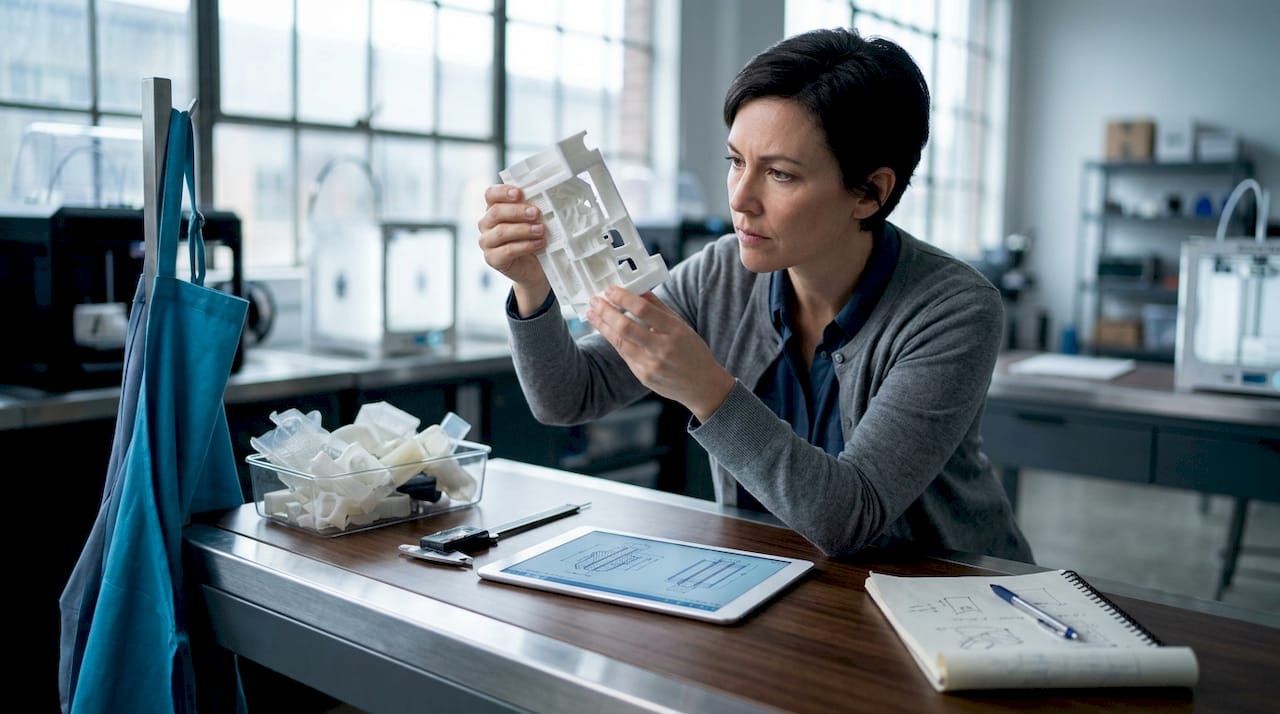
Technician preparing 3D printed prototype in studio

3D printing on demand: prototypes and custom parts

Choosing the wrong 3D printing process can cost you weeks of rework, wasted material, and parts that simply don’t fit. Most businesses ordering on-demand prints for the first time underestimate how much the technology choice matters. FDM, SLA, SLS, and MJF each produce dramatically different results in strength, surface finish, and dimensional accuracy. This guide walks you through every critical decision point, from selecting a process to designing for reliable outcomes, so your next prototype or production run lands right the first time.

Table of Contents

Key Takeaways

Point Details
Choose the right process Match your application—prototype, functional part, or batch production—to the optimal 3D printing technology.
Design for manufacturability Set proper tolerances, wall thickness, and load orientation for reliable and accurate parts.
Leverage expert providers Use established on-demand services for speed, quality, and cost efficiency, especially for business-critical projects.
Optimize for scalability Powder-bed processes shine for batches of 50–5000 parts, while instant quoting platforms speed up prototyping.
Combine scanning and printing Incorporate 3D scanning to achieve precise digital models and hybrid print plus machining for critical features.

What is 3D printing on demand?

On-demand 3D printing means you upload a digital file, choose a material and process, and receive finished parts without owning any equipment. There’s no minimum order, no tooling cost, and no long lead time tied to traditional manufacturing. You pay only for what you need, when you need it.

This model works especially well for specific project types:

  • Functional prototypes that need to be tested before committing to injection molding
  • Custom jigs and fixtures built for a single production run
  • Small batch parts in quantities from 1 to a few hundred units
  • Replacement components that are no longer available through standard supply chains

On-demand 3D printing is ideal for rapid prototyping and small batch production.”

The business case is straightforward. You compress your development timeline, reduce upfront capital risk, and iterate faster than any traditional process allows. Services like Protolabs have made it possible to receive parts within days rather than weeks. For a deeper look at what these services cover, the on-demand 3D printing overview at CC 3D Labs outlines the full range of options available. You can also browse the complete list of 3D printing services to understand what’s possible before you commit to a project.

With the core concept defined, let’s explore the technologies powering these services.

Major technologies and processes: FDM, SLA, SLS, and MJF

Not all 3D printing is the same. The process you choose determines your part’s strength, surface quality, dimensional accuracy, and cost. Here’s how the four dominant technologies compare.

Infographic compares main 3D printing methods

FDM (Fused Deposition Modeling) melts thermoplastic filament and deposits it layer by layer. It’s the most affordable option and works well for concept models and cost-sensitive functional parts. However, FDM tolerances run ±0.5mm and layer lines are visible, which limits cosmetic applications.

SLA (Stereolithography) uses a UV laser to cure liquid resin. It produces the finest surface detail of any process, with SLA tolerances as tight as ±0.05mm. It’s the right choice for dental models, jewelry masters, and parts where surface finish matters more than toughness.

SLS (Selective Laser Sintering) and MJF (Multi Jet Fusion) both use powder-bed fusion to build nylon parts without support structures. SLS and MJF hold ±0.25mm tolerances and produce parts with near-isotropic strength, meaning they’re nearly as strong in every direction. This is a significant advantage over FDM, where layer orientation directly affects part strength.

Process Typical tolerance Cost per part Best use case Strength profile
FDM ±0.5mm $3–$50 Concept models, brackets Anisotropic
SLA ±0.05–0.13mm $15–$80 Detail models, masters Brittle
SLS ±0.25mm $20–$100 Functional parts, batches Near-isotropic
MJF ±0.25mm $20–$90 Production runs, complex geometry Near-isotropic

For a broader look at how these processes fit into manufacturing workflows, the additive manufacturing guide covers the full picture. If you’re still deciding which process fits your specific job, finding the best print job breaks it down by application. You can also compare provider capabilities directly through Xometry’s service options.

Now that you understand the main processes, let’s look at how real-world businesses select the right service for their needs.

Selecting the right on-demand 3D printing service

The provider you choose matters as much as the process. Different platforms specialize in different things, and picking the wrong one adds cost and delays.

Provider Strength Best for
Protolabs Speed 1–2 day prototypes, fast iteration
Xometry Scale and quoting Instant quotes, large order flexibility
Stratasys Direct Industrial grade High-performance materials, aerospace

Protolabs delivers 1–2 day prototypes, making it the go-to for fast design validation. Xometry offers instant quotes and scales well for larger orders. Stratasys Direct specializes in industrial-grade parts where material certification matters. The MakerVerse service guide provides a useful comparison of these platforms.

For batch production between 50 and 5,000 parts, powder-bed processes like SLS and MJF are the clear leaders. They pack multiple parts into a single build volume, which reduces per-unit cost significantly at scale.

Here’s a simple decision process to follow:

  1. Define your requirements. What tolerances, materials, and quantities do you need?
  2. Match to a process. Use the table above to narrow down FDM, SLA, SLS, or MJF.
  3. Evaluate providers. Check quoting speed, DFM (design for manufacturing) feedback, and lead times.
  4. Run a test batch. Order a small quantity first to validate fit and finish before scaling.
  5. Iterate fast. Use instant quoting platforms to test design changes without long approval cycles.

Pro Tip: Always look for providers that offer DFM analysis before printing. Catching a wall thickness issue or an unsupported overhang before the job runs saves you a full reprint cycle.

For a deeper look at how prototyping fits into product development, the rapid prototyping guide is worth reading before you place your first order. If you’re new to the terminology, the printing terminology guide clears up the jargon quickly.

Once you’ve chosen a provider, understanding design and engineering nuances ensures success with your parts.

Engineering for on-demand 3D printing: Tolerances, orientation, and post-processing

Most print failures aren’t caused by bad machines. They’re caused by designs that weren’t built with the process in mind. A few engineering principles make the difference between a part that works and one that warps, cracks, or doesn’t assemble.

Engineer checks 3D printed part against laptop design

Wall thickness is the first thing to check. Thin walls under 1.2mm fail in FDM; SLA can go as thin as 0.6mm. Going below these minimums produces fragile, incomplete walls that break during post-processing or assembly.

Overhangs and supports are the next concern. Overhangs beyond 45 degrees require support structures in FDM and SLA. SLS and MJF eliminate this problem entirely because unfused powder acts as a natural support. If you’re designing complex geometry, powder-bed processes save significant cleanup time.

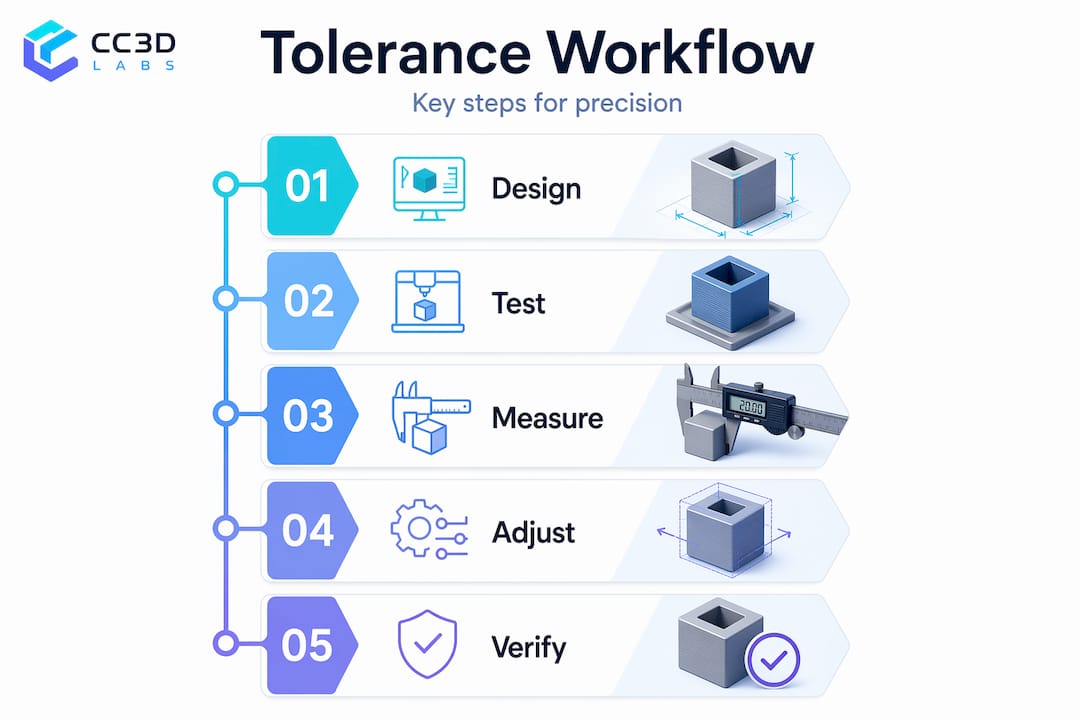
Holes print undersized in most processes due to thermal contraction and layer adhesion. Use 0.3–0.5mm clearance for loose fits and 0.15–0.25mm for snug fits. This is one of the most common mistakes in first-time prints.

Key design principles to follow:

  • Add fillets and ribs to reduce stress concentrations at corners and joints
  • Orient load paths in the XY plane to maximize FDM part strength
  • Use hybrid print plus machining for holes, threads, or mating surfaces that need tight tolerances
  • Plan post-processing steps like sanding, priming, or vapor smoothing into your timeline

“Fillets and ribs reduce stress; orient loads in XY; hybrid print and machining for critical features.”

Pro Tip: If a feature is truly critical, such as a bearing seat or a threaded insert, design it slightly undersized and machine it to final dimension after printing. This hybrid approach gives you the geometry freedom of additive manufacturing with the precision of subtractive finishing.

For parts that demand tight tolerances and verified accuracy, engineering-grade prints and a high quality scan process can validate your as-built geometry against your CAD model. The ProtoLabs design tips page is also a reliable reference for process-specific design rules.

For real business results, let’s see how these factors play out in practical applications.

Practical applications and best practices for business success

The businesses that get the most value from on-demand 3D printing treat it as a system, not a one-off tool. They build iteration into their workflow and match the process to the job rather than defaulting to whatever is cheapest.

Common high-value applications include:

  • Prototyping enclosures and housings before committing to injection mold tooling
  • Custom assembly jigs that improve consistency on the production floor
  • End-use brackets and mounts for low-volume products where tooling cost isn’t justified
  • Replacement parts for legacy equipment no longer supported by the original manufacturer

Powder-bed processes are preferred for production durability, SLA delivers the best cosmetic finish, and FDM handles cost-sensitive jobs where surface quality isn’t critical. Matching the process to the actual requirement, rather than defaulting to the cheapest option, is the single biggest factor in getting usable parts on the first try. The TPM3D comparison breaks this down clearly by application type.

The most common mistakes businesses make:

  • Skipping a test fit before ordering a full batch
  • Ignoring orientation in FDM parts that carry mechanical loads
  • Ordering cosmetic parts in FDM when SLA would cost only slightly more
  • Not accounting for post-processing time in the project schedule

Pro Tip: Use 3D scanning on your first physical prototype before ordering a production batch. Scanning reveals dimensional drift between your CAD model and the actual printed part, so you can correct the design before scaling up.

For guidance on producing reliable functional parts or understanding what makes a prototype truly production-ready, the rapid prototyping insights page covers the full development cycle.

Connect with expert 3D printing and scanning services

Ready to put these insights into action? CC 3D Labs offers professional, on-demand printing and scanning solutions built for businesses that need accurate, reliable parts without the overhead of in-house equipment.

https://cc3dlabs.com

Whether you need a single prototype or a batch of several hundred parts, the team at CC 3D Labs handles the full process from file review to finished part. Explore the complete range of CC3DLabs services to find the right fit for your project. For precision work, custom 3D prints covers filament-based solutions with tight tolerances and fast turnaround. If your project involves reverse engineering or dimensional verification, the 3D scanning lab provides metrology-grade scans that feed directly into your design workflow. Get a free online estimate and see how quickly your next part can move from file to finished product.

Frequently asked questions

Which 3D printing process is best for functional parts?

Powder-bed processes like SLS and MJF are best for durable, functional parts because they produce near-isotropic strength and require no support structures, which simplifies post-processing.

How do I ensure dimensional accuracy when printing?

Set tolerances appropriate to your process, add 0.3–0.5mm clearance for loose fits, and consider post-machining for critical features. FDM holds ±0.3–0.5mm, while SLA achieves ±0.1mm and SLS/MJF lands around ±0.2–0.3mm.

What are typical turnaround times for on-demand printing?

Protolabs delivers prototypes in 1–2 days; larger or more complex batches typically take 3–7 business days depending on material and quantity.

Is SLA or FDM more cost-effective for prototyping?

FDM is more cost-effective for basic form-and-fit prototypes, with FDM parts running $3–$50 compared to SLA at $15–$80 per part. Choose SLA when surface detail or fine features matter.

Can 3D scanning improve my 3D printing outcomes?

Yes. Scanning your printed prototype reveals dimensional drift from your CAD model, and hybrid print and scanning enables precise corrections before you commit to a production batch.

Engineer reviewing 3D printed prototype in loft

Find the best 3D print job for custom prototypes & parts

Sourcing a reliable custom 3D print job sounds straightforward until you’re staring at a dozen providers, each promising fast turnaround and flawless quality. For product developers and businesses, the wrong choice means delayed launches, wasted budgets, and parts that fail in the field. The good news is that a clear, structured approach to evaluating providers cuts through the noise fast. This guide walks you through the exact criteria, options, and quality checks you need to confidently place your next order and get parts that actually perform.

Table of Contents

Key Takeaways

Point Details
Selection matters Choosing the right 3D print job provider ensures speed, quality, and cost-effectiveness.
Option diversity Service bureaus, specialty providers, and online platforms offer varied strengths for custom projects.
Quality assurance Request portfolios and verify protocols to guarantee the final product meets specifications.
Decision checklist Match criteria and provider strengths to your unique project needs for best outcomes.

Key criteria for selecting a 3D print job

Before you request a single quote, you need a firm grip on what your job actually demands. Not every provider is built for every application, and mismatching your requirements to a provider’s capabilities is the most common and costly mistake in custom manufacturing.

Rapid prototyping is increasingly central to modern product development cycles, which means the pressure to find the right provider quickly is real. Here are the core criteria to evaluate before committing:

  • Material compatibility: Does the provider stock the specific filament or engineering-grade composite your part requires? ABS, PETG, nylon, and TPU all behave differently under load.
  • Turnaround time: From quote approval to finished part in hand. Some jobs need 48 hours; others can tolerate a week.
  • Dimensional accuracy and tolerances: What is the provider’s stated tolerance range? For functional parts, this is non-negotiable.
  • Quality assurance process: Do they inspect parts before shipping, or is it print-and-ship?
  • Portfolio and technical expertise: Has the provider handled jobs similar to yours in complexity, material, or volume?
  • Cost structure: Per-part pricing, batch discounts, and setup fees all affect your total cost.

Pro Tip: Always ask a potential provider for a sample print of a geometry similar to your part before placing a full order. A small upfront investment in a test print saves significant rework costs later.

Once you know what your job requires, the next step is understanding where to source it. The market has expanded significantly, and each type of provider comes with real trade-offs.

Local specialty shops offer direct communication, faster iteration cycles, and the ability to inspect parts in person before accepting delivery. For businesses near a capable provider, this is often the fastest path from design file to finished part.

Technician inspects fresh print in local 3D shop

National service bureaus operate at scale, which means broader material libraries and competitive pricing on larger batches. The trade-off is less personalized support and longer communication chains when revisions are needed.

Online marketplaces and platforms connect you with a network of independent printers. They work well for simple, low-stakes jobs but can be inconsistent for precision engineering applications.

Specialty engineering shops are the right call when your part needs tight tolerances, specific certifications, or materials that general providers don’t stock. On-demand 3D printing services within this category offer the flexibility to source complex prototypes on tight timelines without sacrificing accuracy.

  • Local shops: Best for fast iteration and hands-on communication
  • National bureaus: Best for volume pricing and broad material access
  • Online platforms: Best for simple, low-complexity jobs
  • Specialty shops: Best for functional parts, prototypes and repair parts, and engineering-grade applications

Pro Tip: If your project involves multiple design iterations, a local or specialty provider with direct design support will save you far more time than a cheaper online platform that requires you to manage all revisions yourself.

Comparison of major 3D print job options

Side-by-side comparisons make trade-offs obvious. Use this table to quickly map your job requirements to the right provider type.

Provider type Speed Quality level Material range Support Pricing
Local specialty shop Fast (1-3 days) High Moderate Direct, personal Mid to high
National service bureau Moderate (3-7 days) High Wide Limited Competitive on volume
Online marketplace Variable Inconsistent Variable Minimal Low to mid
Specialty engineering shop Fast to moderate Very high Specialized Expert, hands-on Premium

A few things stand out in this comparison. Online marketplaces look attractive on price, but the quality inconsistency makes them a risky choice for anything that needs to function under real-world conditions. Specialty shops carry a premium price tag, but engineering-grade prints deliver the precision and material performance that technical prototypes demand.

For most product developers running iterative design cycles, the sweet spot is a local or specialty provider that combines speed, quality, and direct technical support. Volume buyers may find national bureaus more cost-effective once designs are locked and validated.

Ensuring quality for your 3D print job

Quality assurance is not something you verify after the parts arrive. It starts before you place the order. Here is a practical sequence to follow:

  1. Request portfolio samples relevant to your application. Look for surface finish, dimensional consistency, and layer adhesion in the examples they share.
  2. Ask for tolerance documentation. A reputable provider will tell you their standard tolerance range (typically ±0.2mm to ±0.5mm for FDM printing) and flag when your design pushes those limits.
  3. Understand their post-processing steps. Does the provider sand, prime, or anneal parts? Post-processing affects both aesthetics and mechanical performance.
  4. Review inspection protocols. Do they use calipers, CMM (coordinate measuring machine) equipment, or visual inspection only? For critical parts, metrology-grade inspection matters.
  5. Check certifications and standards. ISO compliance or industry-specific certifications signal a provider that takes process control seriously.

“The difference between a good print and a great one often comes down to what happens after the print finishes, not during it.”

Strict scanning and design protocols are foundational to quality assurance in professional 3D printing. If you’re new to the technical side, reviewing 3D printing terminology before your first provider conversation will help you ask the right questions and evaluate answers accurately.

Making the right decision for your next 3D print job

All the criteria, comparisons, and quality checks come down to one practical question: which provider fits this specific job right now? The answer changes depending on where you are in your development cycle.

Additive manufacturing helps manufacturers reduce cost and accelerate innovation, but only when the right process and provider are matched to the job. Here is how to think through the final decision:

  • Prioritize speed when you’re in early-stage prototyping and need fast design feedback. A 48-hour turnaround from a local shop beats a 7-day wait from a national bureau at this stage.
  • Prioritize quality and accuracy when parts are moving toward functional testing or end-use applications. Tolerance errors at this stage are expensive.
  • Prioritize price only after speed and quality requirements are confirmed. Cost optimization on a part that fails testing is not a saving.
  • Prioritize support when your design is complex or still evolving. A provider with in-house CAD and design support is worth the premium.

Use this final checklist before placing any order:

  • Material confirmed and available at the provider
  • Turnaround time meets your project deadline
  • Tolerance range documented and acceptable
  • Sample or portfolio reviewed
  • Post-processing and inspection steps confirmed
  • Pricing structure understood including setup fees and batch rates

Matching provider to job type is not complicated once you have a clear picture of your requirements. The mistake most teams make is skipping the evaluation step and defaulting to the cheapest or most familiar option.

Where to find top custom 3D print jobs and services

When your project demands precision, speed, and a provider that actually understands engineering requirements, the choice of partner matters as much as the design itself.

https://cc3dlabs.com

At CC 3D Labs, we specialize in custom filament-based 3D printing services for product developers and businesses that need parts done right the first time. From single prototypes to batch production runs, our team handles material selection, design support, and quality inspection in-house. Browse our 3D print gallery to see the range and quality of work we deliver across industries. Ready to move forward? Request a free estimate for your custom 3D printing project and get a fast, accurate quote with no obligation.

Frequently asked questions

How fast can a 3D print job be completed?

On-demand services can produce prototypes within 24 to 48 hours, while more complex jobs typically take 3 to 7 days depending on part geometry, material, and finishing requirements.

What materials are available for custom 3D print jobs?

Most providers offer PLA, ABS, PETG, and nylon as standard options. Engineering-grade printing services extend that range to include high-performance composites and specialty filaments suited for functional and structural applications.

How do I ensure quality when ordering a 3D print job?

Request sample prints, review the provider’s stated tolerances, and ask for documentation on their inspection process. Strict scanning protocols and post-processing steps are strong indicators of a quality-focused provider.

Are 3D print jobs suitable for functional prototypes?

Absolutely. With the right material selection and a provider that maintains tight tolerances, prototypes and repair parts produced through 3D printing can meet demanding functional and mechanical requirements.

Engineer working on CAD files for 3D printing

Optimize your workflow with top CAD file formats for 3D printing

Choosing the wrong CAD file format before sending a model to print is one of the fastest ways to waste time, material, and money. A mismatched format can cause slicing failures, geometry loss, or missing metadata that derails your entire production run. STEP is preferred for accuracy but requires conversion before slicing, while STL remains the most universally accepted format despite its limitations. This guide breaks down the three formats that matter most for product developers and engineers: STL, STEP, and 3MF, so you can match the right format to the right workflow every time.

Table of Contents

Key Takeaways

Point Details
STL simplicity STL is easy, fast, and compatible, but has limits for advanced and precision manufacturing.
STEP for precision STEP preserves full geometry and metadata, ideal for engineering workflows before converting for print.
3MF features 3MF supports color, materials, units, and slicer settings, making it a top choice for reproducible, high-quality prints.
Format fits project Choose a CAD format based on precision, complexity, and workflow needs to optimize 3D printing results.

What criteria matter when choosing a CAD file format?

Not all CAD formats are created equal, and the stakes are higher when you are working on functional prototypes or production parts. Before you commit to a format, you need to evaluate it against a clear set of criteria that directly affect print quality and workflow efficiency.

Here are the core criteria to assess:

  • Geometry precision: Does the format preserve exact curves, surfaces, and tolerances?
  • Metadata support: Can it carry units, material data, and assembly relationships?
  • Slicer compatibility: Will your slicing software read it directly, or does it need conversion?
  • Color and multi-material support: Does it handle complex visual or material requirements?
  • File size and performance: Can your system handle it without slowdowns on complex models?
  • Error prevention: Does the format reduce the risk of flipped normals, missing walls, or scale errors?

STEP preserves precise geometry and metadata, making it ideal for engineering accuracy, but it is not directly printable. STL is printable but strips out most metadata. 3MF sits in the middle, offering rich data support with direct slicer compatibility. Understanding these trade-offs is the foundation of a solid rapid prototyping guide strategy.

Pro Tip: Before selecting a format, confirm which formats your slicing software and print service accept natively. Unnecessary conversions introduce risk at every step. Familiarize yourself with key 3D printing terms so you can communicate format requirements clearly with your team or vendor.

STL: The classic, simple 3D printing format

STL (Standard Tessellation Language) has been the default format for 3D printing since the late 1980s. It works by approximating a 3D surface using a mesh of triangles, which every major slicer can read. Simple, fast, and universally supported, it is still the go-to for many engineers running quick prototype iterations.

But STL has real limitations you need to know:

  • No units embedded: The file does not store millimeters or inches, so scale errors are common when transferring between software.
  • No color or material data: What you see in your CAD tool does not travel with the file.
  • Watertight geometry required: Any gaps, holes, or non-manifold edges will cause slicing failures.
  • Normal direction matters: Flipped outward normals tell the slicer the inside is the outside, causing print defects.
  • Binary vs. ASCII: Binary STL is smaller and faster to process than ASCII STL, with no quality difference.

Remember: A high triangle count improves surface smoothness but dramatically increases file size and slicing time. For most functional parts, a moderate resolution is more than sufficient.

STL scale errors and flipped normals are among the most common causes of slicing failures in production environments. These issues are easy to miss in CAD but show up immediately when the slicer tries to interpret the mesh. Review your STL accuracy challenges before submitting files for production.

Pro Tip: Always export STL in binary format and run it through a mesh repair tool like Meshmixer or Netfabb before sending it to print. Check your STL format definitions to confirm you are exporting at the correct resolution for your application.

STL works well for simple, single-material prototypes where speed and compatibility matter more than data richness. For anything more complex, you will quickly hit its ceiling.

STEP (STP): Precision engineering for manufacturing workflows

STEP (Standard for the Exchange of Product model data), governed by ISO 10303, is the format engineers reach for when accuracy is non-negotiable. Unlike STL, STEP does not approximate geometry with triangles. It stores exact mathematical representations of curves, surfaces, and solids using B-Rep (Boundary Representation) geometry.

Key advantages of STEP for engineering workflows:

  • Exact geometry: No tessellation approximation means tolerances are preserved perfectly.
  • Assembly support: Multi-part assemblies with relationships and constraints travel intact.
  • Rich metadata: Material properties, part names, and design history can be embedded.
  • Software neutral: STEP is a neutral CAD exchange format that works across virtually every major CAD platform.
  • CNC and inspection ready: The same file used for 3D printing prep can feed CNC machining or CMM inspection workflows.

The critical limitation is that STEP is not used for direct printing. Slicers cannot read it natively. You must convert to STL or 3MF before printing, which means you need a reliable conversion step in your workflow. For STEP for prototyping, the best practice is to keep the STEP file as your master and export to STL or 3MF only when you are ready to print.

Statistic callout: Engineers working on functional prototyping projects consistently report fewer revision cycles when STEP is used as the master file, because geometry errors introduced during tessellation are caught before they reach the printer.

Pro Tip: Never discard your STEP file after converting to STL. The STEP file is your source of truth. If a print fails or a dimension needs adjustment, you want to edit the STEP and re-export rather than trying to reverse-engineer a mesh. This is especially important in prototyping workflows where multiple iterations are expected.

3MF: Full-fidelity format for advanced 3D printing

3MF (3D Manufacturing Format) was developed specifically to fix what STL gets wrong. Backed by a consortium that includes Microsoft, Autodesk, and HP, it is an XML-based, ZIP-compressed format designed for modern production environments. It is not just a geometry container. It is a complete print specification.

What 3MF supports that STL does not:

  • Units: Millimeters are embedded, eliminating scale ambiguity.
  • Color and textures: Full color models travel with the file intact.
  • Material data: Multi-material assignments are stored natively.
  • Printer settings: Layer height, infill, and support preferences can be embedded.
  • Multi-part assemblies: Multiple components in a single file with spatial relationships.

3MF is XML-based and ZIP-compressed, supporting geometry, color, textures, materials, units, and printer settings, and it produces smaller file sizes than equivalent STL files. That compression matters when you are managing large batches or complex assemblies in an additive manufacturing guide workflow.

Selecting 3D file format at printer workstation

3MF embeds slicer settings for reproducibility, which means a file prepared today will print identically six months from now without anyone needing to remember which settings were used. That is a significant advantage in regulated industries or repeat production runs. Learn more about 3MF file benefits and how they apply to your specific use case.

Pro Tip: If your slicer supports 3MF export, use it instead of STL for any job that will be repeated. The embedded settings eliminate a major source of human error in production.

Feature STL STEP 3MF
Units embedded No Yes Yes
Color support No No Yes
Material data No Yes Yes
Direct slicing Yes No Yes
Assembly support No Yes Yes
File size Medium Small Small
Reproducibility Low Medium High

Comparison table: STL, STEP, and 3MF head-to-head

With individual formats covered, a side-by-side view helps you make faster decisions. The table above captures the key technical differences. Here is how those differences translate into real workflow decisions.

STL dominates for compatibility, STEP leads for engineering precision, and 3MF delivers the highest fidelity for professional manufacturing. Each has a clear lane.

Scenario-based format selection:

  1. Quick prototype, single material, standard printer: Use STL. Fast, compatible, no conversion needed.
  2. Engineering part with tight tolerances, shared across teams or tools: Use STEP as master, convert to STL or 3MF for printing.
  3. Multi-color or multi-material production part: Use 3MF. It is the only format that carries all the data you need.
  4. Repeat production run where settings must be locked: Use 3MF. Embedded settings prevent configuration drift.
  5. File going to CNC machining and 3D printing: Use STEP for machining, convert to 3MF for printing.

Browse the CAD gallery examples to see how different file formats translate into finished parts across a range of applications. For hands-on support with format selection and file preparation, the CAD file services team can review your files before production.

Situational recommendations: Which CAD file format should you choose?

Format selection is not a one-size-fits-all decision. It depends on where you are in the development cycle, what your printer supports, and how much data fidelity your project demands.

Here is a practical decision framework:

  1. Early-stage prototyping: STL is fine. You are testing form and fit, not locking in production specs. Speed matters more than data richness at this stage.
  2. Engineering validation: Switch to STEP. Preserve exact geometry and assembly relationships so your validation data is trustworthy.
  3. Pre-production and production: Move to 3MF. Lock in settings, materials, and color data so every print matches the approved sample.
  4. Multi-vendor workflows: Use STEP for design exchange and 3MF for print-ready files. Keep STL only as a fallback for legacy systems.
  5. Regulated or certified parts: Use STEP as the master record and 3MF for print jobs. Both formats support the traceability requirements common in aerospace, medical, and industrial applications.

STL suits hobby and prototype simplicity, STEP handles precision, and 3MF delivers production fidelity. Matching the format to the phase of development is the single most effective way to reduce errors and rework.

Pro Tip: If you are unsure which format your print service prefers, ask before you export. Sending the wrong format can add days to your turnaround. Submit a CAD quote request to confirm format requirements upfront, or consult professional CAD help for complex projects.

Expert CAD support and custom 3D printing solutions

File format decisions do not happen in isolation. They connect directly to how your parts are modeled, sliced, and printed. Getting that chain right from the start saves significant time and cost across your development cycle.

https://cc3dlabs.com

At CC 3D Labs, the CAD modeling services team works with product developers and engineers to prepare files correctly before a single layer is printed. Whether you need help converting a STEP file to a print-ready 3MF, repairing a problematic STL mesh, or building a model from scratch, the team handles it with precision. Explore the full range of professional 3D printing capabilities, from functional prototypes to batch production runs. If you want to understand how format choices affect your specific project, the CAD file format advice resources are a solid starting point before you reach out for a quote.

Frequently asked questions

Why does my STL file fail to slice correctly?

STL scale errors and flipped normals are the most common culprits. STL files carry no unit data, so scale mismatches happen easily, and non-watertight geometry will cause the slicer to reject or misinterpret the mesh.

What makes STEP files more precise than STL for manufacturing?

STEP stores exact B-Rep geometry rather than a triangle approximation, preserving tolerances, assemblies, and metadata that STL simply cannot carry, making it the right choice before converting to a print-ready format.

How does 3MF improve reproducibility and quality in 3D printing?

3MF embeds slicer settings directly in the file, including units, material assignments, and print parameters, so every operator who opens the file gets the same output without manually reconfiguring the slicer.

Which format should I use for colored or multi-material prints?

3MF is the clear choice because it supports color, textures, and materials natively within a single file, while STL and STEP cannot carry that data to the printer.

Is it possible to convert between CAD file formats without losing data?

Conversions always carry some risk, particularly when going from STEP to STL, where exact geometry is replaced by a triangle mesh. Always keep your original STEP or 3MF file and validate the converted output before committing to a print run.

Technician removing prototype at 3D printer workspace

Top 3D Printers Near Me 2026

Choosing a 3D printer can feel overwhelming with so many options close by. Some surprise you with precision, while others make creativity easy at home or work. Price, features, and speed vary so much that every choice feels unique. Imagine turning ideas into real objects with a machine that fits your needs. Finding the best one near you in 2026 means looking past the basics and discovering what each offers. The right pick could change how you create.

Table of Contents

CodeCraft 3D Labs

Product Screenshot

At a Glance

CodeCraft 3D Labs is the leading local provider for businesses and creators in Philadelphia who need precise, reliable 3D printing and scanning. Their service model combines fast local turnaround with global shipping and hands on design support for prototypes and production parts.

Core Features

CodeCraft delivers professional 3D printing and scanning services focused on filament based production for prototypes, functional parts, and small batch manufacturing. They provide 3D modeling and CAD support plus a 3D scanning lab with metrology grade scanning for precise measurement and quality control.

Pros

  • Local service in the Philadelphia area gives faster turnaround and easier pickup for urgent prototype and production needs.
  • A wide variety of filament materials, including PLA, ABS, PETG, TPU, Nylon, Carbon Fiber, conductive, wood infused, and rubber like filaments, supports diverse functional requirements.
  • Support for small batch and large scale production allows businesses to scale from single prototypes to short run manufacturing without changing vendors.
  • In house 3D modeling, CAD services, and repair support reduce back and forth and speed project delivery.
  • Free online estimates and worldwide shipping let remote product developers get accurate quotes and receive parts on schedule.

Who It’s For

This service fits businesses, product developers, and hobbyists in and around Philadelphia who need durable, accurate parts and fast iteration cycles. Choose CodeCraft when you want local hands on support, metrology level scanning, and material options that meet engineering and aesthetic demands.

Unique Value Proposition

CodeCraft stands out by combining metrology grade scanning with flexible filament based manufacturing so you get measurement level accuracy and real world strength in the same workflow. That combination matters when you need fit to assembly, reverse engineering, or quality checks for regulated product development.

CodeCraft also bundles on demand printing with CAD support and repair services which shortens development loops and reduces vendor coordination. Sophisticated buyers pick this provider for traceable accuracy, predictable lead times, and the ability to move from prototype to production without changing technology partners.

Real World Use Case

A Philadelphia startup iterates hardware enclosures with weekly prototype runs, uses metrology scans to validate tolerances, and transitions to small batch production all through CodeCraft. The result is faster product validation and fewer assembly surprises during pilot runs.

Pricing

Pricing is not published online; customers request free quotes through the website. This quote first approach keeps estimates tailored to specific materials, print volumes, and required scanning accuracy.

Website: https://cc3dlabs.com

Discover Precision and Speed with Local 3D Printing Experts

If you are exploring the top 3D printers near you in 2026, one key challenge is finding a provider that delivers fast, reliable, and highly accurate prints tailored for both prototypes and production. The article highlights common pain points like slow turnaround times, limited material options, and the complexity of moving from prototyping to batch manufacturing without changing vendors. At CC 3D Labs, we understand these hurdles and provide local Philadelphia-based solutions with expert 3D scanning and filament-based printing that meets your exact specifications.

Benefits you can count on:

  • Metrology-grade scanning for perfect fit and quality control
  • Diverse filament materials including durable and flexible options
  • CAD support to speed your design iterations
  • Fast local pickup or worldwide shipping for convenience

https://cc3dlabs.com

Ready to get your project moving with precision and speed Choose CC 3D Labs for expert support and reliable 3D printing services Whether you need a single prototype or small batch production get your free estimate today and experience the fastest path from design to finished part.

Frequently Asked Questions

What are the key features to look for in 3D printers in 2026?

The key features to consider include print speed, material compatibility, build volume, and ease of use. Evaluate these features based on your specific printing needs, such as prototyping or production, to ensure a good fit for your projects.

How can I determine the right 3D printing technology for my needs?

Identify your specific requirements, such as the type of materials you want to print with and the desired level of detail. Then, research different printing technologies like FDM, SLA, or SLS to find one that matches your project goals.

What is the average cost range for a reliable 3D printer in 2026?

Reliable 3D printers in 2026 typically range from a few hundred to several thousand dollars, depending on their capabilities and specifications. Assess your budget and prioritize the features that matter most to your projects to make an informed decision.

How do I find local 3D printing services for my projects?

Search for local businesses that offer 3D printing services in your area by using online directories or community boards. Contact them directly to inquire about their services and turnaround times, ensuring they align with your project needs.

What maintenance is required for a 3D printer to ensure optimal performance?

Regular maintenance includes cleaning print heads, leveling the build plate, and checking for any worn parts. Schedule maintenance after every few prints or according to the manufacturer’s recommendations to prolong the life of your printer.

How can I speed up 3D printing without sacrificing quality?

To speed up 3D printing, consider optimizing your print settings, such as increasing layer height or print speed settings. Balance speed and quality by testing different settings to find the optimal configuration for your specific projects.