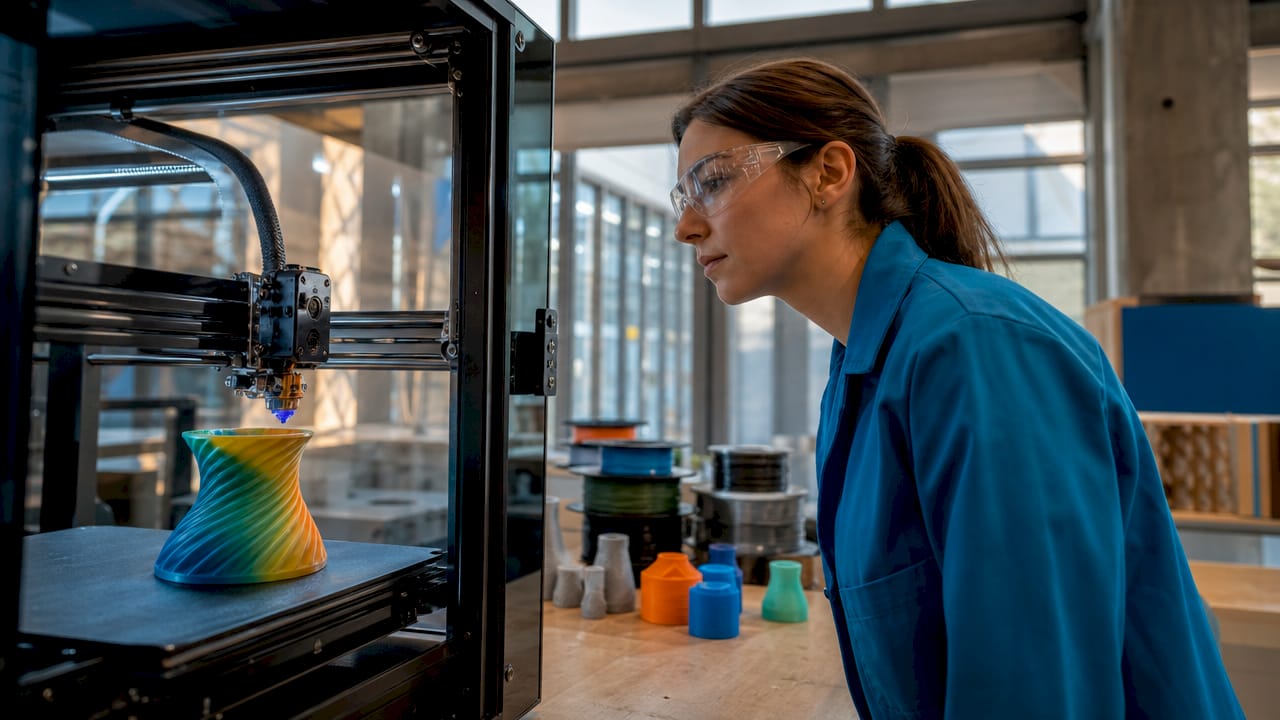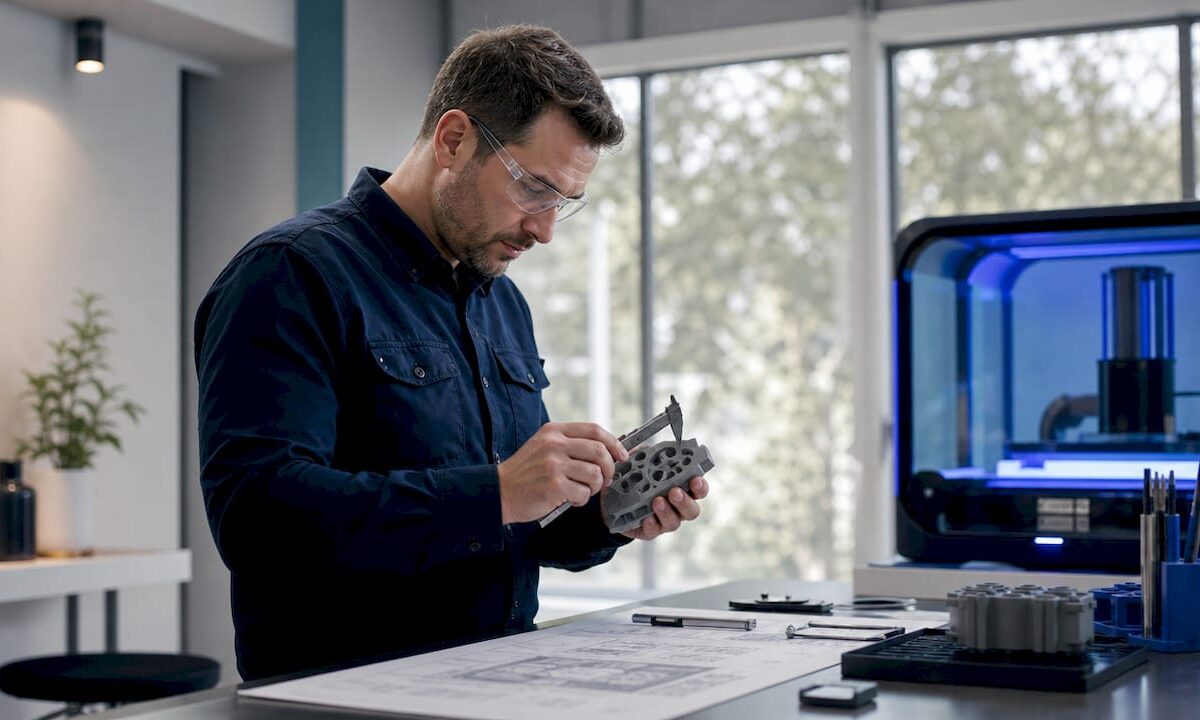
3D lab engineer calibrating printer in professional workspace

How 3D labs drive innovation in product development


TL;DR:

  • A true 3D lab combines industrial-grade equipment, expert workflows, and validation tools to accelerate product development. It enables rapid prototyping, design feedback, and quality assurance beyond simple desktop printing, providing a significant innovation advantage. Partnering with such labs offers faster time-to-market, higher-quality prototypes, and optimized strength through precise parameter control, all without large capital investment.

A desktop printer in the corner of an office can produce a rough shape. A 3D lab can produce a validated, production-ready part in the same amount of time it used to take just to schedule a machinist. Most product teams underestimate that gap, and it costs them weeks, revision cycles, and money. This guide breaks down exactly what a 3D lab is, how it operates, which technical parameters actually move the needle on part quality, and why the combination of expert workflows and specialized equipment creates an innovation advantage that a standalone printer simply cannot match.

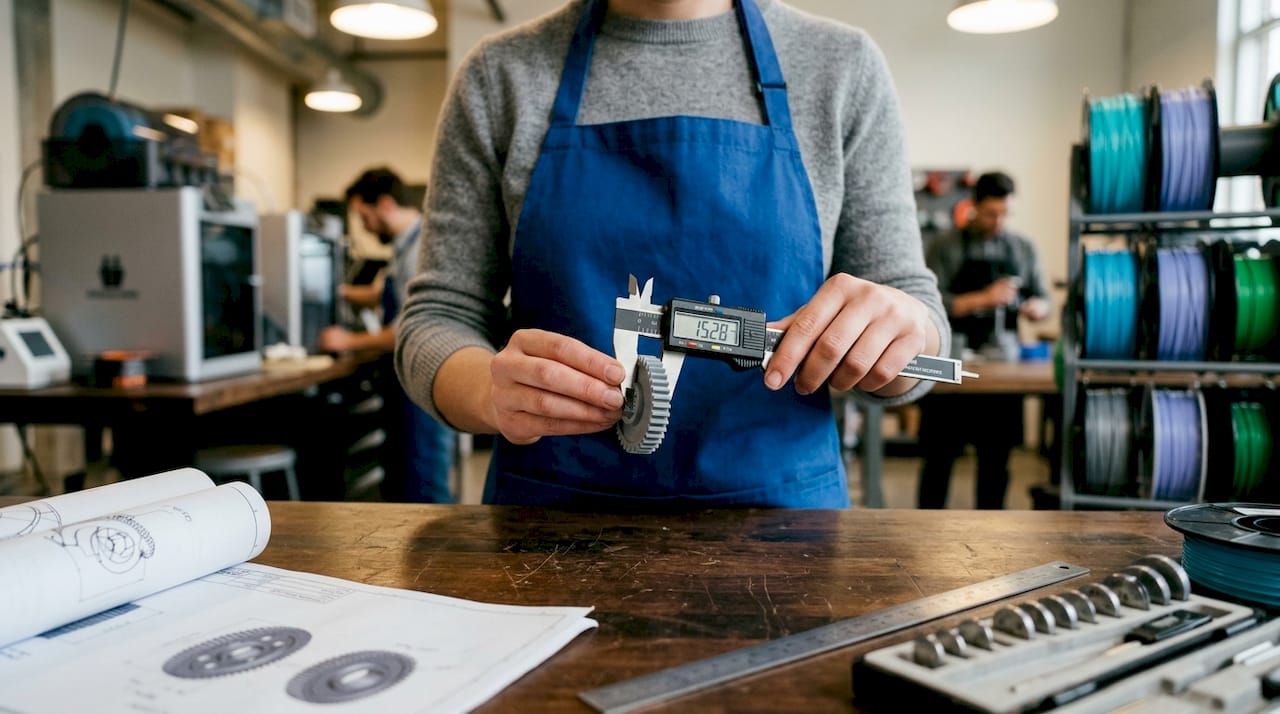
Designer checking prototype beside desktop 3D printer


Table of Contents

Key Takeaways

Point Details
3D labs accelerate innovation Specialized 3D labs empower faster prototyping and validation, significantly reducing product development timelines.
Integrated workflows boost quality The combination of advanced tools and expert processes ensures prototypes are functional, precise, and production-ready.
Parameter optimization is essential Fine-tuning machine parameters in a lab environment dramatically increases performance, strength, and reliability.
Hybrid methodologies deliver results Mixing 3D printing, milling, and scanning in one lab maximizes innovation and shortens time-to-market for engineers and businesses.

What is a 3D lab? Capabilities and core functions

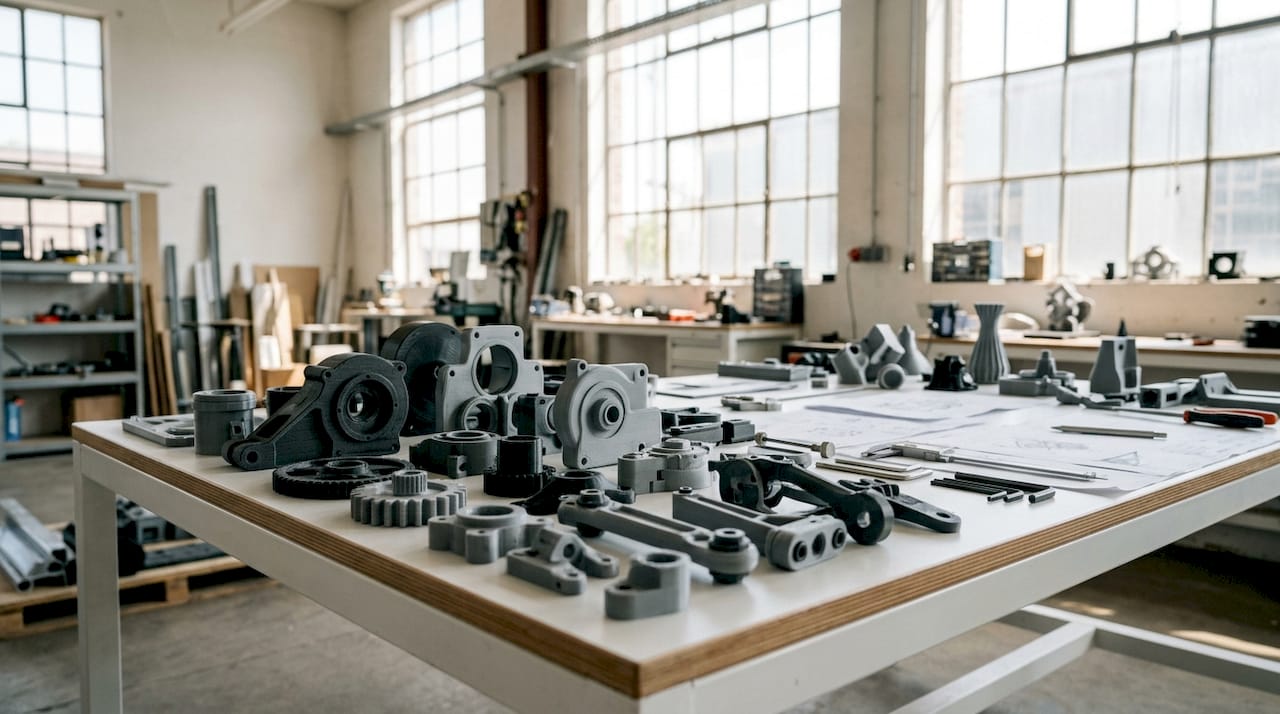
Not every space with a 3D printer qualifies as a 3D lab. A true 3D lab is a purpose-built facility that combines industrial-grade additive manufacturing equipment, subtractive tools, and metrology instruments under one coordinated workflow.

Infographic comparing 3D labs and desktop setups

3D labs, such as FabLabs and innovation labs like Dassault Systèmes’ 3DEXPERIENCE Lab and Sofia Tech Labs’ 3D Creative Lab, serve as dedicated facilities equipped with 3D printers, CNC machines, laser cutters, and scanning tools for rapid prototyping and product development. That breadth of tooling is the key differentiator. You are not just printing a shape. You are moving a design concept through a full fabrication and validation pipeline within a single environment.

Here is what a well-equipped 3D lab typically includes:

  • FDM (Fused Deposition Modeling) printers for fast, functional thermoplastic prototypes
  • SLA (Stereolithography) or resin printers for high-resolution, fine-feature parts
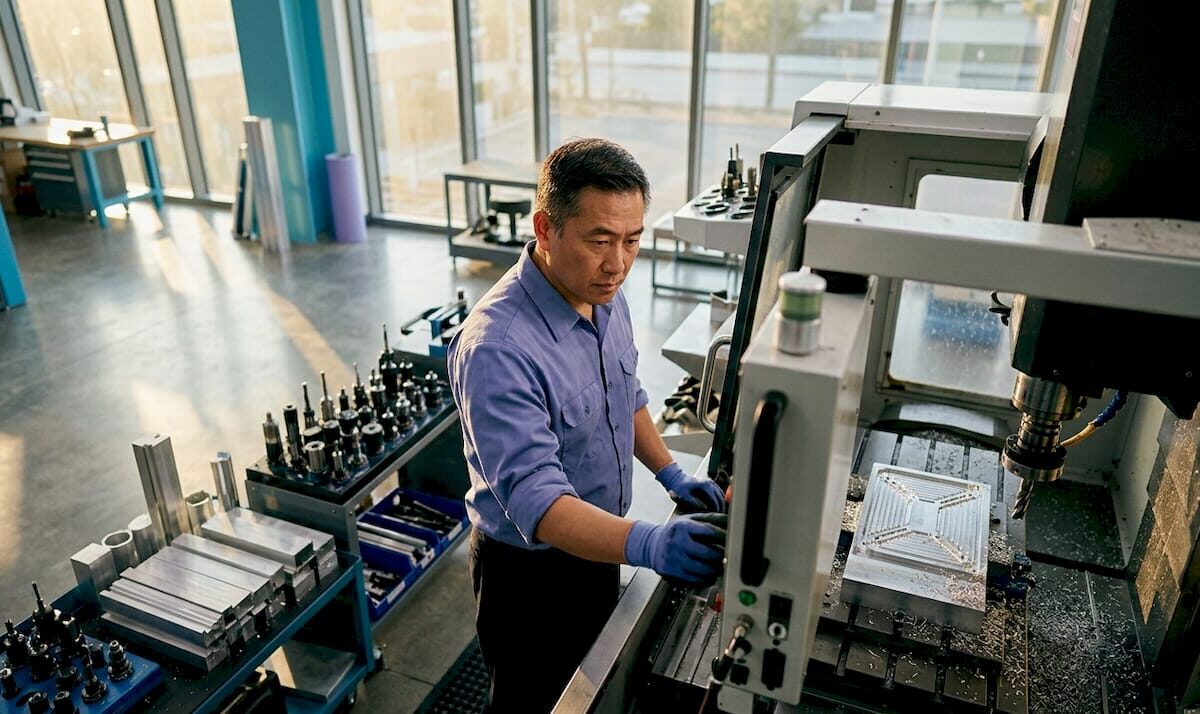
  • CNC milling machines for subtractive finishing and hybrid workflows
  • Laser cutters for flat pattern cutting and precise sheet-material work
  • 3D scanners for reverse engineering and dimensional inspection
  • CMM (Coordinate Measuring Machine) for metrology-grade validation
  • Post-processing stations for sanding, coating, heat treatment, and assembly

The range of prototypes to functional parts that a lab can produce in a single day dwarfs what any isolated desktop setup can manage. The difference is not just machine count. It is process integration.

Feature DIY / desktop printing Dedicated 3D lab
Equipment variety Single printer type FDM, SLA, CNC, scanning, CMM
Operator expertise Self-taught Specialized technicians
Quality validation Visual inspection Laser scanning, CMM
DFM (design for manufacturing) review Rarely available Integrated into workflow
Iteration speed Hours to days per cycle Same-day or overnight
Material range Limited Engineering-grade and specialty filaments

The table makes the contrast plain. A 3D lab is not a bigger version of your home setup. It is a fundamentally different operating model, built around systematic process control rather than trial and error. For product developers and engineers, that distinction shapes every decision from concept to final validation. Teams exploring creative 3D printing applications often find that lab access opens entirely new design directions that were never feasible with limited equipment.


How 3D labs accelerate innovation and shorten development cycles

Speed in product development is not just about printing faster. It is about compressing every step between a design decision and a physical result you can test. 3D labs do this by integrating modeling, fabrication, and feedback into a single coordinated loop.

3D labs accelerate innovation by enabling product developers, engineers, and SMEs to create working prototypes quickly, shortening time from idea to market using FDM, SLA, laser additive manufacturing, and hybrid systems. Where traditional manufacturing might require tooling lead times of four to eight weeks, a lab environment can deliver a testable prototype in 24 to 72 hours.

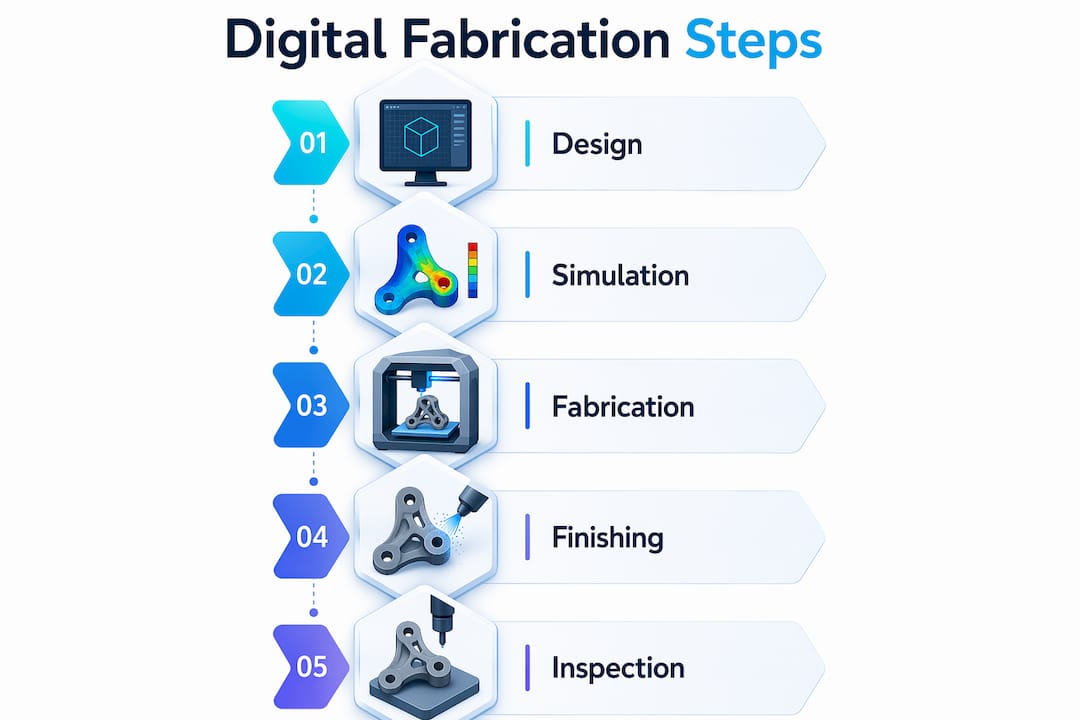
Here is a typical rapid prototyping workflow in a professional 3D lab:

  1. Digital modeling review. The engineering team submits a CAD file. Lab technicians review geometry for printability, wall thickness, unsupported overhangs, and tolerance requirements before printing begins.
  2. Material and parameter selection. Based on the part’s end use, technicians select the appropriate material (PLA, PETG, ABS, nylon, TPU) and configure build orientation, layer height, and infill.
  3. First print and visual inspection. The initial print is inspected for layer adhesion, surface finish, and dimensional accuracy against the design file.
  4. Functional testing or scanning. For functional parts, the prototype is tested under load or scanned against the original model to confirm dimensional compliance.
  5. Design feedback loop. Any deviations or failure points feed directly back to the designer, who revises the CAD file. The cycle restarts.
  6. Final validation print. Once all iterations pass testing, the lab produces a validated prototype ready for manufacturing review or low-volume production.

Development time comparison:

Development stage Traditional method 3D lab workflow
Initial prototype 3 to 6 weeks 1 to 3 days
Design revision cycle 1 to 2 weeks each 24 to 48 hours each
Functional validation 2 to 4 weeks 3 to 7 days
Total time to validated prototype 8 to 14 weeks 1 to 3 weeks

Those numbers translate directly into competitive advantage. A product team that can run three to five iteration cycles in the time a competitor completes one arrives at a better product faster.

Pro Tip: Build a design for manufacturing review into every iteration cycle, not just the final one. Catching a wall-thickness issue on iteration two costs far less than discovering it after tooling is cut.

Faster prototyping is not just about printing speed. It is about eliminating the dead time between design changes and physical results, and 3D labs are built specifically to do exactly that.


Technical methodologies: From modeling to validated prototypes

Understanding the workflow at a high level is useful. Understanding the specific technical methods used inside a 3D lab is what allows product teams to set realistic expectations, communicate better with technicians, and design smarter from the start.

The 3D lab methodology covers 3D modeling, scanning, reverse engineering, FDM prototyping, metal laser sintering with high-speed milling, and validation via CMM and laser scanning for functional prototypes. Each of those steps serves a specific purpose in the quality chain.

Key technical capabilities that define a professional 3D lab workflow:

  • Reverse engineering via 3D scanning: When a physical part exists but no CAD file does, lab technicians scan the object to generate a precise digital model. This is essential for legacy parts, competitive benchmarking, or repair applications.
  • Hybrid toolchains: Combining 3D printing with CNC milling produces parts that neither process could achieve alone. A printed form is roughed in by the printer, then precision-finished by the mill, delivering both geometric freedom and tight dimensional tolerances.
  • Staged functional validation: Rather than printing a complete assembly and discovering failures at the end, labs validate critical sub-components at each stage using fixture testing or laser comparison scans.
  • CMM (Coordinate Measuring Machine) inspection: For parts that require certified dimensional accuracy, CMM inspection provides point-cloud data verified against the original design envelope. This is standard practice in aerospace, medical device, and industrial part development.

“Validation methodologies in professional 3D labs, including CMM inspection and laser scanning, are what separate a printed shape from a certified functional prototype. The machine produces geometry. The validation process confirms it is the right geometry.” Based on methods detailed in FabLab 3DEXPERIENCE.

Pro Tip: If your part has a mating surface or a critical tolerance zone (anything tighter than ±0.2mm), request a CMM scan of the prototype before calling it validated. A visual check will not catch the issues that matter most for fit and function.

Improving design accuracy and prototyping outcomes starts long before the printer runs. It starts with how the model is prepared and what validation checkpoints are built into the process. Teams that invest time in designing reliable prototypes upfront spend far less time on rework later. A thorough prototype accuracy checklist reviewed before each print cycle dramatically reduces surprise failures.


Optimizing strength and quality: Parameters that matter most

Printing a part and printing a strong part are two very different things. The difference lives in the machine parameters set before the print begins. Most teams using desktop printers accept default slicer settings and wonder why their prototypes fail under load. Labs do not accept defaults.

Optimized parameters such as on-edge build orientation, 0°/90° or 45°/negative 45° raster angles, and 0.08mm layer thickness yield tensile strengths up to 96.89 MPa in PLA, doubling what conventional 3D prints achieve. Infill density contributes 55 to 80% of total strength gains in tested specimens. Those numbers are significant. They mean a properly configured lab print can perform at nearly double the mechanical strength of a print from default settings using the exact same material.

Parameters that directly control part strength and quality:

  • Build orientation: On-edge orientation aligns layers with the primary load path, maximizing tensile strength. Flat orientation is faster but weaker in the Z-axis.
  • Raster angle: A 0°/90° alternating pattern builds isotropic strength. A 45°/negative 45° pattern is often better for shear-loaded parts.
  • Layer thickness: Thinner layers (0.08 to 0.12mm) increase layer-to-layer bond area, directly improving tensile and impact performance. Thicker layers print faster but sacrifice strength.
  • Infill density and pattern: Gyroid and honeycomb infill patterns at 40 to 80% density dramatically increase specific strength (strength-to-weight ratio) compared to grid infill at the same density.
  • Print temperature and cooling rate: Higher nozzle temperatures improve inter-layer fusion but require controlled cooling to avoid warping in larger parts.

Common pitfalls that undercut prototype performance:

  • Accepting default slicer settings for wall count and infill (typically too low for functional parts)
  • Ignoring DFM feedback because it requires a CAD revision
  • Choosing a material for aesthetics rather than mechanical requirements
  • Skipping post-processing steps like annealing that improve dimensional stability

Focusing on 3D print quality factors from the initial design stage rather than treating print settings as an afterthought is one of the most consistent habits separating teams that ship reliable products from teams that cycle through endless revisions. The data is clear. Parameter control is not optional if performance matters.


A practitioner’s perspective: What most guides miss about 3D labs and innovation

Most articles about 3D labs focus almost entirely on the equipment list. They tell you what machines are in the room. They rarely tell you what actually produces results.

After working alongside product development teams across dozens of prototyping cycles, the clearest pattern is this: the biggest variable is not the printer model. It is the operator’s ability to interpret a design intent and translate it into build parameters. A skilled technician will catch a wall-thickness issue at file review. An automated slicing tool will print it anyway and charge you for a failed part.

Build orientation dominates mechanical performance, and labs provide DFM feedback, parameter optimization, and hybrid workflows for production-grade parts. That expert nuance, the kind that comes from running thousands of parts across dozens of materials and applications, is not something you can replicate by reading a settings guide online. It accumulates through systematic experimentation and close observation of failure modes.

The teams that get the most value from a 3D lab are not the ones with the most sophisticated CAD skills. They are the ones who treat the lab relationship as collaborative rather than transactional. They share context about how the part will be used. They ask about material alternatives. They follow up on failed prints to understand why they failed rather than just rerunning with the same settings.

There is also a structural issue that most guides skip entirely: the difference between a lab that offers access to machines and a lab that offers integrated expertise. Machine access is a commodity. Systematic DFM review, parameter optimization based on empirical test data, and hybrid workflow design are not. When you evaluate a 3D lab partner, the question to ask is not “what machines do you have?” It is “what does your feedback loop look like?” That answer will tell you more about the value you will receive than any equipment list.

Reviewing step-by-step prototyping insights with a lab partner rather than independently also reveals design issues much earlier in the cycle, when they are cheapest to fix.


How CC3DLabs can support your innovation goals

Having covered the critical roles and nuanced advantages of 3D labs, let’s look at how you can apply these insights directly with CC3DLabs’ services.

CC3DLabs, located near Philadelphia, brings exactly the kind of expert-led, process-integrated approach this article describes. Whether you need rapid functional prototypes, metrology-grade scanning, or low-volume batch production, the team delivers parameter-optimized prints with real DFM feedback built into every order.

https://cc3dlabs.com

You can explore the full range of 3D printing services to see how each fits your development stage. If dimensional accuracy is a priority for your next prototype, learn how CC3DLabs can boost design accuracy through integrated scanning workflows. And if you are still scoping what is possible, reviewing the full scope of prototyping possibilities is a practical starting point. Fast turnaround, expert input, and production-grade quality are available without the capital investment of building your own lab.


Frequently asked questions

What makes a 3D lab different from just owning a 3D printer?

A 3D lab combines industrial-grade equipment, expert staff, and integrated workflows for end-to-end prototyping and product validation, going far beyond what a desktop printer can deliver. Dedicated lab facilities include CNC machines, laser cutters, and scanning tools alongside printers, enabling a complete fabrication and validation pipeline.

How do 3D labs reduce time to market?

By enabling rapid prototyping with real-time design feedback and quick iteration cycles, 3D labs cut product development from months to weeks. Lab-based workflows using FDM, SLA, and hybrid systems compress each design-to-test cycle to as little as 24 to 48 hours.

What prototype quality advantages do 3D labs provide?

They deliver validated prototypes using advanced scanning, DFM reviews, and parameter optimization for superior strength and precision. Validation through CMM and laser scanning confirms that each prototype meets actual dimensional and mechanical requirements before moving to production.

Which 3D printing parameters have the strongest impact on part performance?

Build orientation, raster angle, layer thickness, and infill density are the four parameters that most directly control mechanical performance. Optimized parameter sets can nearly double tensile strength compared to default print settings using the same material.

Can a small business benefit from 3D lab resources without huge investments?

Yes. Many professional 3D labs offer on-demand services and scalable order sizes, allowing SMEs and startups to access industrial-grade prototyping without capital expenditure on equipment or operator training. The cost per validated prototype is often lower than the cost of a single failed tooling run.

Product developer monitoring desktop 3D printer

Overcome common 3D printing challenges: pro tips for product developers


TL;DR:

  • Many common FDM print failures, such as warping, poor bed adhesion, and anisotropy, arise from thermal and structural issues. Addressing enclosure temperature, bed surface prep, and layer orientation can significantly improve mechanical strength and dimensional stability. Mastering systematic failure analysis with optimized parameters and environment controls distinguishes top engineers from novices.

You pull a prototype off the build plate, measure it against spec, and it’s warped 2mm at the corner. The layer interface cracked under a basic load test. Your material cost is sunk, your timeline is slipping, and the root cause isn’t obvious at first glance. These aren’t rare flukes — they’re predictable failure modes with known solutions. This article walks you through the most persistent mechanical, material, and dimensional challenges in FDM 3D printing, with data-backed strategies and practical settings adjustments you can act on today.

Table of Contents

Key Takeaways

Point Details
Tackle warping and adhesion Control thermal gradients and use enclosures to promote strong first layer and prevent warping.
Optimize infill for strength Select infill and layer parameters based on material and mechanical performance targets.
Minimize dimensional drift Account for thermal cycling and orientation to maintain tight tolerances.
Embrace expert tuning Advanced troubleshooting and layering techniques resolve stubborn quality issues for production parts.
Professional help speeds results When issues persist, specialist 3D printing services can accelerate troubleshooting and delivery.

Mechanical issues: warping, bed adhesion, and anisotropy

Most print failures trace back to three interconnected problems: warping, poor bed adhesion, and structural weakness from anisotropy. Understanding why each happens is the first step toward eliminating them from your workflow.

Warping and poor bed adhesion are among the most common mechanical challenges in FDM printing, caused by thermal shrinkage and uneven cooling, particularly with ABS and Nylon. When the bottom layers cool faster than the layers above them, differential contraction bends corners upward. This is especially destructive for flat, wide parts where the geometry amplifies every degree of temperature change.

For engineers building functional prototypes, the fix involves more than just spreading glue stick on the print bed. Here are the main factors to address:

  • Enclosure temperature control: Keep ambient air around 40 to 50°C for ABS; this slows the cooling rate and reduces stress buildup between layers.
  • Bed surface and prep: Use PEI sheets, glass with adhesive, or specialized surfaces matched to your material. Clean with IPA before every run.
  • First layer calibration: A first layer squished 10 to 15% below nominal layer height maximizes contact area and adhesion force.
  • Brim and raft usage: Wide brims (at least 8mm) physically resist corner lift. Rafts add thermal mass at the base and help equalize temperature.

“For materials prone to warping like ABS and Nylon, enclosing the build volume and tightly calibrating the first layer settings are non-negotiable steps before advanced parameter tuning.” — Recommendations from FDM troubleshooting best practices.

Anisotropy is the other silent killer. Because FDM prints layer by layer, the bond between layers is always the weakest link in the structure. Flexural strength drops 40%+ at a 90° raster angle compared to 0°, with PLA reaching optimal performance at 0° orientation and 50% infill (167 MPa), and ABS peaking at 0° orientation with 75% infill (126 MPa). If your part will see bending loads, the layer stacking direction relative to load direction is not a detail — it’s a design decision.

When working on manufacturing-grade 3D printing projects, these baseline mechanical principles need to be locked in before you start optimizing higher-level parameters.

Pro Tip: Before printing any structural prototype, sketch out the primary load direction on paper and orient the model so critical surfaces are parallel to the raster lines. This one decision can roughly double effective flexural strength without changing a single slicer setting.

For anyone newer to these concepts, the filament 3D printing prototyping guide provides a solid foundation before tackling advanced troubleshooting.

Strength and material parameter selection: the infill and raster effect

Once you understand the mechanical failure sources, the next problem is knowing exactly which parameters to adjust for your specific material and application. Infill and raster angle are not just cosmetic settings — they are structural design variables.

Infill density contributes up to 80% of the variation in tensile, compressive, and impact strength, while layer thickness has the biggest influence on hardness and surface roughness. The practical implication: if you need a load-bearing part, infill is your primary lever. If you need a smooth surface for a fit-check prototype, layer thickness takes priority.

Here’s a step-by-step approach to selecting infill and raster angle for common engineering materials:

  1. Identify the primary load type (tensile, compressive, bending, impact). Each responds differently to infill patterns and density.
  2. Select material based on operating environment. ABS for moderate heat and chemical exposure, PLA for room-temperature prototypes, Nylon for dynamic or fatigue-heavy applications.
  3. Set raster angle to 0° as the starting default for maximum strength in the load direction. Reserve 45° or alternating rasters for isotropic requirements.
  4. Set infill starting point based on the table below, then adjust after a destructive test sample.
  5. Print a small coupon first. Test before committing material and time to the full part.
Material Optimal raster angle Infill % Flexural strength Notes
PLA 50% 167 MPa Best for room-temp structural prototypes
ABS 75% 126 MPa Needs enclosure; warping risk above 100mm
Nylon 0° to 45° 60 to 75% Varies Moisture absorption affects results; dry filament before printing
PETG 45° alternating 50 to 60% ~120 MPa Good layer adhesion; less anisotropy than ABS

The optimal mechanical parameters for each material matter, but they only deliver results when the print environment (enclosure, bed temp, ambient humidity) supports them. Engineers who treat slicer settings as isolated variables without controlling the full print environment consistently get inconsistent results.

Pro Tip: Run a 3-sample destructive test at your target infill and raster settings before committing to a full production run. A simple bend or pull test on small coupons catches 80% of strength-related surprises before they cost you time and material on full-sized parts.

Engineer examines broken 3D printed samples

For a deeper look at how geometry choices interact with these parameters, the resource on designing reliable 3D prints is worth reviewing before finalizing your CAD for print.

Dimensional accuracy and stability under thermal cycling

Strength and adhesion matter at print time, but many engineering parts face an equally serious challenge after they leave the printer: dimensional instability under repeated temperature changes. This is critical for any part used in automotive testing, outdoor hardware, or environments with significant temperature swings.

Dimensional drift under thermal cycling is well-documented: parts can show a height increase of +0.3 mm after just 10 cycles between -20°C and 80°C, with the Z-direction the most affected due to anisotropy between layers. For parts with tight tolerances on height, stacking, or assembly clearance, that 0.3 mm can mean the difference between a fit and a failure.

The Z-direction is vulnerable for a structural reason: the bond between layers is weaker than the base polymer itself. When thermal expansion and contraction work on that interface repeatedly, the cumulative dimensional shift is greater than what you’d see in an injection-molded part made from the same base material.

Here’s a practical checklist to minimize thermal drift in dimensionally critical parts:

  • Pre-condition parts before measuring. Let them stabilize at room temperature for at least 2 hours after printing before taking dimensional readings.
  • Orient tall features horizontally where tolerance matters. A feature that runs in the XY plane is more dimensionally stable than one that grows in Z.
  • Use an enclosure during printing to slow cooling uniformity and reduce residual stress that contributes to post-print drift.
  • Anneal parts after printing. For PLA, annealing at 60 to 65°C for 30 to 60 minutes stress-relieves the polymer and improves dimensional stability under subsequent thermal loads.
  • Specify material with appropriate thermal coefficient. PETG and ABS both outperform PLA at elevated temperatures; check the glass transition temperature against your expected operating range.

If you’re not familiar with terms like anisotropy, glass transition temperature, or layer adhesion mechanics, the 3D printing terminology resource breaks these down clearly for product developers.

The industry is also moving toward tighter process controls for thermal stability, which you can explore in manufacturing trends in 3D printing to understand where the best practices are headed in 2026.

Expert troubleshooting: fine-tuning, layering, and advanced material tips

With the fundamentals addressed, the final layer of mastery involves diagnosing persistent quality issues that survive basic parameter optimization. These are the problems that show up in advanced prototypes and pre-production runs, and they require a more systematic approach.

The following troubleshooting moves address common high-level flaws:

  • Stringing and oozing: Increase retraction distance by 0.5mm increments and reduce travel speed. Dry filament thoroughly before printing, especially with hygroscopic materials like Nylon and PETG.
  • Under-extrusion: Check for partial clogs, recalibrate the extruder e-steps, and verify that flow rate matches actual filament diameter at the tip.
  • Layer separation: Increase layer temperature in 5°C increments and reduce print speed on perimeter passes. Check that part cooling fans aren’t overwhelming inter-layer bonding on materials like ABS.
  • Surface inconsistency on top layers: Increase top layer count from 3 to 5, and verify that infill percentage is high enough to support bridging at the top.

Retraction and flow calibration directly affect part quality in ways that don’t show up in standard strength testing but can catastrophically affect functional performance and appearance. Setting 0° raster and 50 to 75% infill for maximum structural performance is part of this optimization loop.

Advanced layering strategies deserve particular attention for fatigue applications. Multiplane layering, where the model is split and printed in sections oriented on different axes, can meaningfully mitigate Z-direction weakness. It adds complexity, but for parts that will see cyclic loading, it’s a legitimate engineering intervention rather than a workaround.

“Notches and stress concentrations in printed parts reduce fatigue life dramatically. A sharp root radius of just 0.3 mm can reduce epoxy fatigue life by two-thirds, and the same principle applies to layer transitions and internal geometry in FDM parts.”

This is an often-overlooked design point. Engineers frequently focus on infill percentage and raster angle while ignoring sharp internal corners or abrupt geometry transitions that act as stress concentrators during cyclic loading. Rounding internal radii to at least 0.5mm and smoothing layer transition geometry can have more impact than an extra 10% of infill.

For a full walkthrough of how to implement these strategies from print setup through post-processing, the step-by-step guide for quality prints provides actionable detail on each stage.

Comparison summary: challenges, impacts, and solutions at a glance

Use this table as a reference checklist when diagnosing a failed print or planning a new high-stakes prototype.

Challenge Symptom Root cause Affected property Proven fix
Warping Lifted corners, base distortion Uneven cooling, thermal shrinkage Dimensional accuracy, adhesion Enclosure, heated bed, brim, first layer calibration
Anisotropy Weak Z-axis fractures Layer bonding weaker than bulk Flexural and tensile strength 0° raster, orientation control, multiplane layering
Poor bed adhesion Part detaches mid-print Dirty bed, wrong surface, low temp Print completion, dimensional base IPA clean, PEI sheet, bed temp match to material
Dimensional drift Tolerance failure after use Thermal cycling, Z-anisotropy Assembly fit, tolerance stack-up Pre-conditioning, annealing, horizontal feature orientation
Strength loss Fracture under expected load Low infill, wrong raster, wrong material Load-bearing capacity Optimize infill, raster angle, run coupon tests

Each row in this table maps to a root cause you can test and a fix you can implement immediately. The most common mistake is treating these as unrelated problems when they often compound: warping creates residual stress that worsens anisotropy-driven failure under load.

Beyond the basics: why mastering failure modes separates top engineers

Here’s an uncomfortable observation from working with product developers at all levels: the engineers who produce the most reliable printed parts aren’t necessarily using better machines or more exotic materials. They’re the ones who document failures systematically and treat every failed print as diagnostic data.

Textbooks cover the ideal behavior of materials. They rarely cover what happens when ABS prints on a Tuesday in summer at 72% humidity and the first layer adhesion degrades compared to a dry February run. The real world is messy, and default slicer profiles are designed for average conditions, not for your specific geometry, ambient environment, or load requirements.

The engineers who outperform their peers share a common habit: they don’t accept “it just failed” as a root cause. They ask which direction it failed, at what layer, under what load, after how many cycles. That diagnostic precision is what allows rapid iteration instead of repeated guessing.

Chasing new printer releases or exotic filaments without mastering failure analysis is a trap. A well-dialed FDM printer with calibrated settings for manufacturing-grade print quality will consistently outperform a newer machine running on default profiles. Process mastery compounds. Hardware upgrades plateau.

The engineers who build durable, accurate prototypes are the ones who embrace the analytical layer underneath the print settings. That’s not a personality type. It’s a skill you build deliberately, starting with the frameworks in this article.

Professional support and rapid solutions for 3D printing challenges

Persistent print failures can eat weeks of development time when you’re working without access to experienced process feedback. Sometimes the fastest path forward isn’t tuning another setting — it’s getting a professional set of eyes on your geometry, material selection, and print strategy.

https://cc3dlabs.com

At CC 3D Labs, we work directly with product developers and engineers facing exactly the challenges covered in this article. Whether you need rapid turnaround on a tight-tolerance prototype, expert guidance on material and parameter selection, or reliable batch production with verified dimensional accuracy, our team near Philadelphia is set up to deliver. Explore our full 3D printing services, or start with the guide to rapid prototyping to understand how a professional workflow compresses your iteration cycle. For filament-based projects specifically, prototyping with filament printing outlines exactly how we approach each stage from design review to final part delivery.

Frequently asked questions

What causes prints to warp during 3D printing?

Warping is caused by uneven cooling and thermal shrinkage in the base layers, especially with ABS and Nylon. Using an enclosure, a heated bed, and a wide brim effectively reduces warping across most material types.

How does infill density affect part strength in 3D printing?

Infill density contributes up to 80% of the variation in tensile, compressive, and impact strength in FDM printed parts. Higher infill significantly increases load-bearing capacity while layer thickness primarily affects surface hardness and finish.

Why are parts weaker in the Z-direction in FDM 3D printing?

The 40%+ drop in flexural strength at 90° raster angle compared to 0° is a direct result of inter-layer bonding being weaker than the bulk polymer. Orienting the part so critical load paths run in the XY plane is the most effective structural mitigation.

What is the impact of thermal cycling on dimensional accuracy?

Thermal cycling induces measurable dimensional drift, with parts showing up to +0.3 mm height change after 10 cycles between -20°C and 80°C. The Z-direction is most vulnerable due to the anisotropic nature of layer bonding in FDM parts.

How can I improve bed adhesion for better 3D print results?

Clean the print bed with IPA before each run, use a surface matched to your material like PEI for ABS or glass for PLA, and calibrate your first layer height to slightly over-extrude for maximum contact area. Adding an enclosure to stabilize ambient temperature eliminates the thermal differential that causes early delamination.

Engineer reviews 3D print gallery workspace

How project galleries improve your 3D printing designs


TL;DR:

  • Most professional 3D printing galleries include failed prints and process iterations, which reveal the true quality and limitations. These curated collections serve as operational tools, showcasing real results, process improvements, and reliability for businesses evaluating suppliers or benchmarking designs. Unlike hobbyist sites, professional galleries prioritize function, batch consistency, and transparency, enabling informed decision-making and process optimization.

Most people assume a 3D printing project gallery is just a portfolio of polished wins. The reality is more useful. Professional galleries often include failed prints, visible layer lines, and mid-process iterations. Those aren’t flaws in the presentation. They’re the most valuable part. For businesses and product developers, a curated visual collection of 3D printing projects isn’t just inspiration material. It’s a living record of what works, what doesn’t, and what’s possible at scale.

Table of Contents

Key Takeaways

Point Details
Curated showcase A project gallery displays completed 3D print projects for inspiration and evaluation.
Diverse categories Galleries feature product designs, art, prototypes, and functional parts with material and geometry details.
Learning from failure Displaying failed prints and iterative improvements helps teams refine products and innovate.
Business value Professional galleries focus on functionality, scalability, and real-world metrics for product development.
Actionable insights Leveraging galleries streamlines evaluation and inspires smarter design for businesses.

A project gallery is a structured, visual showcase of completed 3D printing work. Think of it as a searchable record of outputs. It displays finished models, prototypes, functional parts, and sometimes rejected designs, all organized to help viewers understand what a printer or printing service can actually produce.

For businesses evaluating a supplier or trying to benchmark their own outputs, a gallery does something a spec sheet can’t: it shows real results. You can see how a material behaves on curved surfaces, how fine details hold up at small scales, and how batch production looks when 50 identical parts come off the same printer.

Key business uses of a project gallery include:

  • Evaluating supplier capabilities before committing to a production run
  • Benchmarking your own designs against industry-standard outputs
  • Identifying materials and finishes that fit your product requirements
  • Discovering design techniques that reduce print failures or material waste
  • Speeding up client approvals by showing comparable past projects

A CAD project gallery takes this one step further by displaying the modeling process alongside the printed result. This is especially useful for product developers who want to verify that a supplier understands geometry, tolerances, and design intent. Our 3D printed project gallery at CC3D Labs exists precisely for this reason. Not just to look good, but to give you a factual baseline for evaluating what we produce.

A project gallery in 3D printing is a curated online showcase or visual collection displaying completed 3D printed projects, models, and designs to inspire makers, designers, and businesses.

That definition is useful but doesn’t go far enough. For professionals, galleries aren’t passive inspiration boards. They’re decision-making tools.

Typical categories and features of project galleries

A well-built professional gallery isn’t one long scroll of random prints. It’s organized by category, material type, application, and sometimes production scale. That structure is what makes it functional for business users rather than just visually appealing.

Professional gallery categories typically include 3D printed art, characters, architectural models, product designs, and functional prototypes, each highlighting textures, materials, and geometry complexity. Here’s how those categories map to real business use cases:

Gallery category What it shows Best used for
Functional prototypes Wall thickness, tolerances, fit and assembly Product development teams
Architectural models Fine geometry, surface detail Design and construction firms
Batch production Part consistency across 50 to 500+ units Manufacturing procurement
Product design Material finishes, color matching, branding Consumer product developers
Art and characters Complex geometry, multi-color capability Branded merchandise, display items
Iterative designs Multiple versions of the same part R&D and engineering teams

What to look for in each category:

  • Textures and surface quality: Does the finish match your product requirements?
  • Geometric complexity: Can the printer handle overhangs, interlocking parts, or fine threads?
  • Material variety: Are PETG, ABS, TPU, and engineering-grade filaments all represented?
  • Batch consistency: Do repeated parts look identical, or do small variations appear across the run?

There are creative applications that push well beyond standard prototyping. Galleries that include these examples give product developers a broader picture of what’s achievable. Explore a filament prototype gallery to see how different filament choices affect the final output at both small and production scale.

It’s also worth looking at how larger manufacturers use galleries. Sites like Conquest Manufacturing provide production-oriented examples that show how professional-grade equipment handles volume and material complexity.

Pro Tip: When reviewing a gallery, don’t just look at the best examples. Look for consistent quality across ordinary projects. That consistency is a better signal of a provider’s reliability than a single standout print.

Why project galleries include failures and iterative improvements

This is the part most businesses overlook. A gallery that only shows flawless finished products is telling half the story. The most informative galleries include failed prints and iterative improvements that reveal how craftsmanship and process optimization actually work in practice.

Layer lines are a perfect example. In amateur circles, visible layer lines are considered a flaw. In professional contexts, they’re data. The direction, consistency, and spacing of layer lines tell you about print orientation, speed settings, and material behavior. A gallery that shows layer lines and explains why they appear is teaching you something useful.

Close-up of 3D print layer lines and flaws

Here’s a side-by-side look at how iterative galleries compare to single-result displays:

Gallery type What’s shown Business value
Single-result display Only the final, approved version Shows outcome only
Iterative gallery v1, v2, v3 with notes on changes Shows process improvement
Failure gallery Failed prints with explanation Builds trust and transparency
Annotated gallery Each image includes print settings Enables replication and benchmarking

Design teams that use iterative galleries in their development process catch problems earlier. If you can see that a similar part failed at a specific wall thickness three versions ago, you avoid repeating that mistake in your own design file. This is particularly valuable when prototyping quality standards need to hold across multiple rounds of revision.

Galleries that track design evolution also connect directly to 2026 manufacturing trends, where shorter development cycles and first-time-right printing are becoming competitive requirements. Iterative documentation is how you get there faster.

Pro Tip: When evaluating a supplier through their gallery, ask if they can share the version history for a project similar to yours. A supplier willing to show their iterative process is one confident in their workflow.

Professional vs. hobbyist project galleries: A comparison

Not all galleries serve the same audience. Understanding the difference matters a great deal when you’re trying to use gallery content to drive business decisions.

Infographic compares professional and hobbyist 3D print galleries

Hobbyist galleries prioritize aesthetics and creative sharing (platforms like Thingiverse are a well-known example), while professional galleries emphasize functionality, scalability, and batch production metrics more like case studies from services such as 3DPRINTUK. Both have value, but they’re optimized for completely different goals.

Hobbyist galleries tend to:

  • Celebrate creative and artistic expression over function
  • Focus on community engagement and downloads
  • Measure success by likes, remixes, and shares
  • Show individual one-off prints rather than production runs
  • Lack material or tolerance specifications

Professional galleries, on the other hand, tend to:

  • Document functional results including tensile strength, layer adhesion, and dimensional accuracy
  • Show batch production consistency across repeated parts
  • Include material datasheets and process notes
  • Benchmark performance against design requirements
  • Prioritize scalability data that informs procurement decisions

For businesses making sourcing decisions, the difference is everything. A professional gallery helps you answer: can this provider handle my volume, my tolerances, and my material requirements? A hobbyist gallery can spark creative ideas, but it won’t tell you whether a part will survive a real-world mechanical test.

The batch production guide covers this in detail, including how to evaluate quantity, consistency, and cost trade-offs. For businesses that need parts to perform in the field, manufacturing-grade 3D printing sets a different quality bar entirely. Make sure the gallery you’re reviewing reflects those standards before you commit to a supplier.

Using a gallery well takes a bit of structure. Here’s a practical process for extracting real value from any professional 3D printing project gallery.

  1. Define your evaluation criteria first. Before you open a gallery, write down what matters to you: material type, surface finish, tolerance range, batch size, or geometric complexity. Having criteria prevents you from getting distracted by impressive-looking prints that don’t apply to your use case.

  2. Filter by category. Use the gallery’s category structure to focus on projects similar to yours. If you’re developing a functional mechanical part, skip the art section and go straight to prototypes and production parts.

  3. Look for documentation depth. The best galleries include print settings, material choices, post-processing steps, and notes on design changes. Galleries without this context offer limited business value.

  4. Study the failures, not just the wins. Note what caused failures and how they were resolved. This is often the most actionable content in a professional gallery.

  5. Use gallery examples as conversation starters. When briefing a 3D printing provider, reference specific gallery projects that match your requirements. This speeds up scoping and reduces back-and-forth on expectations.

  6. Track your own design iterations. Don’t just consume other people’s galleries. Build your own. Document your v1 through v5 prints with notes on what changed and why. This internal record becomes a powerful reference for your team over time.

Knowing what can be 3D printed is the starting point for this whole process. Understanding the full range of printed prototypes and parts helps you set realistic goals before you ever look at a gallery.

Pro Tip: Screenshot gallery examples that closely match your project and create a reference folder for each active product development project. This gives your design team a visual brief without lengthy written descriptions.

What most articles miss about project galleries for professionals

Most coverage of 3D printing galleries treats them as marketing assets. Eye candy for potential customers. That framing undersells what a gallery actually does at the professional level.

A well-built gallery is an operational tool. When we document a project at CC3D Labs, that documentation goes beyond showing off the final part. We track what settings were used, how the design evolved across iterations, what failure modes appeared and how they were resolved, and what the final output looked like against the original CAD file. That record has real business value.

The galleries that actually move the needle for product developers are the ones that surface layer artifacts like layer lines and document them, rather than hiding them through post-processing or selective photography. Those details signal to a technical buyer that a supplier understands their own process deeply enough to explain it.

Here’s the insight most businesses don’t act on: the best use of a gallery isn’t passive browsing. It’s active benchmarking. Pull a gallery example that matches your spec, compare it to your own previous outputs, and identify the specific gap. Then ask your supplier to explain how they’d close it. That conversation is worth more than any spec sheet.

Batch metrics are another underutilized gallery feature. When a gallery shows 200 identical parts with consistent color, layer adhesion, and dimensional accuracy, it’s making a data-driven argument about why quality matters at production scale. That’s the argument your procurement team needs to hear.

Treat project galleries as performance dashboards. Look for consistency, transparency about failures, and documented iteration. Those three signals tell you more about a supplier’s reliability than any number of polished hero shots.

If you’ve been evaluating suppliers, benchmarking designs, or trying to improve your product development cycle, the right gallery makes that process significantly faster.

https://cc3dlabs.com

At CC3D Labs, our 3D printing services are built around documented, transparent production. Our CC3D Labs project gallery includes functional prototypes, batch production examples, and iterative design documentation, so you can evaluate our outputs against your actual requirements before submitting a single file. We serve businesses and product developers near Philadelphia and internationally, with free online estimates and design support included. Browse our gallery, explore what can be printed, and see exactly what production-grade filament printing looks like when quality is tracked from v1 to final delivery.

Frequently asked questions

Galleries provide real benchmarks, show iterative design improvements, and help teams spot failure patterns early, cutting down revision cycles and improving design decisions before production begins.

Professional galleries typically organize content into functional prototypes, batch production runs, architectural models, product designs, and art pieces, each showcasing materials, textures, and geometry relevant to that application.

Why do some galleries highlight failures and print artifacts?

Showing layer lines and failed prints builds transparency and helps buyers assess process quality, evaluate a supplier’s troubleshooting ability, and understand the realistic range of outputs.

How do professional galleries differ from hobbyist galleries?

Professional galleries prioritize production metrics like part strength, batch consistency, and scalability, while hobbyist galleries focus primarily on creative expression and community sharing without functional documentation.

Absolutely. A gallery gives you concrete, comparable examples of a supplier’s quality standards and production scale, making it one of the most reliable evaluation tools available before you sign any production agreement.

Teacher guiding students at classroom 3D printer

Harnessing 3D Printing in Education: Transform Student Learning


TL;DR:

  • 3D printing significantly improves student understanding and engagement in STEM subjects.
  • Successful integration relies on curriculum-first planning, teacher training, and proper workflow.
  • Common challenges include high costs, resource management, and curriculum alignment, but solutions exist.

A recent pre-post study with 32 Grade 6 students found significant academic gains in space science after using 3D-printed models, and that result should make every educator pause. 3D printing in schools is no longer a novelty reserved for tech showcases or maker fairs. It has become an evidence-based instructional tool that strengthens student understanding, sharpens problem-solving, and bridges the gap between abstract content and hands-on discovery. This guide walks educators and administrators through the research, the practical frameworks, the real challenges, and the curriculum strategies that make 3D printing actually work in learning environments.

Table of Contents

Key Takeaways

Point Details
3D printing boosts engagement Integrating 3D printing increases student engagement and skill development in STEM and beyond.
Teacher preparation is key Educator training and curriculum-first planning enable effective and sustainable classroom integration.
Overcome barriers wisely Address cost, training, and durability challenges with evidence-backed, practical solutions and material choices.
Focus on learning goals Success comes from aligning technology with meaningful curriculum objectives, not just using flashy tools.

The evolution of 3D printing in education

Early 3D printers entered schools as expensive curiosities. They sat in corners of computer labs, printed plastic trinkets, and impressed visitors at open houses. Teachers rarely had time to integrate them meaningfully, and students used them for show rather than learning. That era is largely behind us.

Over the past decade, falling hardware costs, open-source design software, and a strong push toward project-based learning (PBL) and challenge-based learning (CBL) shifted the role of the printer from novelty to instructional asset. PBL asks students to investigate real-world problems and create tangible outputs. CBL pushes them further, requiring them to tackle an authentic challenge with measurable results. In both models, a physical, touchable prototype is far more powerful than a slide deck.

The S.T.E.M. emphasis in K-12 and higher education also accelerated adoption. Schools needed tools that connected science, technology, engineering, and mathematics in visible, tactile ways. A 3D-printed model of a cell, a bridge stress-test prototype, or a scaled architectural model does exactly that.

Key drivers behind classroom adoption include:

  • Project-based and challenge-based learning requiring physical deliverables
  • S.T.E.M. curriculum mandates that reward cross-disciplinary application
  • Lower-cost FDM printers (FDM stands for fused deposition modeling, the most common filament-based printing method) making entry more accessible
  • Open-source design tools like Tinkercad and Fusion 360 reducing the design learning curve
  • Maker culture normalizing fabrication as a core academic skill

The TPACK framework (Technological Pedagogical Content Knowledge) has become a critical guide for teacher professional development. TPACK helps educators think about three overlapping skill areas: knowing the technology, knowing how to teach, and knowing the subject matter. When schools train teachers using TPACK, they produce instructors who can confidently connect the printer to a learning objective rather than using it as a standalone activity.

Research confirms the pattern. A systematic review of 20 studies on 3D printing in teacher education found that while the technology clearly enhances skill development and student engagement, schools consistently face challenges around resource availability, time constraints, and curriculum integration.

“The technology is not the lesson. The lesson is the lesson. 3D printing is a powerful vehicle, but only when the driver knows where they’re going.”

For those curious about what creative 3D printing applications look like in practice, the range is genuinely surprising, from working mechanical assemblies to anatomical models that students can hold and examine.

How 3D printing transforms learning outcomes

Evidence for measurable gains keeps building. In the Grade 6 space science study mentioned earlier, students who used 3D-printed models of planets, lunar phases, and orbital systems scored significantly higher on post-tests than they did on pre-tests. The models gave abstract content a physical form. Students could rotate, compare, and manipulate objects that would otherwise exist only as textbook images.

Students studying 3D-printed spacecraft model

At the university level, the impact shifts slightly. Rather than boosting content recall, 3D printing in higher education tends to strengthen design thinking, iterative problem-solving, and the connection between theoretical knowledge and functional prototypes. Engineering programs that integrate challenge-based learning with 3D prototyping report improvements in prototype quality alongside stronger critical thinking and creativity outcomes.

Here is a snapshot of documented outcomes across educational levels:

Setting Subject area Outcome measured Finding
Grade 6 K-12 Space science Academic performance Significant pre-post improvement
University engineering Mechanical design Prototype quality, creativity Improved with CBL integration
Teacher education Cross-disciplinary Skill development, engagement Enhanced, with noted resource challenges
Secondary STEM Physics/engineering Spatial reasoning Measurably improved

Beyond academic scores, students who work with 3D printers regularly develop skills that traditional instruction struggles to build. These include:

  • Spatial reasoning, the ability to mentally rotate and visualize objects in three dimensions
  • Iterative design thinking, understanding that a first attempt is a starting point, not a final product
  • Technical communication, translating an idea from words to a CAD model that a machine can execute
  • Material awareness, learning how real-world choices like wall thickness and infill density affect function

Prioritizing quality in educational 3D prints matters more than many educators initially expect. A poorly printed model with visible layer delamination or warped geometry can actually confuse students rather than help them. When the physical artifact is accurate and well-made, the learning it enables is far more reliable.

Key stat: The Grade 6 study used a structured pre-post test design, one of the strongest formats for measuring actual learning gains, making its findings more credible than typical anecdotal classroom reports.

Implementing 3D printing: Practical methods and proven frameworks

Moving from theory to practice requires a clear process. Most successful classroom implementations follow a consistent workflow that educators can adapt regardless of subject area or grade level.

  1. Define the learning objective first. Before anyone opens design software, identify what students need to understand or be able to do. The print should serve the objective, not the other way around.
  2. Model and design. Students create or modify a 3D model using tools like Tinkercad (beginner-friendly) or Fusion 360 (more advanced). This stage builds CAD literacy and spatial thinking.
  3. Slice the model. Slicing software (such as Cura or PrusaSlicer) converts the 3D design into printer instructions. Students learn about layer height, print speed, support structures, and infill, all legitimate engineering considerations.
  4. Print and evaluate. The physical object emerges, and students immediately compare it against their intentions. Does it match? If not, why? What would they change?
  5. Iterate. Redesign based on findings. This is where the deepest learning happens, when students treat failure as data.

This workflow maps naturally onto both PBL and CBL frameworks. In PBL, students might design a water filtration prototype over several weeks. In CBL, they might be given a specific structural challenge, like building a bridge that holds a set weight using minimal material, and iterate until they meet it.

The TPACK model recommends that teacher training programs focus on design intent and materials science alongside printer operation. A teacher who understands why a model is printed a certain way can guide students far more effectively than one who only knows how to press “print.”

For higher education specifically, DfAM (Design for Additive Manufacturing) coursework offered by organizations like ASTM International and Wohlers Associates provides a rigorous, industry-aligned curriculum framework that engineering departments can integrate directly.

Approach Best for Key benefit Limitation
PBL (Project-Based Learning) K-12 through undergrad Authentic deliverables, sustained engagement Requires significant planning time
CBL (Challenge-Based Learning) University engineering Real constraints, iterative improvement Needs access to reliable printers
TPACK-driven PD Teacher training Balances tech, pedagogy, and content Requires ongoing professional development
DfAM coursework Higher education Industry-ready skills, materials knowledge Specialized, less accessible for K-12

Pro Tip: When designing reliable prints for classroom use, orient models to minimize overhangs and maximize contact with the build plate. This reduces failed prints dramatically, which is critical when class time is limited.

Infographic illustrating quality tips for classroom 3D prints

Choosing classroom 3D printing materials is equally important. PLA is beginner-friendly and biodegradable, making it a sensible starting point. PETG offers better durability and impact resistance for models students will handle frequently. ABS is harder to print reliably without an enclosure and is better suited to university engineering labs than middle school classrooms.

Real-world challenges and sustainable solutions

The research is clear, and the frameworks are solid. But every administrator knows that implementation is where the best plans meet real friction. Understanding the most common barriers lets you address them before they derail your program.

School 3D printing challenges documented in research include:

  • High upfront cost for hardware, filament, and software licenses
  • Insufficient teacher training, leaving educators unsure how to connect printing to curriculum
  • Equipment maintenance, as consumer-grade printers require regular calibration and part replacement
  • Time pressure, since even a small print can take 30 to 90 minutes, creating scheduling challenges
  • Model fragility, where thin-walled or poorly designed prints break during normal classroom handling
  • Curriculum misalignment, where printing becomes a standalone activity disconnected from learning standards

Each of these has a practical solution.

For cost, start with one or two reliable FDM printers rather than a lab full of cheaper units. A single, well-maintained Prusa or Bambu machine produces better outcomes than five poorly supported alternatives. Apply for S.T.E.M. grants, many of which specifically list additive manufacturing as a fundable technology.

For teacher training, invest in hands-on workshops before any printer arrives. Teachers who have designed, sliced, and printed something themselves before teaching it are far more confident and effective. Schedule dedicated prep time in the weeks before launch.

For maintenance, designate a student “print crew” or a faculty tech lead responsible for machine upkeep. Clear protocols for calibration, bed leveling, and nozzle cleaning extend printer lifespan significantly.

For model fragility, material selection for durability is the first line of defense. PETG prints tend to survive classroom handling far better than PLA when models will be passed around repeatedly. Increasing wall thickness and infill percentage in the slicing settings also improves resilience without adding major print time.

Pro Tip: Pre-slice and pre-queue print jobs during the week before a project unit. Running printers during non-class hours, overnight or on weekends, eliminates the in-class wait time problem entirely and keeps the learning momentum high.

Why a curriculum-first mindset matters for 3D printing success

Here is the uncomfortable pattern we see repeatedly: schools invest in printers, run a few exciting demo sessions, generate some social media buzz, and then watch utilization drop sharply after the first semester. The printers gather dust. Teachers feel guilty they’re not using them. The technology gets blamed.

The technology is rarely the problem. The planning is.

Most failed 3D printing programs start with the machine and work backward toward a justification. They buy the printer, then ask, “What can we print?” The better question is always, “What do students need to understand, and can a physical model help?” When the answer to that second question is yes, 3D printing becomes a powerful instructional tool. When it’s no, the printer should sit this one out.

Research reinforces this. Expert guidance on DfAM integration emphasizes curriculum-first thinking over tool-centric approaches. The most effective university programs start by teaching design intent and materials science, then introduce the printer as the tool that makes the design real. The machine serves the curriculum, not the other way around.

This mindset shift has real consequences for administrators making purchasing decisions. Before buying equipment, map out at least one full semester of curriculum units where 3D printing has a clear, documented role. Identify the learning standard, the student output, and the assessment. If you can’t fill a full semester with purposeful use, start smaller.

The creative integrations in curriculum that generate the best student outcomes share a common trait: the teacher designed the learning experience before opening any design software. The printer was the final step in a well-planned instructional sequence, not the starting point.

Students don’t benefit from 3D printing because it’s exciting. They benefit because it gives their thinking a physical form, and that physical form reveals gaps, errors, and insights that no worksheet ever could.

Explore 3D printing solutions for your school

Whether you’re building a new maker program, scaling an existing one, or looking to print higher-quality models than your current equipment allows, professional support makes a real difference.

https://cc3dlabs.com

At CC 3D Labs, we work with educators and institutions to produce precise, durable educational 3D printing applications ranging from anatomical models and engineering prototypes to visual aids and architectural scale models. Our filament-based 3D printing services for schools include multi-color prints, CAD support, and quick turnaround times that work around your academic schedule. When you need custom 3D prints that meet specific dimensional or material requirements, we can help you get them right the first time. Request a free online estimate and find out what’s possible for your program.

Frequently asked questions

What skills do students gain from 3D printing in school?

Students develop problem-solving, creativity, spatial reasoning, and design thinking, particularly in STEM subjects. Research shows that challenge-based learning with 3D printing specifically improves prototype quality and fosters iterative, critical thinking in engineering courses.

What are the biggest challenges for schools adopting 3D printing?

Key challenges include high costs, teacher training gaps, equipment maintenance, time management, and ensuring curriculum alignment. These documented barriers are consistent across K-12 and higher education settings, but each has a practical solution when addressed proactively.

How should schools train teachers for 3D printing integration?

Effective training uses hands-on workshops, curriculum-first planning, and frameworks like TPACK to build confidence and skills. Programs that follow structured teacher development methodologies produce educators who can connect the technology to specific learning outcomes rather than using it as a standalone activity.

PETG is a strong choice for school environments because it offers durability, impact resistance, and manageable print settings. Guidance for administrators recommends prioritizing PETG filament alongside accessible FDM printers for the best combination of cost-effectiveness and classroom durability.