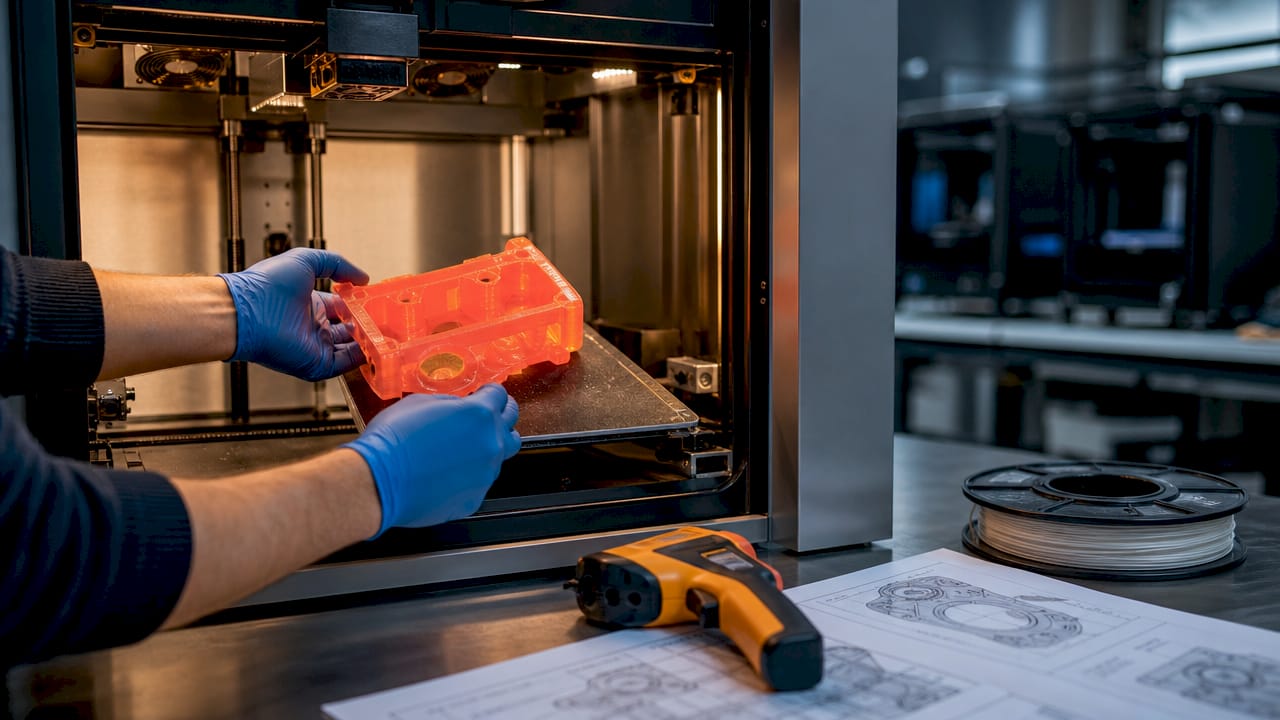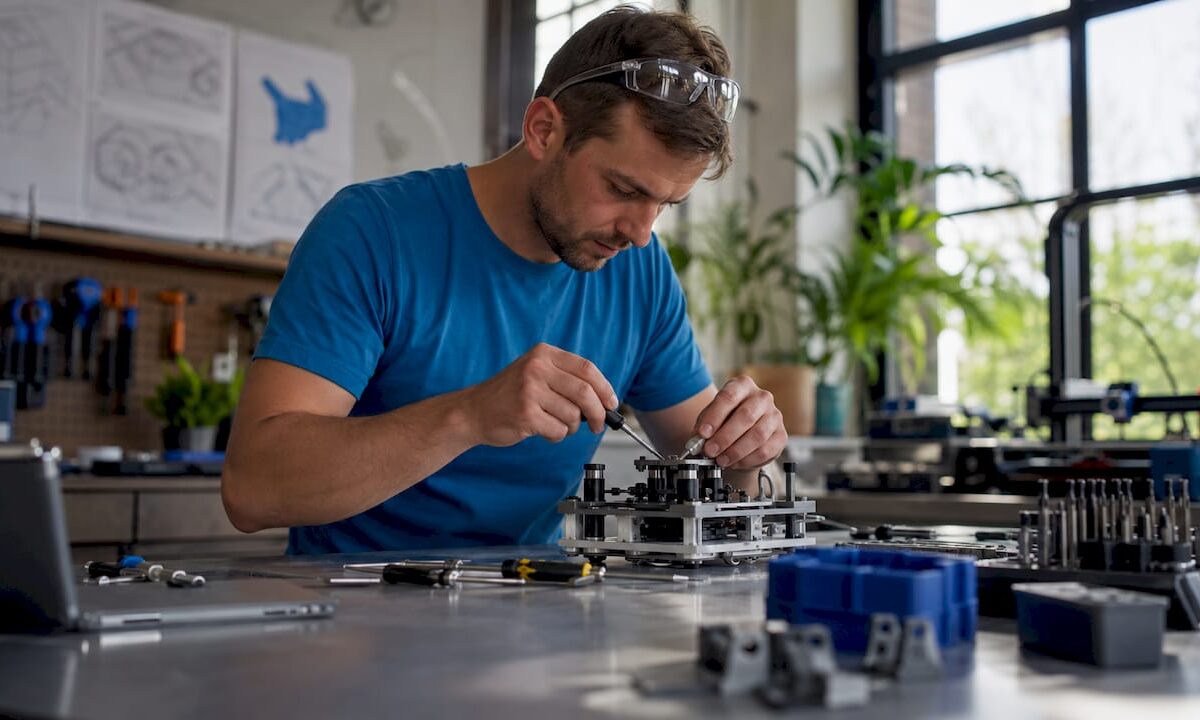
Designer calibrating desktop 3D printer in studio

Creative 3D printing applications for product developers


TL;DR:

  • 3D printing reduces prototyping lead times by up to 92% and cuts costs significantly.
  • Creative applications across industries drive innovation and demonstrate rapid transition from prototype to production.
  • Understanding print parameters and cross-industry ideas enhances part performance and unlocks new opportunities.

Product developers and small to medium manufacturers are under real pressure. You’re expected to iterate fast, cut costs, and ship innovative products before competitors do. Traditional manufacturing workflows, with their long lead times and expensive tooling, simply can’t keep pace with those demands. 3D printing is changing that equation in ways that go far beyond basic prototyping. From gyroid ceramic fuel cells to surgical training models, the application space is wider and more commercially powerful than most teams realize. This article breaks down how you can translate creative 3D printing strategies into measurable production advantages.

Table of Contents

Key Takeaways

Point Details
Rapid iteration 3D printing dramatically shortens the prototyping cycle, making it possible to iterate designs in hours instead of weeks.
Diverse applications From medical models to high-performance industry parts, creative 3D printing is reshaping what’s possible for product developers.
Parameter-driven quality Print settings such as layer thickness and infill play a critical role in prototype strength, precision, and efficiency.
Scalability potential With proper practices, 3D printing can serve not just for prototyping but also for low-volume and custom production runs.

How 3D printing is transforming product development

Product development at small to medium businesses carries a specific kind of pressure that larger companies rarely feel as sharply. You’re working with tighter budgets, smaller teams, and less tolerance for wasted design iterations. A single wrong turn in tooling can eat weeks and thousands of dollars. That’s exactly where 3D printing earns its place.

The most persistent bottlenecks in SME product development aren’t creativity issues. They’re execution issues. Physical prototypes take too long. Design changes are expensive. Testing cycles stretch project timelines into months. 3D printing addresses all three directly.

The numbers are hard to argue with. Manufacturers using additive manufacturing have seen cost reductions up to 35% and lead times cut by as much as 92%, compressing prototype cycles from weeks into hours. In one heavy machinery case study, companies doubled their prototype speed and cut costs 35% by switching to sand binder jetting for large cast components.

Here’s why that matters for your workflow: when prototyping takes hours instead of weeks, you can test more ideas in a single sprint than you previously could in an entire quarter. That changes the economics of innovation.

Choosing the right process for your application is where many teams stumble. Not every 3D printing technology fits every job:

  • FDM (Fused Deposition Modeling): Best for rapid concept validation, early-stage iteration, and functional prototypes in common thermoplastics. Low cost, widely accessible.
  • SLS (Selective Laser Sintering): Ideal for complex geometries, living hinges, and structural parts that need isotropic properties without support structures.
  • Metal AM (Additive Manufacturing): Best reserved for high-performance parts where topology optimization and weight reduction matter. Think aerospace brackets or load-bearing industrial components.
  • Sand binder jetting: A strong fit for large-format casting patterns in heavy machinery applications.

Knowing your low-volume manufacturing tips before you commit to a process saves significant rework later.

“For SMEs, 3D printing isn’t a replacement for all manufacturing. It’s a precision tool that removes the bottlenecks that slow your best ideas down.” This distinction matters when building your production strategy.

There are real challenges to acknowledge too. A UK study on SME adoption in Greater Manchester identified skills gaps, high energy consumption, and difficulty scaling from prototype to production as the top friction points. The fix isn’t to avoid 3D printing. It’s to build stage-specific support, lean on regional training resources, and use the technology where it genuinely outperforms traditional methods. Your rapid prototyping guide can help you map that out.

Creative 3D printing use cases making an impact

With the core advantages established, the more interesting question is where creative teams are pushing the technology furthest. The answer is consistently: wherever they’re willing to look across industry lines.

Medical and surgical applications offer one of the most striking examples. Surgeons now practice on 3D printed beating heart models before entering the operating room, dramatically reducing procedural risk. The same principle, creating a high-fidelity physical replica for testing before committing to the real thing, applies directly to industrial product development. If a cardiac surgeon can rehearse on a printed model, your engineers can validate assembly sequences on one too.

Engineer examining 3D printed surgical heart model

Energy and advanced materials are another frontier. DTU researchers used Lithoz ceramic 3D printing to build gyroid-structured solid oxide fuel cells (SOFCs) achieving a 1 W/g power-to-weight ratio, five times better than conventional SOFCs. Gyroid geometry, a complex internal lattice that only 3D printing can produce efficiently, is now being explored across thermal management, filtration, and lightweight structural applications.

Precision tech components using PA12 (a nylon-based material) with Multi Jet Fusion (MJF) technology enable teams to go from a one-week prototype to initial production without retooling. That capability alone collapses a step that traditionally costs months.

Here’s a practical overview of where creative applications are delivering results:

Application Industry Material/Process Measurable outcome
Surgical training models Healthcare Ceramic, resin Reduced procedure errors
Gyroid fuel cells Energy Ceramic (Lithoz) 5x power-to-weight ratio
PA12 tech housings Electronics PA12 MJF 1-week proto to production
Sand cast patterns Heavy machinery Sand binder jetting 35% cost reduction
Custom jigs and fixtures General manufacturing FDM PLA/PETG 50%+ tooling time savings
Structural topology parts Aerospace/Industrial Metal AM Weight reduction up to 60%

One consistent pattern across these examples: lead times cut 92% when compared to conventional manufacturing approaches. That’s not incremental. That’s a fundamental change in how quickly your team can move from concept to validated part.

You can see real-world high-quality prototype examples that demonstrate what’s achievable, and review manufacturing-grade applications when you’re ready to take parts beyond the prototype stage.

Pro Tip: Don’t limit your use case research to your own industry. Gyroid geometry came from mathematics, became useful in energy research, and is now finding applications in industrial filtration and heat exchangers. The best ideas rarely start where you expect them to.

Optimizing print quality for advanced applications

Creative use cases only deliver value when the parts actually perform as intended. Print quality isn’t automatic. It’s the result of deliberate parameter choices that you need to understand before your project goes critical.

The relationship between print settings and final part properties is more significant than most product developers expect. Research consistently shows that mechanical properties vary significantly with changes in layer thickness, raster angle, print speed, and infill percentage. Thicker layers can reduce Young’s modulus (a measure of material stiffness) by up to 20%. That’s not a minor aesthetic difference. That’s a structural failure waiting to happen in a load-bearing application.

For strength-critical parts, the optimal FDM settings generally point toward a 0.25mm layer height, a 60-degree raster angle, and 60mm/s print speed. PLA can reach flexural strength of up to 167 MPa at a 0-degree raster angle with 50% infill. These aren’t just interesting numbers. They’re design inputs.

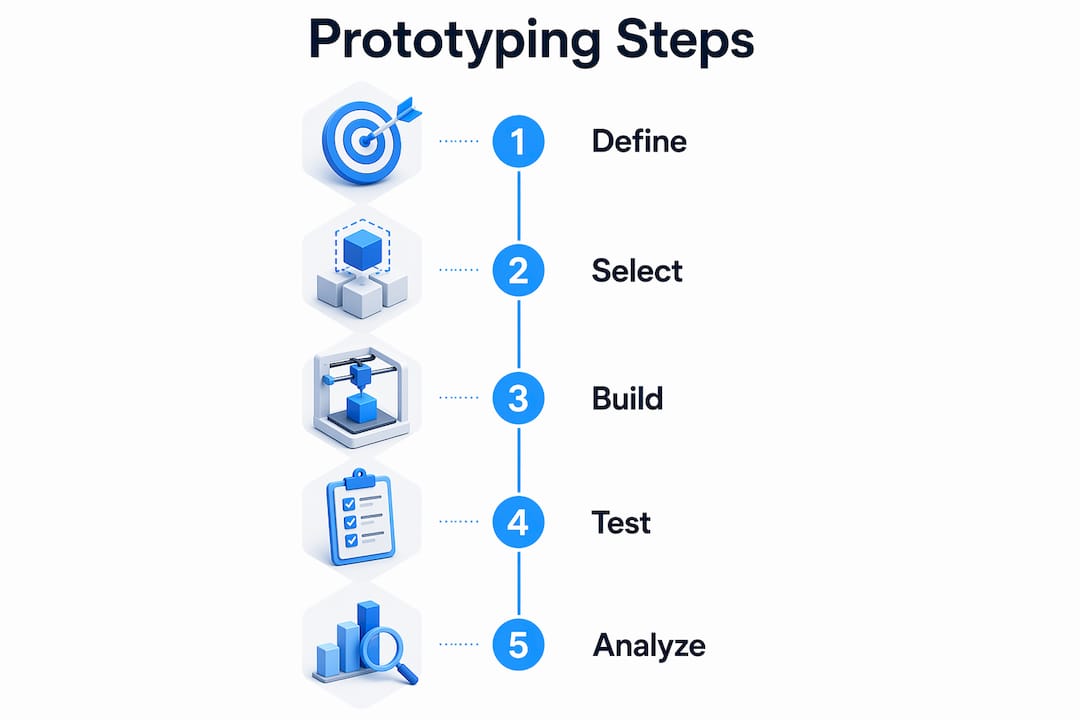
Here’s a reliable process for testing and optimizing your print parameters:

  1. Define your primary requirement first. Strength, flexibility, surface finish, and speed are different goals that require different settings.
  2. Run a Taguchi design of experiments to test multiple variables simultaneously with fewer print cycles. Taguchi method is a structured approach to identifying which variables matter most.
  3. Measure results with ANOVA (Analysis of Variance) to separate real parameter effects from random variation.
  4. Characterize anisotropic properties using DIC and FEM validation, not just standard tensile tests. DIC (Digital Image Correlation) captures how strain distributes across a part in real time.
  5. Adjust for self-supporting geometry to minimize post-processing. Features designed to print without supports save time and reduce surface artifact risk.
  6. Lock in your validated settings as a baseline before scaling to batch runs.
Parameter Strength-focused Speed-focused Cost-focused
Layer height 0.1 to 0.25mm 0.3 to 0.4mm 0.3mm
Infill 50 to 100% 15 to 30% 15 to 20%
Raster angle 0 to 45° 45° 45°
Print speed 40 to 60mm/s 80 to 120mm/s 80mm/s
Shells 4 to 6 2 to 3 2

Pair this optimization workflow with solid upfront design practices. A reliable prototype design process eliminates avoidable reprints and quality issues before they happen. When you’re uncertain about which process fits your goals, working through choosing the right print type for your specific application saves time and material costs.

Pro Tip: Standard tensile tests miss anisotropic behavior in FDM parts, meaning properties that differ by direction. Use DIC combined with FEM simulation to capture how your part will actually perform under real load conditions before it goes into production. This approach is particularly valuable for any part that will experience off-axis loading in the field.

A deep understanding of your filament print optimization settings is one of the highest-value technical skills your development team can build.

Moving from prototype to production with 3D printing

Once you have optimized, validated prototypes in hand, the next question is whether 3D printing can carry you all the way through to production. For an increasing number of applications, the answer is yes.

The traditional assumption is that 3D printing handles prototyping and injection molding handles production. That boundary is eroding fast. The key enabler is process maturity. Technologies like PA12 MJF have reached the repeatability and surface quality thresholds that production demands. PA12 MJF for precise tech components compresses the prototype-to-production window into a single week in the right application context. No tooling changes. No retooling delays. The same process that built your prototype builds your first production batch.

That shift has serious commercial implications. If you’re producing custom parts in volumes under 10,000 units, 3D printing’s unit economics often beat injection molding when you factor in tooling costs and design change penalties. Tooling for injection molding can run $10,000 to $100,000 per mold. 3D printing has no tooling cost at all.

To make the transition from prototype to production work reliably, address these steps in order:

  • Validate dimensional repeatability across at least three print runs before committing to a production schedule.
  • Define finishing specifications for surface texture, color, and post-processing requirements that match your product standard.
  • Audit your CAD file for manufacturability at production volumes, not just at prototype scale.
  • Set tolerance benchmarks and confirm your process holds them consistently across a full build plate.
  • Document your parameter baseline so every production run starts from the same validated settings.
  • Plan for supply chain redundancy if your production schedule depends on a single material or machine type.

“Agile manufacturing isn’t about moving fast and fixing things later. It’s about removing the friction between a validated idea and a shipped product. 3D printing is the most powerful tool we’ve seen for closing that gap.”

Keeping up with 2026 3D printing trends helps you anticipate which new processes are approaching production readiness. And if you’re still mapping out what geometries and materials your workflow can actually handle, reviewing what can be printed on a 3D printer gives you a practical foundation to build from.

The biggest opportunity (and blind spot) in creative 3D printing

Here’s something most product development teams won’t hear from their technology vendors: the biggest gains in creative 3D printing rarely come from pushing your own industry’s applications harder. They come from borrowing ideas from industries you’d never normally monitor.

Gyroid lattice structures were a mathematical curiosity before energy researchers printed them in ceramics. Now they’re appearing in heat exchangers and filtration systems. Surgical training models, pioneered in healthcare, are inspiring fixture design in precision manufacturing. Aerospace topology optimization methods are being applied to consumer product enclosures. None of these transfers happened because someone studied their own field more carefully. They happened because someone looked sideways.

Most SME teams stay firmly in their lane when it comes to benchmarking and inspiration. That’s understandable. You’re busy. But it’s also a significant missed opportunity. A creative breakthrough that costs your competitor six months of R&D might be sitting in a journal from a completely different sector, ready to adapt.

The practical fix is deliberate. Block time each quarter to review additive manufacturing applications from healthcare, aerospace, energy, and consumer electronics. Attend one cross-disciplinary conference or online forum annually. Build a shared inspiration file that your whole team can contribute to.

Start by examining creative use of filament printing across different application contexts. The ideas that will differentiate your next product are probably not in your current industry playbook.

Pro Tip: Set a calendar reminder to review the 3D printing industry press from two or three sectors outside your own once a month. Even 30 minutes of cross-industry reading regularly surfaces ideas that your direct competitors will never see coming.

Power your next breakthrough with expert 3D printing support

Turning these strategies into real parts requires more than ideas. It takes precise execution, material knowledge, and the right equipment working together.

https://cc3dlabs.com

At CC 3D Labs, near Philadelphia, we work with product developers and manufacturers at every stage, from initial concept prints to optimized production batches. Whether you need help dialing in print parameters, scaling validated prototypes, or exploring what’s possible with advanced filament materials, our team brings both technical depth and practical manufacturing experience to your project. Explore our full range of professional 3D printing services, see what’s achievable by browsing printable parts and applications, and get the technical background you need from our detailed prototyping guide. Request a free online estimate and let’s move your next project forward.

Frequently asked questions

What industries can benefit most from creative 3D printing applications?

Healthcare, heavy machinery, electronics, and custom manufacturing all benefit significantly. Specific examples include surgical training models, ceramic fuel cells, and PA12 tech components that move from prototype to production in a single week.

How can 3D printing reduce product development time?

It enables prototyping in hours instead of weeks and makes design changes nearly instant, with lead times cut by 92% compared to traditional manufacturing in documented SME cases.

What print parameters most affect the quality of 3D printed prototypes?

Layer thickness is the most critical factor. Thicker layers reduce Young’s modulus by up to 20%, with raster angle, infill percentage, and print speed also significantly influencing final mechanical properties.

Is 3D printing suitable for full production or just prototyping?

3D printing works well for low-volume production, particularly with technologies like PA12 MJF that deliver the repeatability and surface quality production demands without any tooling investment.

What is the main challenge when scaling 3D printed prototypes to production?

Maintaining consistency, optimizing for manufacturability, and meeting unit cost targets are the primary hurdles. Skills gaps and scalability from prototype to production are the most commonly cited barriers in SME adoption research, addressed best through stage-specific support and process documentation.

Engineer inspecting 3D prototype at workspace

Why quality matters in 3D printing for prototyping


TL;DR:

  • Proper print settings, like raster angle, significantly impact part strength and reliability.
  • High-quality 3D prints enhance prototype performance, surface finish, and business confidence.
  • Investing in precise printing technologies like SLA reduces rework, improves testing, and speeds up development.

A single print setting change can destroy a part before it ever reaches testing. When the raster angle in a PLA or ABS print sits at 90°, flexural strength drops by more than 40%, turning what looks like a solid component into a liability waiting to crack under load. For businesses and product developers, that kind of failure doesn’t just waste filament. It delays launches, burns through revision budgets, and undermines confidence in your entire development process. This article breaks down exactly how quality decisions in 3D printing ripple through your prototype performance, surface finish, and business outcomes, with data to back it up.

Table of Contents

Key Takeaways

Point Details
Print quality drives reliability High-quality prints are essential for functional and durable prototypes that can withstand testing and daily use.
Surface finish affects perception Smooth and precise finishes enhance both the usability and professional appearance of 3D printed parts.
Invest in quality upfront Businesses save time and resources when they prioritize quality from the start rather than fixing issues later.
SLA outperforms FDM for precision For the highest accuracy and best surface finish, SLA printing is preferred, especially for critical business prototypes.

What defines quality in 3D prints

Quality in 3D printing is not a single number on a spec sheet. It’s a combination of measurable parameters that together determine whether a part performs the way your team designed it to perform. Understanding each parameter helps you make smarter decisions before a single layer is printed.

The three pillars that define quality in business and product development contexts are dimensional accuracy, surface finish, and material consistency. Each one affects a different stage of your product cycle.

Infographic shows pillars of 3D print quality

Dimensional accuracy is how closely the printed part matches the intended design. In engineering terms, you’re looking at tolerances, which represent how far off the actual dimensions can be from the CAD model before the part fails its function. For fit-critical assemblies, like snap-fit enclosures or interlocking mechanical components, tolerances tighter than 0.2mm are often essential. Good print accuracy for prototyping depends on machine calibration, material behavior during cooling, and how the model is oriented on the build platform.

Surface finish is measured using roughness average, or Ra, a standard metric that tells you how much texture exists on a part’s surface. A lower Ra value means a smoother surface. SLA printing achieves Ra≈2μm while FDM typically lands between 12 and 13μm, which is a dramatic difference that directly affects how much post-processing you’ll need and whether the part functions correctly in tight assemblies.

Material consistency refers to how uniformly the filament or resin deposits from layer to layer. Inconsistent extrusion creates voids, weak spots, and surface defects that compromise structural integrity. This parameter is often overlooked until a batch of parts fails quality inspection.

Here are the key quality metrics that matter for business applications:

  • Layer adhesion strength: How well each layer bonds to the one below it
  • Warping and dimensional distortion: Especially critical for large flat parts
  • Overhang quality: How well unsupported sections hold their shape
  • Infill density and pattern: Determines internal strength versus weight trade-off
  • Wall thickness consistency: Critical for pressure-bearing or load-bearing components

Different printing technologies deliver dramatically different results across these metrics. FDM (Fused Deposition Modeling) is cost-effective and fast, but its layer-by-layer nature creates visible lines and weaker inter-layer bonds. SLA (Stereolithography) uses UV-cured resin and achieves much finer detail with superior surface finish. For a developer comparing technologies, the right choice comes down to which quality parameters matter most for the specific part. Knowing how to approach designing reliable prints from the start gives your team a significant upstream advantage.

Statistic callout: SLA surface finish (Ra≈2μm) is up to six times smoother than FDM output (Ra≈12–13μm), which can cut post-processing time significantly for parts requiring tight surface tolerances.

How quality affects prototype performance and outcomes

Defining quality parameters is one thing. Seeing how they play out in real prototype testing is where those parameters become urgent business concerns. Poor quality doesn’t just produce ugly parts. It produces parts that fail, and often at the worst possible moment.

Layer delamination, warping, and reduced strength are the most common mechanical failures tied directly to print quality decisions. Layer delamination happens when inter-layer adhesion is insufficient, often due to incorrect print temperatures or poor material selection. Warping occurs when cooling is uneven, causing internal stresses that pull the part away from the build plate. Both failures are preventable with correct settings and experience.

Technician examining failed 3D printed part

The flexural strength data is particularly important for structural components. A raster angle set incorrectly doesn’t just reduce strength by a few percent. It reduces it by more than 40%, which means a part that should handle 500N of force may fail at under 300N. For a prototype going through functional load testing, that’s the difference between a passing result and a catastrophic test failure.

Here’s a side-by-side comparison of how quality levels affect prototype outcomes:

Quality factor High quality print Low quality print
Layer adhesion Strong, consistent bonds Delamination risk under load
Dimensional accuracy Within 0.1–0.2mm May exceed 0.5mm variance
Surface finish Low Ra, minimal post-processing High Ra, extensive sanding needed
Flexural strength Near design specification Up to 40%+ below specification
Iteration cycles Fewer, faster More, slower, costlier

The business implications stack up fast. Each failed prototype test means another round of redesign, reprinting, and retesting. That cycle costs time and budget. For teams working toward a product launch or investor pitch, those delays can shift timelines by weeks or months.

“Quality in prototyping is not just about aesthetics. It’s about whether the part tells you truthful information about your product’s performance. A low-quality prototype gives you unreliable test data, and that’s worse than no prototype at all.”

Here’s a practical workflow for protecting your prototypes from quality-related failures:

  1. Verify material specs before printing. Confirm tensile strength, thermal resistance, and layer bonding characteristics match your application.
  2. Set correct raster angles based on the primary load direction of the part in use.
  3. Run a test print of a small representative section before committing to a full part.
  4. Inspect layer adhesion visually and with a basic flex test before any functional testing begins.
  5. Document print settings so successful configurations can be repeated reliably across batches.

Pro Tip: Before sending any functional prototype for investor review or load testing, always request a layer adhesion check on representative sample sections. This simple step catches the most common failure mode before it costs you a valuable opportunity. Reviewing a quality prototyping guide before your first print run can also flag issues early.

The path to durable prototype parts runs directly through deliberate quality choices at every step of the printing process, not just at the design stage.

Surface finish, aesthetics, and functionality: Why they matter

Surface finish tends to get categorized as a cosmetic concern. That’s a costly mistake. The texture of a printed surface directly affects how parts fit together, how they seal, how they feel in a user’s hand, and how much finishing labor your team needs to invest before a part is usable.

SLA achieves Ra≈2μm versus FDM’s 12–13μm, and that difference translates into real functional consequences. A part with a rougher surface creates more friction in sliding assemblies, requires more adhesive for bonding, and may not pass a sealing test for fluid-carrying components. For injection mold patterns, master models, or display prototypes for investor meetings, surface finish is every bit as critical as dimensional accuracy.

Here’s a practical breakdown of surface finish by application:

Application type Recommended finish (Ra) Best technology
Investor display models Below 4μm SLA or post-processed FDM
Functional mechanical parts 5–10μm FDM with calibrated settings
Mold masters and tooling patterns Below 3μm SLA
Concept models for internal review 10–15μm Standard FDM
End-use consumer products Below 6μm SLA or post-processed FDM

The post-processing question is directly tied to surface finish quality. A part printed with FDM at 12–13μm Ra needs sanding, priming, and sometimes painting before it’s presentable for external stakeholders. Each of those steps adds time and introduces variability. An SLA part with Ra≈2μm may need only a light polish, dramatically reducing prep time and ensuring more consistent results across a batch.

Benefits of prioritizing surface finish in product development:

  • Reduces post-processing labor by minimizing sanding and filling requirements
  • Improves dimensional accuracy of finished parts by removing the need for aggressive material removal
  • Enhances perceived quality during client presentations and investor demos
  • Ensures functional fit for assemblies with tight tolerances
  • Lowers rejection rates in quality inspection

Pro Tip: Match your post-processing approach to the actual intended use of each part. An internal stress-test prototype doesn’t need a mirror finish, but a demo unit going to a potential partner or investor should look production-ready. Planning this distinction upfront saves hours of unnecessary finishing work.

Exploring high-quality filament prototypes gives a clear picture of how far optimized FDM can go when settings and materials are dialed in correctly. For teams starting with FDM who want to maximize surface quality without switching to SLA, a detailed filament printing guide is a practical starting point.

Business case: High-quality 3D printing for innovation and investment

The technical case for quality is clear. But the business case is what drives the decision for most development teams and product managers. High-quality 3D printing isn’t just a production preference. It’s a strategic investment that affects how fast you move, how much you spend, and how convincingly you can present your product to the market.

High-quality prints reduce iteration cycles, produce reliable prototypes for testing and investment pitches, and enable functional end-use parts, with SLA preferred for precision-critical applications despite its higher upfront cost. That last point matters because many teams default to the cheapest option early in development, then discover later that low-quality prototypes generated incorrect test data, leading to design decisions based on flawed information.

The business advantages of committing to quality from the start include:

  • Fewer revision cycles: A prototype that accurately represents the final design reduces the number of iterations needed before production.
  • More reliable test data: Structural tests and fit checks on high-quality parts give you data you can actually trust for engineering decisions.
  • Stronger investor presentations: A professional, precise prototype signals that your team executes at a high level. Investors notice the difference between a rough print and a production-grade model.
  • Faster time-to-market: When prototypes perform correctly the first time, the path from concept to production shortens considerably.
  • Lower total development cost: Spending more on quality upfront consistently costs less than rerunning multiple rounds of low-quality prototype testing.

Statistic callout: Teams that commit to precision prototyping early in product development consistently report fewer total iteration rounds compared to teams that use low-cost, low-quality prints for initial functional testing. The savings compound as the project scales.

The shift toward functional end-use parts printed directly from files is also accelerating. Businesses no longer use 3D printing just for prototypes. They use it for jigs, fixtures, tooling, end-use components, and short-run production. In all of those contexts, quality directly determines whether the part can do its job reliably over time. Understanding what 3D printing can produce in a professional context helps teams identify where precision printing adds the most value in their workflow.

For teams evaluating providers, the ability to find the right print job for your specific application, rather than settling for a one-size-fits-all solution, is what separates effective use of 3D printing from expensive experimentation.

Our take: The hidden risks and rewards of prioritizing 3D print quality

Here’s what years of working with product development teams has made absolutely clear: the teams that cut corners on print quality at the start always end up spending more by the end. Not sometimes. Always. A low-quality prototype doesn’t save money. It delays the moment when you discover what’s actually wrong with your design, and by that point, you’ve already spent weeks moving in the wrong direction.

The more interesting lesson is about when quality matters most. For very early concept models used only for rough spatial visualization, moderate quality is perfectly acceptable. But the moment a prototype enters functional testing, stress analysis, or stakeholder review, quality becomes non-negotiable. A flawed part in an investor meeting doesn’t just lose that meeting. It raises questions about your execution capability that follow your product into future conversations.

Investing in precision from the point where your prototype carries any external weight, whether physical load or professional credibility, is consistently the decision our most successful clients make. And the foundation for that starts at the design stage. Solid reliable prototype design practices, combined with the right printing technology, eliminate most quality problems before they ever reach the printer.

Unlock high-quality 3D printing with CC3DLabs

Knowing the quality standards you need is step one. Finding a partner who can consistently deliver them is step two.

https://cc3dlabs.com

CC3DLabs, based near Philadelphia, specializes in precision professional 3D printing services for businesses, product developers, and engineering teams that cannot afford the cost of poor-quality prints. From on-demand prototypes built to tight tolerances, to batch production of functional parts, every project gets the attention to detail your development timeline depends on. The team also offers CAD support, design review, and multi-material capabilities so your concept doesn’t get lost in translation between file and finished part. Get a free online estimate today and see exactly what your next prototype could look like when quality isn’t a compromise. Ready to explore print capabilities for your project? Start there.

Frequently asked questions

What causes poor quality in 3D printing?

Incorrect print settings, poor material selection, and inadequate layer adhesion are the most common root causes, and any one of them can produce layer delamination, warping, and reduced strength in finished parts. Addressing these factors before printing, not after, is where quality control actually begins.

How does surface finish impact a 3D printed part’s usability?

A smoother surface finish improves functional fit, reduces friction in moving assemblies, and cuts post-processing time significantly. Because SLA achieves Ra≈2μm compared to FDM’s 12–13μm, the technology choice itself is often the biggest lever for surface quality.

Why should businesses invest in high-quality prototypes?

High-quality prototypes produce reliable test data, reduce the total number of revision cycles, and make a far stronger impression in investor and stakeholder settings. Research confirms that high-quality prints reduce iteration cycles and enable functional end-use applications that lower-quality prints simply cannot support.

Which 3D printing technology offers the best quality?

SLA printing consistently delivers the best surface finish and dimensional accuracy for precision prototypes, with Ra values around 2μm compared to FDM’s typical 12–13μm range. The trade-off is higher material and equipment cost, which is why SLA is best reserved for prototypes where surface finish and accuracy directly affect test outcomes or stakeholder presentation.

Artist at work in 3D printing studio

How 3D Printing Is Reshaping Art and Creative Expression


TL;DR:

  • 3D printing expands artistic possibilities by enabling complex internal and detailed structures impossible with traditional methods.
  • The workflow involves digital modeling, repair, slicing, printing, and post-processing to turn ideas into physical art.
  • It shifts artistic focus from manual craftsmanship to conceptual design, problem-solving, and material curation.

Art and technology have never truly been at odds. The chisel was technology. The printing press was technology. And now, 3D printing is the latest tool pushing creative boundaries far beyond what any traditional method allows. When artist Bathsheba Grossman began printing intricate mathematical sculptures in metal, she wasn’t abandoning artistry. She was expanding it into geometry that human hands simply could not carve. As complex geometries become printable for the first time, artists and designers everywhere are discovering that this technology doesn’t replace creative vision. It amplifies it.

Table of Contents

Key Takeaways

Point Details
Unprecedented creative freedom 3D printing lets artists realize forms, textures, and details that are impossible with traditional methods.
Accessible innovation Artists can quickly prototype, experiment, and collaborate using affordable digital tools and shared files.
Diverse material choices Numerous 3D printing materials allow for customized artistic expression, from translucent resin to ceramic and metal.
Practical challenges exist Artists must consider technical limits like print resolution and material properties, but new techniques help overcome them.
Art and technology synergy When used thoughtfully, 3D printing enhances—not replaces—the artist’s hand and vision.

Expanding creative boundaries: What 3D printing offers artists

Building on this, let’s uncover exactly what 3D printing allows artists to achieve that wasn’t possible before.

For centuries, sculptors worked within the limits of their materials and their hands. Stone could crack. Clay sagged. Wood split along the grain. Every medium imposed constraints that shaped, and sometimes stunted, the creative vision. 3D printing removes many of those physical barriers entirely.

Infographic of 3D printing in art with main points

The core capability is this: you can now design and physically produce objects with internal structures, interlocking components, and surface details so fine they’d be invisible to a cutting tool. Think about a hollow sphere nested inside another hollow sphere, both fully enclosed, with geometric lattices connecting them. With traditional methods, that’s essentially impossible without assembly. With 3D printing, it comes off the build plate as a single, complete object.

Artists working in this space regularly produce:

  • Interlocking chain-like structures printed as one continuous piece, no assembly required
  • Thin ribbon geometries that spiral and twist in ways that would shatter under a carving tool
  • Hollow organic forms with internal voids and controlled wall thickness
  • Gradient surface textures that shift across the object from rough to smooth
  • Mathematically precise repetitive patterns that would take weeks to reproduce manually

Compared to traditional sculptural methods, the contrast is striking:

Feature Traditional sculpture 3D printed sculpture
Complex internal voids Not possible Fully achievable
Rapid iteration Days to weeks Hours
Geometric precision Limited by tool and hand Exact to CAD model
Reproducing a design Manual rebuild required Reprint the file
Material exploration One material per session Multiple options per design

The ability to print artworks on demand also means artists can test ideas without committing to a final version. A sculptor can print a miniature maquette (a small-scale model) at 10% size, evaluate proportions, adjust the digital file, and reprint. This rapid prototyping loop used to require an assistant, a workshop, and weeks of labor.

The global market for 3D printed art and sculpture is projected to grow from $1.43 billion in 2024 to $5.12 billion by 2033, at a compound annual growth rate of 17.2%. That’s not a niche trend. That’s a wholesale transformation of how the creative economy thinks about physical objects.

These numbers tell a deeper story. Collectors, galleries, and institutions are buying in. The question for working artists and designers isn’t whether to engage with 3D printing. It’s how to use it well. Take a look at the range of 3D printed artworks already being produced across sculpture, jewelry, installation, and product design to understand just how wide the creative territory already is.

From concept to physical art: 3D printing workflow explained

Now that you know what’s possible, let’s look step-by-step at how artists turn digital visions into physical objects.

The workflow between idea and finished art object has never been more direct. But it does involve several distinct stages, each with its own tools and decisions. Understanding the full pipeline helps you avoid surprises midway through a project.

Here’s the standard process most artists follow:

  1. Concept and reference gathering. Sketch your idea, collect reference images, and define the intended size, material, and finish before opening any software. Clarity here saves hours later.
  2. Digital modeling. Build your 3D model using software suited to your background. Sculptors often prefer ZBrush for its organic, clay-like feel. Designers and architects lean toward Rhino or Fusion 360 for precision parametric geometry. Blender is a powerful free option that handles both organic and hard-surface modeling well. The workflow from digital modeling through slicing to finished print is well-documented and accessible to beginners who invest time in learning one tool deeply.
  3. Mesh repair and optimization. Export your model as an STL or OBJ file and run it through a mesh checker like Meshmixer or Netfabb. 3D printers need watertight files, meaning no holes or reversed normals in the geometry.
  4. Slicing. Import the repaired file into slicing software like Cura or PrusaSlicer. This converts your 3D model into the layer-by-layer instructions the printer reads. Here you set layer height, support structures, infill density, and print speed. These settings directly affect surface quality and strength.
  5. Printing. The printer builds the object layer by layer. Depending on size and complexity, this can take anywhere from two hours to several days. Don’t leave large prints unattended for the first hour to catch early adhesion issues.
  6. Post-processing. This is where a lot of the artistry returns. Removing supports, sanding surfaces, priming, painting, applying patinas, or UV curing resin pieces all happen here. For artists wanting to capture real-world objects, starting with a high quality 3D scan of a physical reference can dramatically speed up the modeling stage.

Pro Tip: Use your first print of any new design as a “test maquette” rather than a finished piece. Print at reduced scale, 20 to 30 percent of final size, to check proportions, identify fragile areas, and test the support strategy before committing material and print time to a full-size run. This approach aligns with the iterative philosophy that separates good 3D artists from frustrated ones.

For artists who want a thorough technical foundation before starting, our step-by-step printing guide covers each stage in practical detail, with guidance tailored to creative projects rather than just functional parts.

Materials and techniques: Choosing your palette

With the workflow in mind, choosing the right materials becomes the next key step for any art project.

Artist comparing 3D printed material samples

Material choice in 3D printing is not a technical afterthought. It is a creative decision that defines the final aesthetic, durability, and viewer experience of your work. The material options span a wide range including thermoplastics like PLA and ABS, photopolymer resins, ceramics, clay-based filaments, concrete composites, metal sintering powders, and full-color ink-based printing systems.

Here’s a practical breakdown:

Material Best for Trade-offs
PLA Indoor sculpture, detail-forward work Brittle outdoors, limited heat resistance
ABS Functional art, large prints Prone to warping, needs enclosure
Resin (SLA/DLP) Fine jewelry, miniature detail Fragile, requires UV post-cure, chemical handling
Ceramic filament Tactile, earthy aesthetic Requires kiln finishing, slower printing
Metal (SLS/binder jet) Permanent sculpture, high-end work Expensive, requires professional equipment
Full-color ink systems Multi-color figurines, portraits Lower structural strength, porous surface

Artists working primarily with gallery-displayed indoor pieces find PLA delivers the best balance of detail and ease. Those producing work meant to last outdoors should look at more durable materials, and our guide to material selection for outdoor art covers weather resistance, UV stability, and finish options in depth.

One of the most exciting developments for artists right now is dual-light resin printing. This technique uses two different light wavelengths to cure resin at varying speeds within the same print, creating gradient hardness and translucency effects that were previously impossible to achieve in a single print. Combined with full-color multi-material systems that can deposit different colored filaments or inks in the same pass, artists are producing pieces with color transitions, embedded textures, and surface effects that no paint brush could replicate at that scale.

Key factors to weigh when selecting your material:

  • Resolution needs: Resin printers achieve layer heights as fine as 0.025mm, ideal for jewelry-scale detail. FDM printers using filament typically range from 0.1 to 0.3mm, which is excellent for larger sculptural work.
  • Intended environment: Indoor gallery versus outdoor installation calls for completely different material strategies.
  • Post-processing preferences: Some artists love the tactile process of sanding and painting PLA. Others want the ready-to-display clarity of a cured resin print with minimal finishing.
  • Budget: Metal and ceramic professional printing requires either significant equipment investment or a professional service partner.

Pro Tip: Before committing to a full print run in a new material, print a small test tile, a flat 2×2 inch square with varied surface textures, using your intended settings. This tells you how the material accepts paint, sealant, or patina in minutes rather than after an eight-hour print.

Overcoming challenges: What artists need to know

But even with these advancements, 3D printing poses unique hurdles that artists should prepare for.

No tool is perfect. 3D printing comes with a specific set of limitations that can derail a project if you don’t plan around them. The key challenges include print resolution limits on fine surface detail, layer adhesion failures that cause prints to delaminate mid-build, scalability issues when moving from small to large works, material properties that restrict certain artistic freedoms, support structure removal that sometimes damages delicate surfaces, and warping caused by uneven cooling.

Common problems artists encounter and how to address them:

  • Visible layer lines on finished surfaces: Sand progressively from 120 to 400 grit, then apply filler primer. For resin, a light UV-cured coating fills micro-layers before sanding.
  • Support marks on visible surfaces: Orient the model during slicing so supports contact only hidden or easy-to-finish areas. Use tree supports in Cura rather than grid supports for organic shapes.
  • Warping on large flat-based prints: Add a brim, print on a heated bed, and use an enclosure for ABS. For PLA, slow down the first few layers and ensure the bed is perfectly level.
  • Fragile thin elements breaking post-removal: Identify these in your digital model before printing and either thicken them or consider printing the component in resin for higher inter-layer bonding.

For artists working on ambitious projects, our tips for avoiding print failures walk through the most common failure modes with practical solutions.

According to research on 3D printing waste reduction, 3D printing produces up to 90% less material waste compared to traditional subtractive methods like carving and milling. For artists thinking about their environmental footprint, this is a significant advantage.

The criticism that digital art lacks “soul” is worth addressing directly. Critics argue that if a machine builds the object, the artist hasn’t truly made it. But this misunderstands what artistry is. A photographer doesn’t lose creative credit because a lens forms the image. A printmaker doesn’t lose authorship because a press applies the ink. The decisions, vision, and intention behind a 3D printed work are entirely human. The expert perspectives on this tension increasingly recognize 3D printing not as a replacement for artistic skill, but as a medium with its own discipline, language, and learning curve.

A new frontier: Why 3D printing makes art more human, not less

Here’s the uncomfortable truth that traditional art communities rarely acknowledge: every new tool has been called soulless at first. Photography was accused of killing painting. Digital illustration was dismissed as “cheating.” 3D printing is simply the latest technology to face that familiar skepticism.

What actually happens with 3D printing is a shift in where the artistry lives. It moves from the hand to the mind. Concept, material logic, surface decision, scale thinking, iterative judgment. These are all deeply human acts. As global file sharing and rapid prototyping become standard in creative practice, artists are collaborating across continents on single pieces, sharing digital files the way musicians share stems.

The artists thriving with 3D printing aren’t abandoning craft. They’re redefining it. The tactile element returns in finishing, in material selection, in the decision to leave a layer line visible as a texture or sand it smooth. That’s curation. That’s artistic judgment.

Real artistry now lives in vision, problem-solving, and knowing which tool serves the idea, rather than in the physical stamina to chip stone for weeks.

Take your art further with expert 3D printing support

If you’re ready to push creative boundaries with expert guidance, here’s how to get started.

At CC 3D Labs, near Philadelphia, we work with artists and designers who have ambitious ideas and need a printing partner who understands both the technical and creative sides of making physical work. Whether you’re producing a single exhibition piece or a batch of limited-edition objects, our custom 3D printing services cover filament-based printing, multi-color output, CAD support, and metrology-grade scanning.

https://cc3dlabs.com

We’ve helped clients realize sculptures, jewelry prototypes, architectural models, and installation art, often with tight deadlines and specific material requirements. If you’re exploring what’s possible for your next project, browse our applications for artists or request a free online estimate to start the conversation. Your vision deserves a printing partner who takes it as seriously as you do.

Frequently asked questions

What types of art can be created with 3D printing?

Artists can create sculptures, installations, jewelry, decorative objects, and even functional art pieces, since complex geometries that are impossible to carve or cast traditionally become achievable through 3D printing.

Is 3D printed art environmentally friendly?

3D printing typically generates up to 90% less waste than subtractive methods like carving or milling, making it a more sustainable choice for artists who are conscious of material use.

What are the main limitations of 3D printing in art?

Print resolution, material constraints, support removal that can damage surfaces, and scalability for large works are the most common challenges artists encounter when working with this technology.

How does 3D printing change the role of the artist?

It shifts focus from physical labor to conceptual design, and enables rapid prototyping and global collaboration, meaning the artist’s vision and decision-making become the primary creative act.

Designer working on 3D model at home workspace

What Is 3D Art Design? Key Concepts for Prototyping


TL;DR:

  • 3D art design combines visual appeal with functional geometry for manufacturable prototypes.
  • Successful printing relies on proper technical parameters, validation, and iterative testing.
  • Integrating artistic judgment, engineering, and manufacturing awareness ensures high-quality, print-ready models.

Most businesses treat 3D art design as a visual exercise — something you do to make a product look good on screen before handing it off to engineering. That assumption costs time, money, and failed prints. Vital role in prototyping is what separates teams that iterate fast from those stuck in endless revision cycles. This guide breaks down what 3D art design actually means for product developers, how the workflow runs from concept to print-ready file, which technical parameters determine real-world part performance, and what pitfalls to avoid before you ever load a spool of filament.

Table of Contents

Key Takeaways

Point Details
3D art design explained It integrates creativity with engineering to turn digital models into printable, functional objects.
Workflow matters Using the right mix of CAD and AI tools ensures designs are accurate and ready for manufacturing.
Technical choices drive quality Infill density, layer height, and geometry corrections greatly influence prototype strength and print success.
Fix design errors early Address issues like thin walls and non-manifold geometry in the design phase to avoid costly print failures.

Defining 3D art design: Purpose and scope

Strip away the aesthetics conversation and 3D art design becomes something very precise: it is the discipline of creating digital three-dimensional geometry that serves both visual and functional goals. Unlike a 2D illustration or a rendered product concept, a 3D art design file carries spatial data — wall thickness, internal geometry, surface topology — that directly controls how a physical object gets manufactured.

For businesses and product developers, the distinction matters enormously. A designer who only thinks in terms of appearance will produce files that look stunning in a render and fail catastrophically on the print bed. A developer who only thinks in terms of engineering tolerances may produce parts that are accurate but lack the surface quality or aesthetic cohesion needed for a marketable prototype. The strongest 3D art designs sit at the intersection of both.

3D art design translates creative and engineering concepts into digital files ready for custom 3D printing and manufacturing. That translation process is where most of the real work happens — converting a sketch, a scan, or an idea into a watertight mesh that a slicer can process without errors.

Here is what 3D art design actually produces in a business context:

  • Product prototypes: Functional mockups that test form, fit, and mechanical behavior before committing to tooling
  • Artistic fabrication parts: Custom sculptures, branded objects, or decorative components with precise dimensional accuracy
  • Engineering mockups: Assembly verification models that confirm spatial relationships between components
  • Batch production masters: Reference parts used to validate consistency across a production run

“The digital model is not the end product — it is the manufacturing instruction. Every decision you make in the design file shows up in the finished part.”

You can see how these outputs look in real applications by browsing our 3D modeling gallery, which shows the range of projects that move from digital concept to physical prototype. Understanding the vocabulary behind these workflows also helps — getting familiar with 3D printing terminology early prevents costly miscommunications between designers and print technicians.

Core workflows in 3D art design: From idea to printable model

Once you know what 3D art design is, the next step is understanding how ideas turn into print-ready files. Here is how modern businesses convert concepts to physical parts.

The standard workflow follows four stages:

  1. Ideation and reference gathering: Sketches, reference images, scan data, or engineering specifications define the geometry constraints and aesthetic intent before any software opens.
  2. Modeling and geometry construction: Either parametric CAD software or mesh-based sculpting tools (including AI-assisted platforms) are used to build the 3D geometry. This is where file quality diverges sharply based on tooling choices.
  3. Validation and mesh repair: The model is checked for printability errors — non-manifold geometry, inverted normals, open surfaces. Any issues get resolved before export.
  4. File preparation and export: The clean model exports as STL, OBJ, or 3MF depending on the print service’s requirements. 3MF is increasingly preferred because it carries color, material, and unit data inside a single file.

The biggest decision point sits at step two: AI-assisted tools versus parametric CAD.

Feature AI tools (e.g., Meshy, Wonder3D) Parametric CAD (e.g., Fusion 360)
Speed of ideation Very fast Moderate
Dimensional accuracy Low to moderate High
Mesh quality Often error-prone Clean and watertight
Editing flexibility Limited Full parametric control
Best use case Concept exploration Production-ready prototypes

AI tools accelerate ideation but often create error-prone meshes needing CAD repair for printability. Parametric CAD tools like Fusion 360 remain superior for precise prototypes because they build geometry from defined constraints rather than interpolated surface data.

Engineer reviewing 3D mesh repair tools

For businesses, the practical answer is often a hybrid approach: use AI tools to generate a fast concept, then rebuild critical geometry in CAD for accuracy.

Pro Tip: Always run your STL file through a mesh repair tool like Meshmixer or Netfabb before submitting it for printing. Even CAD-generated files can develop small errors during export that cause slice failures.

Understanding print accuracy for prototypes before you finalize your file saves significant rework time. A step-by-step 3D printing workflow that accounts for file validation at each stage dramatically improves first-print success rates.

Essential technical factors: What makes a design printable and strong

Understanding the workflow is half the story. For real prototype or product success, you need to master several technical details that have measurable, documented effects on print outcomes.

The parameters that matter most:

Parameter Effect on prototype Recommended range
Infill density Drives tensile, compression, and impact strength 20% to 60% for most functional parts
Layer height Controls surface roughness and Z-axis detail 0.1 mm to 0.3 mm
Wall thickness Determines shell rigidity and surface finish Minimum 1.2 mm for structural parts
Print orientation Governs anisotropic strength distribution Orient load-bearing axis away from Z

Infill density impacts tensile strength by 55%, compression strength by 81%, and impact strength by 64% in PLA. That is not a marginal difference — going from 20% to 60% infill is an engineering decision, not a print setting.

Infographic showing key 3D print design factors

Infill pattern also matters more than most teams realize. Gyroid infill boosts bending modulus 15 to 35% compared to honeycomb, making it the better choice for parts that will experience lateral load. Layer thickness affects both surface roughness and hardness. And Z-axis strength remains anisotropic — parts printed vertically are significantly weaker along their build direction than parts printed flat.

Common design mistakes that create problems:

  • Thin walls below 0.8 mm: The slicer may not generate any toolpath at all, leaving structural voids
  • Overhangs steeper than 45 degrees: Without support structures, these collapse during printing
  • Tolerances tighter than 0.2 mm: Material shrinkage and thermal expansion make sub-0.2 mm tolerances unreliable in FDM printing
  • Ignoring warping on large flat bases: Parts with large footprints need brim settings or material choices that resist bed separation

The good news is that all of these are preventable at the design stage. Resources on designing reliable prototypes and low-volume manufacturing tips give you specific geometry guidelines that catch these issues before manufacturing begins.

Design pitfalls and advanced solutions: Getting print-ready for custom parts

Even with the right technical setup, custom part designs can present tough edge cases. Here is how to address and solve them for a successful print.

The most common problem categories and their solutions:

  • Non-manifold geometry: Surfaces that share an edge or overlap internally confuse slicers. Fix with Meshmixer’s Inspector tool or Netfabb’s automatic repair. Always verify with a manifold check before export.
  • Thin walls and fragile features: Features below 1.2 mm wall thickness may not print cleanly. Add material to thin features or redesign with a minimum feature size that matches your nozzle diameter.
  • Sharp overhangs above 45 degrees: Add chamfers or fillets at transition points. A 1 mm to 2 mm fillet at a sharp edge reduces the overhang angle and eliminates the need for support material in most cases.
  • Shrinkage and warping on large parts: Choose materials with lower thermal expansion (like PETG over ABS for moderate-temperature applications) and include a brim in your slicer settings for large flat footprints.
  • Over-tight assembly tolerances: Design-in clearance gaps of at least 0.2 mm to 0.3 mm between mating parts. Test fit with a single-layer print of the mating interface before committing to the full print.
  • Draft angle omission: Parts designed for injection molding often lack draft angles, which causes adhesion problems on vertical walls during FDM printing. Add 1 to 2 degree draft angles to vertical faces wherever possible.

Non-manifold geometry, thin walls, sharp overhangs, and over-tight tolerances are the leading causes of print failure for custom parts. The fix in almost every case starts with catching the error in the file, not on the printer.

Pro Tip: Before submitting a complex prototype for full production, run a scaled-down test print at 50% size. This validates the geometry, support structures, and layer adhesion in a fraction of the time and material cost of a full-size print.

For unfamiliar geometry types or advanced material requirements, 3D printing jargon defined is a practical reference that clears up terminology confusion between design teams and print specialists. For parts that need to meet strict functional standards, exploring engineering-grade printing options ensures the material and process match the application.

Our perspective: Why mastering 3D art design means thinking beyond the model

Here is what most businesses and product teams miss when approaching 3D art design: a beautiful model is not a manufacturable product. We see it consistently — teams invest heavily in high-end rendering and visual design, then submit a file that fails the first slicer check because no one validated it against print constraints.

The uncomfortable truth is that 3D art design for prototyping requires three disciplines to work together: artistic judgment, engineering precision, and manufacturing awareness. Drop any one of them and your output quality drops. A stunning geometry that ignores layer adhesion mechanics will break under functional load. An accurate CAD file that ignores aesthetics produces a prototype nobody wants to show to stakeholders.

What separates successful teams is iterative, test-driven thinking. They design for the print process, not around it. They run test prints, measure results against specifications, and feed that data back into the next design revision. That loop — design, print, measure, revise — is where real innovation happens. Browsing best 3D print jobs gives you a reference point for what that discipline produces in practice.

How CC3DLabs can turn your design vision into reality

Ready to put world-class 3D art design to work for your business? At CC 3D Labs, we work with product developers and businesses near Philadelphia and across the country to transform high-quality 3D art designs into precise, functional prototypes and custom parts.

https://cc3dlabs.com

Our team handles everything from CAD validation and mesh repair to full-run production using advanced filament-based printing. Whether you need a single concept prototype or a batch of functional parts, our 3D printing services are built for accuracy and fast turnaround. Not sure what your design can produce? Explore what you can print to see the range of applications we support, or jump straight into print on demand to get your project moving with a free online estimate.

Frequently asked questions

What is the difference between 3D art design and regular 3D modeling?

3D art design combines artistic and engineering principles to produce geometry that is both visually resolved and manufacturable, while standard 3D modeling often targets digital-only assets without accounting for physical production constraints. 3D art design translates creative concepts directly into files ready for custom manufacturing.

Why do AI tools for 3D art design need CAD repair before printing?

AI-generated meshes commonly contain non-manifold geometry, surface gaps, and inverted normals that cause slicer failures. CAD repair tools rebuild the mesh structure to make the model watertight and dimensionally accurate. AI tools accelerate ideation but consistently require post-processing before any file is print-ready.

Which technical factor most affects the strength of 3D printed prototypes?

Infill density and print orientation have the greatest combined impact on prototype strength. Infill density impacts tensile strength by 55%, compression by 81%, and impact resistance by 64% in PLA, making it the single highest-leverage parameter in the slicer settings.

What common design pitfalls can ruin 3D print quality?

Thin walls below 0.8 mm, non-manifold geometry, overhangs above 45 degrees, and assembly tolerances tighter than 0.2 mm are the most frequent causes of failed or unusable prints. Non-manifold geometry, thin walls, and over-tight tolerances can all be caught and corrected during the design validation stage before manufacturing begins.