

TL;DR:
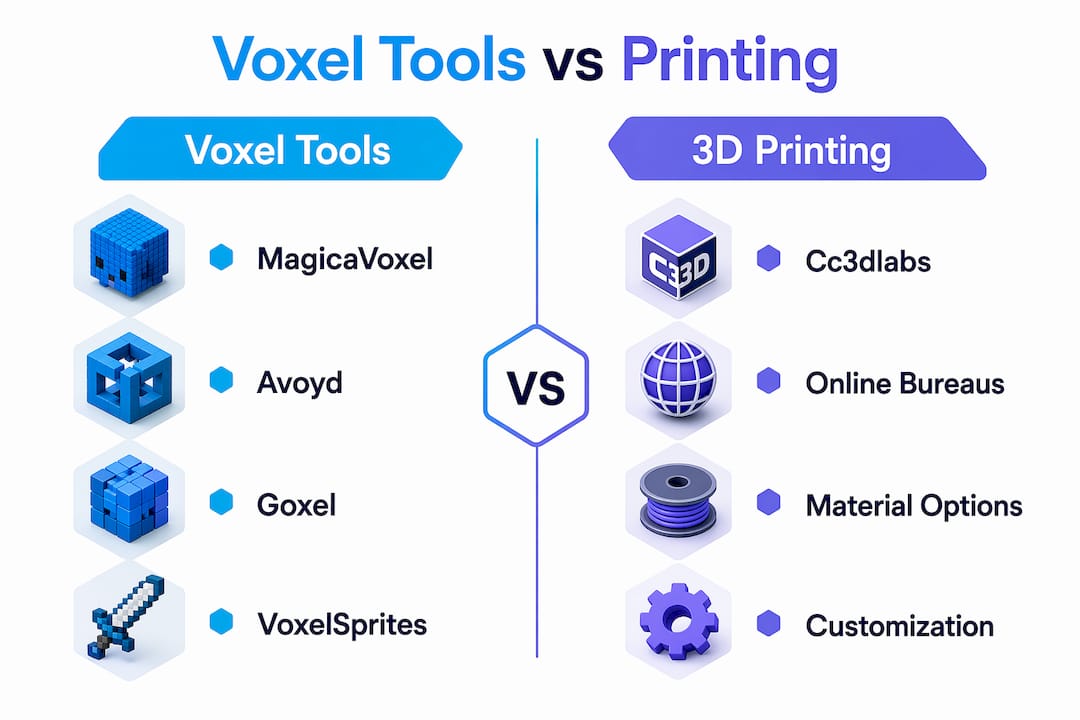
- MagicaVoxel, Goxel, Avoyd, and VoxelSprites serve as digital voxel creation alternatives, each suited to different workflows and platforms. For physical 3D printing, providers like Voodoo Manufacturing, Makelab, 3D Brooklyn, and Cc3dlabs offer scalable and specialized services. Choosing the right tool or service depends on your project scope, platform compatibility, scene complexity, and support needs.
What are the best voxel-magic.com alternatives right now?
The strongest voxel-magic.com alternatives split into two categories: desktop and browser-based voxel creation tools for artists and developers, and professional 3D printing services for anyone who needs physical output. Knowing which category you actually need saves a lot of time.
Leading voxel software alternatives:
- MagicaVoxel — The most widely used free voxel editor, known for real-time path-tracing rendering and a clean interface that beginners pick up fast. Best for hobbyists and digital artists who want quality renders without a steep learning curve.
- Goxel — A fully open-source voxel editor that runs on Windows, Mac, Linux, iOS, and Android, with no cap on scene size. Best for users who work across multiple devices or operating systems.
- Avoyd — A professional-grade editor from enkisoftware that handles scenes up to 256k voxels per side, with CPU and GPU path-tracing and export to glTF/GLB, OBJ, and VOX. Best for designers who need industry-standard output.
- VoxelSprites — A browser-based voxel tool with built-in AI generation, animation support, and a community gallery. No installation required. Best for rapid prototyping and lightweight online workflows.
Professional 3D printing service alternatives:
- Voodoo Manufacturing — Fast, scalable filament printing for production runs from 1 to 10,000 units.
- Makelab — NYC-based service focused on parts and prototypes for designers and engineers.
- 3D Brooklyn — Product design and prototyping using CAD modeling, 3D printing, and laser cutting.
- Cc3dlabs — Near Philadelphia, specializing in custom filament printing, multi-color output, CAD support, and metrology-grade 3D scanning.
How do the top voxel software options actually compare?
Each of the four main tools takes a genuinely different approach, and the right pick depends on your platform, the complexity of your scene, and how you plan to use the output.
| Tool | Platform | Rendering | AI Integration | Best For | Pricing |
|---|---|---|---|---|---|
| MagicaVoxel | Windows, Mac | Real-time path tracing | None | Hobbyists, digital artists | Free |
| Goxel | Win, Mac, Linux, iOS, Android | Basic | None | Multi-platform users | Free / open source |
| Avoyd | Windows, Mac, Linux | CPU + GPU path tracing | None | Professional production | Paid |
| VoxelSprites | Browser (Chrome, Firefox, Safari, Edge) | Three.js | Yes, integrated | Rapid prototyping | Free tier available |
MagicaVoxel remains the go-to starting point for most artists. Its path-tracing renderer produces images that look polished enough to publish, and the tool is free. The tradeoff is that it runs only on desktop and handles large scenes less gracefully than Avoyd.
Avoyd is the serious production option. It supports layer management and hierarchy across multi-model scenes, exports to glTF GLB with embedded PBR textures for Unreal, Unity, and Godot, and also outputs OBJ with MTL materials for Blender. That export flexibility matters when your voxel assets need to move into a game engine or a CAD pipeline. Professional pipelines often involve retopology tools like Quadriflow or Instant Meshes to convert voxel assets to game-ready polygon meshes, and Avoyd’s clean export makes that step easier.
Goxel sits between the two. It exports to glTF2, OBJ, PLY, and Magica Voxel format, covers every major OS including mobile, and costs nothing. The community is smaller than MagicaVoxel’s, but the cross-platform reach is unmatched among desktop editors.
VoxelSprites takes a different angle entirely. Because it runs in the browser, it trades raw voxel count for speed and accessibility. Where desktop apps handle very large voxel scenes, VoxelSprites prioritizes getting something built and exported fast, with AI-assisted generation and baked-in animation tools. Hybrid workflows combining AI-driven voxel generation with manual fine placement are increasingly common for prototyping, and VoxelSprites is built around exactly that pattern.
Pro Tip: Before committing to any voxel editor, test its export pipeline with a small scene. Verify that the output format, whether glTF, OBJ, or VOX, opens correctly in your target engine or modeling tool. Catching a format mismatch early avoids rework later.
Which professional 3D printing services can replace voxel-magic.com?
For users who need physical parts rather than digital assets, the comparison shifts to printing technology, materials, turnaround, and support. Voxel-magic.com sits in the niche where digital voxel creation meets physical fabrication, so its closest service-side alternatives are professional filament and resin printing bureaus that accept standard 3D file formats.
Professional 3D printing services typically prioritize glTF/GLB and OBJ compatibility to integrate cleanly with game engine and CAD workflows. When you export from a voxel editor, confirming that your service provider accepts those formats before uploading saves a round of file conversion.
Key differences among the main US-market providers:
- Voodoo Manufacturing handles volume. Its pitch is speed and scale, from single prototypes to 10,000-unit production runs, with filament-based printing as the core technology.
- Makelab focuses on designers and engineers building hardware or consumer products. Its NYC location means local pickup is realistic for clients in the metro area.
- 3D Brooklyn combines CAD modeling with printing and laser cutting, which suits product developers who need design help alongside fabrication.
- Cc3dlabs, near Philadelphia, covers custom filament printing, multi-color output, CAD and 3D modeling support, and metrology-grade 3D scanning. That scanning capability sets it apart from most printing-only bureaus, particularly for clients who need to reverse-engineer an existing part or verify dimensional accuracy on a finished print.
Pricing across these services varies more with customization and order complexity than with base per-unit cost. A single prototype with tight tolerances and multi-color requirements costs more than a batch of identical structural parts, regardless of which provider you use.
How to choose the right voxel tool or printing service
The decision comes down to four factors, and the order matters.

1. What is your actual output?
Digital renders and game assets call for a voxel editor. Physical parts call for a printing service. Some projects need both: design in a voxel editor, export to a service for fabrication.
2. Platform and file format compatibility
Check that your chosen tool exports a format your downstream pipeline accepts. For game engines, glTF/GLB with PBR materials is the standard. For 3D modeling tools like Blender, OBJ with MTL works reliably. For printing services, most accept STL, OBJ, or 3MF. Avoyd and Goxel both cover these bases; VoxelSprites handles sprite sheet and animation export better than mesh export for complex scenes.
3. Scene complexity and workflow speed
Desktop editors handle large, complex scenes. Browser tools prioritize speed. If you are iterating quickly on a game asset or concept, VoxelSprites or MagicaVoxel gets you to a result faster. If you are building a detailed world or a production-ready asset, Avoyd’s layer hierarchy and multi-model tools earn their place.
4. Support and community
MagicaVoxel has the largest community by a wide margin, with tutorials, asset packs, and active forums. Goxel is open source, so support comes from GitHub issues and community contributors. Avoyd offers direct support from enkisoftware. VoxelSprites has a built-in community gallery. For printing services, look for providers who offer design review before printing, not just file upload and ship.
Pro Tip: Ask any printing service whether they review files for printability before starting the job. A provider who flags wall thickness issues or unsupported geometry before printing saves you the cost of a failed print.
Cc3dlabs offers a different kind of 3D printing alternative
If your project moves from digital voxel design to physical production, the software tools above get you to a file. What happens next depends on your printing partner.
Cc3dlabs, near Philadelphia, handles the fabrication side with a level of precision that most online print bureaus do not match. Custom filament-based 3D printing covers prototypes, functional parts, and batch production, with multi-color capability and CAD support for clients who arrive with a concept rather than a finished file. The metrology-grade 3D scanning service adds a capability most competitors skip entirely: you can bring in an existing part, have it scanned to a precise digital model, and then print modified or replacement versions. Free online estimates, local pickup near Philadelphia, and shipping options make the logistics straightforward whether you are a local product developer or a business ordering remotely. For anyone who has been using voxel-magic.com for its fabrication side and needs a US-based alternative with real engineering depth, Cc3dlabs is worth a direct conversation.
Key Takeaways
The best voxel-magic.com alternative depends on whether you need a digital creation tool or a physical printing service, and matching that need first saves significant time and cost.
| Point | Details |
|---|---|
| Software vs. service | Voxel editors like MagicaVoxel, Goxel, Avoyd, and VoxelSprites replace the digital creation side; printing bureaus replace the fabrication side. |
| Desktop vs. browser | Desktop editors handle scenes up to 256k voxels per side; browser tools like VoxelSprites trade that scale for speed and AI-assisted generation. |
| Export format matters | Confirm glTF/GLB or OBJ compatibility between your voxel editor and your printing service or game engine before committing to a workflow. |
| Pricing scales with complexity | Customization, material choice, and order complexity drive cost more than base per-unit pricing across all major US printing services. |
| Cc3dlabs for fabrication | Cc3dlabs near Philadelphia offers filament printing, multi-color output, CAD support, and metrology-grade scanning as a full-service production alternative. |