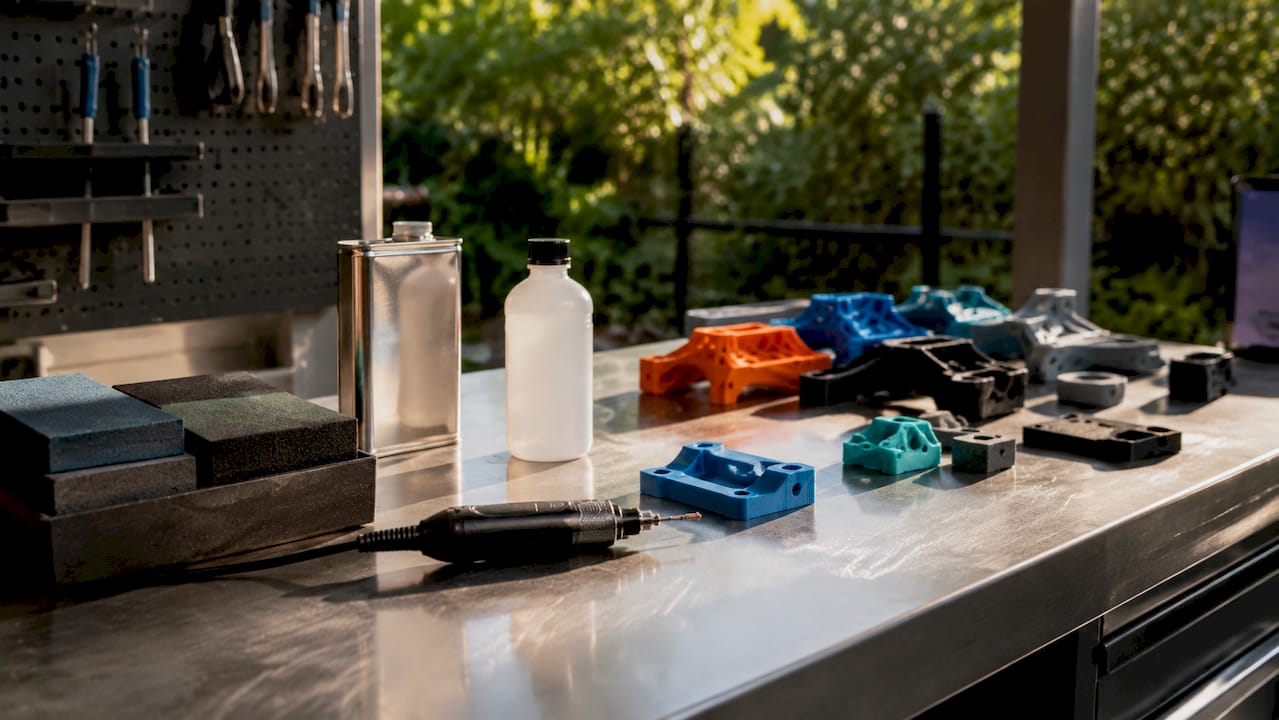
Technician setting up 3D scanning workspace

How to scan objects for 3D printing: accurate steps


TL;DR:

  • Precise scanning requires proper equipment, environment, and preparation to avoid errors.
  • Post-processing and environment control are critical for achieving accurate, printable 3D models.
  • Expert support enhances consistency and quality in complex scan-to-print workflows.

Imagine delivering a prototype to a client only to discover it fits 0.3 mm off because the original scan drifted during capture. That single error can mean scrapped parts, missed deadlines, and a project budget that spirals fast. For product developers and engineers working with physical references, the gap between a rough scan and a precise, print-ready model is where most time gets lost. This guide walks you through every stage of the scan-to-print workflow, from choosing the right scanner to fixing mesh errors before your file ever touches a printer, so you can stop guessing and start shipping accurate parts.

Table of Contents

Key Takeaways

Point Details
Choose the right scanner Structured light and laser scanners deliver sub-0.1 mm precision for prototypes, while photogrammetry is suitable for large or textured parts.
Prep surfaces meticulously Using matte spray on challenging materials boosts scan accuracy and reliability significantly.
Follow a structured workflow Careful calibration, multi-angle coverage, and steady capture prevent tracking loss and ensure clean scan data.
Fix and convert mesh for printing Cleaning, aligning, and exporting the mesh as watertight STL or converting to CAD solids is essential before 3D printing.

Essential equipment and prerequisites for 3D scanning

Before you place a single object on a turntable, understanding your scanner options saves you from buying tools that don’t match your tolerance requirements.

Three primary methodologies cover the majority of professional use cases: structured light scanning, laser triangulation, and photogrammetry. Each one has a different cost profile, accuracy ceiling, and ideal application.

Method Typical accuracy Best use case Approx. cost range
Structured light ±0.01 to ±0.05 mm Small, high-detail parts $5,000 to $50,000+
Laser triangulation ±0.04 to ±0.15 mm Mid-size industrial parts $3,000 to $30,000
Photogrammetry ±0.1 to ±1.0 mm Large objects, low budget $200 to $5,000

Industrial benchmark data confirms that portable handheld units and desktop scanners occupy very different accuracy tiers, and choosing between them depends entirely on your part size and tolerance spec.

Beyond the scanner itself, you need a short list of supporting tools:

  • Matte scan spray or powder for reflective or dark surfaces
  • Calibration targets or panels supplied by your scanner manufacturer
  • Motorized turntable for consistent multi-angle desktop captures
  • Compatible scan software such as VXelements, Artec Studio, or Meshlab
  • Stable platform free from vibration (rubber-padded table or anti-vibration mat)

Workspace setup matters as much as hardware. Fluorescent overhead lighting creates inconsistent shadows, so diffuse LED panels or softboxes give you repeatable illumination. A high-quality scan process also demands that scanner software and your workstation GPU are matched, since processing dense point clouds in real time is computationally demanding.

Pro Tip: Always verify software compatibility before purchasing a scanner. Some units lock you into proprietary platforms that limit your export options later.

Preparing objects and environment for accurate scans

Once you have the right gear, precise preparation is critical. Skipping prep is the single most common reason engineers get misaligned or incomplete scan data.

Follow this preparation sequence before every scan session:

  • Clean the part thoroughly. Dust, oils, and residue create false surface details that corrupt mesh geometry.
  • Assess the surface finish. Shiny, dark, or featureless surfaces need treatment before scanning begins.
  • Apply matte spray where needed. Matte spray is crucial for reflective, dark, or featureless objects because it diffuses light and adds trackable texture the scanner’s algorithms can lock onto.
  • Place tracking markers. Adhesive dot markers help handheld scanners maintain registration across large or low-feature surfaces.
  • Position the object at waist height. Awkward angles during scanning introduce operator-induced motion blur.

Environmental habits deserve equal attention. Avoid scanning near windows where sunlight shifts during a session. Direct sun introduces infrared interference that confuses structured light and laser sensors. Keep ambient temperature stable because thermal expansion on metal parts can introduce measurable dimensional drift over a long session.

Proper calibration and controlled lighting are non-negotiable for mitigating environmental variables that degrade scan quality. Run your calibration routine at the start of every session, not just at setup.

Engineer calibrates scanner under controlled lighting

For especially challenging parts, follow a step-by-step scanning guide to walk through each environmental check systematically. You can also reference the 3D scanning checklist and the design accuracy and prototyping guide to build a repeatable pre-scan protocol for your team.

Pro Tip: Prepping challenging surfaces correctly can boost first-pass scan success rates by 80 to 90%, according to professional scanning technicians. That time investment pays back immediately by eliminating re-scans.

Step-by-step scanning process for optimal results

With the setup complete, let’s break down the end-to-end scanning workflow. Skipping steps here is how tracking errors and misaligned meshes happen.

  1. Run calibration. Use the manufacturer-supplied calibration target. Never skip this, even if the scanner was calibrated yesterday.
  2. Set scan resolution and mode. Choose your target resolution based on part size and feature complexity, not maximum settings.
  3. Begin with a reference pass. Capture the dominant geometry first before moving to tight features and recesses.
  4. Maintain 30 to 60% frame overlap. Scanning with frame overlap between passes is the foundation of accurate alignment and clean mesh fusion.
  5. Pan steadily at consistent speed. Rapid movements cause motion blur; slower passes give the scanner time to lock geometry.
  6. Perform multiple passes at different angles. Top, side, and underside passes together fill in occlusions that a single sweep misses.
  7. Review the point cloud in real time. Most modern scanners show live feedback; stop and re-scan if a zone looks sparse.
  8. Export the aligned scan. For direct 3D printing, STL is suitable for replica output; for parametric engineering edits, you need a CAD solid.
Issue Likely cause Fix
Tracking loss Too-fast movement or featureless surface Slow down, add markers
Mesh holes Occlusion from single-angle pass Add underside and angled passes
Misalignment Insufficient overlap Increase to 50% frame overlap
Noise/artifacts Reflective surface or ambient light Apply matte spray, reduce ambient light

For teams running production volume scans, the scanning lab overview shows how professional setups handle repeatable multi-pass workflows at scale.

Pro Tip: If tracking is lost mid-scan, return the scanner to the last well-registered zone and slowly re-establish lock before continuing. Trying to power through tracking loss creates permanent misalignment in that section.

Advanced techniques and troubleshooting challenging parts

Even with a good process, tricky surfaces can derail a scan. Certain materials and geometries require specific tactics, and knowing them in advance saves a full rescan.

Infographic showing causes and solutions for scan issues

Reflective metals and chrome parts: Apply a thin, even coat of matte scan spray. The coating is removable and adds the texture contrast that laser and structured light sensors need to resolve geometry accurately.

Transparent or semi-transparent objects: Scan the part before final finish, or lightly scuff the surface with fine-grit media to create diffuse reflectance. Transparent surfaces return no usable data without treatment.

Dark or black parts: Different materials and surface finishes require matte spray, markers, or modified lighting to give the sensor something to track. Black absorbs near-infrared light, which is exactly what most scanners emit.

Complex internal geometry and deep recesses: You cannot capture blind holes or undercuts from a single orientation. Plan your scan order to capture recesses at oblique angles before surrounding geometry blocks access.

Tracking loss is the leading cause of scan failure. Pausing when lock degrades and overlapping back onto known geometry maintains registration far better than continuing through drift.

Failures from tracking loss are preventable with proper overlap habits. Always pause, re-establish your lock zone, then continue.

For a deeper look at how surface prep and environment interact, the achieve quality scan resource covers the full process. When your scan feeds directly into a product iteration, also review designing reliable prototypes to align your scan strategy with downstream print requirements.

Pro Tip: Always use matte spray in a well-ventilated area. Many scan sprays contain aerosol propellants and solvents that require ventilation and appropriate PPE.

Post-processing: Converting scans to printable models

Once you have scan data, refining it is crucial to get professional results. Raw point clouds are not print-ready files; they need cleaning, alignment, and export in the right format.

Here is the standard post-processing sequence:

  1. Import and align multiple scan passes. Use software like Meshlab or your scanner’s native platform to register scans to a common coordinate frame.
  2. Fuse passes into a unified mesh. Merging overlapping point clouds removes duplicate geometry and fills minor gaps.
  3. Run mesh repair. Identify and fix non-manifold edges, holes, and inverted normals that would cause print failures.
  4. Decimate intelligently. Reduce polygon count without losing critical feature detail, especially on flat surfaces where dense meshes waste file size without benefit.
  5. Export in the correct format. Choose STL or OBJ for direct printing; choose STEP or IGES when the file needs to go into a CAD environment for parametric editing.

The format choice is not cosmetic. Scan meshes must be converted to CAD solids for genuine engineering edits; direct STL prints work fine for replicas but offer no parametric flexibility.

A print-ready mesh should meet these criteria:

  • Watertight: No open boundaries or holes in the surface
  • No non-manifold edges: Every edge shared by exactly two faces
  • Correct face normals: All faces pointing outward
  • Appropriate polygon density: Balanced for file size and feature resolution

For teams that need CAD modeling services to take a scan mesh into a fully editable solid model, that process is distinct from basic STL cleanup. Review the CAD file format workflow to understand which format fits your specific pipeline before you commit to an export.

Why real-world 3D scanning is more nuanced than the manuals say

Every scanner manufacturer publishes impressive accuracy specs. What those specs rarely tell you is that they were measured under laboratory conditions that most production environments cannot replicate. Temperature fluctuations, vibration from nearby equipment, and even a vent blowing air across a part can push a scan from spec-grade to unusable.

The engineers who consistently get great results are not the ones with the most expensive scanners. They are the ones who treat environmental control as their first priority and accept that scanning is an iterative process, not a one-shot event. Hybrid approaches, where a scan establishes the base geometry and CAD modeling corrects critical tolerances, routinely outperform pure scan workflows on engineering parts.

The real-world scan accuracy insights we have gathered from actual production projects show that repeatability across sessions matters far more than peak accuracy on a single scan. A process that reliably delivers ±0.08 mm every time beats a workflow that occasionally hits ±0.03 mm but drifts unpredictably. Build a repeatable process first, then optimize for precision.

Achieve pro-level 3D scans with CC3DLabs expertise

For teams ready to streamline their scan-to-print process, expert support makes all the difference. Getting a clean, production-ready scan file consistently requires more than good equipment; it takes a calibrated workflow, trained operators, and post-processing discipline.

https://cc3dlabs.com

At CC3DLabs, our 3D scanning lab handles the full pipeline from physical object to print-ready or CAD-ready file, including metrology-grade scanning for precise reverse engineering. Whether you need a single prototype scan or batch part documentation, we deliver high-quality scan results with fast turnaround. Our CAD modeling and reverse engineering team can take your scan mesh and rebuild it as a fully editable solid model ready for engineering changes. Request a free estimate and let us handle the precision work.

Frequently asked questions

What is the best scanner for detailed small parts?

Structured light desktop scanners are typically the best choice for small, high-detail parts, delivering accuracy as fine as ±0.01 to ±0.05 mm. Their controlled projection patterns resolve tight features that handheld units can miss.

How do I scan shiny or transparent objects accurately?

Apply matte scan spray to diffuse the surface and use angled or dome lighting to reduce reflections. For transparent parts, scan before final finish or lightly scuff the surface to create diffuse reflectance.

Can I 3D print directly from scanned meshes?

Yes, if the mesh is watertight and error-free you can print directly. However, convert to a CAD solid when you need engineering edits or parametric design flexibility that STL cannot support.

What is the typical accuracy of handheld laser scanners for industrial parts?

Handheld laser scanners typically reach accuracy levels of ±0.04 to ±0.15 mm, which covers the majority of prototyping and spare part replacement needs without requiring a fixed desktop setup.

Engineer testing 3D printed prototype hinge

Why Durable 3D Printed Parts Matter for Prototyping


TL;DR:

  • Durable 3D printed parts enable multiple realistic test cycles, reducing time and cost.
  • Material choice and design orientation are crucial for achieving mechanical durability.
  • Increased durability expands design possibilities and improves prototype credibility in development.

Part failure doesn’t just break a prototype. It breaks schedules, burns through budget, and erodes confidence in the entire development process. Many engineers still assume that 3D printed parts are only good for visual mockups, reserving “real” structural testing for machined or injection-molded components. That assumption costs teams time and money. Durable 3D printed parts have fundamentally changed what’s possible in functional prototyping and low-volume production. This guide breaks down why durability is central to successful product development, what actually makes a printed part durable, and how to apply that knowledge across your engineering workflow.

Table of Contents

Key Takeaways

Point Details
Durability ensures success Durable 3D printed parts speed up development and reduce costly failures.
Material and design matter Choosing the right material and thoughtful design directly impacts durability and performance.
Complex features, real validation Durable parts allow for complex mechanisms and repeated, realistic testing.
Broad application range From rapid prototypes to functional parts, durability unlocks true value in 3D printing.

The cost of weak prototypes: Why durability drives development

Weak prototypes don’t just fail. They mislead. When a snap fit breaks under light load, or a hinge cracks after three cycles, you’re not learning about your design. You’re learning about the limits of your material choice. That distinction matters enormously in engineering.

Consider what happens when a prototype fails mid-test. The team halts. You log a failure that may or may not reflect a real design issue. You reprint, wait, and re-run the test. In a tight development cycle, this sequence repeats enough times to push back launch dates by weeks. For startups or contract manufacturers under deadline pressure, that’s not a minor inconvenience.

Durable prototypes carry their weight across multiple test cycles. They allow teams to:

  • Run repeated mechanical load tests without part replacement between cycles
  • Validate snap fits, living hinges, and press fits under realistic conditions
  • Compare design iterations side by side without variables introduced by part failure
  • Ship samples to stakeholders or end-users for field feedback
  • Generate reliable data for engineering sign-off

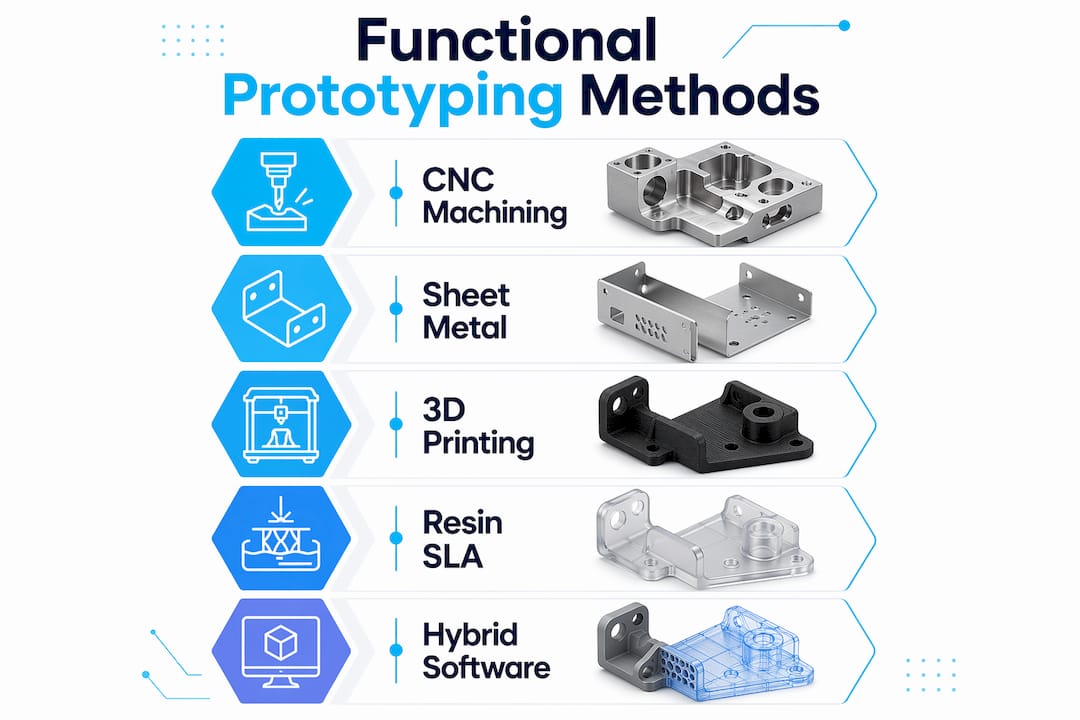
Understanding what 3D printers can make in terms of functional geometry is the first step toward choosing prototyping methods that actually support your testing protocol.

Here’s the part most teams overlook. Durable 3D printed parts don’t just survive more tests. They expand design freedom by enabling complex geometries, internal features, and moving mechanisms, which can deliver more engineering value than raw strength alone, as Stratasys functional prototyping guidance notes.

“The prototype that holds up through 200 test cycles tells you something real. The one that fails on cycle four tells you almost nothing useful.”

There’s a credibility dimension here too. When product development teams present durable functional prototypes to stakeholders or investors, those parts carry weight. A flimsy visual model gets polite nods. A part that clicks, flexes, seals, or rotates exactly as intended generates real confidence. Teams that prioritize designing reliable 3D prints from the start avoid the credibility gap that comes from presenting fragile early-stage models as proof of concept.

Durability isn’t a premium add-on in prototyping. It’s a prerequisite for any data you plan to trust.

What makes a 3D printed part durable?

Durability in 3D printing isn’t just about tensile strength. It’s a combination of mechanical toughness, thermal resistance, fatigue performance, and how well the part geometry supports load distribution. A part can be made from a strong material and still fail early if the design undermines it.

Technician adjusting 3D printer with functional part

3D printing enables mechanically functional prototypes that support realistic validation, going well beyond what aesthetic models can prove. But getting there requires controlling several variables simultaneously.

Material selection is the most visible factor. Here’s how common filament-based materials compare:

Material Strength Toughness Heat resistance Best use case
PLA Moderate Low Low Visual prototypes, low-stress parts
ABS Good Moderate Moderate Functional housings, structural parts
PETG Good High Moderate Snap fits, food-safe parts, enclosures
Nylon High Very high High Load-bearing, wear components
CF composites Very high Moderate High Structural, aerospace-grade parts

For best materials for durability, PETG and Nylon consistently outperform PLA in real-world functional tests.

Design factors often matter just as much as material choice. The key variables include:

  • Wall thickness: Too thin and you lose structural integrity; too thick and you introduce internal stress during cooling
  • Infill pattern and density: Gyroid and honeycomb patterns distribute load more effectively than rectilinear at the same density
  • Build orientation: Parts printed with load-bearing walls aligned to the Z-axis often perform differently than those oriented horizontally
  • Feature geometry: Rounded interior corners reduce stress concentration points that cause crack propagation

Pro Tip: When designing for durability, orient your most critical stress surfaces perpendicular to the build plate. Layer adhesion is typically the weakest point in FDM parts, so controlling orientation controls where failure is least likely to happen.

Knowing which 3D printing type to choose for your application unlocks a much sharper set of decisions than just picking the cheapest option available.

3D printed durability in practice: Unlocking new design freedoms

Durability becomes most interesting when it stops being a constraint and starts being a capability. When your printed part can survive real use, your design space expands dramatically.

Durable 3D printed parts expand design freedom by enabling complex internal features and mechanisms, facilitating realistic validation that traditional manufacturing can’t match at prototype scale.

Here are five practical design freedoms that durable 3D printing unlocks for engineers:

  1. Integrated snap fit assemblies that click and unclick through hundreds of cycles, letting you validate engagement force and fatigue life before tooling
  2. Living hinges printed directly into the part, reducing assembly complexity and testing hinge performance in context
  3. Internal fluid channels that allow functional fluid routing in manifolds, housings, or medical devices without secondary machining
  4. Lightweight lattice structures that maintain stiffness while cutting mass, useful in aerospace and wearable applications
  5. Embedded feature testing where threads, inserts, and bosses are built into the same part and tested as an integrated system

Pro Tip: Use durable prints to do tolerance stack-up testing before committing to production tooling. Print your assembly at multiple tolerance offsets and test which combination gives the best fit and function. It costs a fraction of what a tooling revision does.

Infographic with durability qualities and prototype benefits

The time and cost advantage of this approach is significant. Consider a simplified comparison:

Scenario Traditional CNC prototype Durable 3D printed part
Lead time 2 to 4 weeks 1 to 3 days
Design iteration cost High (each change = new setup) Low (file update + reprint)
Complex geometry Limited by tooling access No restriction
Functional testing readiness Immediate after machining Immediate after print

Browsing real-world filament prototype examples shows how these advantages play out across industries, from consumer electronics enclosures to industrial jigs.

If you’re evaluating whether 3D printing can handle your next project, exploring custom prototype options early in the scoping phase avoids rework later.

When and why durability matters most: High-stakes applications

Not every prototype needs to be engineered for maximum durability. But when it matters, it really matters. These are the scenarios where part failure carries serious consequences.

Durable 3D printed parts support fully functional prototypes that reduce risk before committing to expensive production tooling. That risk mitigation is especially critical in:

  • Jigs and fixtures: These parts are used repeatedly on the production floor. A jig that breaks after 20 uses creates quality control gaps and line stoppages.
  • Medical device prototypes: Regulatory submissions often require proof of functional performance. Fragile parts can’t generate that evidence.
  • Aerospace spare and support parts: Weight matters. Durability matters. These requirements have to coexist.
  • Automotive fit-and-function testing: Clearances, assembly sequences, and part interactions are validated at this stage. A broken test piece delays the entire validation protocol.
  • Field-use replacement parts: When the original component is discontinued, a durable 3D printed replacement needs to perform, not just look right.

“Every week spent reprinting a failed jig is a week the production line is working around a problem that should already be solved.”

For teams navigating limited production quantities, tips for low-volume manufacturing provide a practical framework for matching durability requirements to production strategy.

The pattern across all these applications is the same. Durable parts create reliable data. Reliable data creates confident decisions. And confident decisions reduce the cost and risk of moving from prototype to production.

A practical perspective: Stop underestimating durable 3D prints

Here’s what the data doesn’t fully capture. Many engineering teams still treat 3D printing as a visual communication tool. They print a model to show management, not to test mechanics. That habit is expensive, and it’s rooted in outdated assumptions about what printed parts can handle.

The teams getting the most value from 3D printing today are evaluating durability at the project scoping stage, before the first file is sent to print. They’re asking which mechanisms need to survive how many cycles, what load conditions apply, and what material properties are actually required. That thinking shapes every decision downstream.

The uncomfortable truth is that teams who focus only on cheap, fast visual prototypes often discover their design flaws at the worst possible time, during final validation or, worse, after tooling has been cut. Switching to durable functional prototypes earlier in the process catches those flaws when changes are still cheap.

For a sharper understanding of how this fits into the broader development cycle, rapid prototyping insights provide a solid foundation for rethinking your prototyping strategy from the ground up.

Discover durable 3D printing solutions for your next project

If this article has shifted how you think about durability in your prototyping workflow, the next step is putting that thinking into practice.

https://cc3dlabs.com

At CC 3D Labs, we specialize in custom filament-based 3D printing for engineers and product developers who need parts that actually perform. From single functional prototypes to small batch production runs, our professional 3D printing services are built around accuracy, material expertise, and fast turnaround. Explore on-demand prototype printing to get an estimate on your next part, or sharpen your technical vocabulary with our 3D printing terminology guide before your next project kickoff.

Frequently asked questions

What defines a ‘durable’ 3D printed part?

A durable 3D printed part can withstand mechanical stress, repeated use, and real-world conditions without failing. Functional validation with active mechanisms and stress points is the real test of durability, not just static load capacity.

How does durability impact prototype testing?

Increased durability allows for repeated, realistic testing cycles and accelerates design iteration. Mechanical testing and validation of complex features become far more reliable when the part itself isn’t the variable that fails.

Which 3D printing materials are most durable?

ABS, PETG, Nylon, and engineering composites are leading choices for mechanical durability. Material choice directly dictates functional performance and the mechanical properties your part can deliver under load.

Are durable 3D prints only for industrial applications?

No. Durable parts are valuable for real-world applications beyond visual prototypes, including custom end-use parts, low-volume manufacturing, field repairs, and consumer product development across many sectors.

Technician reviewing 3D printed prototype at workshop desk

Why Print Accuracy Is Critical for 3D Prototyping


TL;DR:

  • Print accuracy measures how closely a 3D printed part matches CAD design dimensions.
  • Layer height, print speed, material shrinkage, and slicer calibration are key factors affecting accuracy.
  • Incorporating process control and topology optimization enhances reliability and reduces dimensional errors.

A single 0.2mm dimensional error seems insignificant on paper. In practice, it can mean a snap-fit assembly that won’t close, an engineering jig that wobbles under load, or a costly round of reprints that blows your project timeline. For product developers and manufacturers, this is not a hypothetical situation. It happens more often than most teams want to admit. The misconception is that 3D printing is rapid and “close enough” by nature. But when you’re validating a functional prototype or preparing for short-run production, close enough is never actually good enough. This guide explains what print accuracy really means, what drives it, and how to build it into every stage of your workflow.

Table of Contents

Key Takeaways

Point Details
Print accuracy defined Print accuracy is how closely your 3D part matches your design—critical for fit and function.
Settings matter most Layer height, print speed, and material choice determine accuracy much more than printer brand.
Material choice impacts results PLA and PETG offer better dimensional stability than ABS, reducing warping and shrinkage.
Advanced methods boost reliability Using topology optimization and process-aware tools produces more consistent and dependable prints.

What does print accuracy mean in 3D printing?

With the stakes clear, let’s define exactly what print accuracy means and why it isn’t just another technical buzzword.

Print accuracy describes how closely a finished 3D-printed part matches the original design dimensions in your CAD file. If your model calls for a 50mm hole and the printed result measures 49.6mm, you have an accuracy gap. That gap matters enormously once parts need to fit together, pass inspection, or meet a functional specification.

Infographic showing print accuracy essentials and results

It helps to distinguish accuracy from two related concepts. Precision refers to repeatability, meaning how consistently a printer reproduces the same result across multiple runs. Resolution refers to the smallest detail the printer can physically produce, typically expressed in microns. A printer can have high resolution but poor accuracy if it consistently prints features that are the wrong size. A machine can be precise but inaccurate if every part comes out 0.3mm too wide, every single time.

Why does a 0.2mm error wreck a snap-fit prototype? Because snap-fits operate within tight elastic deformation windows. Even a slight oversize on a cantilever arm can prevent engagement entirely. For engineering jigs used to hold, align, or guide other components, dimensional deviation means the jig introduces rather than eliminates error into your process.

Several variables directly control how accurate a print turns out:

  • Layer height: Layer height most significantly affects width and height errors in printed parts
  • Print speed: Faster movement reduces material control and increases deviation
  • Bed leveling: An uneven bed creates first-layer inconsistencies that propagate upward
  • Material shrinkage: All thermoplastics contract as they cool, some more than others
  • Nozzle temperature: Too low causes under-extrusion; too high causes material spread
  • Slicer calibration: Incorrect extrusion multiplier settings skew all feature sizes

Understanding the right 3D printing terminology before you start a project saves time and prevents costly assumptions.

Pro Tip: Before committing a design to a batch run, always compare your CAD tolerances to the documented capability of the printer and material you plan to use. A printer rated for ±0.2mm tolerance should never be trusted for a part that requires ±0.05mm fits without prior test prints.

Major factors that impact print accuracy

Now that it’s clear what accuracy means, let’s see what actually drives accurate and inaccurate results in 3D printing.

Empirical testing gives us the clearest answers. Research on FDM printing with PLA on a Prusa MK4 found that low speed, high temperature, and thin layers such as 20 to 40mm/s, 230°C, and 0.05mm layers delivered the best dimensional accuracy across tested parameters. That’s a meaningful benchmark for anyone running precision work.

Here’s how those findings translate into a practical parameter reference:

Parameter Optimal value for accuracy Effect of deviation
Layer height 0.05 to 0.10mm Thicker layers increase width and height error
Print speed 20 to 40mm/s Higher speed degrades material control
Nozzle temperature 230°C (for PLA) Lower temps cause under-extrusion and gaps
Bed temperature 60°C (for PLA) Incorrect temp causes warping and layer shift
Infill pattern Rectilinear or grid Complex patterns increase internal stress

Beyond settings, physical and process variables also play a major role:

  1. Design review: Check for features that exceed your printer’s capability before slicing
  2. Test piece: Print a calibration cube or representative feature before the full part
  3. Measurement: Use calipers to check test pieces against CAD dimensions before approving a run
  4. Slicer adjustment: Apply compensation values for known shrinkage or offset errors
  5. Post-processing review: Measure critical dimensions after any surface finishing or heat treatment

For guidance on matching material to tolerance requirements, the filament selection for precision guide covers real-world selection logic for demanding applications. If you’re still deciding between materials, see the breakdown of PLA, PETG, or ABS performance for functional parts.

Pro Tip: When dimensional accuracy is critical, reduce layer height and print speed before adjusting any other parameter. These two settings have the most direct and measurable impact on output fidelity.

Material selection and dimensional stability

Even with dialed-in settings, your material pick can make or break dimensional accuracy. Let’s see why.

Every thermoplastic shrinks as it transitions from molten to solid. The rate and consistency of that shrinkage determines how much the final part deviates from the design. Some materials are far more forgiving than others.

Engineer measuring 3D printed PLA and ABS blocks

Material Shrinkage rate Warping risk Best use cases
PLA Low (0.2 to 0.4%) Low Prototypes, display models, snap-fits
PETG Low to medium (0.3 to 0.5%) Low to medium Functional parts, mild chemical exposure
ABS High (0.7 to 1.6%) High Heat-resistant parts, post-processed components

Warping is the biggest accuracy threat from thermal behavior. Warping primarily comes from uneven cooling and shrinkage, and is best controlled with even cooling, adhesion aids, and choosing low-shrink materials like PLA or PETG when tolerances are tight.

“Warping doesn’t just ruin surface finish. It changes the geometry of a part in ways that are nearly impossible to correct after the fact. One curled edge on a mating surface can cascade into a full fit failure during assembly.” — Dimensional reliability perspective from materials engineering practice

Strategies to reduce warping and protect dimensional stability:

  • Use a heated enclosure for ABS and other high-shrink materials to slow and equalize cooling
  • Apply bed adhesion solutions such as glue stick, PEI sheets, or hairspray for better first-layer grip
  • Reduce part cooling fan speed for materials prone to layer delamination from rapid quenching
  • Orient parts to minimize large flat areas contacting the bed when using high-shrink filaments
  • Use brim or raft supports to anchor edge geometry during printing

One common overcorrection: teams add enclosures when printing low-shrink materials like PLA in cool environments. For most PLA prints, enclosures can actually trap heat and cause softening near the top layers. Know your material’s actual needs before defaulting to every countermeasure at once.

If you’re still narrowing down your options, the decision framework for choosing between PLA, PETG, and ABS breaks down dimensional trade-offs clearly. You can also explore what can be printed to see how material choice maps to real part applications.

Advanced methods: Topology optimization and process control

For truly reliable, repeatable parts, accuracy must extend beyond setup and materials. Here’s how modern approaches help.

Topology optimization is a computational design method that removes unnecessary material from a part while maintaining its structural performance. For 3D printing, it goes further than weight reduction. When the optimization algorithm incorporates the actual behavior of the printer, including how the print head deposits material and how bonding between layers works, the resulting geometry is fundamentally better suited to being printed accurately.

MIT’s advanced technique incorporates print head limitations and inter-layer bonding constraints directly into the topology optimization process, reducing deposition errors and making complex parts more reliable as a result. This is a significant shift from designing a part and hoping the printer handles it, to designing a part that the printer can actually execute with precision.

For manufacturers, the practical benefits are real:

  • Fewer failed prints: Designs that account for printer behavior fail less often mid-run
  • Less over-deposition: Optimized geometries reduce material buildup in corners and transitions
  • More repeatable outcomes: Process-aware designs perform consistently across multiple batches
  • Lower post-processing burden: Parts that print accurately need less sanding, filling, or rework
  • Better structural performance: Optimized designs maintain strength without compensating wall thickness

Process-aware slicing tools are also evolving. Modern slicer software increasingly allows users to input material behavior profiles so the tool can compensate for known shrinkage rates before the file is ever sent to print. Pairing this capability with topology-optimized geometry creates a workflow where accuracy is built in, not chased after.

For more on applying these principles to short-run work, the low-volume manufacturing tips resource covers batch consistency in detail. The designing for reliability guide addresses design-stage decisions that prevent dimensional problems before printing starts.

Why most teams underestimate print accuracy and how to shift your approach

Here’s the uncomfortable reality: most teams treat print accuracy as a printer problem, not a process problem. When a part comes out wrong, the instinct is to adjust a setting or switch machines. But accuracy failures are almost always systemic. They compound across decisions made in design, material selection, slicer setup, and even how results are measured and recorded.

Small errors are particularly dangerous because they feel correctable. A 0.3mm offset seems easy to absorb with a chamfer or a filed edge. But in a multi-part assembly, chain tolerance issues stack. What started as a minor gap at one interface becomes a structural misalignment two components later. By then, the cost of correction has multiplied.

Process discipline beats post-print correction every time. Log your print parameters, measure actual outputs, and compare them to design intent on every meaningful run. Never assume one batch mirrors the last. Filament lots vary, ambient temperature changes, nozzles wear. The low-volume accuracy approach we apply at CC 3D Labs reflects exactly this discipline.

Pro Tip: Keep a simple print log with layer height, speed, temperature, material lot, and measured output dimensions. Over time, this data reveals patterns that setting changes alone never will.

The teams that produce the most reliable prototypes are not the ones with the best printers. They’re the ones who treat accuracy as a non-negotiable standard at every stage, not an afterthought.

Get reliable prototypes with print-perfect accuracy

If you’re ready to leave inconsistency behind and prioritize accuracy, here’s how to take the next step.

At CC 3D Labs, we build dimensional accuracy into every project from file review through final inspection. Whether you need a single precision prototype or a short production run with tight tolerances, our team works through the exact settings and material choices covered in this guide on every job.

https://cc3dlabs.com

Explore our professional 3D printing services to see the full range of capabilities we bring to prototyping and functional part production. If you need parts fast, on-demand 3D prototyping gets you from file to finished part with zero guesswork on accuracy. And if you want to design for the best possible outcome from the start, our reliable print design tips give you a solid foundation before you ever send a file.

Frequently asked questions

What is the difference between print accuracy and precision?

Print accuracy differs from precision in a fundamental way: accuracy measures how closely a part matches the intended design dimensions, while precision measures how consistently those results repeat from one print to the next.

How much does layer height affect 3D print accuracy?

Layer height is the most significant factor for width and height errors in FDM prints. Thinner layers produce noticeably better dimensional fidelity, especially on features with fine detail or tight tolerances.

Why do some prints warp more than others?

Warping is primarily from thermal shrinkage and uneven cooling during printing. PLA and PETG shrink less than ABS, but proper bed adhesion, enclosure use, and cooling management can reduce warping across all common filament types.

How can topology optimization improve print reliability?

MIT’s technique incorporates real-world print constraints into the design optimization process, which reduces deposition errors and makes complex parts more structurally reliable. It shifts accuracy from a post-print correction problem to a pre-print design solution.

Engineer reviewing 3D printer at workbench

Fast Turnaround 3D Printing: Why Speed Wins in 2026


TL;DR:

  • Rapid 3D printing enables product teams to test prototypes in days, accelerating development cycles.
  • Speed often involves trade-offs in surface quality, but can still produce functional, test-ready parts.
  • Integrating fast printing into workflows boosts innovation, reduces risks, and shortens time to market.

When traditional manufacturing quotes come back with 6 to 12 week lead times, product teams lose momentum before a single part is tested. Fast turnaround 3D printing flips that dynamic entirely, delivering functional prototypes in days rather than months. But many engineers still assume that speed means compromise, that you’re trading surface quality or structural integrity for convenience. That assumption is worth challenging. This article breaks down how rapid 3D printing actually works, where it creates real competitive advantage, what trade-offs are genuinely worth managing, and how to build it into your development workflow without guessing.

Table of Contents

Key Takeaways

Point Details
Speeds up innovation Rapid 3D printing shrinks the time from idea to prototype to just days.
Manages trade-offs Balancing speed, quality, and cost helps teams iterate faster without sacrificing function.
Enables market advantage Using fast 3D prints for early concepts helps outpace competitors and test ideas quickly.
Works across industries Automotive, medical, and electronics companies all benefit from shorter production cycles.

The impact of speed: From concept to prototype in days

Traditional manufacturing methods like CNC machining and injection molding are built for precision at scale, not iteration. A single mold can cost tens of thousands of dollars and take 8 to 16 weeks to produce. For a product team running design cycles, that’s not a delay. It’s a full stop.

Fast turnaround 3D printing changes the math. Instead of waiting weeks for each revision, teams can receive updated prototypes in 24 to 72 hours. That kind of speed enables something traditional manufacturing simply can’t: parallel development. You can test three different geometry variations at the same time, gather real feedback, and move forward with data instead of guesses.

One common misconception is that fast prints are only useful for visual mockups. That’s not accurate. With the right material and settings, fast-printed parts can handle functional testing, fit checks, and even early stress validation. The key is understanding where speed is appropriate in your process. Our rapid prototyping guide covers this in detail for teams just getting started.

Print parameters drive the speed-quality relationship directly. Thicker layers at 0.2mm print faster but produce a rougher surface finish, while lower print speeds in the 20 to 40mm/s range deliver better dimensional accuracy. Neither is universally better. The right choice depends on what stage of development you’re in.

Here’s what fast turnaround printing actually enables for product teams:

  • Faster design validation without waiting for machining queues
  • Multiple simultaneous iterations tested in parallel
  • Lower cost per learning cycle compared to traditional tooling
  • Earlier cross-team collaboration with physical parts in hand
  • Reduced risk before committing to expensive production tooling

“The real cost of slow prototyping isn’t the machining bill. It’s every week your competitor spends iterating while you’re waiting.”

Pro Tip: Use fast-turnaround prints for early-stage concept testing where surface finish is secondary. Reserve high-resolution settings for later rounds when fit, form, and finish all matter. This approach saves time and budget without sacrificing the learning you need.

For teams that also need dimensional verification of existing parts, quality 3D scans can feed directly into your CAD revision process, closing the loop between physical testing and design updates.

Balancing speed, quality, and cost: Key considerations

Once you understand how much time fast printing saves, the next question is what you’re actually trading for that speed. The answer is more nuanced than most people expect.

Technician adjusts FDM printer settings in workshop

Print speed in FDM (fused deposition modeling) is controlled by three primary variables: layer height, print speed setting, and temperature. Pushing all three toward maximum output produces parts faster, but the surface finish suffers. Thicker layers and faster speeds mean visible layer lines and reduced detail on fine features. For a concept test, that’s perfectly acceptable. For a customer-facing prototype, it probably isn’t.

Surface finish varies significantly across printing technologies. Here’s a comparison that matters when you’re choosing a process:

Technology Surface finish Ra Best for
SLA 1 to 5 μm High-detail visual prototypes
MJF 5 to 10 μm Functional parts, complex geometry
SLS 10 to 15 μm Durable, end-use parts
FDM 15 to 50 μm Fast concept models, structural tests

Infographic on 3D printing speed quality cost

Surface finish Ra values show that chemical smoothing post-processing can significantly improve FDM results when needed. That gives you a useful middle path: print fast, then smooth selectively.

Here’s a practical numbered approach for deciding which speed setting to use:

  1. Define the part’s purpose. Is it a concept check, a fit test, or a functional prototype?
  2. Identify the critical features. Do fine details or surface quality matter for this round?
  3. Set your deadline. If you need the part in 24 hours, high-resolution settings may not be feasible.
  4. Choose layer height accordingly. 0.2mm for speed, 0.1mm or finer for detail.
  5. Plan post-processing. If finish matters, budget time for sanding or chemical smoothing.

For teams managing tight schedules, our low-volume manufacturing tips walk through how to structure print batches efficiently. And if you need parts on demand without maintaining in-house equipment, 3D printing on demand is often the fastest path from file to physical part.

Pro Tip: On projects with hard deadlines, run fast prints for structural and fit testing while simultaneously ordering high-resolution prints for the customer-facing version. You get both timelines working in parallel.

Applications where speed creates competitive advantage

Knowing the trade-offs is one thing. Seeing where fast printing actually moves the needle on commercial outcomes is another.

Automotive teams use rapid 3D printing to validate bracket designs, duct geometries, and interior trim components before committing to tooling. A design verification cycle that once took 8 weeks can now run in under a week. Medical device developers use it to test ergonomics, housing fits, and assembly sequences on physical models before regulatory submission. Consumer electronics teams print enclosures and button assemblies to test user interaction before any injection mold is cut.

Industry Typical turnaround Key impact
Automotive 1 to 3 days per iteration Faster design freeze, reduced tooling risk
Medical devices 2 to 5 days Earlier ergonomic validation, lower rework cost
Consumer electronics 1 to 2 days Faster user testing, more design options explored
Industrial equipment 2 to 4 days Quicker fit checks before machining

The competitive benefits stack up quickly:

  • Faster time to market by compressing the design verification phase
  • More design options explored without proportional cost increases
  • Lower financial risk before tooling investment
  • Better cross-functional alignment when everyone holds a physical part
  • Earlier identification of design flaws before they become expensive

Surface finish data across technologies helps teams match the right process to the right stage, ensuring you’re not over-engineering early prototypes or under-specifying final validation parts.

Exploring the full range of 3D printing applications shows just how broad the use cases have become across industries. Staying current with 3D printing trends also helps teams anticipate which capabilities are worth building into their standard workflow now.

Pro Tip: Use rapid prints to test market fit with real users before finalizing a design. A physical part in a customer’s hands during early-stage research is worth more than any survey.

Integrating fast 3D printing into your workflow

Understanding the value is step one. Building a repeatable process around it is where teams actually capture that value consistently.

The first decision is identifying which parts and project stages are good candidates for rapid printing. Not everything benefits equally. Early-stage concept models, fit-check assemblies, and ergonomic test pieces are ideal. Highly detailed cosmetic parts or components requiring tight tolerances may need slower, higher-resolution settings regardless of schedule pressure.

File preparation matters more than most teams realize. Clean STL files with proper wall thicknesses, no inverted normals, and appropriate support structures reduce print failures and reprints. A file that takes 20 minutes to prepare correctly can save hours of troubleshooting later.

Here’s a straightforward numbered workflow that works well for most product development teams:

  1. Upload or share your CAD/STL file with your print service or internal team.
  2. Select material and speed settings based on the part’s purpose in this iteration.
  3. Confirm print time and delivery window before committing.
  4. Print and receive the part, typically within 1 to 3 business days for fast-turnaround jobs.
  5. Test, document findings, and revise the design file based on physical feedback.
  6. Repeat the cycle until the design meets validation criteria.

“From file upload to part in hand, the fastest teams treat each print cycle as a structured experiment, not just a manufacturing step.”

For teams without in-house equipment, on-demand 3D printing removes the machine management burden entirely. You upload, we print, you iterate. The parameter relationship between layer height and speed means your service provider should be able to recommend the right settings based on your stated goals, not just default profiles.

If dimensional accuracy is critical for your parts, pairing rapid printing with design accuracy tools like 3D scanning closes the feedback loop and ensures each revision is grounded in measured data, not visual inspection alone.

Why most teams underestimate the value of speed

Here’s an uncomfortable observation: most product teams calculate the value of fast prototyping by looking at the cost of a single print run. That’s the wrong unit of measurement.

The real value is in learning cycles. Every iteration you complete before a competitor completes one is a compounding advantage. You’re not just saving time on one part. You’re accumulating insights, eliminating bad options faster, and building team confidence through physical evidence rather than CAD assumptions.

Most companies overestimate the quality loss from fast printing and underestimate the strategic loss from slow iteration. A slightly rougher prototype that gets tested Tuesday beats a perfect model that arrives next month. The teams that internalize this shift their entire development culture, not just their print settings.

Rapid printing also fuels creative risk-taking. When a new idea costs two days and a modest print fee instead of six weeks and a tooling budget, engineers propose more ideas. That’s not a side effect. It’s the point. Real on-demand prototyping makes experimentation affordable enough to become a habit.

“The teams who ship fastest win, not just the market, but the insights game.”

Unlock rapid prototyping with CC3DLabs

Ready to put fast-turnaround 3D printing into action? CC3DLabs helps product developers and engineering teams near Philadelphia and beyond get functional parts and prototypes fast, without sacrificing the accuracy your project demands.

https://cc3dlabs.com

We handle everything from single concept prints to low-volume production runs, with material selection guidance and quick turnaround built into every order. Whether you need a fit-check part by Thursday or a batch of functional assemblies for a client demo, we’re set up to move at your pace. Explore 3D printing services to see what’s available, check out what’s possible with 3D printing for inspiration, or go straight to start a fast 3D print project and get your estimate today.

Frequently asked questions

Does faster 3D printing always mean lower quality?

Not always. Thicker layers and faster speeds reduce surface finish, but most experienced teams use fast prints for early iterations and switch to high-resolution settings only when fit, finish, and detail all matter.

What industries benefit most from rapid 3D printing?

Automotive, medical devices, and consumer electronics gain the most, particularly during design verification and short-run functional testing where iteration speed directly affects time to market.

How fast can I get a functional 3D printed part?

With fast-turnaround printing, functional prototypes can be delivered in as little as 1 to 3 business days depending on part complexity, material, and order volume.

What are the key trade-offs when choosing speed?

Choosing faster settings typically means reduced surface resolution and visible layer lines, but the time savings across multiple iterations far outweigh the finish compromise for most early-stage development work. Surface finish Ra values vary significantly by technology, so matching the process to the project stage is the smarter move.

Can I outsource fast turnaround 3D printing?

Yes. Service bureaus like CC3DLabs offer rapid printing for prototypes and low-volume runs with no machine availability delays, giving you faster access to parts than most in-house setups can provide.