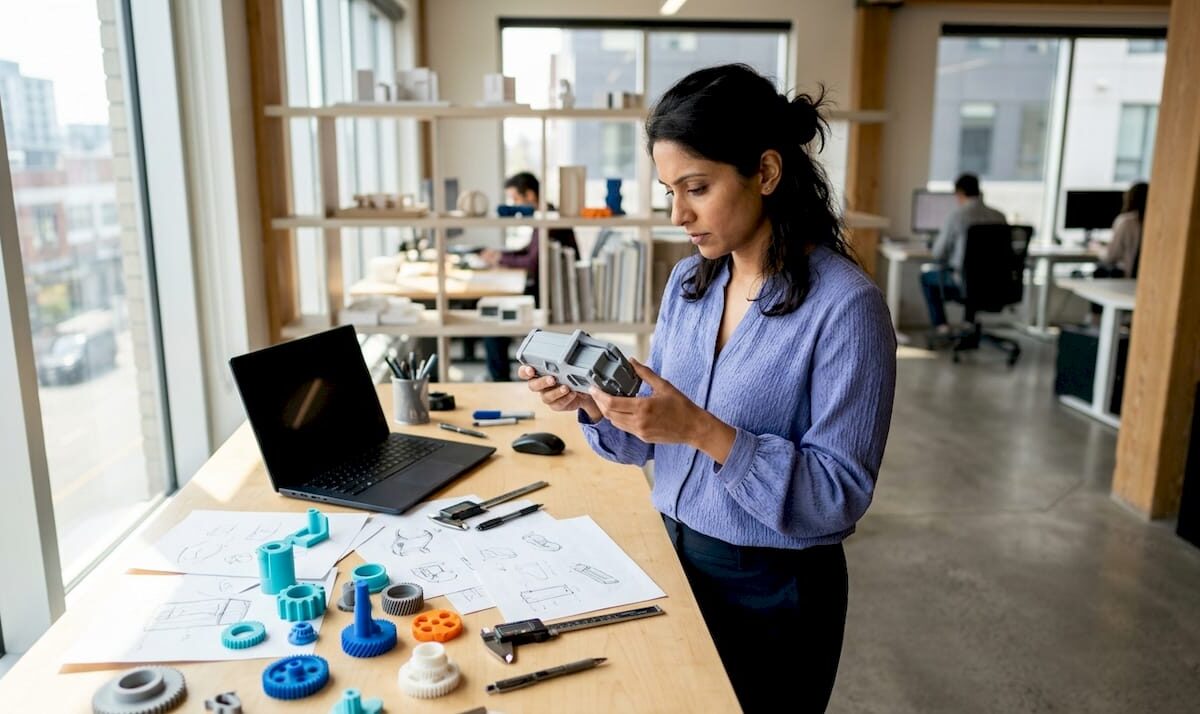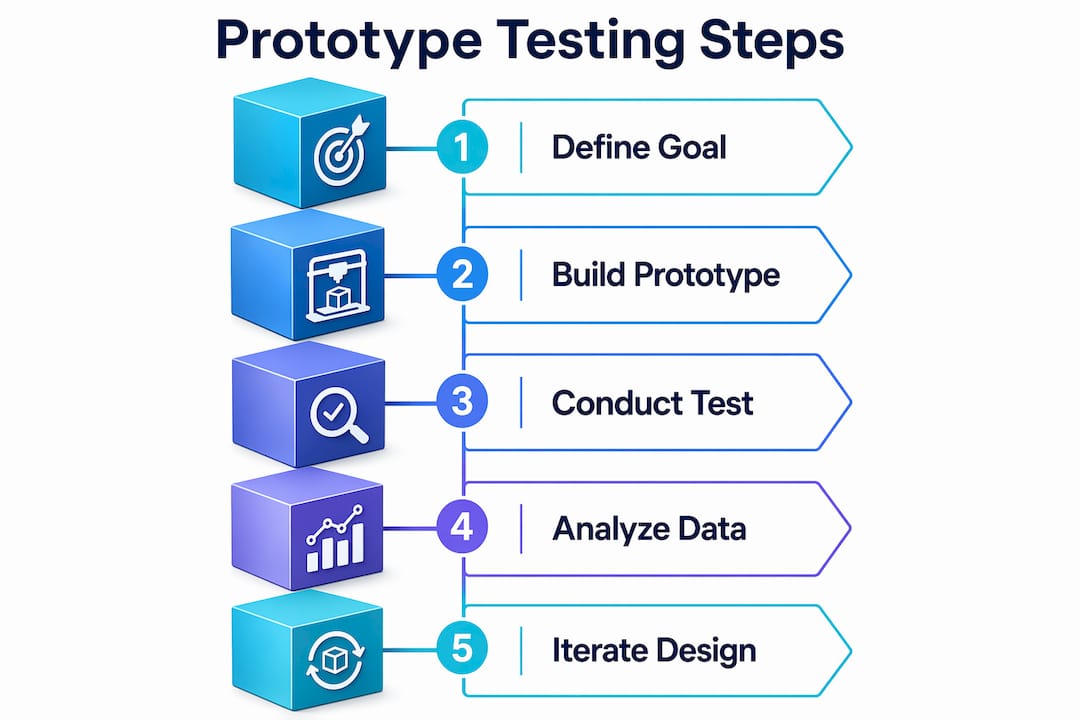
Designer comparing 3D printing services at home desk

Top 3 thereyouhaveit3d.com alternatives 2026

Most people needing custom 3D printed parts run into inconsistent quality, unclear pricing, or long lead times when they rely on a single vendor. Many existing services also make it difficult to compare material options or get rapid quotes, forcing teams to waste time on back-and-forth communication for every project. After reading you will know which 3D printing service delivers the fastest turnaround, the widest material choice, and the best value for your technical requirements.

Table of Contents

CC 3D Labs

Product Screenshot

At a Glance

Multi-material and multi-color printing paired with CAD, 3D scanning, and printer repair, supported by local expertise in the Greater Philadelphia Area and worldwide shipping. The combination lets you move from scan or CAD to finished parts without juggling multiple vendors.

Core Features

Offers multi-material and multi-color 3D printing for prototypes and functional parts. The shop supports on-demand manufacturing and small batch production for repeatable outcomes.

They provide 3D modeling, CAD, and scanning services alongside 3D printer repair and calibration. These services reduce handoffs between design and production and speed up iteration.

Key Differentiator

Advanced multi-material and multi-color 3D printing capabilities combined with comprehensive CAD, scanning, and repair services, all supported by local expertise and global shipping. That stack is practical when a project needs precise prints, quick fixes, and a single point of contact.

Pros

  • High print quality and precision for prototypes and functional parts, with material options that include specialty and engineering-grade filaments. This matters for parts that face mechanical stress or need tight tolerances.

  • Quick turnaround and responsive communication praised by customers. Local service shortens feedback loops for product developers near Philadelphia while shipping covers remote teams.

  • Full-service support from design to production. You can bring an STL, a physical sample for scanning, or a rough sketch and get CAD assistance plus print-ready files.

  • Capacity to handle single prototypes and small batch runs. That flexibility helps teams that move from one-off validation parts to small production runs without changing vendors.

Cons

  • Website content provides limited detail on specific pricing and lead times, so you will need to request a free estimate to confirm costs and production schedules before committing.

Who It’s For

Businesses, product developers, and individual makers who need accurate, durable custom prints and value having CAD and scanning in the same vendor. Ideal for teams that want fast local support yet need parts shipped internationally.

Unique Value Proposition

Advanced multi-material and multi-color 3D printing capabilities combined with comprehensive CAD, scanning, and repair services, all supported by local expertise and global shipping. That means fewer vendors when your project needs scanning, design tweaks, calibrated printers, and finished parts delivered on a schedule.

Real World Use Case

A local product company speeds a new product line by sending multi-color prototype files and physical samples for scanning. CC 3D Labs handles scanning, CAD adjustments, printing, and ships completed prototypes for user testing within the same week.

Pricing

Pricing is not listed on the site. Rates depend on material, part complexity, and order volume. You can request free estimates via the web form to get a firm quote and lead time for your project.

Website: https://cc3dlabs.com

3D Print Ship

Product Screenshot

At a Glance

48-hour delivery across the US with instant online quotes and white-label drop-shipping for resellers. That speed lets teams move from CAD upload to parts in hand within two business days for many standard orders.

Core Features

Upload STL or STEP files and get instant quotes that reflect chosen materials and shipping speed. Production can start the same day for standard orders and a rush 24-hour service supports overnight delivery.

The service supports FDM, SLA resin, SLS Nylon PA12, and DMLS metals and offers drop-ship fulfillment with white-label packaging for resellers.

Key Differentiator

The combination of instant quoting, fast production start, and nationwide 48-hour shipping is the primary differentiator. 3D Print Ship serves fulfillment and resellers first, rather than deep customization workflows or in-house metrology services.

This narrower focus favors teams that prioritize predictable lead times and logistics over highly bespoke finishing or local pickup workflows.

Pros

  • Fast turnaround. Orders can ship within 48 hours in the US which reduces iteration cycles for prototype testing and urgent production runs.

  • Broad material support. From FDM prototypes to DMLS metal parts the available materials cover common engineering needs without sourcing multiple vendors.

  • White-label drop-shipping. Resellers and on-demand storefronts can ship under their brand which simplifies fulfillment and customer experience.

  • Instant quoting. The upload to quote loop removes back and forth and speeds procurement for repetitive orders.

  • Nationwide delivery options. Multiple shipping speeds and tracking let project managers match cost to urgency.

Cons

  • US only. Delivery and fulfillment are limited to the United States which excludes international teams who need fast shipping.

  • Limited custom post-processing. The service does basic smoothing and painting but does not handle highly custom finishing or detailed secondary machining.

  • Potential size and complexity limits. Some large or geometrically complex parts may exceed manufacturing constraints for certain processes.

When It May Not Fit

If your project requires international shipping, advanced metrology-grade scanning, or extensive custom post-processing then 3D Print Ship will feel constrained. Also choose a different partner when you need on-site collaboration with iterative scanning or custom jigging.

Who It’s For

Manufacturers, engineers, and resellers who need reliable, fast 3D printing fulfillment inside the US. It fits product teams needing rapid prototypes and e-commerce sellers who want on-demand parts shipped under their brand.

Unique Value Proposition

Instant quoting plus 48-hour delivery and white-label drop-shipping compress the procurement and fulfillment timeline. For teams where time to test and ship matters more than bespoke finishing this service converts design iterations into shipped parts with minimal logistics overhead.

Real World Use Case

A product development firm uploads CAD files, receives an instant quote, and gets prototype parts produced and shipped within 48 hours. That rhythm lets engineers test multiple design variants across a single week rather than waiting for multiweek lead times.

Pricing

Pricing is provided through instant quotes after file upload and material selection. Costs vary by part geometry, chosen material, and the selected shipping speed so budget estimates appear only after submission.

Website: https://3dprintship.com

Craftcloud3D

Product Screenshot

At a Glance

200+ materials and 31 manufacturing technologies available through a network of over 150 vetted manufacturing partners across 95 countries, giving you instant global price comparisons and fast delivery for prototypes or small production runs.

Core Features

Instant quotes and side by side price comparison across a global partner network. Support for more than 35 file formats including STL OBJ STEP and ZIP keeps uploads simple.

Choose from a catalog of 200 plus materials and 31 printing technologies such as FDM SLA SLS MJF DMLS and SLM. Full project transparency tracks price and production status from prototype to delivery.

Key Differentiator

Craftcloud3D runs real time global price comparison across its vetted network, making it easier to find the lowest cost vendor that still meets material and technology requirements. That comparison engine is the central mechanism for value and speed.

Pros

  • High quality prints praised by users. Many customers report precise parts suitable for functional prototypes and visual validation.
  • Competitive transparent pricing with no minimum order. Instant quotes show unit cost changes as volume and material change.
  • Fast turnaround and reliable global delivery. Multiple partner options reduce shipping or production bottlenecks.
  • Easy online ordering across many technologies. The platform handles file formats and vendor matching so your team spends less time on procurement.
  • Responsive customer support and clear project visibility. Messages and order updates reduce back and forth with vendors.

Cons

  • Occasional print quality issues reported by some users. Quality depends on the selected vendor and the chosen process.
  • Unexpected customs duties and brokerage fees can increase total landed cost. Those extras are not controlled by the platform.
  • Vendor performance varies. Infrequent inconsistencies mean you may need to pick trusted partners for critical parts.

When It May Not Fit

If you need single source supplier accountability for high volume production you will find a marketplace model limiting. When absolute consistency in surface finish or tight tolerance is mandatory a direct contract manufacturer is safer.

If your projects cannot tolerate possible customs charges or you need consolidated invoicing and warranty terms the platform model may create workflow friction.

Notable Integrations

The platform accepts over 35 file formats, notably STL OBJ STEP and ZIP. That wide file support speeds handoffs from CAD and keeps design iterations moving without file conversion overhead.

Who It’s For

Manufacturers designers startups and educational labs that want quick price discovery across many production methods. It fits teams that value choice across materials and suppliers and that can tolerate marketplace variability.

Unique Value Proposition

Real time global price comparison driven by a vetted partner network. That single capability lets you find the best bid for a specific material technology combination without contacting multiple vendors manually.

Real World Use Case

A startup uploads a prototype file selects a material and compares instant quotes from several vendors. The team picks a regional partner with the right technology and receives parts quickly with transparent cost breakdowns.

Pricing

Pricing depends on material technology volume and finishing choices. Users get immediate, itemized quotes in the interface so you can compare landed cost and lead time before you commit.

Website: https://craftcloud3d.com

Where these 3D printing options excel

When comparing 3D printing solutions, one defining factor stands out for CC 3D Labs: its ability to provide a comprehensive stack of services that cover the entire workflow from design to final part production. This sets the stage for further exploration of differentiating attributes among the competitors.

Consolidation of services versus specialization

CC 3D Labs integrates multi-material printing with CAD design, scanning, and printer repair services. This full-spectrum capability ensures seamless project progression without unnecessary transitions between providers. By focusing on a single vendor, developers save time, reduce administrative friction, and expedite iterations. Craftcloud3D, while offering exceptional global breadth and competitive pricing, relies on distributed vendors, introducing variability in quality and costs. 3D Print Ship, conversely, emphasizes speed and fulfillment, specializing in rapid standard orders and white-label drop-shipping, which is beneficial for niche use cases but limits customization potential.

Adaptability and customer service

The tailored and responsive service offered by CC 3D Labs ensures that clients receive local expertise combined with global logistical reach, making it ideal for unique and technically demanding projects. Craftcloud3D achieves broad adaptability through its diverse technology and material offerings, though consistency can fluctuate due to partner variability. On the other hand, 3D Print Ship shines in rapid delivery, supporting U.S. clients who prioritize quick turnarounds over comprehensive project management.

Situations and ideal implementations

  • For technically demanding projects requiring comprehensive support from concept to production: CC 3D Labs excels with its full-suite services.
  • For international clients focusing on pricing and access to varied technologies: Craftcloud3D offers unparalleled material diversity via its vast partner network.
  • For U.S. clients needing fast prototyping or fulfillment: 3D Print Ship delivers efficiently through expedited shipping services.
  • For teams managing highly repetitive or standardized orders: Craftcloud3D provides instant vendor comparisons that simplify procurement.

Our Pick

The standout capability of CC 3D Labs is the seamless integration between CAD, scanning, and high-quality multi-material printing services, all supported by local and remotely accessible expertise. This unique advantage streamlines complex workflows and reduces the interplay between service providers, making it a top choice for product developers prioritizing technical precision and reduced logistical complexity.

3D Printing Service Comparison

This comparison highlights key features and limitations to help you identify the best 3D printing service for your needs.

Product Core Features Unique Value Notable Limitation Pricing
CC 3D Labs Multi-material and multi-color 3D printing, CAD, 3D scanning, and printer repair Advanced printing capabilities and full design-to-production support Limited pricing detail on the website Not disclosed
3D Print Ship 48-hour delivery in the US, instant quoting, white-label drop-shipping Fast production and reliable logistics Exclusively serves the US, limited custom options Instant quoting
Craftcloud3D 200+ materials, 31 technologies, global price comparison Real-time pricing from a vetted global partner network Variable vendor performance, unexpected customs fees Itemized instant quotes

Discover Reliable Alternatives to ThereYouHaveIt3D with CC 3D Labs

Looking for 3D printing solutions that go beyond basic services? The article highlights pain points like limited customization, inconsistent quality, and slow turnaround times often found in alternatives. CC 3D Labs addresses these challenges with high-precision multi-material 3D printing, CAD and 3D scanning services, plus quick delivery options both locally near Philadelphia and worldwide.

https://cc3dlabs.com

Experience expert support from design through production all in one place. Whether you need prototypes or small batch runs, CC 3D Labs offers free estimates and a seamless process designed to reduce delays and improve part durability. Visit CC 3D Labs now to request your custom quote and get precise, reliable 3D prints delivered fast.

Frequently Asked Questions

What advantages does CC 3D Labs offer for rapid prototyping compared to 3D Print Ship?

CC 3D Labs stands out for its high print quality and precision for prototypes and functional parts. With advanced multi-material and multi-color capabilities, it supports on-demand manufacturing without requiring multiple vendors, ensuring faster iterations for design teams.

How can I utilize CC 3D Labs for small batch production?

You can leverage CC 3D Labs’ ability to handle single prototypes and small batch runs, allowing your project to transition smoothly from one-off validation parts to small production without changing vendors. This flexibility is crucial for teams needing repeatable outcomes while maintaining quick turnaround times.

What type of CAD support is available at CC 3D Labs for my 3D printing needs?

CC 3D Labs provides comprehensive CAD assistance, allowing you to bring an STL, a physical sample for scanning, or even a rough sketch and receive print-ready files. This service minimizes handoffs between design and production and can speed up your project timeline significantly.

How does the pricing of CC 3D Labs compare to Craftcloud3D?

While Craftcloud3D offers a network for real-time global price comparison with no minimum order, CC 3D Labs provides a more personalized service with high-quality multi-material printing. For projects needing tailored support and quick local feedback, CC 3D Labs is a more suitable match for your needs.

Does CC 3D Labs support 3D scanning along with printing services?

Yes, CC 3D Labs offers both 3D scanning and printing services, which simplifies the process of moving from a physical sample to a finished product. This capability reduces the need for multiple vendors, streamlining your project workflow.

Engineer reviewing 3D CAD model in office

Top ways to validate 3D designs for reliable manufacturing


TL;DR:

  • Sending a flawed design file to production can lead to costly rework, missed deadlines, and scrapped parts.
  • Thorough 3D design validation, including geometry checks and reliable simulations, is essential before manufacturing begins.

Sending a flawed design file to production is one of the most expensive mistakes a product developer can make. A single overlooked wall thickness issue, a misapplied boundary condition in your simulation, or an ignored build orientation effect can mean scrapped parts, missed deadlines, and rework costs that eat straight into your project budget. Thorough 3D design validation is not a luxury step you add when time allows. It is the structured process that stands between a confident manufacturing run and a costly surprise. This article breaks down the most reliable methods to validate your designs before a single layer is printed.

Table of Contents

Key Takeaways

Point Details
Check early in CAD Surface deviation and wall thickness checks in CAD catch errors before prototyping.
Validate simulations rigorously Use mesh convergence, realistic materials, and compare with tests to ensure credible results.
Consider AM process effects Allow for part orientation and build location, as they directly impact final part accuracy.
Compare validation methods Use a mix of geometry, simulation, and manufacturing-focused checks for best outcomes.
Physical measurement trumps theory Always confirm with real-world testing before committing to mass production.

Check essential geometry and manufacturability constraints

With validation’s value established, let’s start at the CAD level, the foundation for reliable prototypes and parts.

Most design failures originate in the CAD file, not on the production floor. When you export a model that has non-manifold geometry, tiny gaps in surface meshes, or features too small for your target process to resolve, you are essentially shipping a problem downstream and paying someone else to find it. The good news is that modern CAD platforms give you tools to catch these issues before they travel anywhere.

Geometry validation early means checking surface deviation from reference geometry, confirming minimum wall thickness, and identifying features that the manufacturing process physically cannot produce. This applies to both subtractive machining and additive processes, but the specific thresholds vary. For FDM printing, a wall thinner than one nozzle diameter simply will not print. For SLS, fine lattice features below roughly 0.8 mm may fuse or collapse depending on the material and machine.

Key manufacturability constraints to check before you finalize any design:

  • Minimum wall thickness: Confirm walls meet your process’s minimum. For most FDM machines using a 0.4 mm nozzle, the minimum is roughly 1.2 mm for structural walls.
  • Unsupported overhangs: Overhangs beyond 45 degrees in FDM need support material. Designing to reduce support dependency saves post-processing time and surface quality issues.
  • Sharp interior corners: Stress concentrates at sharp internal corners. Radius them to at least half the wall thickness for functional load-bearing parts.
  • Detail resolution: Features smaller than the process resolution will not reproduce accurately. Embossed text, snap features, and thread starts are common failure points.
  • Mesh integrity: Export your STL or 3MF file and run it through a mesh repair check. Holes, inverted normals, and non-manifold edges cause slice errors that silently degrade part quality.

If you are working on parts where dimensional precision matters, review our guide to designing reliable 3D prints before finalizing your CAD. And if measurement validation is part of your workflow, the 3D scanning checklist walks you through exactly what to capture from physical parts for comparison.

Pro Tip: Set up automated geometry health checks in your CAD environment or through a dedicated add-on. Running these checks every time you export a file takes less than a minute and catches issues that manual review misses during long sessions.

For teams pursuing manufacturing-grade 3D printing, geometry validation is not optional. It is the baseline that every downstream step depends on.

Apply rigorous simulation validation steps

Geometric checks are necessary, but design validation reaches a new level with reliable simulation. Here’s how to ensure your virtual results reflect real-world performance.

Technician reviewing simulation results for 3D part

Running a finite element analysis (FEA) or computational fluid dynamics (CFD) simulation is only useful if the results are trustworthy. Many development teams make the mistake of treating simulation output as ground truth without verifying that the model itself is credible. A simulation built on incorrect boundary conditions or an under-resolved mesh will give you precise numbers that are completely wrong.

FEA credibility steps include mesh convergence studies, sensitivity analysis, realistic boundary conditions, accurate material properties, and comparison with experimental or analytical data. Follow this numbered sequence for every critical simulation run:

  1. Define realistic boundary conditions. Model how the part is actually constrained and loaded in service. A fixed-wall assumption when the real mount allows slight rotation will overestimate stiffness by a significant margin.
  2. Assign accurate material properties. Use measured data for the specific material grade and print orientation you are targeting. Published datasheet values are starting points, not substitutes for validated material cards.
  3. Run a mesh convergence study. Refine the mesh in stages and track your key output (peak stress, deflection, etc.). When refining the mesh further changes results by less than 5%, you have reached convergence.
  4. Perform sensitivity analysis. Vary your key inputs by a realistic uncertainty range. If a 10% change in Young’s modulus shifts your peak stress by 40%, you need better material data before trusting the result.
  5. Compare to a benchmark. Where possible, validate at least one simulation case against a physical test, a hand calculation, or a well-documented analytical solution.

For CFD work, the validation logic is similar but the pre-flight checks differ. CFD boundary layer resolution requires verifying the correct flow regime through Reynolds and Mach number checks, applying consistent and physically realistic boundary conditions, and resolving the near-wall region with appropriate boundary layer meshing. Getting the y+ value wrong in a turbulent flow case can produce drag and heat transfer predictions that are far off from measured values.

“Simulation-to-reality confidence is earned, not assumed. Every result needs a credibility trail, and that trail starts with the inputs.”

Pro Tip: Before signing off on any design validation package, physically benchmark at least one simulation case. Print a test part, measure it, load it to failure or measure pressure drop, and compare to your model. One confirmed data point is worth far more than ten unverified simulation runs.

For a process-level view of how simulation fits into production prep, check our step-by-step 3D printing guide and our overview of simulation validation best practices tied to physical part measurement.

Account for additive manufacturing-specific accuracy factors

After simulation, consider how manufacturing realities introduce new sources of variation, especially in additive processes.

Here is something many engineers underestimate: a perfectly designed CAD file and a validated simulation do not guarantee dimensional accuracy in the final printed part. Additive manufacturing introduces process-specific variation that exists entirely outside of your digital model. Build orientation, thermal gradients during the print cycle, and where the part sits inside the build chamber all affect the dimensions you will measure on the finished part.

Research on PA12 SLS parts shows that build orientation and chamber position measurably affect dimensional outcomes in ways that nominal CAD dimensions cannot predict. Parts built vertically may exhibit different shrinkage behavior compared to parts built horizontally, and parts at the chamber periphery often differ from those at the center due to thermal variation during the sintering cycle.

Practical methods for measuring and compensating for these effects:

  • Print calibration test artifacts. Before committing to a full production run, print a calibration coupon that includes representative features from your design: bosses, holes, flat spans, and slots. Measure these with calipers or, for critical parts, a coordinate measuring machine (CMM) or 3D scanner.
  • Document orientation-dependent deviation. Keep a log of how your machine and material combination behaves at different orientations. This becomes a design correction database over time.
  • Apply dimensional compensation offsets. If your CAD hole is consistently undersized by 0.15 mm after printing, adjust the nominal dimension to compensate. This is standard practice in professional AM workflows.
  • Account for anisotropy in functional parts. Mechanical properties vary by build axis in FDM and SLS. A part loaded along the Z axis (layer stacking direction) will be weaker than one loaded in XY. Design and validate accordingly.
Feature type Build orientation effect Chamber position effect Typical deviation range
Circular holes Moderate (XY vs. Z) Low to moderate 0.05 to 0.25 mm
Flat spans Low Moderate (center vs. edge) 0.03 to 0.15 mm
Vertical walls High Low 0.10 to 0.30 mm
Thin features High Moderate 0.10 to 0.40 mm

For teams focused on ensuring 3D print accuracy, tracking these variables is not optional. It is the difference between parts that fit and parts that need rework. Our low-volume 3D printing tips cover how to integrate these checks into short-run production workflows without slowing your schedule.

Summary table: Comparing key 3D design validation methods

With the main validation methods explained, a side-by-side comparison clarifies which approaches to prioritize.

Validation method Speed Reliability Required tools Best project stage
Geometry and manufacturability checks Very fast High for CAD-level issues CAD software, mesh repair tools Early design, pre-export
FEA simulation Moderate High if properly credentialed FEA solver, material data Detailed design, pre-prototype
CFD simulation Slow to moderate High with correct setup CFD solver, meshing tools Detailed design, thermal/flow parts
AM-specific dimensional validation Moderate Very high for process accuracy Calipers, CMM, 3D scanner Pre-production, first article
Physical benchmark testing Slow Definitive Test equipment, prototype parts Final design sign-off

The key insight from this comparison is that no single method covers all failure modes. Geometry checks are fast but tell you nothing about structural performance. FEA tells you about stress but not about how your machine will place those features in real space. Physical benchmarking is the most reliable but the slowest and most expensive. The winning strategy is to use these methods in sequence, using each one to reduce the risk that reaches the next stage.

Perspective: Why real-world validation always beats theoretical checks

Here is the uncomfortable reality that experienced product engineers know but rarely put in writing: digital validation is a filter, not a guarantee. CAD geometry checks and even well-credentialed simulations operate on idealized models. They assume uniform material properties, perfectly constrained geometry, and conditions that match whatever you entered into the model. The physical world does not honor those assumptions.

We have seen parts pass every simulation check, print cleanly, and then fail in assembly because a surface finish tolerance was tighter than the process could consistently hold. We have seen FEA results predict deflection within 2% of measured values, and then watched the same design crack at a feature that the mesh resolution had quietly smoothed over. These are not rare edge cases. They are predictable consequences of relying too heavily on theoretical validation.

The teams that consistently avoid manufacturing surprises do something deliberate: they treat digital checks as risk reduction tools and physical testing as risk confirmation tools. They run geometry checks and simulation early because it is cheap to catch errors at that stage. But they never skip the physical benchmark, even when the simulation looks clean. That benchmark might be a single printed part measured with a 3D scanner, or a simple load test on a coupon. The point is to introduce real-world data before the design is locked.

“Every model is a simplification. The question is whether your simplification preserved the physics that matter.”

The hidden gap between theory and practice is widest in additive manufacturing because the process itself introduces so many uncontrolled variables: ambient temperature, humidity, batch variation in powder or filament, and cumulative machine wear. A design validated purely in CAD and simulation may perform perfectly in batch one and show drift in batch three. Integrating physical measurement into your validation loop, even periodically, catches this drift before it becomes a field problem.

Our perspective, built from working with product developers across industries, is this: invest in digital tools, use simulation rigorously, but never mistake sophistication for certainty. The guide to manufacturing-grade 3D printing we put together reflects this philosophy. Physical results close the loop that theory opens.

Get expert support for validating your 3D designs

Validation is most valuable when it combines structured digital checks with hands-on manufacturing experience. At CC 3D Labs, near Philadelphia, we work with product developers and engineers at every stage of the design-to-production cycle, from reviewing CAD files for printability to producing first-article parts for dimensional inspection.

https://cc3dlabs.com

Our 3D printing services include design review, rapid prototyping, and metrology-grade scanning that supports real-world dimensional validation. If you need to move from a validated simulation to a physical part fast, our on-demand prototypes are produced with tight tolerances and full traceability. For teams working through material selection and process setup, the custom filament printing guide covers exactly what you need to know before your first production run. Reach out for a free estimate and let’s put your design through its paces before it reaches the production floor.

Frequently asked questions

What is the first step in validating a 3D design?

Start with geometry and manufacturability checks in your CAD software to identify surface deviations, thin walls, and feature resolution issues before prototyping. This is the fastest and cheapest place to catch errors.

Why is simulation validation important before physical prototyping?

Credible simulation, built with mesh convergence and realistic inputs, gives you confidence that your design will perform as intended and avoids rework costs from unexpected structural or thermal failures.

How can I improve the accuracy of 3D printed parts?

Build orientation and chamber position both influence final part dimensions in additive manufacturing, so accounting for these variables and applying measured compensation offsets produces more accurate outcomes.

What makes a simulation “credible” for design validation?

A credible simulation includes mesh convergence, sensitivity analysis, accurate material properties, and at least one comparison to experimental data or a verified analytical solution before it can be used for design sign-off.

Engineer testing 3D printed prototype in studio

How 3D printing drives product innovation in 2026


TL;DR:

  • D printing accelerates product development by enabling rapid iteration, complex geometries, and design flexibility. It reduces lead times significantly and allows testing multiple ideas simultaneously, fostering innovation and performance improvements. However, understanding its limitations in precision and scale is essential for building effective hybrid manufacturing strategies.

Product teams know the frustration: a promising design sits locked behind a weeks-long tooling queue, burning budget and slowing momentum right when speed matters most. Traditional prototyping methods force developers to commit early, iterate slowly, and absorb delays that kill competitive advantage. Faster prototyping with 3D printing changes that equation entirely, compressing design cycles, freeing up geometry constraints, and letting teams actually test more ideas before committing to production tooling. This article breaks down exactly how 3D printing accelerates innovation across the full product development journey.

Table of Contents

Key Takeaways

Point Details
Rapid iteration speed 3D printing cuts prototyping time from weeks to hours, allowing quick design validation.
Unmatched design freedom Complex geometries and consolidated assemblies drive breakthrough innovation.
Proven industry success Top brands achieve lighter, more durable parts and real performance gains with 3D printing.
Know the limitations 3D printing is ideal for low volumes and complexity, while traditional methods remain key for scale.
Constantly evolving tech Staying current with new automation and materials ensures ongoing innovation advantages.

Rapid prototyping radically accelerates iteration

Speed is where 3D printing earns its reputation first. Traditional methods like CNC machining, urethane casting, or injection mold tooling require setup, fixturing, and lead times that stretch from days to weeks. Every iteration cycle costs time and money. For a product team running six or eight design loops, those delays stack up fast.

3D printing produces parts from CAD models in hours to days rather than weeks, which fundamentally changes how teams approach design validation. Instead of betting on a single prototype version before getting feedback, you can print three variations overnight and test them in parallel. That kind of throughput makes early-stage risk much easier to manage.

The numbers back this up at scale. Ford reported a 90% reduction in model lead time after integrating additive manufacturing into its design workflow. Industry surveys show roughly 70% of companies using 3D printing report lead time reductions of 63% or more. Those aren’t marginal improvements. They’re structural shifts in how quickly products move from concept to testable hardware.

Key reasons rapid 3D prototyping beats traditional methods at the iteration stage:

  • No tooling required. Upload a revised STL file and print. No new mold, no fixture setup.
  • Low cost per iteration. Printing a new version costs material and machine time, not tooling charges.
  • Immediate design feedback. Physical parts reveal fit, feel, and function issues that CAD reviews miss.
  • Parallel testing. Multiple design variants can be printed simultaneously, cutting decision time.

Stat to know: Companies integrating 3D printing at the prototype stage report 63% shorter lead times on average, giving their teams more cycles to refine before final tooling.

Pro Tip: Match prototype fidelity to your stage. For concept validation, a fast FDM print is enough. Reserve higher-resolution SLA or SLS prints for functional testing and stakeholder reviews where surface finish and dimensional accuracy matter.

Unlocking limitless design flexibility and geometry

Once you accelerate iteration, the next major advantage is design freedom. Traditional subtractive and forming processes impose hard geometric constraints: draft angles for mold release, tool access paths for CNC cutters, minimum wall thicknesses for casting. These rules force designers to simplify parts, often at the cost of performance.

3D printing supports complex geometries and internal features, including lattice structures, conformal channels, and multi-material configurations that are either impossible or cost-prohibitive to produce any other way. Topology-optimized structures that look organic and unconventional in CAD print just as easily as a simple box. That freedom is a genuine product engineering advantage, not just an aesthetic one.

Consider what this means in practice. An aerospace bracket designed with topology optimization and printed in a high-strength polymer or metal can achieve the same load-bearing performance as a machined aluminum part at a fraction of the weight. Internal cooling channels in a printed mold insert improve thermal management in ways that conventional milling simply cannot achieve. Assembly consolidation, where a five-component subassembly becomes a single printed part, reduces failure points, assembly time, and inventory complexity simultaneously.

Technician inspects aerospace 3D printed bracket

The implications for complex 3D geometry applications span industries from medical devices to consumer electronics to industrial tooling. Design teams that understand this don’t treat 3D printing as a copy of traditional manufacturing. They rethink part geometry from the ground up.

How 3D labs drive design innovation extends further when you pair additive processes with generative design software. Algorithms propose geometry that meets load and weight requirements, additive manufacturing builds it without complaint, and the result is a part that no human designer would have sketched manually.

  • Internal lattice structures reduce mass without sacrificing structural integrity
  • Conformal cooling channels improve mold performance and cycle times
  • Part consolidation eliminates fasteners and reduces assembly failure risk
  • Organic, topology-optimized shapes become manufacturable without cost penalties

Pro Tip: Use topology optimization software like nTop or Autodesk Fusion alongside your 3D printing workflow. The software handles geometry generation, and additive manufacturing handles execution. The combination produces results that neither achieves alone.

Real-world breakthroughs: Proven impact on performance and function

Design freedom and speed sound compelling in theory. The proof shows up in measurable product performance gains that translate directly to competitive advantage. Some of the most cited examples come from industries where performance margins are razor thin and every gram of weight or percentage point of efficiency matters.

GE Aviation’s 3D printed fuel nozzle is the benchmark case. By redesigning for additive manufacturing, GE consolidated what had been a 20-part welded assembly into a single printed component. The result: 25% lighter and 5 times more durable than the legacy design. Over 100,000 units have been produced. The downstream impact was a 15% fuel efficiency gain in the CFM LEAP jet engine, a real and auditable number that matters enormously in commercial aviation economics.

Ford’s applications show similar performance payoffs in motorsport. 3D printing accelerated the 2025 Mustang GTD development cycle, with printed aerodynamic components contributing to a sub-7-minute Nürburgring lap time. The team iterated on hood louvers and aerodynamic elements at a pace that traditional tooling schedules would have made impossible. Fast iteration directly enabled better performance outcomes.

Metric Traditional manufacturing 3D printing (additive)
Lead time per iteration 2 to 6 weeks 1 to 3 days
Tooling cost per design change $5,000 to $50,000+ Near zero
Part consolidation potential Limited by assembly constraints High (single-print assemblies)
Weight optimization Constrained by subtractive limits Enabled via topology optimization
Geometric complexity Limited by tool access Near-unlimited

These real-world cases illustrate a pattern: when product teams use 3D printing not just to replicate existing designs faster but to rethink geometry entirely, the performance outcomes go beyond incremental improvement. For teams designing reliable 3D prototypes, this is the fundamental design philosophy shift that separates average results from breakthrough ones.

Limits and best uses: Where 3D printing excels (and doesn’t)

No technology wins every comparison, and honest innovation planning requires knowing where 3D printing falls short. Understanding these edges lets you build a smarter hybrid development strategy rather than forcing additive manufacturing into applications where it underperforms.

Tolerances and anisotropy are real constraints. FDM and SLA parts typically hold tolerances of ±0.005 to ±0.010 inches, compared to ±0.001 inches for CNC machining. Layer-line anisotropy means a printed part is often weaker in the Z-axis than in X or Y. For structural applications under cyclic or high-impact loading, that matters. Post-processing, including annealing, fiber reinforcement, or metal plating, can close some of that gap, but it adds time and cost.

3D printing excels in iterative prototyping and low-volume production, while hybrid strategies with CNC or injection molding address limitations in precision, strength, and scale. For volumes above 1,000 units of a finalized design, injection molding almost always wins on per-unit cost. For parts requiring submillimeter precision under load, CNC is still the right tool.

Here’s a practical decision framework for matching process to project stage:

  1. Concept validation (units 1 to 5). Use FDM for fast, low-cost physical models. Fidelity matters less than speed.
  2. Functional testing (units 5 to 50). Use SLA or SLS for better surface finish, tighter tolerances, and functional material properties.
  3. Low-volume production (50 to 500 units). SLS, DMLS, or high-performance FDM can produce manufacturing-grade 3D production output cost-effectively.
  4. Bridge production (500+ units). Low-volume 3D printing tips can help manage the transition period before injection mold tooling is ready.
  5. High-volume production (1,000+ units). Injection molding or CNC becomes the primary process, with 3D printing reserved for jigs, fixtures, and design updates.

Pro Tip: Think of 3D printing and CNC as partners, not competitors. Print prototypes early and fast, then move to CNC for final validation of precision-critical features before cutting production tooling. This hybrid approach captures the speed advantage without sacrificing final part quality.

The current state of 3D printing for innovation is already substantial. The trajectory over the next three to five years makes the case even stronger. Several trends are converging to push additive manufacturing further into production-scale applications.

Scalability is still challenged by post-processing labor, anisotropy, and throughput constraints, but automation is emerging as the primary solution vector. Automated support removal, robotic part handling, and inline quality inspection are reducing the labor burden that makes high-volume additive production expensive. As these systems mature, the cost-per-unit crossover point with injection molding shifts further in additive’s favor.

New material development is expanding functional applications rapidly. High-temperature polymers, continuous fiber composites, and metal filaments are enabling printed parts that perform in demanding environments where standard materials would fail. This opens doors in aerospace, automotive, and industrial equipment that were previously closed to additive manufacturing.

Integration with production lines is narrowing the gap between prototyping and manufacturing. Digital thread approaches connect CAD data, print parameters, and quality data in a single workflow, enabling faster scale-up and better traceability. For product developers tracking 3D printing manufacturing trends, this convergence of digital and physical manufacturing is the defining story of the next several years.

Key trends reshaping additive manufacturing for innovators:

  • Automated post-processing reduces labor costs and enables higher throughput
  • Continuous fiber reinforcement closes the strength gap with machined parts
  • Multi-material printing enables functional assemblies in a single build
  • AI-driven process optimization improves consistency and reduces defect rates
  • Inline inspection systems catch dimensional errors during the build, not after

Pro Tip: Stay current on material and process advances specific to your industry vertical. A high-temperature PEEK filament that was unavailable two years ago might now be the right call for a functional prototype that previously required machined PEEK stock.

The uncomfortable truth: Innovation isn’t just faster—it’s riskier (and better) with 3D printing

Here is what most articles about 3D printing and innovation leave out. The biggest benefit is not the speed or the geometric freedom. It’s the permission structure that low-cost, fast iteration creates for product teams who are otherwise too conservative.

Most product developers play it safe. When each prototype costs $15,000 in tooling and six weeks of calendar time, you pick your best idea and commit. You stop exploring. You optimize within a narrow design corridor because the cost of exploring outside it is too high. That’s not innovation. That’s risk management masquerading as development.

3D printing changes what’s rational to try. When a prototype costs a few hundred dollars and takes two days, you can afford to test an idea you’re only 40% sure about. You can build the version you think will fail, just to confirm it fails in the way you expect, and learn something in the process. The teams and startups doing the most interesting product development right now aren’t using 3D printing to go faster on the same path. They’re using it to walk more paths simultaneously, fail faster on the bad ones, and double down on the surprising winners.

Innovation with 3D labs works best when teams bring that experimental mindset to the process. The constraint is no longer tooling cost or lead time. The constraint is how many ideas your team can generate and test. That’s a fundamentally different, and far more interesting, problem to solve.

Take your innovation further with expert 3D printing support

Knowing what’s possible with 3D printing is one thing. Executing it with the right process, material, and design approach for your specific application is another challenge entirely.

https://cc3dlabs.com

CC 3D Labs provides full-service 3D printing services tailored for product developers and engineering teams who need more than a commodity print shop. Whether you’re running your first functional prototype or managing a batch production run, the team brings hands-on expertise in material selection, design optimization, and process matching. Explore on-demand prototyping for fast turnaround on custom parts, or check out what you can print to understand the full range of applications. If you’re near Philadelphia or shipping nationally, CC 3D Labs is ready to help you move your product forward with precision and speed.

Frequently asked questions

What types of innovation are best suited to 3D printing?

3D printing is best for rapid prototyping, low-volume production runs, and complex geometries, including internal features and lattice structures, that are difficult or impossible to produce with traditional subtractive methods.

Are 3D printed parts strong enough for functional applications?

Many are, with proper material selection and post-processing. Real-world cases like GE’s fuel nozzle demonstrate that additive parts can be 5 times more durable than their traditionally manufactured counterparts when designed correctly.

How does 3D printing compare to CNC for precision and scale?

3D printing holds tolerances of ±0.005–0.010 inches and is most cost-effective under 500 units, while CNC achieves ±0.001-inch precision and lower per-unit cost at high volumes.

Scalability improvements through automation, new high-performance materials, and integration with digital production workflows are the primary forces expanding what innovation teams can realistically achieve with additive manufacturing.

Technician calibrating 3D scanner in workshop

Archival 3D Scanning Guide for Product Development Precision


TL;DR:

  • Most engineers mistakenly assume that any 3D scan qualifies as archival, which can jeopardize long-term reuse. Achieving true archival 3D scanning requires detailed measurement records preserved in durable, open formats, alongside comprehensive documentation and calibration data. Proper workflow planning, including defining coordinate systems, controlling scan conditions, and maintaining metadata, is essential to ensure digital assets remain useful for decades.

Most engineers assume that any 3D scan is an archival scan. That assumption quietly kills product development programs. True archival 3D scanning means capturing high-fidelity 3D measurements of a physical object and preserving the resulting datasets, including raw scan data, derived models, and metadata, in durable, long-term formats designed for reuse years or even decades later. For product developers and manufacturers, that distinction is not academic. It determines whether your digital record can actually drive a reprint, a tolerance audit, or a design iteration in five years without starting from scratch.

Table of Contents

Key Takeaways

Point Details
Engineered for reuse Archival 3D scanning creates precise digital records that enable reliable prototyping and manufacturing, even decades later.
Workflow and validation matter Careful planning, calibration, and documentation make the difference between true archival utility and data loss.
No single file standard Long-term success relies on preserving both raw and interoperable files, plus metadata about methods and conditions.
Quality depends on application Material, surface, and intended use all impact how you capture and accept 3D scan data for the archive.

Archival 3D scanning: Definition and core concepts

With a shared understanding of why preservation matters, let’s clarify exactly what archival 3D scanning entails and why it differs from what most people picture.

An archival 3D scan is not simply a mesh you can rotate on screen. It is a structured measurement record built to survive software migrations, personnel changes, and years of engineering reuse. That distinction separates it from the ad-hoc scans common in hobbyist workflows or single-use inspection tasks, where the goal is a quick visualization, not long-term data fidelity.

Vertical infographic showing archival 3D scan steps

Professional practice treats scans as measurement records that feed controlled workflows, including control networks, traceable deliverables, and field records, not just visualization models. This is precisely the standard that product engineers need to adopt.

The core concepts behind archival scanning include:

  • High-resolution capture: Point cloud density sufficient to resolve the finest functional features on your part
  • Traceable coordinate systems: Every dataset is registered to a defined spatial reference, so geometry is reproducible
  • Calibration documentation: The scanner’s measurement uncertainty is recorded, not assumed
  • Metadata preservation: Capture date, operator, equipment, ambient conditions, and processing parameters accompany every dataset
  • Controlled deliverable formats: Both raw scan files and processed derivatives are retained separately

“Archival quality is not a feature of the scanner. It is a property of the workflow, the documentation, and the intent behind the capture.”

Understanding design accuracy and prototyping requirements from the start lets your team define what “archival” actually means for your specific use case, whether that is heritage documentation, reverse engineering, or first-article inspection.

Critical workflow elements for archival 3D scanning

Understanding the goals of archival scanning, we next examine what it takes, in practice, for a scan to achieve those standards.

Engineer reviewing 3D scan accuracy checklist

The most common failure mode in archival scanning programs is treating the scan session itself as the entire workflow. In reality, the scan session is just the first step. What transforms raw point cloud data into a true archival resource is the controlled measurement package that surrounds it.

Your scanning checklist for accuracy should address five non-negotiable workflow elements:

  1. Coordinate system definition: Establish a fixed reference frame before scanning begins. Use physical control targets, monuments, or reference artifacts that can be reproduced in future sessions. Without a defined coordinate system, your scan is a floating geometry with no spatial anchor.
  2. Registration and control strategy: Document how individual scan positions were merged. Record the targets used, the registration algorithm, and the resulting residual errors. This documentation allows future engineers to verify alignment or re-register datasets from scratch if needed.
  3. Calibration and uncertainty documentation: Every scanner has a stated accuracy specification, but real-world accuracy depends on surface properties, distance, angle of incidence, and environmental conditions. Record the calibration certificate, the pre-capture validation routine, and any uncertainty estimates specific to the captured object.
  4. Raw file preservation: Never discard the original point cloud or structured scan data. Raw files are the ground truth. Processed meshes and derivative CAD models are interpretations. If your processing software introduces artifacts, the raw data is your only path to recovery.
  5. Metadata and provenance records: Log everything that a future engineer would need to understand the capture: scanner model, firmware version, resolution settings, ambient temperature, lighting conditions, and the name of the person who performed the scan.

Pro Tip: Create a standardized scan log template and require it to be completed before any scan session is closed out. Treat it like a lab notebook entry. Future engineers will thank you, and so will your quality management system.

The table below summarizes the key deliverables in a properly structured archival measurement package:

Deliverable Format Purpose
Raw point cloud Proprietary + open (e.g., .e57, .las) Ground truth reference
Registered scan assembly Project file + exported .e57 Reproducible spatial reference
Processed mesh .obj, .stl, or .ply Engineering and manufacturing use
Calibration record PDF or structured document Uncertainty traceability
Coordinate system definition Report or README file Spatial context for future users
Metadata log Structured text or database entry Provenance and repeatability

Following documentation strategies for workflows used in other precision industries reveals a pattern: the teams that document obsessively are the teams that can reproduce results years later without heroic reverse engineering efforts.

A high quality scan process also accounts for fixture design, lighting control, and surface preparation before the scanner is ever switched on. These upstream decisions directly determine whether your archived data is usable or merely stored.

For teams that want to access professional-grade equipment and validated workflows without building an in-house lab, partnering with a dedicated 3D scanning lab dramatically reduces the risk of workflow gaps.

Quality control: Materials, surfaces, and scan acceptance

With the core workflow defined, the next challenge lies in managing variable scan quality and ensuring reliable results across different object types.

Here is a fact that surprises many engineers early in their archival scanning programs: the scanner model matters far less than the strategy around it. Surface characteristics and acquisition conditions fundamentally change what is achievable in terms of accuracy, completeness, and dimensional fidelity. As a result, archival success depends on capture strategy, validation, and fit-for-purpose uncertainty, not only the scanner model.

The materials and surfaces that cause the most trouble in engineering environments include:

  • Highly polished or mirror-finish metals: Structured light and laser scanners struggle with specular reflections, producing noise or gaps in the point cloud
  • Transparent or translucent materials: Glass, clear polycarbonate, and acrylic are nearly invisible to most scanning technologies without surface treatment
  • Carbon fiber and dark matte composites: High light absorption causes inconsistent returns and reduced point density
  • Small radii and sharp internal corners: Occlusion and beam divergence limit coverage in tight geometries
  • Large flat surfaces: Can look easy but are prone to alignment drift during stitching if control targets are insufficient
Surface type Common challenge Recommended strategy
Polished metal Specular reflection, point cloud noise Apply matte scanning spray or use photogrammetry targets
Transparent plastic Scanner cannot detect surface Apply temporary matte coating, remove after scanning
Dark composite Low return signal, incomplete coverage Increase scan exposure or apply reference dots
Complex internal geometry Occlusion, coverage gaps Multi-angle capture with validated coverage maps
Large flat panels Alignment drift during stitching Dense target field with certified reference distances

Pro Tip: Define your acceptance criteria before you scan, not after. Set minimum point density thresholds, maximum allowable deviation from reference measurements, and coverage completeness requirements for each part type. This prevents the common situation where a scan session is declared “done” based on visual inspection of the mesh rather than verified measurement performance.

“A scan that looks complete on screen and a scan that is dimensionally complete are not the same thing. Only your acceptance criteria tell the difference.”

Achieving scan quality on engineering parts with challenging surfaces often requires a combination of technologies, structured light for geometry, photogrammetry for reference targets, and contact measurement for ground-truth validation on critical features. No single method covers every scenario, and the importance of 3D prototyping quality becomes apparent the moment a downstream manufacturing process depends on a scan that was never properly validated.

Archival file formats and long-term data preservation

Reliable scanning and quality control are just the start. To realize the enduring value of your scans, you must think strategically about file formats and data management.

One of the most common misconceptions is that choosing the right file format is a single decision made at the end of a scan session. In reality, format strategy needs to be baked into your workflow from day one.

Archival 3D preservation practices commonly emphasize retaining original, raw scan data and using open or interoperable formats for long-term access, while acknowledging there is no single universally agreed archival file format. That means your format strategy must be deliberately constructed rather than defaulted into.

Best practices for long-term data preservation include:

  • Retain raw master files: Keep the original capture files in the scanner’s native format alongside exported open formats. Native formats contain the most complete data, while open formats ensure future accessibility.
  • Use a dual-track approach: Maintain one copy in the most complete format available (often proprietary) and a second copy in a widely readable open format such as .e57 for point clouds or .obj and .ply for meshes.
  • Store metadata separately and explicitly: Do not rely on metadata embedded in the file header alone. Write a separate README or structured document that captures every piece of provenance information.
  • Version your derivative models: When you process a raw scan into a mesh or CAD model, keep a record of what processing steps were applied and what software version was used.
  • Plan for format migration: No format is permanent. Schedule periodic reviews of your archive to assess whether stored formats remain accessible with current software, and migrate to updated formats before the old ones become unreadable.
Format Type Strengths Limitations
.e57 Point cloud (open) Widely supported, stores metadata No mesh representation
.las / .laz Point cloud (open) Common in survey workflows Limited metadata fields
.ply Mesh (open) Stores color and normals Less common in CAD workflows
.obj Mesh (open) Universal readability No intrinsic coordinate metadata
.stl Mesh (open) Universal for manufacturing No color, limited precision
Native formats (.zprj, .fls, etc.) Proprietary Maximum data fidelity Software-dependent, risk of obsolescence

Understanding the full landscape of top CAD file formats helps teams make informed decisions about which derivatives to produce and which formats will survive software upgrades over a ten-year horizon.

The uncomfortable truth: Why archival 3D scanning rarely succeeds without planning

Armed with best practices, let’s take a candid look at the rarely discussed pitfalls and what separates archival success from irretrievable data loss.

Most archival 3D scanning programs fail quietly. They do not fail dramatically with error messages or system crashes. They fail years later when an engineer opens a scan archive and finds that the metadata is missing, the coordinate system was never documented, the software that created the native files is no longer available, and the raw data was overwritten to save storage space. At that point, the “archive” is just a collection of orphaned meshes.

The root cause is almost always the same: teams treated archival scanning as a data collection task rather than an engineering discipline. Scanning is the physical act. Archival scanning is the system of decisions, documentation, and maintenance that makes those scans permanently useful.

Because there is no single universal archival 3D file format, engineers need to implement a dual track strategy, retaining raw and master files alongside interoperable derivatives, and preserving metadata and provenance so future teams can reconstruct the intended geometry and processing parameters without guesswork.

The mindset shift required here is significant. Stop thinking of your scan archive as a file folder and start thinking of it as a controlled measurement library. Every entry in that library should be retrievable, understandable, and reproducible by someone who was not in the room when the scan was captured.

What we have seen consistently at CC 3D Labs is that teams who invest in upfront planning, defining their acceptance criteria, establishing their coordinate systems, and committing to their dual-track format strategy before the first scan session, build archives that actually get used. Teams that treat these steps as optional administrative overhead end up rebuilding scans from scratch at exactly the wrong moment, typically when a key product is facing a design change or a regulatory audit.

A commitment to innovation in product development means treating your digital records with the same rigor you apply to your physical parts. Your scan archive is a manufacturing asset. Protect it accordingly.

Next steps: Partnering for archival 3D scanning and prototyping success

For product developers who are ready to move from theory to practice, the fastest path to a functional archival scanning program is partnering with a lab that already understands the nuances of measurement-grade capture and long-term data management.

https://cc3dlabs.com

CC 3D Labs provides metrology-grade 3D scanning lab services near Philadelphia, serving product developers and engineering teams who need scans that are genuinely fit for manufacturing, not just for viewing. Our workflows address coordinate system setup, calibration documentation, multi-format deliverables, and provenance records as standard practice, not add-ons. Whether you are reverse engineering a legacy component, creating a first-article inspection baseline, or building a long-term digital archive for a product line, we can structure a scanning program that meets your specific engineering requirements. Explore our scanning for accuracy and prototyping capabilities, or browse the full range of our 3D printing services to see how scanning and fabrication work together in a single, integrated workflow.

Frequently asked questions

What makes a 3D scan “archival” compared to a regular scan?

An archival 3D scan is a high-fidelity measurement record preserved with metadata, calibration documentation, and traceable coordinate systems in open formats designed for reliable reuse over years or decades, rather than a one-time visualization output.

Is there a universal file format for archival 3D scans?

No single standard exists. Best practice is to maintain raw master files alongside interoperable open-format derivatives such as .e57 for point clouds and .ply or .obj for meshes, ensuring future accessibility regardless of software changes.

What factors most affect the accuracy of an archival 3D scan?

Surface properties, lighting conditions, and scanner angle all influence results, but archival success ultimately depends on the capture strategy, validation protocol, and fit-for-purpose acceptance criteria applied to each specific object and application.

How can I ensure that my 3D scan data will still be usable in ten years?

Store original raw data and processed derivatives in open or widely supported formats, pair them with explicit metadata documentation, and schedule periodic format migration reviews to prevent format obsolescence before it becomes a problem.