
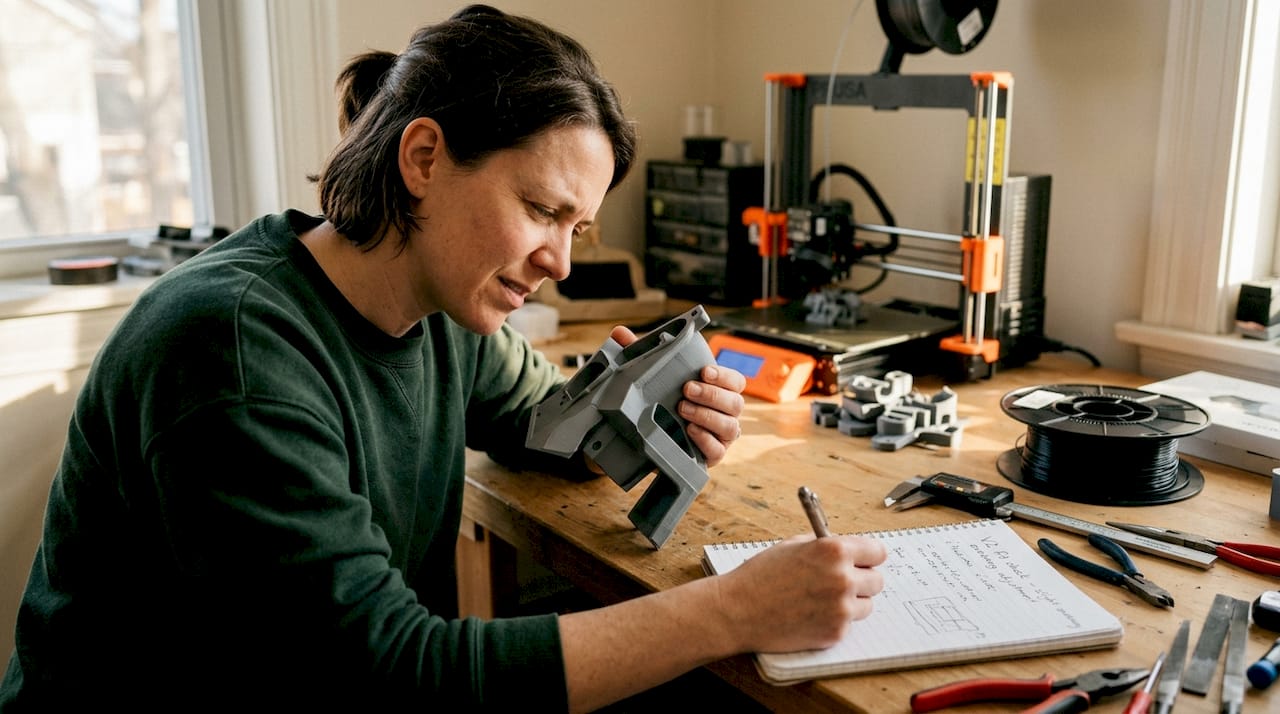
TL;DR:
- Proper 3D print design requires understanding material, process, and geometry constraints.
- Orientation and support planning are crucial for part strength, finish, and print success.
- Final validation with testing and adjustments ensures reliable, functional 3D printed parts.
Poor 3D print design costs more than just filament. Parts that don’t fit, walls that crack under load, or holes too tight for their fasteners can stall an entire product development cycle. The root cause is almost always the same: the design didn’t account for how 3D printing actually works. This guide walks you through every stage, from defining requirements and choosing materials to setting tolerances, orienting parts for strength, and validating your file before the first layer goes down. Follow these principles and you’ll spend less time reprinting and more time building.
Table of Contents
- Gathering requirements and planning your 3D print
- Design principles: Dimensions, tolerances, and geometry
- Maximizing strength and function through orientation and supports
- Final checks: Validating your design before printing
- Why smart design is the make-or-break factor for 3D printed part success
- Need professional help? Streamline your next 3D print project
- Frequently asked questions
Key Takeaways
| Point | Details |
|---|---|
| Start with clear requirements | Clarify part function, material, and print method before designing to minimize errors. |
| Follow proven geometry rules | Respect wall thickness, tolerances, and overhang limits for a reliable print. |
| Orient for strength and ease | Align parts for maximum real-world durability and minimize support and warpage risks. |
| Validate before printing | Double-check for potential design errors and simulate part fits or stress if possible. |
Gathering requirements and planning your 3D print
Every reliable 3D printed part starts with a clear answer to one question: what does this part actually need to do? That sounds obvious, but it’s where most design problems begin. A concept model shown to stakeholders has completely different requirements than a bracket bolted into a working assembly. Treating them the same way is a fast path to wasted prints.
Start by categorizing your part’s purpose:
- Concept model: Visual representation only. Dimensional accuracy matters less than speed and cost.
- Fit and form prototype: Must match final geometry closely so you can test assembly clearances and ergonomics.
- Functional prototype: Needs to perform under real loads, temperatures, or environmental exposure.
- End-use part: Must meet full mechanical, chemical, and aesthetic specifications.
Once you know the stage, material selection follows logically. Choosing materials by prototype stage is straightforward: PLA and FDM work well for early concepts, while PETG and Nylon SLS are better suited to functional parts that need toughness and temperature resistance. For materials for durable parts, the tradeoff between cost, printability, and mechanical performance is worth understanding before you commit to a process.
| Stage | Recommended material | Recommended process |
|---|---|---|
| Concept | PLA | FDM |
| Fit/form | PETG, Resin | FDM, SLA |
| Functional | Nylon, PETG | SLS, FDM |
| End-use | Nylon, Metal | SLS, DMLS |
The process you choose also determines what design constraints you’ll work within. FDM is affordable and fast but produces visible layer lines and lower Z-axis strength. SLA gives you fine detail and smooth surfaces but can be brittle. SLS produces strong, isotropic parts without support structures. Metal processes offer the best mechanical properties but require tighter design control. Selecting 3D printing methods early in the workflow prevents costly redesigns later.
Also plan ahead for post-processing. If a part will be sanded, painted, or machined after printing, you need extra material stock in those areas. If it will be assembled with hardware inserts, account for heat-set or press-fit tolerances in the original CAD model.
Pro Tip: Write a one-paragraph “part brief” before opening your CAD software. List the function, material preference, process, expected loads, and any assembly interfaces. This single document prevents the most common design drift that leads to reprints.
Design principles: Dimensions, tolerances, and geometry
With your requirements defined, the next step is translating them into geometry that a printer can actually produce reliably. This is where most engineers either over-trust their CAD model or under-estimate how much the printing process changes the final dimensions.
Wall thickness is the first constraint to set. Minimum wall thickness varies by technology: FDM needs at least 1.2mm for structural walls, SLA can go as thin as 0.5mm, SLS works well at 0.8mm and above, and metal processes typically require 0.5 to 1mm depending on geometry. Going thinner than these limits risks incomplete walls, warping, or print failures.
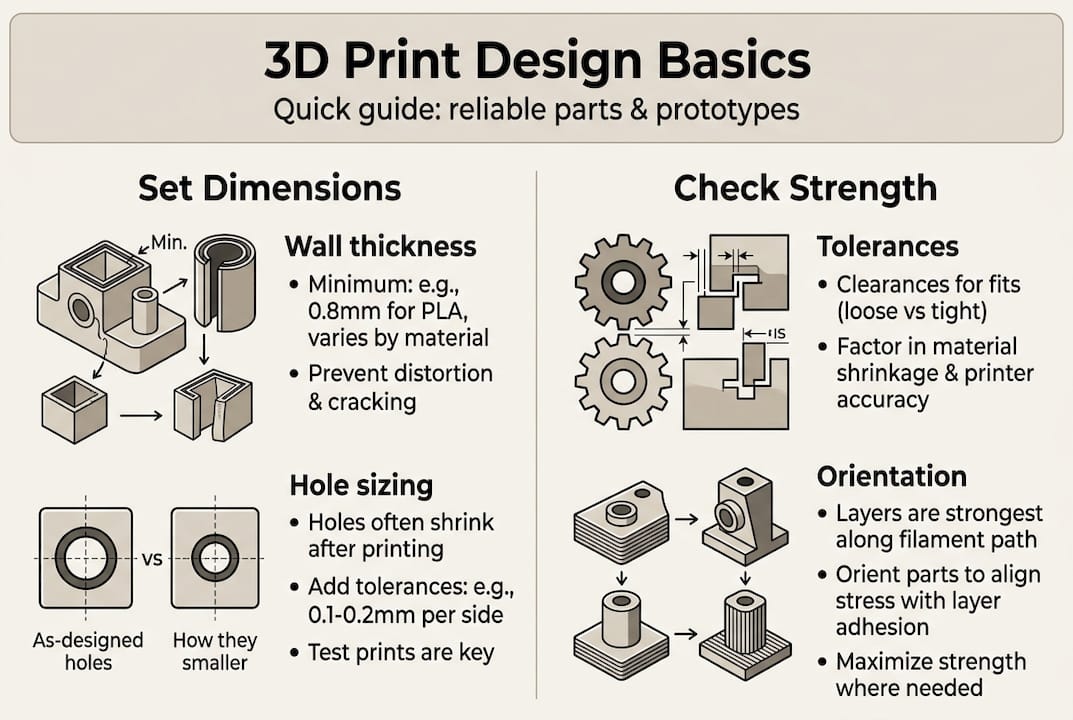
Tolerances define how closely the printed part matches your CAD dimensions. The numbers matter: FDM holds ±0.2 to 0.5mm, SLA achieves ±0.05 to 0.15mm, SLS and MJF land at ±0.15 to 0.3mm, and metal processes reach ±0.05 to 0.2mm. Design your clearances and fits around these real-world numbers, not theoretical CAD perfection.
| Process | Typical tolerance | Min wall thickness |
|---|---|---|
| FDM | ±0.2 to 0.5mm | 1.2mm |
| SLA | ±0.05 to 0.15mm | 0.5mm |
| SLS/MJF | ±0.15 to 0.3mm | 0.8mm |
| Metal (DMLS) | ±0.05 to 0.2mm | 0.5 to 1mm |
Geometry choices have a major impact on print reliability. Follow these rules:
- Keep overhangs at or below 45 degrees from vertical to avoid needing supports.
- Limit unsupported bridges to 5mm or less for FDM; SLA and SLS handle longer spans better.
- Add chamfers or fillets to sharp interior corners to reduce stress concentration.
- Orient tall, thin features so they print along the XY plane rather than growing vertically.
- For outdoor parts, account for UV and thermal cycling in both material choice and wall thickness.
Holes are a consistent pain point. They almost always print undersized due to material flow and thermal contraction. If your design calls for a 6mm bolt hole, model it at 6.2 to 6.4mm and test before committing to a full batch. Understanding key 3D printing terms like “elephant’s foot” and “shrinkage” helps you anticipate these effects before they show up in your parts.
Anisotropy, meaning the difference in strength depending on direction, is critical for functional parts. The XZ and XY planes are significantly stronger than the Z axis in layer-based processes. Design load-bearing features so stress runs parallel to the print bed, not perpendicular to it.
Pro Tip: Use a tolerance guidelines reference alongside your CAD software. Avoid common geometry mistakes like modeling perfectly vertical walls without draft or adding decorative thin ribs that the printer simply cannot reproduce.
Maximizing strength and function through orientation and supports
Once your dimensions and geometry are locked in, how you orient the part in the build volume becomes one of the most powerful variables you control. Two identical CAD files can produce parts with dramatically different real-world performance based on orientation alone.
The core rule is straightforward: orient loads parallel to the XY plane because the Z axis is weaker due to layer bonding. A bracket printed flat on the bed will resist bending forces far better than the same bracket printed standing upright. This isn’t just a guideline, it’s the physical reality of how layers fuse.
Here’s what to consider when choosing orientation:
- Place the largest flat surface on the build plate to maximize adhesion and minimize warpage.
- Orient critical surfaces face-down for SLA to get the best surface finish where it matters.
- For SLS and MJF, orientation affects surface texture but not strength as dramatically, since these processes are more isotropic.
- Avoid orienting thin walls vertically in FDM; they’re prone to vibration and layer separation.
- Minimize the number of support structures needed, especially in hard-to-reach internal cavities.
Supports are necessary in many designs, but they add print time, cost, and post-processing work. Overhang limits for FDM and SLA are typically 45 degrees without supports. Beyond that angle, you need either supports or a design change. SLS and MJF don’t require supports because unsintered powder holds the part during printing, which is one of their biggest practical advantages.
“The best support is the one you design out of the model entirely.” Redesigning an overhang as a chamfer or splitting a complex part into two printable pieces often saves more time than any slicer setting.
Warpage is another orientation-related risk, particularly with large flat parts in FDM using ABS or Nylon. These materials shrink as they cool, and if the base isn’t properly adhered to the build plate, corners lift. Solutions include using a brim, printing on a heated enclosure, or redesigning the part to reduce large flat areas.
Infill pattern and density also affect real-world durability. PLA and ABS strength data shows that gyroid and honeycomb infill patterns outperform rectilinear patterns in multi-directional loading scenarios. For functional parts, 40 to 60% infill with a gyroid pattern is a strong default. For visual models, 15 to 20% is usually sufficient.
See prototype orientation examples from real projects to understand how these decisions play out in practice.
Pro Tip: When in doubt about orientation, print a small proxy section of the critical feature at two orientations and do a quick break test. Ten minutes of test printing can save hours of redesign.
Final checks: Validating your design before printing
A well-designed part can still fail if the file has errors or the design hasn’t been verified against real print constraints. This final validation step is where you catch the issues that CAD software doesn’t flag automatically.
Start with a geometry audit. Work through this checklist before exporting:
- Check all wall thicknesses against the minimum for your chosen process.
- Confirm no non-manifold edges or inverted normals exist in the mesh.
- Verify that all mating surfaces have appropriate clearances modeled in.
- Ensure hollow parts have escape holes of at least 3 to 5mm diameter for SLS powder removal, with at least two per enclosed cavity.
- Review overhangs and bridges against your process limits.
- Confirm the part fits within the printer’s build volume with room for orientation adjustment.
Holes deserve special attention. Holes print undersized due to material shrinkage and bridging effects, so scale them up in your model before exporting. A test print of just the hole feature costs almost nothing and confirms your compensation factor before you print the full part.
| Check | FDM | SLA | SLS |
|---|---|---|---|
| Hole compensation | +0.2 to 0.4mm | +0.1mm | +0.1 to 0.2mm |
| Min escape hole | N/A | N/A | 3 to 5mm dia. |
| Clearance per side | 0.2 to 0.4mm | 0.1mm | 0.2 to 0.5mm |
| STL export resolution | 0.01mm chord | 0.005mm chord | 0.01mm chord |
File format matters more than most people realize. Export to STL or 3MF with a resolution tight enough to preserve fine features, but not so high that the file becomes unmanageable. Review best CAD file formats for 3D printing workflows to make sure your export settings match your process.
Validating with a proxy print, a small section of the most complex feature, before committing to a full run is one of the highest-value steps in any prototyping workflow. Realistic tolerance targets vary by process and should be confirmed empirically, not assumed from spec sheets.
Finally, plan your post-processing steps before printing. If a part will be tapped for threads, drilled, or bonded, those operations need to be accounted for in the original geometry. Iterative refinement is faster and cheaper when each cycle is short and targeted.
Why smart design is the make-or-break factor for 3D printed part success
Here’s something we’ve learned from working through dozens of prototyping projects: following a design guideline checklist is necessary, but it’s not sufficient. The engineers who get the best results aren’t the ones who memorize tolerance tables. They’re the ones who treat every first print as a learning event, not a finished product.
The uncomfortable truth is that overengineering tolerances early in a project slows everything down. Spending three days perfecting a 0.05mm clearance on a concept model that will be redesigned anyway is wasted effort. The smarter move is to print fast, test fast, and tighten tolerances only when the design is stable.
We’ve also seen the opposite failure: teams that trust their CAD model so completely that they skip proxy prints entirely, then discover a fundamental fit issue after a full production run. No simulation replaces an actual printed part in your hand.
The best design workflows we’ve seen treat the printer as a feedback tool. Each iteration teaches you something specific: this wall is too thin, this clearance is too tight, this orientation produces a better surface finish. Explore real-world applications to see how this iterative mindset produces better outcomes across industries. Smart design isn’t about getting it perfect the first time. It’s about getting useful information faster.
Need professional help? Streamline your next 3D print project
Designing for reliable 3D printing takes experience that builds over many iterations. If you’re working on a tight deadline or need production-grade parts without the trial-and-error cycle, professional support makes a measurable difference.

At CC 3D Labs, we work with product developers and businesses to take designs from CAD to finished parts with confidence. Whether you need guidance on material selection, help optimizing geometry for your chosen process, or a full run of functional prototypes, our 3D printing services are built around your requirements. Check out our on-demand 3D prints for fast turnaround on custom parts, or read our guide to rapid prototyping to plan your next development cycle. Get a free online estimate and let’s build something that works.
Frequently asked questions
What is the minimum wall thickness for FDM, SLA, SLS, and metal 3D printing?
For reliable prints, use at least 1.2mm with FDM, 0.5mm with SLA, 0.8mm with SLS, and 0.5 to 1mm with metal processes. Going below these limits risks incomplete walls and structural failures, as minimum wall thickness varies by technology.
How much clearance do I need for moving assemblies in 3D prints?
Typical clearances are 0.2 to 0.4mm per side for FDM and 0.1mm per side for SLA, with SLS needing 0.2 to 0.5mm for sliding fits. These values account for clearance in 3D print assemblies and should be confirmed with a test print before full production.
Why do 3D printed holes turn out undersized?
Material shrinkage and bridging effects cause holes to print undersized, so you should scale up hole diameters in your design by 0.1 to 0.4mm depending on the process. Always verify with a test print before committing to a full run.
How does part orientation affect strength in 3D printing?
Parts are strongest in the XY plane but weaker along the Z axis due to layer lines, so orient loads parallel to the XY plane when possible. This single decision can significantly extend the functional life of a printed part.
What are escape holes and why are they important in SLS 3D printing?
Escape holes, at least 3 to 5mm in diameter, allow removal of unsintered powder trapped inside hollow SLS parts after printing. Without them, powder remains locked inside the part and can cause defects or add unwanted weight.