
TL;DR:
- Most professional 3D printing galleries include failed prints and process iterations, which reveal the true quality and limitations. These curated collections serve as operational tools, showcasing real results, process improvements, and reliability for businesses evaluating suppliers or benchmarking designs. Unlike hobbyist sites, professional galleries prioritize function, batch consistency, and transparency, enabling informed decision-making and process optimization.
Most people assume a 3D printing project gallery is just a portfolio of polished wins. The reality is more useful. Professional galleries often include failed prints, visible layer lines, and mid-process iterations. Those aren’t flaws in the presentation. They’re the most valuable part. For businesses and product developers, a curated visual collection of 3D printing projects isn’t just inspiration material. It’s a living record of what works, what doesn’t, and what’s possible at scale.
Table of Contents
- What is a project gallery in 3D printing?
- Typical categories and features of project galleries
- Why project galleries include failures and iterative improvements
- Professional vs. hobbyist project galleries: A comparison
- How to leverage a project gallery for business inspiration and design improvement
- What most articles miss about project galleries for professionals
- Connect with professional project gallery services
- Frequently asked questions
Key Takeaways
| Point | Details |
|---|---|
| Curated showcase | A project gallery displays completed 3D print projects for inspiration and evaluation. |
| Diverse categories | Galleries feature product designs, art, prototypes, and functional parts with material and geometry details. |
| Learning from failure | Displaying failed prints and iterative improvements helps teams refine products and innovate. |
| Business value | Professional galleries focus on functionality, scalability, and real-world metrics for product development. |
| Actionable insights | Leveraging galleries streamlines evaluation and inspires smarter design for businesses. |
What is a project gallery in 3D printing?
A project gallery is a structured, visual showcase of completed 3D printing work. Think of it as a searchable record of outputs. It displays finished models, prototypes, functional parts, and sometimes rejected designs, all organized to help viewers understand what a printer or printing service can actually produce.
For businesses evaluating a supplier or trying to benchmark their own outputs, a gallery does something a spec sheet can’t: it shows real results. You can see how a material behaves on curved surfaces, how fine details hold up at small scales, and how batch production looks when 50 identical parts come off the same printer.
Key business uses of a project gallery include:
- Evaluating supplier capabilities before committing to a production run
- Benchmarking your own designs against industry-standard outputs
- Identifying materials and finishes that fit your product requirements
- Discovering design techniques that reduce print failures or material waste
- Speeding up client approvals by showing comparable past projects
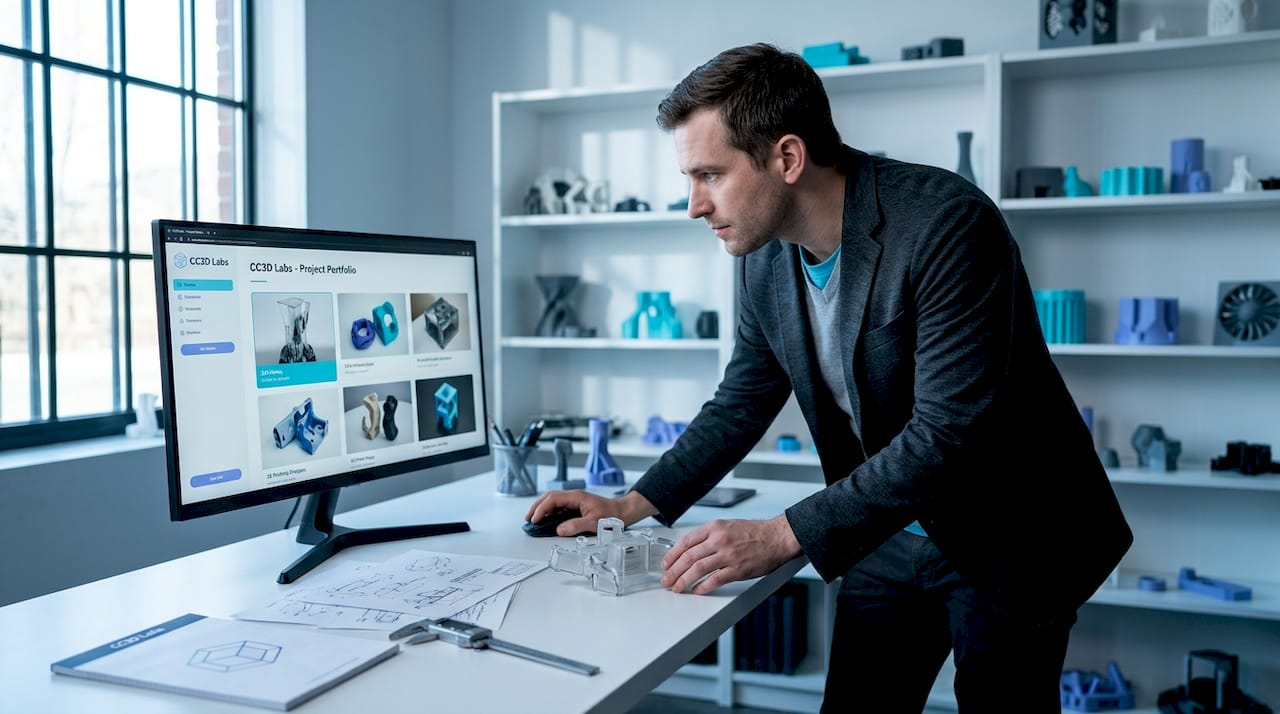
A CAD project gallery takes this one step further by displaying the modeling process alongside the printed result. This is especially useful for product developers who want to verify that a supplier understands geometry, tolerances, and design intent. Our 3D printed project gallery at CC3D Labs exists precisely for this reason. Not just to look good, but to give you a factual baseline for evaluating what we produce.
A project gallery in 3D printing is a curated online showcase or visual collection displaying completed 3D printed projects, models, and designs to inspire makers, designers, and businesses.
That definition is useful but doesn’t go far enough. For professionals, galleries aren’t passive inspiration boards. They’re decision-making tools.
Typical categories and features of project galleries
A well-built professional gallery isn’t one long scroll of random prints. It’s organized by category, material type, application, and sometimes production scale. That structure is what makes it functional for business users rather than just visually appealing.
Professional gallery categories typically include 3D printed art, characters, architectural models, product designs, and functional prototypes, each highlighting textures, materials, and geometry complexity. Here’s how those categories map to real business use cases:
| Gallery category | What it shows | Best used for |
|---|---|---|
| Functional prototypes | Wall thickness, tolerances, fit and assembly | Product development teams |
| Architectural models | Fine geometry, surface detail | Design and construction firms |
| Batch production | Part consistency across 50 to 500+ units | Manufacturing procurement |
| Product design | Material finishes, color matching, branding | Consumer product developers |
| Art and characters | Complex geometry, multi-color capability | Branded merchandise, display items |
| Iterative designs | Multiple versions of the same part | R&D and engineering teams |
What to look for in each category:
- Textures and surface quality: Does the finish match your product requirements?
- Geometric complexity: Can the printer handle overhangs, interlocking parts, or fine threads?
- Material variety: Are PETG, ABS, TPU, and engineering-grade filaments all represented?
- Batch consistency: Do repeated parts look identical, or do small variations appear across the run?
There are creative applications that push well beyond standard prototyping. Galleries that include these examples give product developers a broader picture of what’s achievable. Explore a filament prototype gallery to see how different filament choices affect the final output at both small and production scale.
It’s also worth looking at how larger manufacturers use galleries. Sites like Conquest Manufacturing provide production-oriented examples that show how professional-grade equipment handles volume and material complexity.
Pro Tip: When reviewing a gallery, don’t just look at the best examples. Look for consistent quality across ordinary projects. That consistency is a better signal of a provider’s reliability than a single standout print.
Why project galleries include failures and iterative improvements
This is the part most businesses overlook. A gallery that only shows flawless finished products is telling half the story. The most informative galleries include failed prints and iterative improvements that reveal how craftsmanship and process optimization actually work in practice.
Layer lines are a perfect example. In amateur circles, visible layer lines are considered a flaw. In professional contexts, they’re data. The direction, consistency, and spacing of layer lines tell you about print orientation, speed settings, and material behavior. A gallery that shows layer lines and explains why they appear is teaching you something useful.
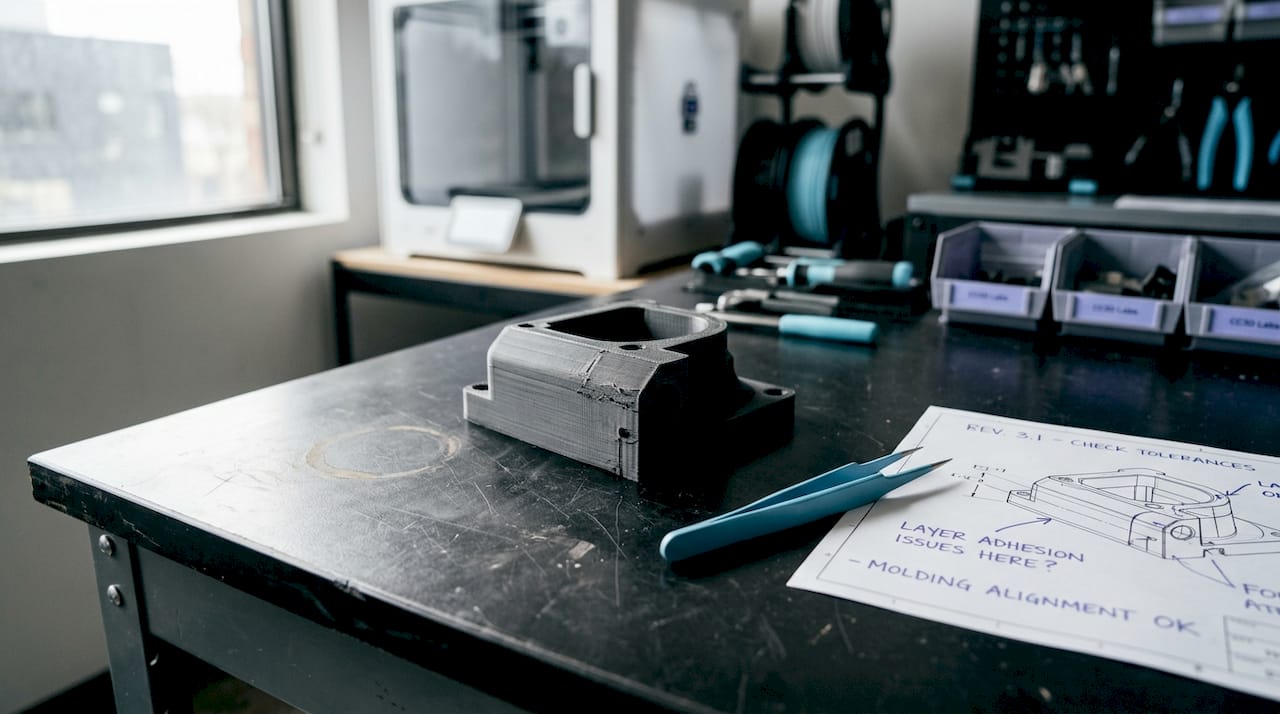
Here’s a side-by-side look at how iterative galleries compare to single-result displays:
| Gallery type | What’s shown | Business value |
|---|---|---|
| Single-result display | Only the final, approved version | Shows outcome only |
| Iterative gallery | v1, v2, v3 with notes on changes | Shows process improvement |
| Failure gallery | Failed prints with explanation | Builds trust and transparency |
| Annotated gallery | Each image includes print settings | Enables replication and benchmarking |
Design teams that use iterative galleries in their development process catch problems earlier. If you can see that a similar part failed at a specific wall thickness three versions ago, you avoid repeating that mistake in your own design file. This is particularly valuable when prototyping quality standards need to hold across multiple rounds of revision.
Galleries that track design evolution also connect directly to 2026 manufacturing trends, where shorter development cycles and first-time-right printing are becoming competitive requirements. Iterative documentation is how you get there faster.
Pro Tip: When evaluating a supplier through their gallery, ask if they can share the version history for a project similar to yours. A supplier willing to show their iterative process is one confident in their workflow.
Professional vs. hobbyist project galleries: A comparison
Not all galleries serve the same audience. Understanding the difference matters a great deal when you’re trying to use gallery content to drive business decisions.
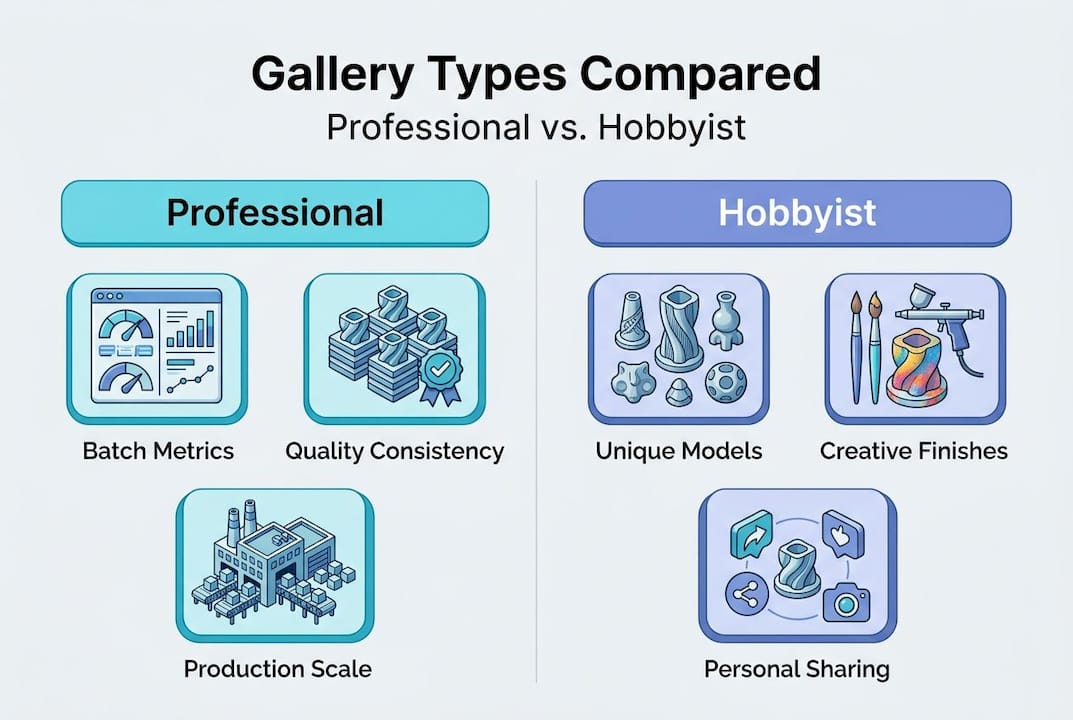
Hobbyist galleries prioritize aesthetics and creative sharing (platforms like Thingiverse are a well-known example), while professional galleries emphasize functionality, scalability, and batch production metrics more like case studies from services such as 3DPRINTUK. Both have value, but they’re optimized for completely different goals.
Hobbyist galleries tend to:
- Celebrate creative and artistic expression over function
- Focus on community engagement and downloads
- Measure success by likes, remixes, and shares
- Show individual one-off prints rather than production runs
- Lack material or tolerance specifications
Professional galleries, on the other hand, tend to:
- Document functional results including tensile strength, layer adhesion, and dimensional accuracy
- Show batch production consistency across repeated parts
- Include material datasheets and process notes
- Benchmark performance against design requirements
- Prioritize scalability data that informs procurement decisions
For businesses making sourcing decisions, the difference is everything. A professional gallery helps you answer: can this provider handle my volume, my tolerances, and my material requirements? A hobbyist gallery can spark creative ideas, but it won’t tell you whether a part will survive a real-world mechanical test.
The batch production guide covers this in detail, including how to evaluate quantity, consistency, and cost trade-offs. For businesses that need parts to perform in the field, manufacturing-grade 3D printing sets a different quality bar entirely. Make sure the gallery you’re reviewing reflects those standards before you commit to a supplier.
How to leverage a project gallery for business inspiration and design improvement
Using a gallery well takes a bit of structure. Here’s a practical process for extracting real value from any professional 3D printing project gallery.
-
Define your evaluation criteria first. Before you open a gallery, write down what matters to you: material type, surface finish, tolerance range, batch size, or geometric complexity. Having criteria prevents you from getting distracted by impressive-looking prints that don’t apply to your use case.
-
Filter by category. Use the gallery’s category structure to focus on projects similar to yours. If you’re developing a functional mechanical part, skip the art section and go straight to prototypes and production parts.
-
Look for documentation depth. The best galleries include print settings, material choices, post-processing steps, and notes on design changes. Galleries without this context offer limited business value.
-
Study the failures, not just the wins. Note what caused failures and how they were resolved. This is often the most actionable content in a professional gallery.
-
Use gallery examples as conversation starters. When briefing a 3D printing provider, reference specific gallery projects that match your requirements. This speeds up scoping and reduces back-and-forth on expectations.
-
Track your own design iterations. Don’t just consume other people’s galleries. Build your own. Document your v1 through v5 prints with notes on what changed and why. This internal record becomes a powerful reference for your team over time.
Knowing what can be 3D printed is the starting point for this whole process. Understanding the full range of printed prototypes and parts helps you set realistic goals before you ever look at a gallery.
Pro Tip: Screenshot gallery examples that closely match your project and create a reference folder for each active product development project. This gives your design team a visual brief without lengthy written descriptions.
What most articles miss about project galleries for professionals
Most coverage of 3D printing galleries treats them as marketing assets. Eye candy for potential customers. That framing undersells what a gallery actually does at the professional level.
A well-built gallery is an operational tool. When we document a project at CC3D Labs, that documentation goes beyond showing off the final part. We track what settings were used, how the design evolved across iterations, what failure modes appeared and how they were resolved, and what the final output looked like against the original CAD file. That record has real business value.
The galleries that actually move the needle for product developers are the ones that surface layer artifacts like layer lines and document them, rather than hiding them through post-processing or selective photography. Those details signal to a technical buyer that a supplier understands their own process deeply enough to explain it.
Here’s the insight most businesses don’t act on: the best use of a gallery isn’t passive browsing. It’s active benchmarking. Pull a gallery example that matches your spec, compare it to your own previous outputs, and identify the specific gap. Then ask your supplier to explain how they’d close it. That conversation is worth more than any spec sheet.
Batch metrics are another underutilized gallery feature. When a gallery shows 200 identical parts with consistent color, layer adhesion, and dimensional accuracy, it’s making a data-driven argument about why quality matters at production scale. That’s the argument your procurement team needs to hear.
Treat project galleries as performance dashboards. Look for consistency, transparency about failures, and documented iteration. Those three signals tell you more about a supplier’s reliability than any number of polished hero shots.
Connect with professional project gallery services
If you’ve been evaluating suppliers, benchmarking designs, or trying to improve your product development cycle, the right gallery makes that process significantly faster.

At CC3D Labs, our 3D printing services are built around documented, transparent production. Our CC3D Labs project gallery includes functional prototypes, batch production examples, and iterative design documentation, so you can evaluate our outputs against your actual requirements before submitting a single file. We serve businesses and product developers near Philadelphia and internationally, with free online estimates and design support included. Browse our gallery, explore what can be printed, and see exactly what production-grade filament printing looks like when quality is tracked from v1 to final delivery.
Frequently asked questions
How does a project gallery help with product development in 3D printing?
Galleries provide real benchmarks, show iterative design improvements, and help teams spot failure patterns early, cutting down revision cycles and improving design decisions before production begins.
What categories are commonly featured in professional 3D printing project galleries?
Professional galleries typically organize content into functional prototypes, batch production runs, architectural models, product designs, and art pieces, each showcasing materials, textures, and geometry relevant to that application.
Why do some galleries highlight failures and print artifacts?
Showing layer lines and failed prints builds transparency and helps buyers assess process quality, evaluate a supplier’s troubleshooting ability, and understand the realistic range of outputs.
How do professional galleries differ from hobbyist galleries?
Professional galleries prioritize production metrics like part strength, batch consistency, and scalability, while hobbyist galleries focus primarily on creative expression and community sharing without functional documentation.
Can a project gallery be used to benchmark manufacturing partners?
Absolutely. A gallery gives you concrete, comparable examples of a supplier’s quality standards and production scale, making it one of the most reliable evaluation tools available before you sign any production agreement.